

Meetings consume hours weekly, yet critical information gets lost without proper documentation. AI assistants solve this problem by automatically capturing everything—recording audio, transcribing conversations, summarizing discussions, and extracting action items—while participants stay focused on the conversation rather than frantically taking notes.
This guide explains how AI meeting assistants work, key features to evaluate, implementation strategies, and how to choose the right virtual meeting assistant for your team’s needs.
- AI meeting assistants automate note-taking and transcription so participants can focus fully on discussions.
- Searchable meeting archives create institutional knowledge that teams can reference anytime.
- Action item extraction prevents dropped commitments by automatically identifying and tracking tasks.
- Integration with existing tools streamlines workflows by connecting meeting outputs to project management and CRM systems.
- Multi-language support enables global collaboration through real-time translation and transcription.
What is an AI Meeting Assistant?
An AI meeting assistant is software that joins meetings to automatically record, transcribe, summarize discussions, and extract action items—eliminating manual note-taking. These meeting AI assistant tools use speech recognition to convert audio to text, natural language processing to identify key topics and decisions, and machine learning to generate summaries and assign tasks based on context and conversation patterns.
The technology has evolved significantly from basic recording tools to intelligent assistants that understand context, differentiate between speakers, and recognize meeting outcomes. Modern AI meeting tools can distinguish between casual conversation and actionable commitments, identify when decisions are made versus when topics are simply discussed, and organize information in formats that make it easy to find and act on later.
Why You Should Be Using an AI Meeting Assistant
The benefits of technology in the workplace extend across focus, accuracy, accountability, and efficiency when teams adopt AI meeting tools:
-
Improved focus during meetings — Participants can engage fully in discussions without the distraction of taking notes, leading to more meaningful contributions and better real-time collaboration in smart workspaces.
-
Accurate, searchable meeting records — Every meeting creates a permanent, searchable transcript that team members can reference anytime to verify decisions, recall details, or catch up on missed meetings.
-
Automated action item extraction — AI automatically identifies tasks, deadlines, and assignments mentioned during discussions, eliminating the manual work of compiling to-do lists after meetings end.
-
Better accountability and follow-through — Clear documentation of commitments and assigned tasks makes it easier to track ownership and ensure nothing falls through the cracks between meetings.
-
Significant time savings — Teams using collaboration software with AI capabilities eliminate hours spent on manual note-taking, post-meeting summary writing, and follow-up emails asking "what did we decide?"
-
Enhanced accessibility for distributed teams — Remote collaboration improves when workers across time zones can review meeting content asynchronously, while real-time captions help participants with hearing impairments or non-native speakers follow along more easily.
Better meeting ROI happens when insights are captured and actioned consistently rather than lost to memory gaps and incomplete notes.
Key Features of AI Meeting Assistants
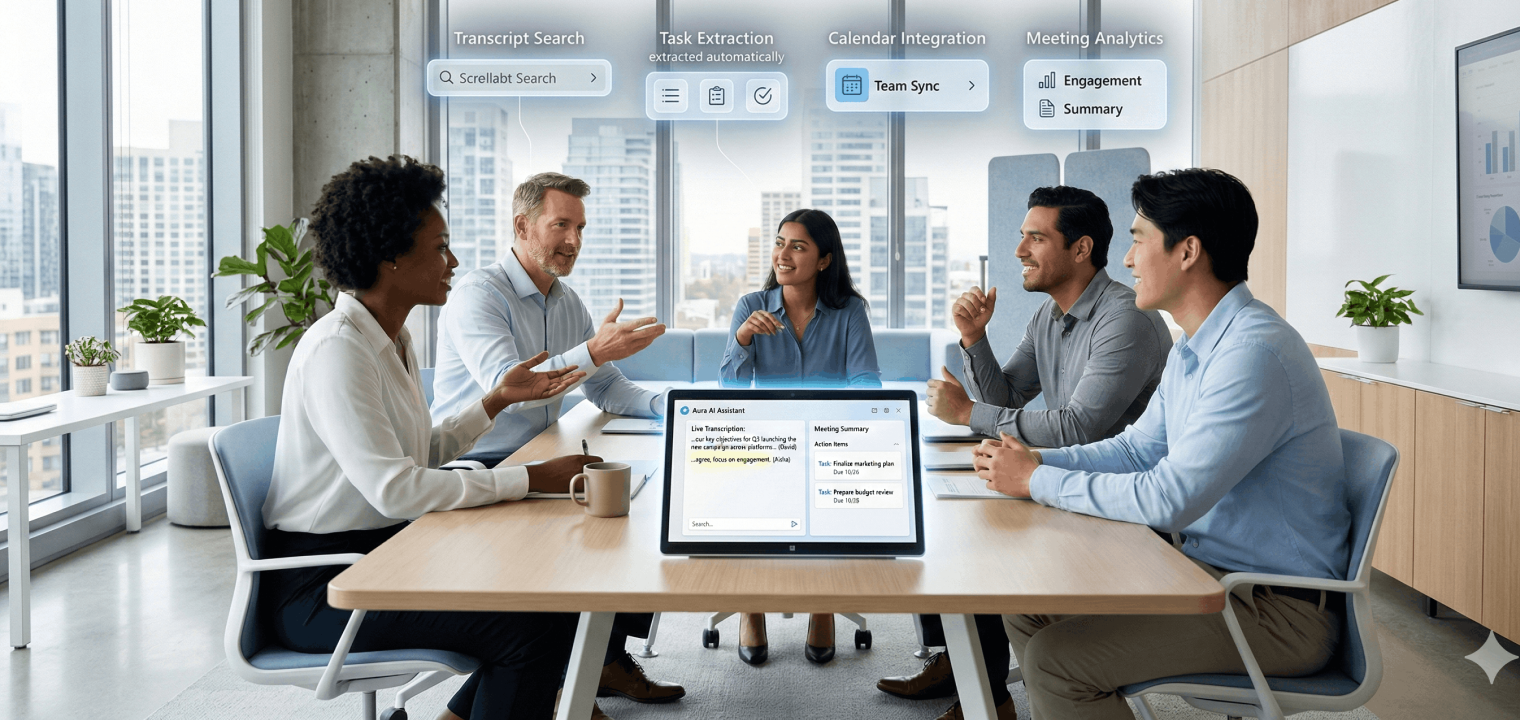
These capabilities should be considered essential when evaluating AI meeting tools for your collaborative workspace.
Real-Time Transcription
AI meeting assistants transcribe speech to text during meetings with high accuracy, supporting multiple languages and accents. Live captions benefit accessibility and help participants follow discussions in noisy environments or when audio quality drops during video conferencing sessions.
Automated Summaries
AI generates meeting recaps highlighting key decisions, discussion topics, and important quotes—delivered within minutes of meeting end. Summaries save attendees from reviewing full transcripts and help absent team members catch up quickly on what high-performing teams discussed and decided.
Action Item Extraction
AI identifies tasks, commitments, and deadlines mentioned during meetings, then organizes them into actionable lists with assigned owners. This prevents dropped balls and ensures follow-through without manual tracking across team communication channels.
Integration Capabilities
Key integrations include calendar systems that auto-join scheduled meetings, video platforms like Zoom, Teams, Meet, and Webex, project management tools such as Asana, Monday, and Jira, plus CRMs including Salesforce and HubSpot. Integrations streamline workflows by pushing action items and notes directly into existing tools teams already use, rather than creating another separate system to check.
Searchable Meeting Archives
All meeting content becomes searchable by keyword, topic, speaker, or date—creating an institutional knowledge base for the entire organization. Finding past decisions or discussions on specific topics takes seconds instead of digging through emails or asking colleagues who may not remember accurately.
Multi-Language Support
Advanced AI meeting assistants offer real-time translation and transcription in multiple languages, enabling seamless global collaboration. This eliminates language barriers in international meetings and multilingual team environments where team communication might otherwise struggle.
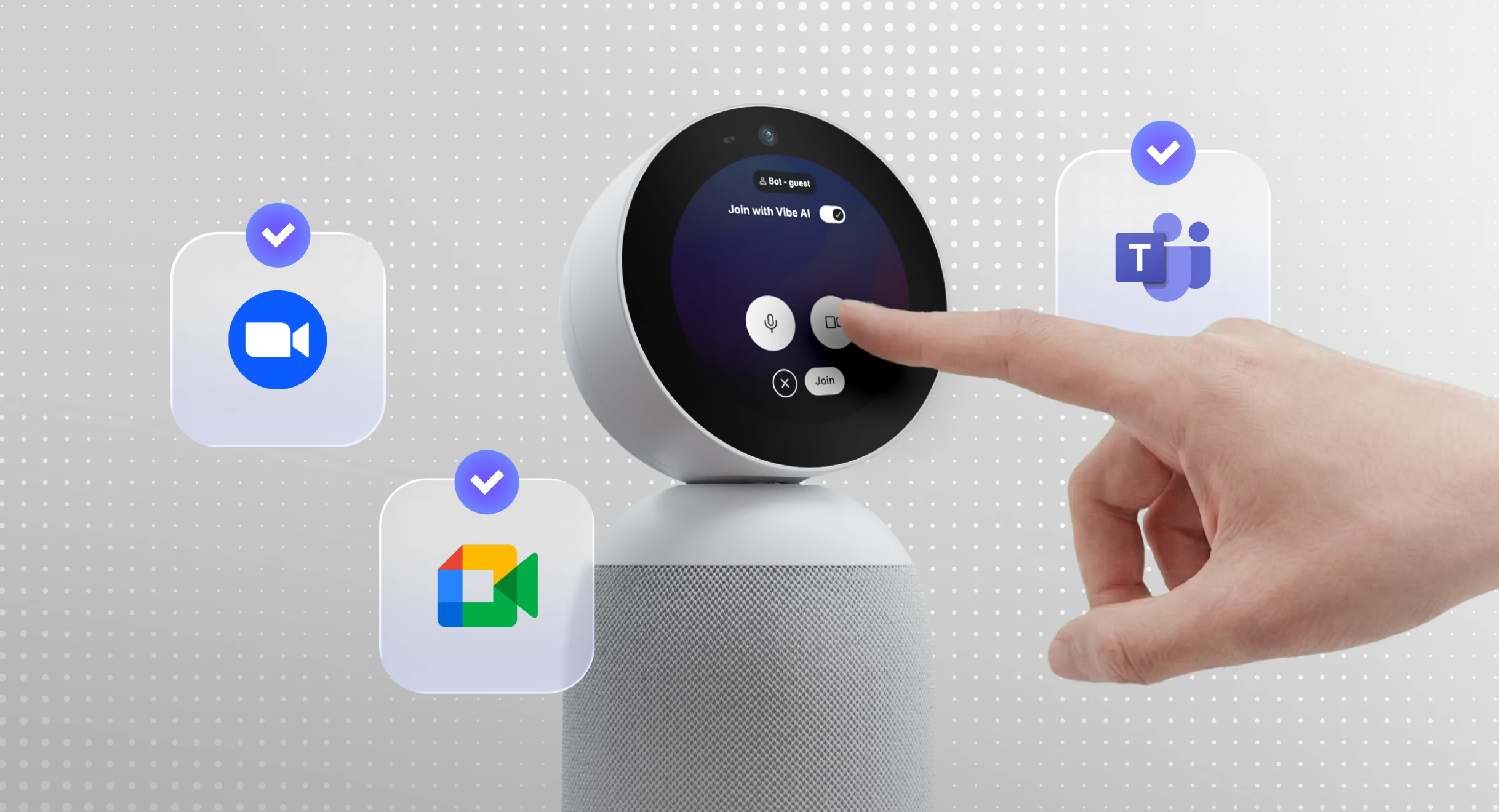
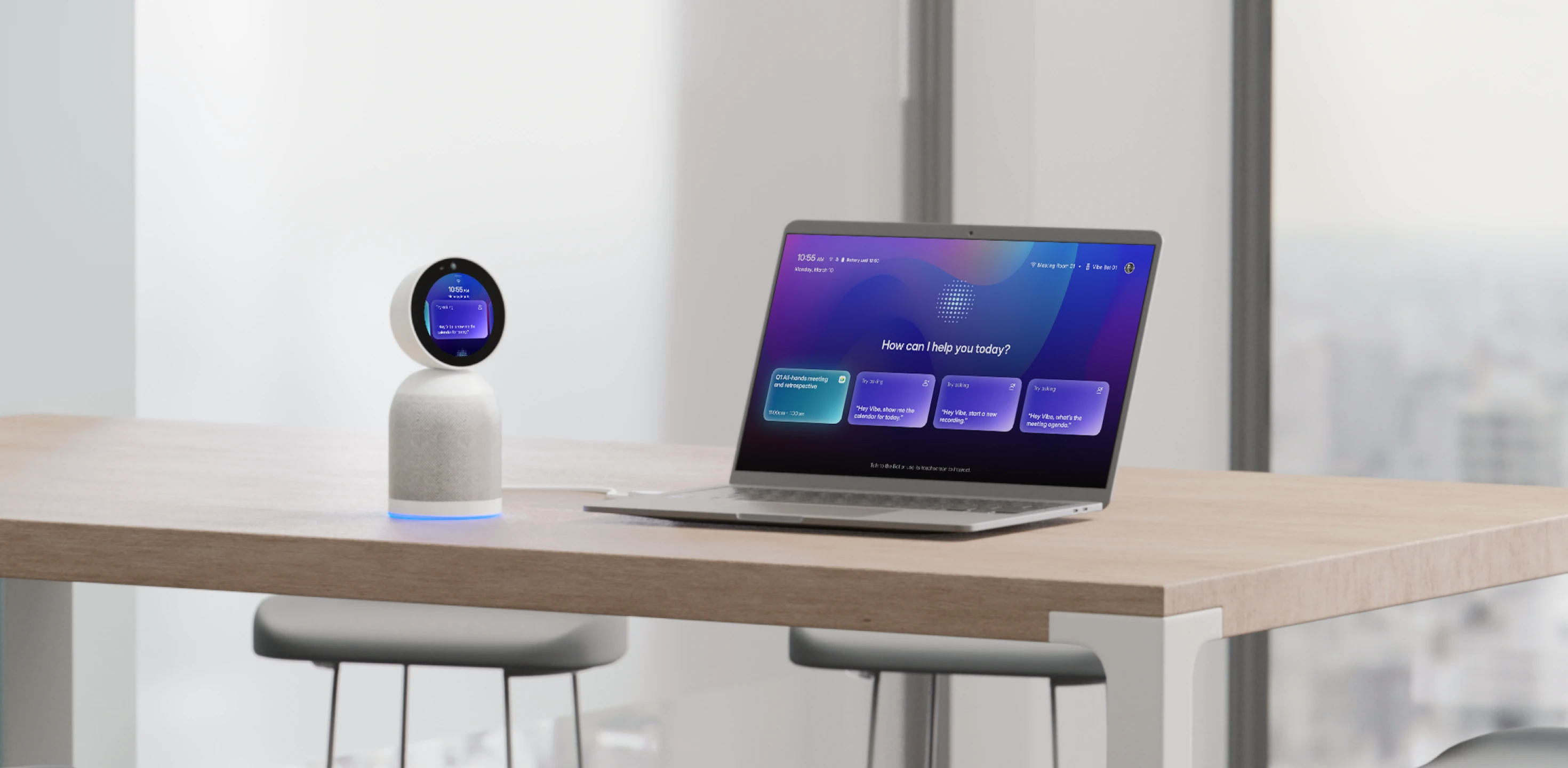 Vibe Bot in a modern workspace, showcasing its AI-powered meeting assistant capabilities with voice interaction and seamless integration across devices.
How AI Meeting Assistants Work
The user experience is straightforward: an AI bot joins your meeting as a participant, records audio, transcribes in real-time, identifies speakers, and processes content during or immediately after the session. Behind the scenes, automatic speech recognition converts audio to text, natural language understanding identifies entities and intent, and machine learning models extract insights and generate summaries based on conversation patterns.
Privacy and security are addressed through data encryption, compliance certifications including SOC 2 and GDPR, recording permissions that participants control, and access controls over who can view meeting content. Organizations can typically configure retention policies and data handling procedures to meet their specific requirements.
The technology comes in two forms: bots that join virtually and record cloud-side, or device-based tools that record locally from a participant’s computer. Virtual meeting assistant bots appear as named participants in the meeting, while device-based recording happens invisibly on the user’s machine.
5 Examples of Powerful AI Meeting Assistants
Vibe Bot
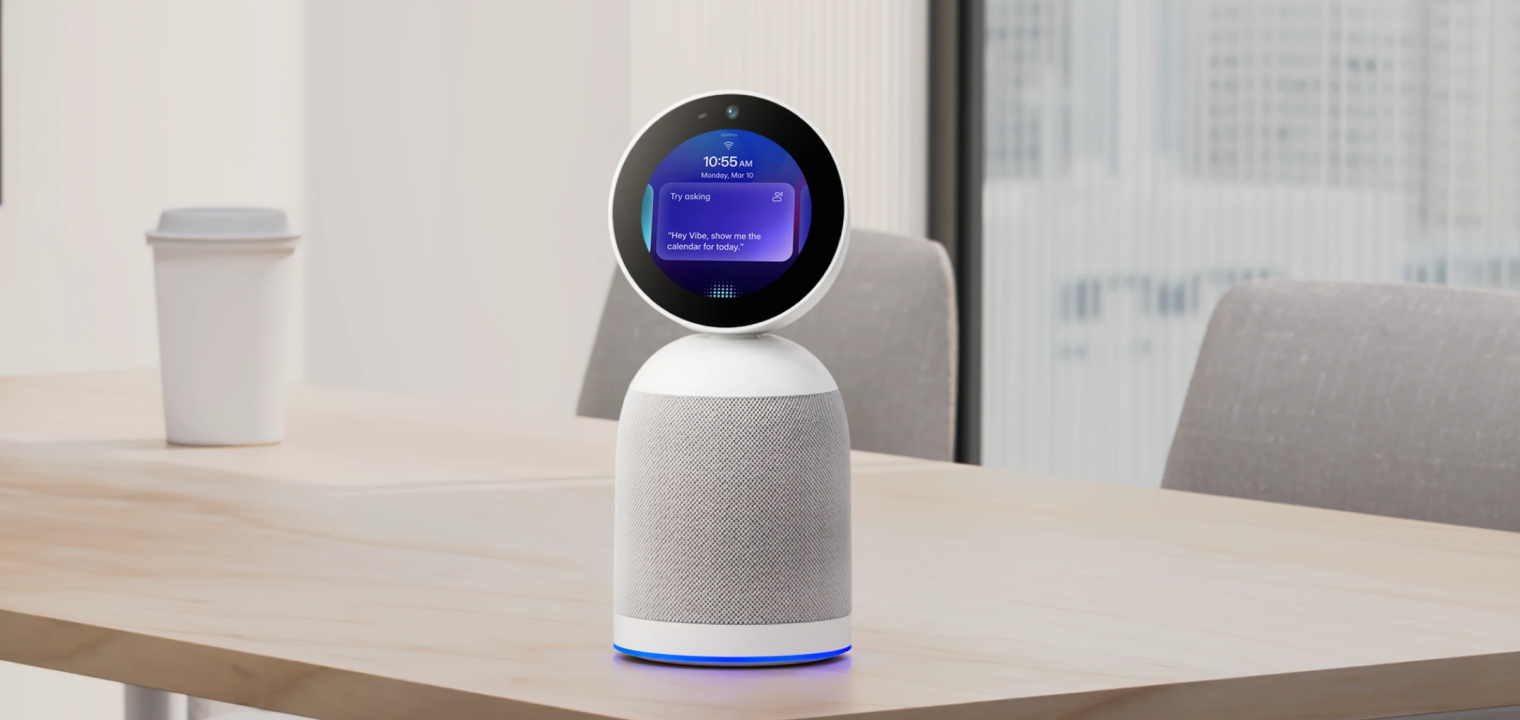
Vibe Bot is a physical, in-room AI device designed to capture both in-person and online meetings, generate comprehensive notes, and enable you to ask questions about current or past meetings. Unlike software-only solutions, it’s positioned around carrying meeting context forward through memory and triggering actions via integrations with calendars and project-management tools. The smart meeting room device works particularly well for hybrid meetings where some participants are in-person, and others join remotely.
Fireflies.ai
Fireflies.ai is popular for automatic meeting transcription, AI summaries, and team collaboration features geared toward sharing and searching across calls. Teams often choose this when they want a "meeting repository" with strong organization, search capabilities, and recap sharing across the entire team rather than individual access.
Otter.ai
Otter.ai is a strong, mainstream option for real-time transcription and post-meeting notes, with an AI chat experience to query meeting content. It fits teams that want a simple workflow: record and transcribe, create searchable notes, then use Q&A capabilities to find specific information across meetings without reading full transcripts.
Avoma
Avoma combines meeting assistant capabilities with conversation intelligence, including recording, transcription, AI notes, speaker identification, and topic detection that’s particularly useful for sales and customer success teams running structured coaching workflows. It also emphasizes follow-ups and lifecycle workflows beyond just notes, offering features like AI-generated follow-up emails and copilot-style Q&A during calls.
MeetGeek
MeetGeek provides automated join, record, and transcribe functionality with templates that adapt to meeting type—whether sales calls, team meetings, or interviews—plus action items and integrations with tools like Slack and Jira. It’s notable for "AI chat with meetings" and for pushing highlights and action items directly into the collaboration software teams already run on.
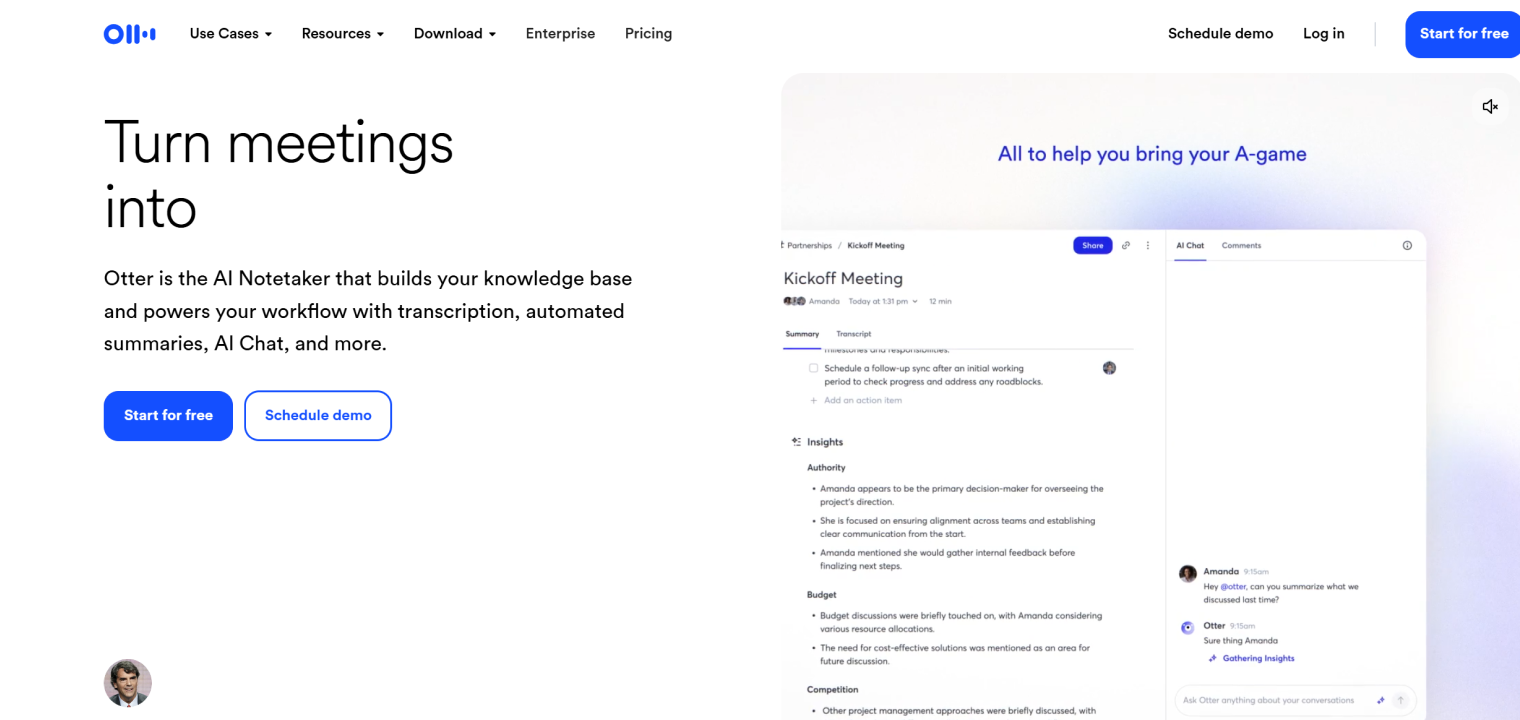 Otter interface displaying AI-powered meeting notes, automated summaries, and real-time chat with insights from transcribed conversations.
Choosing the Right AI Meeting Assistant
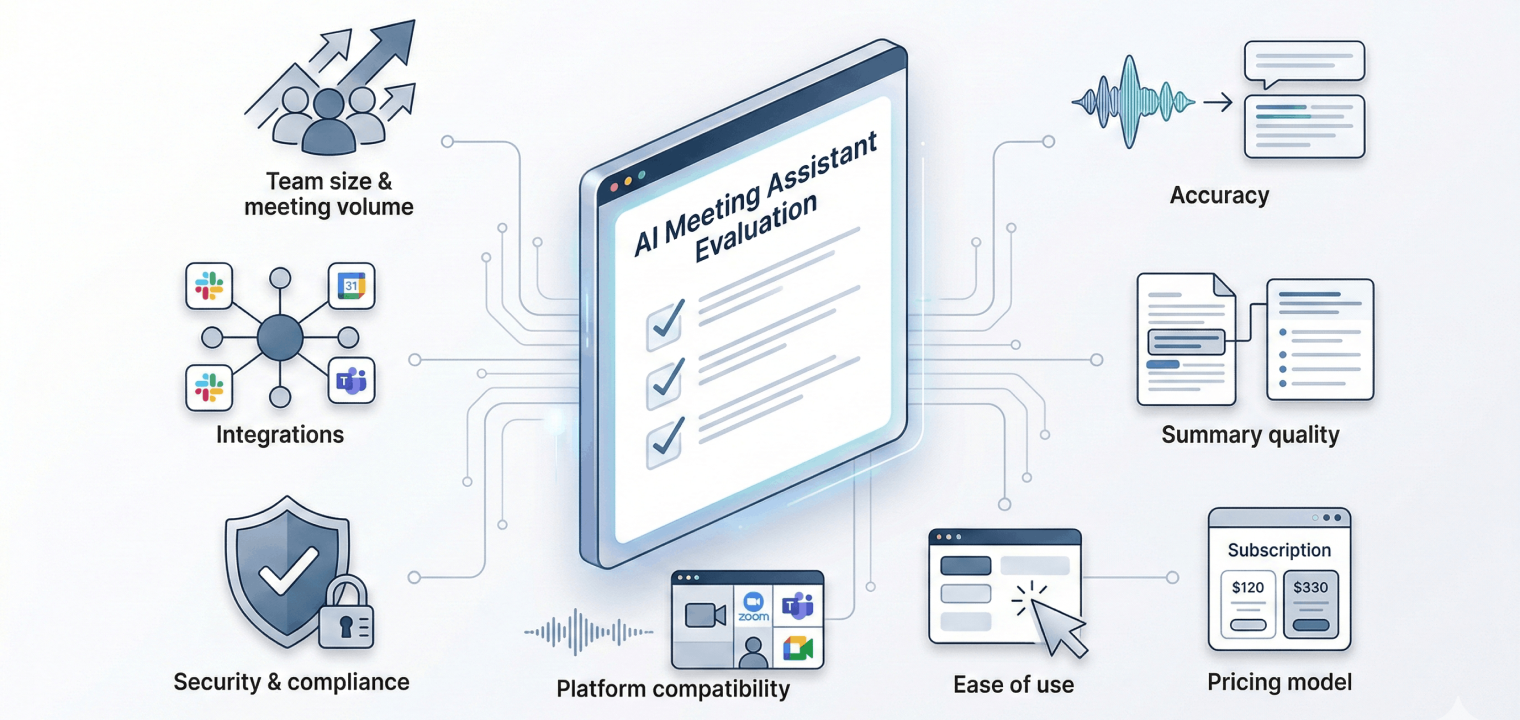
Selecting the appropriate AI meeting tools requires assessing several factors that determine fit for your organization:
-
Meeting volume and team size — Assess how many meetings you hold weekly and how many people need access—this determines which pricing tier makes sense and whether you need team collaboration features or individual plans.
-
Required integrations — Identify your must-have tools, including calendar systems, video platforms, project management software, and CRM—the AI meeting assistant must connect seamlessly with your existing tech stack to avoid workflow disruption.
-
Security and compliance requirements — Determine if you need specific certifications such as SOC 2, HIPAA, or GDPR compliance based on your industry, data sensitivity, and regulatory obligations—especially critical for healthcare, finance, or legal teams.
-
Transcription accuracy — Evaluate how well the tool handles your specific meeting environments, including accents, background noise, technical jargon, and multiple speakers—accuracy rates should consistently meet your quality standards for your use cases.
-
Summary quality — Test whether AI-generated summaries capture key decisions, action items, and discussion themes accurately without requiring extensive manual editing—poor summaries defeat the time-saving purpose.
-
Ease of use — Assess setup complexity, user interface intuitiveness, and learning curve—team members should be able to access and use meeting outputs without extensive training or technical support.
-
Platform compatibility — Verify the tool works reliably with your primary video conferencing platform, including Zoom, Teams, Meet, or Webex, and supports your meeting types, whether virtual meetings, hybrid meetings, in-person, or phone calls.
-
Pricing model — Compare subscription structures such as per-user versus per-meeting-minute, contract requirements including monthly versus annual, and what’s included at each tier—watch for hidden costs like overage fees or limited storage.
Creating a shortlist and running pilot tests with two or three tools lets you compare real-world performance before full deployment across the organization.
How to Implement AI Meeting Assistants in Your Organization
Successful implementation requires more than purchasing software—it demands strategic planning and organizational change management.
Step 1: Getting Stakeholder Buy-In
Present clear ROI, including time savings and better meeting outcomes, address privacy concerns upfront, and show competitive examples of adoption in similar organizations. Starting with pain points leadership already recognizes—such as missed action items, poor meeting follow-through, or time wasted on note-taking—makes the business case more compelling.
Step 2: Running a Pilot Program
A two-to-four week pilot with one or two teams before company-wide rollout allows testing, gathering feedback, and refining processes. Define success metrics, including adoption rate, time saved, user satisfaction, and action item completion rate, so you can make data-driven decisions about broader deployment.
Step 3: Training and Adoption
Provide simple onboarding through team training, demo sessions, quick-start guides, and designated power users who serve as champions, helping colleagues. Address common concerns, including recording consent, data privacy, and how to use outputs effectively, so team members feel confident rather than resistant.
Step 4: Setting Usage Guidelines
Establish policies covering when recording is appropriate, how to request consent, who can access recordings, and retention periods. Create best practices for naming conventions, sharing protocols, and integration workflows so everyone follows consistent standards that maximize the value of searchable meeting archives.
Step 5: Measuring Success
Track adoption metrics, time savings per team member, meeting effectiveness improvements, and user feedback to understand what’s working. Iterate based on results and expand successful practices across the organization while addressing any friction points that emerge during rollout.
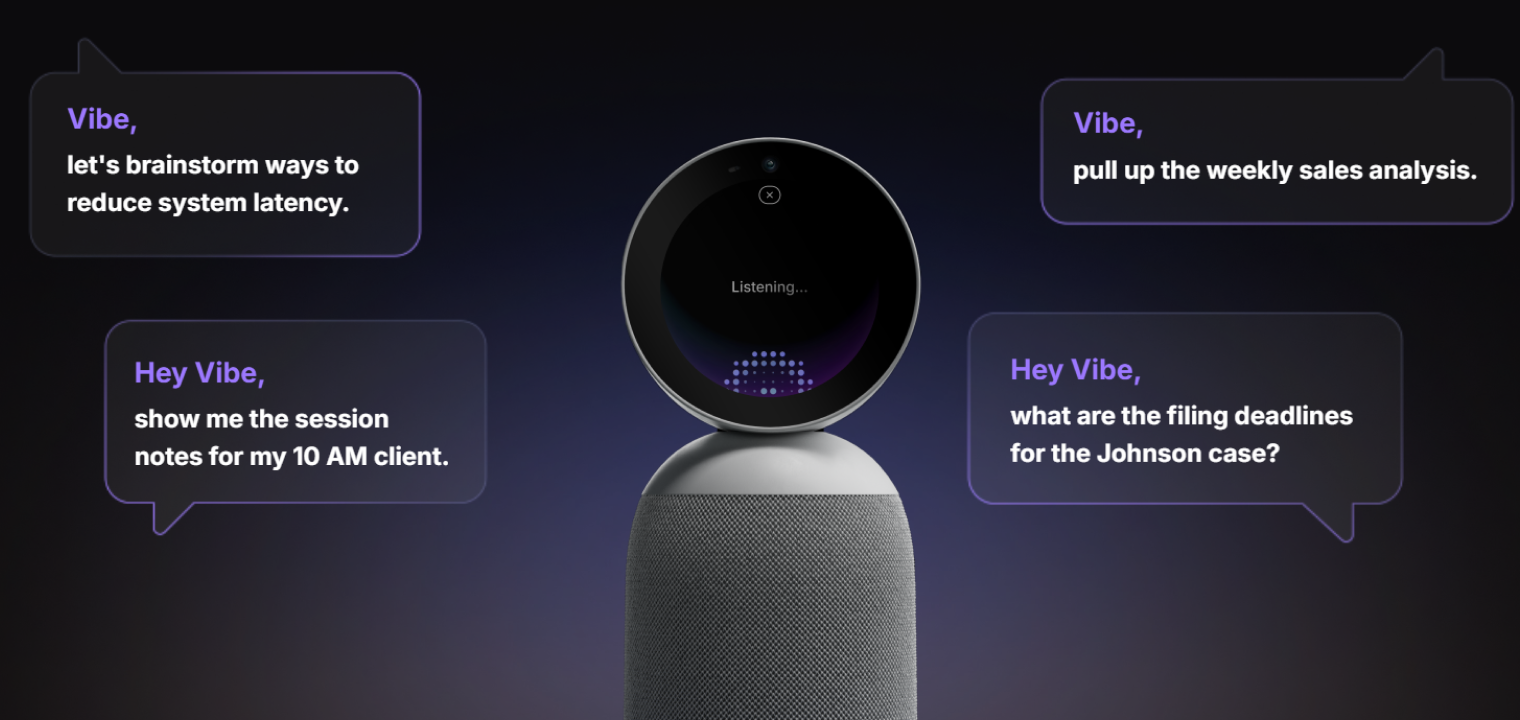 Vibe Bot, a 360° meeting device that captures the room and delivers live notes, summaries, and action items.
Vibe Bot: AI Meeting Assistant for Elevated Collaboration
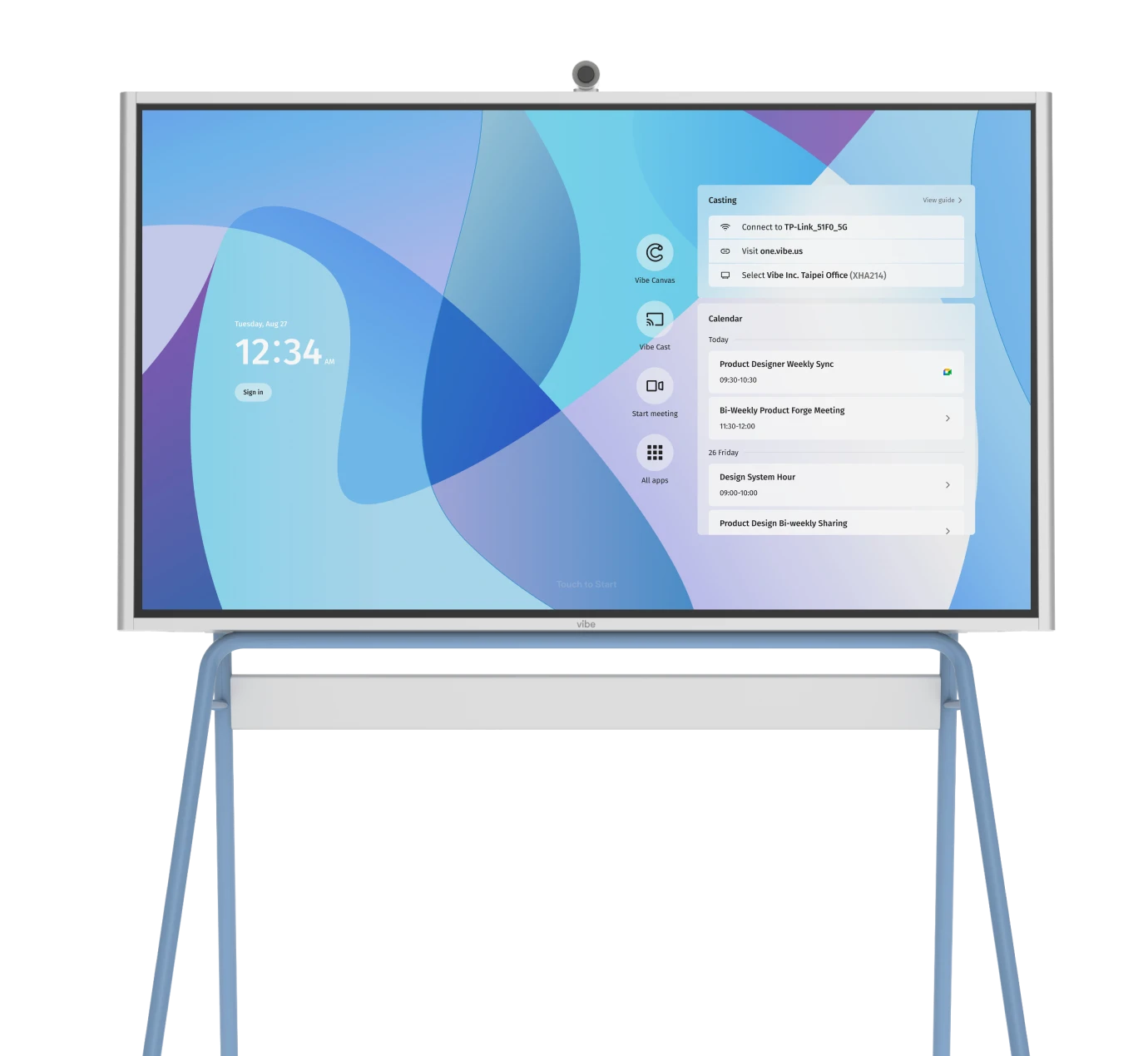
Vibe Bot brings AI-powered meeting support specifically designed for smart workspaces where video conferencing and team communication have become essential. The device operates as a standalone system with a built-in OS—no computer needed—while optionally connecting to TVs or monitors for larger displays in conference rooms or smart meeting rooms.
It provides real-time transcription during meetings, generates AI-powered summaries highlighting key decisions, and automatically creates action items with assignees so nothing falls through the cracks. Voice commands offer quick, responsive control with strong microphone pickup that works even in larger spaces, while full integration with Zoom, Google Meet, and Microsoft Teams enables one-tap joining for hybrid meetings. The easy setup is designed for in-room use, making Vibe Bot ideal for collaborative workspaces where teams coordinate across multiple locations and need reliable meeting documentation.
Ready to see how Vibe Bot enhances remote collaboration in your workspace? Request a demo and experience firsthand how this AI meeting assistant transforms meeting productivity.
AI Meeting Assistant FAQs
How accurate are AI meeting assistant transcriptions?
Leading AI meeting assistants achieve transcription accuracy rates of 85-90% in optimal conditions with clear audio and standard accents. Accuracy can be lower in challenging environments with background noise, heavy accents, technical jargon, or multiple overlapping speakers, which is why reviewing and editing transcripts remains important for critical meetings.
Can AI meeting assistants work with video conferencing platforms?
Yes, most AI meeting assistants integrate with major video conferencing platforms, including Zoom, Microsoft Teams, Google Meet, and Webex. They typically join as virtual participants or connect through official platform APIs to record, transcribe, and analyze meetings seamlessly within your existing video conferencing workflow.
What are the privacy concerns with AI meeting assistants?
Privacy concerns include unauthorized recording without participant consent, data storage and retention policies, who has access to meeting transcripts, and compliance with regulations like GDPR or HIPAA. Organizations should establish clear policies about recording consent, implement access controls, choose providers with strong security certifications, and communicate transparently with meeting participants about AI assistant usage.
What’s the difference between AI meeting assistants and AI notetakers?
AI notetakers focus primarily on transcription and basic note-taking, while AI meeting assistants offer broader functionality, including automated summaries, action item extraction, speaker identification, searchable archives, and integrations with project management and CRM systems. The terms are often used interchangeably, but meeting assistants typically provide more comprehensive meeting intelligence beyond simple transcription.
Can AI meeting assistants work for in-person meetings?
Yes, AI meeting assistants can work for in-person meetings through device-based recording on laptops or dedicated hardware like Vibe Bot that’s designed specifically for smart meeting rooms. These solutions capture audio from in-person participants, transcribe discussions, and generate summaries just as they would for virtual meetings, making them valuable for hybrid meetings where some participants are remote.