The Moment Every Teacher Recognizes
You are 12 minutes into a lesson on the water cycle. You have the projector running, your laptop open, and a printed worksheet in hand. You glance up and notice it: three students in the back row are staring past the screen. Two more are doodling. One is watching a fly on the window.
Nothing is wrong with your lesson. The content is solid. But the technology in the room is asking students to sit still and absorb — and that is a task the adolescent brain resists at a structural level.
The instinct in moments like this is to blame attention spans, phone culture, or the time of day. But experienced teachers know the real problem runs deeper. When technology only displays content rather than inviting students to interact with it, participation becomes optional. And optional participation, for most students, defaults to off.
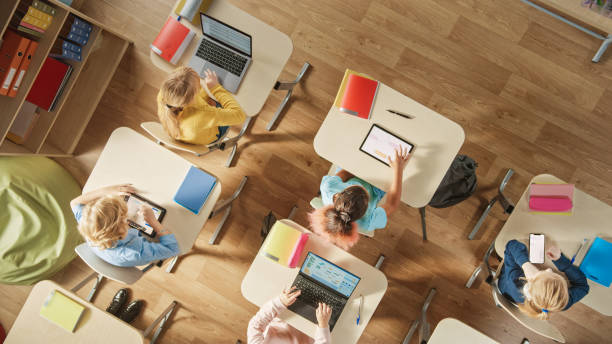
- Digital whiteboards replace passive display with active participation — polling, annotation, and student-led work.
- The engagement barrier is architectural, not motivational: passive technology produces passive students.
- Research shows up to 16 percentile point achievement gains and 23% improvement in formative assessment accuracy with interactive displays.
- Engagement strategies scale across all grade levels, from elementary storytelling to high school debate mapping.
- Measurable improvement is visible within two weeks using simple classroom observation metrics.
The Real Issue Is Not Student Attention — It Is Passive Technology
The core problem in engagement-depleted classrooms is not that students lack the capacity to focus. Research consistently shows that students engage deeply when they have agency, when their responses shape what happens next, and when they can see their contributions appear in real time.
The issue is that traditional projector-based instruction creates a one-way flow of information. The teacher controls what is on screen. Students have no mechanism to push back, contribute, or redirect. The technology architecture of the classroom — projector on the ceiling, laptop on the desk, whiteboard on the wall — separates tools that should work together and puts the teacher in the position of translator and switchboard.
When teachers have to pause instruction to switch from the projector to the whiteboard to annotate something, or switch apps to pull up a poll, those transitions are not neutral. Each one signals to students that the lesson momentum has paused. And paused momentum is when attention exits.
As you build out your classroom's collaborative infrastructure, the classroom collaboration tools every teacher needs in 2026 provides a broader look at how these tools fit together — including how an interactive display anchors the whole system.
The shift that digital whiteboards enable is structural: from a room organized around display to a room organized around participation.
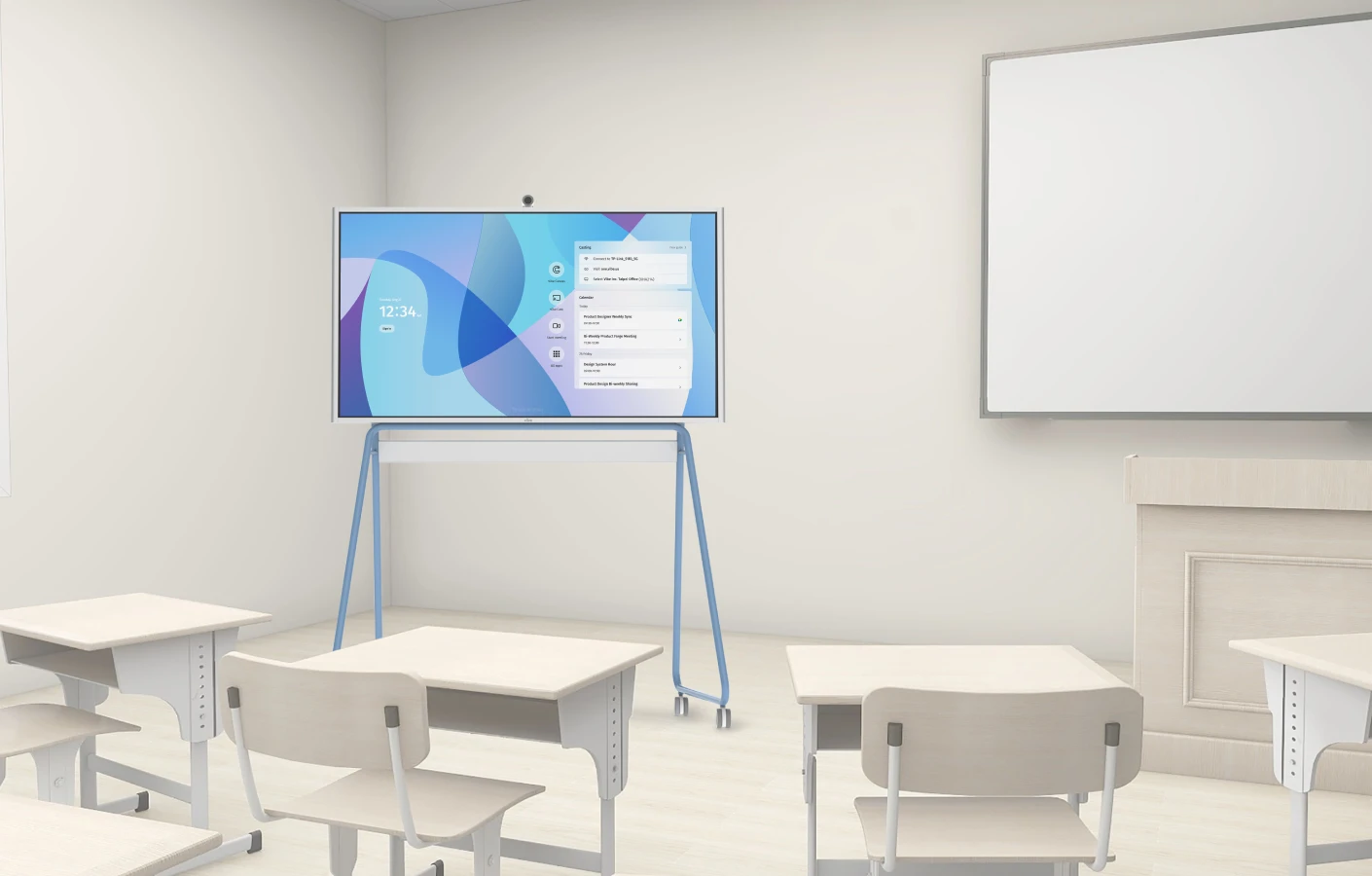
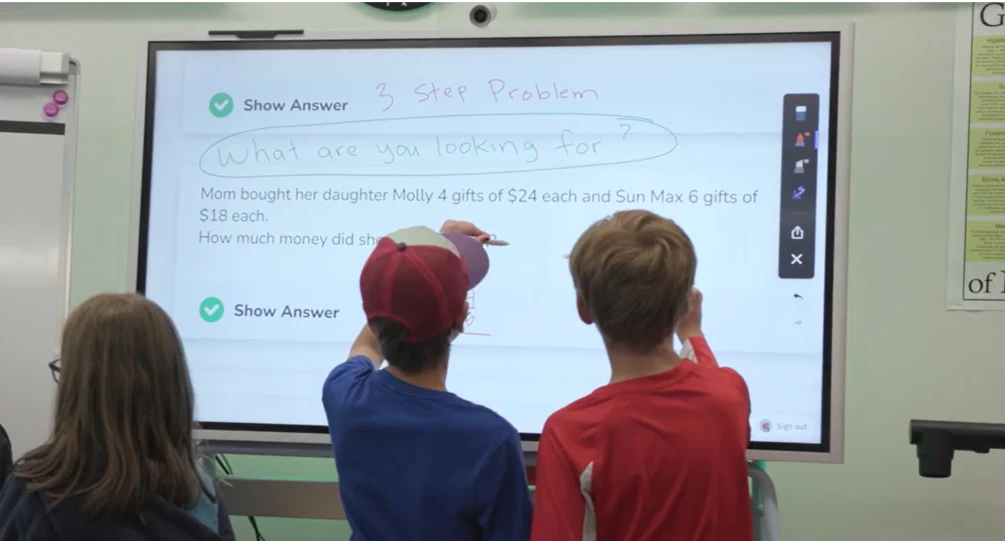
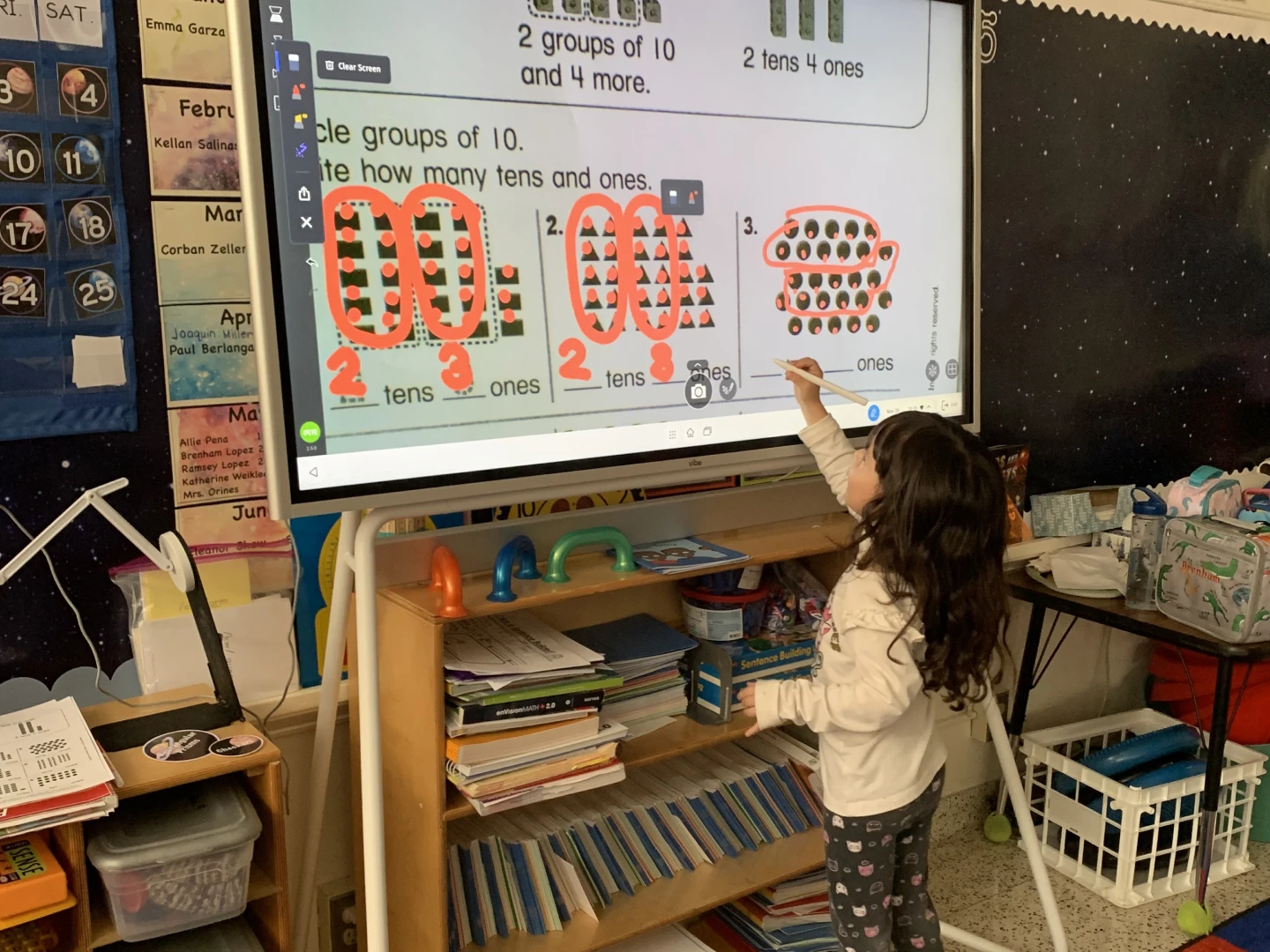 A student is learning math on the Vibe Board
How Interactive Displays Change Classroom Dynamics
From Passive Display to Active Workspace
A digital whiteboard is not a smarter projector. The distinction matters for engagement. A projector displays content that a teacher prepared in advance. A digital whiteboard is a live workspace where content is created, modified, and extended during the lesson — and where students can be direct contributors.
According to a SMART Technologies research summary drawing on Marzano Research findings, student achievement improved by as much as 16 percentile points in classrooms using interactive whiteboards compared to those using traditional instruction. The mechanism is not the hardware itself — it is what the hardware enables: immediate feedback loops, visible student responses, and the sense that each student's input shapes the class.
Why Participation Architecture Matters
When students know they can annotate, vote, drag objects, or write on the shared display, the psychological posture in the room shifts. They are no longer audience members. They are contributors. That shift — from observer to participant — is what engagement research consistently identifies as the highest-leverage lever for sustained attention.
The difference is not motivational; it is architectural. The technology either creates pathways for student input or it does not.
From Fragmented Workflows to Continuous Instruction
The second dynamic shift involves the teacher, not just the students. In fragmented classroom setups, transitions between tools pull teachers out of instructional mode. Opening a new app, switching HDMI inputs, writing on a physical whiteboard while the slide deck sits frozen — each of these micro-interruptions competes with lesson flow.
Digital whiteboards consolidate the workspace. Annotation, media display, student polling, and collaborative brainstorming all live in one environment. When teachers can run a lesson from a single surface without switching contexts, instruction becomes continuous. And continuous instruction is what creates the conditions for sustained engagement.
The practical payoff: teachers can just teach.
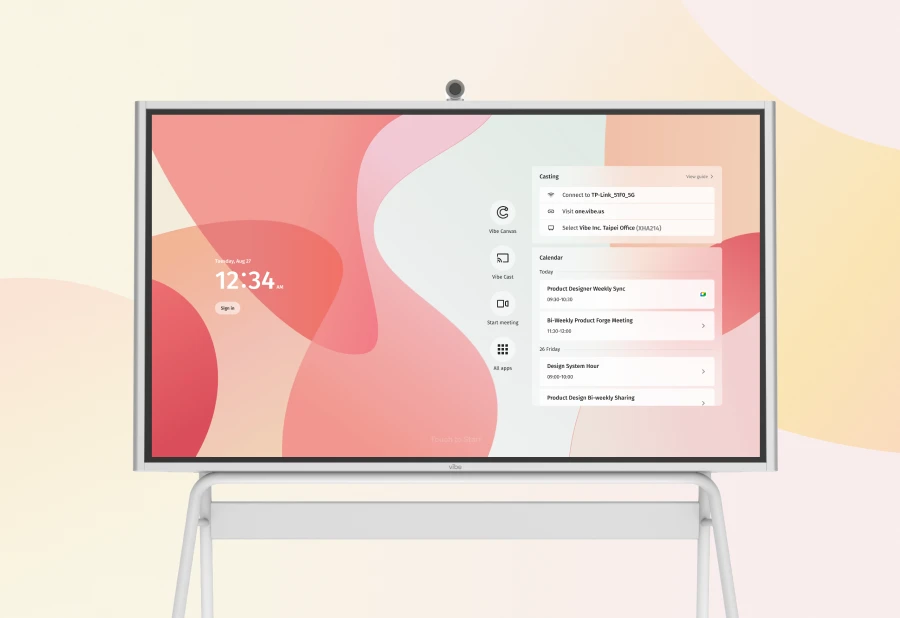
What the Research Shows About Interactive Displays and Engagement
Hattie's Visibility Principle and Interactive Technology
John Hattie's landmark meta-analysis of over 800 educational interventions, published as Visible Learning and maintained through the Visible Learning research platform, identifies "classroom discussion" and "feedback" as two of the highest-effect educational practices (effect sizes of 0.82 and 0.73 respectively). Interactive whiteboards, when used to generate real-time student responses visible to the whole class, operationalize both practices simultaneously.
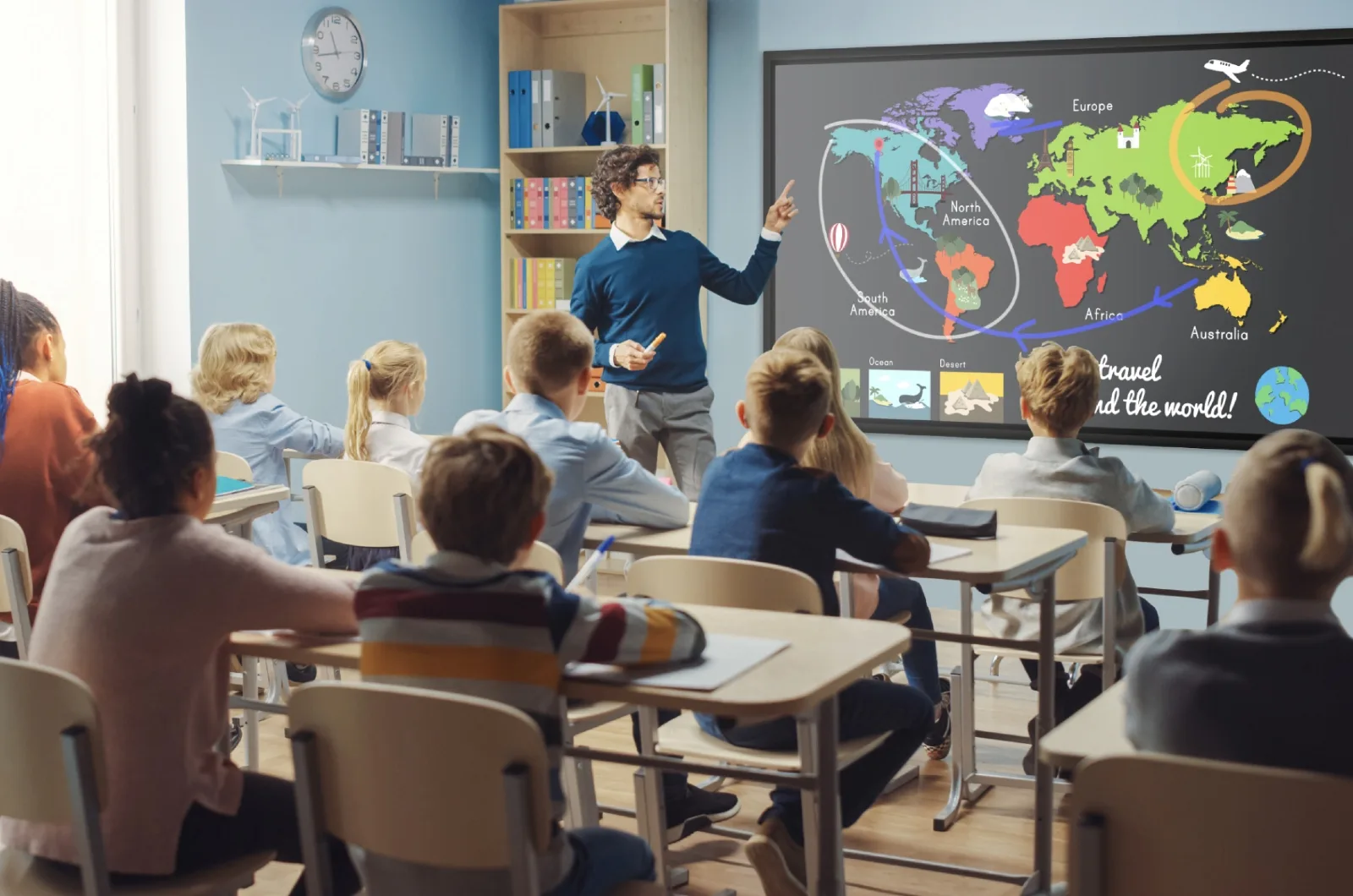
The key is not the display — it is the visibility of student thinking. When a teacher asks students to annotate a map collaboratively, every student's contribution is visible on the shared screen. That visibility creates accountability and curiosity simultaneously: students want to see how their peers responded.
The Passive vs. Active Attention Gap
Research from the Friday Institute for Educational Innovation at NC State University found that students in technology-enriched classrooms reported significantly higher motivation and engagement when technology allowed them to create and respond rather than consume passively. The study distinguished between "technology for display" and "technology for participation," finding measurable differences in reported engagement levels and observable on-task behavior.
Student Response Systems and Formative Feedback
Student response systems — digital tools that let every student respond simultaneously and display aggregate results — have a strong research base. A 2019 review published in the Journal of Educational Technology found that classrooms using real-time response systems showed a 23% improvement in formative assessment accuracy, meaning teachers were better calibrated to what students actually understood rather than what confident volunteers volunteered.
The engagement mechanism here is double-sided. Students engage because they must respond (not optional). Teachers engage because they have live data about where the class actually is, not where they assume it is.
Interactive whiteboards with built-in polling bring student response systems directly into the lesson flow — no separate device, no app-switching, no transition cost.
Classroom Examples by Grade Level
Different grade levels call for different engagement strategies. The architecture of participation scales from elementary through high school, but the underlying principle holds: the more agency students have over the shared display, the more invested they become.
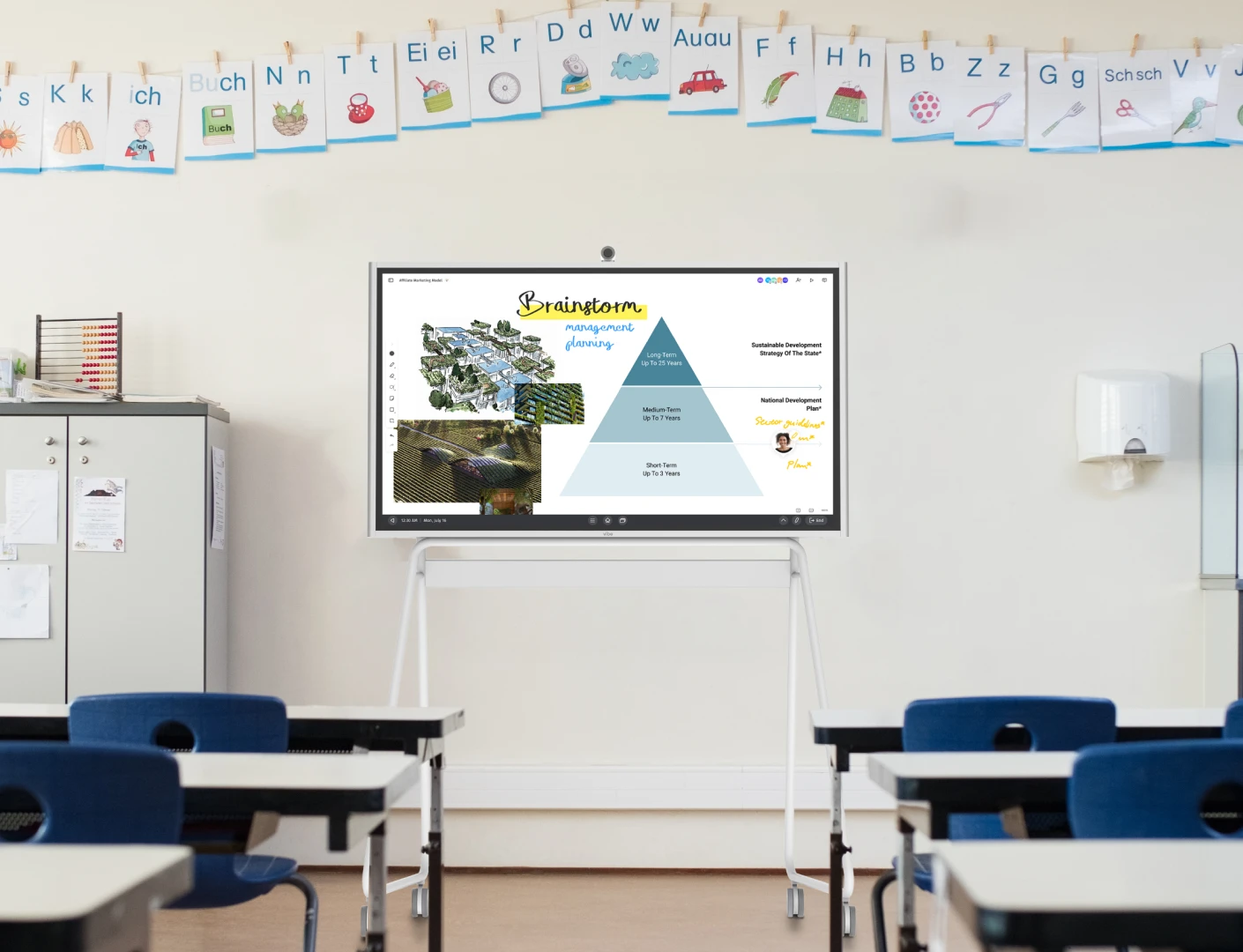
Elementary School: Storytelling and Collaborative Art
Interactive Storytelling
In elementary classrooms, the digital whiteboard becomes the world of the story. A first-grade teacher reads aloud while students come up to the board to place characters, drag weather elements into the scene, or draw what happens next. The story is not on paper — it is alive on the shared surface.
This approach works because young learners are particularly responsive to hands-on, embodied interaction. When a student physically places a cloud over the village to create a rainy scene in the story, they are not just engaged — they are authoring. That sense of authorship creates stakes. Other students watch closely because they want their turn, and when they watch, they are attending to the text.
Collaborative Art and Visual Learning
Art and visual learning activities — collaborative murals, group diagrams of the human body, shared maps — become participatory rather than observational. Students take turns adding to a class illustration, and the final product reflects contributions from everyone. Teachers report significantly lower off-task behavior during these activities because every student expects to contribute.
Middle School: Problem-Solving and Science Simulations
Group Problem-Solving at the Board
In middle school math, the digital whiteboard changes the dynamic of problem-solving from individual seatwork to collective reasoning. A teacher presents a multi-step problem. Rather than calling on one student, she divides the board into sections and assigns small groups to each section simultaneously — using the whiteboard's multi-user annotation feature.
Every group's approach is visible to every other group. When groups finish, the class compares strategies. The board becomes a record of thinking, not just a display of the correct answer. That record matters: students who took a different path can see their reasoning represented, not erased.
Science Simulations
Interactive science simulations — available through platforms like PhET Interactive Simulations — project directly onto the whiteboard where students manipulate variables in real time. A sixth-grade science class studying electrostatics can run the simulation as a group, with students taking turns adjusting charge and distance while the class observes the force changes. The simulation responds to student input, creating a feedback loop that textbooks cannot replicate.
As teachers develop their digital lesson delivery skills, the teacher's guide to digital lesson delivery covers how to integrate these tools into a structured lesson plan without losing instructional time.
High School: Student-Led Presentations and Debate Tools
Student-Led Presentations
High school students engage most deeply when they hold the authority position. Digital whiteboards change the power dynamic of presentations. Students do not present from their seats using a shared deck — they stand at the board, annotate their own work, pull in real-time data, and field class questions by marking up the display in front of the room.
This is not a cosmetic change. Research on peer instruction (Mazur, Harvard Physics) consistently shows that students learn more from peers explaining concepts than from teacher-led explanation alone. When high school students run the board — zooming into a data set, drawing on a diagram, calling on classmates — they become teachers for the lesson segment. Their engagement is guaranteed because the stakes are theirs.
Debate and Argument Mapping
In English Language Arts and social studies classrooms, digital whiteboards support structured academic controversy and debate. Teachers use the shared board to build argument maps in real time: a claim on one side, counterclaims on the other, evidence in the middle. Students add to the map as the discussion develops, creating a visible record of the argument's evolution.
When students can see the logical structure of a debate growing on the board in front of them, the abstract becomes concrete. It also creates natural re-engagement moments: a student who drifted refocuses when they see a new claim appear that challenges their position.
Interactive Whiteboard Activities That Boost Engagement
Polling and Live Surveys
Real-time polling transforms passive listening into active participation. A teacher pauses mid-lesson to post a question on the whiteboard display. Every student submits a response — using a phone, tablet, or clicker — and the aggregate results appear on the shared screen within seconds. The class sees where they stand collectively, and the teacher gets immediate formative data.
The engagement mechanism: students are invested in their own answers and curious about their classmates'. The result on screen represents the whole class, not just the students who raise their hands. No student can be invisible.
Tools that integrate polling directly into the whiteboard workspace eliminate the transition cost of switching to a separate polling app — keeping instruction continuous.
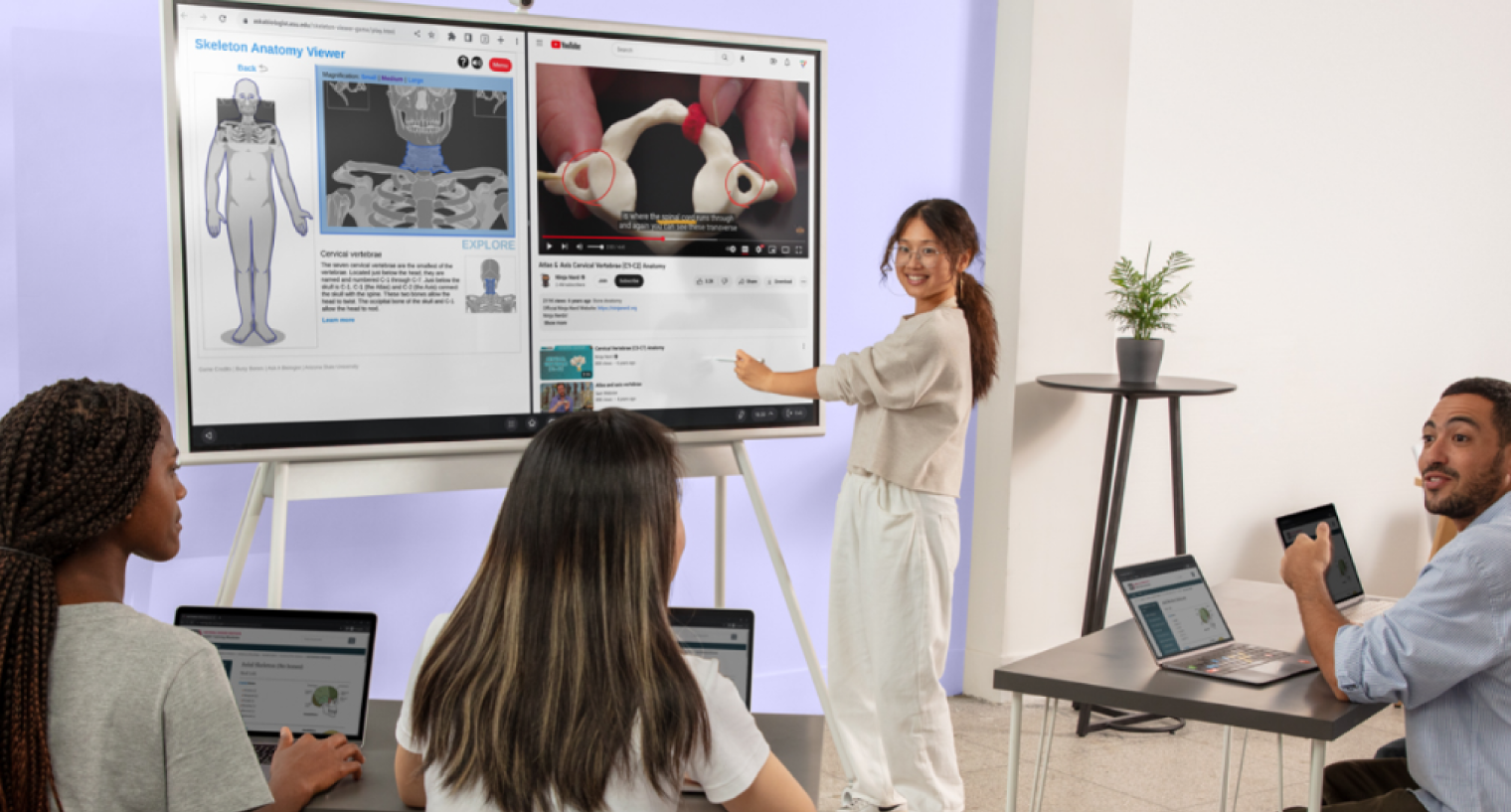 A student uses a Vibe Board at the front of the classroom to demonstrate biology concepts to peers, shifting the dynamic from observer to active participant
Collaborative Brainstorming
Digital sticky-note brainstorming — where every student contributes ideas that populate the shared display in real time — democratizes participation in ways that hand-raising cannot. In a traditional brainstorm, three or four confident students dominate. On a digital whiteboard, every sticky note appears simultaneously, and the teacher can group, sort, and build on all of them.
The effect on quieter students is particularly pronounced. When their idea is visibly part of the class collection — not filtered through the teacher's selective acknowledgment — they experience themselves as genuine contributors. That experience builds participation habits over time.
Visual Problem-Solving
Mathematics, science, and design problems come alive when students work them out visually on a shared surface. A teacher posts a complex problem and invites students to come up and annotate their reasoning — drawing diagrams, underlining key information, crossing out distractors. The board shows the thinking process, not just the answer.
This approach aligns with dual-coding theory: students who see ideas represented both visually and verbally retain them more effectively. The whiteboard is the ideal medium for dual-coding because it accommodates both text and drawing simultaneously in one shared workspace.
For a step-by-step guide on setting up these activities in your own classroom, see how to use an interactive whiteboard in your classroom — including templates for the most common activity types.
Gallery Walks
Gallery walks — where different problems or prompts are displayed in different areas of the board and students rotate through them — adapt naturally to digital whiteboards. Instead of physical stations around the room, teachers set up multiple frames on the digital canvas. Small groups work on their assigned frame, then rotate to add to or build on the previous group's work.
Gallery walks combine movement with intellectual engagement. They prevent the static, single-posture trap of lecture-and-seatwork and create a social dimension to learning that students find intrinsically motivating. The digital canvas means every group's work accumulates visibly — by the end of the rotation, the board holds the whole class's collaborative output.
How to Measure Engagement Improvement
Observable Indicators in Your Classroom
Engagement is measurable without sophisticated instruments. Teachers tracking the impact of interactive whiteboards consistently report the same observable shifts within the first few weeks of use:
-
Participation rate changes: In traditional instruction, 20–30% of students drive most verbal participation. After introducing interactive polling and collaborative annotation, the distribution flattens. Track this by counting how many distinct students contribute in a 30-minute block before and after the transition.
-
Time-on-task behavior: Scan the room during a lecture segment and count off-task students. Then run a five-minute collaborative annotation activity and scan again. The difference is typically immediate and visible. Keep a simple running tally over two weeks.
-
Response quality in formative checks: Exit ticket quality often improves when students have been actively processing during the lesson rather than passively receiving. Compare the coherence and accuracy of exit ticket responses between traditional and interactive lesson segments.
-
Student self-report: Ask students directly. A simple end-of-class question — "On a scale of 1–5, how involved did you feel in today's lesson?" — gives you weekly trend data that costs nothing to collect.
What to Track Week by Week
|
Metric |
What to Record |
|---|---|
|
Participation count |
Number of students who contribute per class |
|
Off-task frequency |
Students not on task during 10-minute lecture vs. interactive segment |
|
Exit ticket quality |
Percentage of students demonstrating understanding |
|
Student self-report |
Average self-rated engagement score |
Getting Started: First Engagement Activities to Try
Week One: The Quick Poll
Start with the lowest-friction engagement tool: a real-time poll. Pick a question from tomorrow's lesson — something with a genuine range of possible answers. Post it on the whiteboard at the beginning of class and display results before discussing. You do not need training to run a poll. You need five minutes and a question worth asking.
The goal in week one is not transformation. It is a single moment where every student responds simultaneously instead of one student responding while others watch.
Week Two: The Collaborative Sticky Note
Add a brainstorm to one lesson this week. Post a prompt on the board, give students two minutes to add their ideas as digital sticky notes, then group the results together as a class. The grouping step — where you sort the ideas collaboratively — is where the engagement deepens. Students whose ideas appear in the same cluster often realize they were thinking the same thing as someone across the room.
Week Three: Student Annotation
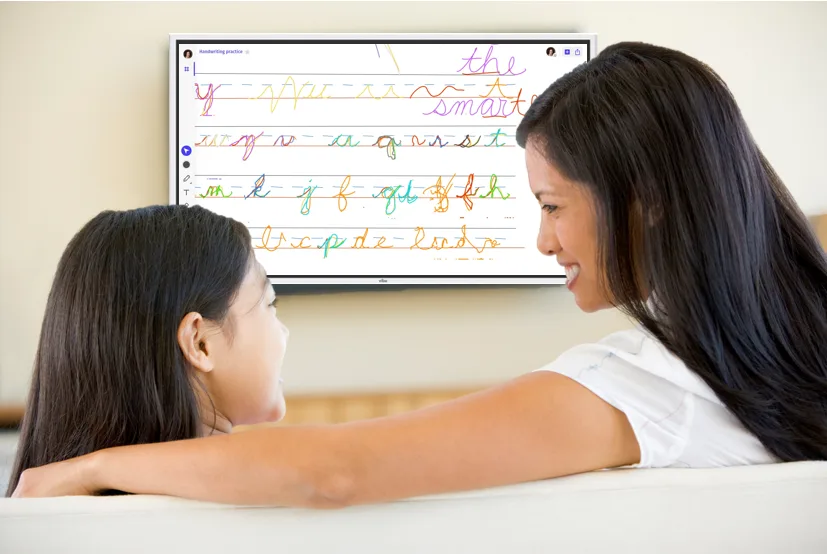
Invite students to the board to annotate. Start with something low-stakes: a paragraph of text they mark up, or a diagram they label. The first time a student stands at the board and marks up a shared display rather than a personal worksheet, the social dynamic of the classroom shifts slightly. Build on that.
Week Four: A Full Collaborative Problem
By week four, try a full collaborative problem-solving session using the board. Assign groups to different sections of the canvas. Let them work in parallel, visible to each other. Debrief as a class by walking through each group's approach on the shared screen.
By this point, the patterns of interactive participation are becoming habitual. You are not running activities anymore — you are running a classroom where participation is the default.
FAQ
Q: Do digital whiteboards actually improve student engagement, or is it just novelty?
A: The novelty effect is real but temporary — usually lasting two to three weeks. What sustains engagement beyond novelty is the participation architecture: students continue to engage because they are active contributors rather than passive recipients. Research from the Marzano Research Institute found achievement gains persisting across full academic years in interactive whiteboard classrooms, suggesting the engagement is structural rather than novelty-driven. The key is using the board for genuine participation activities, not just digital display.
Q: What is the difference between a digital whiteboard and a traditional interactive whiteboard (IWB)?
A: Traditional interactive whiteboards (IWBs) — systems like early-generation SMART Boards — require a separate projector, a calibrated surface, and often a proprietary stylus. Digital whiteboards are integrated displays that combine the touch screen, computing power, and collaboration software in a single unit. The practical difference for engagement is that digital whiteboards are faster to activate, require no calibration, and support multi-touch by multiple students simultaneously. The transition from projector + IWB to integrated digital whiteboard also removes the fragmented-tool problem: there is one surface, one workspace, one starting point.
Q: Which grade levels benefit most from interactive classroom displays?
A: All grade levels show engagement benefits, but the mechanisms differ. Elementary students (K–5) benefit most from the hands-on, physical interaction — touching and moving objects on the display. Middle school students (6–8) show the largest gains from real-time response features: polls, collaborative annotations, and group problem-solving visible to the whole class. High school students (9–12) benefit most from student-led presentation features and debate tools that shift authority to student presenters. Every grade level benefits from the teacher's ability to run continuous instruction without tool-switching interruptions.
Q: How much class time does it take to set up engagement activities on a digital whiteboard?
A: Preparation time drops sharply after the first month. Initial setup of a polling activity takes five to ten minutes once, and the template is reusable. Collaborative brainstorming sessions require posting a prompt and setting up sticky note zones — typically under five minutes. The more significant time savings come from not switching between devices mid-lesson: teachers who previously lost three to five minutes per class period managing projectors, laptops, and physical whiteboards recover that time immediately. Over a 180-day school year, five minutes per class period compounds to 15 hours of recovered instruction time.
Q: What student response systems work with digital whiteboards?
A: Most digital whiteboards support major student response platforms — including Kahoot, Nearpod, Mentimeter, Poll Everywhere, and Pear Deck — either through native integration or browser access. The best integration is when response results display directly on the shared whiteboard screen so the whole class sees aggregate answers simultaneously. Standalone response systems that require switching to a separate display lose the immediacy that drives engagement. When evaluating a digital whiteboard, ask specifically whether student response tools display inline on the primary teaching surface.
Q: How do I get students to actually participate during whiteboard activities, not just watch?
A: Structure the activity so that non-participation is noticeable rather than invisible. In a poll, every student must submit a response for the results to reflect the full class — students can see when the participation count is lower than the class count. In a collaborative brainstorm, assign specific roles: every student is responsible for at least one sticky note contribution. For annotation activities, use small groups of three to four rather than calling individual volunteers; groups create social accountability that individuals lack. The principle is that participation should be the path of least resistance, not a special effort.
Q: Can digital whiteboards help with student engagement for students with different learning needs?
A: Yes, particularly for students who disengage from auditory-only instruction. Interactive displays support visual and kinesthetic learners by making ideas tangible — dragging, annotating, building diagrams — rather than abstract. For students with processing differences who benefit from seeing concepts organized visually before engaging with them verbally, the whiteboard's persistent display means the class's thinking remains visible throughout the lesson rather than disappearing when the teacher erases. English Language Learners particularly benefit from visual anchors — annotated vocabulary, labeled diagrams, step-by-step procedures displayed while the teacher speaks — that traditional projectors provide less flexibly.
Q: How does a Vibe Board specifically support student engagement features?
A: Vibe Board is a digital whiteboard designed around the connected classroom workspace model. It runs an open Android OS, meaning teachers can load the student engagement tools they already use — Kahoot, Nearpod, Google Classroom, Pear Deck — directly on the board without switching devices. The infinite canvas supports gallery walks and multi-group annotation simultaneously. Screen sharing allows students to beam their tablet or phone work to the main display instantly. The single unified workspace means teachers move from direct instruction to collaborative activity without any tool-switching — maintaining the instructional continuity that sustains engagement. See how Vibe Board is built for classroom teaching.