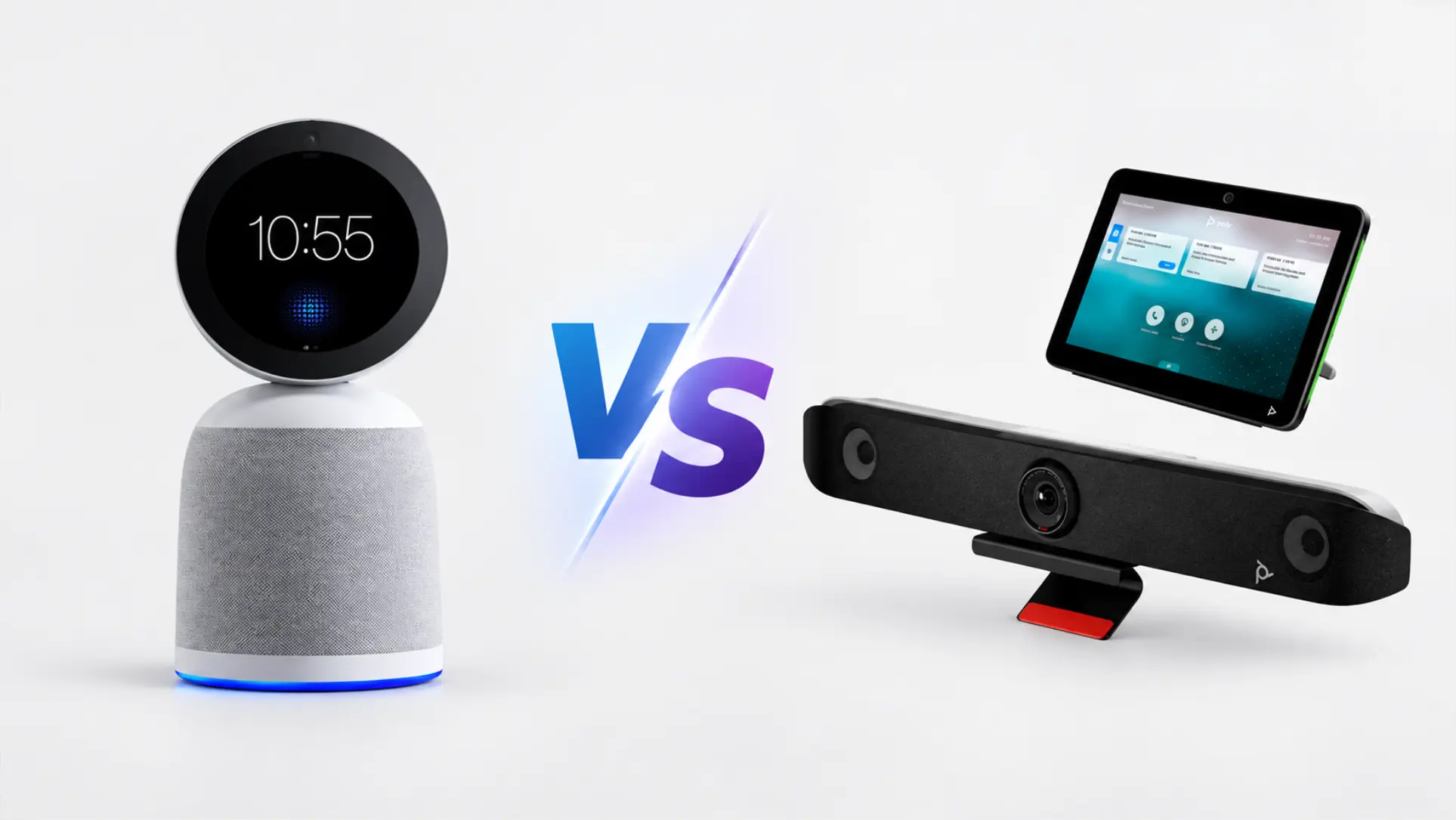
Poly Studio makes solid conference room hardware. The cameras are sharp, the audio engineering is mature, and DirectorAI handles framing well enough that nobody has to touch anything once a call starts. If that’s all you need, Poly is easy to recommend.
What prompts people to look for alternatives is usually one of three things: the total cost of ownership, which starts at the hardware price and layers on a touch controller, a Poly+ support subscription, and a separate platform room license before you’ve captured a single meeting; the absence of native AI transcription and summaries, which means that producing notes from a Poly room still requires a separate tool and a separate bill; or the complexity of choosing among X30, X50, X52, X70, X72, and R30 when you’re not sure which one fits which room.
This list covers six alternatives, evaluated honestly — including two that are better than Vibe Bot in specific scenarios.
- Poly Studio makes solid conference room hardware, but most buyers looking for alternatives are driven by one of three gaps: layered cost structure, no native AI transcription, or model-selection complexity.
- Only two devices on this list include native transcription and meeting summaries: Vibe Bot and Kandao Meeting Pro 2.
- Vibe Bot is the only option with enterprise compliance certifications (SOC 2, HIPAA, FERPA, TPM 2.0) alongside native meeting AI — making it the default choice for regulated industries.
- For large-fleet operations and enterprise Teams deployments, Neat Bar Pro and Logitech Rally Bar remain the more mature choices.
- Total cost of ownership matters more than sticker price: Poly Studio rooms often require hardware + touch controller + Poly+ support + platform room license — four separate line items.
Quick comparison
|
Starting price |
Native transcription |
No room PC needed |
Pricing model |
Best for | |
|---|---|---|---|---|---|
|
$1,599 |
✓ Included |
✓ Yes |
Per device |
Teams that need meeting output, not just video | |
|
Logitech Rally Bar |
$3,999 |
✗ Not included |
✗ Requires PC |
Per device + per room license |
Established Logitech/Teams/Zoom fleets |
|
Neat Bar Pro |
$6,190 |
✗ Not included |
✓ Yes |
Per device + platform |
Teams-first enterprise deployments |
|
Owl Labs Meeting Owl 4 |
~$999 |
✗ Not included |
✗ Requires PC |
Per device + subscription |
Hybrid teams with rotating in-room seating |
|
Kandao Meeting Pro 2 |
~$1,099–1,299 |
✓ AI notes included |
✓ Yes |
Per device |
Budget-conscious teams that need 360° coverage |
|
Jabra PanaCast 50 |
~$1,605 |
✗ Not included |
✗ Requires PC |
Per device + room license |
Microsoft Teams-first rooms, BYOD setups |
1. Vibe Bot — Best if you need the meeting’s output, not just its video
Starting price: $1,599 hardware + Vibe AI Starter (free) or Pro ($9/device/month)
Vibe Bot is the alternative on this list that asks you to reconsider what a conference room device is for. Every other option here captures a meeting. Vibe Bot also delivers what came out of it.
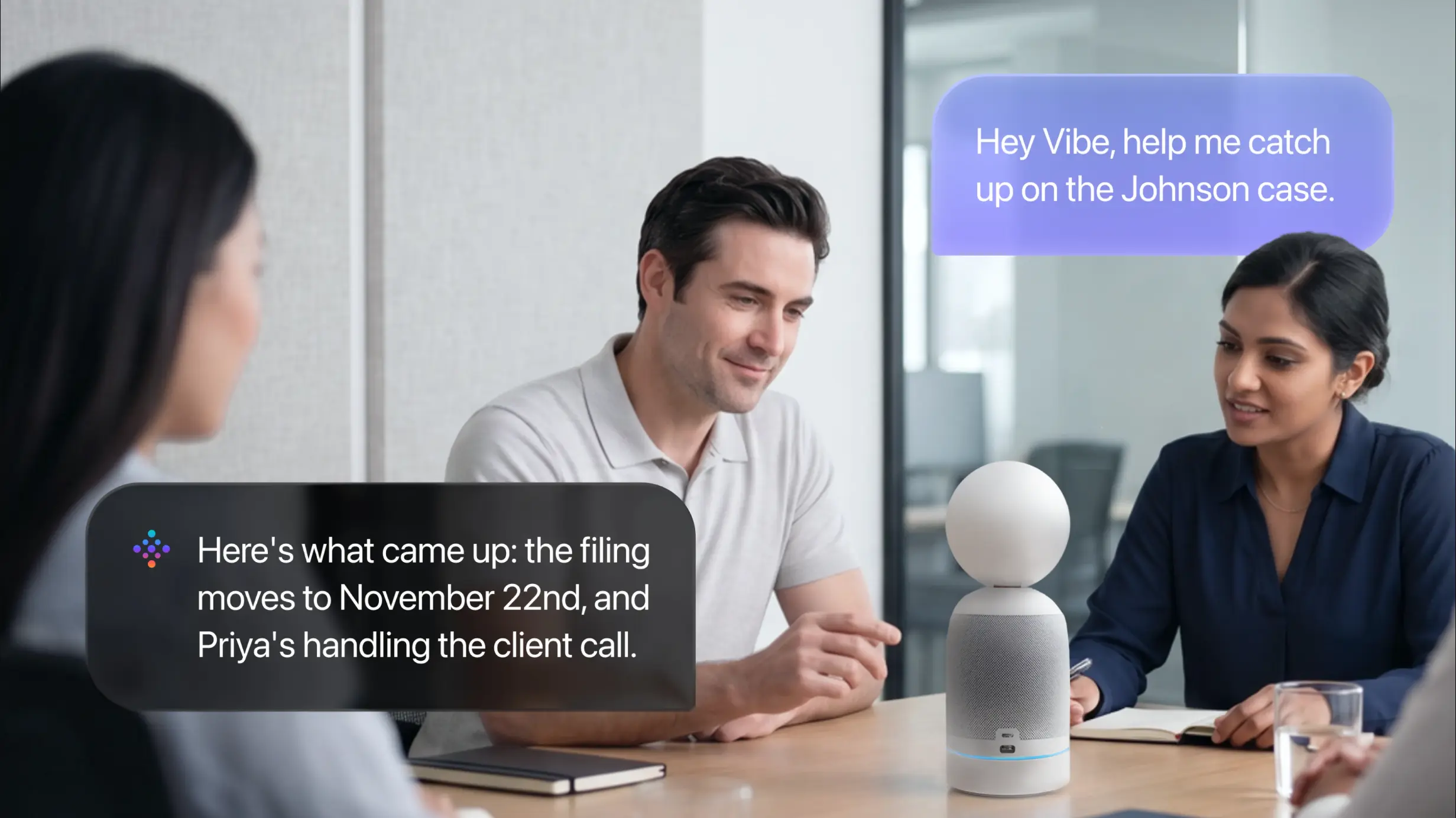 Vibe Bot AI meeting assistant answering voice query with meeting summary, action items, and owner assignments in conference room
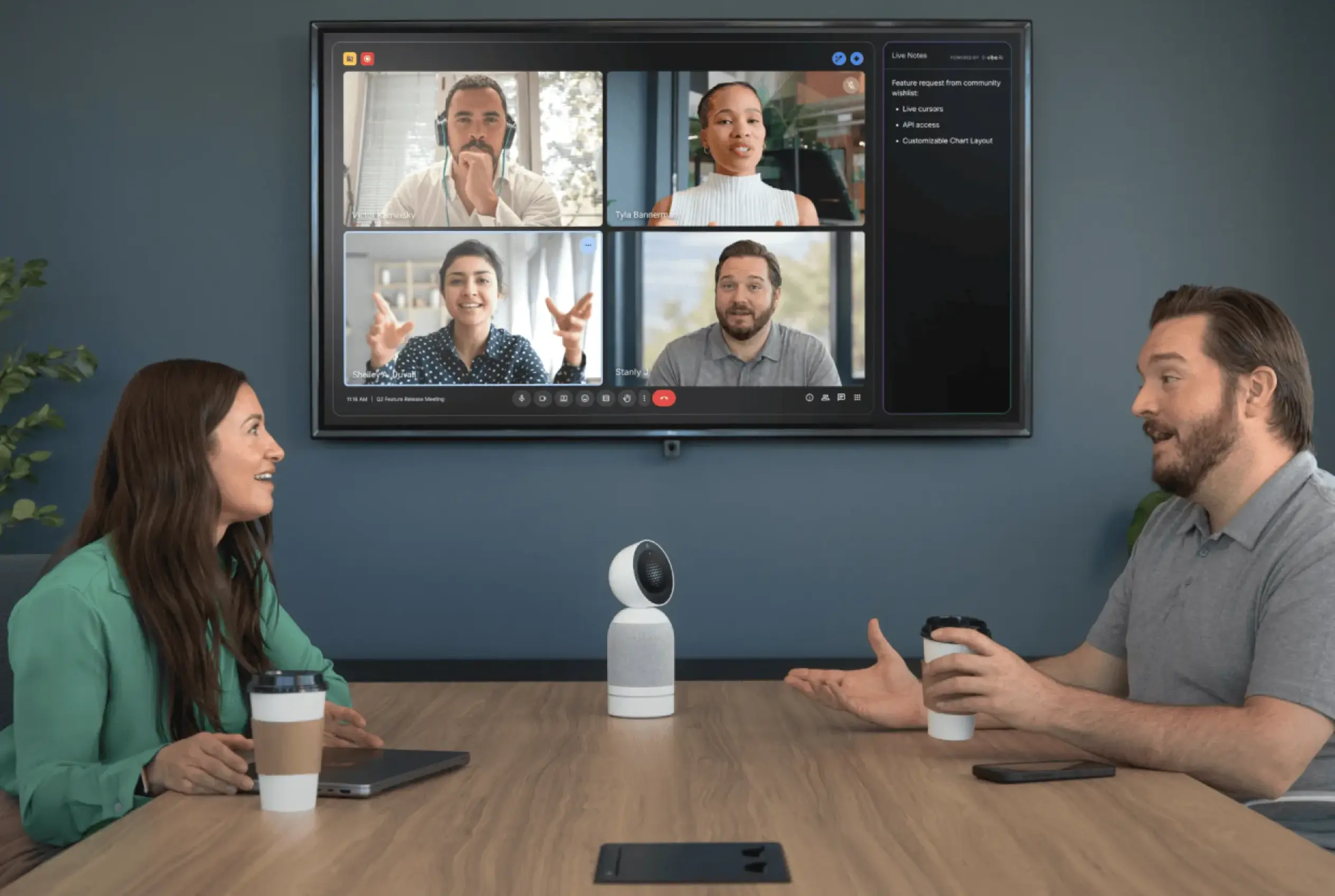
The hardware is compact — 9.3 inches tall, 2.27 pounds — and sits on the conference table without requiring a room PC. It runs its own OS and joins Microsoft Teams Rooms, Zoom Rooms, or Google Meet with one tap. The 4K camera handles auto-framing and AI speaker tracking; the digital MEMS microphone array handles automatic speaker detection and labeling. Nothing in that spec sheet is unusual for a modern conference bar.
What’s different is what happens when the meeting ends. Before the last person is out the door, Vibe Bot has produced a transcript with each speaker labeled, a structured meeting summary, and a list of action items — automatically, from every meeting, without anyone in the room being assigned to take notes. The history is searchable. Ask it about a decision made three weeks ago and it retrieves the answer from the transcript with context.
One Bot covers a room regardless of how many people attend, which means adding a twelfth person to the meeting doesn’t add a line to the invoice. For teams that use third-party transcription tools priced per user per month, this changes the three-year cost calculation significantly.
On data security: Vibe Bot carries SOC 2 Type II, HIPAA, FERPA, and TPM 2.0 certifications — relevant when the content being captured is sensitive. It also holds NDAA-related qualification for US government procurement (details on our security and compliance page).
Where it’s not the right pick: Vibe Bot doesn’t support H.323 or SIP, which matters for organizations still running legacy Polycom endpoints. It’s also a small-to-medium-room device — teams deploying in very large rooms (30 × 18 ft+) should review the full spec sheet before committing.
Best for: Teams that measure meeting value by what was decided and who does what next, not by how sharp the video was.
2. Logitech Rally Bar — Best for established Logitech or large-fleet deployments
Starting price: $3,999
The Rally Bar is the alternative most people land on when they search "Poly Studio X52 alternative," and for good reason: it’s the same tier, from a brand with comparable distribution, at a comparable price. The 4K camera delivers 120° ultra-wide field of view with AI auto-framing and RightSight 2 optical zoom. The audio processing is strong — RightSound handles noise suppression and echo cancellation, and the microphone array covers mid-size rooms comfortably.
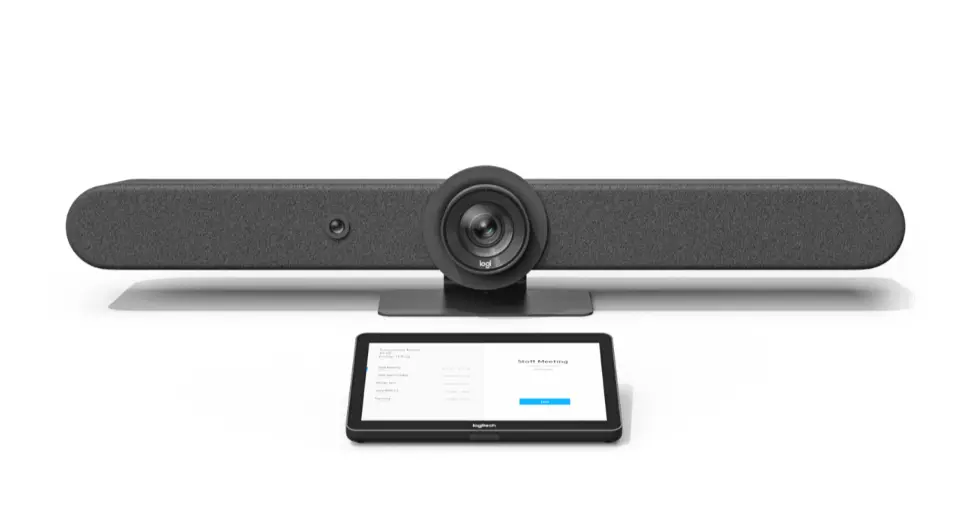 Logitech Rally Bar — Best for established Logitech or large-fleet deployments
Like the X52, the Rally Bar requires a Zoom Rooms or Teams Rooms room license on top of the hardware — a line item that often gets missed in initial budget conversations. Like the X52, it doesn’t include native transcription or meeting summaries. Unlike the X52, it requires a host PC or compute module rather than running Zoom/Teams on integrated compute.
Where Rally Bar earns its place is in organizations already managing a Logitech fleet through Sync: the device management tooling is mature, support is widely available, and IT teams that know the ecosystem have fewer surprises.
Where it’s not the right pick: The $3,999 price is the hardware cost, not the room cost. Add the room license and compare against the total, not the sticker.
Best for: IT teams already running Logitech hardware at scale, or organizations that need a well-supported Teams/Zoom bar with broad reseller availability.
See our full Vibe Bot vs. Logitech Rally Bar comparison for a side-by-side breakdown.
3. Neat Bar Pro — Best for Teams-first enterprise deployments
Starting price: $6,190
Neat is a Cisco company, and the Bar Pro shows it: this is enterprise hardware engineered for Microsoft Teams Rooms at a price that reflects that ambition. The camera configuration is unusual — a telephoto and wide-angle lens combination with a depth sensor delivers 16x zoom and exceptional clarity at distance, making it genuinely well-suited for larger rooms where other bars would crop or pixelate. The 16-microphone pyramid array is one of the more advanced audio setups in this category. It runs Zoom or Teams natively without a room PC.
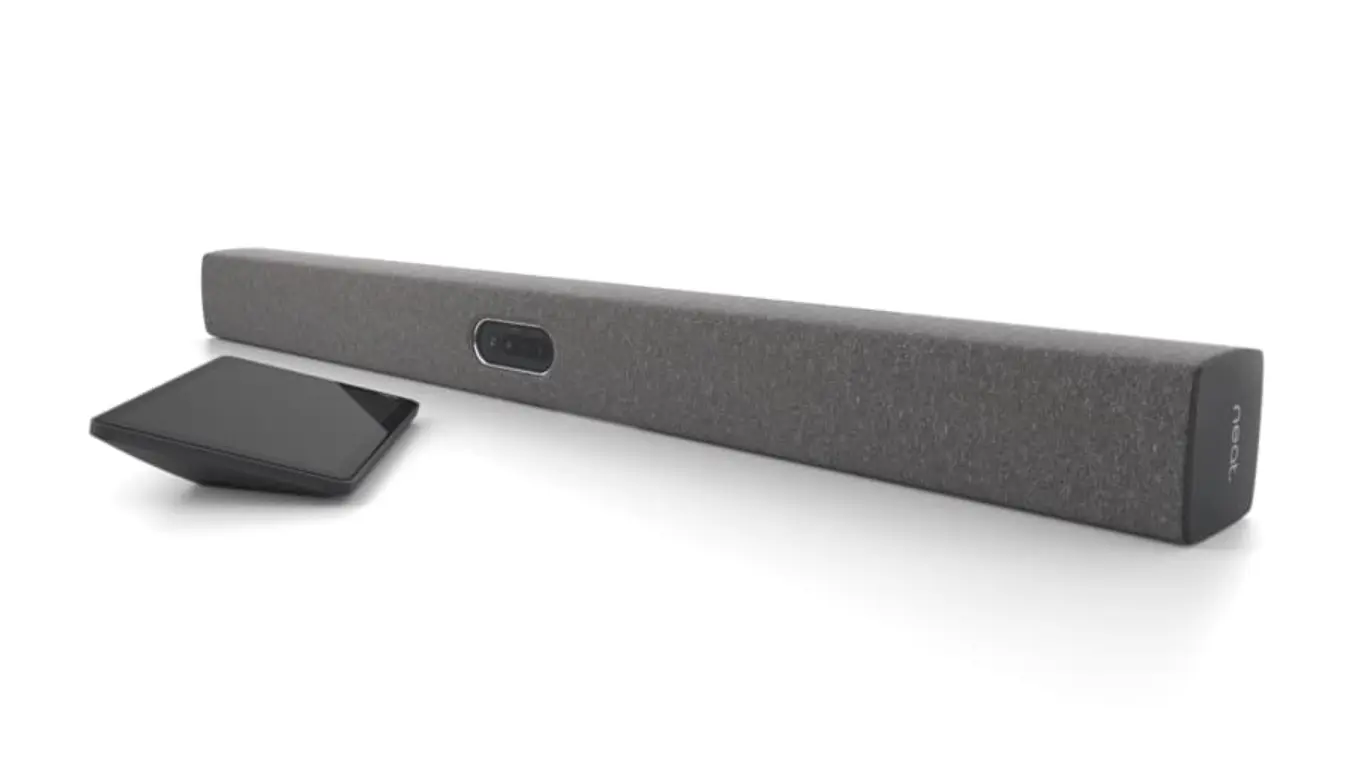 Neat Bar
What the Bar Pro doesn’t do: transcription, summaries, or anything beyond capturing the call. Meeting AI on a Neat-equipped room comes from the platform (Teams Copilot, Zoom AI Companion), adding per-seat cost on top of the $6,190+ hardware.
The honest assessment is that the Neat Bar Pro is a premium choice for organizations where video quality is the primary concern, meeting volume is high, and Teams is the institutional standard. For most conference rooms, it’s more hardware than the room needs.
Where it’s not the right pick: At $6,190 for the bar alone, total room cost clears $8,000–9,000 before platform licenses. Hard to justify unless room count is large and AV quality is non-negotiable.
Best for: Enterprise Teams-first deployments, large rooms, organizations with high AV standards and the budget to match.
4. Owl Labs Meeting Owl 4 — Best for hybrid teams with rotating in-room participants
Starting price: ~$999
The Meeting Owl is a different form factor entirely: a cylindrical 360° camera that sits in the center of the table rather than mounted at the front of the room. It captures everyone in the room simultaneously — there’s no "front" — which makes it genuinely useful for hybrid meetings where the in-room seating arrangement changes frequently or where remote participants need to see who’s speaking without a camera panning to find them.
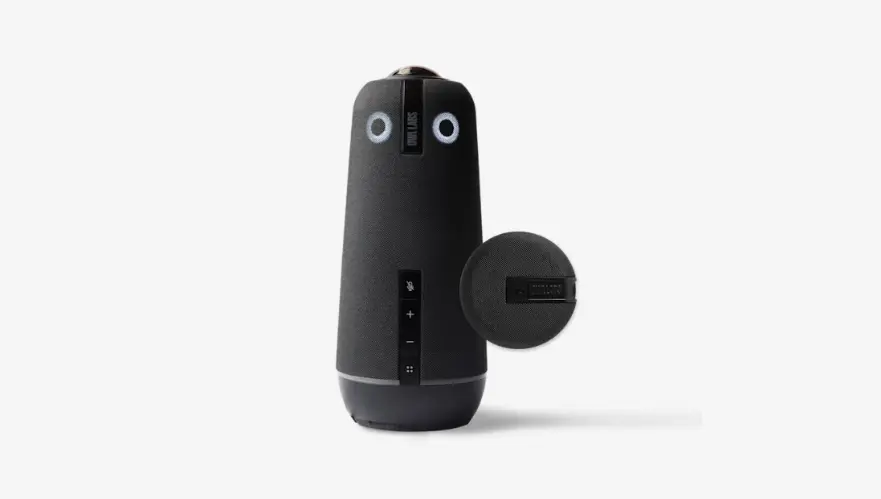 Owl Labs Meeting Owl 4 — Best for hybrid teams with rotating in-room participants
The Owl 4 uses AI to highlight the active speaker’s window for remote participants, handles automatic speaker framing, and connects via USB to a host computer running whatever meeting platform the room uses — no additional room license needed beyond what individual users already have. That simplicity is its best feature for budget-conscious IT teams.
The limitation is also the form factor: a 360° camera in the center of a table is excellent for round-table discussions and awkward for large linear conference rooms, presentation scenarios, or rooms where the primary video direction is fixed (toward a whiteboard or display). There’s also no native transcription or summary generation.
Where it’s not the right pick: Rooms with fixed presentation setups, large rooms where table center placement puts the camera too far from some participants, or any team that needs meeting AI from the device itself.
Best for: Hybrid teams in small-to-medium rooms with variable seating, or offices that need a simple USB camera that works without a room license.
See our full Vibe Bot vs. Meeting Owl comparison for a side-by-side breakdown.
5. Kandao Meeting Pro 2 — Best for budget-conscious teams that need 360° coverage with AI notes
Starting price: ~$1,099–1,299 (US pricing; contact Kandao for exact USD retail)
The Kandao Meeting Pro 2 is the entry on this list that competes most directly with Vibe Bot on price and AI capability — and it’s worth being straight about that. Kandao launched the Pro 2 in May 2026 as an all-in-one 360° device with a built-in AI chip that handles auto-tracking, smart view layout switching, and a SmartNote AI assistant that generates meeting summaries and supports real-time translation across 21+ languages. At its price point, that’s a meaningful package.
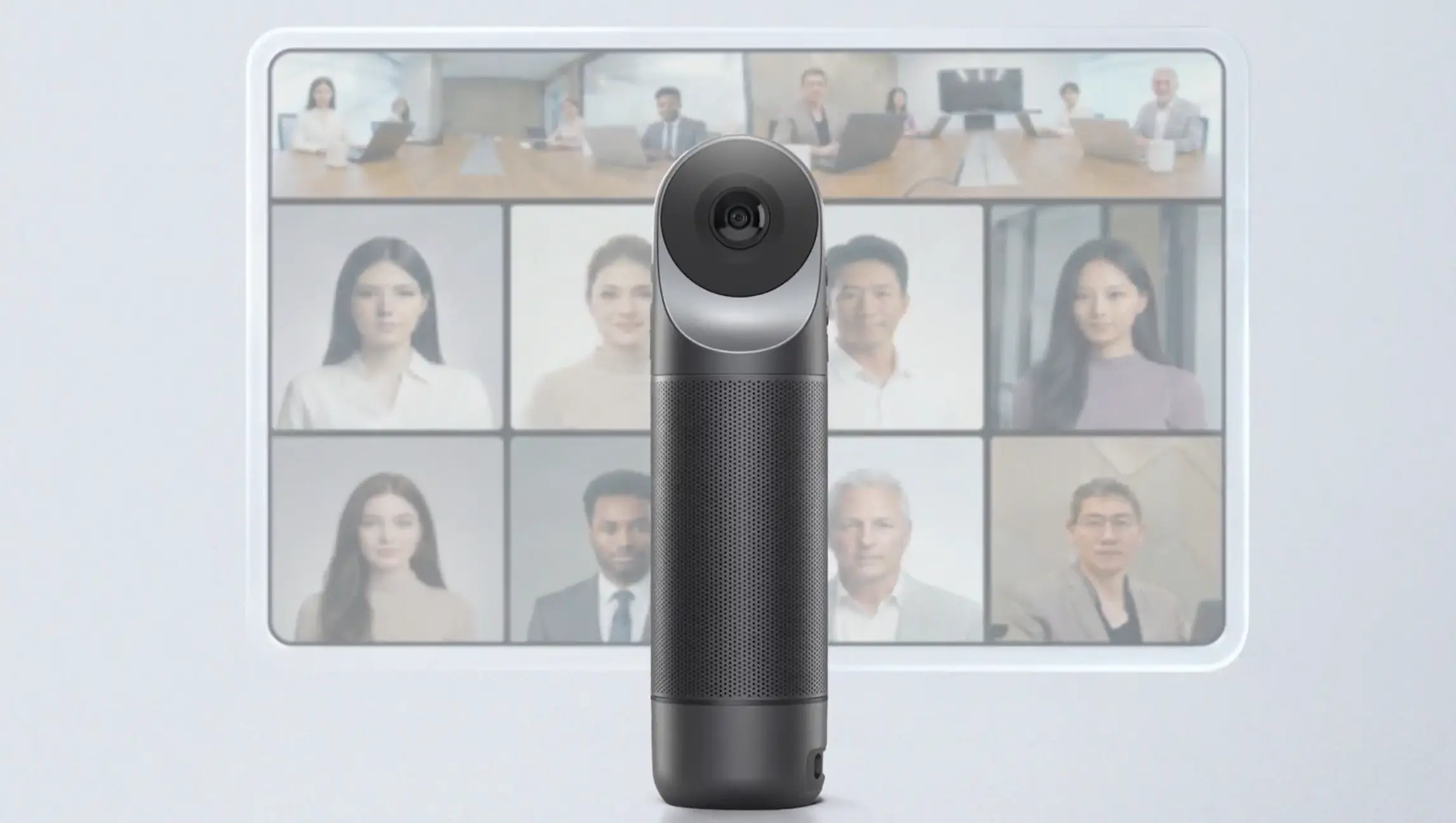 Kandao Meeting Pro 2 — Best for budget-conscious teams that need 360° coverage with AI notes
The hardware is distinctive: dual fisheye lenses capture a full 360° room view in 4K HDR, with an 8-microphone array rated for 18 feet of pickup. It runs standalone without a room PC via its built-in Android system, or as a USB camera when connected to a host.
Where Kandao falls short is on the data and compliance side. Kandao Technology is a Shenzhen-based company, and the Pro 2 does not publish the kind of enterprise security certifications (SOC 2, HIPAA, FERPA) that US enterprise, healthcare, and education procurement teams typically require for devices that process meeting audio and generate transcripts. Teams in regulated industries or with strict procurement requirements will need to verify compliance posture directly with Kandao before purchasing.
Where it’s not the right pick: Regulated industries or any organization where SOC 2 / HIPAA / FERPA compliance is a procurement gate.
Best for: Budget-conscious teams in unregulated industries who want 360° room coverage and AI notes in a single device at a low upfront cost.
6. Jabra PanaCast 50 — Best for Microsoft Teams rooms with BYOD flexibility
Starting price: ~$1,605 (bar only)
The PanaCast 50 is Jabra’s answer to the conference bar category: three integrated 13MP cameras that combine into a 180° panoramic field of view, eight beamforming microphones, four speakers, AI Intelligent Zoom, and Virtual Director for automatic speaker framing. It connects via USB-A, USB-C, or Ethernet, and it’s certified for Teams, Zoom, and Google Meet — which means it works with whatever platform the room’s host computer runs.
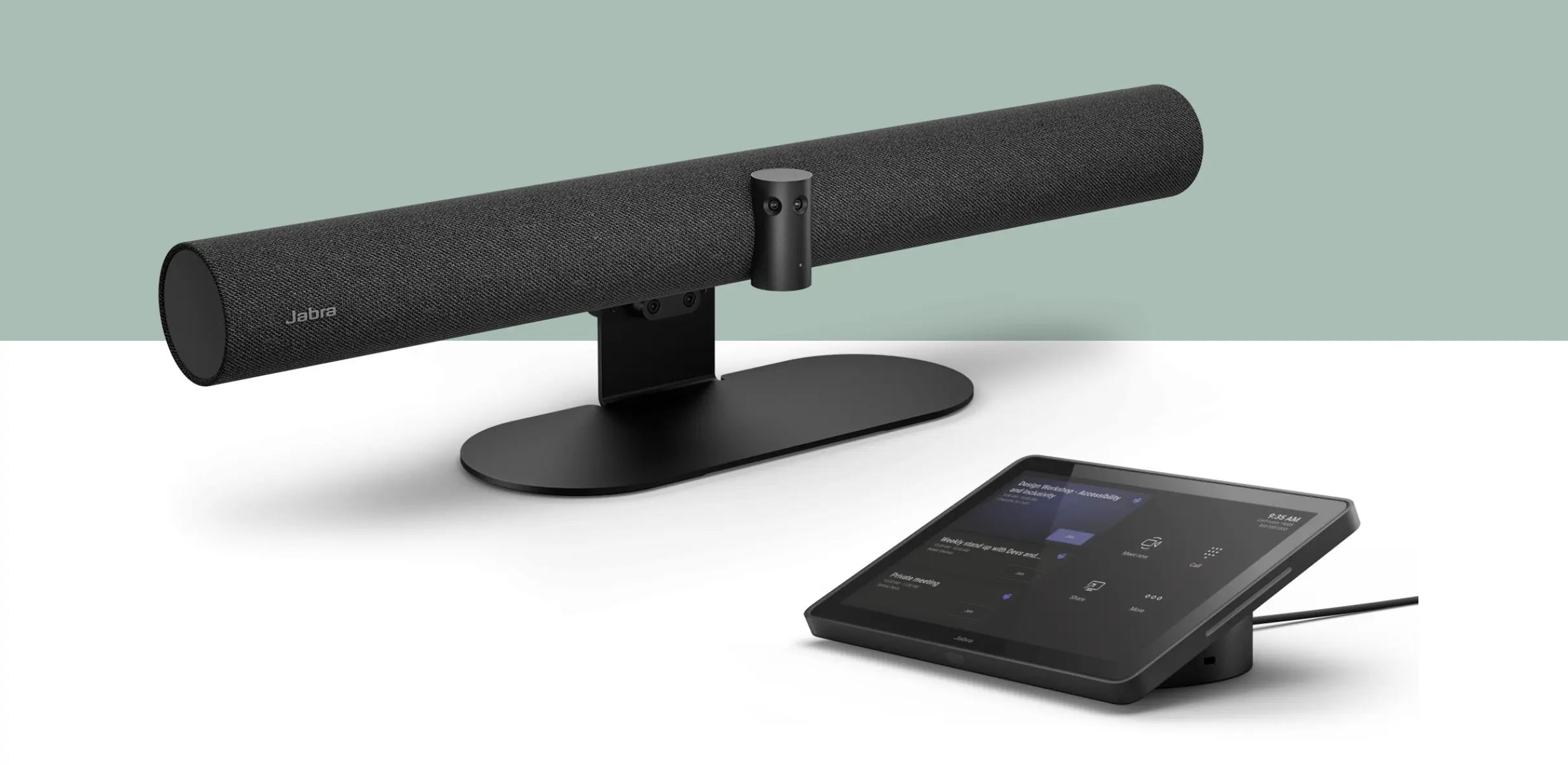 Jabra PanaCast 50 — Best for Microsoft Teams rooms with BYOD flexibility
The BYOD nature is its defining characteristic. The PanaCast 50 doesn’t run Zoom or Teams on integrated compute — it’s a peripheral that makes any host computer into a meeting room system. That’s limiting in enterprise fleet scenarios (more hardware to manage, more failure points), but genuinely useful in smaller organizations or rooms that already have a capable desktop or laptop and just need better AV. It also means no additional room license above what individual users already pay, which changes the cost math in specific scenarios.
No native transcription or summaries. Meeting AI comes from whatever platform the host computer is running.
Where it’s not the right pick: Organizations standardizing on standalone room systems, or any room where there’s no consistent host computer available.
Best for: Small-to-medium rooms with a permanent host computer, Microsoft Teams environments, organizations that prioritize platform flexibility over an integrated compute solution.
How to choose
The right alternative depends on which limitation of Poly Studio you’re actually trying to solve.
If the issue is cost complexity — too many line items, too many vendors — the answer is to count cost layers before you compare sticker prices. Poly Studio rooms typically require hardware, a touch controller, Poly+ support, and a platform room license. Factor all four before treating any alternative as "cheaper." See the Vibe Bot vs. Poly Studio X52 breakdown for a full three-year TCO comparison.
If the issue is the absence of meeting AI — you want notes, summaries, and action items from the room without bolting on a third-party tool — that narrows the field to Vibe Bot and Kandao Meeting Pro 2. The differentiator between those two is compliance and ecosystem: Vibe Bot for regulated industries and teams that need enterprise certifications; Kandao for teams where price is the primary driver and compliance requirements are lighter.
If the issue is deployment complexity — you’re managing many rooms and want one system, one firmware, one management console — Neat Bar Pro and Rally Bar are the mature choices, with Logitech Sync and Poly Lens respectively handling fleet operations at scale.
If the issue is room fit — the X52 isn’t the right size for your spaces — look at the form factor column first. 360° devices (Meeting Owl, Kandao) work differently from traditional bars and suit different room shapes.
FAQ
Is Poly Studio being discontinued?
No. HP Poly continues to actively update and sell the Studio X line. The X52 is the current mid-range model. This page is for buyers who have evaluated Poly and are looking for a different fit, not for buyers concerned about end-of-life status.
What is the cheapest Poly Studio alternative?
Owl Labs Meeting Owl 4 ($999) and Kandao Meeting Pro 2 ($1,099–1,299) are the most affordable options on this list. Vibe Bot ($1,599) is in the same range when you factor in that it includes native transcription and summaries, which would otherwise require a separate subscription.
Do any Poly Studio alternatives include transcription?
Yes. Vibe Bot includes transcription, meeting summaries, action item extraction, and searchable meeting history through Vibe AI Starter at no additional cost. Kandao Meeting Pro 2 includes an AI note-taking assistant (SmartNote). The other alternatives on this list do not include native transcription — it comes from the meeting platform or a third-party add-on.
Does Vibe Bot work with Microsoft Teams and Zoom?
Yes. Vibe Bot is certified for Microsoft Teams Rooms, Zoom Rooms, and Google Meet, with one-tap join.
What is the best Poly Studio alternative for a large room?
For rooms larger than roughly 20 × 15 ft, Neat Bar Pro ($6,190) is the most capable option on this list. Poly’s own X72 (dual-camera, 25-ft pickup) is also worth considering if the deployment is Poly-native.
What’s the difference between Poly Studio X52 and X72?
The X52 is designed for medium-sized rooms. The X72 is the large-room model with dual 4K cameras at two fields of view and 25 feet of microphone pickup, suited for rooms up to roughly 30 × 18 ft.