
The hardest person to shop for is the one who is always busy. They do not need more stuff. They need time. Whether you are buying for a partner, a parent, a boss, or a friend, the best tech gifts for busy professionals are the ones that quietly remove a recurring annoyance, so they are still in use in February.
Quick answer: the best tech gift for each kind of busy
-
Always in meetings: Vibe Dot ($199, works with iPhone)
-
Commutes and open offices: Sony WH-1000XM6 (about $450 list price)
-
Long hours at a desk: Logitech MX Master 4 ($119.99)
-
Frequent travel: Anker Nano Power Bank ($49.99)
-
Needs to switch off: Meta Quest 3S ($349.99)

How to Choose a Tech Gift for a Busy Professional
Ask three questions before you buy. They narrow the field faster than any ranking.
-
What eats their time? Meetings and the cleanup after them, commuting noise, a clunky desk setup, or a phone that dies mid-trip. Match the gift to the drain. Jabra's Cost of Bad Meetings research from June 2026 found that 59% of meetings need a follow-up meeting to fix the first, so for many people the meeting itself is the problem to solve.
-
Will they still use it in week two? The best gifts slot into a habit that already exists. A tool that needs a new routine tends to end up in a drawer.
-
What does it ask of them? Check the practical requirements: their phone's operating system, a subscription, charging, setup. A great device that does not work with their phone is a bad gift.
1. Best for the Person Always in Meetings: Vibe Dot
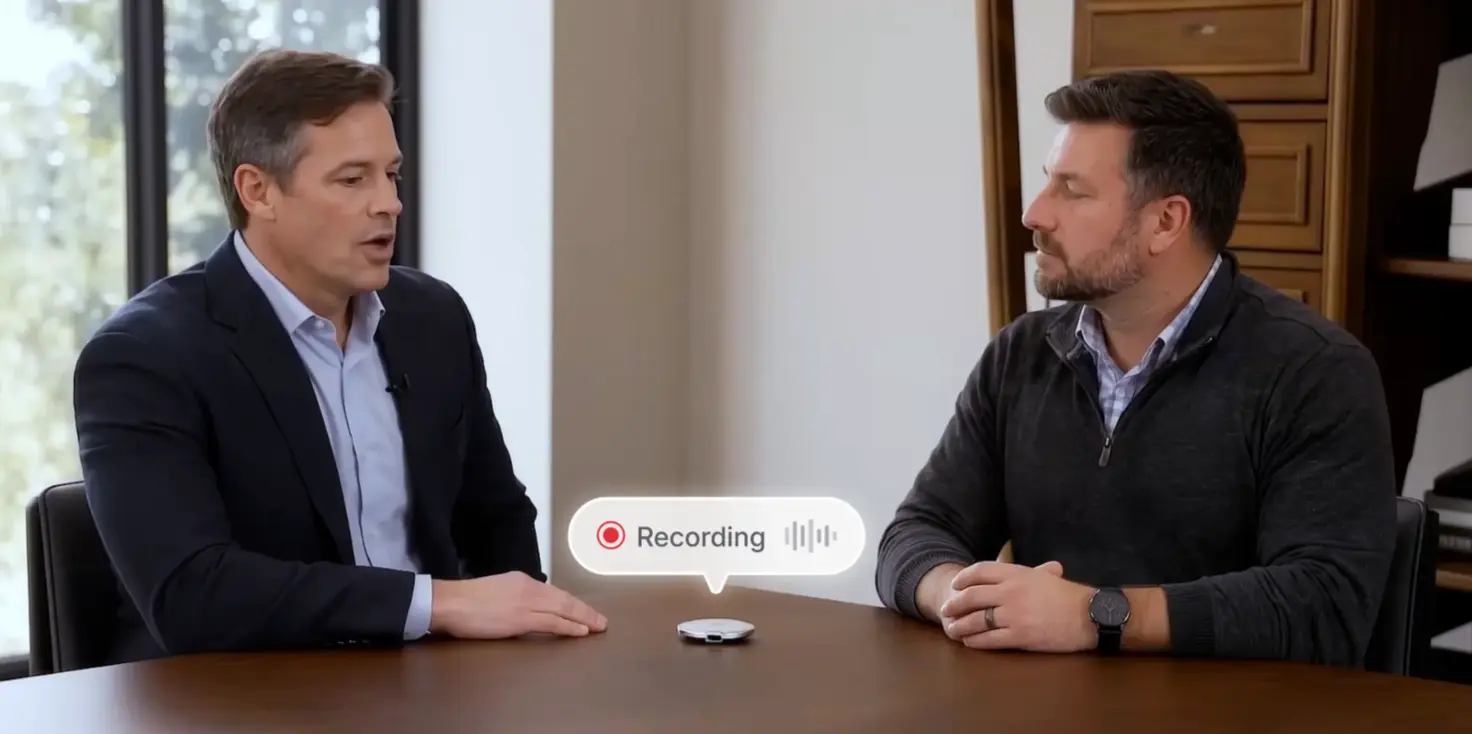
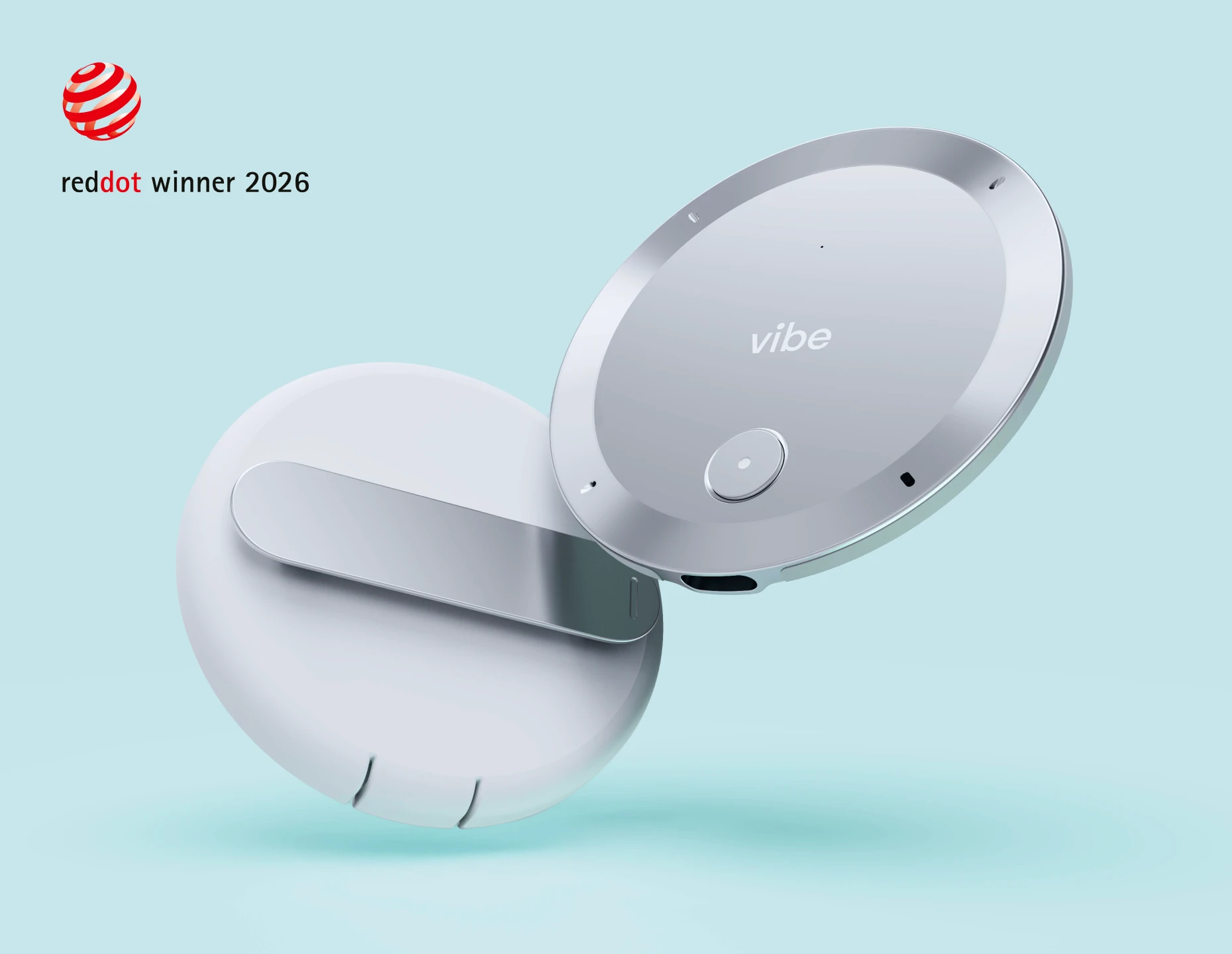
Vibe Dot is a small wearable AI assistant that records conversations and then helps with the follow-up. It is the gift for someone who spends the evening typing up what happened in the afternoon.
 Best for the Person Always in Meetings: Vibe Dot
What it does. Dot clips on, sits in a pocket, or attaches to the back of a phone for calls. It records in-person meetings and phone calls, then Vibe AI turns them into notes, summaries, and action items. It records to onboard storage and syncs to the Vibe AI app over Bluetooth, so a meeting in a dead zone still gets captured. On Pro and Max plans, Vibe AI can also act on what was said: draft and send follow-ups (Gmail, Outlook, Slack), create tasks (Jira, Linear, Asana), update HubSpot, and schedule follow-up meetings (Google Calendar, Outlook Calendar). If the recipient wants to understand that side, our guide to what an AI meeting agent is explains it.
Who it is for. Someone with many meetings and calls, especially in-person or on the phone, where software note takers that join video calls cannot help. We cover why in The Meetings Your AI Note-Taker Can't Capture.
Price. Vibe Dot is $199. The free Starter plan comes with it and includes 300 minutes of transcription a month, plus meeting notes, summaries, and action items. Follow-up actions need Pro ($9 per seat per month, billed annually) or Max ($29 per seat per month, billed annually). See the Vibe AI pricing page.
Who should skip it.
-
Anyone who cannot get consent to record. Recording laws vary, and the person needs to tell participants.
-
Anyone who wants hands-off automation on day one. Actions run on a paid plan and a monthly credit allowance, and Auto Capture is in Beta.
2. Best for Commutes and Open Offices: Sony WH-1000XM6
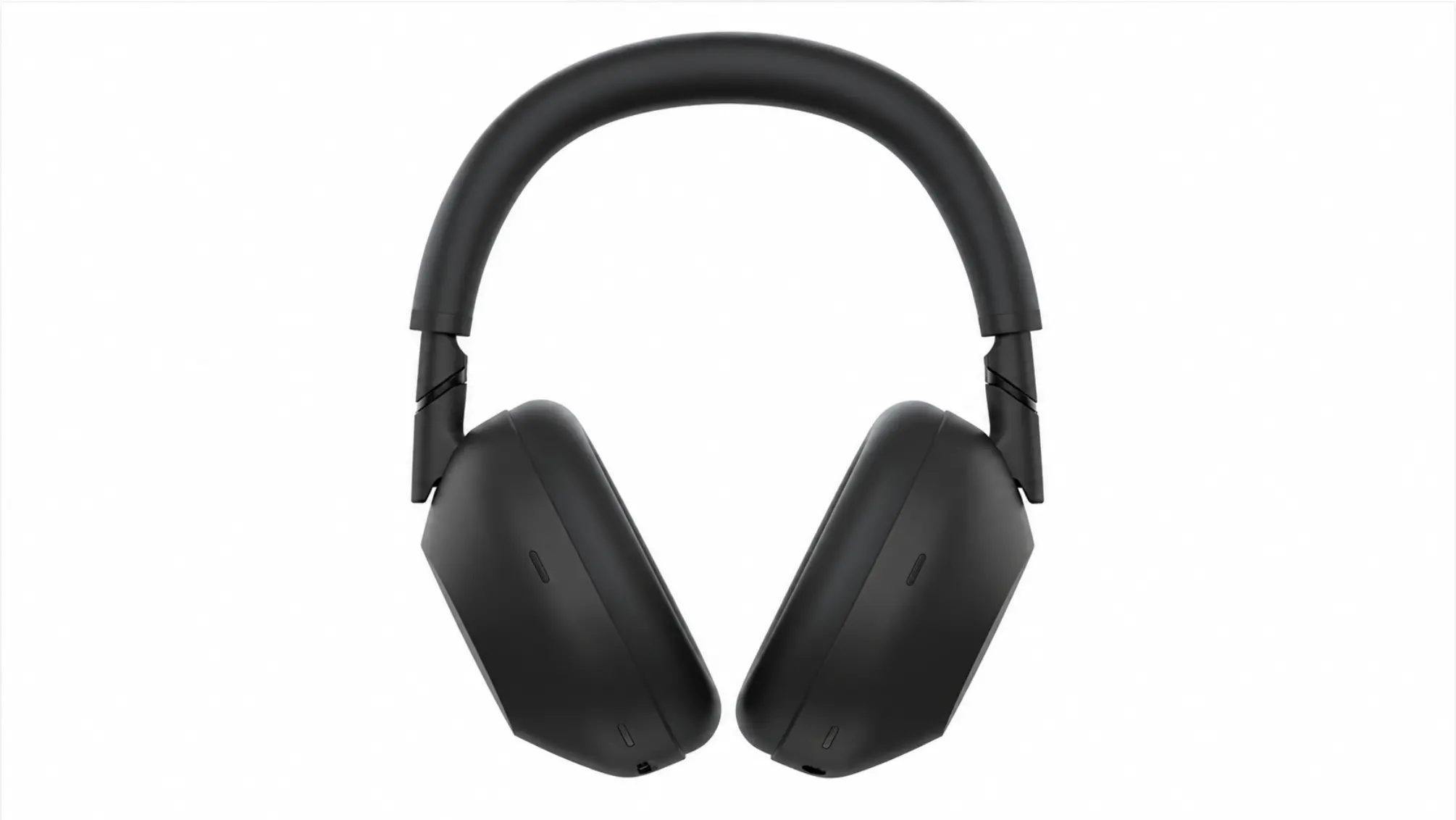
Premium noise-canceling headphones are still the safest gift for someone who needs to focus. Sony's WH-1000XM6 pairs an HD Noise Cancelling Processor QN3 with a 12-microphone system that adjusts noise cancellation in real time, and Sony says the microphones also improve call clarity.
 Best for Commutes and Open Offices: Sony WH-1000XM6
Who it is for. Commuters, people in open offices, frequent flyers, and anyone on calls all day.
Price. The headphones launched at about $450 and have been discounted since, including a record low in October 2026. Check the current price before you buy.
Who should skip it. Anyone who already owns flagship noise-canceling headphones, and anyone who would find over-ear headphones uncomfortable for long days.
3. Best for Long Hours at a Desk: Logitech MX Master 4
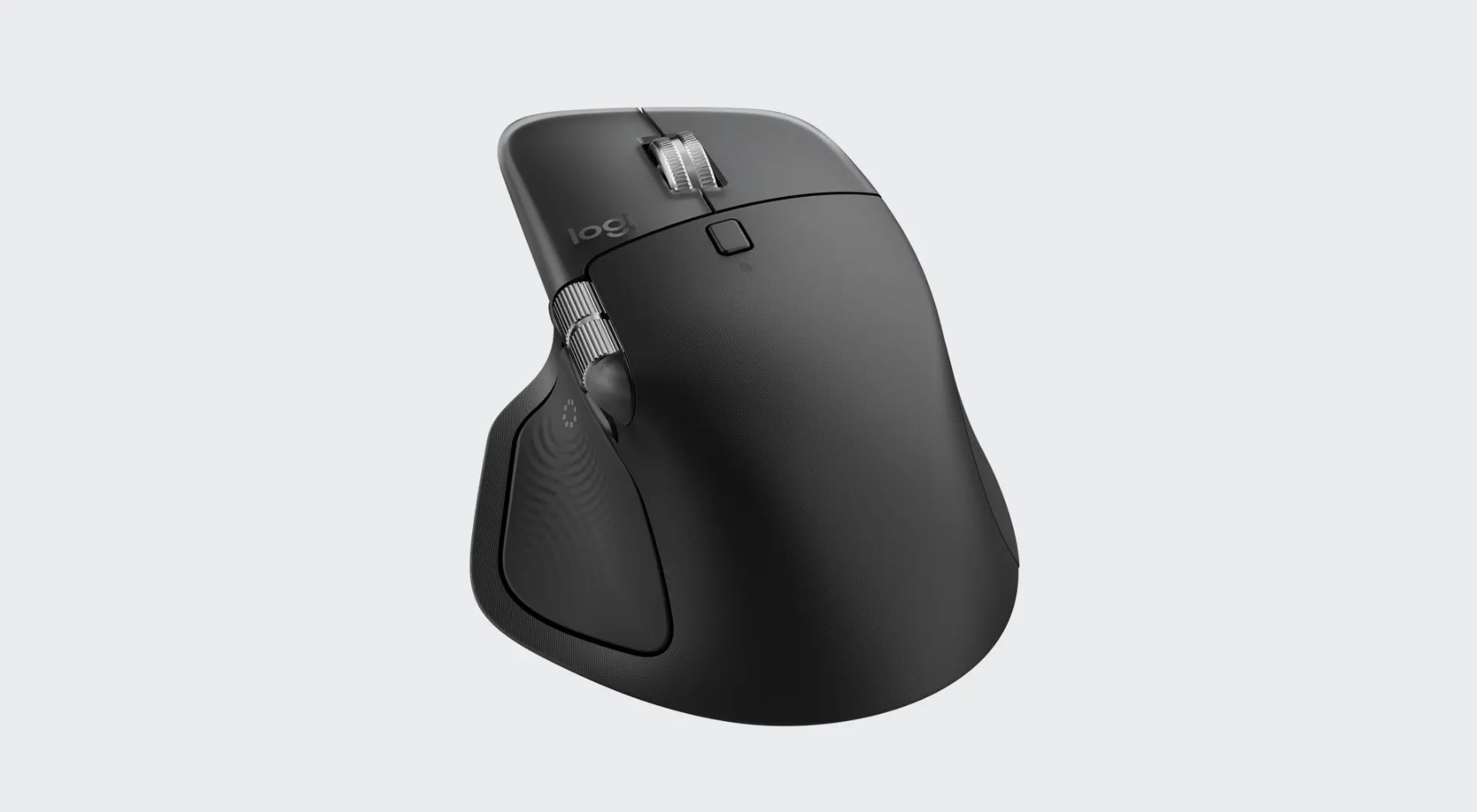
A better mouse is a small upgrade used hundreds of times a day. The MX Master 4 is Logitech's flagship productivity mouse, with haptic feedback in the thumb rest and an Actions Ring that gives quick access to shortcuts through the Logi Options+ app. It lists for $119.99 on Logitech's U.S. store.
 Best for Long Hours at a Desk: Logitech MX Master 4
Who it is for. Anyone at a computer for hours, especially people who work across several apps.
Who should skip it. One reviewer noted that without onboard memory, app-specific button maps rely on Options+ being installed, which can be a problem on locked-down work computers. If the person uses a managed work laptop, check first.
4. Best for Frequent Travel: Anker Nano Power Bank
A dead phone costs more time than almost any other tech problem. The Anker Nano Power Bank (30W, 10,000mAh) has a built-in USB-C cable, so there is no separate cable to forget. It lists at $49.99.
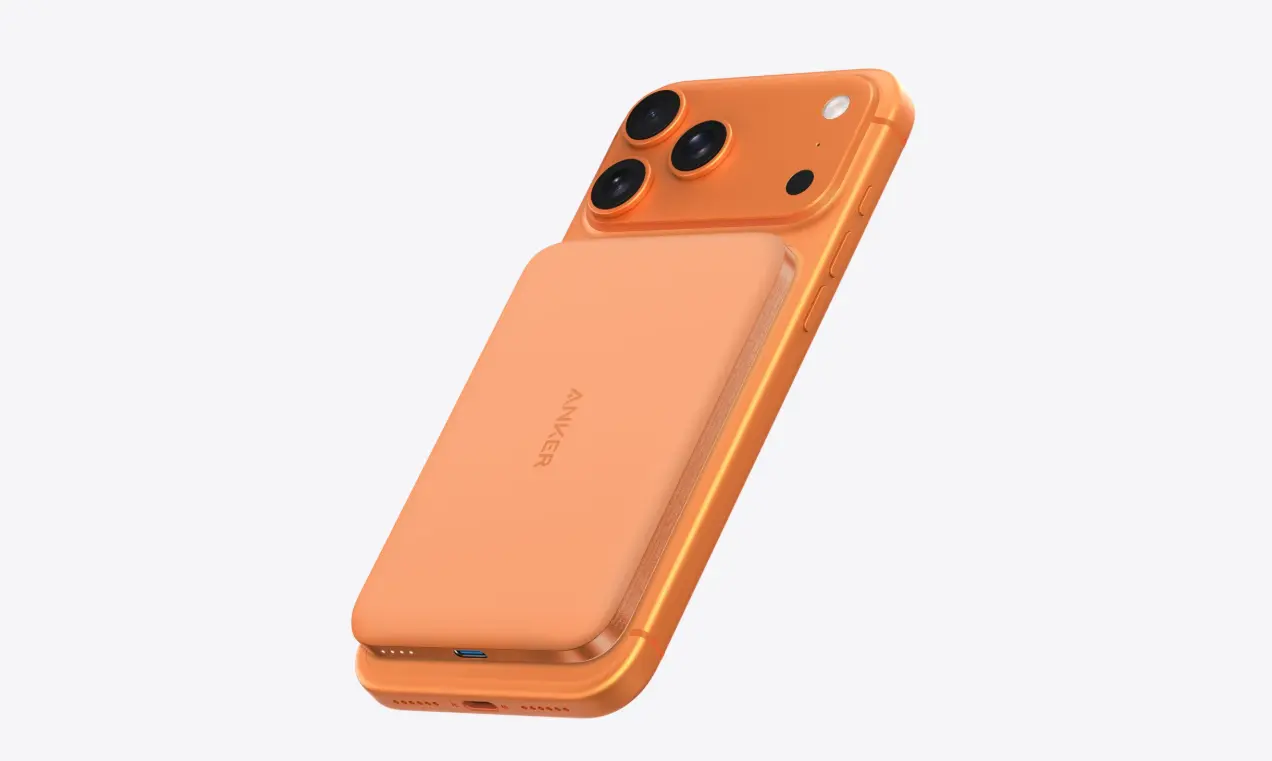 Best for Frequent Travel: Anker Nano Power Bank
Who it is for. Travelers, commuters, and people who spend long days away from an outlet. It is also a good add-on to a bigger gift.
Who should skip it. People who already carry a power bank they like.
5. Best for Switching Off: Meta Quest 3S
Busy people need a way to disconnect, and a standalone VR headset is one of the few gadgets that fully occupies attention. Meta lists the Quest 3S at $349.99 for 128GB. Meta has since raised Quest prices, citing rising memory costs, so older price guides may be out of date.
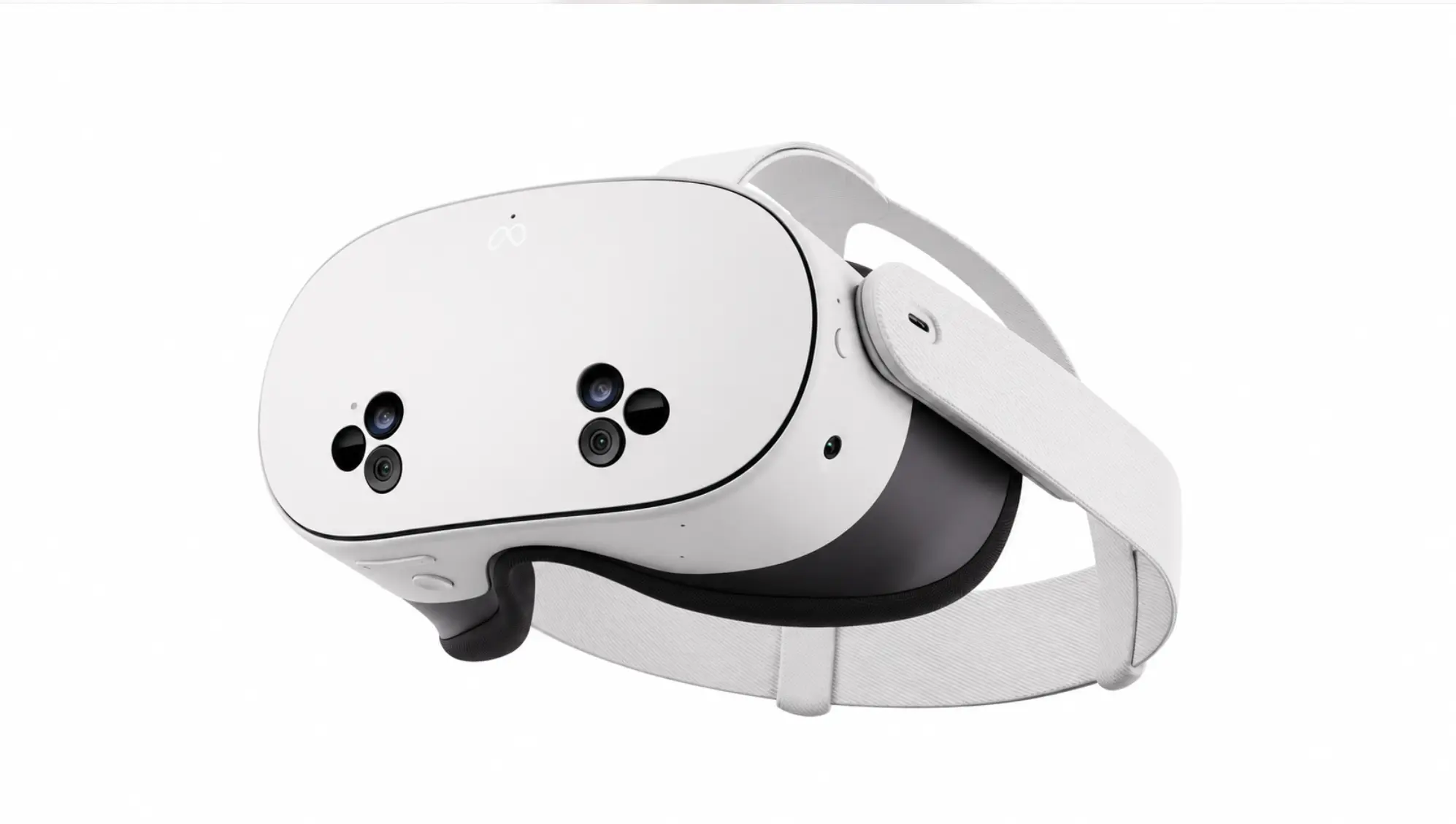 Best for Switching Off: Meta Quest 3S
Who it is for. Someone who games or wants a new way to unwind, and has the space to use it.
Who should skip it. Anyone with little free time or limited room, or who does not like the idea of wearing a headset.
Tech Gifts for Busy Professionals by Budget
|
Budget |
Pick |
Best for |
|---|---|---|
|
Around $50 |
Anker Nano Power Bank ($49.99) |
Travelers and commuters |
|
$100–150 |
Logitech MX Master 4 ($119.99) |
Desk workers |
|
$150–300 |
Vibe Dot ($199) |
People in many meetings and calls |
|
$300–400 |
Meta Quest 3S ($349.99) |
People who want to unwind |
|
$400+ |
Sony WH-1000XM6 (about $450 list) |
Commuters and open-office workers |
Gifts to Skip
Skip gadgets that add a task instead of removing one. A few patterns to avoid:
-
Novelty gadgets with no daily use. They are fun to open and forgotten by January.
-
Anything that does not match their ecosystem. Check their phone and computer first. This applies to Vibe Dot too.
-
Gifts that need a subscription to be useful. If the device is only good with a paid plan, say so up front or pick something else.
-
A fourth charger or speaker. If they already have the category covered, move on.
Giving Vibe Dot: What to Know Before You Buy
A few details make Vibe Dot an easy gift or an awkward one.
-
The free plan is included. Starter is free with the device and has no expiry.
-
Paid plans start when they do. If you buy a Vibe AI plan with the device, an activation code is emailed to the purchaser when the order ships, and the plan term begins when the code is entered, not at purchase. Forward the code with your gift note.
-
Returns have rules. You can return a purchase within 30 days of delivery, and the customer pays the return delivery fee. During the holiday season (October 1 to January 31), package surcharges and handling fees of up to $100 can apply. Read the return policy before you buy.
-
Order early. Vibe Dot ships free within the U.S., and Vibe's shipping policy estimates that most orders are in transit about 1 to 2 weeks.
Make it personal. Write a note that names the specific annoyance it solves, such as "so your Tuesday follow-ups write themselves." A gift that shows you noticed how someone spends their day lands better than a generic upgrade.
Conclusion
The best tech gift for a busy professional is rarely the flashiest one. It is the one that removes a daily drain: the meeting cleanup, the noisy commute, the dead battery, the clunky desk. Start with the question of what eats their time, check what the gift needs from them, and pick the one that fits.
If the person's days are full of meetings and calls, Vibe Dot is built for exactly that, and Vibe AI carries what was said through to finished follow-up work.
Frequently Asked Questions
What is a good tech gift for someone who works too much?
Pick something that gives time back instead of adding a hobby. Good options include noise-canceling headphones for focus, a better mouse for long desk days, a compact power bank for travel, or an AI recorder such as Vibe Dot for someone who spends evenings on meeting follow-ups.
What are the best tech gifts under $100 and under $200?
The Anker Nano Power Bank is about $50, the Logitech MX Master 4 is $119.99, and Vibe Dot is $199. Prices change, so check current listings before you buy.
What do you get someone who is always in meetings?
Give them something that cuts the work after meetings. Vibe Dot records in-person meetings and phone calls and turns them into notes, summaries, and action items. Noise-canceling headphones are a good second choice if the meetings are mostly on video.
Is an AI recorder a good gift?
It can be, if the person has many meetings or calls and uses an iPhone, which Vibe Dot currently requires. It is a poor fit for someone who cannot get consent to record, or who would not use it regularly. Recording laws vary by location, so the user needs to tell participants.
Does Vibe Dot need a subscription?
No. The Starter plan is free with the device and includes 300 minutes of transcription a month, plus notes, summaries, and action items. Follow-up actions such as drafting emails, creating tasks, and updating a CRM need Pro ($9 per seat per month, billed annually) or Max ($29 per seat per month, billed annually).
When should I order to get it before Christmas?
Order early. Vibe's shipping policy estimates that most orders are in transit about 1 to 2 weeks, and NRF's 2026 survey shows most shoppers are waiting until Thanksgiving weekend, so peak demand is close. Check delivery estimates at checkout instead of relying on a fixed date.