
Most AI meeting tools stop at the transcript. The call ends, a summary shows up, and the real work (the follow-up email, the ticket, the CRM update, the calendar invite) is still on your plate. An AI meeting agent is built to close that gap. It captures the conversation, then does the follow-up in the tools you already use.
Definition: An AI meeting agent is software or a device that captures a conversation and then carries out the follow-up work, such as drafting emails, creating tasks, updating CRM records, and scheduling next steps, in your connected tools, using context from your past meetings.
Gladia's 2026 breakdown of agentic meeting features draws the same line: an agentic feature acts on the user's behalf, while a plain note taker leaves a record for someone else to act on later. This guide explains how an AI meeting agent differs from the tools you may already use, what it does after a call, where it goes wrong, and how to evaluate one. For the longer history of how the category got here, see The Evolution of AI Meeting Assistants.
AI Meeting Agent vs. AI Note Taker vs. AI Meeting Assistant
The three labels overlap, but they describe different jobs. A note taker records and summarizes. An assistant also answers questions about your meetings. An agent goes one step further and does the follow-up. Vendors use the terms loosely, so the table below describes the typical emphasis of each rather than any one product.
|
AI note taker |
AI meeting assistant |
AI meeting agent | |
|---|---|---|---|
|
Primary job |
Record and summarize |
Record, summarize, and answer questions |
Carry out the follow-up work |
|
What you receive |
Transcript and notes |
Notes plus answers on demand |
Completed or ready-to-review actions |
|
Who does the follow-up |
You |
Mostly you |
The agent, with you reviewing |
|
Context across meetings |
Optional |
Optional |
Core requirement |
|
Touches other tools |
Rarely |
Sometimes, for export |
Yes: email, tasks, CRM, calendar |
The practical test is simple. After the meeting, ask who sends the email and who updates the CRM. If the answer is still you, the tool is a note taker or assistant. If the tool prepares or performs those steps, it is behaving as an agent.
What an AI Meeting Agent Does After the Call
An AI meeting agent typically handles five kinds of follow-up work. The exact list depends on the product and the tools it connects to. Here is what each looks like in practice, using the integrations Vibe AI supports as a concrete reference.
1. Follow-up messages
The agent drafts a follow-up from what was actually said and sends it through your email or chat tool. Vibe AI works with Gmail, Outlook, and Slack for this. The value is specificity: a message that names the decision and the deadline from the call beats a generic "thanks for your time."
2. Tasks from action items
Spoken commitments become tickets with owners and due dates. Vibe AI creates tasks in Jira, Linear, and Asana. If you want the manual version of this routine first, our guide to tracking action items from meetings covers the who, what, and by-when format that makes automated tasks work better too.
3. CRM updates
Deal stage, notes, and next steps land in the CRM without retyping. Vibe AI updates HubSpot records from meeting content, which matters most for sales calls where the details fade quickly.
4. Follow-up scheduling
The agent proposes or books the next conversation. Vibe AI schedules follow-up meetings in Google Calendar and Outlook Calendar.
5. Exporting meeting content
Transcripts, summaries, and action items go where your team keeps its knowledge. Vibe AI exports to Google Drive, OneDrive, Google Docs, and Notion.
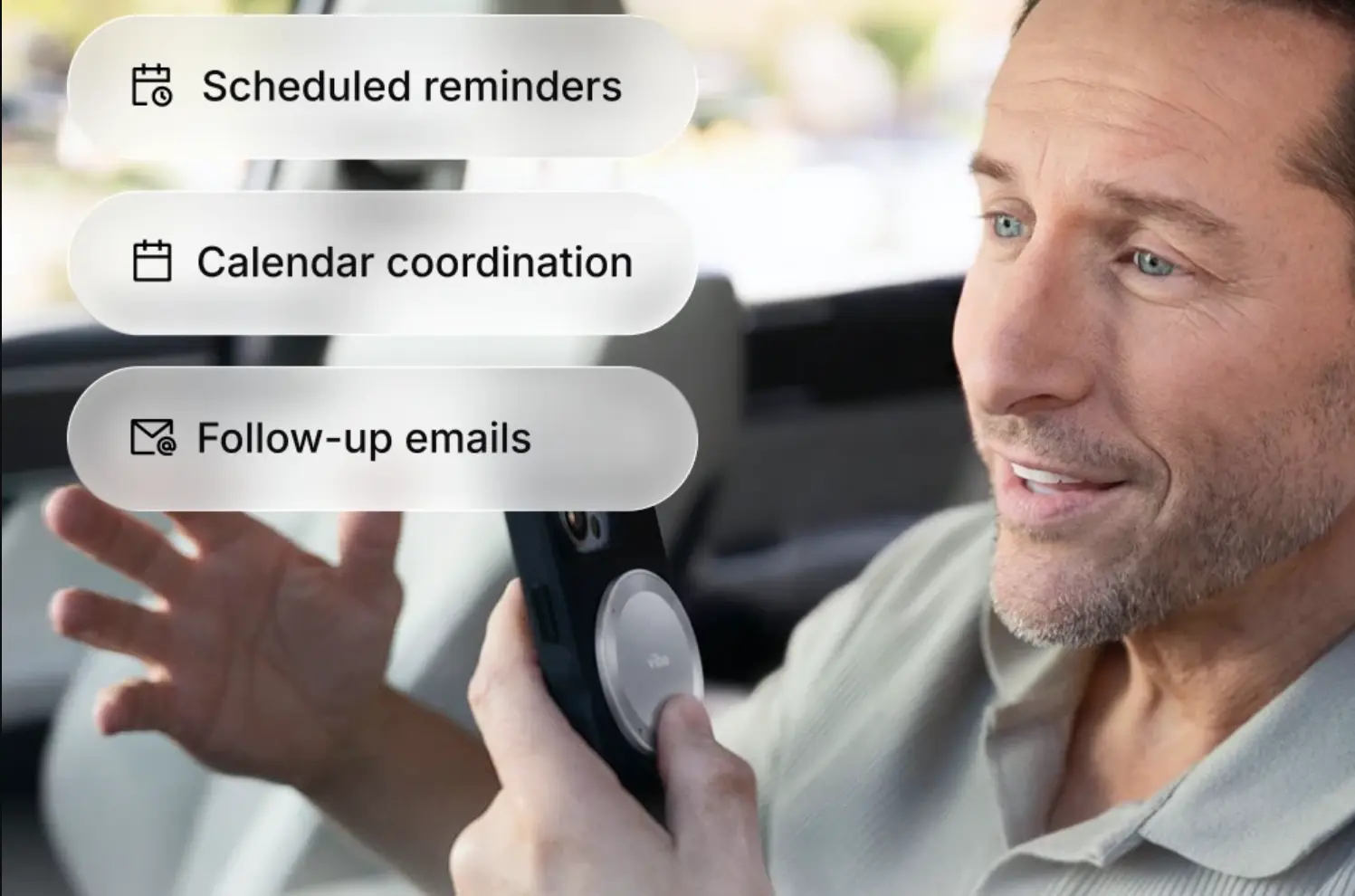 Man in a car using Vibe Dot on the back of his phone for scheduled reminders, calendar coordination, and follow-up emails
The Three Layers Every AI Meeting Agent Needs: Capture, Memory, Action
An agent is only as useful as what it can hear, what it remembers, and what it can touch. We built Vibe Dot and Vibe AI around this three-layer view, and it is a useful lens for evaluating any tool.
Capture: what it can hear. An agent can only act on conversations it actually receives. Software note takers typically depend on a chain of a meeting platform, a calendar trigger, a bot or extension that joins the call, and a live connection. We break that chain down in The Meetings Your AI Note-Taker Can't Capture. Conversations outside it, such as an in-person client meeting, a phone call, or a site visit with no signal, need a different way in. That is why AI note takers built for in-person meetings are a category of their own, and why even the newest general-purpose agents benefit from a dedicated recorder.
Memory: what it remembers. A follow-up that cites the right decision from three weeks ago is a different product from one that only knows today's call. A meeting-memory layer records the full conversation, then organizes it so you can search and question it. We cover the difference in AI tools that remember past meetings. In Vibe AI this is the Memory Graph, which links each conversation to earlier ones.
Action: what it can touch. This is the integration layer: which tools the agent can write to, what it can do in each, and how you review and track the result. Gladia notes that every agentic feature sits on top of transcription, so a transcript error becomes an action error. That is the reason capture and speaker labeling quality matter as much as the integration list.
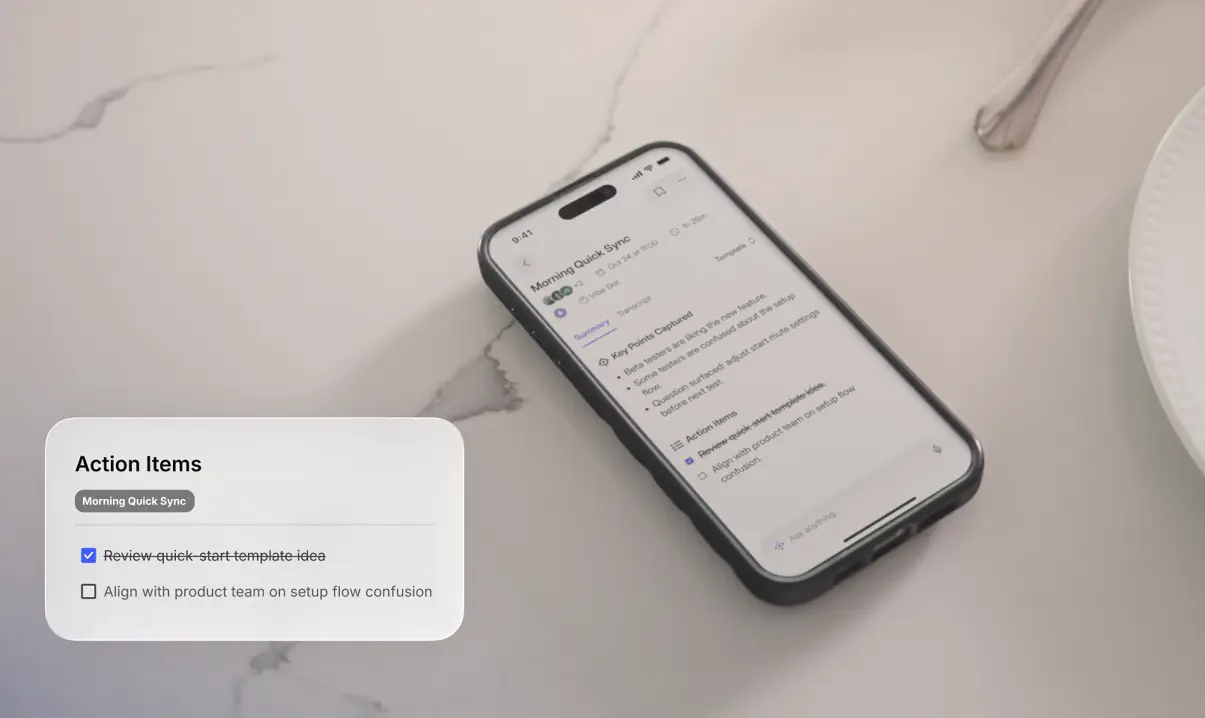 Vibe Dot app showing a meeting summary and action items
Where AI Meeting Agents Go Wrong
Agents fail in predictable ways, and each one has a practical safeguard.
-
Wrong owner or date. If the agent misattributes who agreed to what, the mistake travels into the ticket or CRM record. Check speaker labels on important meetings and correct them before relying on the output.
-
Over-sending. An agent that can email a client can email the wrong message. Until you trust the output, review anything external before it goes out. In Vibe's own example, the follow-up arrives as a draft ready for review.
-
Over-broad access. Connect only the accounts the agent needs, and check the vendor's security posture before you connect a CRM or inbox.
-
Recording consent. Capture tools operate under recording laws that vary by jurisdiction. Tell participants, and follow your organization's policy.
-
Cost surprises. Many agents meter actions. Know what counts as an action and what happens when you run out.
We should be upfront about our own limits too. Vibe AI's actions require a paid plan (Pro or Max), Auto Capture on Vibe Dot is in Beta, and actions draw from a monthly credit allowance. The sections below show exactly how.
How to Evaluate an AI Meeting Agent
Judge an agent on seven criteria, in this order.
-
Capture coverage. Which conversations can it hear: scheduled video calls only, or in-person meetings and phone calls too?
-
Cross-meeting memory. Can it connect today's call to earlier ones, or does each meeting stand alone?
-
Action menu. Which actions can it take, and in which of your tools? Match the list to your actual stack (email, task tracker, CRM, calendar).
-
Review and record. Can you review drafts before they send, and is there a history of what the agent did?
-
Pricing model. Is it per seat, per action, or both? What happens at the limit?
-
Security and compliance. Look for named attestations, such as SOC 2 Type 2 and HIPAA, and for a clear statement on whether your data trains models.
-
Transcript quality. Speaker separation and accuracy set the ceiling for everything downstream.
Who Gets the Most From an AI Meeting Agent
The biggest gains go to people whose work ends with a handoff. These three workflows are examples of how Vibe describes Vibe Dot in use.
Account executive, after a client call. The rep asks for a follow-up with next steps, an updated opportunity in HubSpot, and the next call on the calendar. The prospect gets a tailored message the same day, and the CRM is current without data entry.
Product manager, after a product review. The PM asks the agent to pull recent customer feedback from Notion, update priorities and owners in Linear, and schedule a recap in Slack for the next morning. Decisions become an updated plan before the next stand-up.
Operations lead, after a site walkthrough. The lead asks the agent to share the inspection report with edit access in OneDrive, assign the flagged issues with due dates in Asana, and book the Friday review in Outlook Calendar. Every handoff has a named owner.
Where Vibe Dot Fits
Vibe Dot is Vibe's AI assistant device: the capture and command point. Vibe AI is the memory and action layer behind it. Together they cover all three layers.
Capture anywhere. Vibe Dot clips on, travels with you, and attaches to your phone for calls. It records to 64GB of onboard storage and syncs to the Vibe AI app over Bluetooth, so it works in dead zones and uploads when your phone is back in range. You can double-tap to record, press once to mark a key moment, or press and hold to save a memo or give a voice instruction. Auto Capture (Beta) can also start recording when it recognizes your voice or at scheduled times.

Memory that builds. The Memory Graph connects each conversation to what came before. In Vibe's example, saying "follow up with Sarah about the contract by Friday" prompts Dot to find three earlier threads with Sarah, surface the contract deadline, and flag a conflict before drafting anything.
Actions in your tools. From a voice instruction or the app, Vibe AI can draft and send follow-ups (Gmail, Outlook, Slack), create tasks (Jira, Linear, Asana), update CRM records (HubSpot), schedule follow-up meetings (Google Calendar, Outlook Calendar), and export meeting content (Google Drive, OneDrive, Google Docs, Notion). Action history keeps a record of what you asked Vibe to do and the result.
Context for your other AI tools. On Pro and Max, Vibe AI also connects to Claude, ChatGPT, and other MCP-compatible tools so they can retrieve your meetings, summaries, and memos. These connections are read-only. See Vibe AI Integrations for the full reference.
Plans and credits. Standard transcription uses minutes, while agentic actions use AI credits. Per the Vibe AI pricing page:
|
Plan |
Price |
Transcription |
AI credits |
Actions |
|---|---|---|---|---|
|
Starter |
Free |
300 min/month |
None |
Not included |
|
Pro |
$9/seat/month, billed annually |
1,200 min/month |
100/month |
About 20–30 |
|
Max |
$29/seat/month, billed annually |
Unlimited |
400/month |
About 80–120 |
Pro and Max include the same action types; Max adds volume and deeper search across connected apps. Vibe AI plans come with the purchase of a Vibe Dot or Vibe Bot.
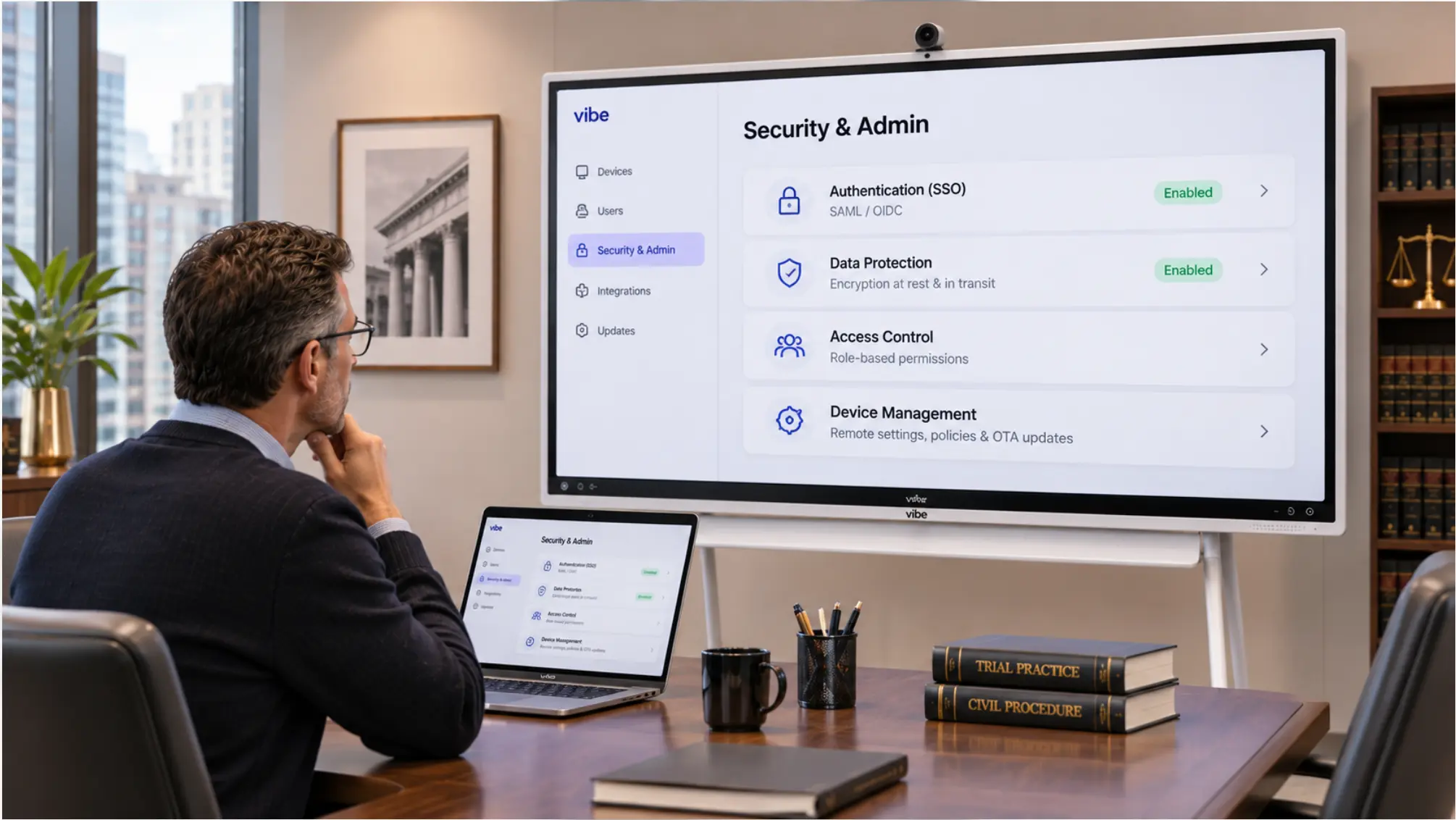
Security. Vibe AI is attested for SOC 2 Type 2 and HIPAA by Prescient Assurance, and your data is not used to train Vibe's or third-party AI models. Vibe Dot adds a dedicated hardware encryption chip (FIPS 140-3, Common Criteria EAL 6+) and NDAA eligibility for US government procurement.
Conclusion
The shift from AI note taker to AI meeting agent is a shift from recording to doing. A transcript tells you what happened. An agent makes sure the next step actually happens: the email goes out, the ticket exists, the CRM is current, and the next call is booked.
Evaluate any agent on what it can hear, what it remembers, and what it can touch, and keep a human review step for anything that leaves your organization. If your most important conversations happen away from a screen, start with capture. Vibe Dot is built for that, and Vibe AI carries the conversation through to finished work.
Frequently Asked Questions
What is an AI meeting agent?
An AI meeting agent is software or a device that captures a conversation and then completes the follow-up work: drafting emails, creating tasks, updating CRM records, and scheduling next steps in your connected tools. Unlike a basic note taker, it uses context from past meetings and acts on your behalf, so you review the result instead of producing it yourself.
What is the difference between an AI note taker and an AI meeting agent?
An AI note taker records the meeting and hands you a transcript and summary, leaving the follow-up to you. An AI meeting agent takes the next step itself: it drafts the message, files the ticket, or updates the CRM. The simplest test is who does the work after the call ends.
Can an AI meeting agent send emails without my approval?
That depends on the tool and its settings. In Vibe's own example, the follow-up arrives as a draft that is ready to review, and Action history records what you asked Vibe to do and the result. With any agent, review messages going to clients or outside your organization before they send, at least until you trust the output.
Which tools can an AI meeting agent connect to?
It depends on the product. Vibe AI supports Gmail, Outlook, and Slack for follow-ups; Jira, Linear, and Asana for tasks; HubSpot for CRM updates; Google Calendar and Outlook Calendar for scheduling; and Google Drive, OneDrive, Google Docs, and Notion for exports. Always check the list against the tools your team actually uses.
Does an AI meeting agent work for in-person meetings and phone calls?
Only if its capture layer can hear them. Software tools that join video calls generally cannot record a hallway conversation. Vibe Dot is a wearable recorder that captures in-person conversations, attaches to your phone for calls, and records offline, then syncs to Vibe AI over Bluetooth when your phone is back in range.
How much does an AI meeting agent cost?
Pricing varies widely. With Vibe AI, the Starter plan is free but does not include actions. Pro is $9 per seat per month (billed annually) with 100 AI credits, about 20–30 actions. Max is $29 per seat per month (billed annually) with 400 credits, about 80–120 actions. Transcription minutes are tracked separately from credits.