Quick answer: The best AI collaboration tools in 2026 are Vibe AI for contextual team memory and cross-session knowledge capture, Miro for AI whiteboarding and visual collaboration, Notion and Confluence for AI-assisted docs and knowledge management, ClickUp, Asana, and monday.com for AI-powered project management, Slack and Zoom Workplace for communication, and Otter for AI meeting notes. The right pick depends on where your team’s work actually happens — in your memory layer, on a canvas, in a project board, or in meetings.
AI has gone from novelty to default in just three years. A Gallup poll found that the share of employees using AI at work nearly doubled in two years (from 21% to 40%), and McKinsey’s State of AI report puts AI adoption at 88% of organizations in at least one business function. Microsoft’s Work Trend Index goes further, describing a shift toward "AI teammates" embedded directly in how teams plan, meet, and make decisions.
But adoption isn’t the same as results. Pick a tool that doesn’t match how your team works, and AI becomes one more place where context gets lost. This guide compares the 10 best AI collaboration tools of 2026 — what each does well, where it falls short, and which type of team it fits.
- Choose an AI collaboration tool that matches your real workflows (memory and context capture, whiteboarding, project tracking, meeting notes) — not just anything with an "AI-powered" badge.
- The strongest tools embed AI where collaboration already happens: in the team's shared memory, on the canvas, in the task board, or in the meeting itself.
- Most AI collaboration software captures digital work. The most consequential decisions often happen in conversations — hybrid standups, in-room discussions, hallway huddles — and still need dedicated capture (more on that below).
AI Collaboration Tools at a Glance
|
Tool |
Category |
Standout AI capability |
Best for |
|---|---|---|---|
|
Vibe AI |
Contextual memory / AI workspace |
Memory Graph links decisions, conversations, and docs into a living, searchable team knowledge base |
Teams that lose context between meetings and need continuity across sessions |
|
Miro |
Visual collaboration |
Clusters sticky notes and summarizes large boards |
Research synthesis and large-scale workshops |
|
Notion |
Docs & knowledge |
Drafts, rewrites, and summarizes pages and databases |
Centralizing team knowledge with AI assistance |
|
Confluence |
Docs & knowledge |
Atlassian AI page summaries and Q&A |
Documentation-heavy teams in the Atlassian stack |
|
ClickUp |
Project management |
ClickUp Brain answers questions across tasks and docs |
All-in-one workspaces with lots of moving parts |
|
Asana |
Project management |
Predicts project risks and suggests next steps |
Complex, cross-team project portfolios |
|
Project management |
Generates boards and automations from prompts |
Teams building custom workflows fast | |
|
Slack |
Communication |
AI channel and thread summaries, smarter search |
High-volume messaging environments |
|
Zoom Workplace |
Meetings & communication |
AI Companion meeting summaries and action items |
Hybrid meetings and virtual workshops |
|
Otter |
Meeting notes |
Real-time transcription with action-item detection |
Teams that live in scheduled video calls |
What to Look For in AI Collaboration Tools
The best results come from matching the right tool to the right job — not from picking the most popular logo. When evaluating collaborative AI tools, weigh these six factors against your team’s actual requirements:
-
Match to real use cases: Look for AI that clearly supports your workflows — meeting notes, whiteboard summaries, task automation, context retention — rather than generic chat features bolted on.
-
Accuracy and human control: The tool should keep hallucinations low and make it easy to review, edit, and override AI output before it’s shared.
-
Deep integrations and context: Prioritize tools that connect to your chat, whiteboards, project platforms, and storage, so the AI works with real team context.
-
Security, privacy, and compliance: Check how data is stored, whether it’s used for model training, and which standards (SOC 2, GDPR, HIPAA) the vendor supports.
-
Proven time savings: You should see fewer manual updates, faster recaps, and less context switching within the first few weeks. Most vendors offer trials — use them.
-
Usability and adoption: AI features should be obvious to trigger so teammates use them without training or prompt engineering.

The 10 Best AI Collaboration Tools
1. Vibe AI
Category: Contextual memory / AI workspace
Vibe AI is a contextual AI workspace built around a proprietary Memory Graph — a living knowledge layer that captures decisions, conversations, and documents across sessions and links them into a continuously updated, searchable team record. Where most collaboration tools save what was created, Vibe AI remembers what happened and why it mattered.
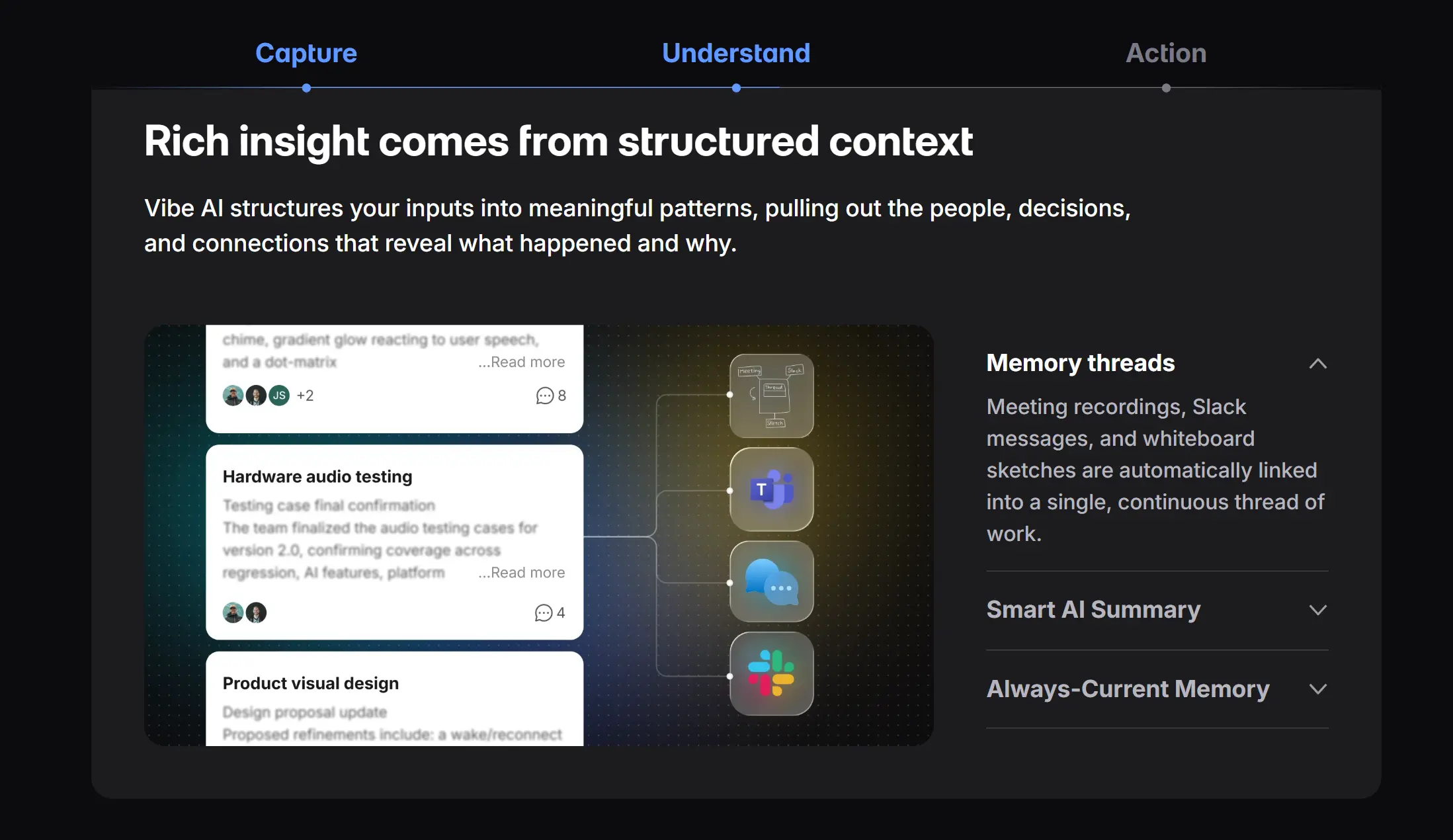 Vibe AI – Your contextual AI workspace
AI features: The Memory Graph automatically connects meeting recordings, Slack messages, whiteboard sketches, and uploaded documents into memory threads — no manual tagging required. Cross-session Ask AI lets anyone query the full history in natural language ("What did we decide about pricing last month?") and get answers sourced from meaning, not keyword matching. A proactive task agent identifies action items from conversations and surfaces them for scheduling or follow-up. Smart catch-up briefings synthesize what changed across all your threads since you last checked in. Vibe AI also captures beyond text: meeting energy, voice tone, and who stayed silent are part of the record.
Best for: Hybrid and distributed teams that lose context between sessions — the ones who spend the first 30% of every meeting rehashing what was decided last time.
Pros:
-
Memory persists and compounds: unlike one-session summaries, Vibe AI links today’s meeting to decisions made three months ago, so context accumulates rather than evaporating.
-
Cross-session Ask AI answers questions from the full history of team knowledge — not just the current document or meeting.
-
Pairs with Vibe hardware (Vibe Bot for in-room meetings, Vibe Dot for personal capture) to bring physical conversations into the same memory layer as digital work.
-
On-device processing keeps audio and video off external servers — SOC 2 compliant and HIPAA-ready by design.
-
Free Starter plan available; Pro ($9/seat/month) and Max ($29/seat/month) tiers add deeper integrations, longer memory retention, and higher usage limits.
Cons:
-
Value compounds over time: teams see the biggest gains after the Memory Graph has accumulated several weeks of context, so early adoption requires some patience.
-
Software integrations (Slack, Jira, Linear, cloud drives) are on the Pro plan and above; some advanced CRM integrations are still rolling out.
-
Teams without a consistent meeting or documentation cadence will feed the Memory Graph less effectively.
2. Miro
Category: Visual collaboration
Miro is an online visual collaboration platform built around an infinite digital whiteboard, used for brainstorming, planning, and workshops in remote and hybrid settings. With one of the largest template and integration ecosystems in the category, it has become the default canvas for many product, design, and research teams.
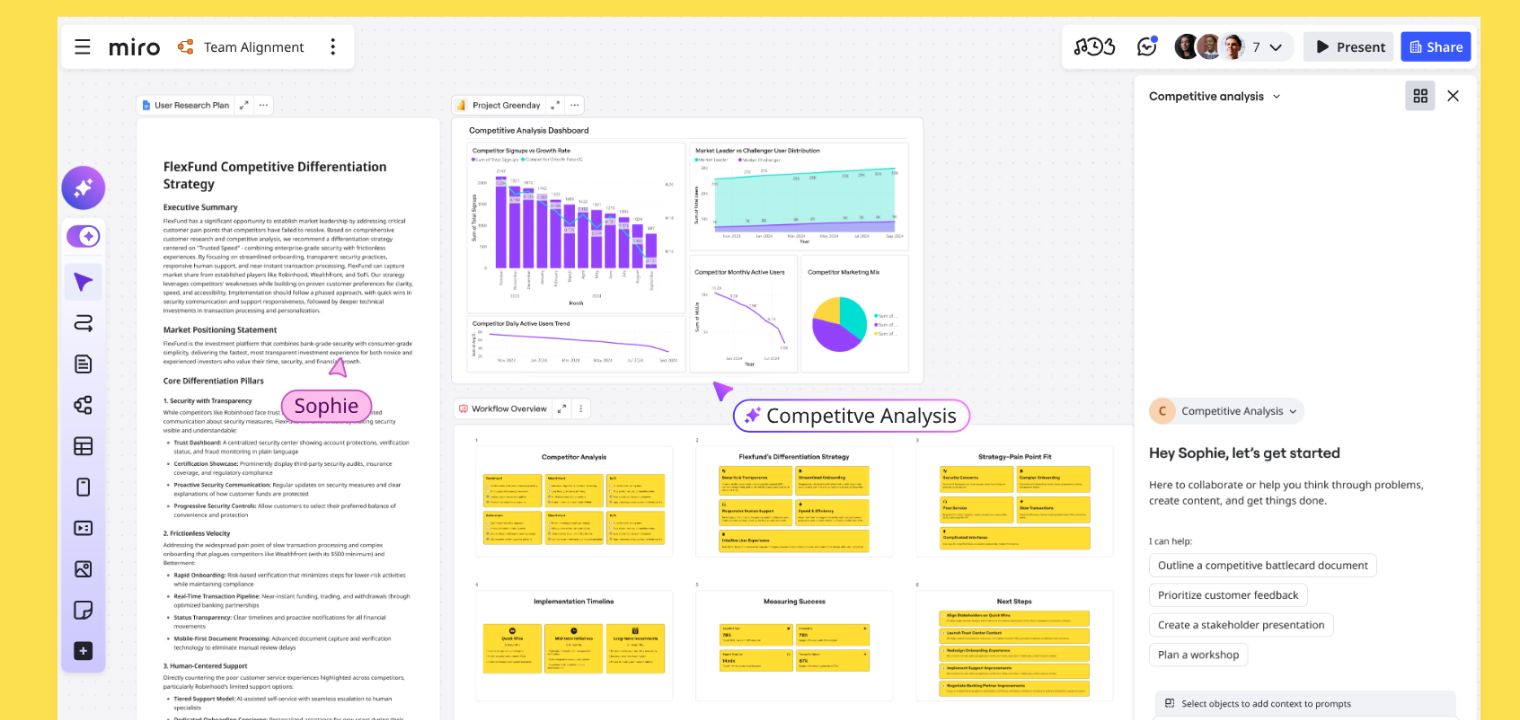 Screenshot of Miro's platform interface showing AI features.
AI features: Miro AI clusters sticky notes, generates diagrams, and summarizes complex boards.
Best for: Large workshops, research synthesis, and strategy sessions with heavy post-session cleanup.
Pros:
-
Dramatically speeds up affinity mapping and clustering after large brainstorms.
-
Converts complex flows and sticky-note collections into shareable diagrams and summaries.
-
AI works natively on the board your team already uses — no exporting to a separate tool.
Cons:
-
Clustering and summaries still need human review for nuanced research or sensitive decisions.
-
Limited end-to-end automation with external ticketing or CRM tools.
-
Performance can slow on very large boards, and heavy AI use may require higher-tier plans or credits.
3. Notion
Category: Docs & knowledge management
Notion is a collaborative workspace combining docs, wikis, databases, and lightweight project management in one flexible system. Teams use it as a shared brain — and Notion AI is woven directly into that fabric, so drafting and summarizing happen where the content already lives.
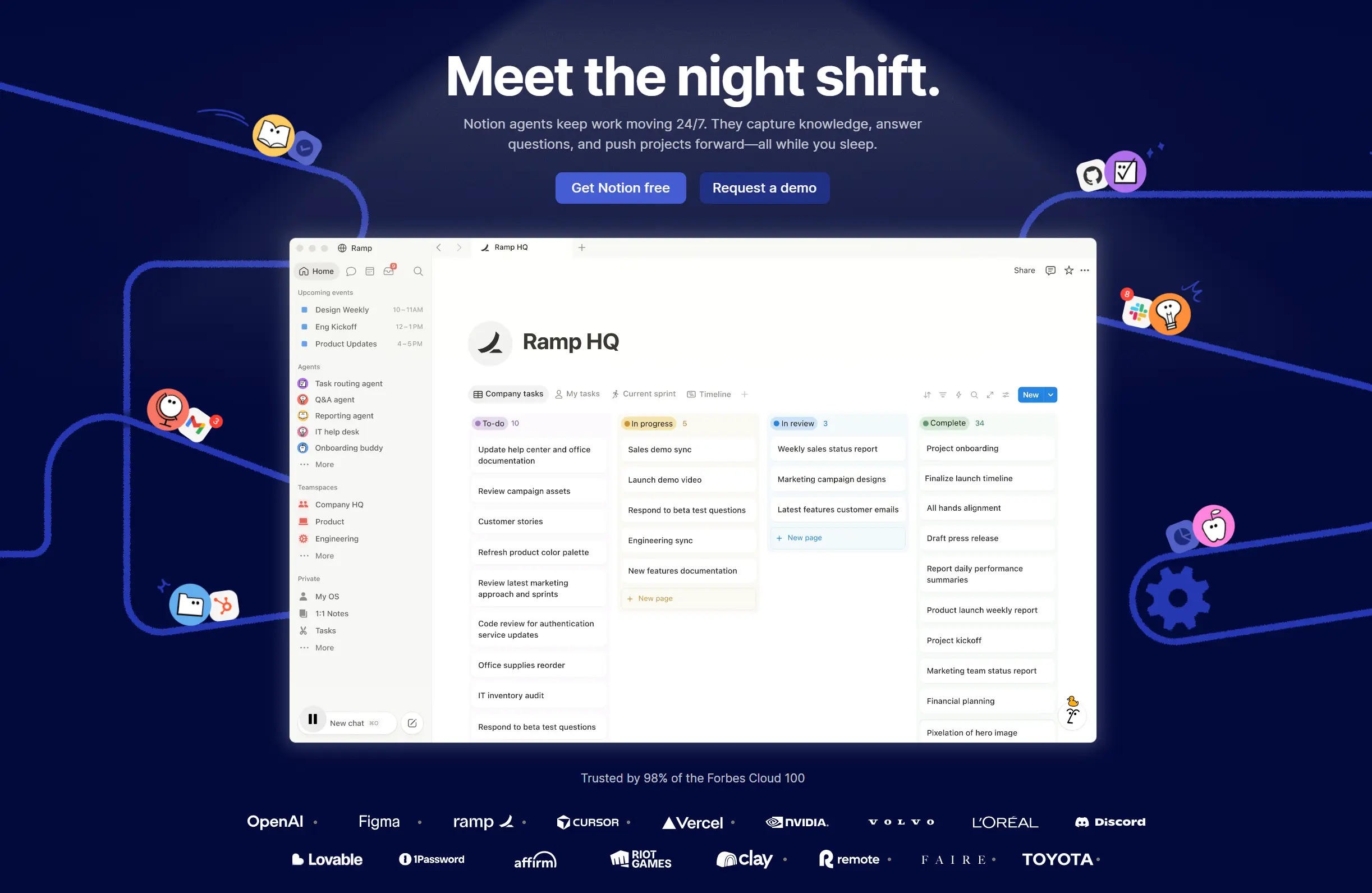 Notion's homepage
AI features: Notion AI drafts, rewrites, summarizes, and transforms shared pages and databases.
Best for: Centralizing team knowledge, notes, and light project work with AI assistance.
Pros:
-
AI embedded directly in pages and databases reduces context switching to separate writing tools.
-
AI properties and templates enforce consistent documentation and summaries at scale.
-
Covers many use cases — content drafting, knowledge management, project updates — in one workspace.
Cons:
-
Heavy AI use on large workspaces can add noise if teams over-summarize instead of improving source content.
-
Advanced AI features sit behind paid tiers.
-
AI quality mirrors workspace quality: messy setups produce messy outputs.
4. Confluence
Category: Docs & knowledge management
Confluence is Atlassian’s team wiki and documentation platform for organizing knowledge around projects, decisions, and processes. It’s especially common in engineering and product teams already running on Jira, where pages, tickets, and roadmaps need to stay connected.
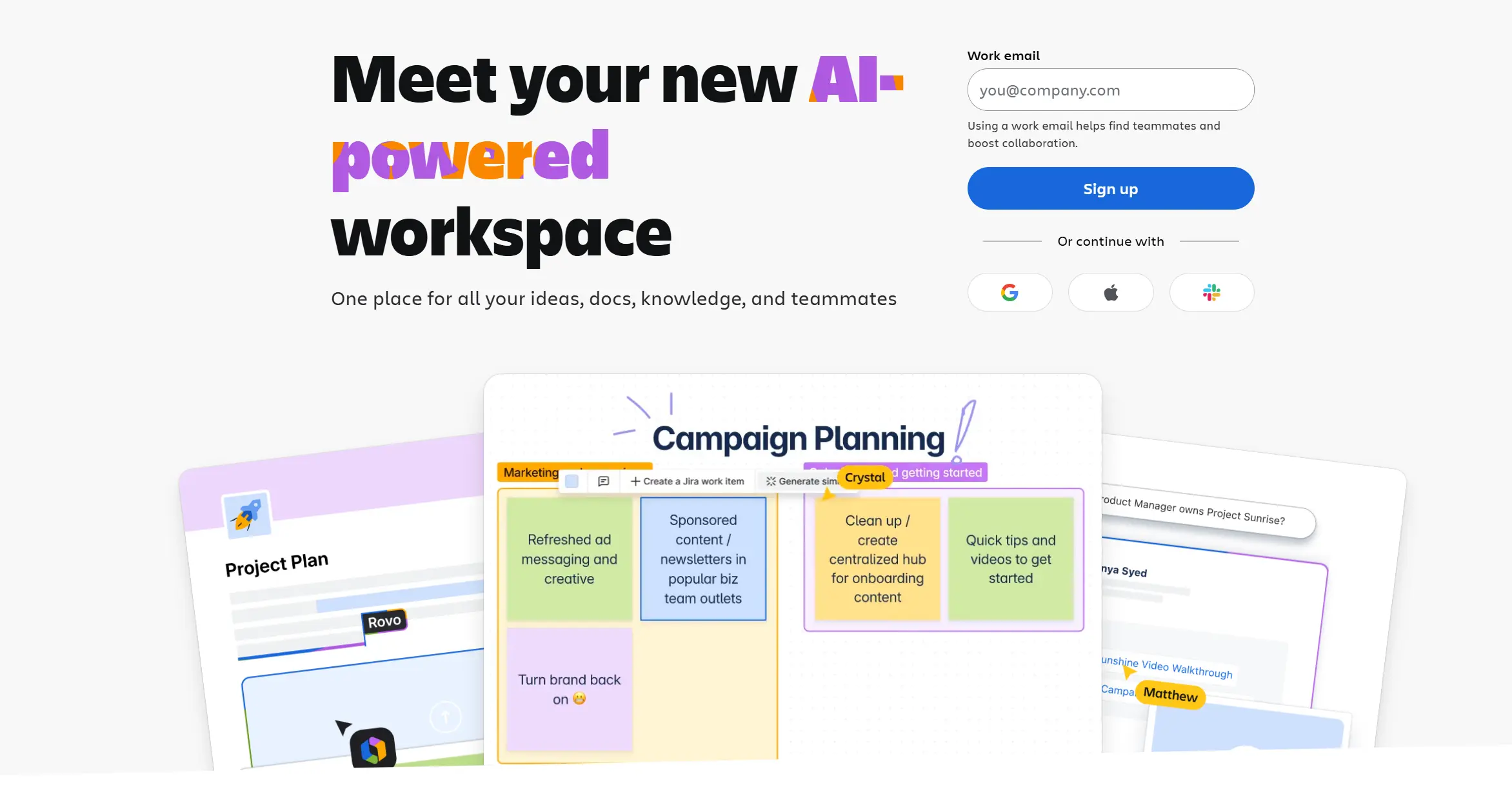 Confluence – Atlassian's team wiki and documentation platform
AI features: Atlassian AI summarizes pages, drafts content, and surfaces related documents.
Best for: Documenting projects, decisions, and processes — especially for teams already in Jira.
Pros:
-
Summaries and Q&A make large knowledge bases approachable for new or busy teammates.
-
Direct Jira task creation from pages tightens the loop between planning and execution.
-
Consistent AI layer across Atlassian tools (Jira, Trello, and more).
Cons:
-
AI is largely limited to Atlassian data, creating silos if you rely on other tools.
-
Full AI features are typically restricted to Premium or Enterprise plans.
-
Auto-summaries can mask outdated or weak underlying documentation.
5. ClickUp
Category: Project management
ClickUp is an all-in-one project and productivity hub bringing tasks, docs, whiteboards, and dashboards into a single workspace. Because all your work lives in one system, ClickUp Brain can answer questions and generate updates with unusually complete context.
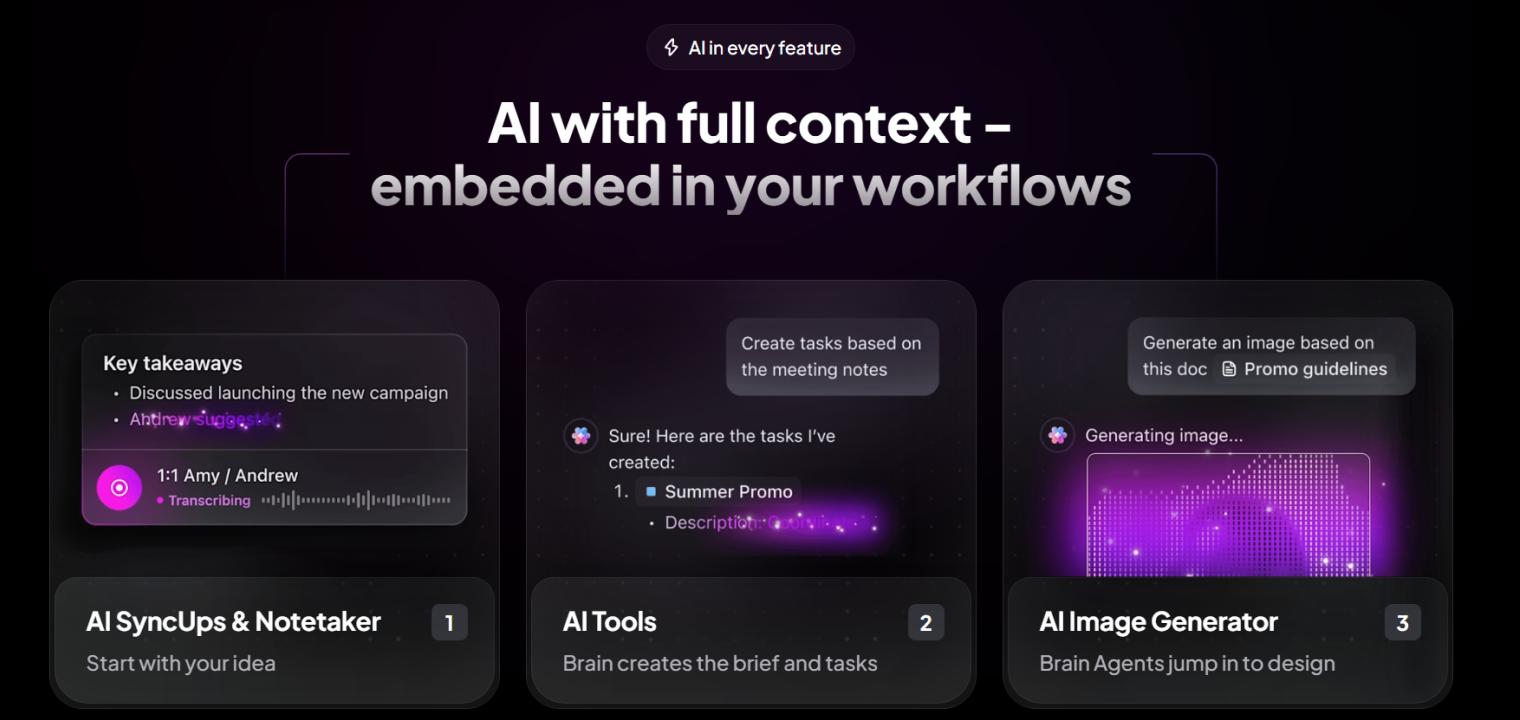 Screenshot of ClickUp's platform interface showing AI features.
AI features: ClickUp Brain summarizes tasks, docs, and meetings, and answers questions in workspace context.
Best for: Teams consolidating projects, documentation, and whiteboards into one AI-aware workspace.
Pros:
-
Deep workspace understanding enables highly contextual answers and project plans.
-
AI-generated plans, standups, and summaries cut coordination and reporting time.
-
Centralizes many AI use cases in one platform, limiting tool sprawl.
Cons:
-
Effectiveness depends on workspace hygiene; cluttered spaces confuse ClickUp Brain.
-
Advanced AI automations can be overkill for small, simple teams.
-
Organizations with strict data policies should evaluate AI data handling carefully.
6. Asana
Category: Project management
Asana is a work management platform for coordinating projects, portfolios, and goals across teams, with a long enterprise track record. It excels at making ownership, deadlines, and dependencies visible when work spans many contributors and departments.
 Homepage of Asana
AI features: Asana Intelligence predicts risks, suggests fields and rules, and surfaces next steps.
Best for: Managing complex projects with AI-assisted planning and status visibility.
Pros:
-
Risk and next-step suggestions help prevent slips without adding more meetings.
-
AI-assisted setup makes scalable workflows easier to configure across teams.
-
Summaries let stakeholders grasp complex projects without reading every task.
Cons:
-
AI value scales with project complexity; small projects see limited benefit.
-
Some capabilities are restricted to higher-tier plans.
-
Predictions still require human judgment on high-stakes projects.
7. Monday.com
Category: Project management
monday.com is a flexible "work OS" for building custom boards, automations, and dashboards for almost any workflow — from marketing campaigns to sprint planning. Its visual, building-block approach makes it popular with teams that want tailored workflows without writing code.
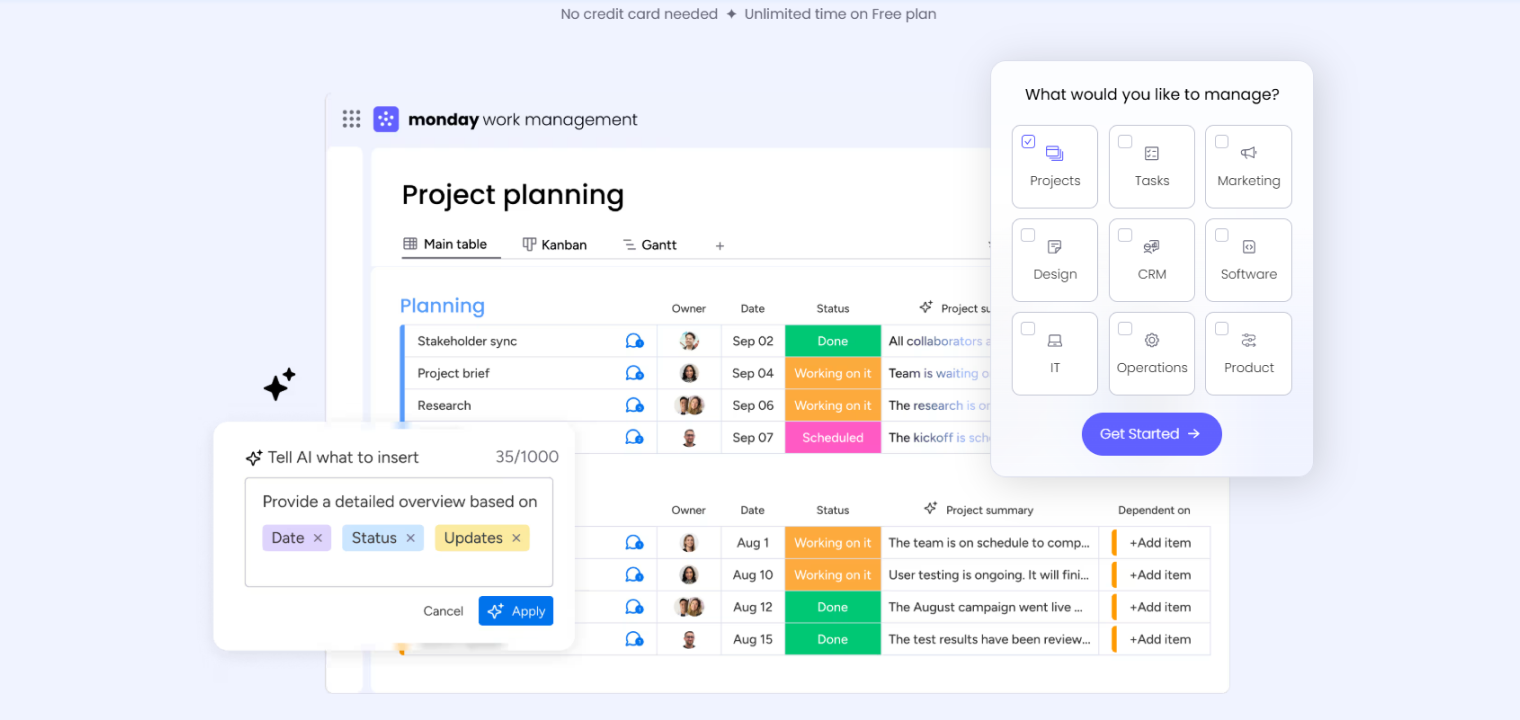 Screenshot of Monday's platform interface showing AI features.
AI features: Generates boards from prompts, summarizes updates, and recommends automations.
Best for: Teams that want customizable, AI-assisted workflows and dashboards without heavy admin work.
Pros:
-
Prompt-based board creation slashes setup time for new workflows.
-
Automation recommendations let non-technical teams add rules without deep expertise.
-
AI-written summaries keep stakeholders informed on busy boards.
Cons:
-
Over-automation can make boards opaque if AI-driven rules aren’t documented.
-
AI-generated structures may need iteration to match nuanced processes.
8. Slack
Category: Communication
Slack is the messaging hub where day-to-day collaboration actually happens, connecting channels, huddles, and thousands of app integrations. For distributed teams, it often holds more institutional context than any other tool — and Slack AI is designed to mine exactly that.
 Slack's homepage
AI features: Slack AI summarizes channels, threads, and huddles, and improves search relevance.
Best for: High-volume communication environments that need faster catch-up and context.
Pros:
-
Channel and thread summaries significantly cut catch-up time.
-
AI-powered search surfaces answers across channels, not just keyword matches.
-
Recaps help distributed teams stay aligned across time zones.
Cons:
-
AI can’t see external systems unless integrated, so answers may miss outside context.
-
Summaries can omit nuance — risky as a sole source on sensitive topics.
-
Some AI features require enterprise plans or add-ons.
9. Zoom Workplace
Category: Meetings & communication
Zoom Workplace expands Zoom from video conferencing into a full suite of remote collaboration tools, combining meetings, chat, whiteboards, and phone. AI Companion is included with paid plans at no extra cost — a notable differentiator.
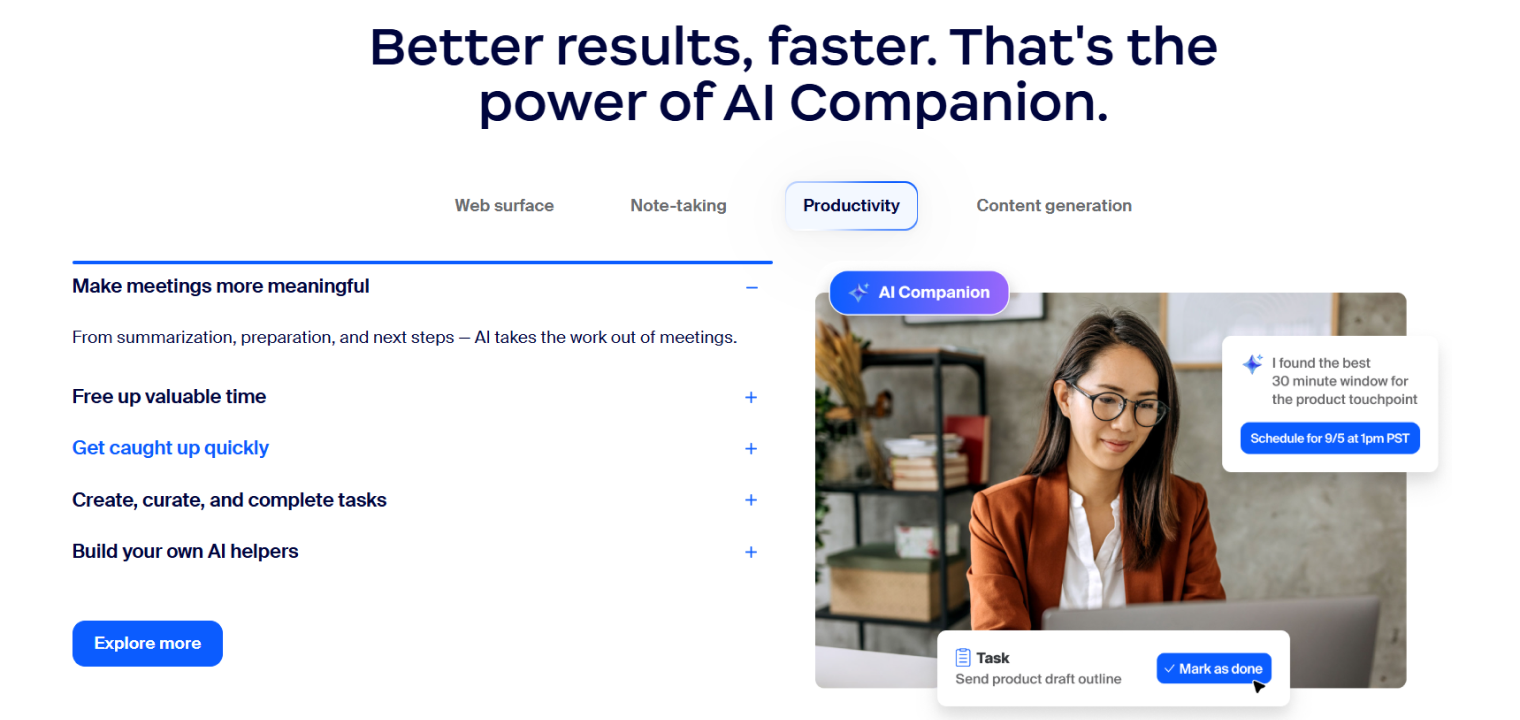 Screenshot of Zoom Workplace's platform interface showing AI features.
AI features: AI Companion generates meeting summaries, action items, and whiteboard content from discussion.
Best for: Hybrid meetings, virtual workshops, and room systems paired with smart boards.
Pros:
-
Automatic summaries and action items reduce note-taking and missed commitments.
-
Whiteboard generation turns conversations into visual plans quickly.
-
Expanding external-platform support extends AI value beyond native Zoom meetings.
Cons:
-
Summary quality depends on audio clarity and meeting structure.
-
Reliance on AI notes can discourage active engagement.
-
Some advanced AI Companion features roll out gradually and depend on licensing.
10. Otter
Category: AI meeting notes
Otter is a dedicated AI meeting-notes tool that joins your calls and turns conversations into searchable, shareable records. For teams whose work lives in back-to-back video calls, it functions as a collective memory no individual note-taker can match.
 Otter – AI meeting note taker
AI features: Records, transcribes, summarizes, and highlights key moments and action items.
Best for: Teams that run on scheduled video calls and want searchable, shareable AI notes.
Pros:
-
High-accuracy real-time transcription plus concise summaries eliminate most manual note-taking.
-
Automated action-item detection and AI chat make transcripts immediately actionable.
-
Works across multiple meeting platforms.
Cons:
-
Action-item detection varies, so teams still need to confirm ownership.
-
Recording and AI analysis raise privacy and compliance considerations in sensitive contexts.
-
Heavy usage creates transcript volume that needs governance and retention policies.
One Gap Every Tool Above Shares: The Physical Meeting Room
Look back at that list and you’ll notice a pattern. Each tool captures collaboration that happens inside its own app — on a Miro board, in a Slack channel, on a Zoom call. But ask any team where their most consequential decisions actually happen, and the answer is usually a conference room: a hybrid standup with one shared microphone, a sketch on a physical whiteboard the remote half of the team can’t read, a hallway huddle nobody wrote down.
That’s the context most AI collaboration software can’t see — and it’s why teams end up in "meeting reset" cycles, rehashing decisions and re-guessing ownership a week later.
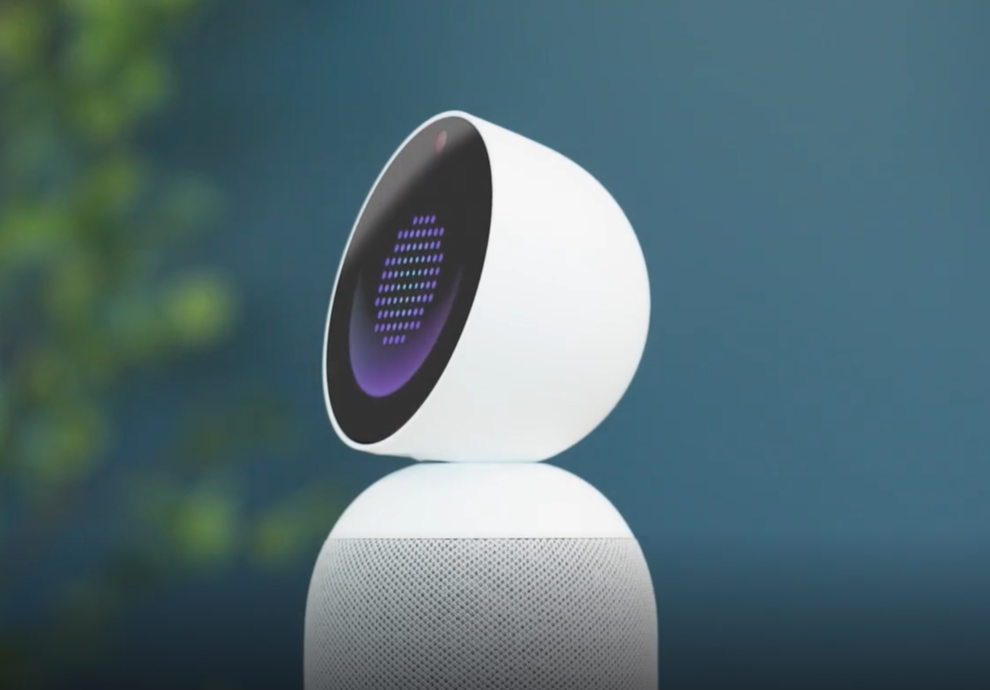
This is exactly where Vibe AI’s hardware layer closes the loop. Vibe Bot is a portable, in-room AI device with a 360° 4K camera and six-mic beamforming array that captures who said what, what was shared on screen, and what was sketched on the whiteboard — then feeds it directly into the Vibe AI Memory Graph. The result: in-room conversations get the same persistent memory treatment as your Slack threads and Zoom calls. For personal capture on the go, Vibe Dot is a compact AI recorder that adds voice and ambient context to the same memory layer.
Because Vibe AI links each new discussion to past decisions across all these sources, context carries forward between meetings instead of evaporating. And since all processing happens on-device — audio and video never leave the room — it’s SOC 2 compliant and HIPAA-ready by design.
Pair Vibe AI with one or two of the specialized tools above, and you cover the full collaboration loop: context remembered and linked over time, ideas captured on the canvas, execution tracked in your project board.
FAQ
What is the best AI tool for team collaboration?
The best AI collaboration tool depends on where your team’s work happens. For persistent context and cross-session memory, Vibe AI leads; for visual brainstorming, Miro; for AI-assisted project management, ClickUp, Asana, and monday.com; for communication, Slack and Zoom Workplace; and for meeting capture, Otter (video calls) or Vibe Bot (in-room and hybrid meetings).
Which brands in team collaboration tools lead the way in innovative solutions?
In 2026, the most innovative team collaboration brands include Vibe (contextual AI memory plus in-room capture hardware), Miro (AI board synthesis), Notion (AI-native docs), ClickUp (workspace-wide AI assistant), Asana (predictive project intelligence), Slack (AI-powered communication), and Zoom (AI Companion for meetings). Each leads in a different layer of the collaboration stack rather than competing head-to-head.
Which online whiteboard brands are the most innovative?
Miro and Lucidspark are among the most innovative online whiteboard brands. Miro leads in AI-powered clustering and board summarization; Lucidspark excels at turning brainstorms into structured diagrams within the Lucid ecosystem. For teams that need whiteboard output to persist as part of a broader knowledge record, Vibe AI connects whiteboard sketches captured by Vibe devices directly into the Memory Graph.
What are the best AI document collaboration tools?
The best AI document collaboration tools combine real-time co-editing with AI drafting and summarization. Notion and Confluence lead for AI-assisted docs and wikis. For teams that need documents to stay connected to the decisions and conversations that shaped them — not just exist as static files — Vibe AI automatically links uploaded docs to related meeting threads and action items, keeping knowledge current as projects evolve.
How can AI be used for team collaboration?
AI supports team collaboration by transcribing and summarizing meetings, clustering and synthesizing brainstorm output, automating repetitive project updates, predicting risks and next steps, and making team knowledge searchable through natural-language Q&A. The next frontier — which Vibe AI specifically addresses — is persistent context: linking these individual AI outputs into a memory that compounds over time, so teams stop repeating themselves and start building on what they already know.
Are there free AI collaboration tools?
Yes. Most tools on this list offer free tiers with limited AI usage — including Vibe AI (free Starter plan with 300 minutes of transcription/month, 7-day memory, basic summaries, and action item extraction), Miro, Notion, ClickUp, Asana, and Otter. Free plans are usually enough to trial AI features with a small pilot group; expect to upgrade for higher AI usage limits, longer memory retention, admin controls, and enterprise security.
What is the 30% rule for AI collaboration?
The 30% rule suggests AI should eventually handle around 70% of routine, repetitive work, freeing humans for the remaining 30% that requires judgment, creativity, and complex decision-making. In practice, researchers note current technology reliably automates closer to 30% of tasks in most scenarios — the rest still needs human context, expertise, and oversight.