Most manufacturing communication still depends on channels that cannot reach the production floor. Email assumes a desk. Slack assumes a phone. The bulletin board assumes someone walked past it this week.
Digital signage changes this by putting live information where people who work on their feet can actually see it — no inbox required. But not every screen setup on a factory floor qualifies as digital signage, and not every digital signage platform is suited to what manufacturing environments actually need.
This guide covers what to display on manufacturing floor screens, how to decide where to put them, what to look for in the hardware and software, and where standard digital signage reaches its limits.
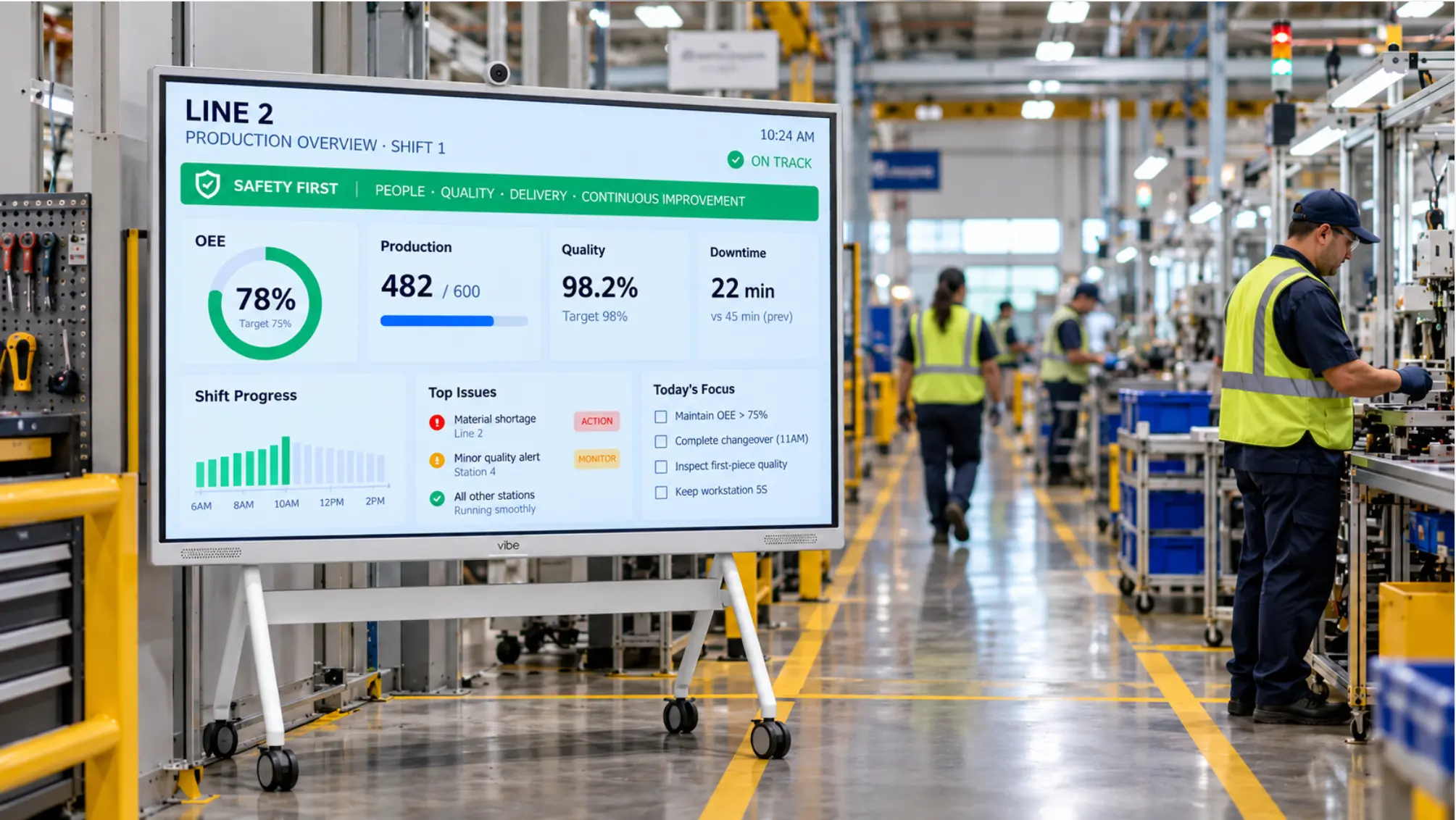 Wide-angle view of a manufacturing production aisle with a large-format screen mounted at the line entrance showing OEE metrics, shift status, and safety header — operators visible in the background
What Digital Signage Does on a Manufacturing Floor
Digital signage in manufacturing serves one primary function: getting the right information in front of people who cannot check a screen at a desk.
In practice, that breaks down into four content categories:
1. Production Status and KPIs
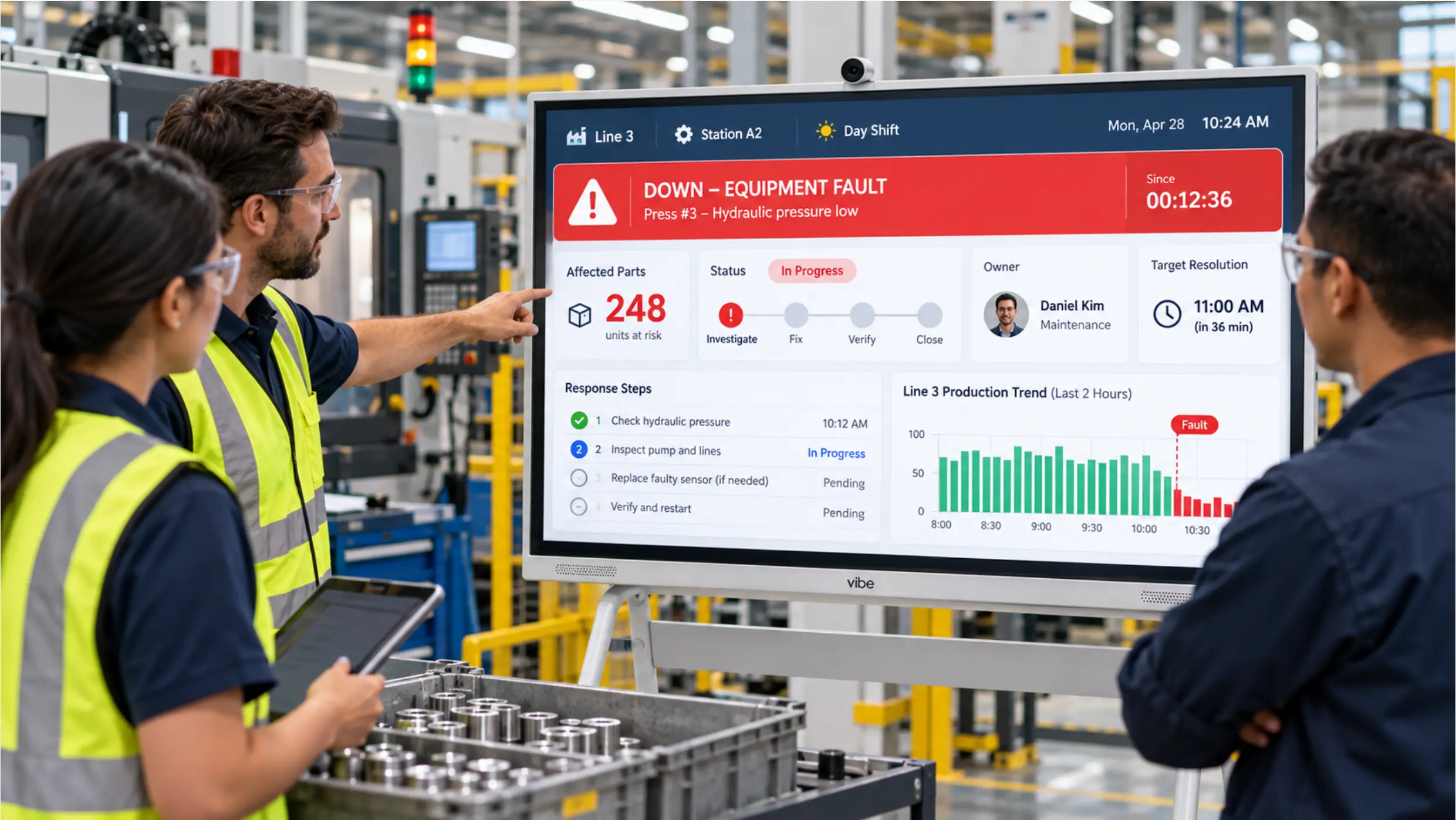
The most operationally critical content. What is running, what is behind, and what is the current output versus target for this shift.
Effective production status displays show:
-
Line status by station (running / stopped / alert)
-
Output actual vs. target — current shift and shift-to-date
-
OEE or availability percentage, updated in real time or near real time
-
Active alerts and elapsed time since the fault occurred
This is the content that drives in-shift decisions. It needs to update frequently enough to be useful — a "real-time" display that actually refreshes every 30 minutes is a reporting screen, not an operational tool.
2. Safety Information
Safety content on manufacturing digital signage falls into two types:
Persistent reinforcement — OSHA compliance notices, PPE reminders, days-since-incident counters, and safety protocols that display continuously in high-traffic areas. This content changes infrequently and is primarily about maintaining awareness and meeting documentation requirements.
Rapid alerts — Urgent notifications that need to reach the floor immediately: a spill, a near-miss, an active hazard in a specific area. Digital signage that can push a message to all screens in a zone within seconds is meaningfully better than a PA announcement that may not be heard over machinery noise.
3. Shift and Staffing Communication
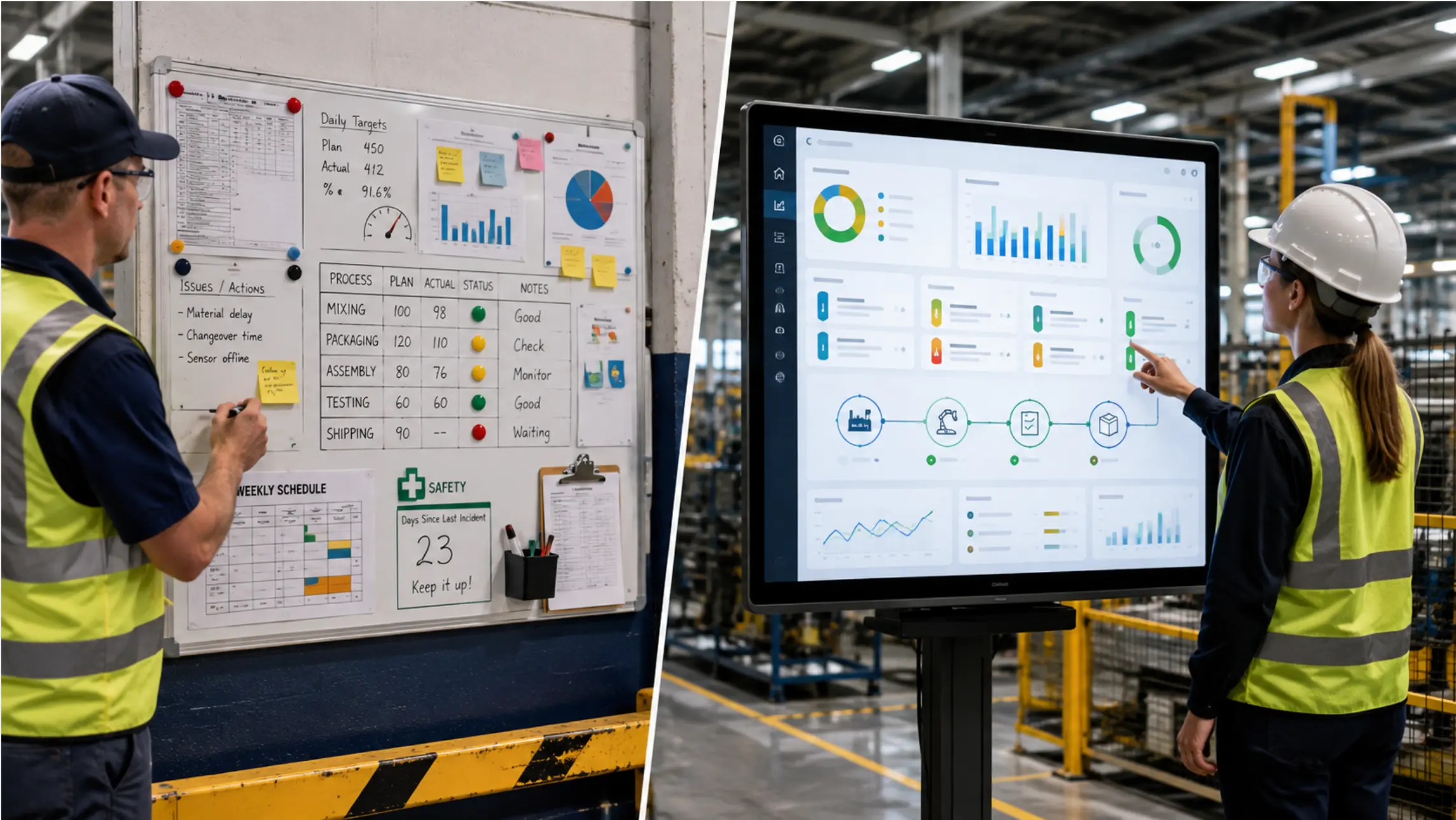
Shift assignment boards, schedule changes, and operator-to-station assignments. Content that previously lived on a whiteboard at the line entrance or in a printed sheet posted to a clipboard.
Digital shift communication solves two problems physical boards do not: the plan updates automatically when the planner changes it in the source file, and it is visible before the operator reaches the line rather than requiring them to stop and read a posting.
4. Workforce and Culture Content
Team performance milestones, production records, company announcements, and recognition content. Break room and common area screens are the natural location for this — it connects the production floor to the organization without requiring workers to check a channel they may not have access to.
This content is lowest priority for operational use but often highest priority for employee engagement initiatives.
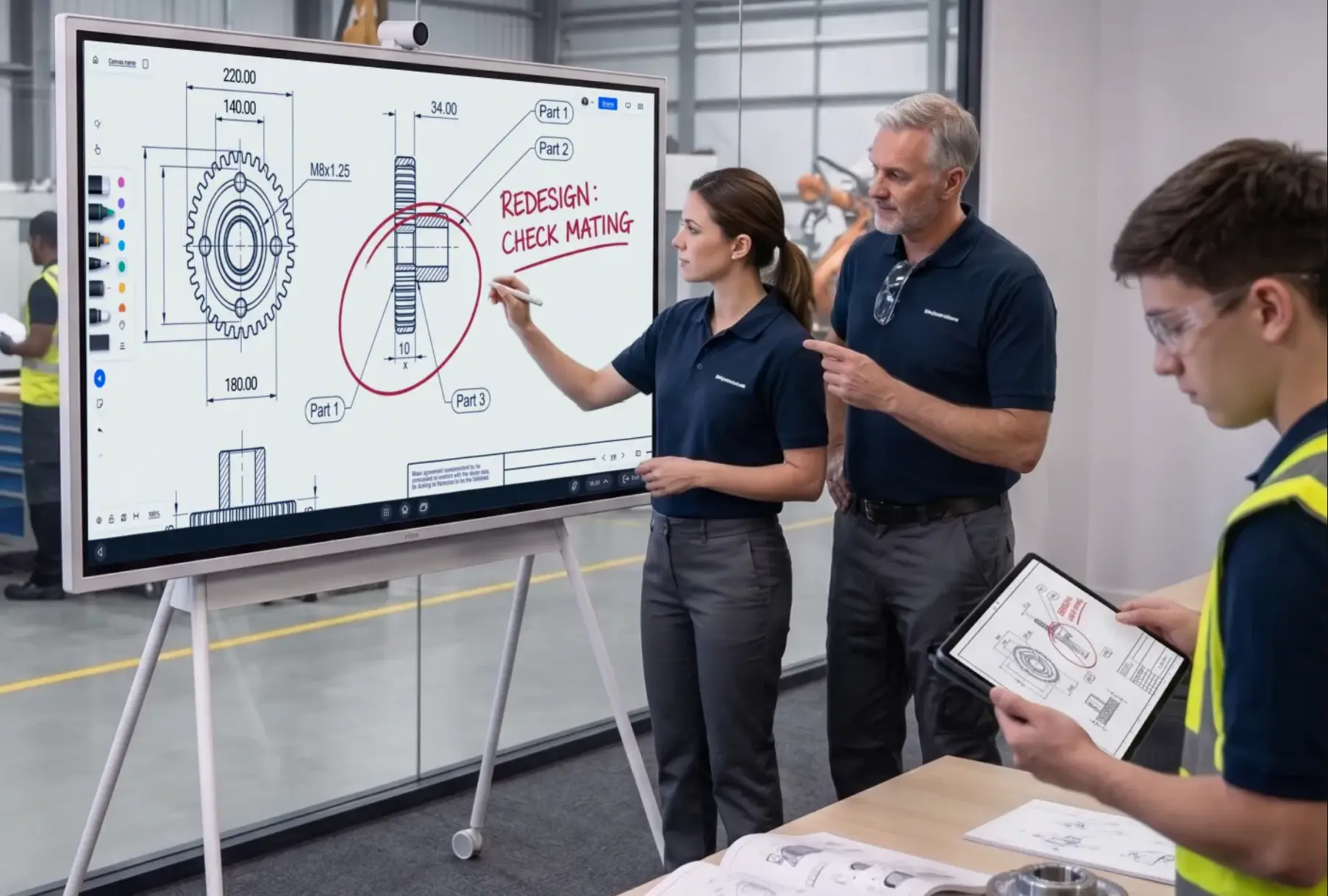 Engineers review a gear drawing on a Vibe Board interactive display with Vibe Canvas, marking a redesign note in a factory
Where to Place Screens on the Production Floor
Screen placement determines whether a digital signage investment works or becomes background noise within two months.
Line Entrance and Aisle Positions
The highest-value placement for operational content. A screen at the entrance to a production area — or mounted at the end of an aisle at eye level — is seen by every operator at the start of a shift, during movement between tasks, and whenever a supervisor walks the floor.
Placement requirements:
-
Mounting height: center of screen at approximately 60–65 inches from floor level
-
Viewing distance: for a 75″ screen, readable at up to 30 feet; for a 55″ screen, up to 20 feet
-
Angle: perpendicular to the primary direction of foot traffic, not parallel
Common mistake: Mounting screens too high, above sightlines, where they become visible only when someone looks up deliberately rather than in the natural direction of movement.
At-Line Displays
Smaller screens (32″–55″) positioned directly at individual workstations or line sections. These are most useful for work instructions, cycle time displays, and quality alert notifications specific to that station.
At-line displays are often paired with a zone-level summary screen: the summary screen shows the whole line's status, the at-line display shows the specific workstation's current task and pace.
Break Room and Common Areas
Lower operational urgency, higher cultural visibility. Content here can rotate more slowly — safety statistics, production milestones, announcements — because it is seen during breaks rather than during active work.
Plant Entrance and Lobby
Useful for displaying plant-wide KPIs, visitor-facing information, and safety compliance data. Often the first screen a new employee, customer, or auditor sees.
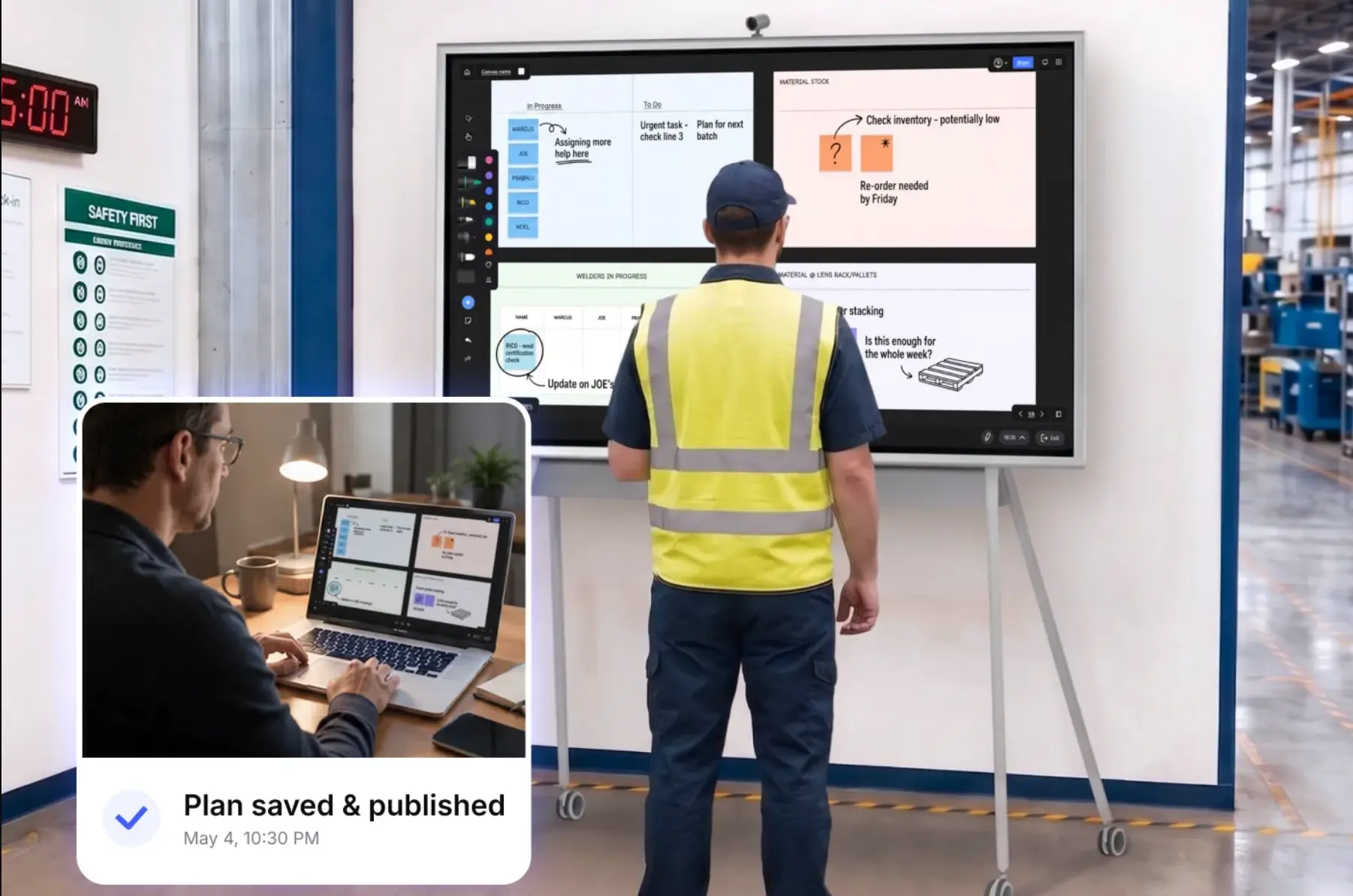 Factory supervisor reviews a production plan on a Vibe Board with Vibe Canvas, while a remote manager views it on a laptop
What to Look for in Manufacturing Digital Signage Software
Most digital signage platforms operate on the same basic model: a content management system pushes scheduled content to players connected to screens. For passive display — safety posters, rotating announcements, shift schedules updated once per shift — this model works well.
Manufacturing-specific requirements that rule out general-purpose platforms:
Real-Time Data Integration
Safety posters can be scheduled. Production KPIs cannot. A platform that cannot pull live data from your MES, OEE tool, or Power BI report and display it on the screen cannot serve the operational use case.
Look for: API connections to your existing data sources, or the ability to embed a live dashboard URL that refreshes automatically. Platforms that require manual content updates to show production numbers are content management tools, not operational display systems.
Industrial-Grade Reliability
Consumer-grade hardware — smart TVs with built-in apps, standard Chromecast-based setups — is not built for 24/7 operation in environments with temperature variation, vibration, power fluctuations, and dust. The screen that works fine in an office conference room may fail within months on the production floor.
Look for: Hardware with a specified operating temperature range appropriate for your environment, commercial-grade displays rated for continuous operation, and players that restart automatically after power interruptions.
Offline Capability
Manufacturing environments often have restricted or unreliable Wi-Fi, particularly in areas near heavy machinery. A digital signage setup that goes blank when the network drops is more disruptive than no screen at all.
Look for: Players that cache content locally and continue displaying during connectivity interruptions. For production-critical displays, local caching is a requirement, not a nice-to-have.
Centralized Management Across Zones
For multi-line or multi-site operations, managing content screen by screen is not sustainable. A zone-based content management system lets you push different content to different areas — safety alerts to the whole facility, line-specific KPIs to the relevant zone, break room content to common areas — from a single interface.
The Limit of Standard Digital Signage: When You Need Interactivity
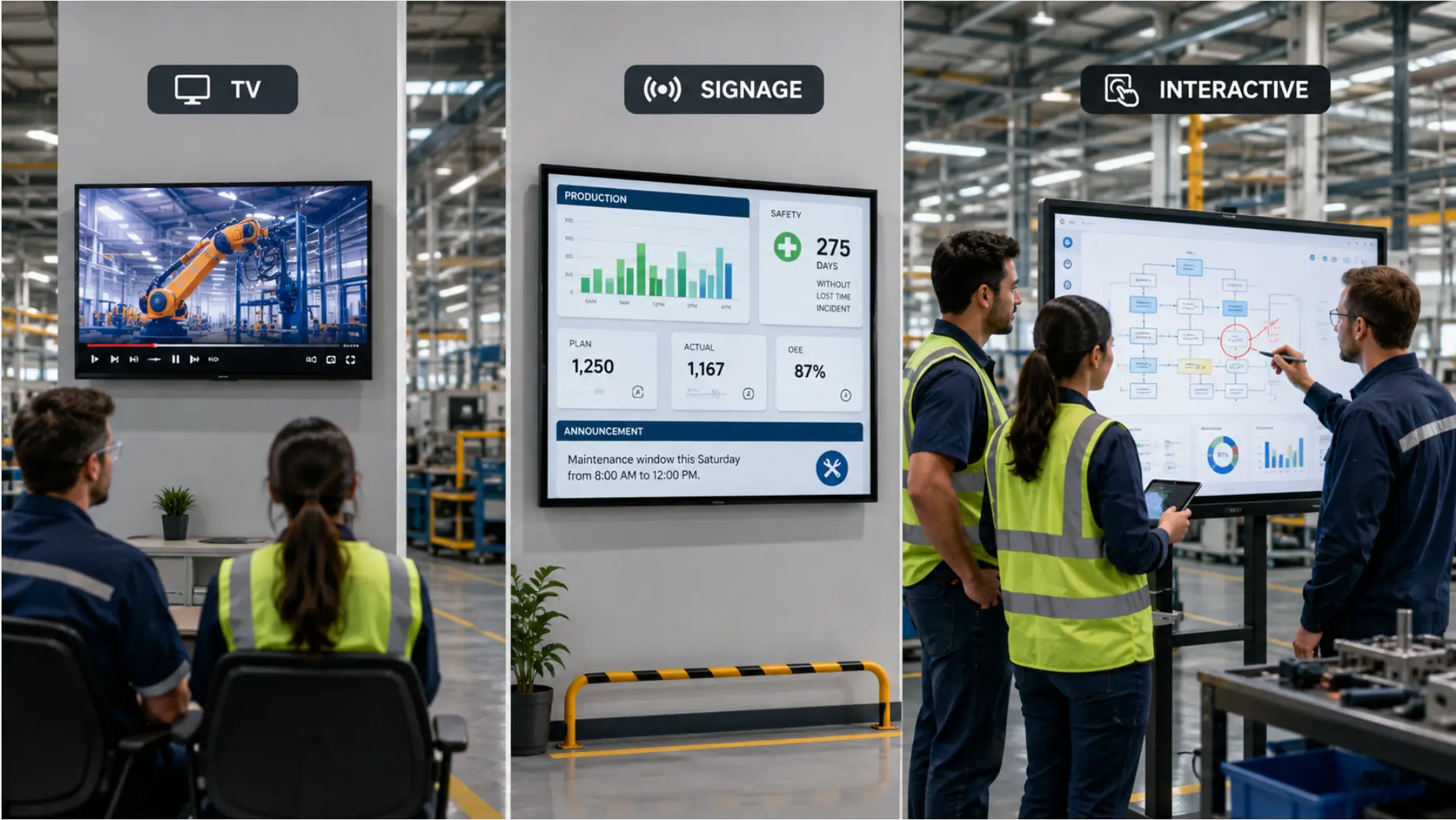
Standard digital signage platforms are designed for broadcasting. Content plays on the screen; the audience watches. This model covers most communication use cases on a manufacturing floor.
It does not cover the use cases where someone needs to interact with what is on the screen.
The daily shift review. A supervisor reviewing production performance on a shared screen needs to filter by line, drill into an underperforming station, and annotate what the team is going to do about it. A passive signage display cannot do any of this. The supervisor either returns to a laptop or the review happens around a printout.
The SQDCP board. A digitized SQDCP board is updated during the tier review meeting — operators and supervisors enter green/red status, log issue descriptions, and assign owners directly on the screen. A passive display cannot accept input.
Work instructions with operator acknowledgment. Some facilities require operators to confirm they have reviewed the current work instruction before starting a task. A passive display shows the instruction; an interactive display captures the confirmation.
These are the use cases where a digital signage platform — however capable at content scheduling — reaches its limit, and where an interactive display running applications natively is the right hardware choice.
Passive Signage vs. Interactive Display: Choosing the Right Tool for Each Zone
The distinction matters because the two categories have different hardware, software, and cost profiles.
|
Digital Signage (Passive) |
Interactive Display | |
|---|---|---|
|
Primary use |
Broadcasting scheduled content, safety alerts, rotating KPIs |
Live reviews, data interaction, input capture, application use |
|
Content control |
Centrally managed CMS pushes content to screen |
Screen runs applications (Power BI, Excel, browser) natively |
|
Input capability |
None (display only) |
Touch input, annotation, keyboard/mouse |
|
Typical hardware |
Commercial display + media player (Brightsign, Raspberry Pi, signage player) |
Windows-based interactive display (runs applications directly) |
|
Best locations |
Aisle-level status displays, break rooms, plant entrance, safety zones |
Operations centers, meeting rooms, SQDCP/tier boards, shift review areas |
|
Software dependency |
Requires signage CMS subscription |
Runs existing applications (Power BI, Excel, browser-based dashboards) |
Many manufacturing facilities run both: passive signage hardware for broadcast content in high-traffic areas, and interactive displays in the locations where reviews happen and input is required.
Vibe Board S1 Pro fits the interactive display category. It runs Windows 11 Pro natively, which means Power BI opens as a full application, Excel files from SharePoint display and update live, and supervisors can interact with the data directly on the 75″ touchscreen during a review — without needing a separate laptop or a signage CMS subscription.
For facilities already using a digital signage platform for passive content, Vibe Board can coexist in the same network as the interactive layer at review stations, while the signage player handles broadcast content at aisle-level screens.
Common Mistakes in Manufacturing Digital Signage Rollouts
Deploying before defining the content. Screens go up, then the team realizes no one owns the content. Production KPIs require a live data connection no one has set up. Safety posters require legal review no one has done. The screens sit blank or show placeholder content for weeks. Define content ownership and data connections before hardware installation.
Using consumer hardware. A 65″ consumer TV from a retail electronics store costs less than a commercial display and looks identical in the showroom. On a production floor running three shifts at elevated temperature and humidity, the failure rate is significantly higher. Budget for commercial-grade hardware from the start.
Treating all zones the same. A break room screen and a line-entrance production status display have different content, different update frequencies, and different hardware requirements. A single signage setup applied uniformly across zones will underperform in most of them.
Ignoring viewing distance in content design. Content designed at a desk and pushed to a floor screen is often illegible at the actual viewing distance. Text that reads clearly on a monitor becomes unreadable at 25 feet on a 55″ screen. Design content at the resolution and text size appropriate for the viewing distance and screen size combination.
No fallback for network outages. A display that goes blank when the network drops creates more disruption than no screen. Local content caching ensures the screen shows something useful even when connectivity is interrupted.
Summary
Digital signage improves manufacturing floor communication by putting live information where workers without desk access can see it. The decision points that matter in practice are: what content each zone needs and how frequently it must update, whether the location requires passive display or interactive use, what data sources the display needs to connect to, and whether the hardware is rated for the environment it will operate in.
Most manufacturing facilities benefit from a mixed approach: passive signage hardware in broadcast zones, interactive displays in review and meeting locations. The two categories have different hardware, software, and content requirements — and treating them as interchangeable is the most common source of underperforming deployments.
Frequently Asked Questions
What is digital signage for manufacturing?
Digital signage for manufacturing is the use of screen-based displays on the production floor to communicate real-time production data, safety information, shift assignments, and workforce updates to employees who work without desk access. It replaces paper notices, bulletin boards, and manual whiteboards with centrally managed screens that update automatically.
What should manufacturing digital signage display?
The four main content categories are production status and KPIs (output vs. target, OEE, line status), safety information (compliance notices, rapid alerts), shift and staffing communication (assignments, schedule changes), and workforce and culture content (milestones, announcements). Operational screens prioritize the first two; break room and common area screens typically show the latter two.
What is the difference between digital signage and an interactive display for manufacturing?
Digital signage platforms broadcast scheduled content to screens — the display shows what is pushed to it, and the audience watches. Interactive displays run applications natively (Power BI, Excel, browsers) and accept touch input, allowing supervisors to filter data, annotate issues, and interact with the content during reviews. Most manufacturing facilities need both: passive signage for broadcast zones, interactive displays where reviews and input happen.
How do you connect digital signage to production data in real time?
The most common approaches are embedding a live dashboard URL (Power BI, Tableau, or a browser-based OEE platform) that refreshes automatically, or using a signage platform with a direct API connection to your MES or OEE tool. On a Windows-based interactive display, Power BI or Excel can run as a full application, connecting to SharePoint or Azure data sources the same way they would on a workstation.
What hardware is best for manufacturing digital signage?
Commercial-grade displays rated for continuous 24/7 operation and specified for the temperature range of your environment. Pair with a dedicated media player (Brightsign, Samsung SoC, or similar) for passive signage deployments. For interactive use cases, a Windows-based display like the Vibe Board S1 Pro runs applications natively without a separate player. Avoid consumer TVs with built-in smart apps for production-critical deployments — the failure rate in industrial environments is significantly higher.
How much does digital signage for manufacturing cost?
Passive digital signage costs vary widely: commercial displays run $500–$2,000+ per screen, media players $100–$500, and CMS software typically $10–$50 per screen per month. A 10-screen facility might run $15,000–$30,000 in hardware plus $1,200–$6,000 annually in software. Interactive displays (Vibe Board S1 Pro) run higher as a one-time hardware cost but carry no per-screen CMS subscription, making them cost-effective for locations where the interactive capability is used regularly.