

Law firm conference room technology has to do more than connect a laptop to a screen. A conference room where clients, experts, and sometimes opposing counsel sit together needs a display everyone can read, a camera and microphone that serve remote participants, tight control over who signs in and who can cast, and a clear rule about recording. This guide gives you an eight-part checklist for auditing or building the room, with a rollout order and the mistakes firms make most often.
This article is general information, not legal advice. Recording and professional-conduct rules vary by jurisdiction. Consult an attorney licensed in your state before setting firm policy.
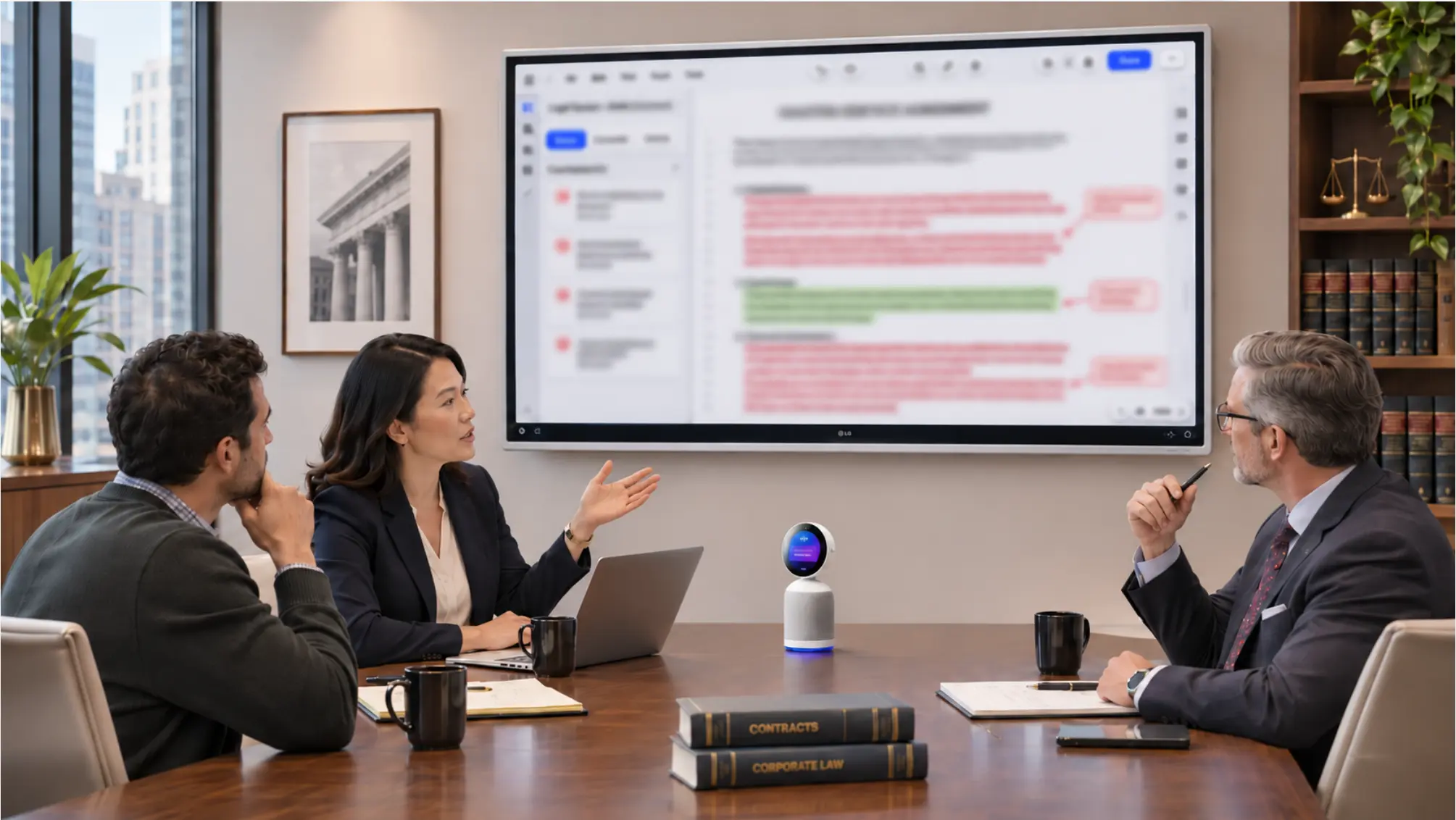 Law firm conference room with a wall-mounted interactive display showing a marked-up contract, a camera below the screen, and a client and two attorneys at the table
What Makes a Law Firm Conference Room Different?
A law firm conference room differs from a standard office meeting room in four ways: the work is document-centered, the participants come from outside the firm, the content is confidential, and recording carries ethical and legal weight. Each one changes what you buy and how you set it up.
The work is document-centered. Most legal meetings revolve around a PDF, an exhibit, or a draft agreement. A room that can only mirror a laptop leaves everyone reading over one person’s shoulder. See Interactive Display for Law Firms: Uses, Setup and Cost for how an interactive display changes that.
The participants aren’t your employees. Clients, expert witnesses, co-counsel, and mediators arrive with their own laptops and join with their own video platforms. The room has to accommodate visitors without giving them access to the firm’s files.
The content is confidential. Anything shown or said in the room is client information. That raises the bar on sign-in, session timeouts, and casting controls.
Recording is an ethics question. The New York City Bar’s Formal Opinion 2025-6 notes that videoconferencing platforms such as Zoom and Teams can be set to record by default, with an easily overlooked step needed to turn recording off, so client conversations are more likely to be recorded today than phone calls once were. The opinion concludes that clients should be notified, and consent obtained, when AI records their calls.
Picture an associate who opens a Zoom call with a client from the conference room. The firm’s account records to the cloud by default, no one switched it off, and the client never heard a notice. A ten-minute dry run before the first client meeting is how you catch that.
The firm-level gap is wide. In Clio’s 2025 Legal Trends Report, 53% of legal professionals said their firm has no AI policy or they’re unaware of one, and 78% of clients want lawyers to disclose AI use. A conference room is where those two facts meet.
The 2026 Law Firm Conference Room Technology Checklist
A complete law firm conference room covers eight areas: display, remote video and audio, visitor connectivity, platform compatibility, access control, recording policy, physical privacy, and management. Work through each list and note what the room is missing.
1. Display and document markup
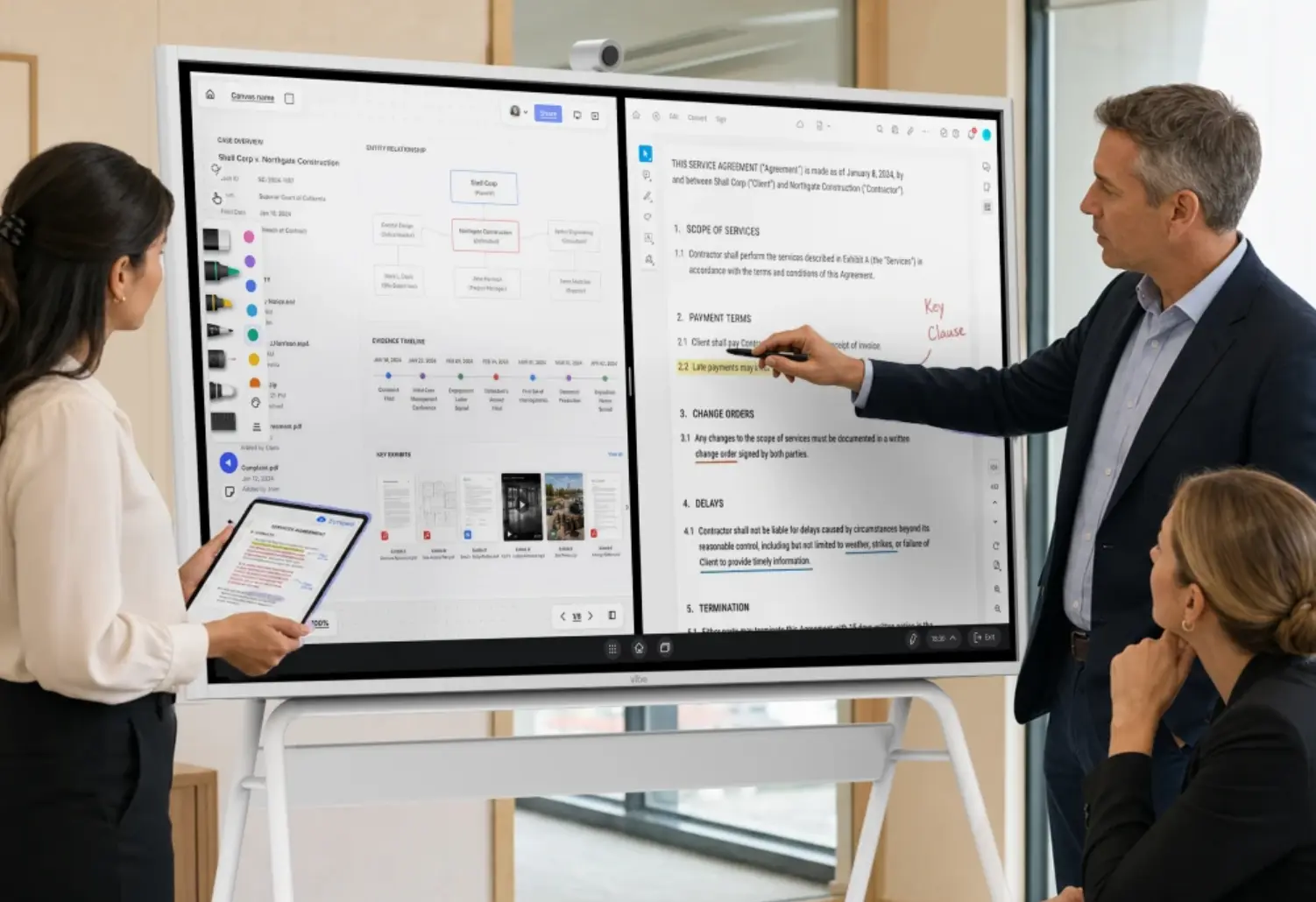
Size and markup decide whether a room works for legal documents. Use this list:
-
Display size chosen from the farthest seat, not the room’s square footage. AVIXA’s display standard, ANSI/AVIXA V202.01:2026, sizes screens by the farthest viewer’s distance.
-
Touch and stylus input, so attorneys can mark up a PDF in front of the room.
-
A way to open files from where they live: local storage, Google Drive, Dropbox, OneDrive, Microsoft 365.
-
Software your firm already runs. The Vibe Board S1 supports Microsoft 365 and Google Workspace in the browser, and the S1 Pro runs Windows 11 Pro, so it runs Adobe Acrobat, Bluebeam, and other Windows applications.
-
A save step, so the marked-up version goes to the matter file before the client leaves.
2. Video and audio for remote participants
Remote experts and out-of-town clients judge the meeting by what they see and hear. Check:
-
A camera that shows the people speaking, not just the front of the room.
-
A microphone array that covers the whole table.
-
A camera position that also lets remote participants see what’s pointed to on the screen.
-
A test call with someone outside the building, not just a check from inside the room.
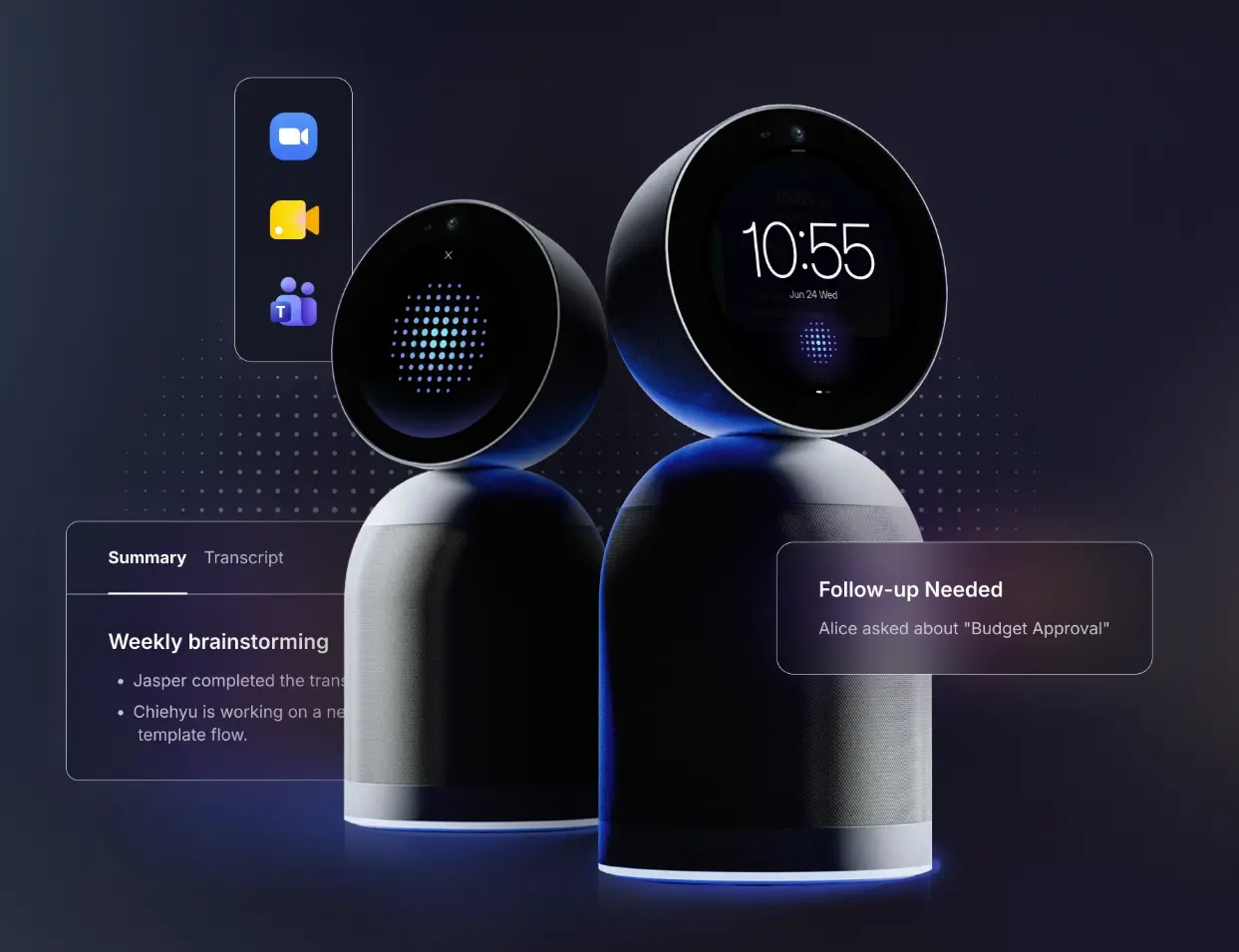
Neither Vibe Board model has a built-in camera or microphone. The Vibe Smart Camera has a 4K sensor and six microphones, and a Vibe Bot brings a 360° 4K camera and a six-microphone array, with one-tap join for Teams, Zoom, and Google Meet. See Video Conferencing for Law Firms for platform setup.
3. Visitor connectivity
Visitors bring their own devices, so the room needs a way to connect them that doesn’t involve your network credentials. Check:
-
Wired inputs for a visitor’s laptop: HDMI-in and USB-C.
-
A wireless option for people who don’t carry adapters: Vibe Tap for 4K casting, AirPlay for Apple devices (up to 1080p), or web casting.
-
A rule for who may cast, backed by a casting password.
4. Platform compatibility
Clients and experts use whichever platform they prefer. Check:
-
Support for Teams, Zoom, and Google Meet without reconfiguring the room.
-
If your firm standardizes on Zoom Rooms, confirm the setup. The S1 Pro lists Zoom Rooms integration at 1080p.
-
A one-tap join, so no one types a meeting ID in front of a client.
5. Access control and session hygiene
A shared screen in a client room has to behave like a locked filing cabinet. Vibe’s security page describes controls for the Board. Check:
-
Dedicated user accounts, so each person signs in as themselves.
-
Automatic sign-out after a set time, and remote sign-out from a phone.
-
Password-protected screencasting.
-
Link sharing disabled on the team workspace where your policy requires it.
-
Limited app access for guest accounts.
-
Single sign-on and a management console for the fleet. The S1 Pro also supports Microsoft Intune.
See Secure Collaboration for Law Firms for the wider security picture.
6. Recording and AI notes policy
Decide recording rules before the first meeting, not after a client asks. Check:
-
A written rule for who may record, when, and with whose consent.
-
Client notice and consent each time a call is recorded, unless the platform itself gives clear notice. The NYC Bar also says engagement letters can address notice and consent.
-
A check of default recording and AI features on every conferencing platform the room uses, and a documented way to disable them. The NYC Bar tells lawyers to know how to turn off default AI recording.
-
Control over third-party note-taker bots. Microsoft Teams now flags some external meeting bots as "Unverified" and requires organizer approval, and Zoom and Google Meet have tied native AI note-taking to host controls and participant prompts.
-
A vendor review covering training use, retention, deletion, and access before any AI tool enters the room.
-
A named lawyer who owns the decision.
Read Do AI Note Takers Put Attorney-Client Privilege at Risk? and Can Lawyers Record Client Meetings? before you add recording to a client room.
7. Physical privacy
A room can have perfect software and still leak. Check:
-
The screen faces away from glass walls and corridors.
-
You’ve walked past the room during a meeting and noted what you could see and hear.
-
A habit of clearing the display and signing out at the end of every meeting.
8. Management, support, and budget
A conference room is an IT asset. Check:
-
A named owner for the room’s technology.
-
Remote device management and update control.
-
A budget that includes stands, cameras, adapters, and IT time, not just the display. Conference Room AV Cost Guide breaks costs down by room size.
-
A trial or return window. Vibe offers a 30-day trial.
Recommended Configurations by Room Type
Match the setup to the room’s job. These configurations use the products covered above, and prices are Vibe’s published promotional prices as of November 5, 2026.
|
Room |
Setup |
Notes |
|---|---|---|
|
Client conference room (6–12 seats) |
S1 75″ on the wall (mount included) plus a Smart Camera or Vibe Bot |
The Bot adds AI notes; Board and Bot work together, with the Bot as the room camera |
|
Partner office or small meeting room |
S1 55″ on a stand or wall mount, plus Vibe Tap |
S1 from $3,699; stand $599; Tap $159 |
|
Prep room or war room that moves |
S1 55″ on a mobile stand |
The 55″ board weighs about 51 lb before the stand |
|
Windows-only software environments |
S1 Pro 55″ or 75″, from $5,699 |
Runs Bluebeam, Acrobat, and other Windows apps; Intune supported |
|
Large conference room or boardroom |
Display, camera, audio, and control scoped with an AV integrator |
See below |
Larger rooms need professional design. Vibe’s own conference room AV cost guide notes that installation, calibration, and system design typically run 20 to 40 percent of hardware cost for large rooms and boardrooms. For component-by-component planning, see Conference Room AV Setup Guide.
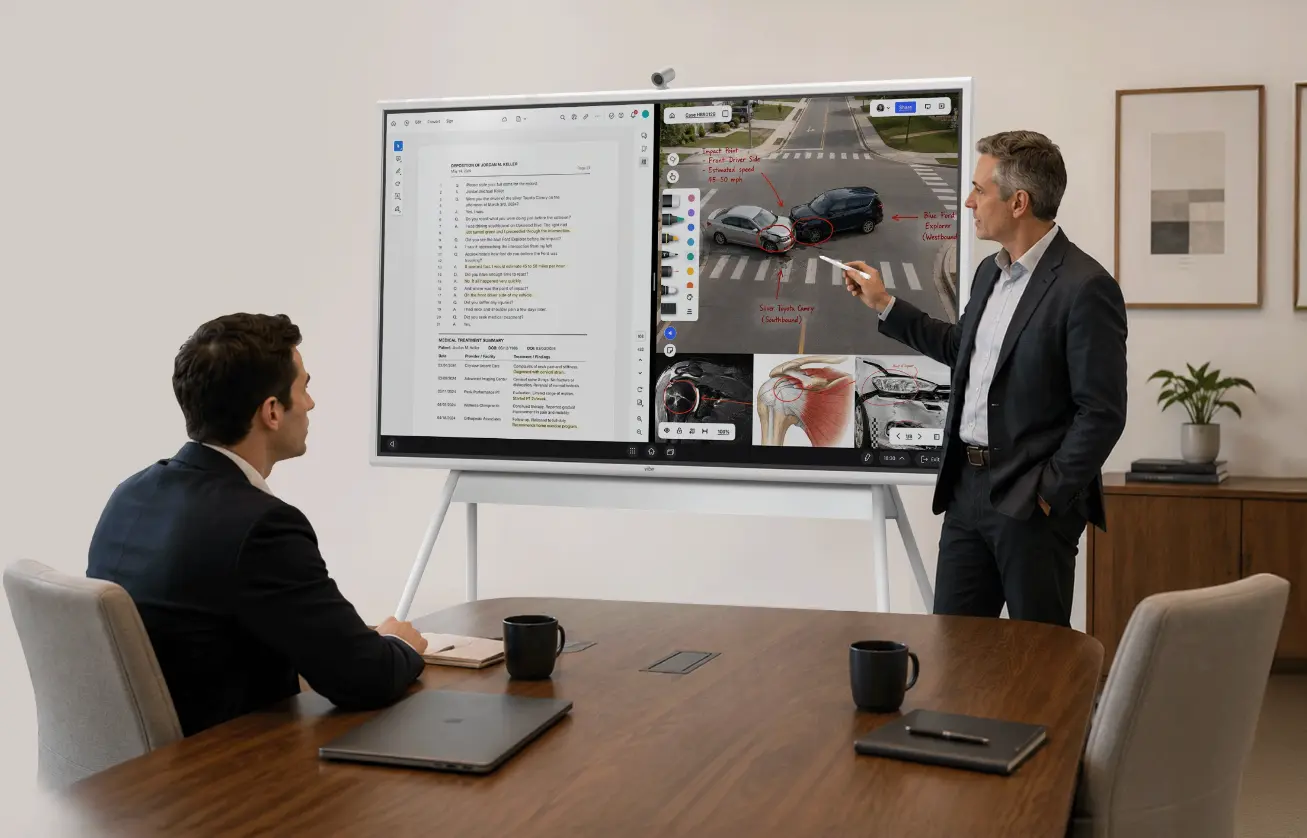 Attorney presenting a car accident case on a Vibe Board interactive display with deposition transcript and annotated scene
A Rollout Order That Works
Roll the room out in five steps, starting with policy rather than hardware.
-
Write the recording and access policy. Decide who consents, who signs in, who may cast, and who may record.
-
Pilot one room. Pick the room clients use most, and test with an outside caller.
-
Train attorneys and staff. The NYC Bar’s opinion points to training and supervision for everyone who uses the tools.
-
Review after 30 days. Check recording settings, sign-in practice, and any bot requests.
-
Roll out to other rooms. Reuse the same configuration so every room behaves the same way.
Run a ten-minute dry meeting before the first client: present an exhibit, mark it up, cast a visitor’s laptop, join a video call, sign out, and confirm nothing recorded.
Common Gaps in Law Firm Meeting Rooms
Most gaps come from treating the room like a generic office space. Watch for these five:
-
Sizing by room area. The farthest seat decides the screen size.
-
No camera or microphone. Remote experts can’t participate without them.
-
Platform defaults left on. Recording and AI features may be active before anyone chooses them.
-
No guest path. Without a casting option, visitors plug into whatever is nearest or email files around.
-
No policy. A room can be technically excellent and still produce a recording nobody planned for.
The Bottom Line
Law firm conference room technology works when the display shows the document, the camera serves the person who isn’t in the room, access controls protect the client’s information, and a written policy settles recording before anyone asks. Start with policy, pilot one room, and build the rest on the same configuration.
For the full picture, visit Vibe’s legal solutions hub, compare the Vibe Board S1 and S1 Pro, or add a Vibe Bot for meetings you need to capture.
Frequently Asked Questions
What technology does a law firm conference room need?
A law firm conference room needs a display sized for the farthest seat with document markup, a camera and microphone for remote participants, a way for visitors to cast, support for Teams, Zoom, and Google Meet, access controls such as dedicated accounts and automatic sign-out, and a written recording policy. Management tools and a realistic budget round out the list.
Should a law firm conference room record meetings?
Not by default. Recording client conversations raises ethics and legal questions. The New York City Bar advises getting client consent before AI records a call, weighing privilege risks, and checking the output for accuracy. Decide the rule first, check every platform’s default settings, and consult an attorney licensed in your state.
Do law firms need a camera in the conference room?
Yes, if remote experts, co-counsel, or clients ever join. Neither the Vibe Board S1 nor the S1 Pro has a built-in camera or microphone, so add the Vibe Smart Camera or a Vibe Bot. Test with someone outside the building, because a room that looks fine from inside can be hard to hear or see remotely.
How big should the display be in a law firm conference room?
Size it from the farthest seat. AVIXA’s standard uses a viewing ratio, the farthest viewer’s distance divided by the screen’s image height, and AVIXA publishes a free calculator. Contract review needs a stricter ratio than slides. Using a 4:1 ratio for detailed work, per GPA’s summary of the AVIXA categories, a 55″ board suits a farthest seat of about 10 feet for contract review, and a 75″ board about 13 feet.
How much does law firm conference room technology cost?
It depends on the room. At Vibe’s promotional prices as of November 5, 2026, a 55″ board starts at $3,699, and a stand, camera, and wireless adapter bring a small room to roughly $4,900. Large rooms and boardrooms need professional design, which typically adds 20 to 40 percent of hardware cost, according to Vibe’s AV cost guide.
Who should own the conference room technology decision?
A named lawyer should own recording and confidentiality policy, and IT should own devices, accounts, and updates. The NYC Bar’s opinion ties training and supervision to the lawyers responsible for the tools. Splitting those responsibilities, and writing them down, keeps a technical rollout from creating an ethics gap.