Newline is the #1 interactive flat panel brand in the U.S. by unit volume — 30.7% market share in Q2 2026, per Futuresource Consulting. That number is real, and Newline’s hardware is genuinely strong.
But a several-thousand-dollar purchase deserves more scrutiny than a market-share stat. If you’re evaluating alternatives to Newline — because of price, purchasing friction, a room that needs better hybrid meeting support, or simply wanting to compare before a renewal — this guide ranks the seven strongest options for 2026, with enough depth to actually make the call, not just a spec-sheet skim.
What Actually Matters When Replacing a Newline Display
Before the rankings, it’s worth being specific about what "better" means for a conference room display, because the criteria that matter for a classroom are not the same ones that matter for a hybrid meeting room.
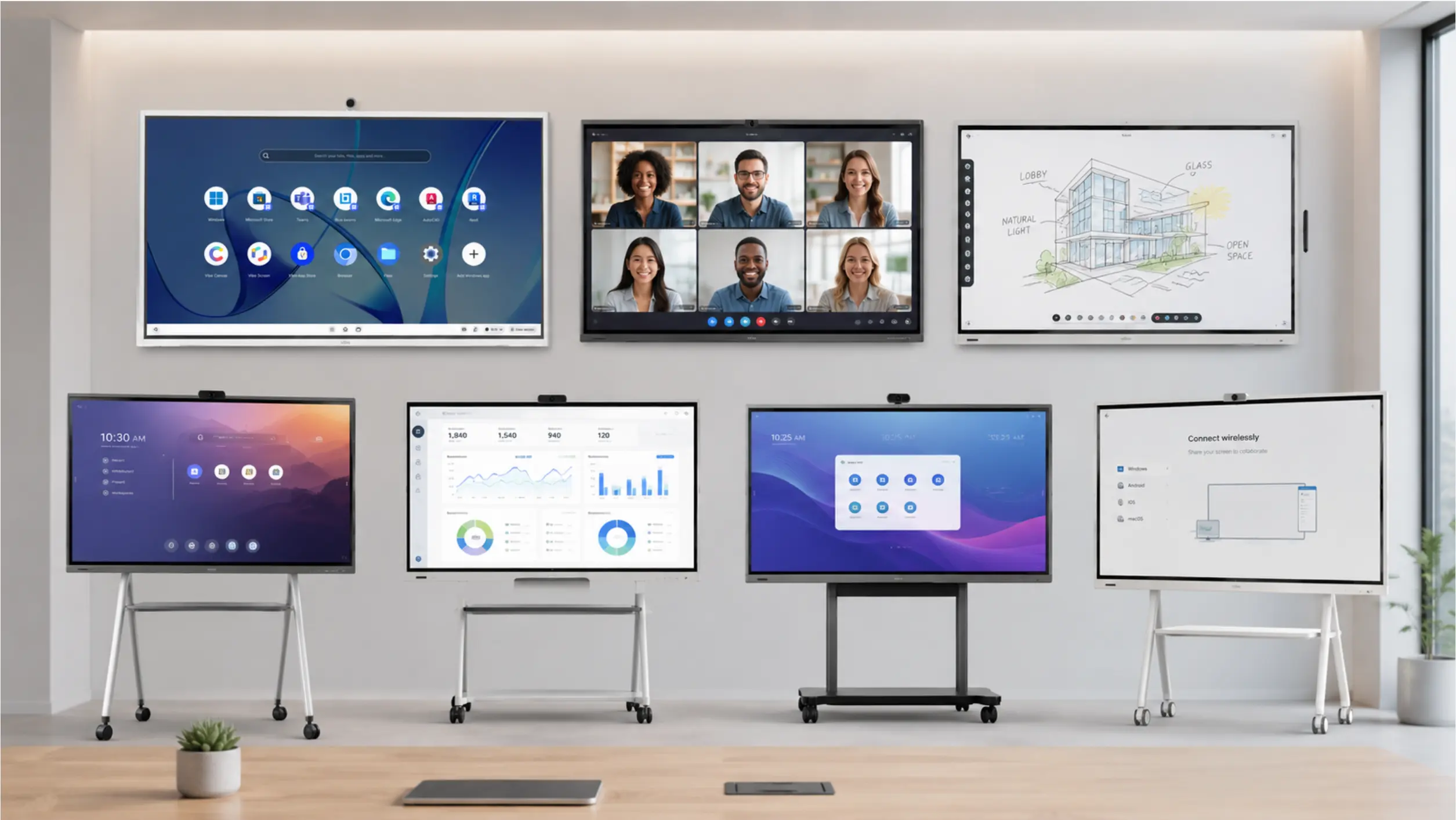 Best newline whiteboard alternatives
Hybrid meeting quality. Most conference rooms today have at least one remote participant. A display that treats video calling as an afterthought — a webcam bolted onto a whiteboard — creates a worse meeting than one built around the reality that half your team might be dialing in. This means native, first-class support for Zoom, Microsoft Teams, and Google Meet; a camera and mic setup (built-in or paired) that doesn’t require a laptop propped on a chair; and screen real estate that can show both the call and the whiteboard content at once.
Collaboration continuity. A whiteboard session that dies the moment the meeting ends is a whiteboard, not a collaboration tool. The ones worth buying save content automatically, let people pick up the same canvas from a laptop or phone later, and don’t require anyone to take a photo of the screen before they leave the room.
Total cost of ownership, not sticker price. The display is one line item. Camera, casting, device management, and any AI or collaboration add-ons are usually separate — sometimes from third parties. A $3,999 display that needs four additional subscriptions to function the way you expected isn’t actually the cheaper option.
Purchasing friction. Reseller-only sales models add weeks to deployment and often hide pricing until a sales call. For a team that wants three rooms equipped by next month, this matters as much as any spec.
AI meeting intelligence — worth having, but not the only thing worth having. Automatic summaries and action item tracking are a genuine productivity gain if your rooms already handle the basics — reliable video, a whiteboard that doesn’t lose your work, easy setup. Treat AI as an accelerant on top of a good hybrid collaboration foundation, not a replacement for one.
With that framework, here’s how the seven leading Newline alternatives stack up.
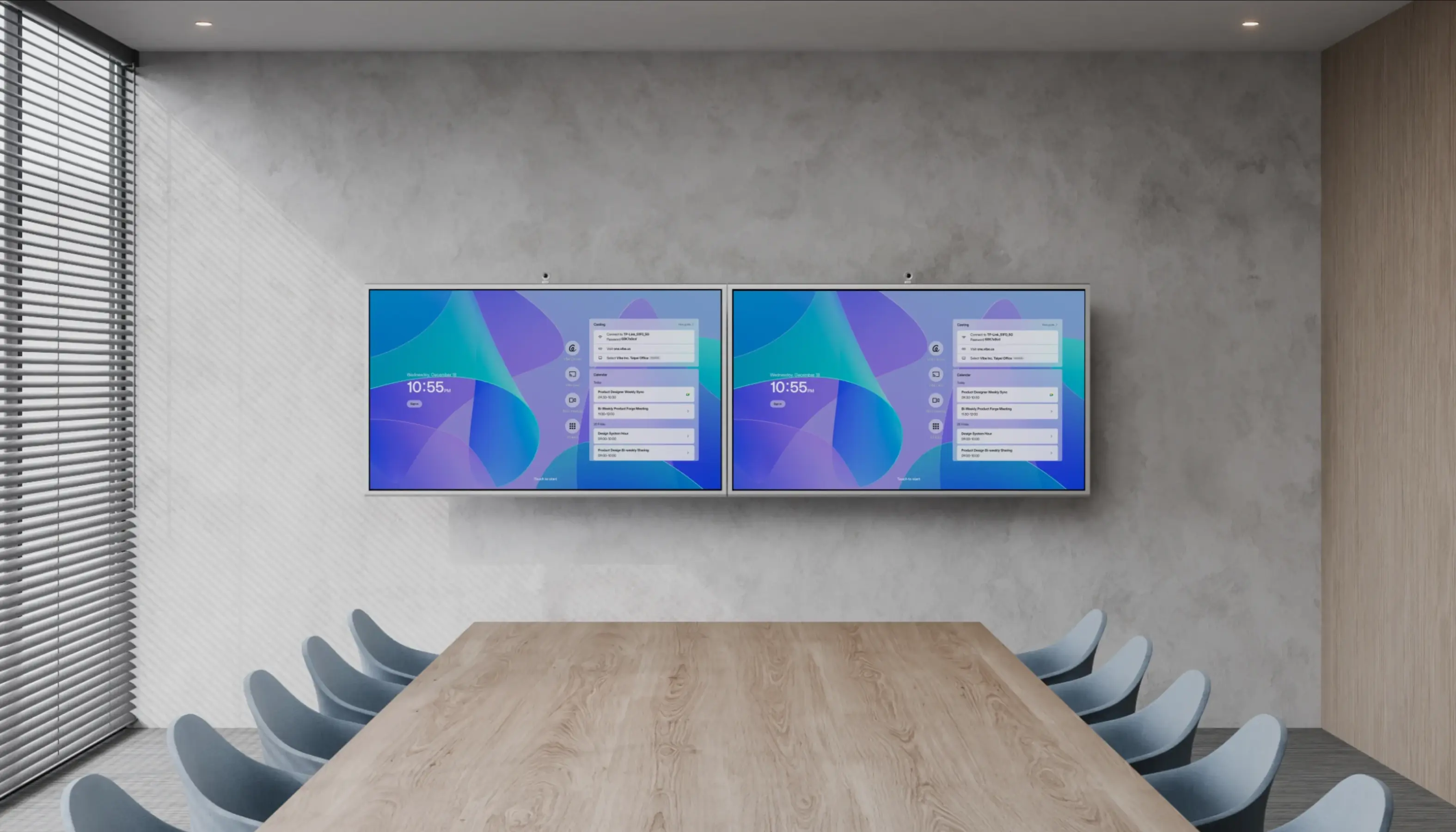
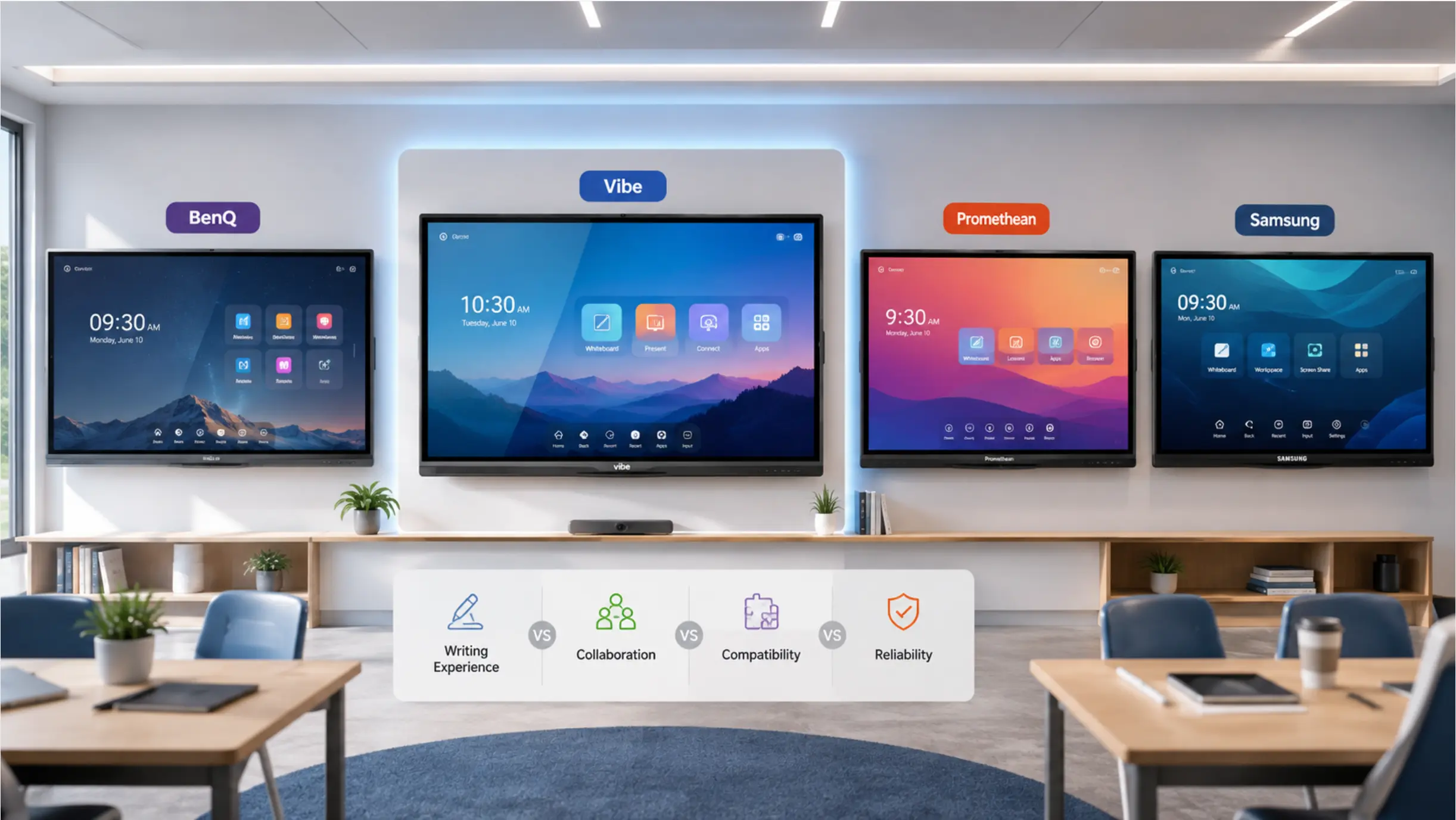
Quick Answer: Best Newline Alternatives at a Glance
|
Rank |
Brand |
Best For |
Standout Strength |
Direct Purchase |
|---|---|---|---|---|
|
1 |
Vibe Board |
Hybrid meetings & collaboration |
Vibe Canvas + native Zoom/Teams/Meet, AI add-on via Vibe Bot |
✅ Yes |
|
2 |
SMART Board |
Established ed-tech workflows |
iQ two-way student device integration |
❌ Reseller |
|
3 |
Promethean ActivPanel |
Lesson-heavy classrooms |
Vellum lag-free stylus + ActivInspire |
❌ Reseller |
|
4 |
ViewSonic ViewBoard |
Budget-conscious buyers |
myViewBoard software suite |
❌ Reseller (some direct) |
|
5 |
Microsoft Surface Hub |
Microsoft-native enterprises |
Deep Teams + Windows integration |
❌ Reseller |
|
6 |
Samsung Flip Pro |
Premium office aesthetics |
Samsung Knox fleet management |
❌ Reseller |
|
7 |
BenQ Board Pro |
Health-conscious classrooms |
Antimicrobial coating + eye-care display |
❌ Reseller (mixed) |
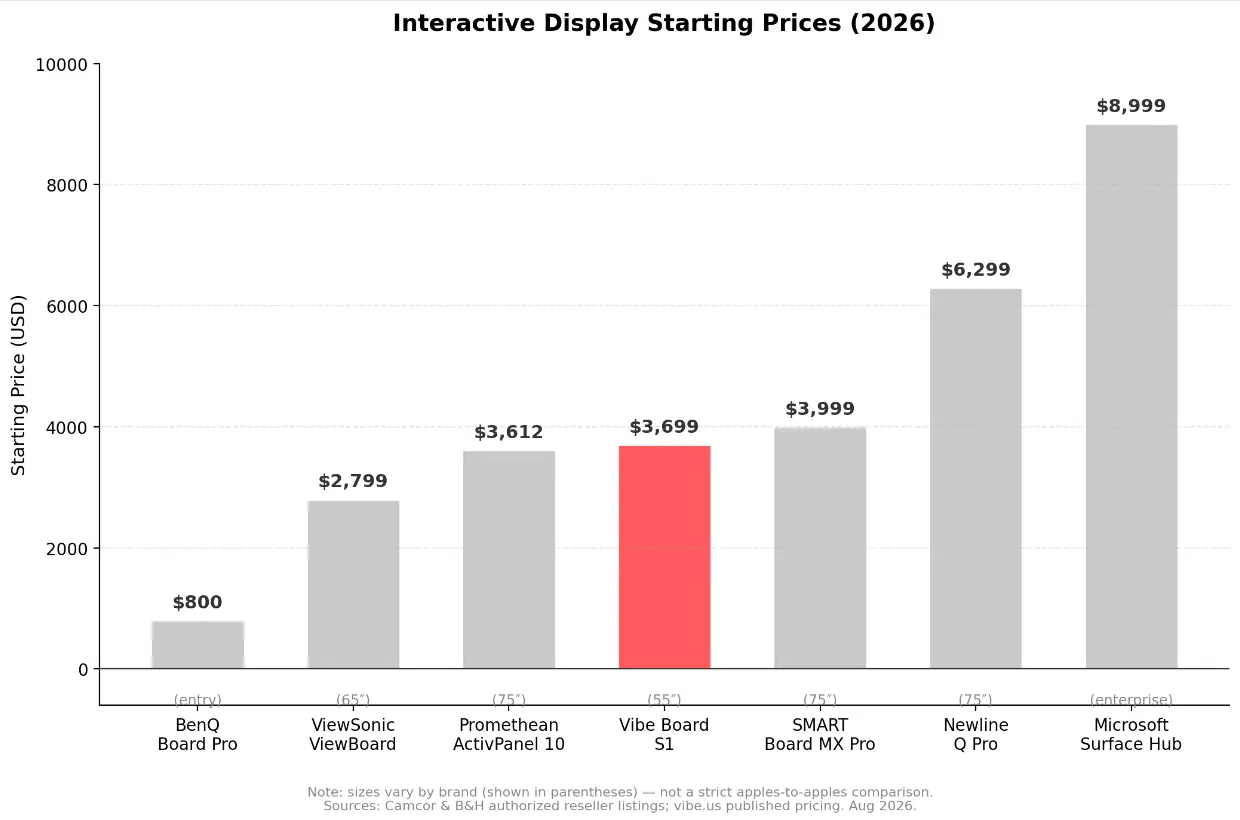 Start prices of interactive displays
1. Vibe Board — Best Overall Newline Alternative for Hybrid Collaboration
Best for: Teams whose conference rooms run hybrid meetings constantly and need the whiteboard, the video call, and the follow-up to all work together — without a reseller in the loop.
Why it’s ranked first
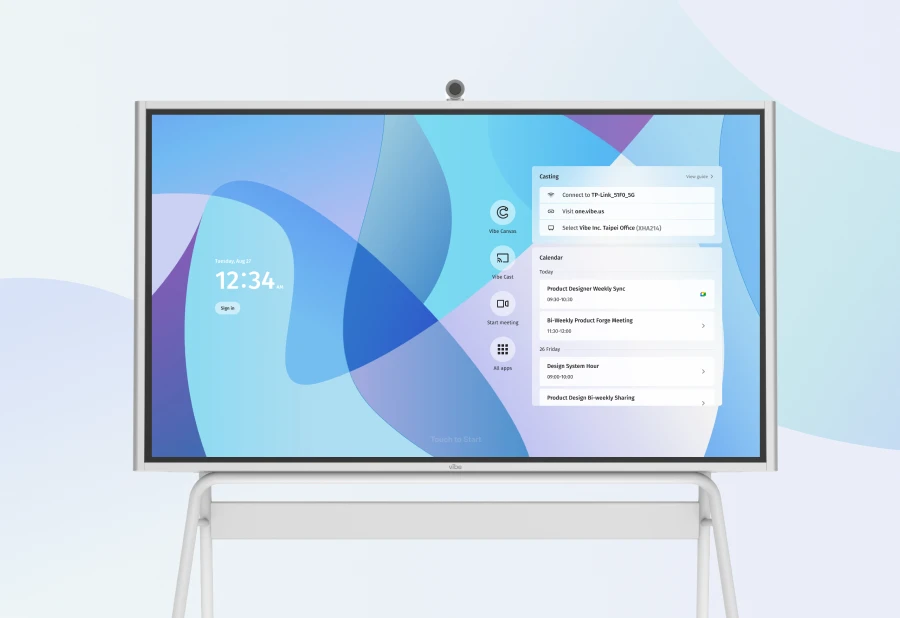
Newline’s core weakness isn’t a missing feature bullet point — it’s that the room experience is built display-first, meeting-second. Vibe Board S1 inverts that. It’s built around Vibe Canvas, an infinite cloud whiteboard that saves every stroke in real time and stays accessible from any device — laptop, tablet, phone, or another Vibe Board — after the meeting ends. Nobody photographs the screen on their way out. Nobody re-types the notes from a phone photo the next morning.
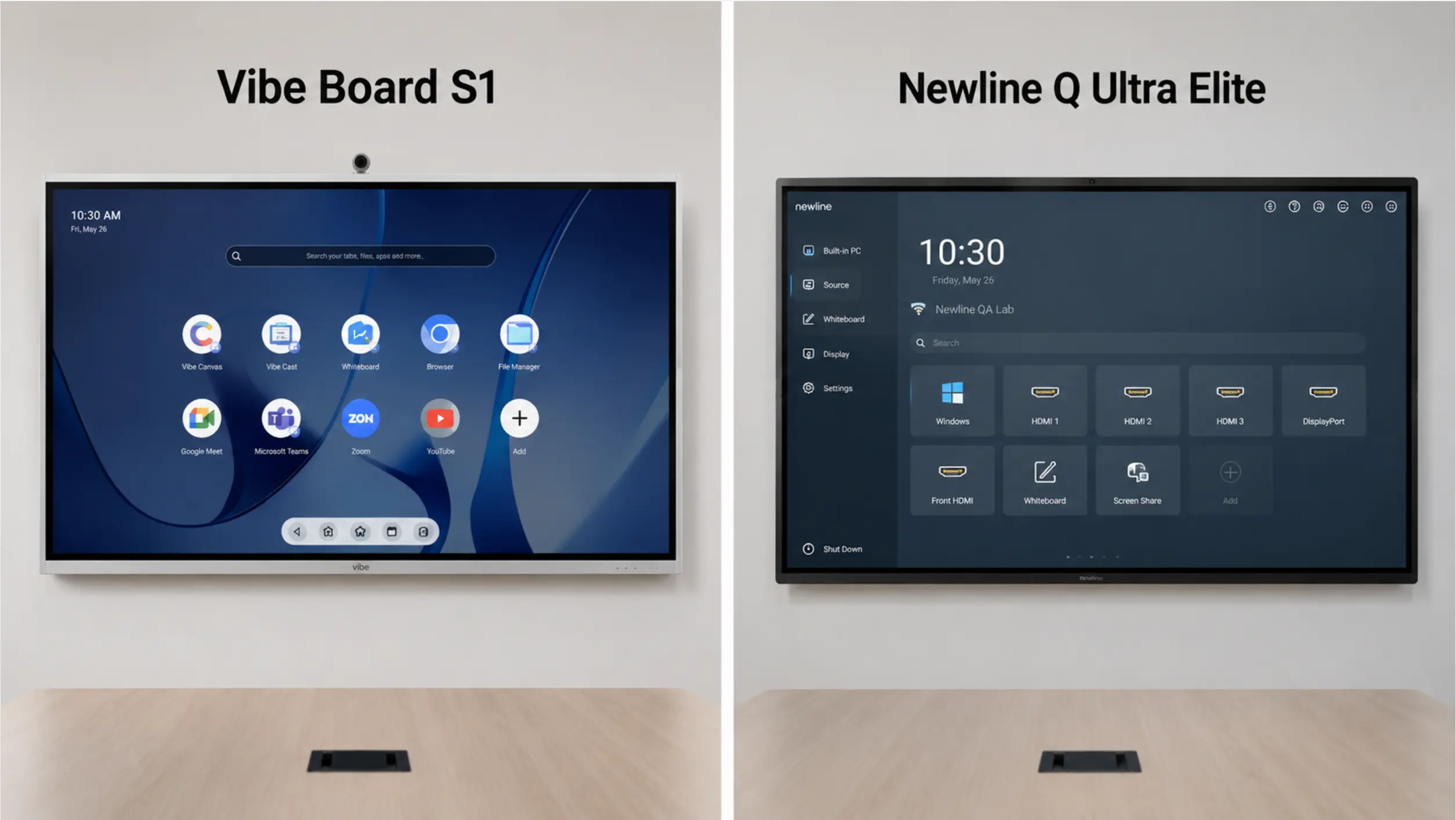
The video experience is built the same way. Vibe Board runs VibeOS (Chrome OS-based) with native access to Zoom, Microsoft Teams, and Google Meet — not a single "conferencing app" bolted on, but full platform access, so a room doesn’t get locked into one vendor’s call quality or feature set. Content casting supports HDMI/USB-C, AirPlay, Vibe Tap (4K wireless), and web casting, so a hybrid meeting with people joining from four different device types doesn’t turn into a 10-minute setup ritual.
What a real meeting looks like on Vibe Board
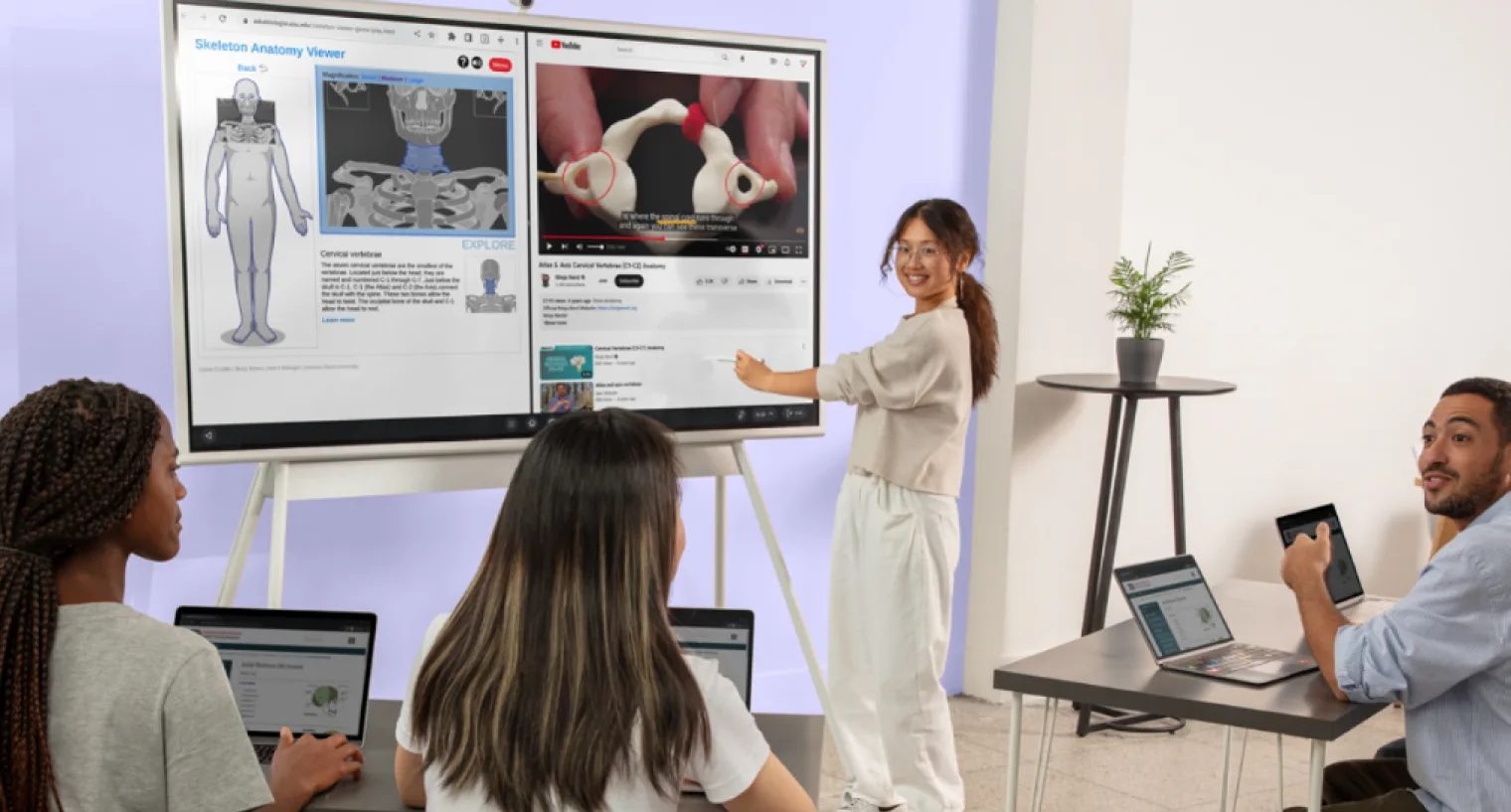
A client kickoff call: three people in the room, two dialing in from Zoom. One in-room participant opens Vibe Canvas and starts sketching the project timeline while the call runs in a split view — call on one side, canvas on the other, both visible at once. A remote participant adds a comment directly on the canvas from their laptop. When the call ends, the canvas is already saved; a link goes out in the follow-up email, and everyone — including people who weren’t in the room — can keep editing it. No transcription needed to know what was decided; it’s drawn on the board.
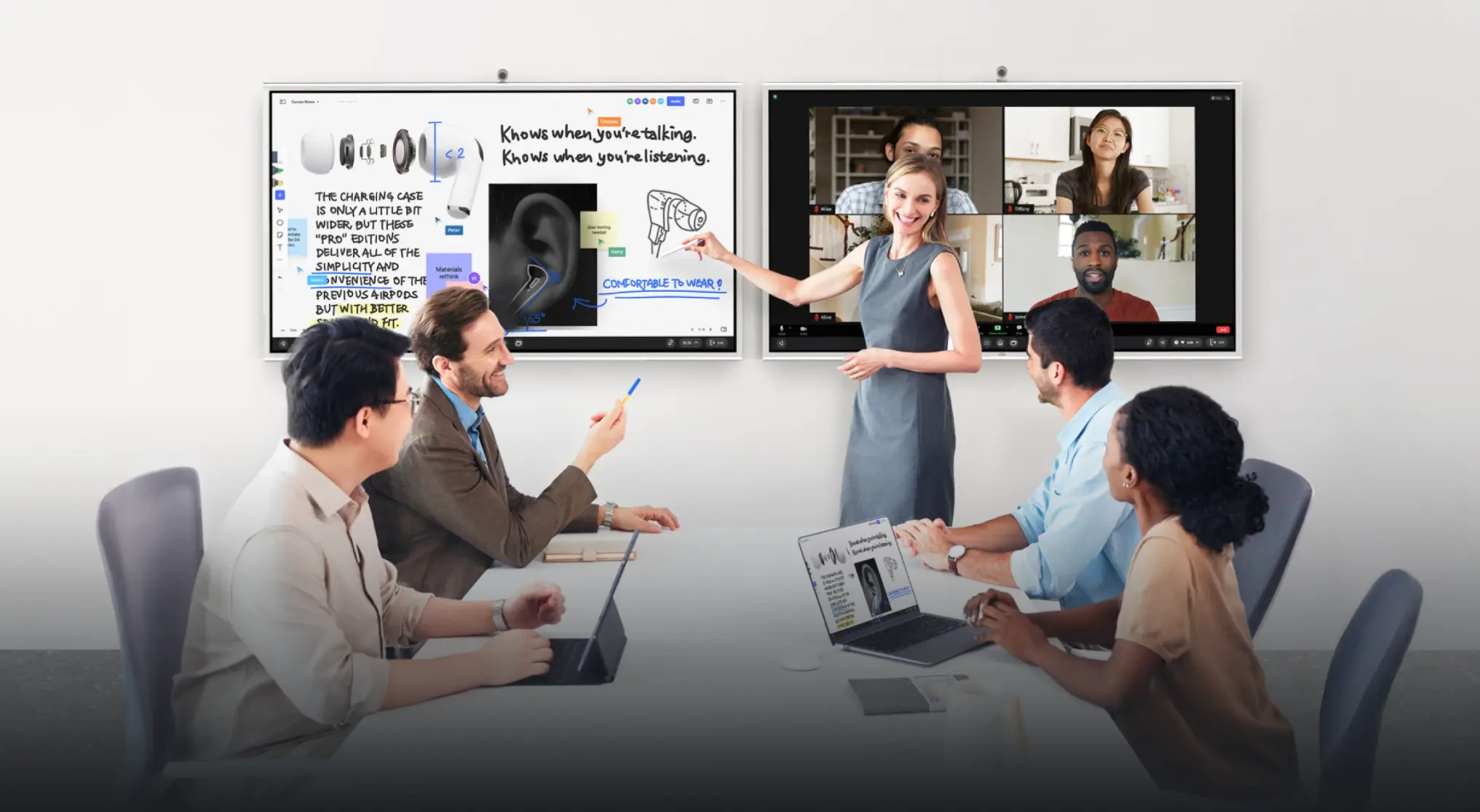 Vibe Board dual-display setup in meeting room showing AirPods product notes and video call with remote participants
The AI layer — a real add-on, not the whole pitch
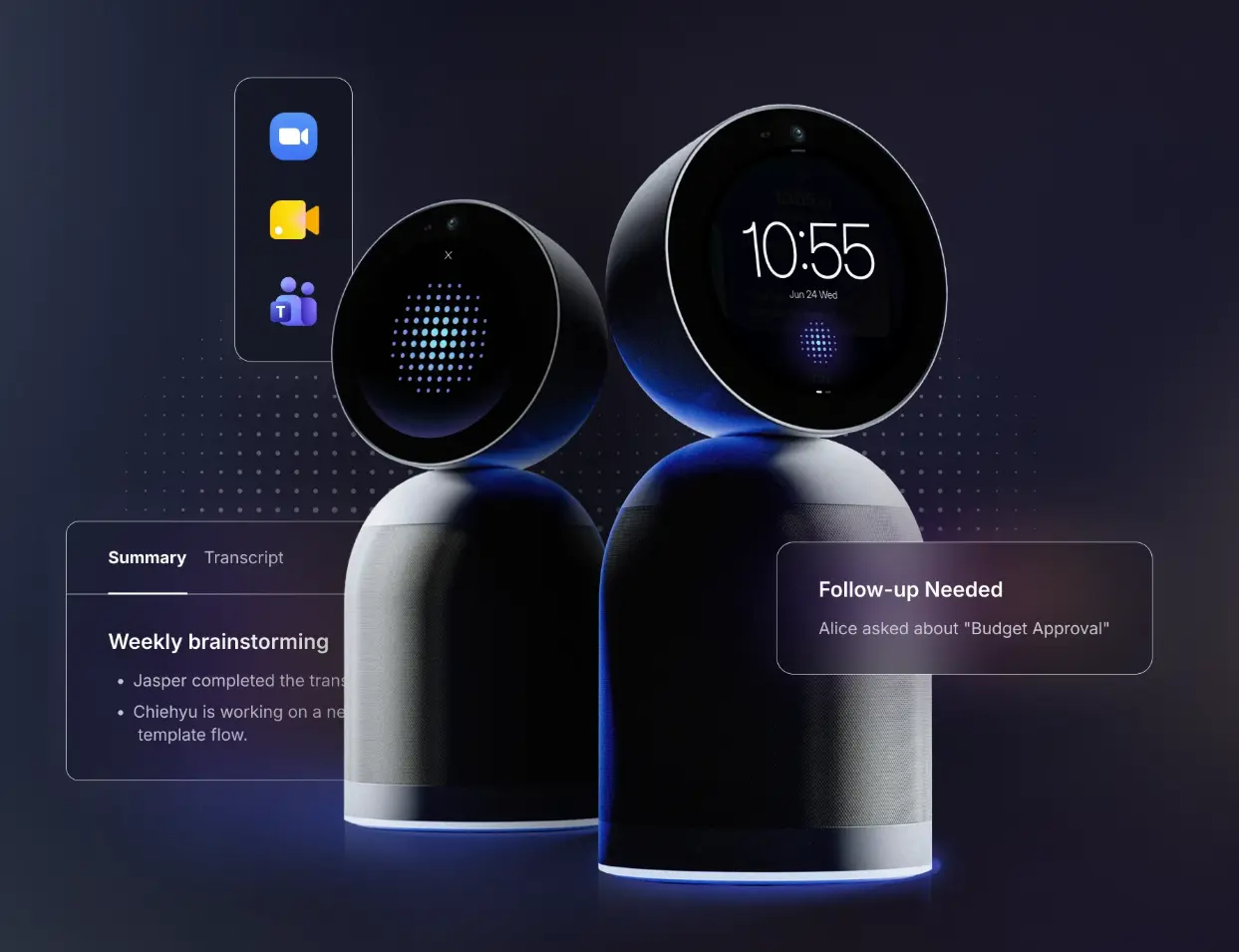
For teams that want to go further, pairing Vibe Board with Vibe Bot adds AI-generated meeting summaries, action item extraction, and Memory Graph — a cross-session memory layer that connects this meeting’s decisions to the last one on the same topic. This is a genuine differentiator versus every other display on this list, none of which offer anything comparable. But it’s an addition to a strong hybrid collaboration foundation, not a substitute for one — which is why Vibe Board earns the top spot on its meeting and whiteboarding experience first, with Vibe Bot as the reason to go further.
Where Vibe wins over Newline specifically
-
Purpose-built for hybrid meetings, not a display retrofitted with conferencing apps
-
Vibe Canvas — infinite, auto-saved, cross-device — vs. Newline’s more display-centric whiteboarding tools
-
Direct purchase at vibe.us with published pricing — Newline is reseller-only with no listed prices
-
Single integrated stack (Board + optional Bot + Camera + admin console) vs. Newline’s eight separate software products (Cast, Broadcast, Engage Cloud, Display Management, Secure, Signage Pro, TranslateLive, Launcher)
-
AI meeting intelligence available as an add-on (Vibe Bot) — Newline has no equivalent at all, even as an add-on
Where Newline still has an edge
Larger display sizes (up to 98″ vs. Vibe’s 75″ max), Google EDLA certification for districts that mandate it, and higher raw touch-point density (50-point vs. 20-point) for rooms with many simultaneous writers.
Deployment considerations
Vibe Board ships direct within the U.S., typically arriving within days rather than weeks. Setup doesn’t require an AV integrator — the board, an optional Smart Camera, and an optional Vibe Bot can be unboxed and running in a single afternoon. IT admins get a policy-based admin console with SSO and SOC 2 certification for fleet management across multiple rooms.
Pricing: From $3,699 (55″), published directly at vibe.us — no quote required. Volume discounts available for 2+ boards.
2. SMART Board — Best for Established Ed-Tech Workflows
Best for: Schools and districts already invested in the SMART ecosystem or SMART Notebook content libraries.
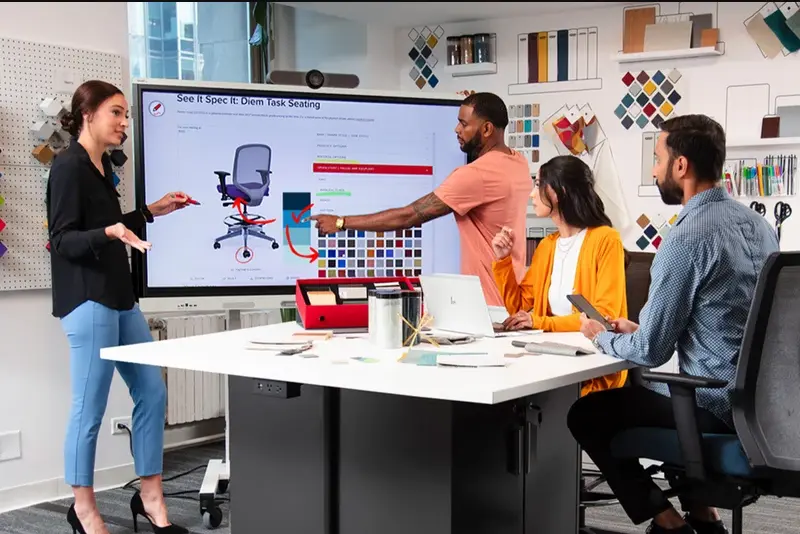
SMART Technologies is the original interactive whiteboard company, and its MX Series remains a serious Newline competitor in education. SMART’s key differentiator is iQ, its pedagogy-focused operating system with two-way student device integration built directly into the whiteboard — students join through a QR code or class ID with no accounts required, enabling real-time collaboration without the data-management overhead of app-based systems.
 SMART Board in a workspace
Real scenario: A high school teacher runs a warm-up poll at the start of class. Students scan a QR code on their own phones, no login required, and their responses populate live on the board. This kind of frictionless device pairing is where SMART’s iQ genuinely shines, and it’s a workflow neither Newline nor Vibe currently replicates in exactly this form.
Where SMART wins over Newline: deeper lesson-content ecosystem (SMART Notebook, Lumio), long-established teacher certification and PD programs, and — depending on model — competitive pricing (SMART Board MX Pro 75″ runs around $3,999, well under Newline’s Q Pro at $6,299).
Where SMART falls short for hybrid meeting rooms: SMART is fundamentally a classroom-pedagogy tool. Its video-conferencing story is thinner than Vibe’s, and like Newline, there’s no AI meeting intelligence layer, native or add-on. It also sells exclusively through resellers with no direct purchase path or published pricing.
Deployment considerations: SMART deployments typically go through the same education-focused reseller and integrator channel as Newline, meaning similar lead times and quote-based pricing. Existing SMART Notebook content libraries carry over, which matters for districts with years of built-up lesson materials — a genuine switching cost to weigh against any other option, including Vibe or Newline.
Pricing: Reseller-quoted; MX Pro 75″ around $3,999 at authorized dealers like Camcor.
3. Promethean ActivPanel — Best for Lesson-Heavy Classrooms
Best for: Teachers who lean heavily on structured, pre-built lesson content and stylus-based instruction.
Promethean’s ActivPanel line is known for Vellum touch technology — a near-lag-free stylus experience with no skipped lines, which matters for handwriting-heavy subjects like math. The ActivPanel 9 and newer ActivPanel 10 run Android and Chrome side by side, giving Google Workspace schools native access without extra configuration. Promethean’s ActivInspire and Classroom Essentials apps provide a large library of ready-made lesson templates.
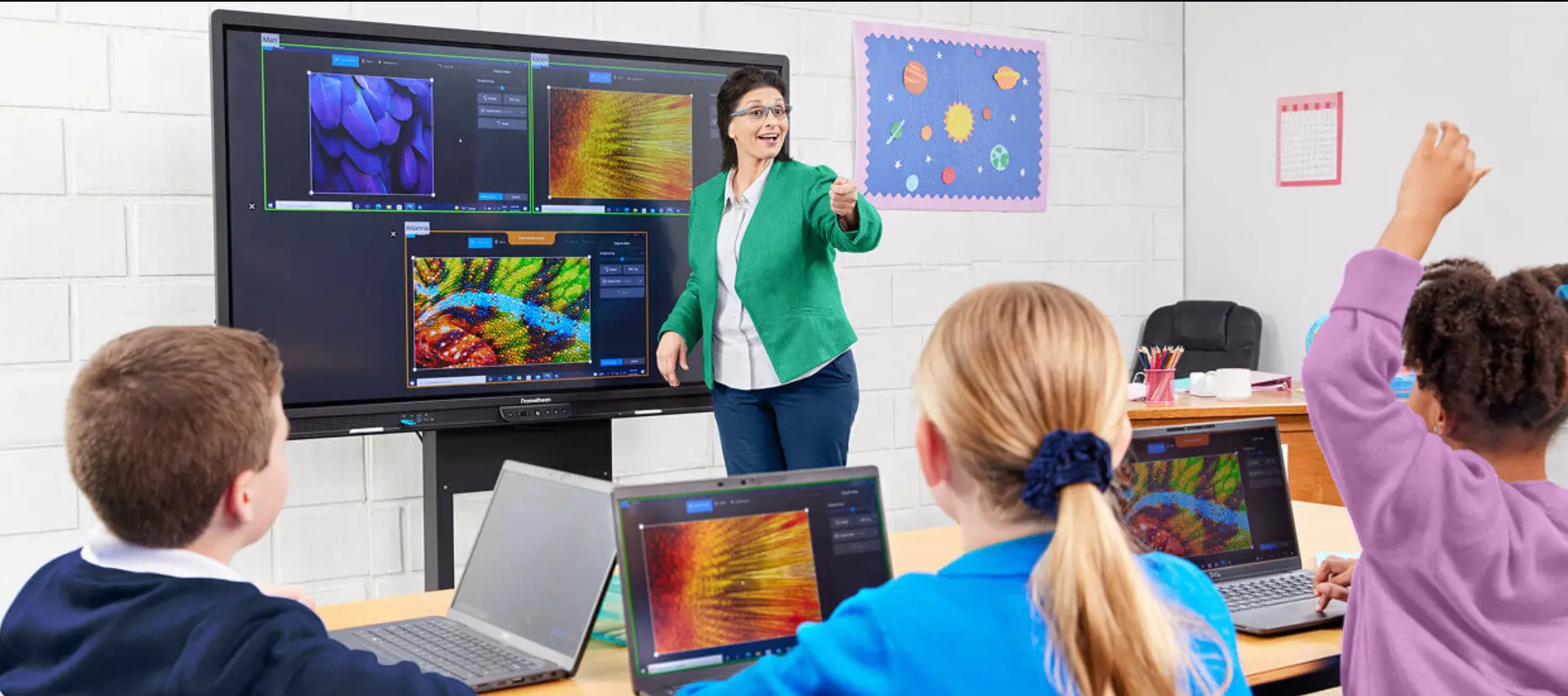
Real scenario: A middle school math teacher works through a multi-step algebra problem live, switching between handwritten annotation and a pre-built ActivInspire template without breaking stride. The stylus precision here is genuinely best-in-class for this specific workflow.
Where Promethean wins over Newline: stylus precision, and for districts specifically prioritizing built-in lesson tools over open app ecosystems.
Where Promethean falls short for hybrid meeting rooms: ActivInspire runs as a desktop application requiring a connected computer for full features — less "all-in-one" than Vibe’s fully built-in Canvas. Conferencing is not the product’s focus, and there’s no AI meeting layer, native or add-on.
Deployment considerations: Like SMART and Newline, Promethean sells through resellers and dedicated support packages — a good fit if your organization already has an AV integrator relationship, less so if you want to self-deploy quickly.
Pricing: Reseller-quoted; ActivPanel 10 Premium 75″ around $3,612 at Camcor — the most affordable flagship-tier option on this list at full size.
4. ViewSonic ViewBoard — Best Budget Alternative
Best for: Cost-conscious buyers who still want a capable Android-based interactive display.
ViewSonic has built a reputation on aggressive pricing without cutting core functionality. The IFP series runs Android, supports up to 33-point touch, and ships with myViewBoard — a genuinely capable whiteboarding and screen-sharing platform, plus ViewBoard Cast for wireless mirroring from any device.
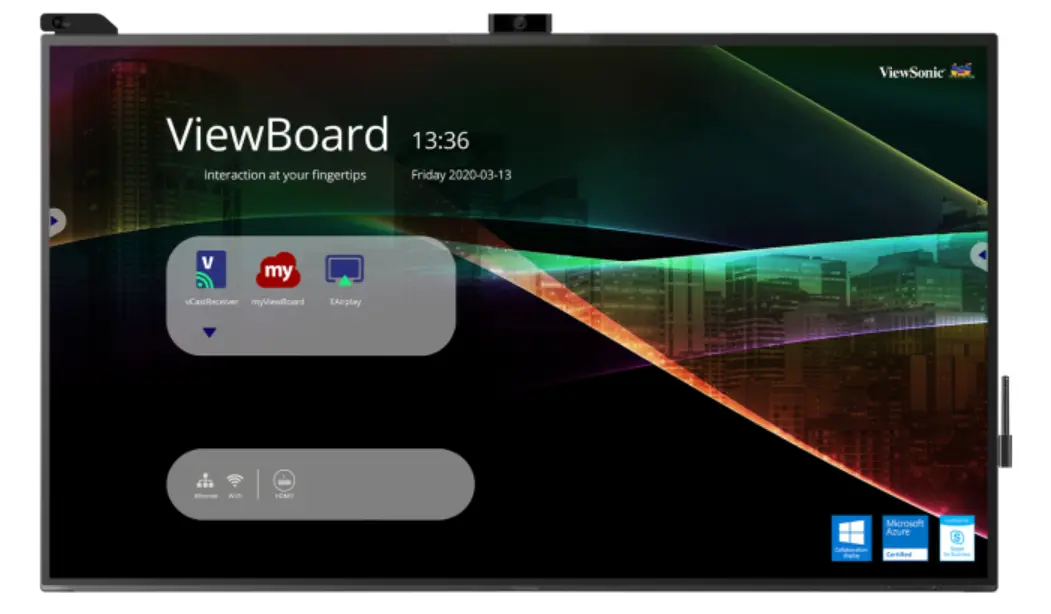 Front view of ViewSonic ViewBoard
Real scenario: A small business with a tight AV budget outfits two conference rooms with 65″ IFP52 units instead of one premium 75″ display, getting workable whiteboarding and screen-sharing across both rooms for close to the price of a single flagship competitor.
Where ViewSonic wins over Newline: price. A 65″ IFP52 runs around $2,799 — less than half of Newline’s comparable flagship pricing — while covering most day-to-day whiteboarding and casting needs.
Where ViewSonic falls short for hybrid meeting rooms: build quality and speaker output are a step below premium options, and myViewBoard’s collaborative whiteboarding, while improving, isn’t as mature as Vibe Canvas for real-time multi-device collaboration. No AI meeting intelligence, native or add-on.
Deployment considerations: ViewSonic offers some direct-purchase paths for education buyers, a rarity on this list outside Vibe — worth checking before assuming a reseller quote is required.
Pricing: Around $2,799 (65″) at authorized resellers; some models available through ViewSonic’s direct education store.
5. Microsoft Surface Hub — Best for Microsoft-Native Enterprises
Best for: Organizations fully standardized on Microsoft 365 and Teams Rooms.
Surface Hub is Microsoft’s own entry into interactive displays, purpose-built for Teams-first enterprises. Its strength is depth of integration: native Windows 11, seamless Teams Rooms certification, and Whiteboard app continuity across Surface Hub, laptops, and mobile — content started on one device picks up instantly on another within the Microsoft ecosystem.
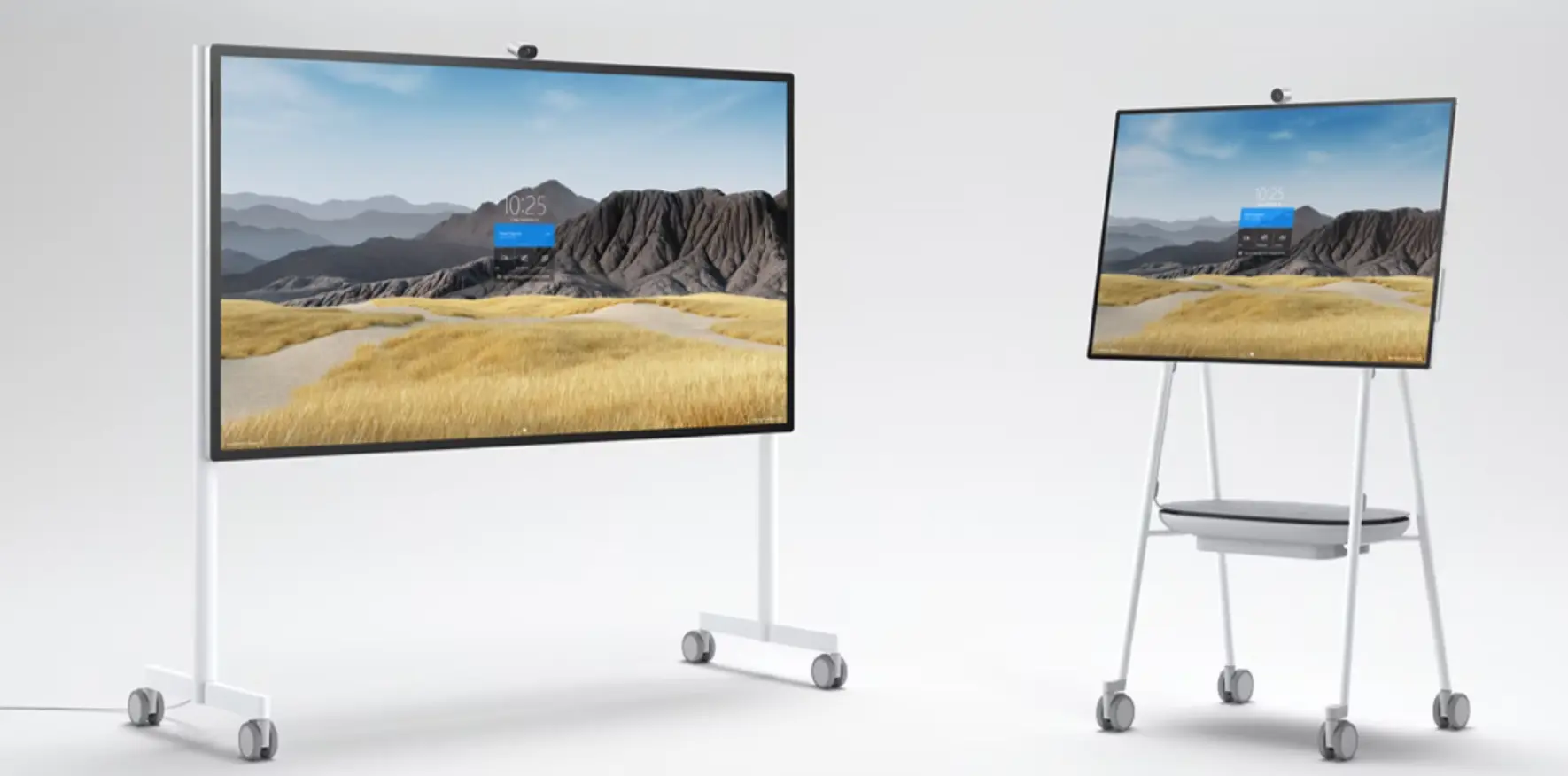 Microsoft Surface Hub in a stand
Real scenario: An enterprise sales team runs a Teams call with a client, and the same Whiteboard s
ession that was open on a rep’s Surface laptop during prep is already loaded on the Surface Hub when the room meeting starts — no re-sharing, no separate login. For organizations whose entire workflow lives inside Microsoft 365, this continuity is hard to replicate with a Chrome OS or Android-based competitor.
Where Surface Hub wins over Newline: unmatched Microsoft ecosystem depth for enterprises already standardized on Teams and Windows, and a genuinely native (not bolted-on) Teams meeting experience.
Where Surface Hub falls short: it’s priced at an enterprise premium — noticeably above every other option on this list — and it’s the most locked-in choice here: teams using Zoom or Google Meet as a primary or secondary platform will find Surface Hub’s experience secondary to Teams. No AI meeting summarization comparable to Vibe Bot, and no EDLA certification for education buyers.
Deployment considerations: Surface Hub deployments typically involve Microsoft’s own enterprise sales and partner network, with implementation support geared toward large IT organizations already running Microsoft infrastructure.
Pricing: Enterprise/reseller-quoted; typically the highest-priced option in this category.
6. Samsung Flip Pro — Best for Premium Office Aesthetics
Best for: Executive spaces and boardrooms where design and display quality are priorities alongside function.
Samsung’s Flip Pro line brings the company’s display expertise to the interactive board category — natural-feeling stylus input, a sleek industrial design that fits high-end office environments, and Samsung Knox for centralized fleet management across a device deployment.
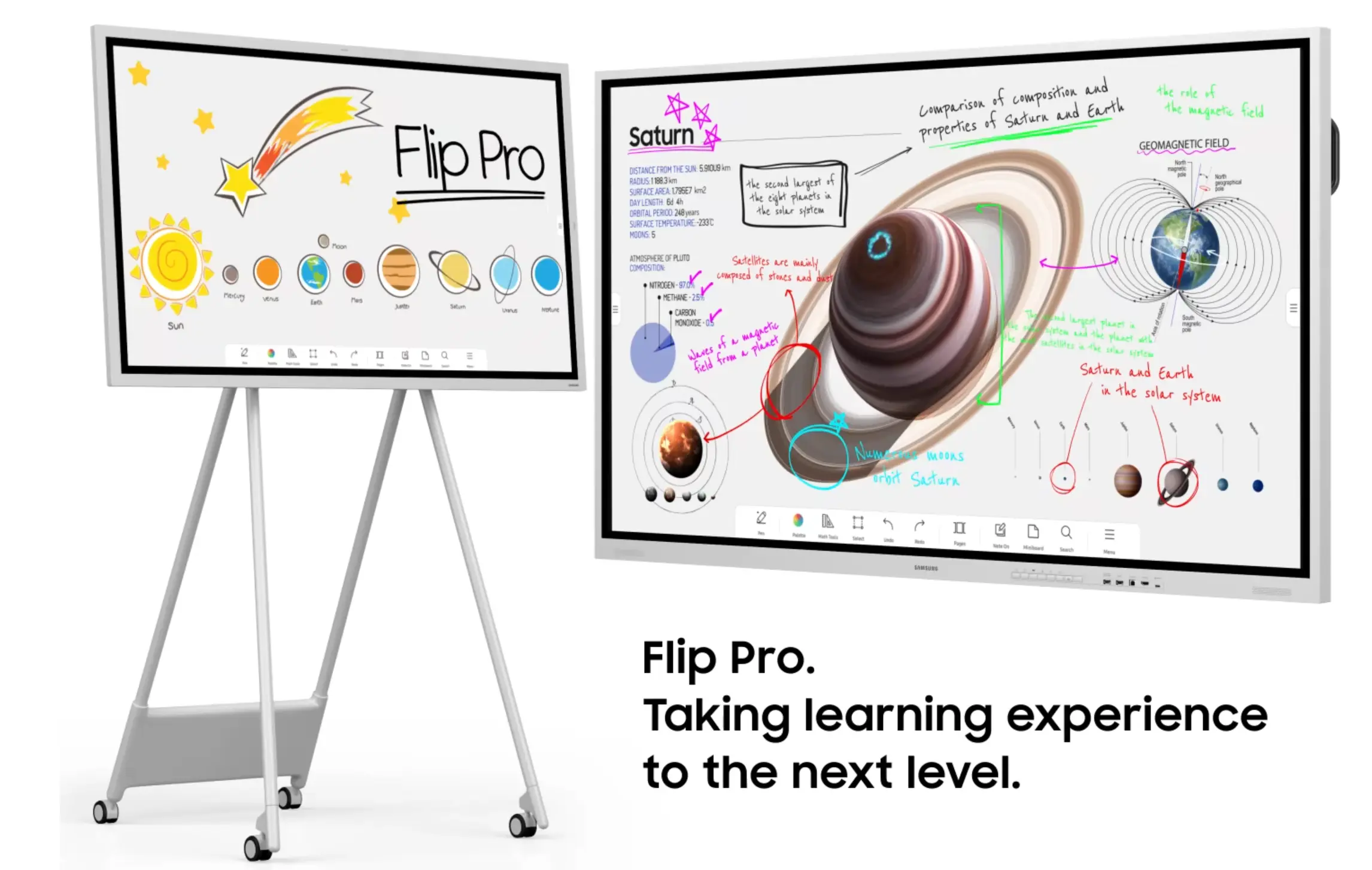 Samsung Flip Pro
Real scenario: A law firm outfits its partner-level boardroom with a Flip Pro specifically because it needs to look premium to visiting clients as much as it needs to function — the display doubles as a design statement in a room where impression matters.
Where Samsung wins over Newline: display quality and design polish for boardrooms where appearance matters as much as function, plus Knox’s fleet management maturity for IT teams already using Samsung hardware elsewhere.
Where Samsung falls short for hybrid meeting rooms: Flip Pro is priced at a premium and, like Newline, offers no AI meeting intelligence layer — Knox handles device management, not meeting content. Video conferencing is not the product’s primary design focus.
Deployment considerations: Reseller and enterprise AV channel, similar lead times to Newline and Samsung’s other B2B display lines.
Pricing: Enterprise/reseller-quoted; premium tier pricing, typically above $5,000 for large-format models.
7. BenQ Board Pro — Best for Health-Conscious Classrooms
Best for: Elementary schools and health-sensitive environments.
BenQ differentiates through its ClassroomCare approach: TÜV-certified low blue light, flicker-free displays, and antimicrobial silver-ion coatings applied to the screen, pens, and remote controls. It’s a distinctive angle that neither Newline nor most other competitors compete on directly, and it’s why BenQ is frequently recommended for younger learners.
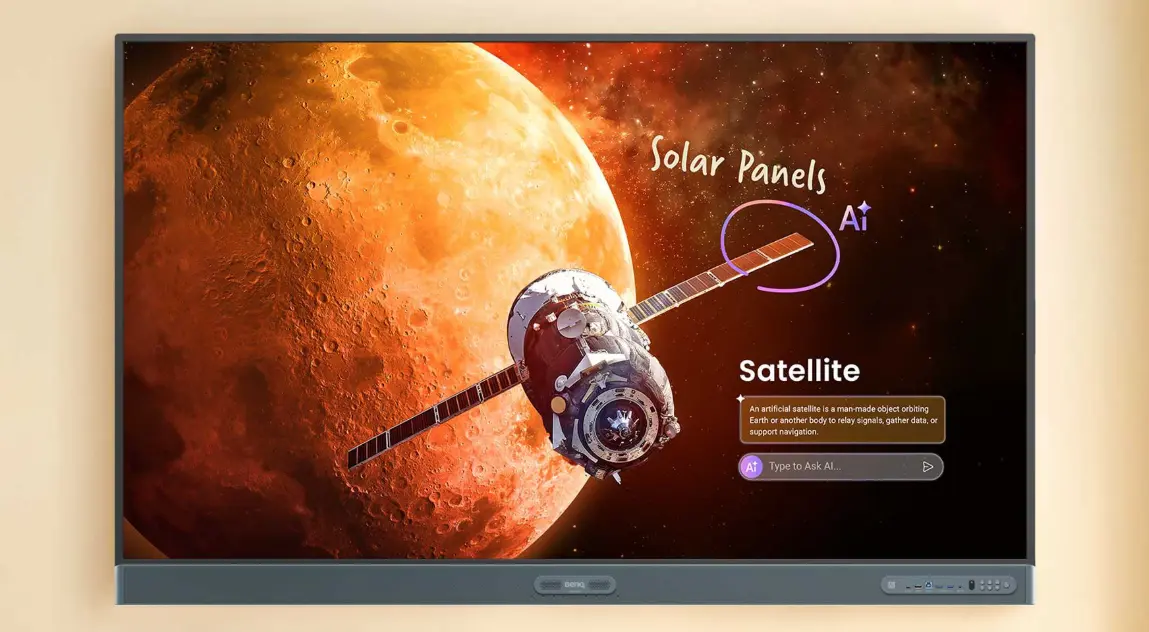 BenQ Board Pro mounted on a wall
Real scenario: An elementary school prioritizing student wellness outfits kindergarten and first-grade classrooms with BenQ boards specifically for the antimicrobial coating and reduced blue light — a decision driven by health policy rather than collaboration features.
Where BenQ wins over Newline: health and wellness features are a genuine differentiator for elementary and health-sensitive settings, and BenQ Board Pro starts as low as $800 for entry configurations — the lowest price point on this list by a wide margin.
Where BenQ falls short for hybrid meeting rooms: build quality and speaker output trail premium options, and BenQ’s own collaborative whiteboarding software is less mature than Vibe Canvas or SMART Notebook. No AI meeting intelligence and a limited hybrid conferencing story — this is a classroom-first product, not a conference-room contender.
Deployment considerations: Mixed — some entry models available through broader retail and education channels, premium configurations reseller-quoted like the rest of this list.
Pricing: Starts around $800 for entry models; premium configurations reseller-quoted.
How to Choose the Right Newline Alternative
If your priority is hybrid meetings and day-to-day collaboration: Vibe Board is built around exactly this — Vibe Canvas for continuous, cross-device whiteboarding and native support for Zoom, Teams, and Meet. This is the single biggest capability gap between Vibe and every other option on this list, including Newline.
If your priority is direct purchase without a reseller: Vibe Board is the clearest option, with published pricing and same-week shipping. ViewSonic offers some direct-purchase paths for education; everything else on this list routes through a reseller network similar to Newline’s.
If your priority is AI meeting intelligence as an add-on: Vibe Bot, paired with Vibe Board, is the only option on this list offering meeting summaries, action item tracking, and cross-session memory in any form — native or add-on. No other brand here has an equivalent, even as a paid extra.
If your priority is absolute lowest price: BenQ Board Pro (from $800) or ViewSonic ViewBoard (from ~$2,799) undercut Newline significantly, though both trail on build quality, software maturity, and hybrid meeting support.
If your priority is Google EDLA compliance for K-12: Newline, SMART, Promethean, and ViewSonic all offer EDLA-certified models. This is the one category where Vibe does not currently compete on the certification itself — though Vibe Board remains a strong choice for the admin offices, staff meeting rooms, and PD spaces in the same district, where hybrid meetings matter more than device management compliance.
If your priority is deep Microsoft 365/Teams integration: Microsoft Surface Hub is purpose-built for this, at an enterprise price point.
The Bottom Line
Newline earned its market-leading position with strong hardware and a decade of reseller and education-channel relationships. But the right conference room display depends on how your team actually meets — and for rooms where hybrid collaboration is the daily reality, a display built around video calls and continuous whiteboarding will outperform one built primarily as a bigger screen with conferencing apps added on.
Vibe Board is built for that reality first: Vibe Canvas for whiteboarding that survives past the meeting, native support for whatever conferencing platform your team actually uses, and a direct-purchase model that skips the reseller quote entirely. Add Vibe Bot when you’re ready for AI-generated summaries and action item tracking on top of that foundation. For classroom-specific EDLA requirements, SMART, Promethean, and ViewSonic remain solid Newline alternatives. But for the modern hybrid conference room, Vibe is the one built for how teams actually meet in 2026.
Frequently Asked Questions
What is the best alternative to Newline for a conference room?
Vibe Board is the strongest alternative for conference rooms specifically. It’s built around hybrid meeting collaboration — Vibe Canvas for continuous, cross-device whiteboarding and native support for Zoom, Teams, and Google Meet — with direct purchase and same-week shipping, no reseller required. Pairing it with Vibe Bot adds AI meeting summaries and action item tracking as an optional layer.
Is there a cheaper alternative to Newline with similar quality?
Yes. Promethean ActivPanel 10 Premium ($3,999) both undercut Newline’s Q Pro Series ($6,299) at the same 75″ size while offering comparable core functionality. For a bigger price gap, ViewSonic ViewBoard (~$2,799) and BenQ Board Pro (from $800) go further, with trade-offs in build quality and hybrid meeting support.
Which Newline alternative has the best hybrid meeting experience?
Vibe Board. It’s built around native support for Zoom, Microsoft Teams, and Google Meet plus Vibe Canvas, a cloud whiteboard that auto-saves and stays accessible across devices after the meeting ends. Microsoft Surface Hub offers comparable depth specifically within the Teams ecosystem, but is more locked into a single conferencing platform.
Which Newline alternative has AI meeting notes?
None of Newline’s direct competitors — SMART, Promethean, ViewSonic, Samsung, or BenQ — offer AI meeting summaries or action item extraction in any form. Vibe Board is the exception: paired with Vibe Bot as an add-on, it provides AI-generated meeting summaries, action items, and Memory Graph, a cross-session memory feature no other interactive display brand currently matches.
Can I buy an interactive display directly without a reseller?
Most major brands, including Newline, SMART, Promethean, Samsung, and Microsoft, sell exclusively through authorized reseller networks. Vibe Board is a notable exception — it’s sold directly at vibe.us with published pricing and immediate checkout. ViewSonic offers some direct-purchase options for education buyers.
Do any Newline alternatives offer Google EDLA certification?
Yes. SMART, Promethean, and ViewSonic all offer EDLA-certified models, similar to Newline’s Q Ultra Elite. Vibe Board does not currently hold EDLA certification, but supports Google Workspace, Google Classroom, and the Google Play Store through its open Chrome OS-based platform.
Last updated: August 2026. Pricing sourced from authorized reseller listings (Camcor, B&H) and brand direct-purchase pages where available. Market share data sourced from Futuresource Consulting as cited in Newline Interactive press releases. Product features verified against official product pages. Vibe Bot required for AI meeting intelligence features; Vibe Board alone does not include Vibe AI.