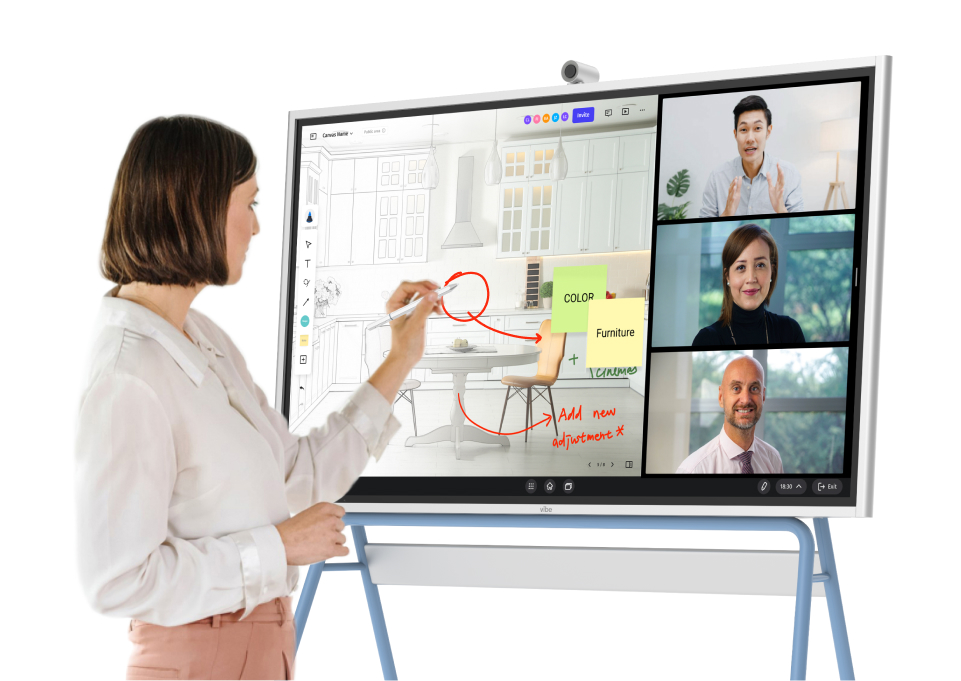

"Work from anywhere!" is a popular perk for today’s workforce. Dreams of video conferencing into work meetings from a sunny beach chair keep remote positions popular. Despite the numbers dropping a bit from the all-time high during the pandemic, in some industries, over 60% of the workforce still works remotely. The share of workers using digital collaboration tools jumped from 55% in 2019 to 79% in 2021, and the numbers have trended higher since. What’s more, studies show that total factor productivity (TFP) rises as remote work increases.
Today’s businesses need the right collaboration tools for remote or hybrid teams if they want to stay competitive. Here’s what you need to know about the best tools out there.
- Researching remote collaboration tools is easier when you understand the primary categories to consider.
- Choose a tool that fits with your existing work structure and habits, rather than just adding another platform to manage.
- Before committing to a remote collaboration solution, confirm that your final picks integrate seamlessly with your existing calendar, email, and file storage strategies, and verify pricing for your current headcount and projected growth.
Choosing The Right Collaboration Tools
All business leaders, team leads, and employees are subject to workforce solution burnout, with specialized apps for every conceivable function vying for attention. This article will help you choose collaboration tools for remote teams that actually make things easier, rather than adding another app to manage.
How does your team communicate, share files, meet, track tasks, and brainstorm? The right tool will support those habits, especially when you choose ones that are intuitive and function well with other workforce solutions. This prevents work from getting scattered across too many places and causing frustration.
Consider spending a minute on the following exercise:
-
Start by listing your team’s 3–5 biggest pain points (for example: "too many scattered chats," "no clear owner on tasks") and look for tools that directly solve those problems.
-
Shortlist 2–3 options per category (suite, chat, video, tasks), then run a one‑week trial with a small pilot group to see which tools people actually use without being pushed to do so.
-
Before you commit to a solution, check that your final picks all integrate with your existing calendar, email, and file storage strategies, and confirm pricing for your current headcount plus projected growth.

Top Collaboration Tools for Remote Teams
We’ve gathered our top picks for the best collaboration tools for remote teams in several categories below. You’ll find them grouped into the following sections: All-in-one suites, communications tools, video conferencing tools, task management tools, shared document/file tools, digital whiteboard tools, and AI tools.
All-in-One Suites
These tools can function as full-featured office collaborative software suites, but also allow collaboration and real-time coauthoring of documents, decks, and other project
1. Google Workspace
Google Workspace (formerly G Suite) is the company’s cloud-based suite of productivity and collaboration tools for businesses and organizations. It integrates apps like Gmail, Docs, Drive, Meet, Calendar, and Chat into a single platform with enhanced features (like custom business email, increased storage, advanced security, and central administration), all designed for seamless teamwork and remote access.
-
Best for: all‑in‑one email, calendar, docs, and meetings in the browser.
-
Pricing / free: Business plans are priced per user; limited free via personal Google accounts.
-
Pros:
-
Real‑time coauthoring in Docs, Sheets, Slides.
-
Tight integration across Gmail, Calendar, Drive, Meet.
-
Built‑in AI features (Gemini) across apps.
-
-
Limitations:
-
Admin and security options can be complex.
-
Heavy reliance on internet connectivity.
-
Some users prefer desktop‑app workflows.
-
-
Popular integrations: Slack, Zoom, Asana, Salesforce, HubSpot, many CRM and project tools.
2. Microsoft 365
If you’re not a "Google" type person, Microsoft 365 offers the same style of all-in-one functionality for office apps, cloud storage, and collaboration tools, along with similar integrations.
-
Best for: Office apps, video conferencing, plus cloud file storage (OneDrive, Teams, SharePoint).
-
Pricing / free: Full features require subscription plans priced per user; some consumer-level tiers.
-
Pros:
-
Full desktop Office apps plus web versions.
-
Integrated identity, security, and compliance.
-
SharePoint/OneDrive for structured file sharing.
-
Teams for video conferencing.
-
-
Limitations:
-
Admin center and permissions can be complex.
-
Web experience is less preferred by some users vs. desktop.
-
Migration and governance require planning.
-
-
Popular integrations: Teams, Slack, Zoom, Salesforce, many line‑of‑business apps.
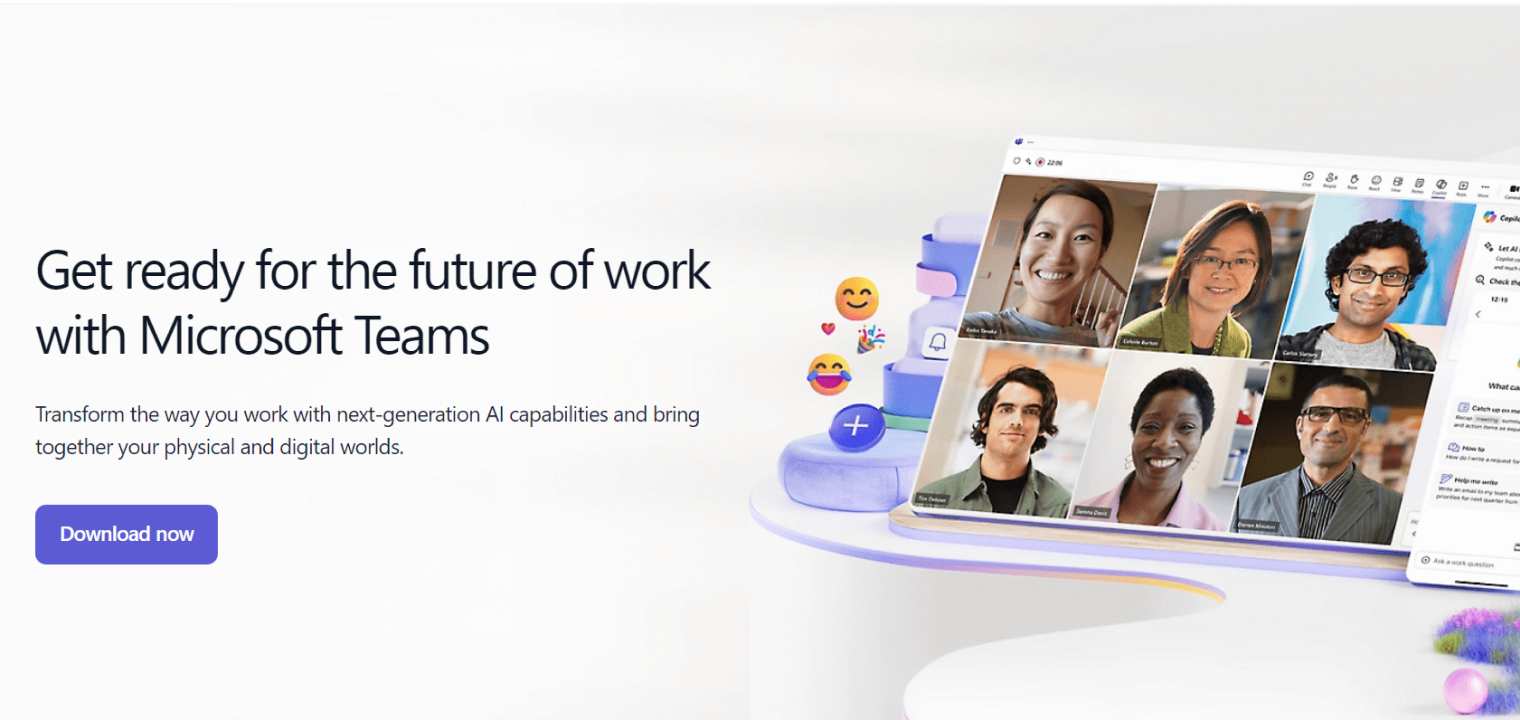 Screenshot of Microsoft 365's video conference solution.
3. Lark
Larksuite (or Lark) is an all-in-one business collaboration platform that integrates chat, video conferencing, documents, calendars, and project management tools for remote teams into a single, unified superapp. This is meant to streamline workflows, reduce app-switching, and boost team productivity with built-in automation and AI features — designed for modern remote and hybrid work.
-
Best for: All‑in‑one AI‑enhanced suite (chat, docs, calendar, virtual meetings, workflows).
-
Pricing / free: Free core tier; business plans per user with more storage and admin features.
-
Pros:
-
Unified experience across chat, docs, calendar, and video.
-
Built‑in automation, approvals, OKR tracker, and no‑code apps.
-
Integrates AI to assist with content and workflows.
-
-
Limitations:
-
Smaller mindshare in North America than Microsoft/Google.
-
Admins must manage another full stack if the organization already uses Microsoft 365 or Google Workspace.
-
Migration and change‑management effort can be significant.
-
-
Popular integrations: Asana, Trello, Google Drive, other third‑party tools via connectors and custom apps.
Communications Tools
This type of tool is designed primarily to facilitate in-organization and intra-organization team communication and workflow management.
4. Slack
Slack is a popular AI-powered work operating system and messaging platform that centralizes team communication, workplace apps, data, and automation in one place. This helps businesses collaborate more efficiently by replacing messy email threads with organized, customizable channels for topics, projects, or teams, and integrating with thousands of other tools to streamline workflows.
-
Best for: real‑time team messaging and as an integrated work hub.
-
Pricing / free: Free tiers are available for small teams; paid plans per user per month, and unlock history and more features.
-
Pros:
-
Channels keep conversations organized by topic.
-
Huge app directory and workflow automation.
-
Strong external collaboration via shared channels.
-
-
Limitations:
-
Can become noisy for large teams.
-
Search history and features limited on free plan.
-
Requires thoughtful channel management to avoid chaos.
-
-
Popular integrations: Google Workspace, Microsoft 365, Zoom, Teams, Jira, Asana, Salesforce.
Video Conferencing Tools
These are some of the best video conferencing tools, so if hybrid and remote meetings are how you operate, these are going to be most helpful.
5. Zoom
Zoom is usually considered the top video conferencing app by usage, due to its ease of use, reliability, and rich feature set.
-
Best for: high‑quality video meetings and webinars.
-
Pricing / free: Free with time‑limited group meetings; paid Pro, Business, and Enterprise tiers.
-
Pros:
-
Generally reliable audio/video and screen share.
-
Breakout rooms and webinar options.
-
Virtual backgrounds can be useful and fun.
-
Widely adopted, so most users know it.
-
-
Limitations:
-
Long meetings on free plan are time‑capped.
-
Admin controls and settings can feel dense.
-
Multiple Zoom products can be confusing.
-
-
Popular integrations: Google Workspace, Microsoft 365, Slack, Salesforce, Calendly, many LMS and CRM tools.

6. Webex
Webex is a comprehensive, cloud-based platform that unifies communication and collaboration, offering video conferencing, messaging, and cloud calling in a single app for teams and businesses. It allows users to meet, chat, share screens, use whiteboards, and host webinars to make remote and hybrid work easier.
-
Best for: secure video meetings, calling, and webinars in enterprise settings.
-
Pricing / free: Free limited plan; paid versions for business and enterprise.
-
Pros:
-
Strong security and compliance features.
-
Good for large, formal meetings and events.
-
Integrated calling and devices for rooms.
-
-
Limitations:
-
UX less familiar to newer remote‑first teams.
-
Setup and administration are more complex for small orgs.
-
Ecosystem feels more closed than Zoom/Meet.
-
-
Popular integrations: Microsoft 365, Google Workspace, Slack, Salesforce, ServiceNow.
 Screenshot of Webex's platform interface showing meeting solutions.
Task Management Tools
These solutions are best for collaboration involving project and task management.
7. Asana
Asana is a popular work management platform that helps teams organize, track, and manage their projects and tasks. With this platform, everyone knows who’s doing what by when, with features for setting deadlines, assigning owners, and tracking progress through various views like lists, boards, and timelines.
-
Best for: straightforward project and task management with timelines and workflows.
-
Pricing / free: Free tier for small teams; paid tiers per user with more features.
-
Pros:
-
Flexible views (list, board, timeline).
-
Strong automation rules and templates.
-
Good for cross‑functional project tracking.
-
-
Limitations:
-
Feature depth can overwhelm new users.
-
Advanced features locked to higher tiers.
-
Not ideal as a full documentation hub.
-
-
Popular integrations: Slack, Google Workspace, Microsoft 365, Zoom, Jira, Salesforce.
8. Monday.com
Monday.com is a cloud-based "Work OS" (Operating System) that helps teams manage projects, workflows, and daily tasks through a visual, customizable, and collaborative software. It essentially acts as a central hub for organizing all types of work, from marketing campaigns and software development to HR and sales. It’s especially known for its flexible, convenient "drag-and-drop" interface.
-
Best for: highly visual work management and lightweight CRM/ops.
-
Pricing / free: Free for very small usage; tiered per‑seat plans.
-
Pros:
-
Customizable boards and dashboards.
-
Automations for status changes and notifications.
-
Templates for marketing, sales, product, ops.
-
-
Limitations:
-
Pricing can climb with users and add‑ons.
-
May be too flexible for teams wanting strict methodology out‑of‑the‑box.
-
Reporting features require configuration.
-
-
Popular integrations: Slack, Teams, Google Workspace, Microsoft 365, Zoom, HubSpot, Jira.
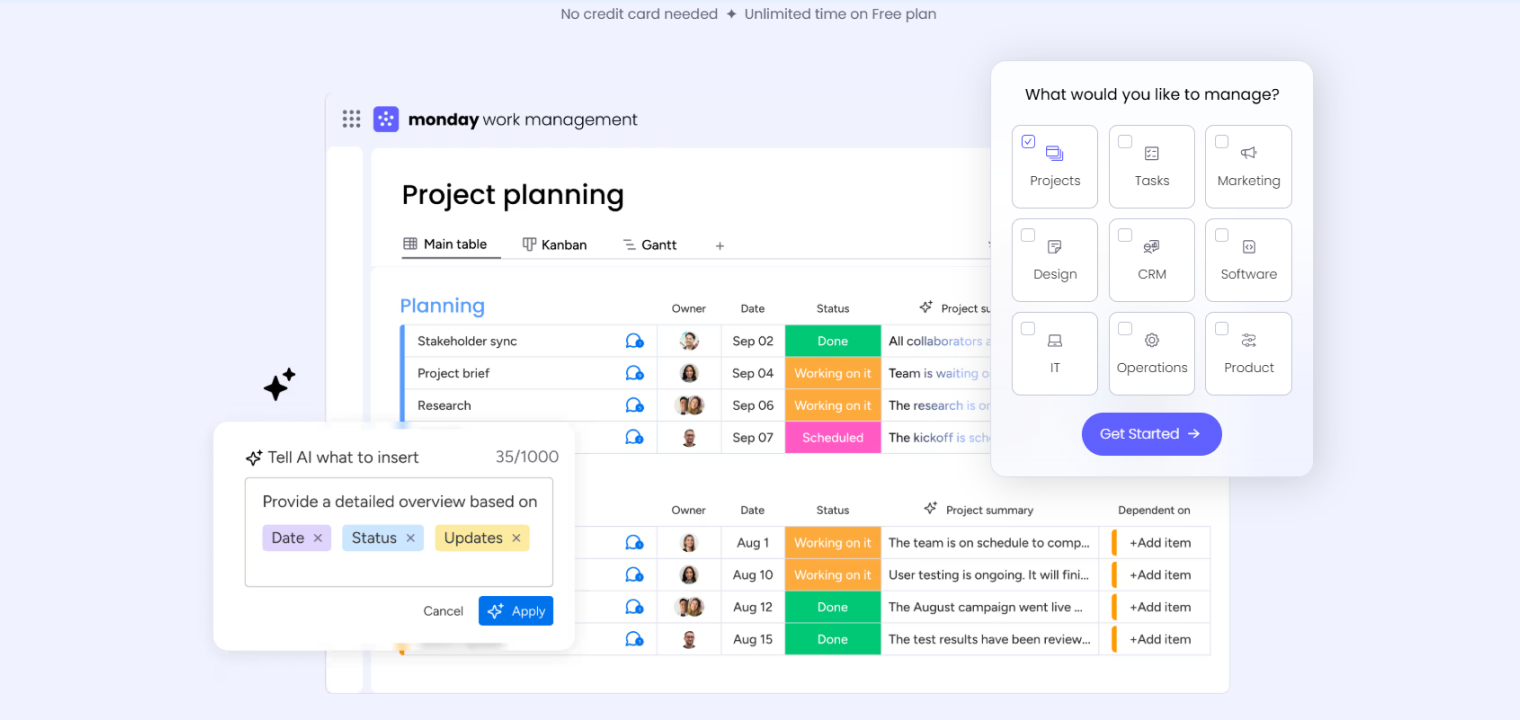 Screenshot of Monday's platform interface showing project planning solutions.
9. Jira
Jira is a powerful project and issue tracking software suite that is widely used by development, IT, and business teams to plan, track, and manage work, especially within Agile (Scrum/Kanban) methodologies. Jira offers customizable workflows, reporting, and integrations to streamline projects from bug tracking to product launches. It functions as a centralized hub for creating tasks, monitoring progress through visual boards, automating processes, and improving team collaboration for any type of project.
-
Best for: Agile software development and issue tracking.
-
Pricing / free: Free tier for small teams; paid plans per user.
-
Pros:
-
Deep support for Scrum/Kanban and dev workflows.
-
Powerful custom fields, workflows, and permissions.
-
Strong reporting and backlog management.
-
-
Limitations:
-
Admin and configuration can be complex.
-
Often overkill for non‑engineering teams.
-
UI can feel dense or overwhelming for casual users.
-
-
Popular integrations: Bitbucket, GitHub, GitLab, Slack, Microsoft 365, Confluence, Zoom.
10. Trello
Trello is another visual work management tool, primarily using Kanban boards, that helps individuals and teams organize projects, tasks, and workflows in a flexible, easy-to-understand way. It’s a user-friendly platform for collaboration, planning, and managing anything from personal to-do lists to complex team projects through its simple interface that facilitates remote collaboration.
-
Best for: simple Kanban boards for tasks and pipelines.
-
Pricing / free: Generous free tier; paid plans add automation and admin controls.
-
Pros:
-
Extremely easy to learn and adopt.
-
Card‑based workflow is great for visual thinkers.
-
Power‑Ups add automation and integrations.
-
-
Limitations:
-
Limited native reporting for complex projects.
-
Boards can become cluttered without structure.
-
Not ideal for multi‑team portfolio management.
-
-
Popular integrations: Slack, Google Workspace, Microsoft 365, Jira, Dropbox.
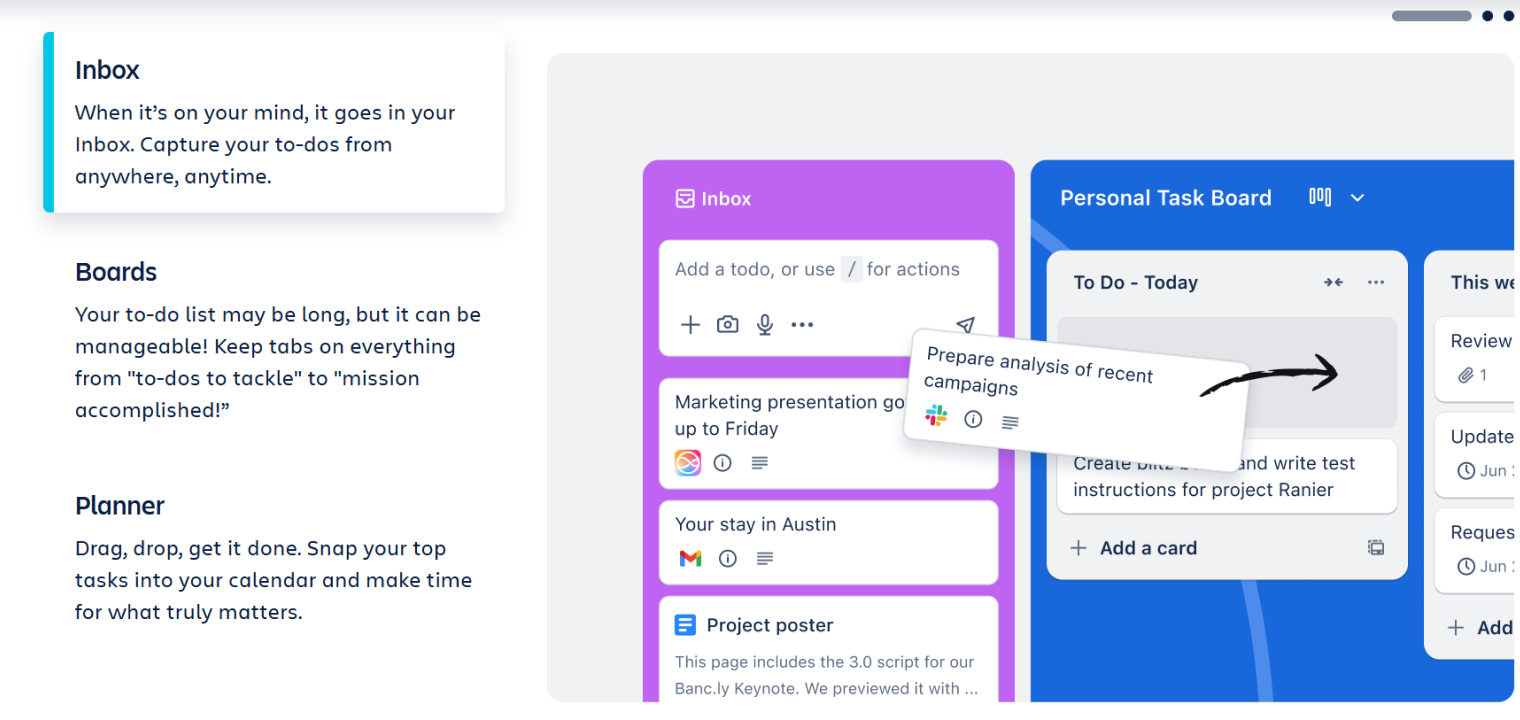 Screenshot of Trello's platform interface showing project management tools.
11. Todoist
Todoist is a user-friendly digital task management and to-do list application that helps individuals and teams organize work projects. This is done by creating, prioritizing, and tracking tasks across multiple devices with features like due dates, subtasks, labels, and collaboration tools.
-
Best for: personal and light team task lists across devices.
-
Pricing / free: Free basic plan; Pro/Business paid tiers.
-
Pros:
-
Simple, fast task capture and scheduling.
-
Natural‑language due dates and recurring tasks.
-
Works well across mobile and desktop.
-
-
Limitations:
-
Limited as a full project management tool.
-
Collaboration features are less robust than Asana/Monday.
-
Reporting and dashboards are minimal.
-
-
Popular integrations: Google Calendar, Outlook, Slack, Gmail, Zapier.
Shared Document and File Tools
These collaboration tools for remote teams are designed primarily for file and document sharing, but may also have additional features.
12. Dropbox
Dropbox is a cloud-based file hosting and synchronization service that lets you store files online, access them from any device (computer, phone, tablet), share them with others, and collaborate on documents in real time.
-
Best for: simple, reliable cloud file sync and sharing.
-
Pricing / free: Free limited plan; Plus/Professional/Business subscriptions.
-
Pros:
-
Strong sync engine and version history.
-
Cross‑platform desktop and mobile support.
-
Simple sharing links and folder collaboration.
-
-
Limitations:
-
Less tightly integrated office suite than Google/Microsoft.
-
Storage can be costly versus bundled suites.
-
Governance features not as deep as M365/Workspace.
-
-
Popular integrations: Slack, Microsoft 365, Google Workspace, Zoom, Trello.
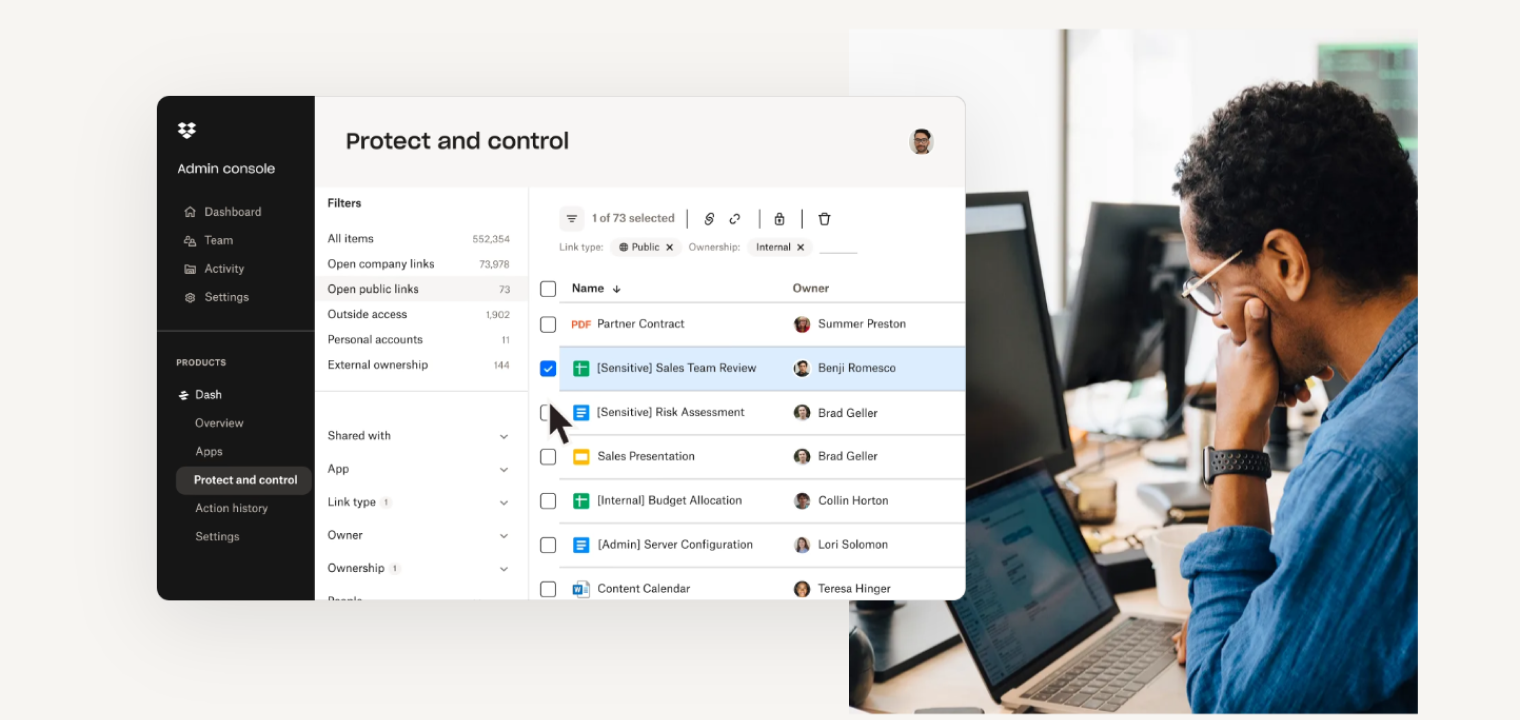 Screenshot of Dropbox's platform interface showing file management solutions.
13. Notion
Notion is a versatile, all-in-one digital workspace and productivity app where users build custom tools for note-taking, project management, knowledge bases, and more, using flexible "blocks" and databases.
-
Best for: all‑in‑one docs, wikis, databases, and light project management.
-
Pricing / free: Free personal plan; paid Plus/Business tiers.
-
Pros:
-
Highly flexible pages and database views.
-
Good for unified internal wiki + tasks.
-
Strong template ecosystem.
-
-
Limitations:
-
Flexibility means teams need conventions.
-
Offline experience not as strong as pure desktop apps.
-
Performance can lag with very large pages.
-
-
Popular integrations: Slack, Google Workspace, Microsoft 365, GitHub, Jira, Zapier/Make.
Digital Whiteboarding Tools
Digital collaborative whiteboard tools are changing the way businesses workshop, collaborate, and brainstorm, both in person and online in hybrid settings. Here are some on the market.
14. Miro
Miro is an online visual collaboration platform featuring an infinite digital whiteboard for teams to brainstorm, plan, design, and manage projects remotely or in hybrid settings.
-
Best for: collaborative online whiteboarding and workshops.
-
Pricing / free: Free tier; Team/Business/Enterprise paid plans.
-
Pros:
-
Infinite canvas with many templates.
-
Great for retros, mapping, brainstorming.
-
Real‑time multi‑cursor collaboration.
-
-
Limitations:
-
Can feel heavy on older machines.
-
Boards get cluttered without careful facilitation.
-
Some advanced features behind higher payment tiers.
-
-
Popular integrations: Slack, Teams, Zoom, Jira, Asana, Google Workspace, Notion.
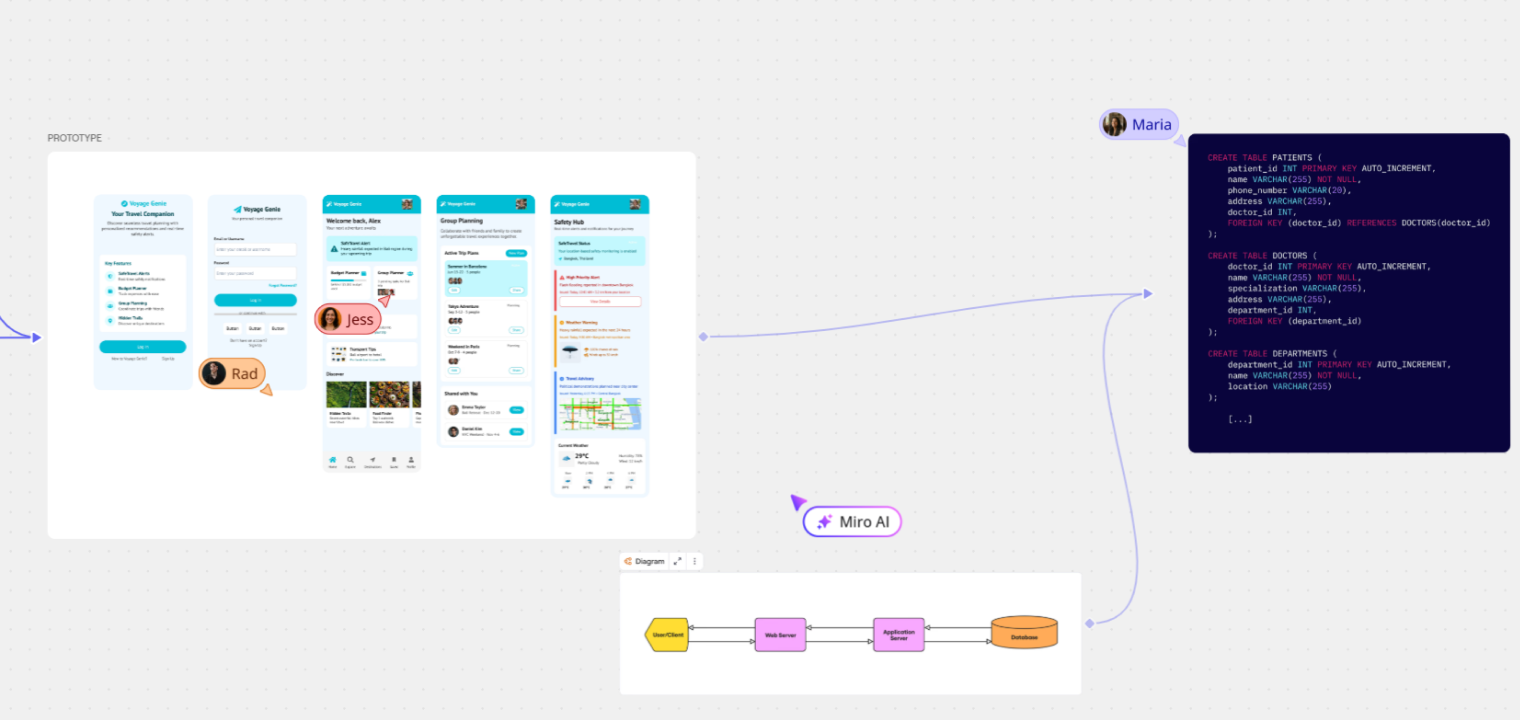 Screenshot of Miro's platform interface showing whiteboard features.
15. Vibe Canvas
Vibe Canvas is an interactive, infinite digital whiteboard platform designed for real-time collaboration, brainstorming, and presentations. It’s accessible on touchscreens, tablets, and computers, so users can draw, write, share documents, use templates, and integrate with other apps like Zoom and Google Drive for seamless teamwork.
-
Best for: touch‑friendly digital whiteboarding tied to Vibe Boards and browsers.
-
Pricing / free availability: Canvas app offered with free access options; hardware and business packages priced separately.
-
Pros:
-
Designed for interactive displays and multi‑touch collaboration.
-
Real‑time cloud boards accessible from boards, desktop, and mobile.
-
Easy export and sharing of boards (PDF, links).
-
-
Limitations:
-
Best experience assumes Vibe hardware in the mix.
-
Ecosystem smaller and less standardized than Miro/FigJam.
-
Fewer advanced facilitation templates than some rivals.
-
-
Popular integrations: Zoom, Microsoft Teams, Google Meet, plus access to 250+ apps via embedded browser.
16. Figjam
Figma’s FigJam is a user-friendly, online collaboration whiteboard designed for brainstorming, ideation, and early-stage design thinking. It offers sticky notes, shapes, drawing tools, and templates for real-time teamwork.
-
Best for: fast, playful whiteboarding for product, design, and workshop flows.
-
Pricing / free: Free forever tier with limited editable files; paid team plans per user.
-
Pros:
-
Very low friction for brainstorming, mapping, and workshops.
-
Tight integration with Figma’s design ecosystem.
-
Built‑in AI tools for summarizing and structuring boards.
-
-
Limitations:
-
Less suited for very large, complex program boards vs. Miro/Mural.
-
Works best if teams are already using Figma.
-
Governance/permissions features are lighter than enterprise‑first tools.
-
-
Popular integrations: Figma, Slack, Zoom/Meet/Teams, Jira, Asana, Notion (via embeds and apps).
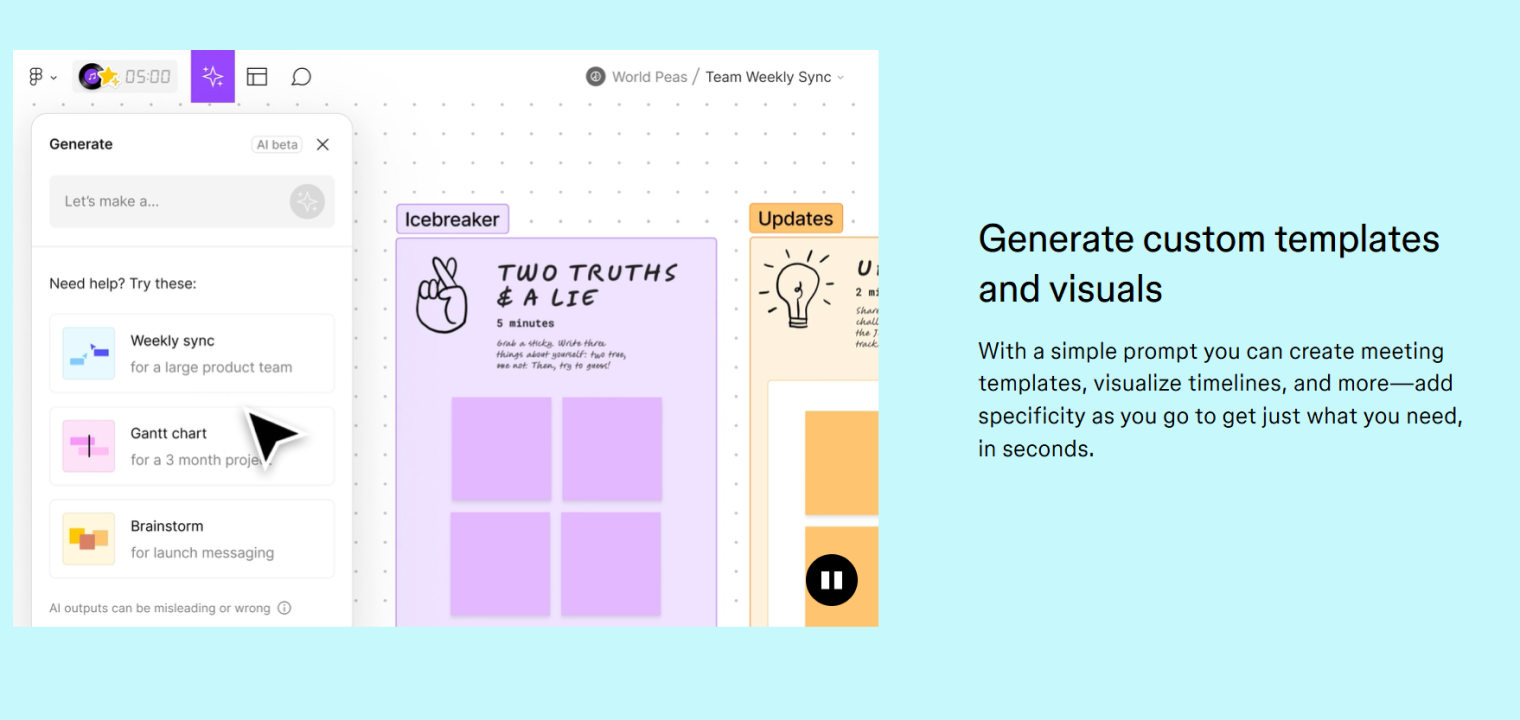 Screenshot of Figjam's platform interface showing whiteboard features.
17. Mural
Mural is a digital whiteboard and visual collaboration platform that helps remote and hybrid teams brainstorm, ideate, plan, and work together in real time on a shared, infinite canvas. It functions as a virtual workspace with features like sticky notes, shapes, text, diagrams, templates, and AI tools.
-
Best for: facilitated workshops and structured visual collaboration with templates.
-
Pricing / free: Free trial; business and enterprise subscriptions.
-
Pros:
-
Strong template library for strategy, agile, and design sessions.
-
Features like areas and outlines for guided agendas.
-
Good enterprise controls and security posture.
-
-
Limitations:
-
Higher learning curve for casual users than simpler boards.
-
Full capabilities locked behind paid plans.
-
Performance can dip on very dense boards or low‑power machines.
-
-
Popular integrations: Slack, Microsoft Teams, Jira, Asana, Zoom, Webex, Google Workspace.
AI Tools
These AI collaboration tools for remote teams specifically incorporate AI functionality and integration.
18. Fathom
Fathom AI is an AI-powered meeting assistant that automatically records, transcribes, and summarizes video calls on platforms like Zoom, Google Meet, and Microsoft Teams. This helps users focus on the conversation and collaboration by handling note-taking.
-
Best for: use as an AI meeting assistant that records, transcribes, and summarizes calls.
-
Pricing / free: Widely positioned as free for individuals, with business options emerging.
-
Pros:
-
Automatic recording, transcript, and AI summary generation.
-
"Ask Fathom" lets you query across past meetings.
-
Syncs notes and action items into other tools automatically.
-
-
Limitations:
-
Requires letting a bot join meetings, which some clients resist.
-
Dependent on supported platforms (Zoom/Teams/etc.).
-
Governance and retention policies must be configured carefully for compliance.
-
-
Popular integrations: Slack, Salesforce, HubSpot, Notion, Asana, and other CRMs/project tools.
19. Loom
Loom is primarily a screen recorder that lets users easily capture and share videos of their screen, camera, and microphone to communicate faster than text or meetings. The platform features instant sharing, remote work collaboration tools (such as comments and reactions), AI summaries, and transcripts.
-
Best for: asynchronous video messaging with AI summaries and CTAs.
-
Pricing / free: Freemium model with free tier; paid Business and Enterprise plans.
-
Pros:
-
Extremely fast screen‑and‑camera recording and sharing.
-
Viewers can comment and react inside the video.
-
AI features for transcripts, summaries, and tasks.
-
-
Limitations:
-
Heavy use can drive up storage/seat costs.
-
Not ideal for real‑time collaboration. It complements meetings, rather than replacing them.
-
Some organizations restrict external video‑hosting tools for security reasons.
-
-
Popular integrations: Slack, Google Workspace, Microsoft 365, Notion, Jira, Zendesk, Salesforce.
The Bridge Between Discussion and Outcomes: Vibe Bot
Tools like Loom work well for async updates, but they miss the live conversations where decisions actually happen. The real decisions happen in hybrid meetings, in-room negotiations, and spontaneous whiteboard sessions—yet these moments often go uncaptured. Worse, even when captured, they rarely translate into clear actions. Without a system that bridges live dialogue to structured outcomes, productive collaboration can easily dissolve into noise.
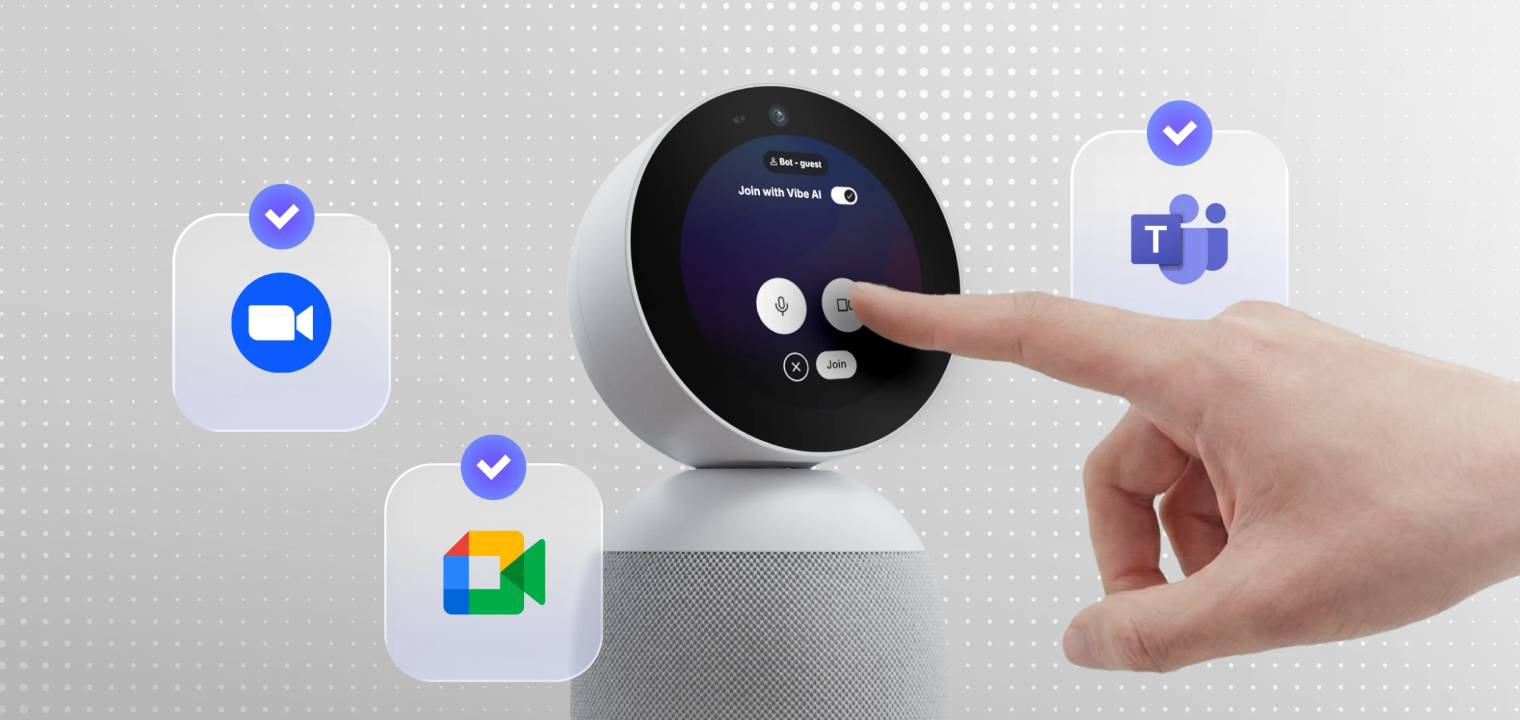
Vibe Bot is that bridge. Purpose-built for the physical meeting room, Vibe Bot is a standalone AI teammate that captures everything—automatically, with no extra laptops or manual recording needed.
-
Capture the room, not just the screen: With a 360° 4K camera, six-mic array, and on-device AI, Vibe Bot sees and hears the full conversation—identifying who spoke, what was drawn, and how ideas evolved, even during overlapping talk or physical whiteboarding.
-
Turn decisions into action automatically: Instead of raw transcripts, it delivers clear summaries with assigned owners—and soon, auto-created tasks in Jira or Asana—so nothing stalls when the meeting ends.
-
Remember across meetings, not just within one: Vibe Bot can link today’s discussion to past commitments, cutting repetition and keeping teams aligned as projects move forward.
-
Secure by design, not by policy: All processing happens locally—no audio or video ever leaves the room. SOC 2 compliant and HIPAA-ready, so your most sensitive strategy stays truly private.
Stop just documenting your meetings. Start driving results from them.
Collaboration Tools for Remote Teams FAQs
How do you collaborate effectively with remote teams?
Technological solutions are required for effective collaboration among remote or hybrid teams, allowing for real-time brainstorming, task/project management. The best tools are tailored with features specifically applicable to your unique use case.
What is the best tool for remote collaboration?
The best remote collaboration tools are ones that keeps everyone working in the same place, at the same time, without adding extra steps. Vibe is designed for that kind of work. The Vibe Board S1 combines video meetings, visual collaboration, and shared canvases into a single collaborative workspace, so remote and in-room participants can brainstorm, annotate, and build ideas together from any device. Because everything is saved automatically, teams can pick up where they left off without losing context between meetings.
What is an example of virtual collaboration?
Virtual collaboration can take many forms, and may be as simple as members of a marketing team brainstorming about new project ideas via instant chats on a dedicated Slack channel, or an in-house HR team hosting a Zoom video conference with remote workers to develop new workplace procedures.