
Every teacher has been there, staring at a classroom full of disengaged students while frantically trying to make their lesson plan more interactive, or struggling with outdated technology that just won’t cooperate when you need it most. It’s frustrating and a huge waste of valuable teaching time. Now, imagine stepping into a classroom where learning flows are supported by effective tools. With the right tech tools for teachers, there’s no need for complicated setups or technical troubleshooting, just simple integration of technology that works rather than hinders the learning experience.
Sounds too good to be true? This is the reality of modern classrooms that have embraced educational technology. In 2026, these tools are changing how teachers teach and how students learn.
What are Educational Tech Tools?
Educational tech tools are digital resources that enhance teaching and learning experiences in the classroom. They’re the high-tech offspring of traditional teaching methods and the newest tech innovations, designed to make education more engaging and personalized.
Unlike conventional teaching aids, these digital platforms allow for real-time interaction, instant feedback, and collaborative learning both in class and remotely. They can transform passive learning into active participation and allow students to engage with content in ways that weren’t possible before. Think of educational tech tools as your teaching sidekick. They help you create dynamic personalized lessons and learning paths for students that track progress effortlessly. From AI-powered assistants to interactive whiteboards, these tools are reshaping what’s possible in education.
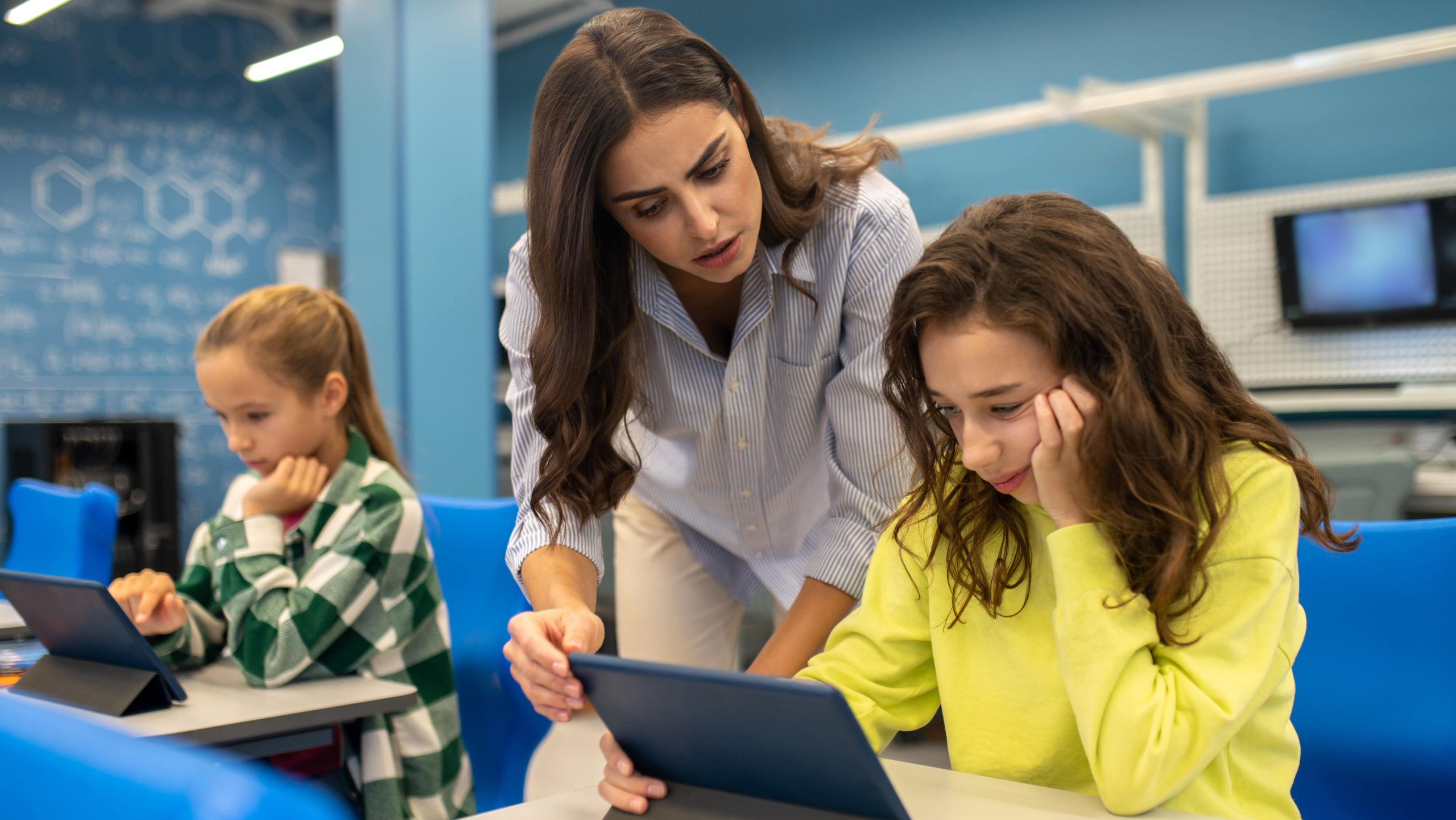 Teacher kneeling beside a student who is using a tablet in class
How Technology is Changing Education
Technology isn’t just an add-on anymore; it has become the backbone of modern teaching. The shift is clearest with AI: according to the EdWeek Research Center, the share of teachers using AI-driven tools in their classrooms nearly doubled between 2023 and 2025. This transformation is happening across several dimensions:
-
Personalized Learning: Technology enables teachers to tailor content to individual student needs, learning styles, and pace as shown in the SAMR model.
-
Collaborative Environments: Digital platforms break down classroom walls, connecting students globally and fostering teamwork skills essential for their future.
-
Real-time Assessment: Instead of waiting for test results, teachers can now gauge understanding instantly and adjust their approach on the fly.
-
Accessibility: Tech tools are making education more inclusive, with features that support diverse learning needs and abilities.
-
Engagement: Interactive content captures attention in ways traditional methods simply can’t match, making learning more enjoyable and effective.
The most exciting part? This revolution is ongoing. These educational tools are focused on creating meaningful learning experiences that prepare students for a digital future.
17 Top Tech Tools for Teachers and Classrooms
The digital toolkit available to teachers in 2026 is more powerful and varied than ever. These tools are designed to solve real classroom challenges and unlock new possibilities for teaching and learning. Below are 17 tools worth knowing, grouped by what they do, starting with a quick-reference table.
Tech Tools for Teachers at a Glance
|
Tool |
Best For |
Grades |
Free Plan |
|---|---|---|---|
|
YouTube |
Video lessons |
K–12 |
Yes |
|
Kahoot! |
Game-based review |
K–12 |
Yes |
|
Mentimeter |
Live polls and discussion |
6–12 |
Yes |
|
Padlet |
Visual collaboration |
K–12 |
Limited |
|
ChatGPT |
Lesson planning |
Teachers |
Yes |
|
Microsoft Copilot |
Microsoft 365 tasks |
Teachers |
Copilot Chat |
|
SchoolAI |
AI for students |
K–12 |
Yes |
|
NotebookLM |
Research and study guides |
Teachers, 9–12 |
Yes |
|
MagicSchool AI |
Teacher workload |
Teachers |
Yes |
|
Gemini for Education |
Google Workspace schools |
Teachers |
Yes |
|
Vibe Smart Whiteboards |
Classroom collaboration |
K–12 |
Hardware |
|
ClassPoint |
Interactive slides |
K–12 |
Yes |
|
Canva |
Visual projects |
K–12 |
Yes |
|
Zoom |
Online and hybrid lessons |
K–12 |
40-min limit |
|
Edpuzzle |
Interactive video |
K–12 |
Limited |
|
WeVideo |
Video projects |
3–12 |
Limited |
|
Read&Write |
Reading support |
K–12 |
Free for teachers |
Interactive Learning and Engagement Tools
1. YouTube
YouTube has evolved far beyond simple video sharing to become an indispensable educational platform for teachers worldwide. Educators can access thousands of educational channels covering virtually any subject, create playlists tailored to lesson plans, and even produce their own content to flip the classroom. Chapters, playlists, and captions make it easy to point students to exactly the part of a video they need.
Best for: Video lessons and flipped classrooms · Grades: K–12 · Free plan: Yes, free
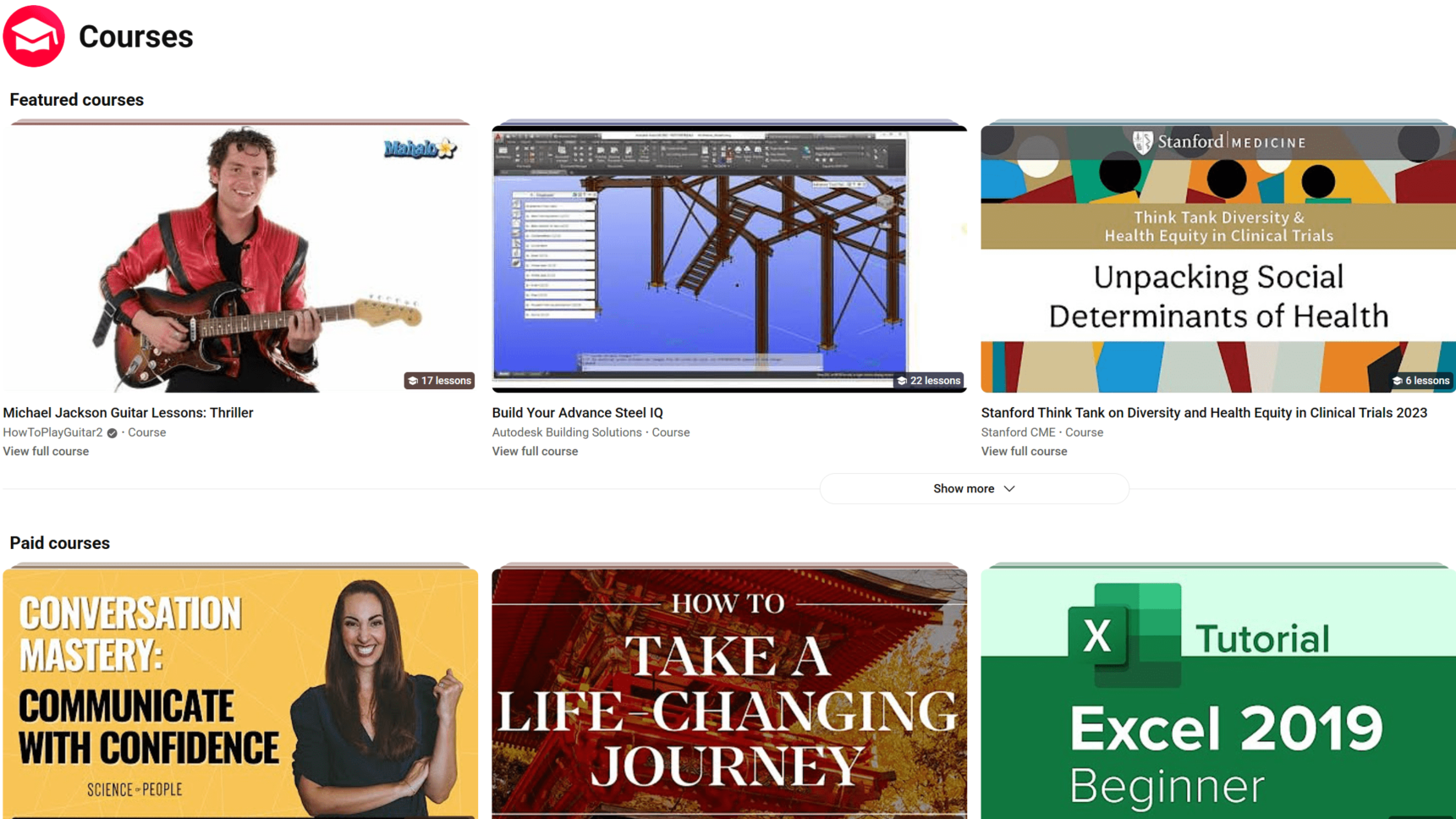 Screenshot of the YouTube course section interface showing video lessons.
2. Kahoot!
This game-based learning platform remains one of the most popular classroom tools, turning assessments into fun competitions. Students answer questions on their devices while competing against classmates in real-time. Its post-game reports help teachers spot knowledge gaps and plan follow-up activities. Kahoot! is a go-to tool for making review feel like play.
Best for: Game-based review and quick quizzes · Grades: K–12 · Free plan: Yes
3. Mentimeter
Mentimeter transforms how teachers collect feedback and engage students in discussions. This interactive presentation tool allows students to respond to questions via smartphones, instantly displaying results as word clouds, charts, or scales on the projector. It’s particularly effective for encouraging participation from quieter students and starting meaningful classroom conversations. Teachers praise Mentimeter for its ability to capture the collective wisdom of the class and make every voice count.
Best for: Live polls, word clouds, and class discussion · Grades: 6–12 · Free plan: Yes
4. Padlet
Padlet is a simple, flexible digital whiteboard canvas for classroom learning. Students can post notes, images, links, and videos to a shared board, creating a visual representation of their collective thinking. Teachers use Padlet for everything from brainstorming sessions to digital gallery walks, making it an essential tool for visual collaboration and peer learning.
Best for: Brainstorming and visual collaboration · Grades: K–12 · Free plan: Yes, limited
AI and Advanced Learning Tools
5. ChatGPT
ChatGPT has evolved into an indispensable classroom companion, helping teachers generate differentiated materials and brainstorm creative activities. Unlike task-specific AI tools, ChatGPT offers an all-in-one solution that can assist with everything from lesson planning to creating assessments. Teachers particularly value its ability to generate content at different reading levels, making differentiation more manageable.
Best for: Lesson planning and differentiated materials · Grades: Teachers (students 13+) · Free plan: Yes
6. Microsoft Copilot
Microsoft Copilot helps teachers handle administrative tasks and create lesson content. Built into Microsoft 365 apps like Word, PowerPoint, and Outlook, Copilot can draft emails to parents, create rubrics, and turn notes into lesson materials. It’s most useful for schools that already run on Microsoft 365, since it works inside the files teachers use every day.
Best for: Admin tasks inside Microsoft 365 · Grades: Teachers · Free plan: Copilot Chat is free with school accounts; Microsoft 365 Copilot is paid
7. SchoolAI
SchoolAI Spaces provides teacher-controlled AI chatbots designed specifically for student use. These specialized assistants can answer student questions, provide feedback on assignments, and offer personalized support based on individual learning needs. SchoolAI stands out because it focuses on safety and educational appropriateness, giving teachers complete control over the AI’s capabilities and responses.
Best for: Safe, teacher-controlled AI for students · Grades: K–12 · Free plan: Yes
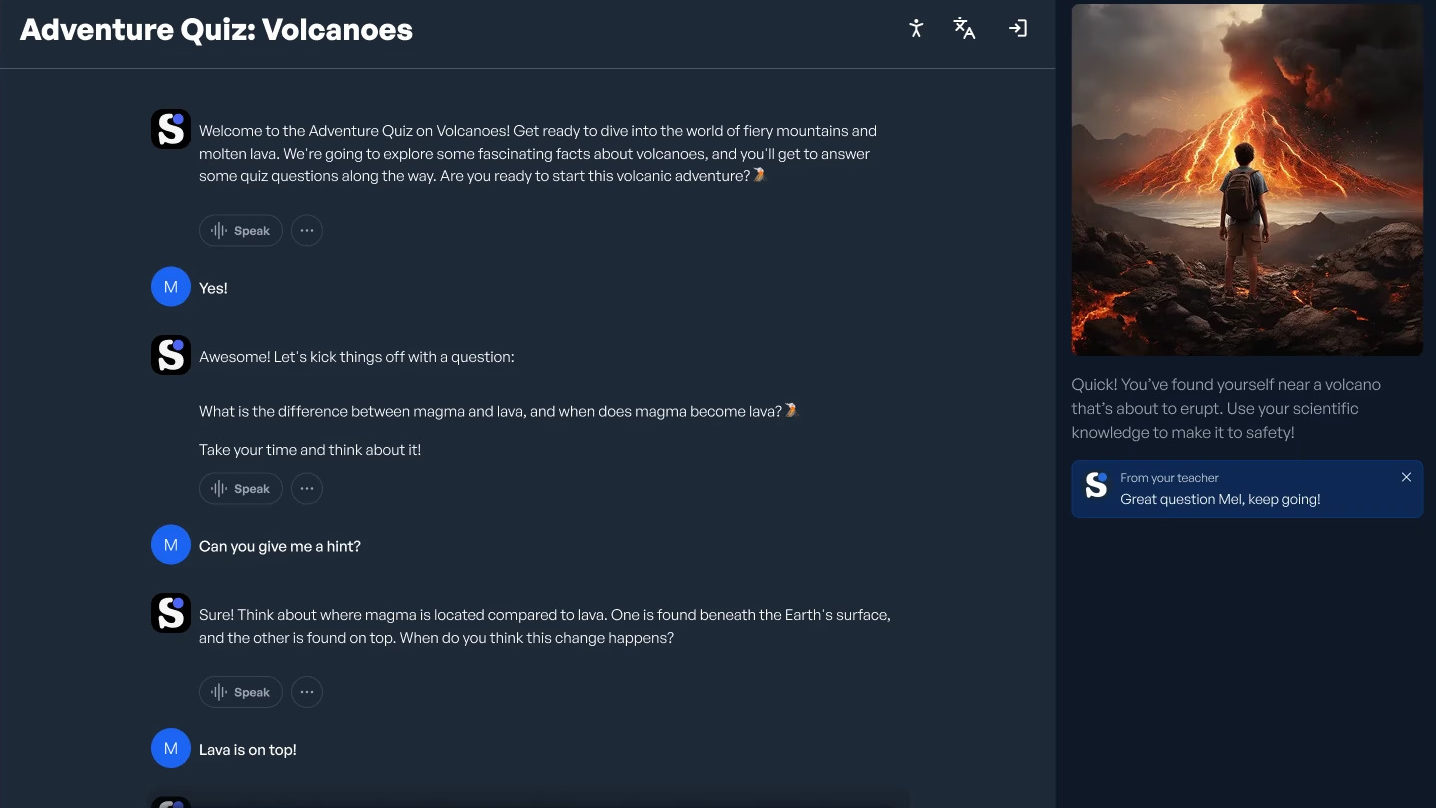 Screenshot of the SchoolAI platform interface showing educational tools.
8. NotebookLM
This Google-powered tool has revolutionized how teachers and students process information. Rather than simply asking questions, users create "notebooks" by uploading multiple sources like PDFs, websites, and videos. The AI then analyzes these materials to generate study guides, timelines, and even audio overviews. NotebookLM excels at helping students synthesize information from diverse sources, making it perfect for research projects and comprehensive reviews.
Best for: Summarizing sources and building study guides · Grades: Teachers, high school · Free plan: Yes
9. MagicSchool AI
MagicSchool AI is an AI platform built specifically for teachers. Instead of writing prompts from scratch, teachers pick from dozens of ready-made tools for lesson plans, rubrics, differentiated readings, IEP drafts, and parent emails. It also offers student-facing AI tools that teachers set up and monitor, and it was designed with student data privacy in mind.
Best for: Lesson plans, rubrics, and teacher workload · Grades: Teachers, K–12 · Free plan: Free for teachers
10. Gemini for Education
Google offers Gemini for Education at no extra cost to schools on Google Workspace for Education, and data from school accounts isn’t used to train its AI models. Teachers can use it to draft lesson plans, write quiz questions, and summarize long readings, and it works alongside Google Classroom, Docs, and Slides. For schools already on Google, it’s the easiest AI assistant to adopt.
Best for: Schools already using Google Workspace · Grades: Teachers, K–12 · Free plan: Free with Google Workspace for Education
Presentation and Visualization Tools
Visual learning is powerful, and these tools help teachers create stunning visual content that captures attention and makes complex concepts easier to understand.
11. Vibe Smart Whiteboards
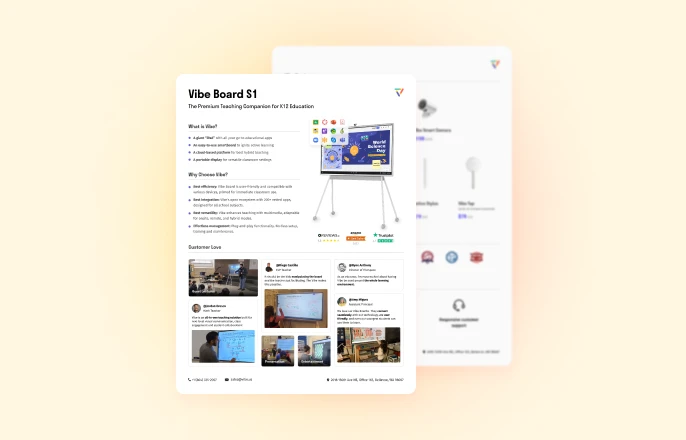
Smart whiteboards have become staples in modern educational tech and central hubs for classroom collaboration, replacing traditional dry erase boards. The Vibe Board S1 combines touchscreen functionality with cloud connectivity, allowing teachers and students to annotate, save, and share content seamlessly. With built-in integration to learning management systems and video conferencing platforms, the Vibe Board facilitates both successful in-person and hybrid learning environments.
Best for: Whole-class collaboration and hybrid teaching · Grades: K–12 · Free plan: No (hardware)
12. ClassPoint
ClassPoint transforms ordinary PowerPoint presentations into interactive learning experiences. This PowerPoint add-in allows teachers to embed quizzes, polls, and games directly into their slides, turning passive presentations into engaging activities. Its ability to instantly collect and analyze student responses has made it a favorite for formative assessment.
Best for: Interactive PowerPoint lessons · Grades: K–12 · Free plan: Yes
13. Canva
Canva has become the go-to design platform for education, empowering both teachers and students to create professional-looking visual content without design expertise. With its extensive library of education-specific templates for presentations, infographics, posters, and videos, Canva makes visual communication accessible to everyone. Teachers particularly value its collaboration features, which allow students to work together on design projects.
Best for: Visual projects, posters, and presentations · Grades: K–12 · Free plan: Free for K–12 teachers and students
Video and Multimedia Tools
14. Zoom
Zoom remains a staple for live online and hybrid lessons. Breakout rooms, polls, and a shared whiteboard let teachers run small-group work and quick checks for understanding. Teachers use Zoom not just for remote learning but also for connecting their classrooms with experts and students around the world.
Best for: Live online and hybrid lessons · Grades: K–12 · Free plan: Yes, 40-minute meeting limit
15. Edpuzzle
Edpuzzle continues to transform passive video watching into active learning experiences. Teachers can select videos (including their own), add questions throughout, and track student viewing and comprehension. The platform’s ability to make video content interactive and accountable has made it essential for flipped classroom approaches and remote learning scenarios.
Best for: Interactive video lessons · Grades: K–12 · Free plan: Yes, limited
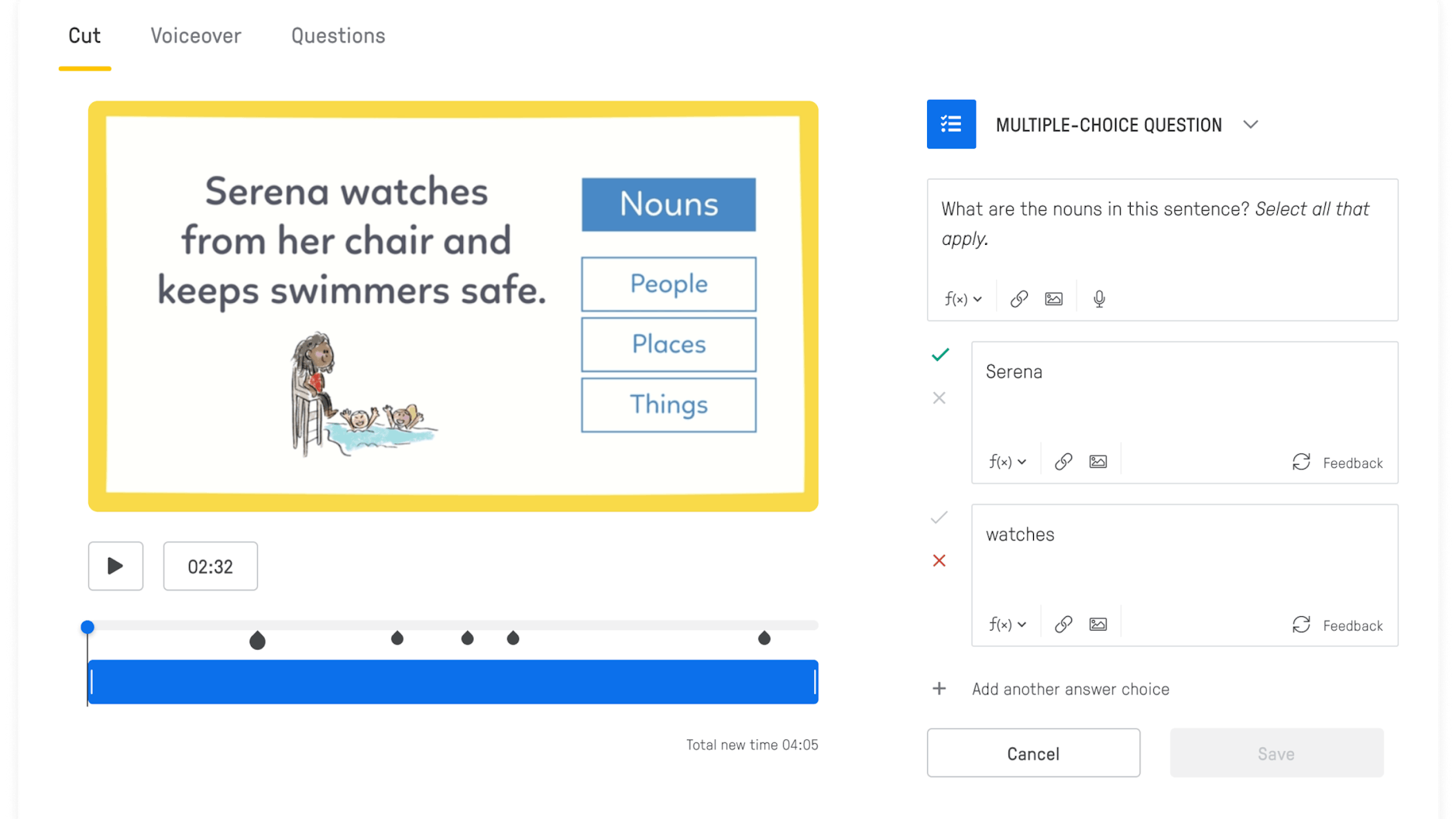 Screenshot of the Edpuzzle platform interface.
16. WeVideo
This cloud-based video editing platform has become a favorite for project-based learning. WeVideo‘s intuitive interface allows students of all ages to create professional-quality videos, podcasts, and multimedia presentations. Teachers value its collaborative features, which enable group projects where multiple students can work on the same video simultaneously from different devices.
Best for: Student video and podcast projects · Grades: 3–12 · Free plan: Limited free plan
Specialized Learning Support Tools
17. Read&Write
Read&Write has become essential for creating inclusive classrooms. This literacy support tool offers features like text-to-speech, speech-to-text, picture dictionaries, and vocabulary support across platforms. Translation and vocabulary tools make it invaluable for diverse classrooms with varying literacy levels and language backgrounds.
Best for: Reading and writing support · Grades: K–12 · Free plan: Free for teachers
Vibe Board S1: Taking Teaching Tech Further
While all the tools we’ve explored offer tremendous value individually, the Vibe Board S1 represents the next evolution in educational technology by bringing many of these capabilities together in one interactive location.
The Vibe Board S1 is an all-in-one smart whiteboard that transforms any classroom into a collaborative learning environment. What sets it apart is its intuitive interface and seamless integration with the tools teachers already use. With built-in support for over 250 apps like Google Workspace, Microsoft 365, Zoom, and many of the tools mentioned in this article, it eliminates the frustration of switching between different platforms and devices.
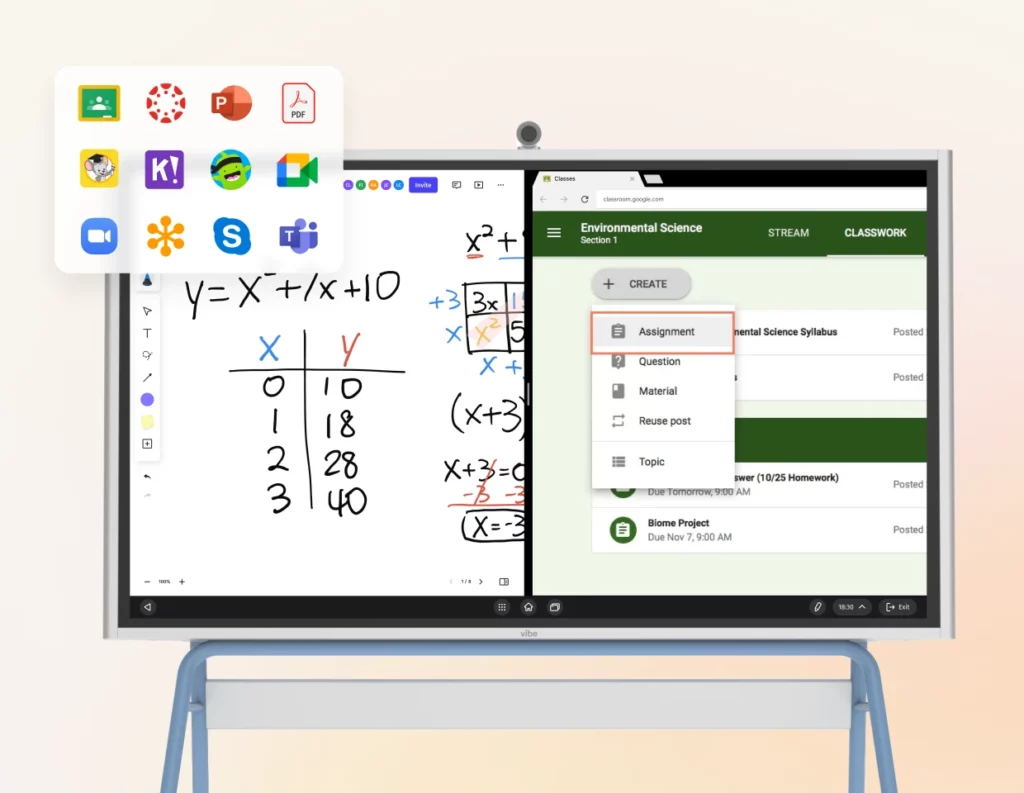 Vibe Board displaying split screen function with two apps running side by side.
Teachers particularly appreciate the multi-user collaboration features, which allow several students to work on the board simultaneously. This encourages active participation and makes group activities more engaging and productive. This collaboration is easily accessed online through a simple shareable link that allows each student to work simultaneously across the same canvas from any location, both in-class and remote. The smart board for classroom’s wireless screen sharing capabilities also make it easy for students to share work from their own devices, fostering a more dynamic classroom environment for both in-person and remote learners.
For schools looking to invest in tech tools for teachers that will remain relevant as education continues to evolve, the Vibe Board S1 offers a future-proof education solution that grows with your needs.
FAQ
What are educational tech tools?
Educational tech tools are digital resources that enhance teaching and learning by enabling real-time interaction, instant feedback, and collaborative learning both in class and remotely — ranging from AI assistants to interactive whiteboards.
What is the best AI tool for teachers in 2026?
There’s no single best tool, since each serves a different purpose. MagicSchool AI is built specifically for teacher tasks like lesson plans and rubrics, Gemini for Education is free for schools on Google Workspace for Education, ChatGPT is flexible for planning and differentiated materials, Microsoft Copilot works best inside Microsoft 365, and SchoolAI is designed for safe, teacher-controlled student interactions.
What are the best free tech tools for teachers?
Many tools on this list have free plans or are free for teachers, including YouTube, Kahoot!, Padlet, Canva for Education, NotebookLM, Gemini for Education, MagicSchool AI, Edpuzzle, and ClassPoint. Free plans usually limit storage, the number of activities, or advanced features.
What is the difference between Kahoot! and Mentimeter?
Kahoot! is a game-based assessment platform that turns quizzes into competitive activities, while Mentimeter is built for open feedback and discussion, displaying responses as word clouds, charts, or polls in real time.
How can smart whiteboards like Vibe Board S1 help classrooms?
Smart whiteboards combine touchscreen annotation, cloud connectivity, and multi-user collaboration into one hub, integrating with tools like Google Workspace, Microsoft 365, and Zoom so teachers don’t have to switch between devices or platforms.
Are these tech tools suitable for hybrid or remote classrooms?
Yes — tools like Zoom, Edpuzzle, and the Vibe Board S1 are designed to support both in-person and remote learners, with features like shareable canvases, breakout rooms, and wireless screen sharing.
What tool helps students with reading or language support?
Read&Write offers text-to-speech, speech-to-text, and multilingual support, making it especially useful for inclusive classrooms with varying literacy levels.