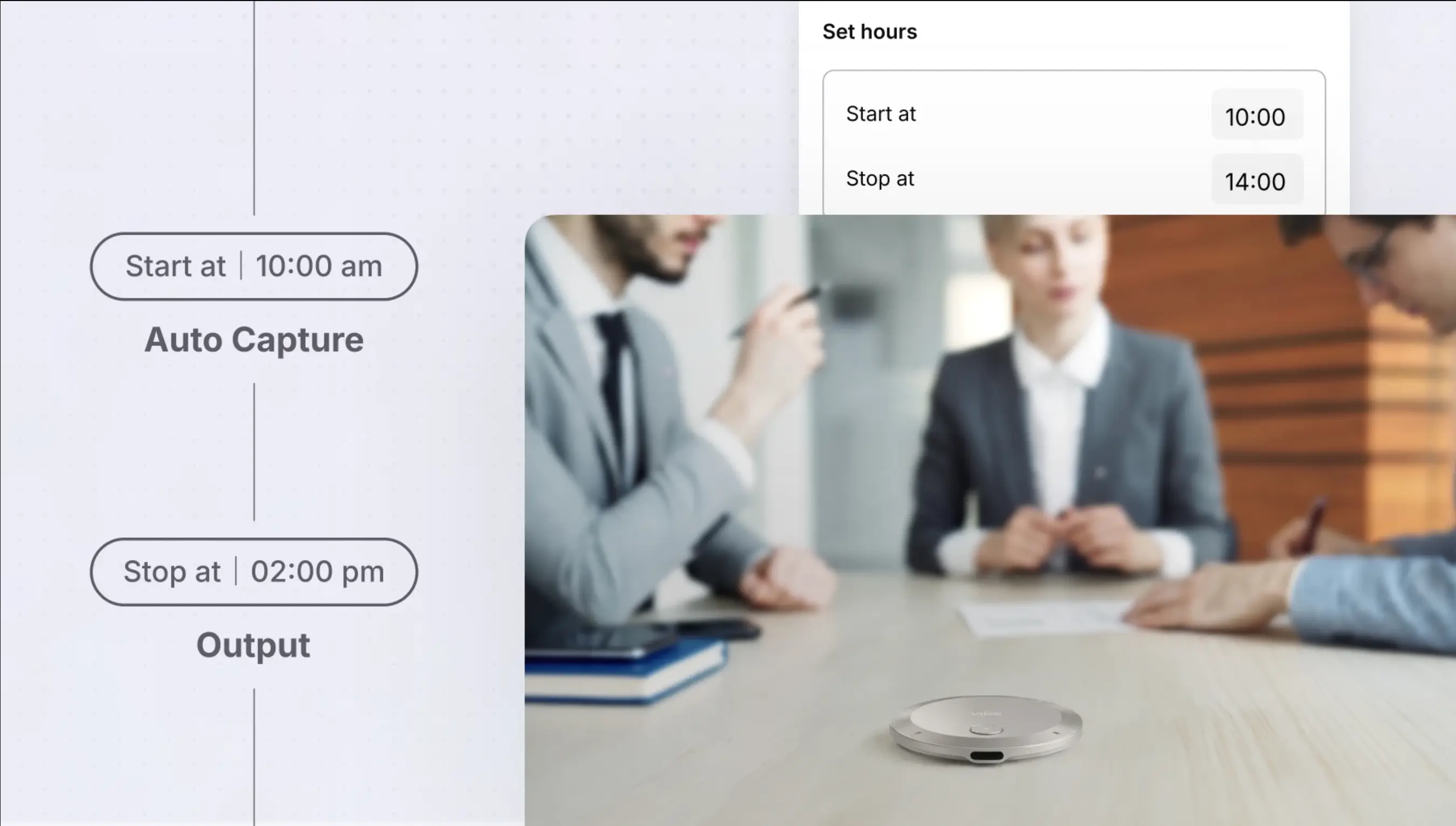
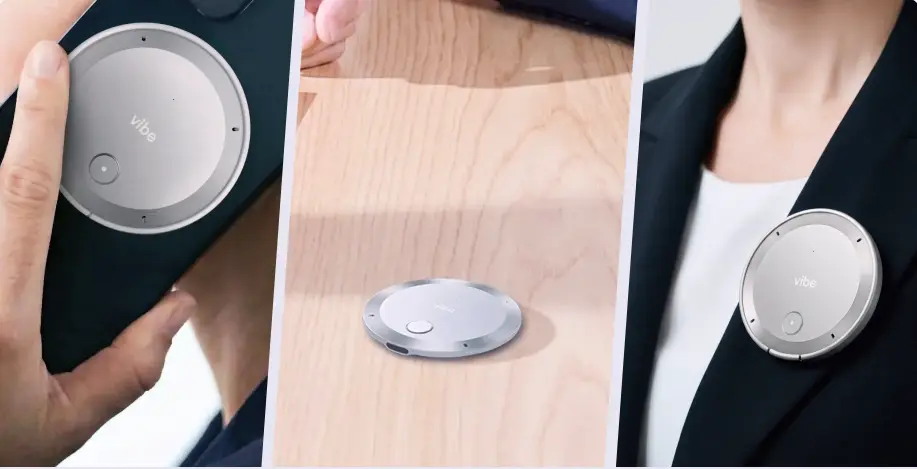
AI voice recorders have moved far beyond simple transcription. In 2026, the category splits between devices that prioritize hardware innovation and platforms that turn raw audio into usable organizational memory. Vibe Dot and HiDock P1 sit at exactly this crossroads — both are portable, both use on-device storage, and both claim to handle real-world meeting capture. But they make very different bets about what "smart recording" actually means.
This comparison covers hardware specs, audio capture approach, AI software, compliance, pricing, and the specific use cases where each device genuinely wins. For a broader look at the field, see our roundup of the best wearable AI recorders of 2026.
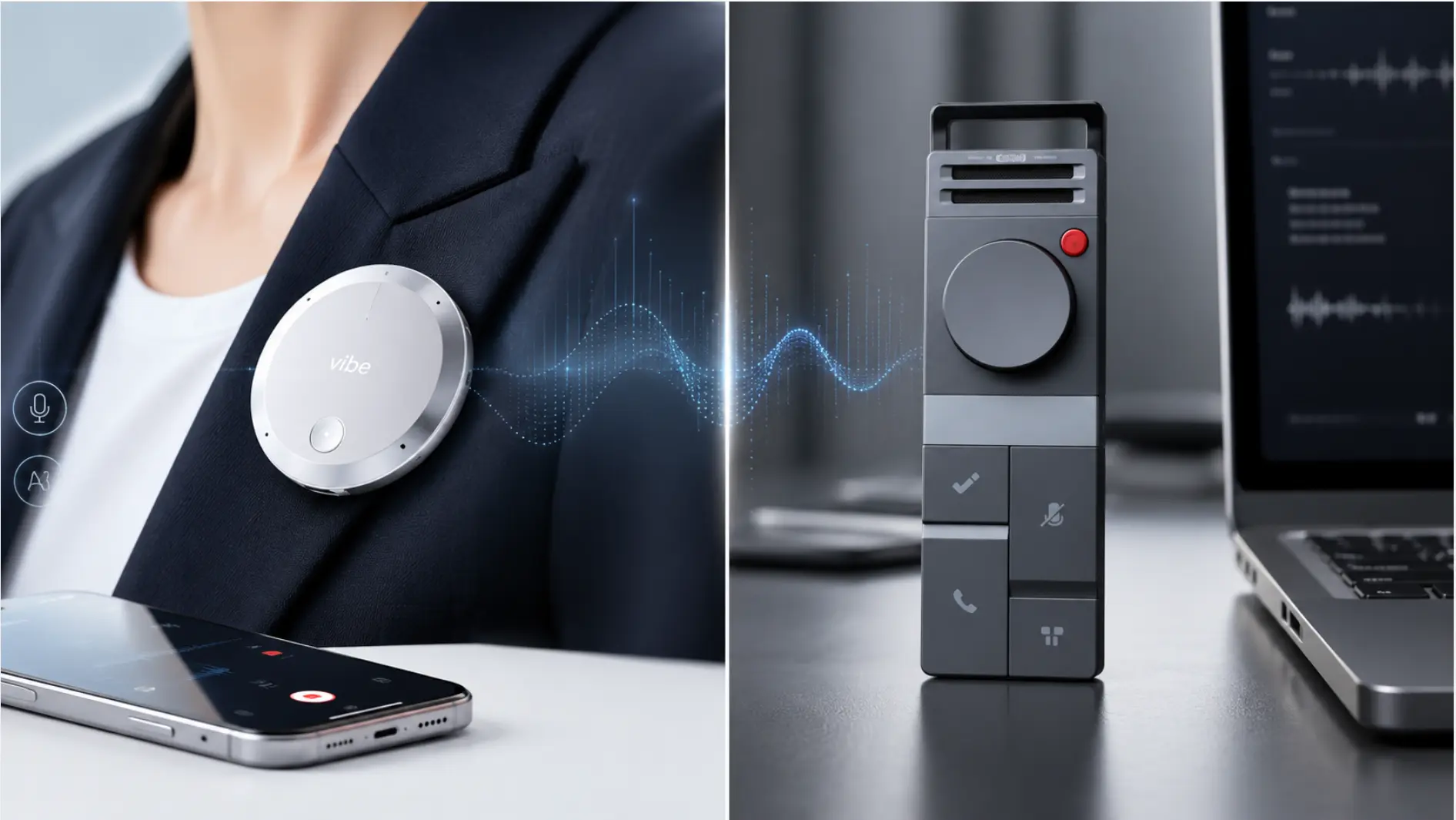 Vibe Dot AI voice recorder clipped to blazer lapel, capturing conversation with live transcript on smartphone
Quick Comparison: Vibe Dot vs. HiDock P1 at a Glance
|
Feature |
Vibe Dot |
HiDock P1 |
|---|---|---|
|
Price |
$129–$149 (est.) | |
|
Microphones |
5-mic array (4 MEMS + 1 bone-conduction VPU) |
Dual ECM mics |
|
Capture range |
Up to 16 ft |
Standard room range |
|
Battery |
30+ hours continuous |
~8 hours (active BlueCatch mode) |
|
Storage |
64GB onboard |
64GB onboard |
|
Recording modes |
Spark, Tap to Record, Auto Capture |
Call Mode (Bluetooth earbuds), Room Mode, Whisper Mode |
|
Standout hardware feature |
Bone-conduction mic for voice isolation |
BlueCatch™ Bluetooth audio interception |
|
Hardware security |
Dedicated encryption chip (TPM 2.0) — recordings unreadable if device is compromised |
Software-level encryption via Microsoft Azure |
|
Free transcription |
300 min/month |
Unlimited (basic tier) |
|
Speaker ID (diarization) |
Paid plan |
Requires Pro subscription (~$12.99/mo) |
|
Cross-session AI memory |
Yes — Vibe AI Memory Graph |
No |
|
Compliance |
SOC 2, HIPAA, NDAA, FERPA |
GDPR, Microsoft Azure security |
|
Works without internet |
Yes (local storage) |
Yes (local storage, sync later) |
|
Bot-free recording |
Yes |
Yes |
How They Approach Recording Differently
This is the most important distinction between the two devices — and it’s worth understanding before you look at any specs.
HiDock P1’s bet is BlueCatch™: a proprietary Bluetooth interception technology that captures two-way audio directly through your wireless earbuds. If you’re already wearing AirPods or similar earphones for a Zoom call, the P1 routes the audio through itself and records what you hear and what you say — without adding a bot to the meeting. For professionals who want invisible, earphone-native recording during virtual calls, this is genuinely clever.
Vibe Dot’s bet is the microphone array. Instead of routing audio through Bluetooth, Vibe Dot deploys a 5-microphone system — four high-fidelity air microphones and one specialized bone-conduction microphone — that captures sound the way a professional recording setup would. The bone-conduction mic listens through vibration in your body, meaning it can isolate your voice from ambient noise even in loud environments. Combined with a listening range of up to 16 feet, Vibe Dot is built to capture complex, multi-person conversations that neither earphone routing nor a single-mic recorder can handle cleanly.
Neither approach is universally better. They’re optimized for different primary use cases.
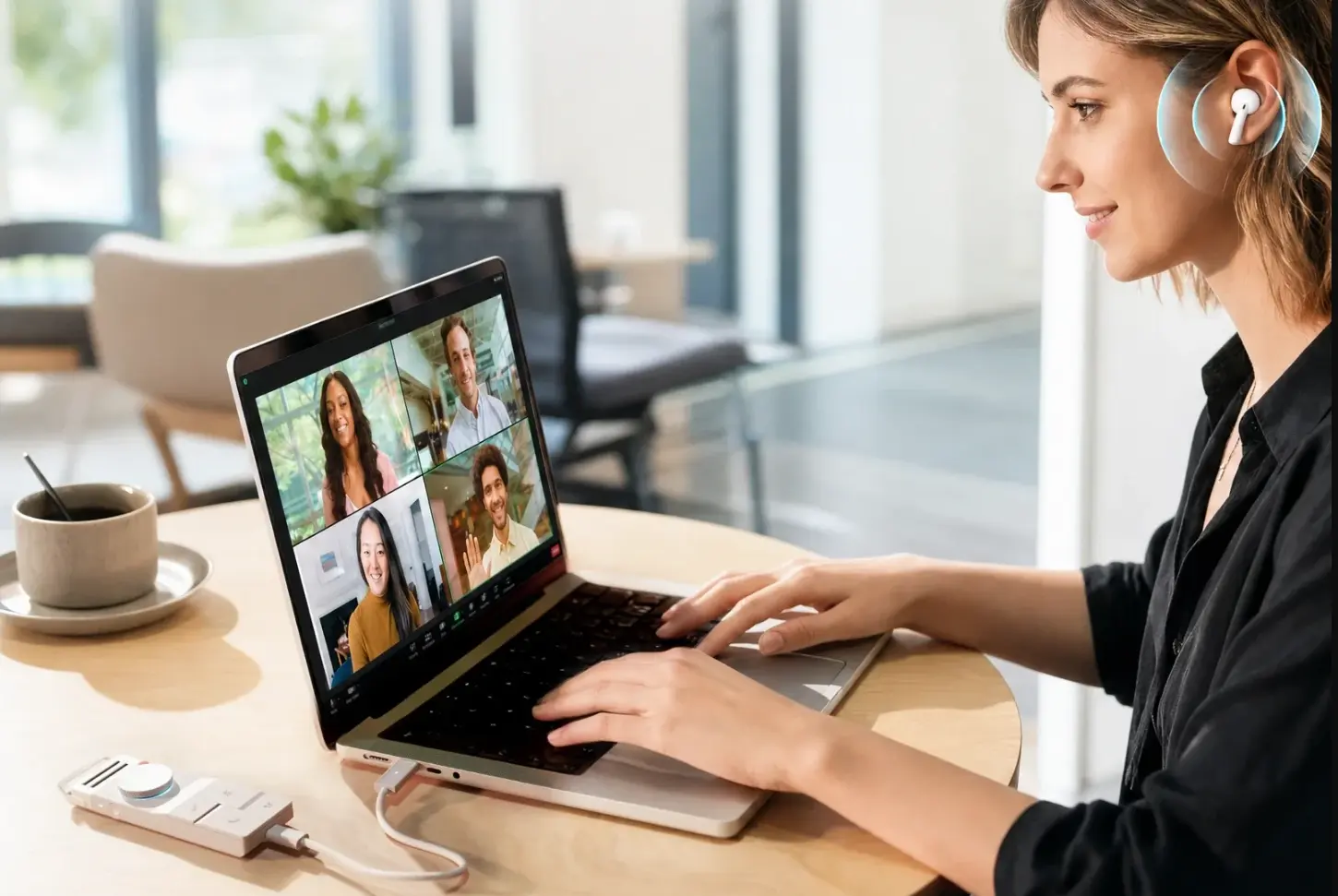 Woman on video call wearing earbuds, typing on laptop with four-person meeting grid, HiDock device connected on desk
Hardware: Build, Battery, and Portability
Battery Life
This is where the gap is significant.
Vibe Dot offers 30+ hours of continuous recording. For a full-day workshop, back-to-back client meetings, or a field rep covering multiple site visits without access to a charger, that runtime eliminates the risk of missing something because the device died mid-session.
HiDock P1’s battery performance depends heavily on which recording mode you’re using. In standard Room Mode or Whisper Mode, battery life is reasonable. But in Call Mode — the mode that activates BlueCatch Bluetooth interception, which is the P1’s defining feature — independent testing from 2025 has found active recording time caps at approximately 8 hours. That’s workday-sufficient but requires nightly charging and makes all-day field use less reliable.
Form Factor
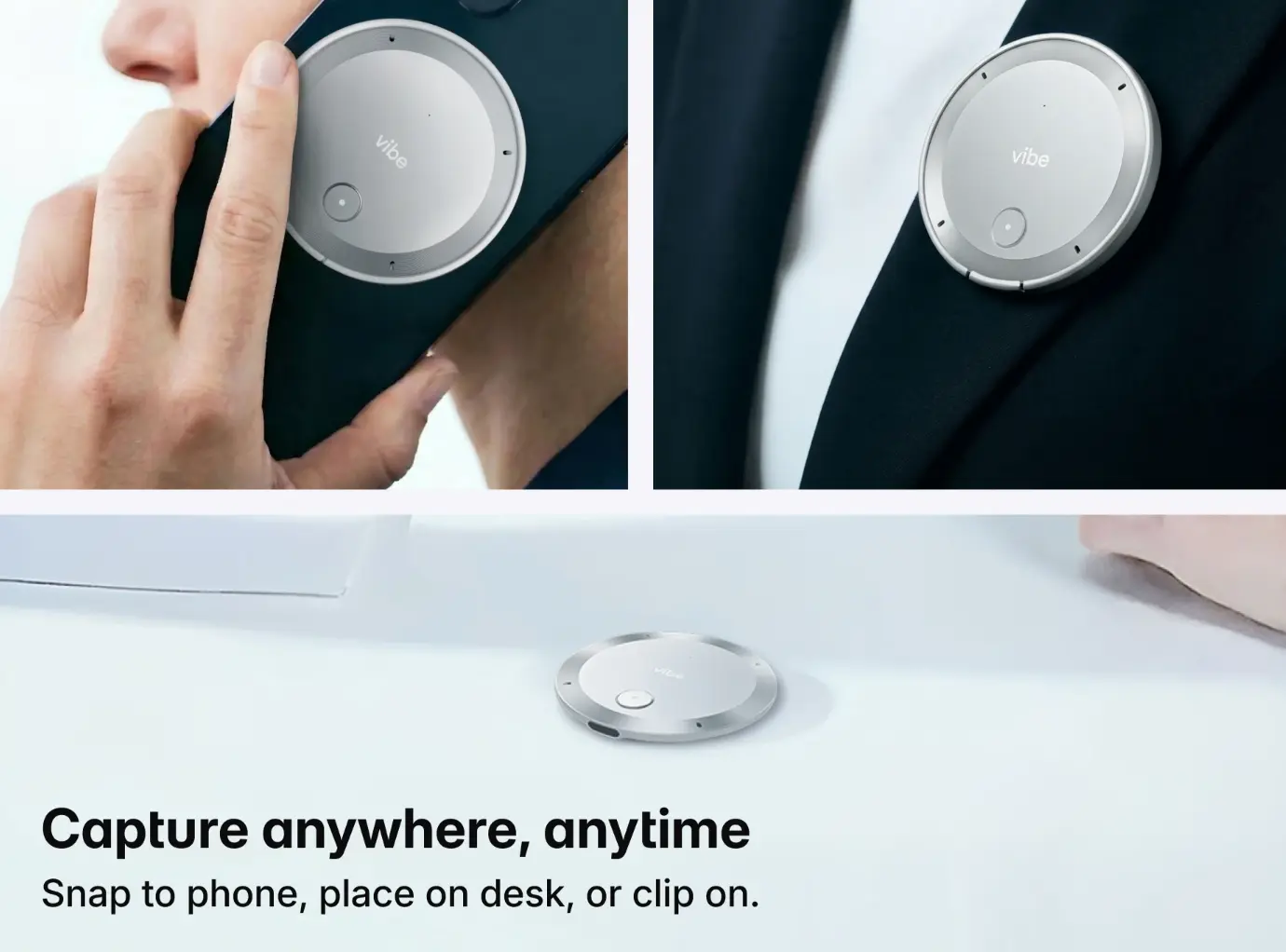
Both devices clip to clothing or can be placed on a surface. Vibe Dot uses MagSafe attachment for iPhones and a magnetic ring for Android devices — either way, it sits flat against your phone when you want hands-free carry. HiDock P1 uses a magnetic rear panel to snap onto metal surfaces like a whiteboard or desk monitor, which is convenient in a fixed workspace. Its USB-C Touch Control cable also lets you start, stop, mute, or mark highlights without touching the device itself.
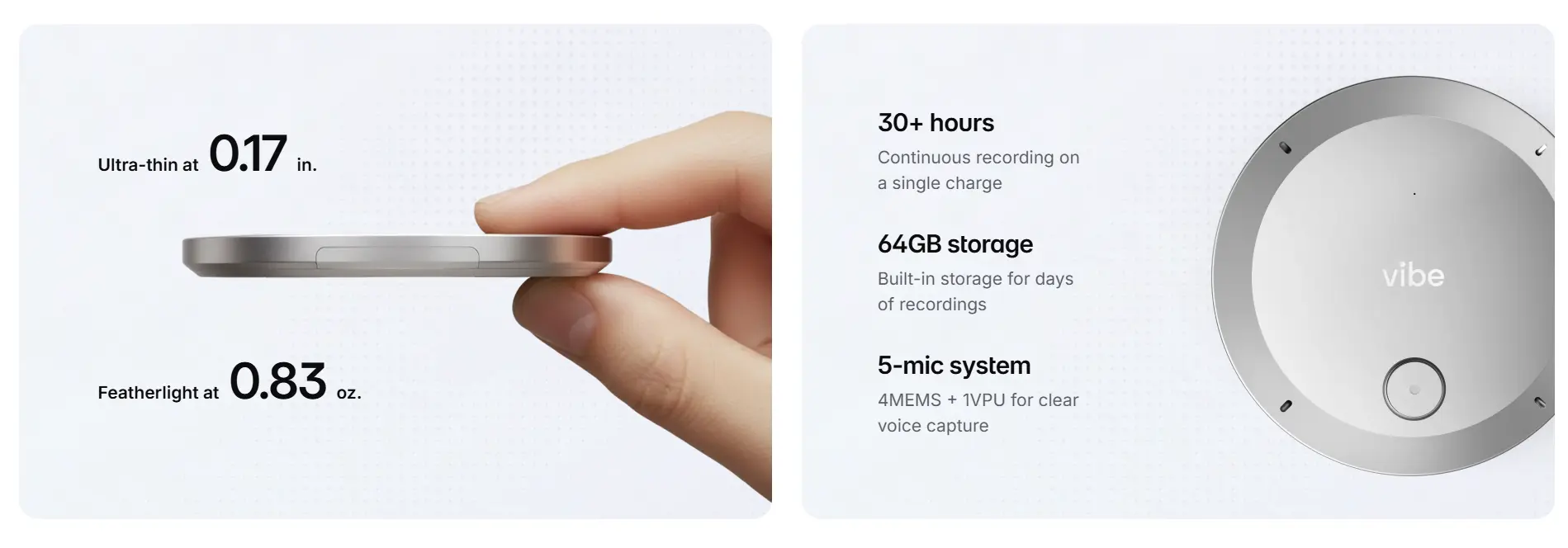 Vibe Dot AI recorder held between fingers showing ultra-thin 0.17 in. profile and 0.83 oz. lightweight design
Audio Quality: Mic Architecture Matters
The HiDock P1’s dual ECM microphones are described as studio-level — and for a handheld recorder designed for controlled environments, they perform well. Call Mode audio quality depends on what your earbuds capture, which in most modern Bluetooth earphones is high enough for clean transcription output.
Vibe Dot’s 5-mic array is purpose-built for the harder problem: noisy, multi-speaker, variable-distance environments. The bone-conduction microphone (Voice Processing Unit) vibrates with your vocal cords rather than picking up air pressure, which means your voice registers clearly even when background noise is high. The 16-foot capture range means Vibe Dot can sit at the center of a conference table and capture all participants accurately — not just the person closest to the device.
For solo professionals primarily recording their own calls through earphones, the P1’s approach is elegant and effective. For teams, field workers, or anyone recording in-person group conversations, the architecture difference matters significantly.
AI Software: Transcription, Summaries, and Memory
HiDock P1 + HiNotes
HiDock’s companion platform, HiNotes (now at version 3.0), handles transcription in 75+ languages and supports a notable range of AI model choices — including GPT-5, Claude, and Gemini variants — for summary generation. The platform also offers 39+ summary templates tailored to different meeting types.
The free tier provides unlimited basic transcription, which is a genuine differentiator versus competitors that gate transcription behind subscriptions. However, the free tier outputs a single continuous block of text without speaker separation. To unlock speaker identification (diarization) — which tells you who said what — you need a HiNotes Pro subscription at approximately $12.99/month.
The P1 also supports live translation in English, Japanese, and Chinese, with a useful privacy option: recording-free transcription mode, which shows real-time notes on screen without saving any audio.
A note on software reliability: HiNotes is a web app rather than a native application — meaning it runs in a browser wrapper on both desktop and mobile rather than as a locally installed program. This architectural choice has attracted criticism in third-party reviews of the broader HiDock ecosystem. PCWorld’s review of the HiDock H1 noted that the integration between hardware buttons and the HiNotes app felt "not as tightly woven as I would hope," and the reviewer was unable to trigger recordings reliably via the device’s physical controls. XDA Developers’ review similarly found that "pressing the recording button on the dock didn’t trigger a recording" in multiple instances. While these reviews cover the H1 dock rather than the P1 specifically, both products share the HiNotes platform — so software-layer reliability is a relevant consideration for any HiDock purchase. User reviews on Trustpilot also surface recurring complaints about the "Lifetime Free AI Transcription" claim not matching the actual subscription structure users encounter post-purchase.
Vibe Dot + Vibe AI
Vibe Dot connects to Vibe AI, which takes a fundamentally different approach to what happens after transcription. Rather than organizing recordings as individual files, Vibe AI builds a Memory Graph — a cross-session knowledge layer that connects insights, decisions, and action items across all your recordings over time. This means you can ask Vibe AI to surface what was decided across five different client calls last month, or pull up the follow-up item from a conversation that happened two weeks ago.
The free tier includes 300 minutes of AI transcription per month a
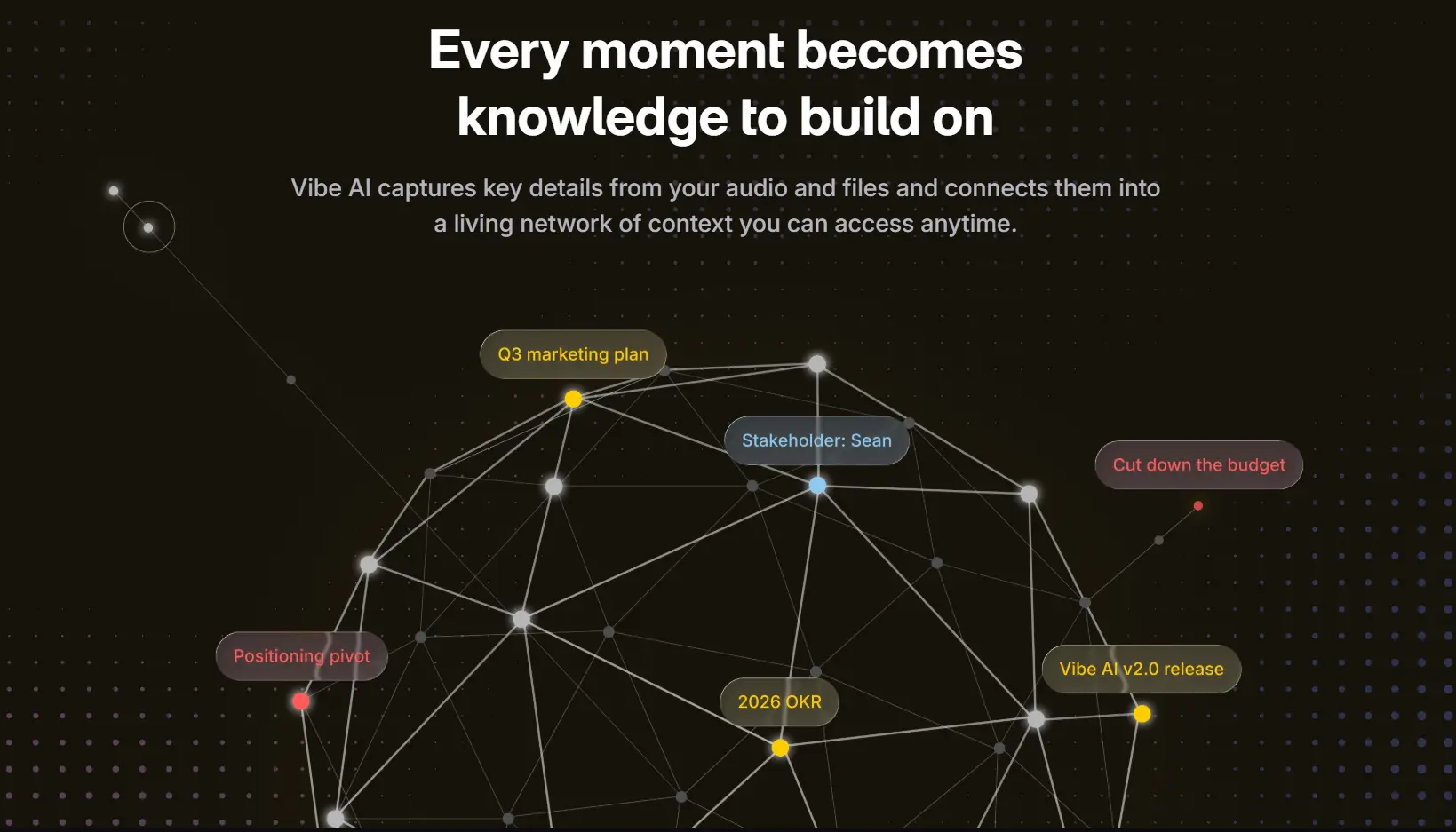
cross nearly 200 languages, plus summaries and action items. Paid plans start at $9/seat/month for extended memory retention, deeper retrieval, and agentic features — including MCP-based integrations that allow Vibe AI to act on meeting outputs, not just summarize them.
For professionals who accumulate many recordings over time and need the AI to synthesize across sessions — not just process individual recordings — the Memory Graph is a meaningful platform-level advantage.
Compliance and Privacy
If you work in a regulated industry, this section is your primary filter.
Vibe Dot carries a compliance stack that covers the most common regulated verticals: SOC 2, HIPAA, NDAA, and FERPA. HIPAA makes it viable for healthcare professionals recording patient intake or care coordination discussions. FERPA covers education use cases. NDAA compliance addresses federal procurement restrictions on devices with certain supply chain origins — relevant for government contractors and defense-adjacent organizations.
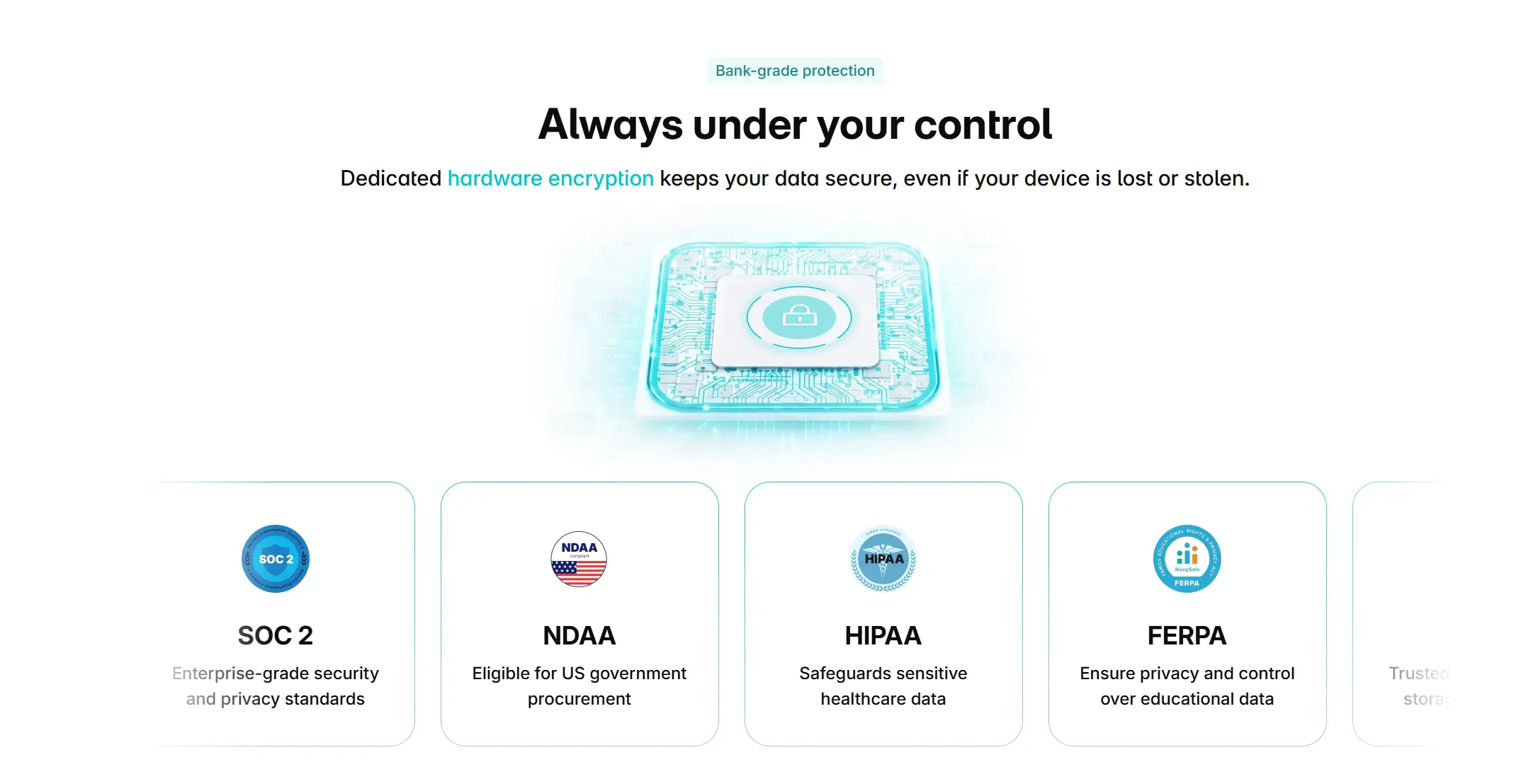 Hardware encryption chip with lock icon illustrating Vibe Dot's bank-grade data security
HiDock P1 stores recordings locally on-device (64GB) and guarantees data security through Microsoft Azure infrastructure with GDPR compliance. This covers European enterprise and privacy-conscious professional use well. However, HiDock does not publicly list HIPAA, NDAA, or FERPA certifications — which limits its eligibility for procurement in healthcare, K–12 education, and federal/defense environments.
For teams in unregulated industries, GDPR-level compliance is likely sufficient. For teams in healthcare, education, or government-adjacent roles, Vibe Dot’s compliance coverage is the clearer path. For a full breakdown of compliance requirements by vertical, see our guide to the best wearable AI recorders of 2026.
Pricing and Total Cost of Ownership
|
Vibe Dot |
HiDock P1 | |
|---|---|---|
|
Hardware |
$199 |
~$129–$149 |
|
Free tier |
300 min/mo transcription |
Unlimited basic transcription |
|
Paid plan |
From $9/seat/month (Vibe AI Pro) |
~$12.99/month (HiNotes Pro) |
|
Speaker ID included in free tier? |
No |
No |
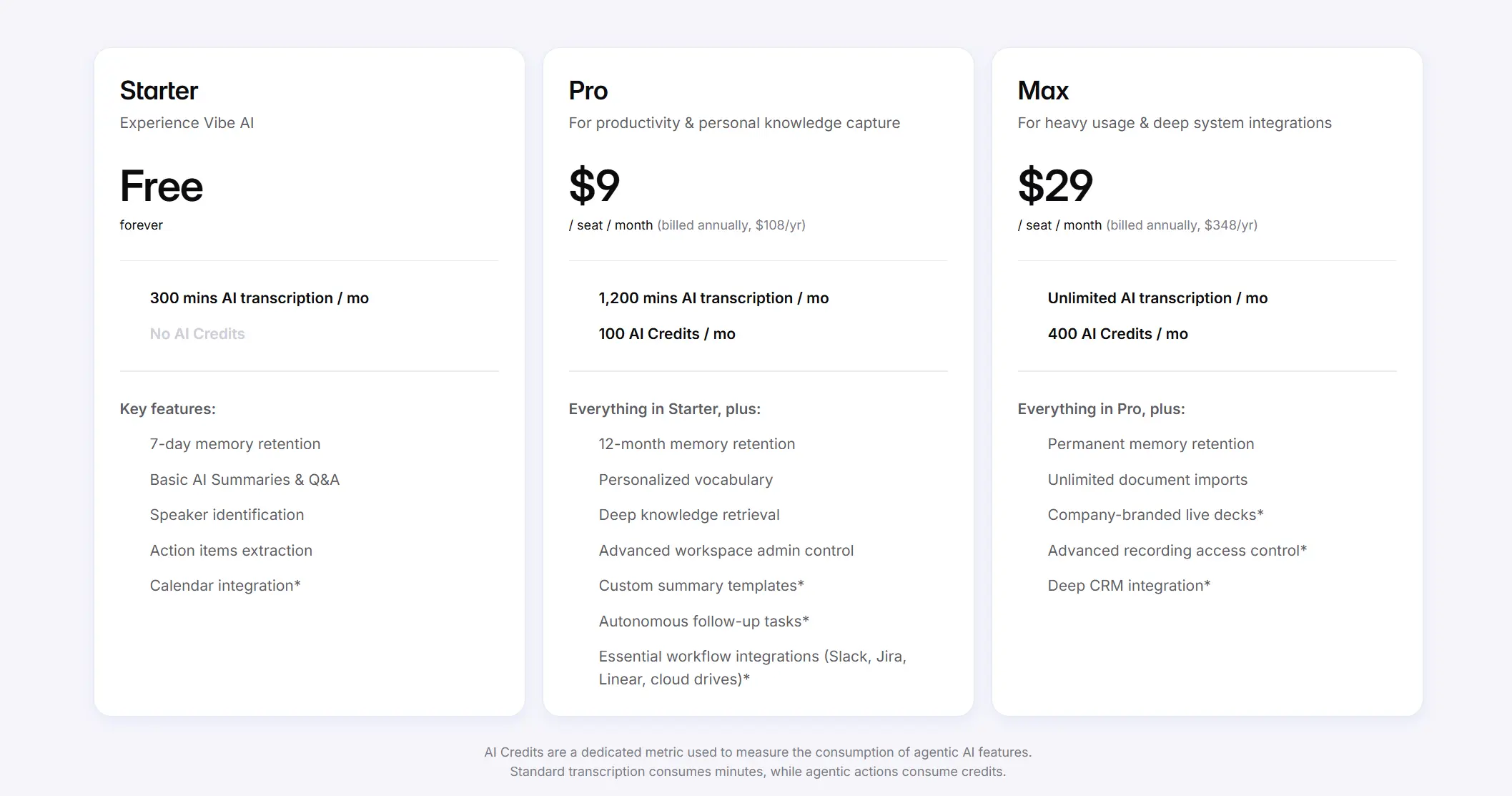 Vibe AI pricing table comparing Starter (free), Pro ($9/mo), and Max ($29/mo) plans with transcription and feature limits
On hardware alone, HiDock P1 is the lower upfront cost. On software, both devices gate speaker identification behind a paid subscription. The real TCO difference emerges at the platform layer: Vibe AI’s $9/month Pro plan adds cross-session Memory Graph and agentic integrations, while HiNotes Pro at ~$12.99/month primarily unlocks diarization and advanced summary templates.
If you only need basic transcription and don’t require speaker attribution, HiDock P1’s free tier delivers more out of the box. If speaker identification and cross-session AI memory are part of your workflow, both devices require a paid plan — and Vibe Dot’s platform provides more leverage at a lower monthly cost.
Who Should Choose Vibe Dot?
Vibe Dot is the stronger choice if:
-
You record in-person group conversations where multi-speaker, multi-distance capture matters — team standups, client workshops, field interviews and site visits
-
You work in a regulated industry — healthcare (HIPAA), education (FERPA), government or defense (NDAA)
-
You accumulate many recordings over time and need AI to synthesize across sessions, not just summarize individual files
-
Battery life is non-negotiable — full-day recording without charging
-
You want agentic AI features — Vibe AI’s MCP integrations let the system act on meeting outputs, not just transcribe them
Who Should Choose HiDock P1?
HiDock P1 is the stronger choice if:
-
You primarily record virtual calls through earphones — Zoom, Teams, Google Meet, phone calls — and want invisible, bot-free recording that routes through your existing Bluetooth earbuds
-
You want unlimited free basic transcription without a monthly commitment
-
Multi-language live translation is relevant to your workflow (English, Japanese, Chinese)
-
You work solo rather than in group settings, and speaker identification is less critical
-
GDPR compliance covers your regional requirements
Head-to-Head Verdict by Use Case
|
Use Case |
Winner |
|---|---|
|
Virtual call recording via earphones |
HiDock P1 |
|
In-person multi-speaker meetings |
Vibe Dot |
|
Full-day field recording |
Vibe Dot |
|
Regulated industries (HIPAA/FERPA/NDAA) |
Vibe Dot |
|
GDPR-only compliance requirement |
Tie |
|
Free transcription with no subscription |
HiDock P1 |
|
Cross-session AI memory |
Vibe Dot |
|
Live multilingual translation |
HiDock P1 |
|
Lowest upfront hardware cost |
HiDock P1 |
|
Best AI platform ecosystem |
Vibe Dot |
The Bottom Line
Vibe Dot and HiDock P1 serve genuinely different primary use cases, and the best choice comes down to where you spend most of your recording time.
If your recording life is centered on virtual calls you take through earphones — Zoom, Teams, phone calls — and you want invisible, bot-free capture through your existing Bluetooth earbuds, HiDock P1 delivers that elegantly at a lower hardware price, with unlimited free basic transcription as a bonus.
If you record in person, in groups, across multiple days, or in a regulated industry — or if you want AI that synthesizes across your entire recording history rather than summarizing individual sessions — Vibe Dot is the more capable platform. Its 5-mic array, 30+ hour battery, full compliance stack, and Vibe AI Memory Graph represent a fundamentally different level of investment in what recordings become after capture.
For most professionals who mix in-person and virtual work and want a single device that handles both well, Vibe Dot is the more versatile long-term choice.
Still weighing your options? Our full roundup of the best AI voice recorders of 2026 covers ten devices head-to-head across audio quality, battery, AI output, and compliance.
Frequently Asked Questions
Can Vibe Dot record Zoom and Teams calls like the HiDock P1 does?
Yes. Vibe Dot can record video conference calls, though its approach differs from HiDock P1’s BlueCatch method. Rather than routing audio through Bluetooth earphones, Vibe Dot uses its microphone array to capture the audio output from your speakers while also capturing your voice. For call recording through earphones specifically, HiDock P1’s approach is more elegant. For in-person meetings that happen to continue on video, Vibe Dot’s mic array handles the transition without any configuration change.
Does HiDock P1 work without Bluetooth earphones?
Yes. HiDock P1 has two operating modes that don’t require earphones: Room Mode uses its dual ECM microphones to record in-person conversations, and Whisper Mode captures personal voice notes via push-to-talk. BlueCatch (earphone-based recording) is the device’s signature feature, but not its only recording method.
Which device is better for a sales rep who does a mix of client site visits and Zoom calls?
Vibe Dot handles this mixed workflow better. Its 30+ hour battery covers back-to-back field days, its 5-mic array captures in-person client conversations accurately, and the Vibe AI Memory Graph connects insights across all client interactions over time. HiDock P1’s battery constraint in active BlueCatch mode and its stronger-for-virtual positioning make it less suited to heavy field use.
Do either of these devices require an internet connection to record?
No. Both devices store recordings locally on 64GB of onboard storage and sync later. Recordings are preserved even if you lose connectivity mid-session.
Is HiDock P1’s free transcription really unlimited?
HiDock offers unlimited basic transcription at no ongoing cost. However, the free tier produces a single continuous text block without speaker identification. If you need to know which participant said what in a multi-person meeting, you’ll need the HiNotes Pro subscription (approximately $12.99/month).
Which device is better for healthcare professionals?
Vibe Dot. It carries HIPAA certification — which means it meets the compliance requirements for handling protected health information. HiDock P1 does not publicly list HIPAA compliance, making Vibe Dot the appropriate choice for clinical environments, telehealth professionals, and healthcare administrators who need documented compliance coverage.