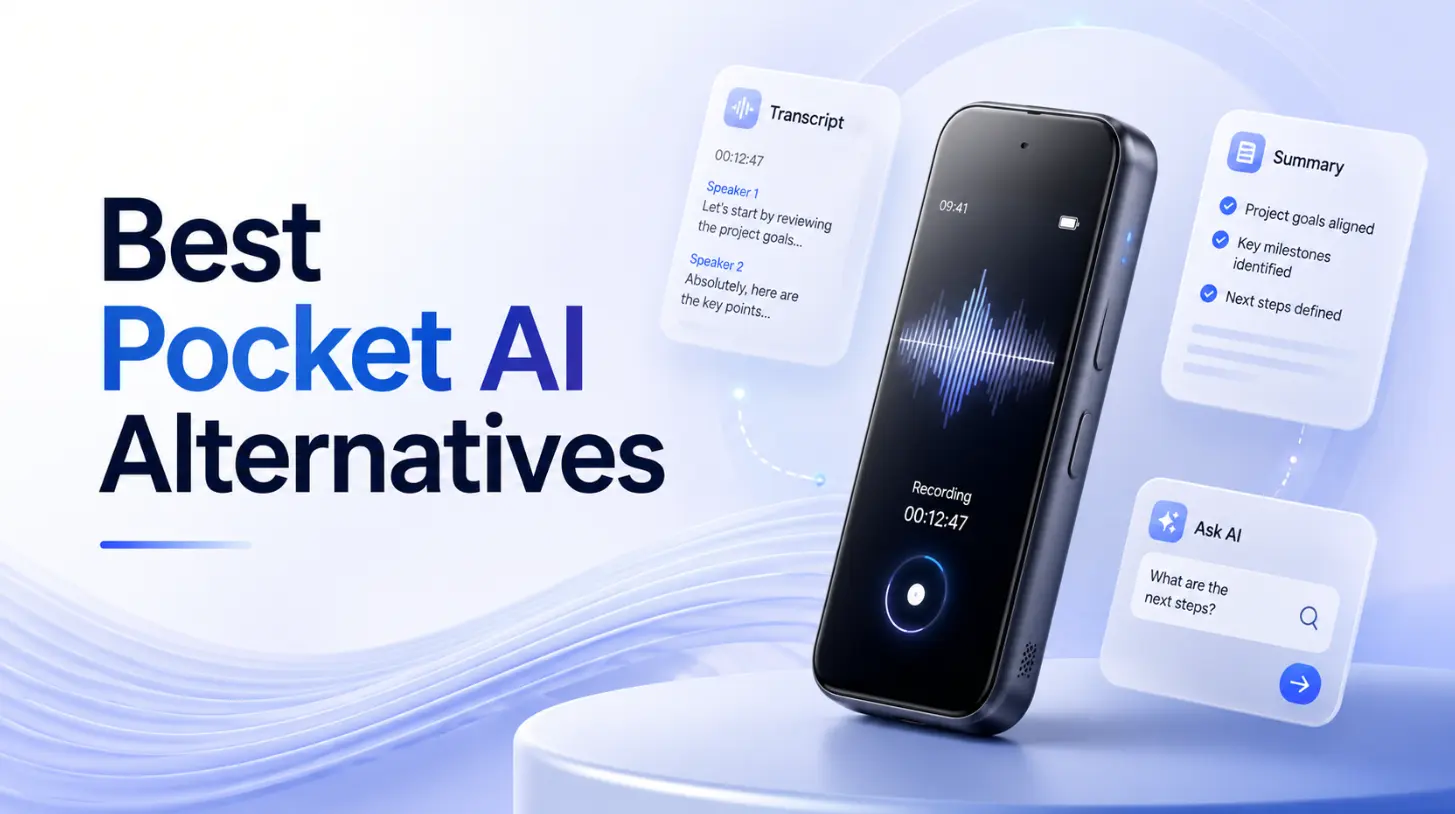
Both Vibe Dot and Pocket AI promise to capture your conversations and turn them into useful notes — but they’re built for very different kinds of users. Pocket AI is a lightweight, MagSafe-powered accessory designed for iPhone users who want a simple meeting companion. Vibe Dot is a standalone AI assistant device built for professionals who need cross-scene capture, enterprise compliance, and a memory system that connects context across days and weeks.
If you’re still getting familiar with the category itself, our guide to what is a wearable AI recorder covers how these devices work, what the AI actually does well (and where it falls short), and the key specs to evaluate before buying. If you’re ready to compare Vibe Dot and Pocket AI directly, read on — this guide breaks down every meaningful difference in hardware, AI capabilities, recording scenarios, privacy certifications, and pricing.
Quick Comparison: Vibe Dot vs. Pocket AI at a Glance
|
Vibe Dot |
Pocket AI | |
|---|---|---|
|
Hardware price |
$199 (20% off) |
$99–$199 |
|
Form factor |
Clip, magnetic, or desk-placed — standalone device |
MagSafe attachment for iPhone |
|
iPhone required |
No |
Yes |
|
Android support |
Yes |
No |
|
Microphones |
5-mic system (4 MEMS + 1 bone-conduction VPU) |
2 studio mics + 1 contact mic |
|
Battery |
30+ hours continuous recording |
4-day active use |
|
Local storage |
64GB built-in |
64GB built-in |
|
Offline recording |
Yes — records locally, syncs via Bluetooth |
Requires phone nearby |
|
Virtual meeting support |
Yes (Zoom, Teams, etc.) |
No native support |
|
AI memory system |
Cross-session memory graph (Vibe AI) |
Per-recording only |
|
Agentic actions |
Yes (coming soon) |
No |
|
MCP integration |
Yes (open MCP standard) |
No |
|
SOC 2 |
✅ |
✅ |
|
HIPAA |
✅ |
✅ (self-attested) |
|
FERPA |
✅ |
❌ |
|
NDAA |
✅ |
❌ |
|
Free tier |
Yes — basic recording, storage, and AI summaries included |
Yes — 3 AI queries/day, 90-day history |
|
Paid plan |
Pro $9/mo · Max $29/mo (billed annually) |
Pro $19.99/mo or $199/yr |
|
Design award |
Red Dot Award 2026 |
— |
Hardware and Design: Standalone vs. iPhone-Dependent
The most fundamental difference between these two devices isn’t about AI — it’s about whether you need your iPhone nearby to use it.
Pocket AI is a MagSafe-compatible recorder that snaps to the back of your iPhone. That design is clever: your phone is already in your hand, so snapping on a recorder adds almost no friction. The 4-day active-use battery is genuinely impressive for a device this size, and the one-tap recording model is simple enough that you’ll actually use it.
But the trade-off is real. Pocket AI is not an independent device — it’s a phone accessory. If you’re an Android user, it doesn’t work at all. If your phone is charging in the other room, or you’re switching between devices, the workflow breaks down. The device depends on the iPhone’s Bluetooth and app stack to sync, process, and surface recordings.
Vibe Dot is built differently. At 0.83 oz and 0.17 inches thin, it clips to your jacket lapel, snaps magnetically to your phone, or sits on your desk — but it doesn’t require any of those to function. It stores audio locally on 64GB of built-in storage and syncs via Bluetooth when you’re back near your phone. That means you can record in a conference room, on a construction site, in a hospital, or on a walk — and your recording happens regardless of your phone’s location or charge level.
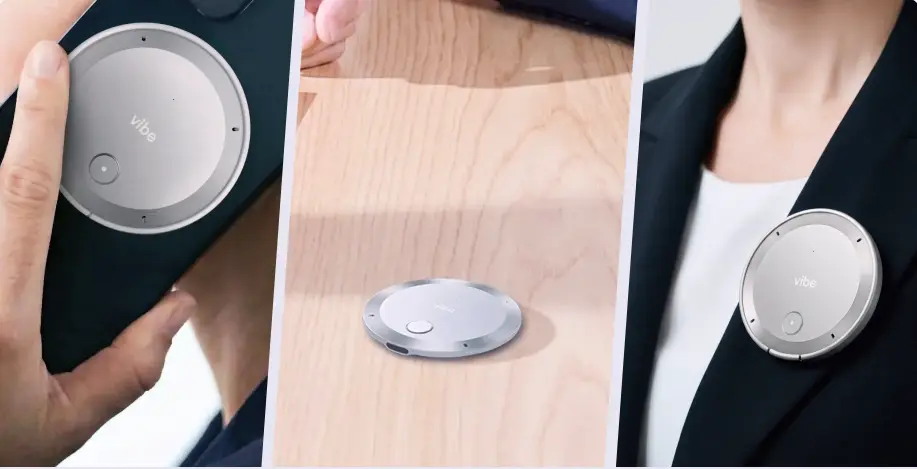 Vibe Dot AI voice recorder shown handheld, on desk, and worn as lapel clip
The 5-microphone system is also worth highlighting. Vibe Dot combines four high-fidelity MEMS air microphones with one bone-conduction VPU (voice processing unit), which isolates your voice from background noise at a hardware level. Pocket AI has two studio mics and one contact mic — capable for most environments, but without published specs on effective pickup range or noise cancellation distance.
For someone who wants a device that works everywhere, without being tethered to any particular phone model, Vibe Dot is the more flexible choice. For a broader category comparison, see how these two stack up against other options in the best wearable AI recorders of 2026.
Recording Scenarios: Where Each Device Thrives (and Falls Short)
This is where the gap between the two devices becomes most visible in daily use.
What Pocket AI handles well
Pocket AI was designed for in-person conversations and phone calls. If your workday consists mostly of one-on-one meetings, client lunches, and phone check-ins — and you’re an iPhone user — it covers those moments smoothly. One tap, and it’s recording. The summaries and action items it generates are well-reviewed, and the "Ask Pocket" feature lets you query individual recordings for specific details after the fact.
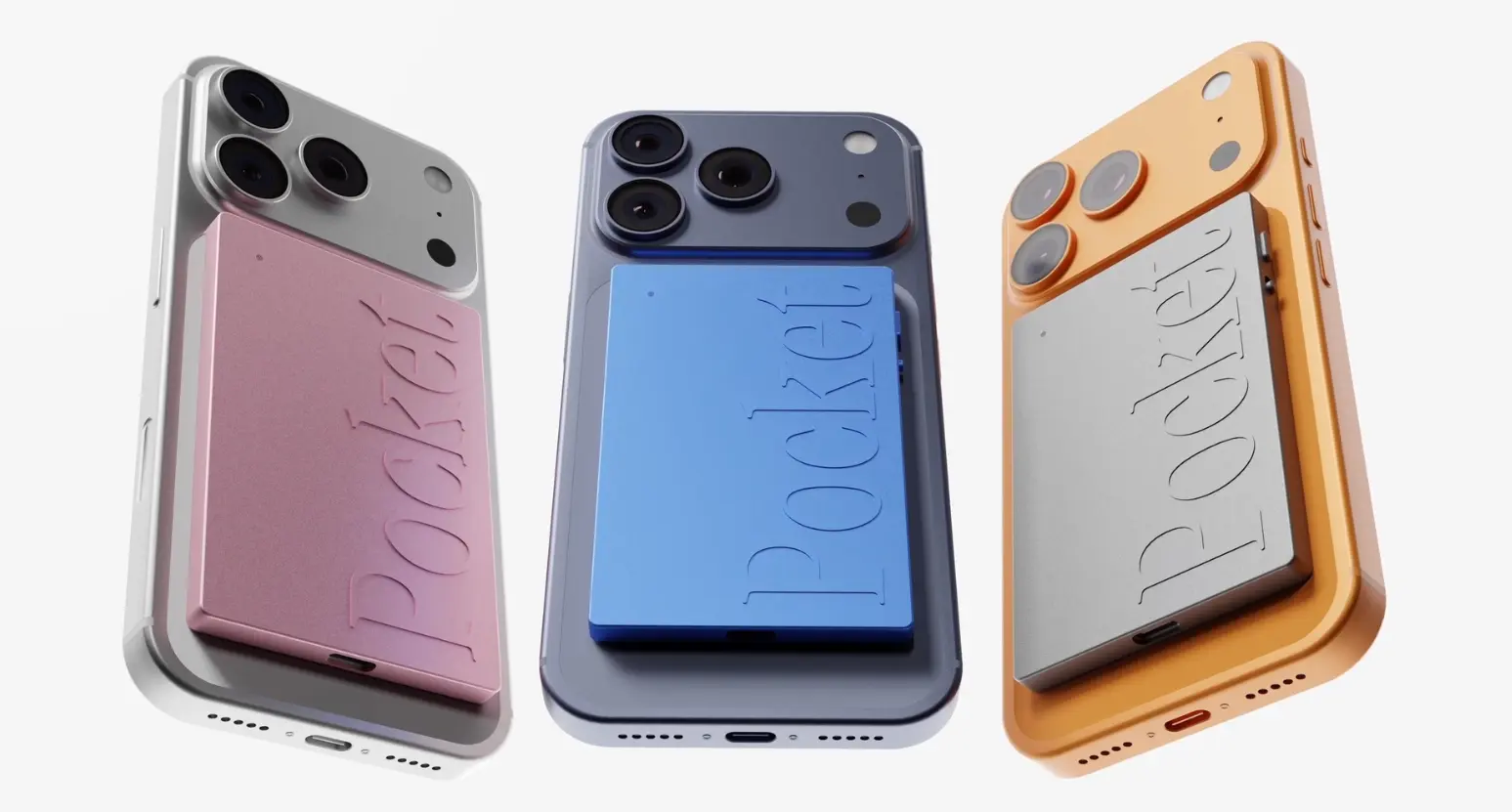 Pocket AI recorder attached to iPhone in pink, blue, and silver color options
Where Pocket AI falls short
Pocket AI does not natively support virtual meetings. If you’re on Zoom, Microsoft Teams, or Google Meet, the device can’t capture those calls directly. The workaround — joining a video call on your phone and letting Pocket record the audio from the speaker — is awkward and inconsistent in quality. For hybrid workers whose meetings are split between in-person and virtual, this is a meaningful limitation.
It’s worth noting how significant this gap is in practice: according to Gallup, 52% of remote-capable US employees now work hybrid schedules, meaning most knowledge workers regularly need to capture both in-room and virtual conversations in the same workday. A device that handles only one half of that equation creates real gaps in the record.
On the hardware side, Pocket AI relies on two studio microphones and one contact microphone — a configuration designed primarily for close-range, one-on-one capture. By comparison, Vibe Dot’s 4+1 microphone array is built to handle multi-speaker environments and larger rooms. Transcription accuracy also reportedly declines in noisy environments, and Pocket publishes no specs on effective recording range or pickup angle, making it difficult to evaluate for conference room or open-plan office use.
What Vibe Dot handles well
Vibe Dot is designed for professionals who move across multiple recording environments in a single day. In-person meetings, phone calls, virtual calls, desk work, and on-the-go voice memos all fit into the same workflow. Recordings are organized into a unified timeline — meetings and personal memos are kept separate, and context builds across sessions rather than resetting with each new recording.
Three distinct recording modes give you control over how capture happens:
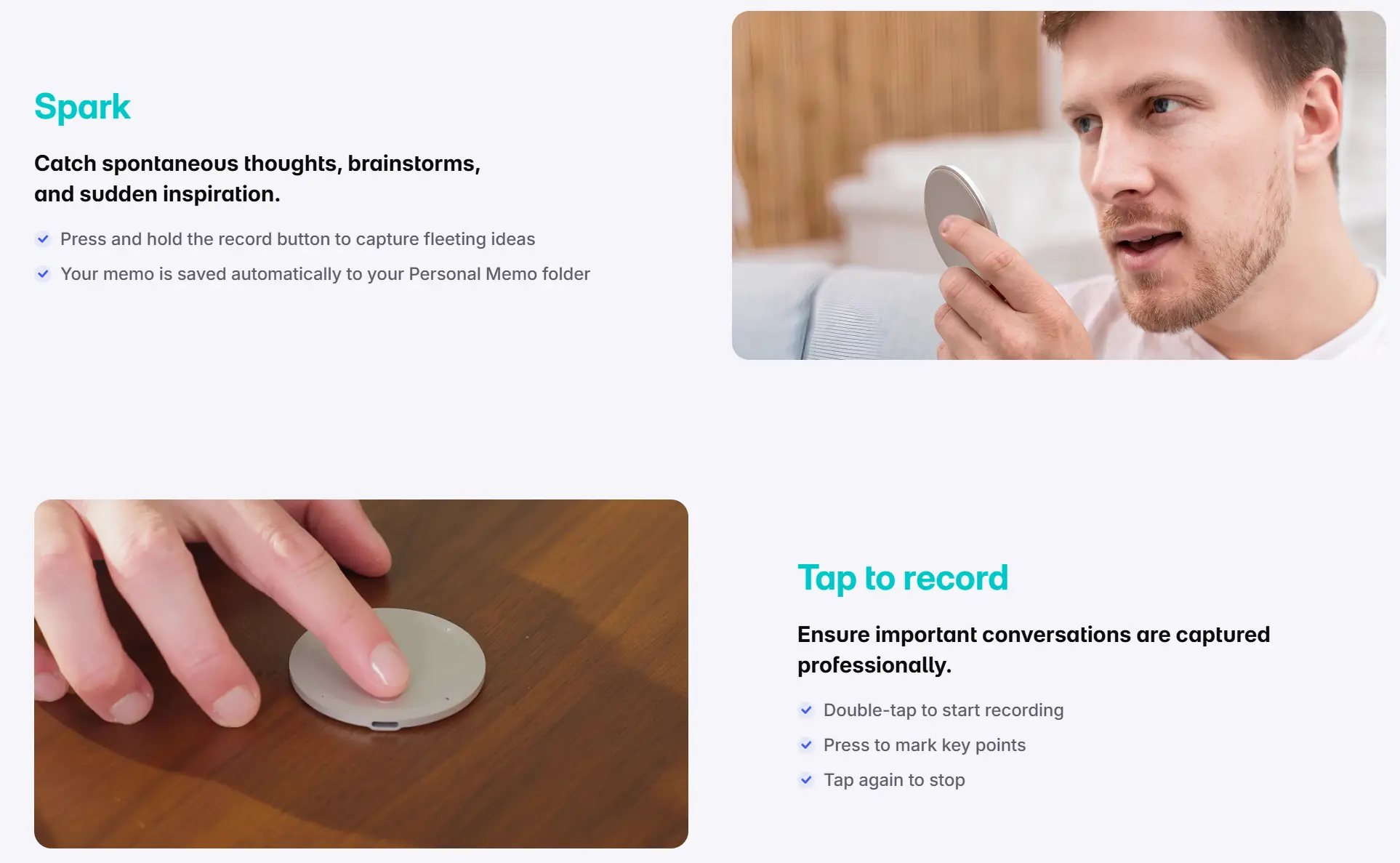 Vibe Dot Spark and tap-to-record modes shown with voice memo and meeting capture use cases
-
Spark mode — press and hold to capture a spontaneous thought or idea
-
Tap-to-record — a deliberate double-tap starts a formal meeting recording, with the ability to mark key moments mid-session
-
Auto capture (beta) — the device uses voice detection or a preset schedule to start recording automatically, so nothing gets missed even when you forget to hit record
The 30+ hour continuous recording battery means Vibe Dot can run through a full workday — and then some — without needing a charge.
AI Features: Single-Recording Assistant vs. Cross-Session Memory
Both devices generate transcripts, summaries, and action items. That table stakes layer is solid on both sides. The difference is what happens beyond the individual recording.
Pocket AI’s AI layer
Pocket AI’s standout feature is "Ask Pocket" — a question-and-answer interface that lets you query a specific recording. Ask it what commitments were made, what the budget figure was, or what the three main concerns were, and it pulls the answer from that session’s transcript. It’s powered by a model-agnostic backend (GPT-5, Claude, and Gemini according to published specs) and generates summaries, action items, and conversation mind maps automatically.
The limitation is that "Ask Pocket" works at the individual recording level. Each conversation is its own siloed document. There’s no way to ask a question that spans multiple meetings — "What did we decide about the client timeline across all three calls this month?" — because the AI memory doesn’t connect recordings to each other.
Vibe Dot’s AI layer
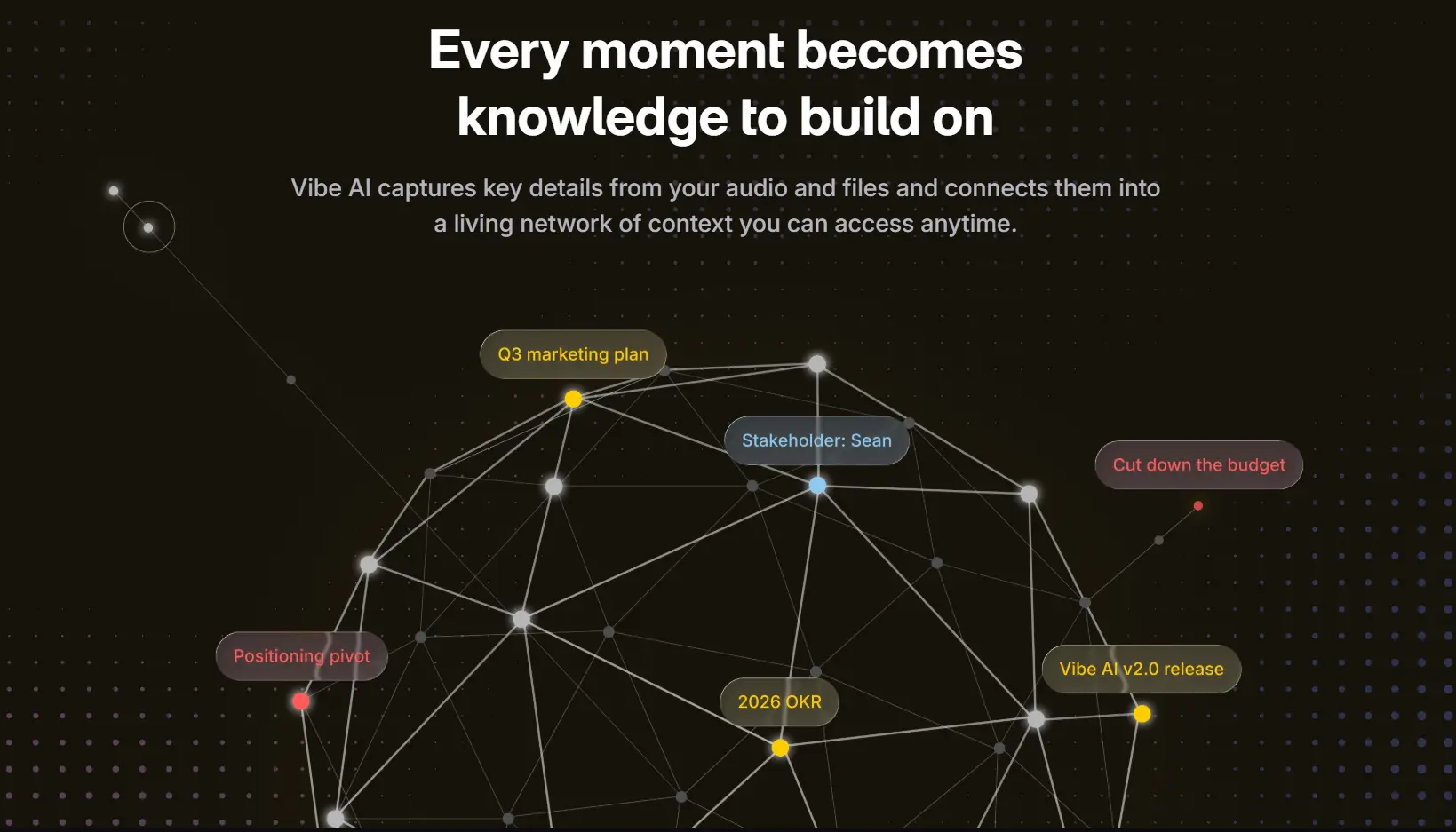
Vibe Dot is built around Vibe AI, a cross-session memory engine that connects context across conversations over time. Every recording feeds into a persistent memory graph, so you can ask questions that span days, weeks, or months of conversations. "What were the three concerns the client raised last quarter?" and "Remind me of the budget figure mentioned two meetings ago" are both valid queries — not just questions about one session.
The AI stack itself is layered by function: Claude handles nuanced reasoning and contextual understanding in summaries, Codex structures spoken dialogue into organized data, and OpenClaw is Vibe’s proprietary agentic layer that connects your recordings to external tools like Slack, Notion, and CRM systems to carry tasks forward automatically.
On top of that, Vibe Dot supports the open MCP (Model Context Protocol) standard, which means your meeting transcripts and AI summaries are available as context to any MCP-compatible AI tool — including Claude Code. For teams building AI-powered workflows, Vibe Dot functions as a physical input layer for real-world context.
Agentic actions — where Vibe Dot executes follow-ups automatically — are coming soon, but the memory infrastructure is live now.
Privacy and Compliance: Personal Assurances vs. Verified Certifications
When a device is capturing professional conversations, how your data is handled matters — especially in regulated industries.
Pocket AI’s privacy stance
Pocket AI offers end-to-end encryption, stores data on US-based servers, and states that data is never sold or used to train AI models. There is also a local-only storage mode available during setup for users who prefer no cloud sync. The device has achieved SOC 2 Type II compliance and carries HIPAA compliance on a self-attested basis.
What Pocket AI does not have: FERPA compliance (required for student data in educational institutions), NDAA compliance (required for US government procurement), and no formal GDPR data processing agreement is published.
Vibe Dot’s compliance certifications
Vibe Dot carries four verified compliance certifications:
-
SOC 2 — enterprise-grade security and privacy controls
-
HIPAA — appropriate for healthcare environments and patient-adjacent conversations
-
FERPA — required for K-12 schools, universities, and any organization handling student education records. Under FERPA (20 U.S.C. § 1232g), virtually every public K-12 school and federally-funded university must ensure that any third-party tool handling student data operates within the law’s privacy framework.
-
NDAA — eligible for US government procurement and federal contractor use
Hardware-level protection is handled by a dedicated TPM 2.0 chip, which means recordings are cryptographically unreadable even if the physical device is stolen or plugged into an unauthorized computer. Cloud infrastructure runs on AWS with high-availability architecture.
For anyone working in education, healthcare, government, or enterprise environments with formal procurement requirements, Vibe Dot’s compliance posture isn’t a nice-to-have — it’s a prerequisite. For a broader look at how compliance requirements vary across different recording device types, see our guide to listening devices and their use cases.
Pricing: What You Actually Get at Each Tier
Pocket AI pricing
|
Tier |
Price |
What’s included |
|---|---|---|
|
Hardware |
$99 (promo) / $199 (regular) |
Device only |
|
Free |
Included |
3 AI queries/day, standard transcription, 90-day history |
|
Pro |
$19.99/mo or $199/yr |
Speaker labels, 100+ summary styles, unlimited Ask Pocket, unlimited cloud history |
The core free tier covers unlimited transcription and summaries, which is genuinely useful. But the query limit (3/day on free) becomes a friction point for heavy users, and speaker identification — one of the most practically useful features in multi-person meetings — requires a Pro subscription.
Vibe Dot pricing
|
Tier |
Price |
What’s included |
|---|---|---|
|
Hardware |
$199 (20% off from $249) |
Device + magnetic case + clip + ring + USB-C cable |
|
Starter |
Free |
Recording, local storage, basic AI summaries |
|
Pro |
$9/seat/mo (billed annually) |
1,200 mins AI transcription/mo, 100 AI credits/mo, 12-month memory retention, custom summary templates, deep knowledge retrieval |
|
Max |
$29/seat/mo (billed annually) |
Unlimited transcription, 400 AI credits/mo, permanent memory retention, advanced admin controls, deep CRM integration |
For a full breakdown of what each plan includes, see the Vibe AI pricing page.
At $9/month for Pro, Vibe Dot’s subscription is less than half the cost of Pocket AI’s Pro tier. The Max plan at $29/month is the tier for teams who need deep CRM integrations and permanent memory retention — effectively making Vibe Dot a long-term organizational memory system rather than a per-meeting tool.
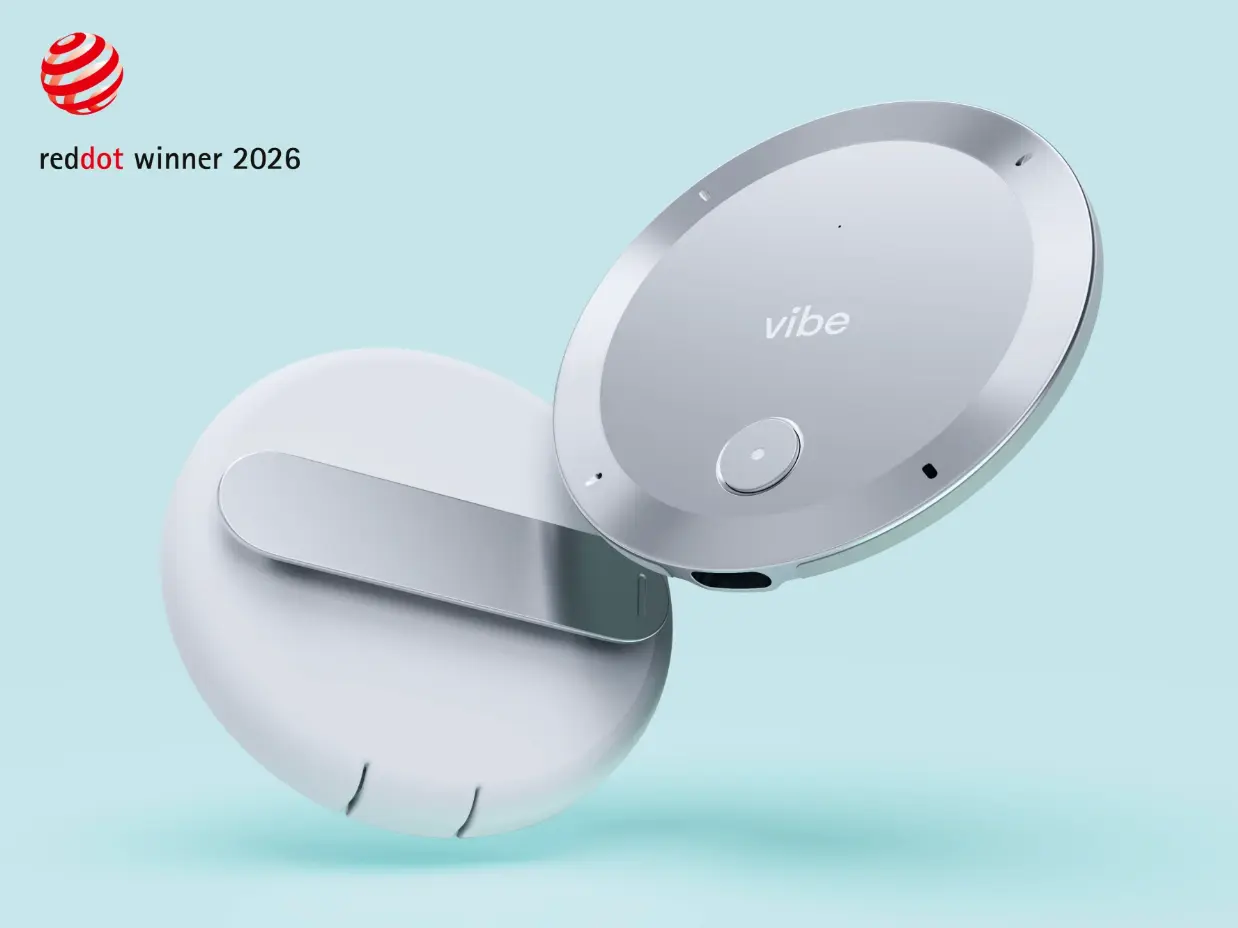
The hardware price of $199 matches Pocket AI’s full retail price. Given that Vibe Dot includes 64GB of storage, a 5-mic hardware system, a Red Dot Award-winning design, and four compliance certifications, the value-per-dollar comparison is straightforward.
Who Should Choose Which
Choose Pocket AI if:
-
You’re an iPhone user and want a dead-simple phone attachment with no learning curve
-
Your meetings are almost entirely in-person or over phone calls — not Zoom or Teams
-
You don’t have compliance requirements (FERPA, NDAA) for your industry
-
You want a lightweight personal note-taker, not an organizational memory system
-
Budget is the primary constraint and you’re comfortable with the 3-query/day free tier
Choose Vibe Dot if:
-
You work across both in-person and virtual meetings and need one device for all of it
-
You want AI memory that connects context across weeks and months, not just per-session recall
-
Your industry requires HIPAA, FERPA, or NDAA compliance
-
You use or plan to use AI tools in your workflow (Claude, Notion, Slack, CRM) and want recordings to feed directly into that stack via MCP
-
You want a device that works on any phone, including Android
-
You’re building toward agentic workflows where your recorder handles follow-ups automatically
FAQs
Does Vibe Dot work without a phone?
Yes. Vibe Dot records and stores audio locally on its 64GB built-in storage even without a phone nearby. When you return to your phone, it syncs via Bluetooth. Pocket AI, by contrast, requires your iPhone to be present to sync and process recordings.
Can Pocket AI record Zoom or Teams calls?
Not natively. Pocket AI is designed for in-person conversations and phone calls. To capture a virtual meeting, you’d need to join the call on your iPhone and let Pocket record the speaker audio — a workaround that’s inconsistent in quality. Vibe Dot supports virtual meeting capture directly.
Is Vibe Dot HIPAA compliant?
Yes. Vibe Dot carries verified HIPAA compliance, along with SOC 2, FERPA, and NDAA certifications. Pocket AI has HIPAA compliance on a self-attested basis and does not hold FERPA or NDAA certifications.
What’s the difference between Vibe Dot’s free tier and Pocket AI’s free tier?
Vibe Dot’s free (Starter) tier includes recording, local storage, and basic AI summaries with no daily query cap. Pocket AI’s free tier includes unlimited transcription but limits AI queries to 3 per day and caps conversation history at 90 days. Speaker identification on Pocket AI requires a paid plan.
Does Vibe Dot work with Android?
Vibe Dot works with both iOS and Android, giving you full flexibility regardless of your device. Pocket AI is iPhone-only with no Android support, making Vibe Dot the better choice for Android users or teams with mixed devices.
What does Vibe AI’s cross-session memory actually do?
Vibe AI connects context across all your recordings over time, not just within a single session. You can ask questions like "What did the client say about budget across our last three calls?" and get an answer drawn from your full conversation history. Pocket AI’s "Ask Pocket" feature works only within individual recordings — each session is a separate, unconnected document.
Which device is better for enterprise or team use?
Vibe Dot. It supports team workspaces, shared context, workflow integrations (Slack, Notion, CRM), MCP connectivity, and enterprise compliance certifications (SOC 2, HIPAA, FERPA, NDAA). Pocket AI is primarily designed for individual use with no team workspace or organizational memory features.
Is Pocket AI a good alternative for someone on a tight budget?
If your needs are limited to personal in-person meeting capture and you’re an iPhone user, Pocket AI covers the basics at a lower effective entry cost. But if you need virtual meeting support, compliance certifications, or AI memory that carries context across sessions, the capability gap outweighs the price difference.