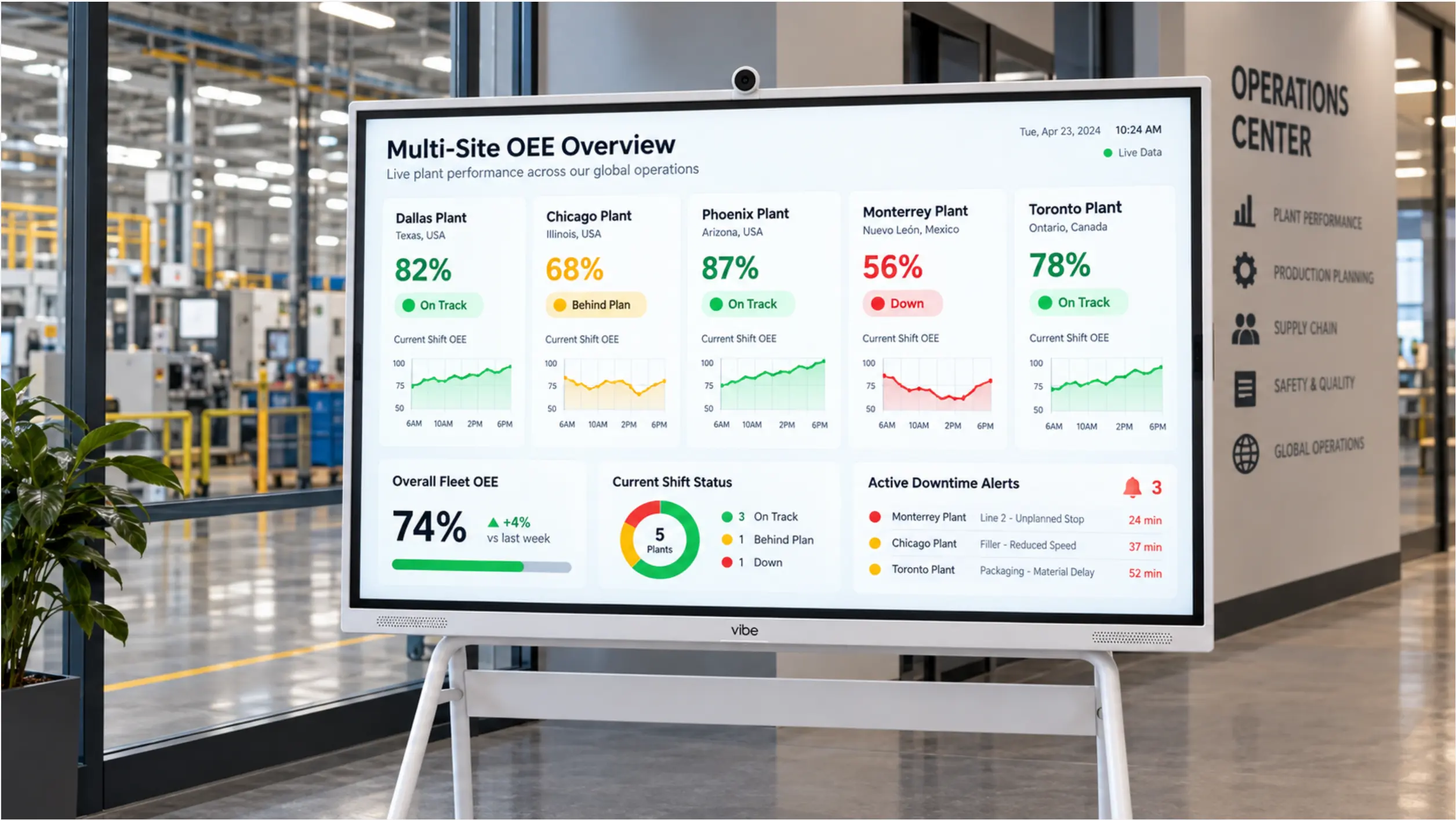
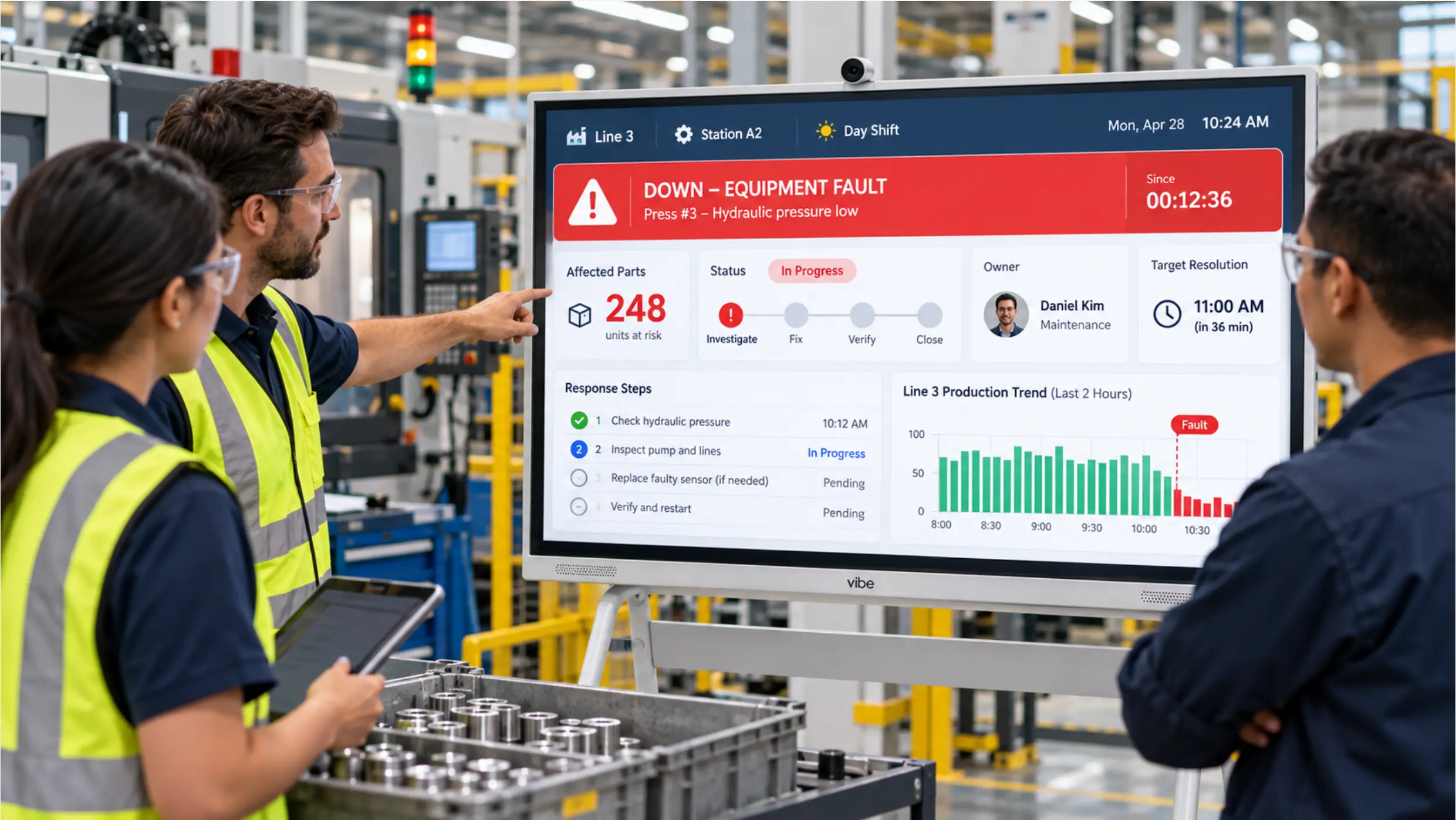
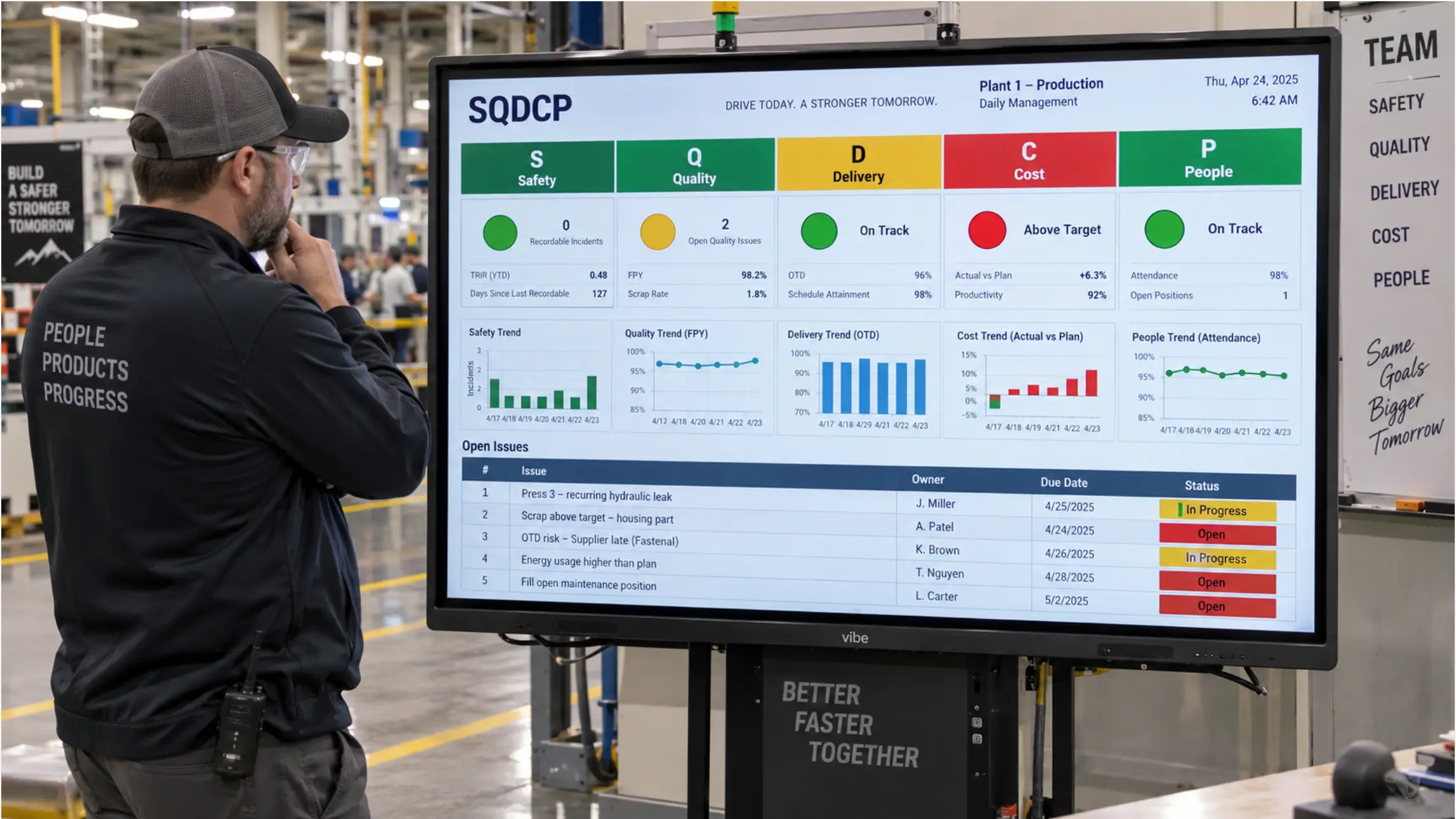
When manufacturers look at improving shop floor visibility, they typically encounter two categories of solution: visual management software platforms (Fabrico, Shoplogix, iObeya, Mevisio, Tulip) that promise to unify production data and display it on the floor, and display hardware that shows whatever data you already have on a screen at the line.
The distinction matters because most manufacturers already have visual management data. It lives in Power BI, in Excel on SharePoint, in their MES, or in their OEE platform. The problem is not that the data does not exist — it is that nobody on the floor can see it without walking to an office or opening a laptop.
Understanding which problem you are actually solving determines whether you need new software, new hardware, or both.
What Visual Management Software Actually Does
Visual management software platforms are purpose-built systems for collecting, organizing, and displaying production data. They typically include:
-
Data collection layer — direct connections to PLCs, MES systems, ERP databases, or manual input interfaces for operators to log production counts, downtime reasons, and quality events
-
Logic and calculation layer — OEE calculation, alert threshold logic, escalation workflows, and structured downtime coding
-
Display layer — dashboards configured for floor screens, showing live KPIs, status, and alerts
Platforms like Fabrico, Shoplogix, and Mevisio are strong when a manufacturer needs all three layers in one integrated system — especially when the data collection layer does not yet exist, or when the calculation logic (OEE, downtime coding, escalation) needs to be standardized across multiple lines or sites.
They are also the right choice when a plant needs structured digital workflows — work instructions with operator acknowledgement, quality check forms, or guided maintenance procedures — that go beyond what a dashboard can provide.
Where Visual Management Software Gets Expensive and Complicated
The promise of a visual management software platform is an end-to-end solution. The reality of deploying one is a significant implementation project.
Per-line or per-machine licensing typically makes these platforms expensive to scale. A plant with 12 lines can quickly reach five-figure annual software costs before any hardware is purchased.
Data migration and integration work is often underestimated. Connecting a visual management platform to an existing MES, ERP, or PLC environment requires IT involvement, middleware in some cases, and validation time. For facilities that have not yet standardized their data infrastructure, this work can take months.
Change management burden is real. Operators who have tracked production manually or on whiteboards need to adopt new digital input workflows. If the platform is not intuitive or the implementation is rushed, adoption rates on the floor tend to be poor — and a system operators do not use does not improve visibility.
Vendor lock-in is a structural risk. Production data collected and stored inside a proprietary visual management platform is harder to access, migrate, or integrate with other systems than data that lives in standard formats (Excel, SQL, Power BI datasets).
None of this means visual management software platforms are the wrong choice. It means they are a substantial investment with real implementation requirements — and that they solve a different problem than a display layer does.
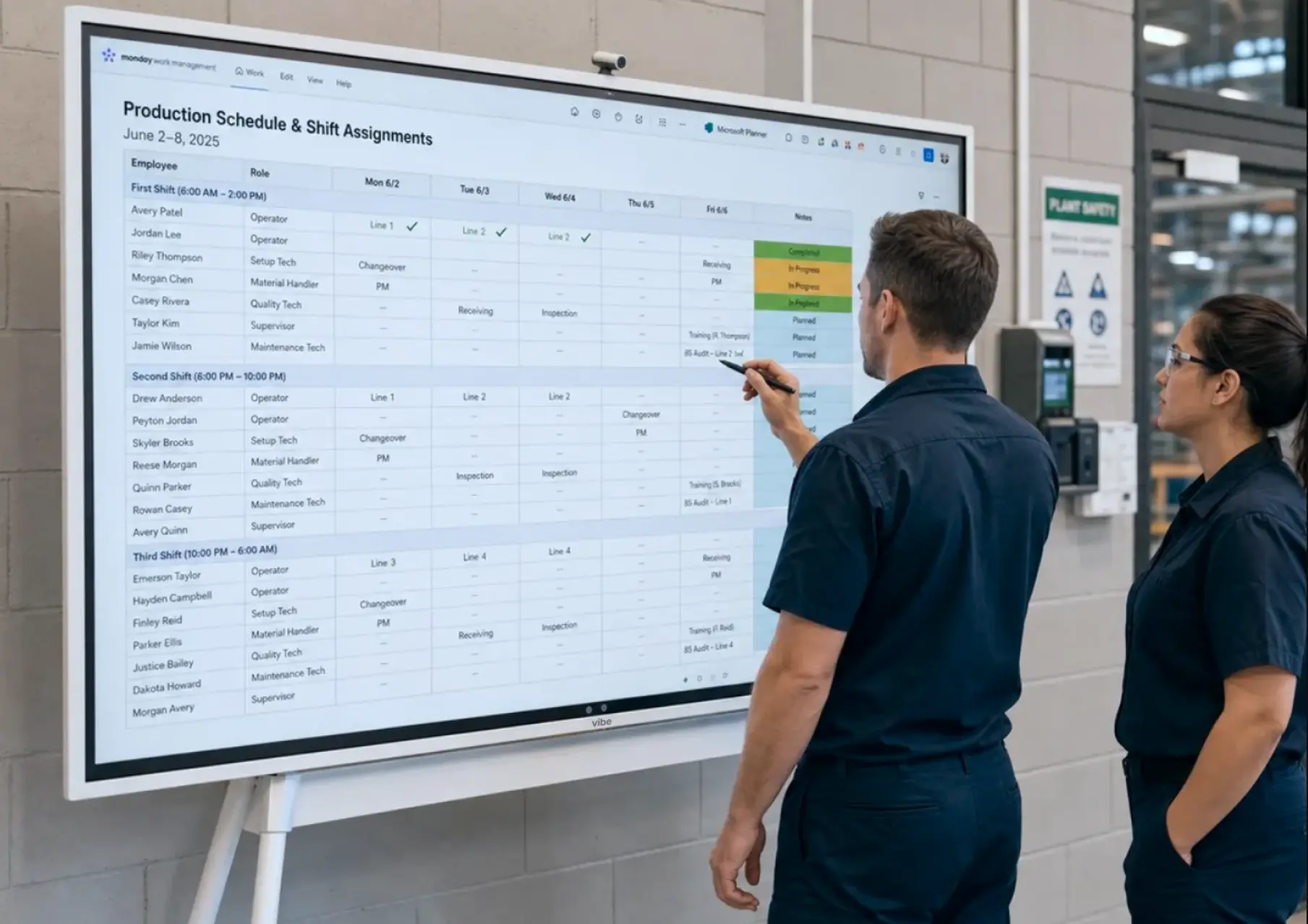
What the Display Layer Solves (and What It Does Not)
A display layer is exactly what it sounds like: a large-format screen at the line that shows data from wherever it already lives. No new data collection. No new calculation logic. No new input workflows.
The display layer solves one specific problem: the data exists but the floor cannot see it.
If your plant already tracks OEE in TeepTrak, plans production in Excel on SharePoint, reviews shift performance in Power BI, and runs SQDCP meetings from a whiteboard that gets photographed and emailed around — the data is there. What is missing is a screen at the line that shows it, updated automatically, without requiring anyone to walk to an office or open a laptop.
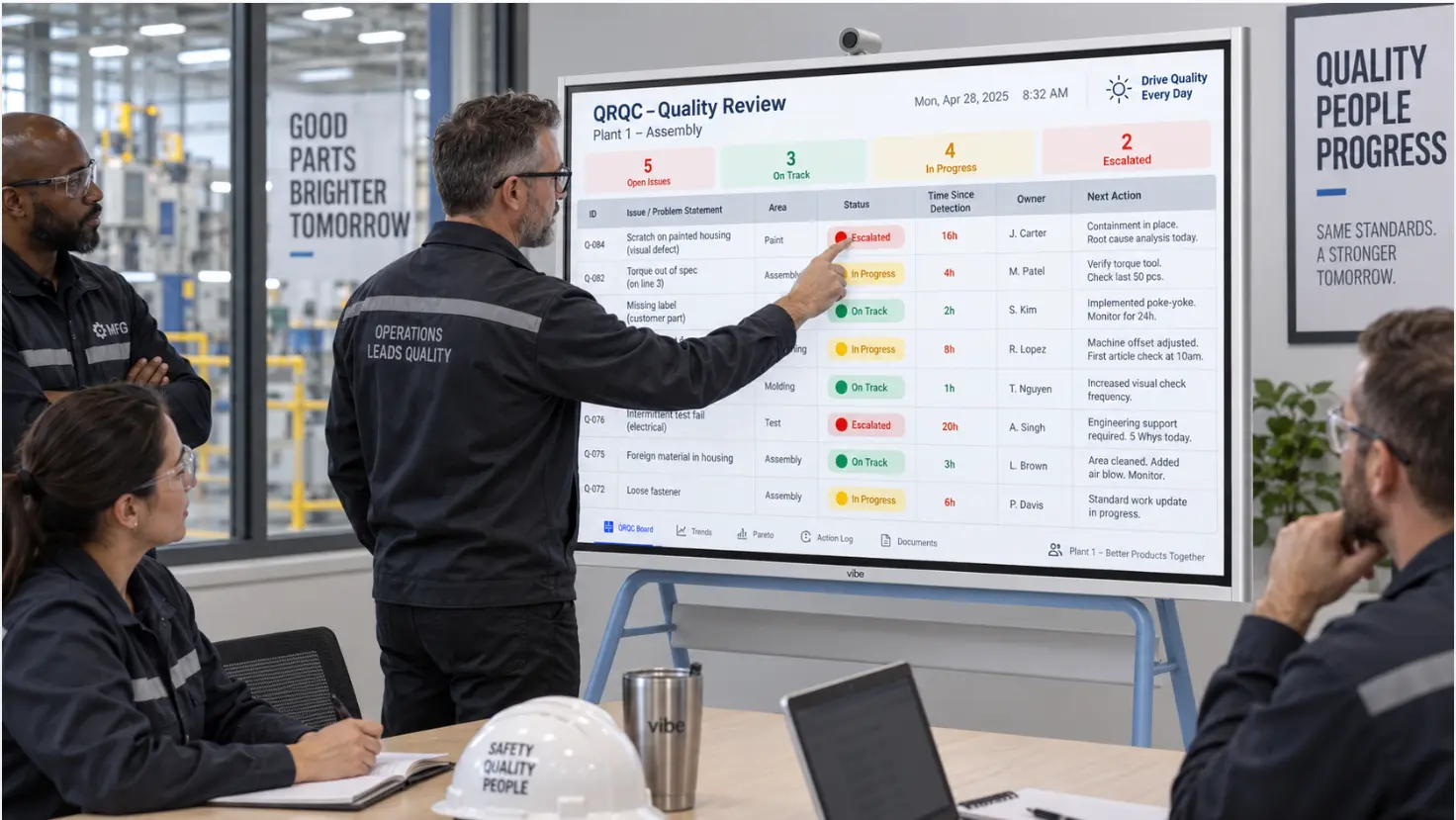
Vibe Board S1 Pro operates as this display layer. It runs Windows 11 Pro natively, which means:
-
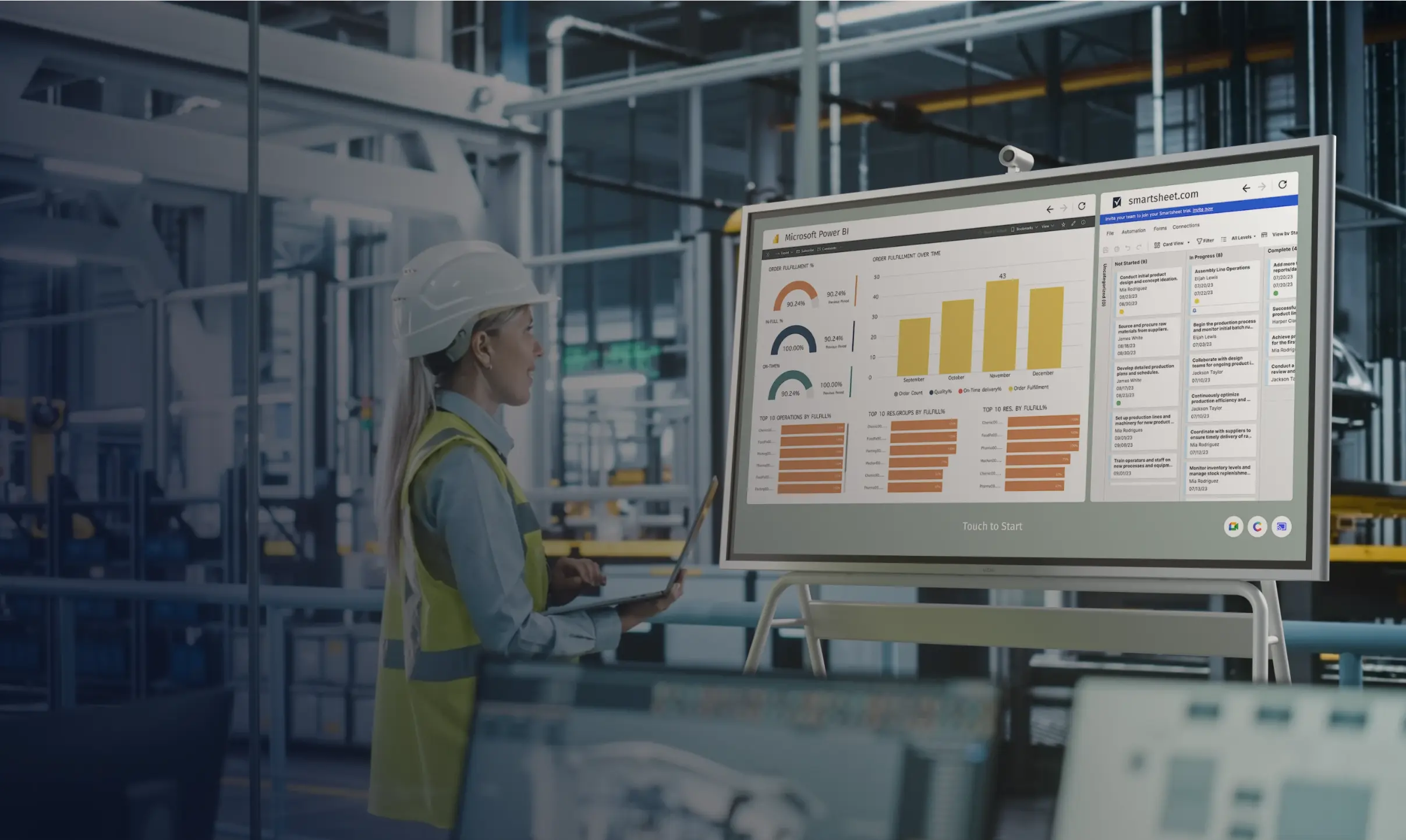
Power BI opens as a full application and refreshes on its own data connection schedule
-
Excel files from SharePoint display live — when the planner saves an update, the screen shows it within seconds
-
Browser-based OEE dashboards (TeepTrak, Vorne, Tractian) display in full-screen mode at the line
-
Supervisors can interact directly with the data on the 75″ touchscreen during shift reviews — filtering, drilling down, annotating — without switching to a laptop
This is not a visual management platform. It does not collect machine data, calculate OEE, or manage escalation workflows. It shows what your existing systems already produce, in the location where it needs to be seen.
The Question That Determines Which You Need
Before evaluating platforms or hardware, answer this question honestly:
Does your floor currently have accurate, up-to-date production data somewhere — in any system, in any format?
|
If the answer is… |
The problem is… |
The solution is… |
|---|---|---|
|
No — we don't reliably track OEE, downtime, or output in any system |
Data collection and calculation |
Visual management software platform |
|
Yes, but it's scattered and inconsistent across sites |
Data standardization |
Standardization layer (Power BI) + display |
|
Yes, in Power BI / Excel / our MES / our OEE tool |
Visibility — the floor can't see it |
Display layer (Vibe Board S1 Pro) |
|
Yes, but operators also need to input data digitally |
Both collection and visibility |
Software platform for input + display layer for output |
Most mid-size manufacturers who have been operating for more than a few years fall into the third row. Their planning lives in Excel. Their OEE or production tracking is in a tool someone selected three years ago. Their supervisors review shift performance in Power BI reports that no one on the floor has access to.
For them, the bottleneck is not more software. It is a screen at the line.
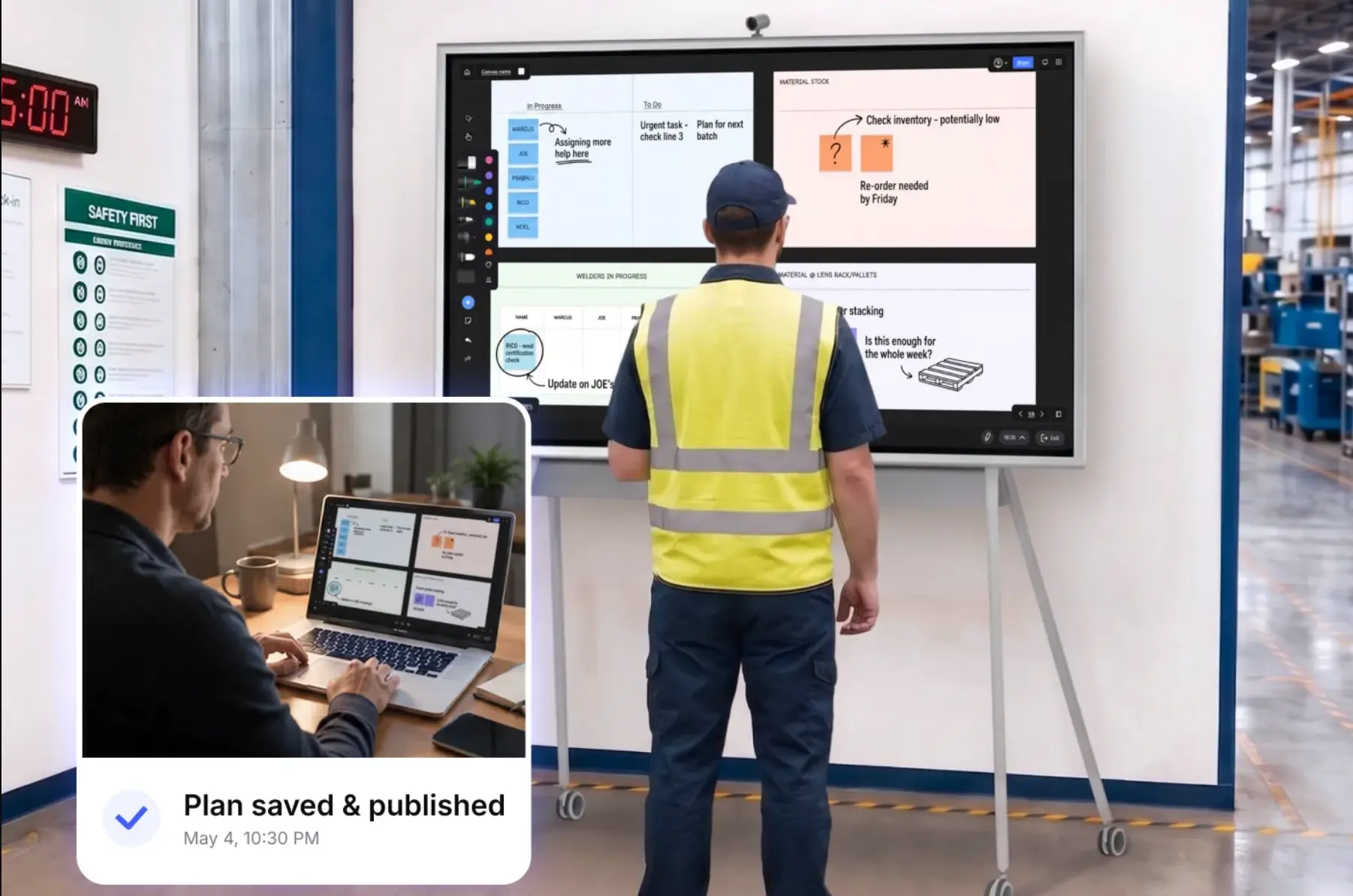
When You Need Both: Software Platform + Display Layer
The two categories are not mutually exclusive. Many effective manufacturing visual management setups use a software platform for data collection and logic, and a display layer for floor visibility.
A common pattern:
-
TeepTrak or Vorne handles OEE calculation and machine data collection, providing accurate real-time efficiency metrics
-
Power BI aggregates data from TeepTrak, the MES, and the production planning spreadsheet into a unified view
-
Vibe Board S1 Pro displays the Power BI report on a 75″ screen at the line, and allows supervisors to interact with it during tier reviews without a laptop
In this setup, each layer does what it is built for. The OEE platform handles data collection and calculation — the problem it is specifically designed to solve. The display layer handles floor visibility and supervisor interaction — the problem Vibe Board is specifically designed to solve. Neither has to do the other's job.
The alternative — buying a full visual management platform to solve a visibility problem — often results in paying for data collection and logic infrastructure that duplicates what already exists, while the floor visibility problem (the actual bottleneck) takes months longer to solve because the platform deployment is still in progress.
Side-by-Side: Visual Management Software vs. Display Layer
|
Visual Management Software Platform |
Display Layer (Vibe Board S1 Pro) | |
|---|---|---|
|
Data collection |
Built-in — collects machine data, operator inputs |
None — displays data from existing systems |
|
OEE calculation |
Built-in calculation engine |
Not included — uses OEE from existing tool |
|
Escalation workflows |
Structured alert and escalation logic |
Not included |
|
Operator input |
Digital forms, guided workflows, acknowledgment capture |
Touch interaction with existing applications |
|
Display output |
Dashboard templates for floor screens |
Native Windows apps (Power BI, Excel, browser) |
|
Implementation time |
Weeks to months |
Days |
|
Software cost |
Per-line or per-site subscription |
None (Windows apps, no additional CMS) |
|
Hardware cost |
Separate display hardware required |
Included (all-in-one device) |
|
Best for |
Plants without existing data infrastructure, or needing structured digital workflows |
Plants with existing data that needs to be visible on the floor |
What "Visual Management" Actually Requires
Visual management is not a software category. It is a practice — the discipline of making the status of work visible to everyone who needs to act on it, without them having to retrieve the information from somewhere else.
A Fabrico dashboard that displays accurately on a 75″ screen at the line is visual management. An Excel production schedule on a Vibe Board at the production entrance is visual management. A physical whiteboard updated every 30 minutes by a dedicated operator is visual management — if it is accurate and people act on it.
A sophisticated visual management software platform whose dashboards are reviewed on a laptop in the plant manager's office is not visual management. Neither is a Vibe Board showing a dashboard that is never discussed in a shift review.
The screen and the software are means. The outcome — accurate production status visible to the people who can act on it, connected to a meeting cadence where decisions get made — is what defines whether visual management is actually working.
Summary
Visual management software platforms and display hardware solve different problems. Software platforms are the right choice when data collection, calculation logic, or structured input workflows need to be built from scratch. Display hardware is the right choice when data already exists and needs to be visible where the floor can act on it.
Most manufacturers who have been operating for more than a few years are closer to the second scenario than the first. Their OEE data exists. Their production plans exist. Their shift performance data exists. None of it reaches the floor in a form that operators and supervisors can see and act on during the shift.
The gap between the data and the floor is a display problem. Solving a display problem with a software platform deployment takes longer, costs more, and addresses the wrong constraint.
Frequently Asked Questions
What is visual management software for manufacturing?
Visual management software platforms are integrated systems that collect production data (from PLCs, MES, or operator inputs), calculate KPIs like OEE, manage alert and escalation logic, and display dashboards on floor screens. Examples include Fabrico, Shoplogix, Mevisio, iObeya, and Tulip. They are most valuable when a plant lacks existing data infrastructure or needs structured digital input workflows.
Do I need visual management software if I already use Power BI or an OEE tool?
Not necessarily. If your production data is already tracked in Power BI, an OEE platform, or your MES, the missing piece is usually a display layer — a large-format screen at the line that shows that data where the floor can see it — rather than another software platform. Adding a visual management platform on top of existing tools often creates redundancy and implementation overhead without solving the core visibility problem.
What is the difference between visual management software and a digital signage system?
Digital signage platforms broadcast scheduled content (safety notices, rotating slides, shift schedules) to screens via a content management system. Visual management software collects live production data and displays operational KPIs in real time. A display layer like Vibe Board S1 Pro bridges both by running existing applications natively — Power BI for live data, browser-based dashboards for OEE, and interactive applications for reviews — without requiring a dedicated signage CMS or a visual management platform subscription.
How do I get my Power BI production dashboard onto a floor screen?
The simplest approach is a Windows-based interactive display (like Vibe Board S1 Pro) that runs Power BI as a native application. The report connects to its existing data source on the same refresh schedule it would on a workstation, displays full-screen at the line, and allows supervisors to interact with filters and drill-downs directly on the touchscreen. No signage player, no additional CMS, and no change to the Power BI report itself is required.
Can Vibe Board replace a visual management software platform?
For most use cases, no — and it is not designed to. Visual management software platforms handle data collection from machines and operators, OEE calculation, and structured escalation workflows. Vibe Board handles the display and interaction layer — showing what existing systems produce on a large floor screen. Where a plant has existing data infrastructure and needs floor visibility, Vibe Board is sufficient. Where a plant lacks data infrastructure or needs operator input workflows, a visual management platform (possibly paired with Vibe Board as the display layer) is the right approach.
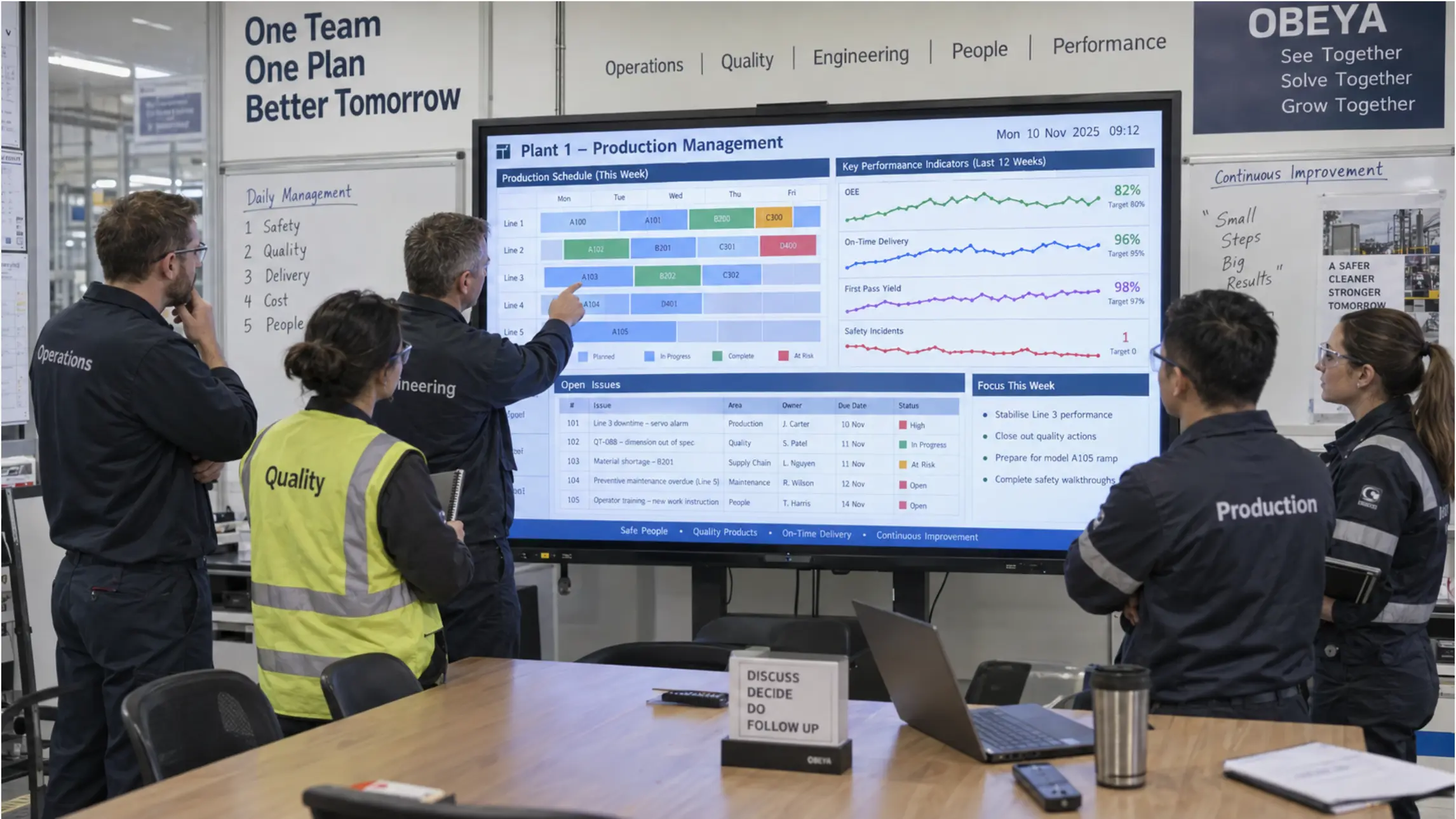
What should a visual management board display in a manufacturing plant?
At minimum: current line status (running / stopped / alert), output versus target for the current shift, and the top active issue with elapsed time. More complete boards add OEE components, downtime reason codes, and shift-level trend lines. The principle is that anyone walking past the screen should be able to tell in five seconds whether the line is on track — without opening a system, asking anyone, or walking to an office.