

In today’s hybrid or even fully remote workplaces, virtual meetings and video conferencing are commonplace. What was once a bit of a novelty is now a necessity —and most people have been in workplace video conferences where the meeting starts late or veers off course. This can be due to tech delays, misusing mute buttons, or any number of other issues.
42% of meetings take place online using technology like Zoom or Microsoft Teams. With the growing popularity of hybrid and remote work, having proper video conferencing etiquette is a required skill that both employers and workers should be familiar with. Let’s go over the best practices and etiquette tips for effective video conferencing and hybrid meetings.
- Test all A/V tech and meeting spaces before video conferencing and make sure everyone can be seen and heard.
- Be on time (or early), quickly review the shared meeting agenda, and stick to it.
- Don’t multitask; be present and make sure all participants feel engaged.
Best Practices and Tips for Effective Video Conferencing
It’s much more pleasant to participate in an online, hybrid, or video conference meeting when everyone is on the same page and knows the appropriate behavior. Here are some general tips and best practices.
1. Share or review the meeting agenda
The meeting organizer or facilitator should share the meeting agenda with all participants. This can be done beforehand via email or other collaborative workspace communication platforms, or it can be quickly presented as part of the meeting. A clear agenda makes meetings shorter, more focused, and easier for remote attendees to follow, and reviewing the meeting plan helps everyone align for maximum productivity.
The best agendas often include specific time boxes, task owners, and desired outcomes for each agenda item.
2. Join meetings a few minutes early, and end on schedule
It’s not uncommon to have multiple meetings back-to-back, which can make "arriving early" a little tricky. But when possible, get in the habit of joining virtual meetings 5 minutes early. Being early respects others’ time and reduces "settling in" delays for everyone. Ending on time also shows respect for attendees of this meeting (and the next one).
Note that early arrival is especially important for room hosts and presenters, who should troubleshoot their video conferencing platform, permissions, cameras, microphone functionality, and interactive whiteboards or other collaboration technology well before the meeting starts.
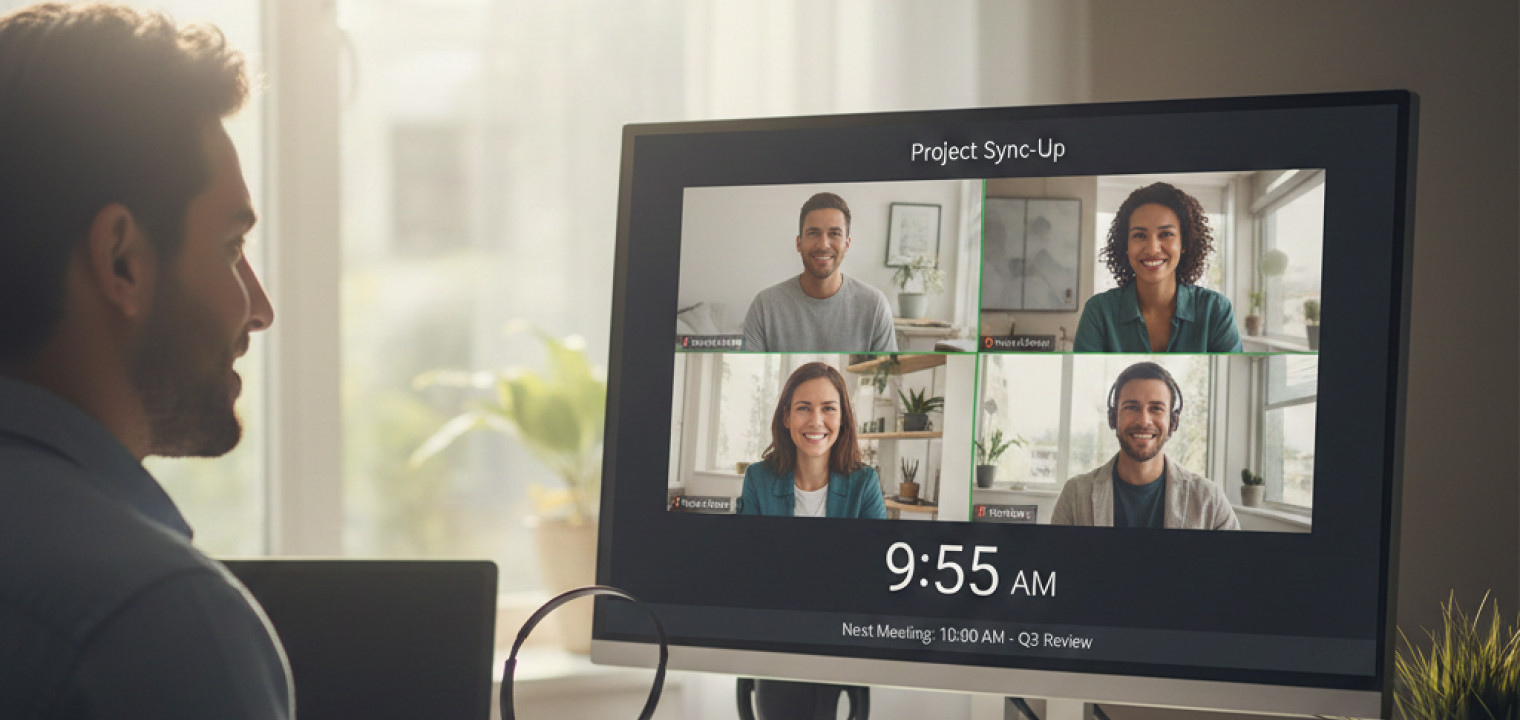
3. Test your tech and connection beforehand
Just like the meeting leader or facilitator should make sure all the tech is functioning properly on their end, all participants should be instructed to test their audio, video, screen sharing, and any new tools before important meetings. It can be frustrating when one meeting participant needs to spend extra time getting a new account set up or phone permissions figured out.
It’s also wise to have a backup option ready (phone‑in, alternate device, or hotspot connection) in case of any issues.
4. Look into the camera often when speaking
Many of us have grown accustomed to virtual meeting attendees looking below the "eye level" of the camera at their phone or laptop screen, rather than into the camera lens itself. However, it’s best to get into the habit of glancing at the camera regularly when making key points or asking questions. You don’t have to stare into your camera, especially when you aren’t the one speaking.
If you’re not sure where your device’s camera actually is, practice with a friend until you can determine the best place to look. Another tip is to move the meeting window closer to the camera (in the case of built-in cameras), or if using a separate webcam, mount it at eye level to make virtual eye contact easier and more natural.
5. Use strong and stable internet connections
Ideally, a direct-wired connection is preferred where possible, especially for the meeting host. Setting up a Wi-Fi device close to a router or signal booster can also help create a stable, fast connection and prevent spotty video or audio signals.
You should close high‑bandwidth apps such as cloud backups or media streaming before important calls.
6. Pick reliable video conferencing hardware and software
Reliable video conferencing software should offer stable, high‑quality audio and video, strong security, and an intuitive experience that works smoothly across devices and network conditions. Use quality video conferencing hardware and devices such as purpose-built webcams and microphones, conference-call optimized phone systems, and hybrid-enabled remote collaboration tools.
Aim for at least 1080p or better video quality and choose a microphone that brings your voice through clearly and consistently. This may be different for one presenter compared to another, so keep your options open. Encourage choosing platforms that are simple for everyone to use consistently.
Tips for Video Conferencing On-Site
Now, let’s go over some video conferencing best practices specifically relating to the facilitator or leader of an on-site workplace video conference or hybrid meeting.
7. Ensure cameras and microphones capture everyone
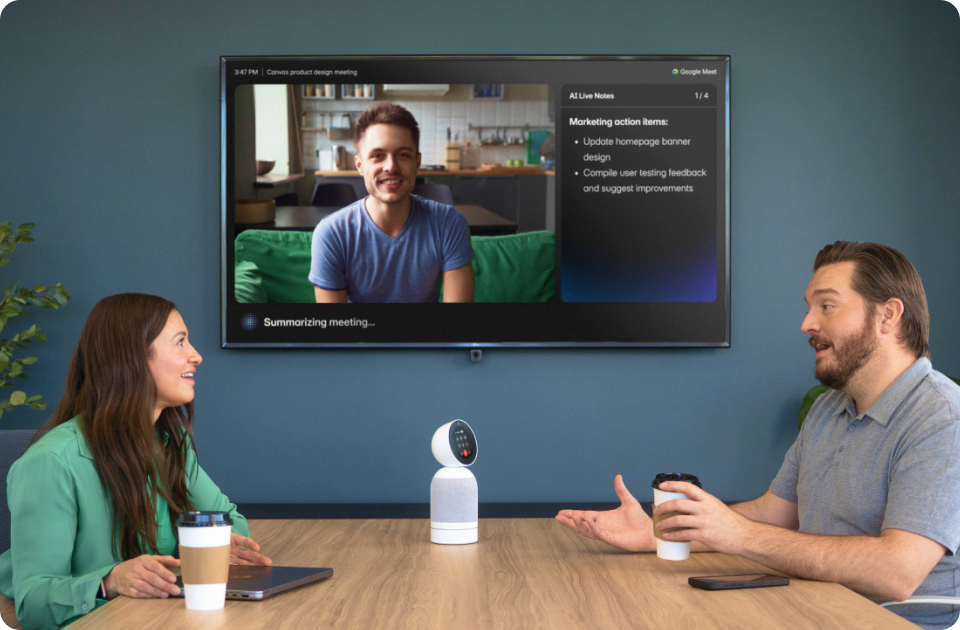
Everyone likes to feel like their attendance means something to the meeting. Make sure to set up the cameras so they frame the whole table (in the case of on-site group meetings with hybrid attendants) and that all voices are audible. Ideally, ask a remote participant to confirm this before the meeting starts, and if some people are hard to see or hear, adjust the seating, add mics as appropriate, or reposition cameras for an optimal experience.
See how Vibe Bot’s advanced features create seamless and inclusive meetings!
8. Regularly maintain technology and update software
As with any other software, audio-visual (AV) tech needs to be kept updated and checked regularly. Keep webcam lenses free from dust and cobwebs, and make sure the hardware is functional and modern. Proactive upkeep prevents embarrassing failures during high‑stakes meetings.
9. Adjust room lighting for video clarity
Strong backlighting (such as a bright window behind you ) turns your face into a dark silhouette, making expressions and reactions hard to see. Aim for a well-lit subject with even lighting. Very dark rooms force the camera to overcompensate, creating grainy, low‑quality video that looks less professional and is tiring to watch.
Simple fixes such as closing blinds, turning on front or side lights, or slightly moving the table relative to the light source can put more light on your face so you look clear, polished, and easier to identify with.
10. Engage remote team members equally
Often, remote/hybrid meeting participants may feel neglected or even unwelcome when joining via video/internet to an on-site meeting. This can be mitigated by overemphasizing calling on remote participants by name and inviting their input. It’s a good idea to assign a meeting attendant to watch the virtual meeting chat and call out "raised hands" so nothing is missed. Digital collaboration software often makes it easier to include everybody with those functions.
 Remote and in-room teammates collaborate equally on a Vibe Board during a hybrid meeting.
Tips for Video Conferencing Remotely
What are the best practices if you’re the one calling in or joining a video conference remotely? Here’s what we recommend.
11. Avoid the temptation to multitask
Joining a virtual meeting and then "zoning out" and working on other projects hurts focus, impacts collaborative decision quality, and shows up visibly on camera. Conference call etiquette requires that you be present mentally and engage with the meeting. Everyone is better for it. If you find yourself getting distracted, closing unrelated tabs and silencing notifications before joining can help you maintain focus.
12. Dress to workplace standards
Dress standards have gotten a bit strained over the past 5 or 6 years, with so many people working remotely. You should follow your company’s normal in‑office expectations as far as dress and grooming, and have proper hygiene. Dressing professionally also helps you switch into "work mode" mentally.
13. Always mute yourself when you are not speaking
Many meeting facilitators will set up the meeting to auto-mute everyone, but sometimes this isn’t possible. Get into the habit of un-muting yourself when making a comment or asking a question, and then muting yourself afterward. Learn the keyboard or phone shortcuts for the mute function to make it even more second nature.
In some cases, such as small, highly interactive brainstorming sessions, staying unmuted may be appropriate.
Beyond Etiquette: Let Vibe Bot Handle the Meeting Logistics
Following video conferencing etiquette—like staying engaged and taking accurate notes—is hard when you’re also trying to lead a brainstorm. You shouldn’t have to choose between active listening and manual documentation.
Vibe Bot acts as your "Virtual Chief of Staff," ensuring your meetings stay as professional as your etiquette.
While you focus on the conversation, Vibe Bot’s 360-degree 4K UHD camera ensures every participant in the room is framed perfectly, and every voice is heard. It’s the ultimate tool for hybrid inclusivity.
-
Focus on the Room, Not the Notes: Vibe Bot automatically transcribes discussions and identifies action items in real-time, so you can stop multitasking and start engaging.
-
Visual Clarity for Everyone: Its intelligent camera doesn’t just record; it follows the flow of the meeting, capturing whiteboard sketches and gestures that static webcams miss.
-
Zero Post-Meeting Friction: Decisions are instantly synced to your team’s workspace (Notion, Slack, Jira), keeping the momentum alive long after the call ends.
Stop managing the tech. Start leading the meeting. Watch the video below to learn more about Vibe Bot.
Video Conferencing Best Practices FAQs
What are the do’s and don’ts of virtual meetings?
Do:
-
Test all A/V tech before the meeting
-
Review the agenda/share with participants
-
Join a few minutes early
-
Dress appropriately
-
Engage all meeting participants equally
-
Ensure everyone can be seen and heard
-
Mute yourself when not speaking
Don’t:
-
Multitask or play games
-
Eat
-
Sit in front of a bright window or in a dark room
-
Stream or perform high-bandwidth functions during the meeting
-
Ignore hybrid/remote participants
What should you do before a video conferencing call?
If you’re hosting or facilitating the conference call, make sure that all tech is functional and that all on-site participants can be seen and heard before the meeting, adjusting lighting and camera/microphones as necessary. Share an agenda with participants, and test the connection beforehand.
What are the 8 standards of meeting etiquette?
-
Be on time (ideally a few minutes early).
-
Come prepared and dressed for work.
-
Ensure a quiet, well-lit space for virtual meetings.
-
Share the agenda and stick to it.
-
Be an active participant, and involve everyone.
-
Give others the opportunity to speak (and mute yourself when not speaking in virtual meetings).
-
Ask follow-up or clarifying questions.
-
Be aware of your body language, and use appropriate eye contact.