Putting devices in front of students is the easy part. Making them improve learning is the hard part—and the two are not the same thing. A 2025 OECD literature review of the research, The Impact of Digital Technologies on Students’ Learning, reaches a blunt conclusion: access to technology alone does not guarantee any educational gain. What makes the difference is pedagogy, not hardware. The OECD Digital Education Outlook 2026 echoes this for the newest tools, finding that digital technology and AI support learning when guided by clear teaching principles—but when students simply outsource the work, performance can rise without any real learning behind it.
In other words, successful technology integration isn’t a purchasing decision—it’s a teaching strategy. This guide covers what effective integration looks like, the benefits and challenges to plan for, and eight concrete strategies you can put to work.
If you’re still getting your bearings on the basics, our overview of what educational technology is covers the definitions, theories, and types of edtech in depth. This article picks up where that leaves off and focuses on the practical work of integration.
What Effective Technology Integration Actually Means
Technology integration is the practice of weaving digital tools into teaching so seamlessly that they support a clear learning goal rather than sit beside it as an add-on. At its best, the technology becomes nearly invisible: students and teachers stop thinking about the tool and focus on the work it enables.
 Students in classroom using computers
The distinction that matters most is active versus passive use. Passive use asks students to consume—watch, click, complete. Active use asks them to do something only possible with the tool: collaborate on a shared document in real time, build a data visualization, record a podcast, or connect with an expert across the world. This is the shift the OECD’s evidence points to—technology earns its place when it changes what students can do, not when it simply digitizes a worksheet. Every strategy below is ultimately a way to make that shift.
The Benefits of Integrating Technology in the Classroom
When integration is done thoughtfully, the payoffs show up for both students and teachers.
 Technology in classroom
Higher engagement and participation. Interactive tools—gamified quizzes, simulations, augmented and virtual reality—turn abstract concepts into something students can manipulate, and they generate real-time data on who’s grasping the material and who isn’t.
Personalized, equitable learning. Adaptive platforms adjust difficulty to each learner, letting struggling students revisit fundamentals while advanced students push ahead, all without a teacher building separate lesson plans from scratch. The OECD’s review notes that, done well, technology can help narrow gaps for disadvantaged learners rather than widen them—but only when it’s well designed and paired with strong teaching.
Stronger collaboration. Shared documents and collaborative whiteboards let students work together on a single canvas whether they’re in the same room or learning remotely, building the communication and teamwork skills that workplaces now expect.
More teacher time for teaching. Learning management systems and automated grading take routine administrative work off educators’ plates, freeing them to spend more time on instruction and individual student support.
Real digital literacy. Guiding students through research, data analysis, and responsible online behavior builds competencies they’ll carry into higher education and the workforce.
The distinction that matters most is active versus passive use. Passive use asks students to consume—watch, click, complete. Active use asks them to do something only possible with the tool: collaborate on a shared document in real time, build a data visualization, record a podcast, or connect with an expert across the world. This is the shift the OECD’s evidence points to—technology earns its place when it changes what students can do, not when it simply digitizes a worksheet. Every strategy below is ultimately a way to make that shift.
The Benefits of Integrating Technology in the Classroom
When integration is done thoughtfully, the payoffs show up for both students and teachers.
-
Higher engagement and participation. Interactive tools—gamified quizzes, simulations, augmented and virtual reality—turn abstract concepts into something students can manipulate, and they generate real-time data on who’s grasping the material and who isn’t.
-
Personalized, equitable learning. Adaptive platforms adjust difficulty to each learner, letting struggling students revisit fundamentals while advanced students push ahead, all without a teacher building separate lesson plans from scratch. The OECD’s review notes that, done well, technology can help narrow gaps for disadvantaged learners rather than widen them—but only when it’s well designed and paired with strong teaching.
-
Stronger collaboration. Shared documents and collaborative whiteboards let students work together on a single canvas whether they’re in the same room or learning remotely, building the communication and teamwork skills that workplaces now expect.
-
More teacher time for teaching. Learning management systems and automated grading take routine administrative work off educators’ plates, freeing them to spend more time on instruction and individual student support.
-
Real digital literacy. Guiding students through research, data analysis, and responsible online behavior builds competencies they’ll carry into higher education and the workforce.
8 Effective Technology Integration Strategies
These approaches put the principles above into practice. Each one is a way to move students toward active, purposeful use.
1. Flipped Classroom
Students engage with instructional content—video lectures, readings, interactive modules—at home, freeing class time for discussion, problem-solving, and hands-on application. This maximizes face-to-face time for the work that benefits most from a teacher’s presence. Digital whiteboards let teachers capture and share in-class problem-solving for later review.
2. Gamified Learning
Platforms like Kahoot!, Quizlet, and Quizizz turn objectives into challenges with points and instant feedback. Gamification works especially well for reinforcing concepts and low-stakes assessment, raising motivation without raising pressure.
3. Learning Management Systems
An LMS such as Google Classroom, Canvas, or Schoology centralizes assignments, resources, grading, and communication in one place, keeping teachers, students, and parents aligned and organized.
4. Digital Field Trips
Virtual reality, interactive maps, and live video with experts let students explore places they could never physically visit, making subjects like history, science, and geography concrete and memorable.
5. Blended Learning
Blended learning combines face-to-face instruction with online components, often through station rotations, giving students some control over the pace and path of their learning while preserving teacher guidance.
6. Differentiated Instruction
Adaptive platforms adjust content to each student’s readiness, and teachers can assign different digital resources by learning profile—ensuring every student is appropriately challenged and supported.
7. Interactive Multimedia Lessons
Tools like Pear Deck, Nearpod, Vibe Canvas, and interactive whiteboards turn passive presentations into active learning, letting students respond, manipulate content, and demonstrate understanding in real time while teachers see comprehension as it happens.
8. Digital Citizenship
As technology becomes central to learning, explicitly teaching online safety, privacy, ethics, and critical evaluation of information prepares students to navigate digital spaces responsibly for life.
Common Challenges (and How to Plan for Them)
Integration is worth doing, but it isn’t frictionless. Naming the obstacles up front is the best way to design around them.
Teacher training and confidence. Many educators feel underprepared to use digital tools well. The fix is sustained, role-relevant professional development rather than a single training day—the OECD’s research consistently ties results to teacher capacity, not tool availability.
Distraction and over-reliance. Technology can pull attention away as easily as it focuses it. The OECD Digital Education Outlook 2026 warns that when students lean too heavily on tools like generative AI, they can complete tasks without the mental effort that produces real learning. Clear classroom norms on when and how devices are used keep tools in service of the lesson.
Cost and equity. Devices, software, connectivity, and support all require investment, and uneven access can widen gaps if it isn’t addressed deliberately. Sustainable funding and a plan for equitable access matter as much as the hardware itself.
 Cost is always a challenge for classroom technology
Bringing It Together with the Vibe Board S1
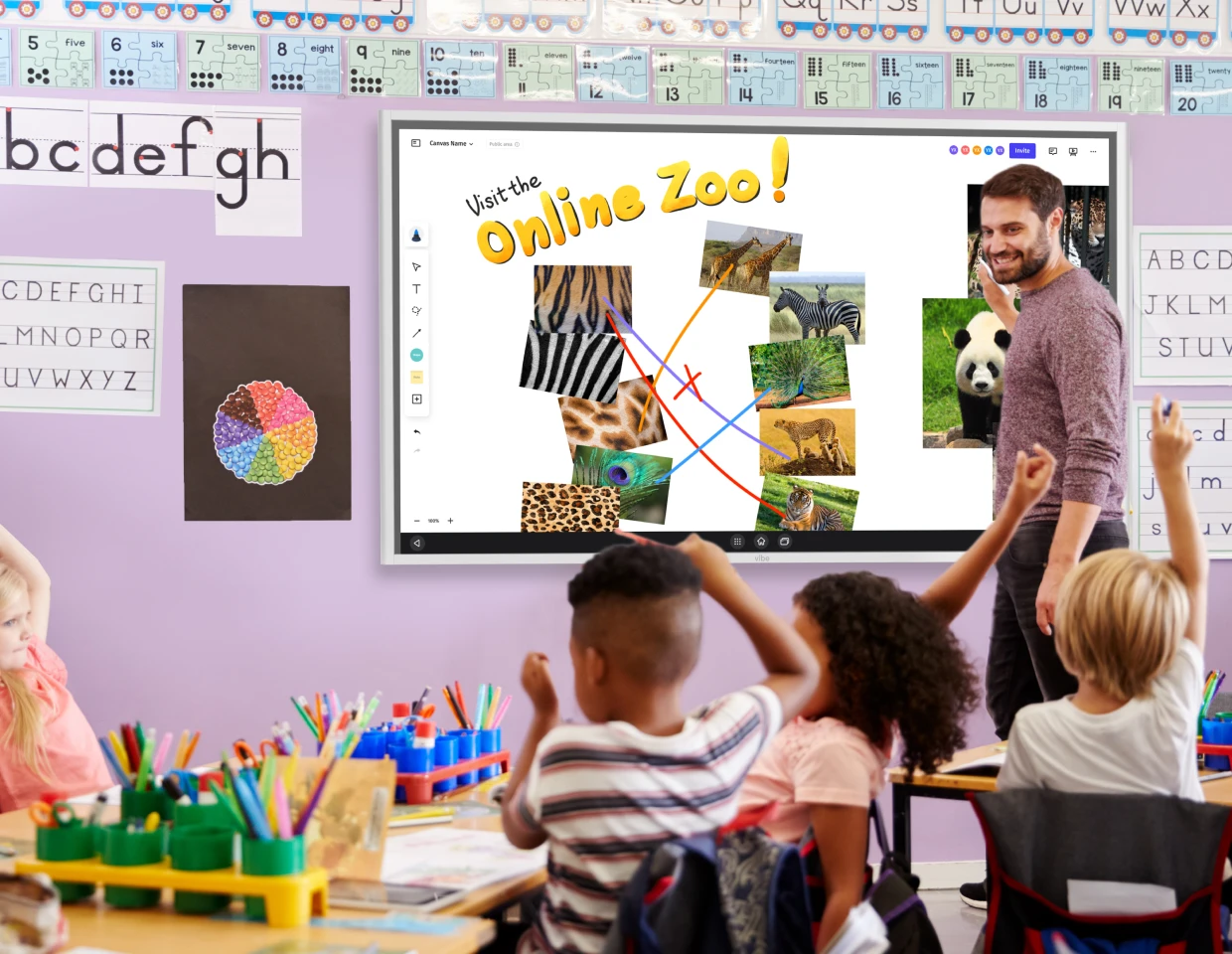
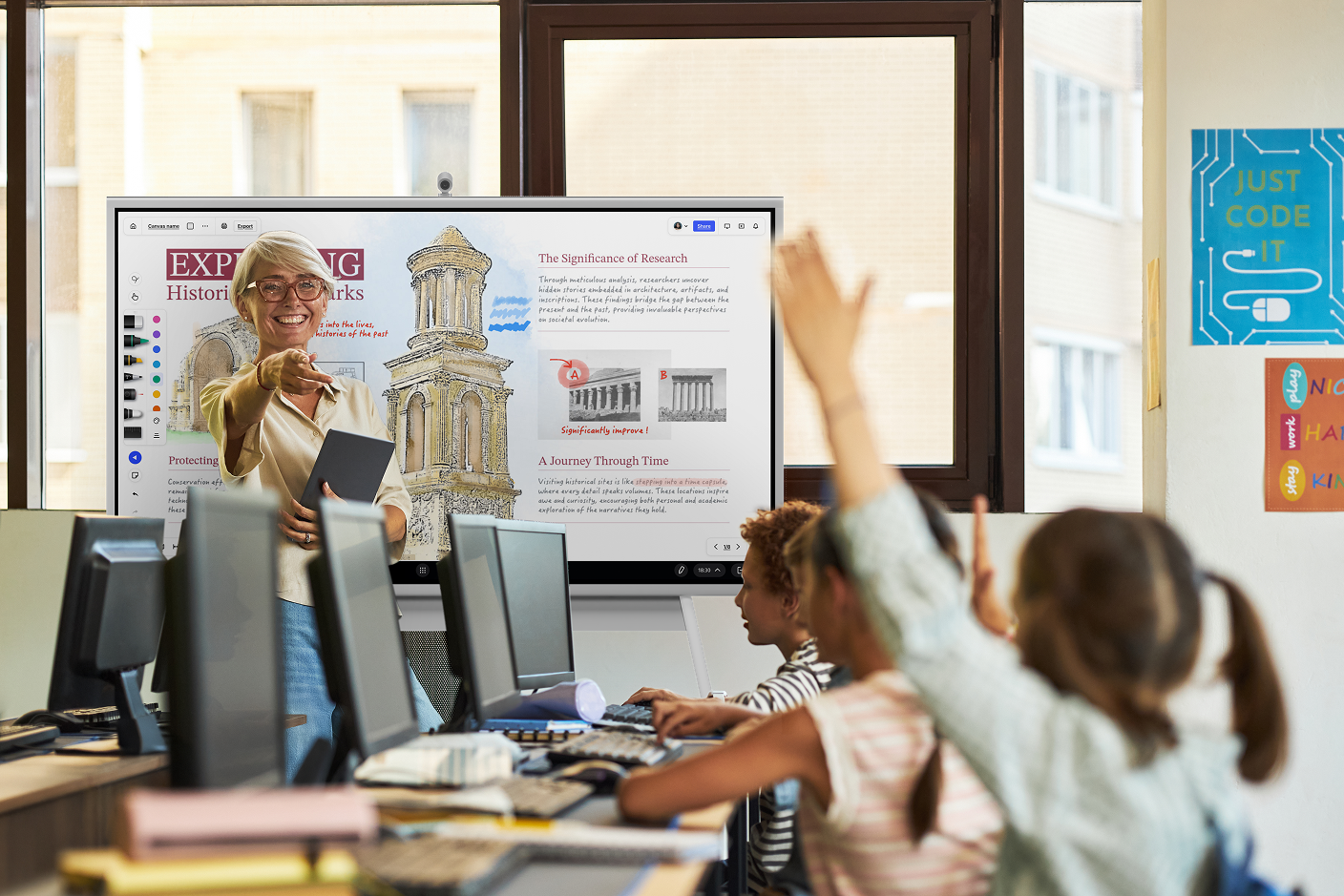
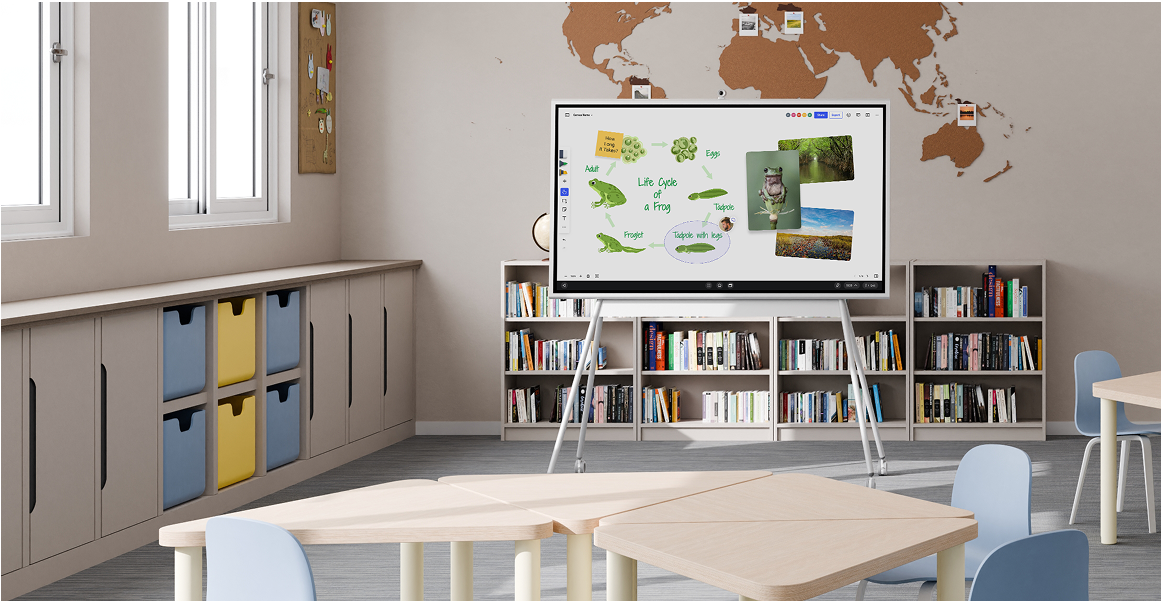
Many of these strategies share a need for one thing—a shared, interactive surface where teachers and students can actually work together. The Vibe Board S1, a Chrome-based smart whiteboard, is built for that role. It integrates with 250+ mainstream apps—including Google Classroom, Meet, and Zoom—so the LMS, video, and collaboration tools your classroom already uses live in one place. Its touch-first canvas supports the flipped lessons, multimedia activities, and real-time collaboration described above, and it works for in-person, remote, and hybrid classrooms alike.
If you’re weighing classroom technology for a school or district, Vibe’s K-12 education solutions walk through classroom use cases in more detail.
Bringing It Together with the Vibe Board S1
Many of these strategies share a need for one thing—a shared, interactive surface where teachers and students can actually work together. The Vibe Board S1, a Chrome-based smart whiteboard, is built for that role. It integrates with 250+ mainstream apps—including Google Classroom, Meet, and Zoom—so the LMS, video, and collaboration tools your classroom already uses live in one place. Its touch-first canvas supports the flipped lessons, multimedia activities, and real-time collaboration described above, and it works for in-person, remote, and hybrid classrooms alike.
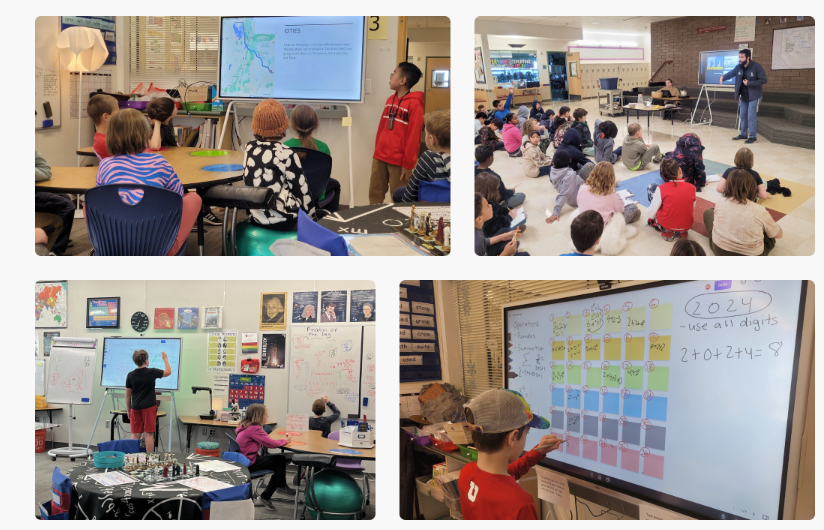 Four images showing Vibe interactive whiteboard integration in classrooms enhancing student engagement through collaborative learning activities and digital interaction.
If you’re weighing classroom technology for a school or district, Vibe’s K-12 education solutions walk through classroom use cases in more detail.
FAQ
Why is integrating technology in the classroom important?
Beyond engagement, it builds the digital literacy students need for higher education and modern careers, lets teachers personalize instruction at scale, and—when access is equitable—can help close learning gaps rather than widen them. The key is active, purposeful use rather than simply placing devices in the room.
What is the difference between using and integrating technology?
Using technology can mean any presence of devices in a classroom. Integrating it means weaving tools into instruction in service of a specific learning goal, so seamlessly that they support the lesson rather than distract from it. Integration is about pedagogy first, tools second.
How do I start integrating technology if my budget is limited?
Start with the free or low-cost tools you already have, focus on one clear learning goal, and pilot with a single lesson or class before scaling. Effective integration depends far more on thoughtful teaching and teacher support than on expensive hardware.
What are some examples of technology integration in the classroom?
Practical examples include a flipped classroom where students watch lessons at home and problem-solve in class, gamified review with tools like Kahoot! or Quizizz, virtual field trips through VR or live expert video, real-time collaboration on a shared whiteboard, and adaptive platforms that tailor practice to each student. The common thread is that the technology enables active work—creating, collaborating, analyzing—rather than just digitizing a worksheet.
Does technology in the classroom actually improve learning outcomes?
It can, but not automatically. The research is clear that simply giving students devices doesn’t guarantee any gain; the results come from how the technology is used. When it’s tied to a specific learning goal and paired with strong teaching, it can boost engagement and even help narrow gaps for struggling learners—but when it replaces good instruction or invites passive use, the benefits disappear.
What are the main challenges of integrating technology in the classroom?
The three most common are teacher readiness (educators need time and ongoing training, not a one-off workshop), distraction and over-reliance (devices and AI can pull focus or let students skip the thinking that produces learning), and cost and equity (uneven access to devices and connectivity can widen gaps if it isn’t planned for). Each is manageable with clear goals, classroom norms, and sustained support.