

Artificial intelligence has exploded in popularity over the past 3 years since the introduction of generative AI. Numbers vary, but one Gallup poll says that the number of people who have used AI in their work has nearly doubled (from 21% to 40%) in the last two years. Other sources, such as McKinsey, report 88% of their survey respondents using AI in at least one business function.
While AI adoption in the workplace can lead to improved productivity and results, it may create confusion and inaccuracies depending on how it is implemented and what tools are used. Our picks below will help you narrow down the available choices and find a solution that’s perfect for your organization.
- Select an AI collaboration tool that aligns with your specific use case and desired workflows, rather than just something “powered by AI!”
- Collaborative AI-enabled whiteboards, brainstorming, and task mapping tools can simplify training, project management, and more.
- Many AI collaboration tools provide built-in functionality with your existing project management or workspace communication solutions.
What to Look For in AI Collaboration Tools
As with any business tool or technology, the best results are achieved when the user matches the right tool to the right job. Selecting a popular solution just because it has a generic "powered by AI!" badge may not be the best fit for you and your business. When evaluating collaborative AI tools, it helps to focus on the following features in the context of your unique requirements:
-
Match to real use cases: Look for AI that clearly supports your desired workflows (example: meeting notes, whiteboard summaries, task automation).
-
Accuracy and human control: The tool should keep hallucinations low and make it easy to review, edit, and override AI outputs before sharing.
-
Deep integrations and context: Prioritize tools that plug into your chat, whiteboards, project platforms, and storage so AI can benefit from real team context.
-
Security, privacy, and compliance: Check how data is stored, whether it’s used for model training, and what standards (like SOC 2 or GDPR) the vendor supports.
-
Proven time savings: You should be able to see fewer manual updates, faster recaps, and less context switching once the AI is in use. (Many solutions offer trial periods so you can make these determinations before investing in the platform.)
-
Usability and team adoption: AI features should be obvious and simple to trigger so teammates can use them without needing in-depth training or complex prompts.

The 12 Best AI Collaboration Tools
To provide you with the best information and save you time, we’ve gathered the following list of the best AI collaboration tools. Detailed product descriptions, features, and pros/cons of each are provided in the sections below.
1. Miro
Miro is an online visual collaboration platform featuring an infinite digital whiteboard for teams to brainstorm, plan, design, workshop, and manage projects remotely or in hybrid settings.
AI features: Large, interactive canvases. Clusters sticky notes, generates diagrams, and summarizes complex boards with Miro AI.
Best for: Hybrid workshops, visual collaboration, and strategy sessions on smart boards.
Pros:
-
Dramatically speeds up affinity mapping and clustering after large brainstorms, especially for research or feedback boards.
-
Automatically converts complex flows and sticky collections into diagrams and summaries you can share or refine.
-
Works natively on the same board your team already uses, so you do not have to export data into a separate AI tool.
Cons:
-
Clustering and summaries still need human review, especially for nuanced research or sensitive decisions.
-
Does not deeply integrate with external ticketing or CRM tools for end‑to‑end automation beyond the board itself.
-
Performance can slow down on very large boards, and heavy AI use may require higher‑tier plans or credits.
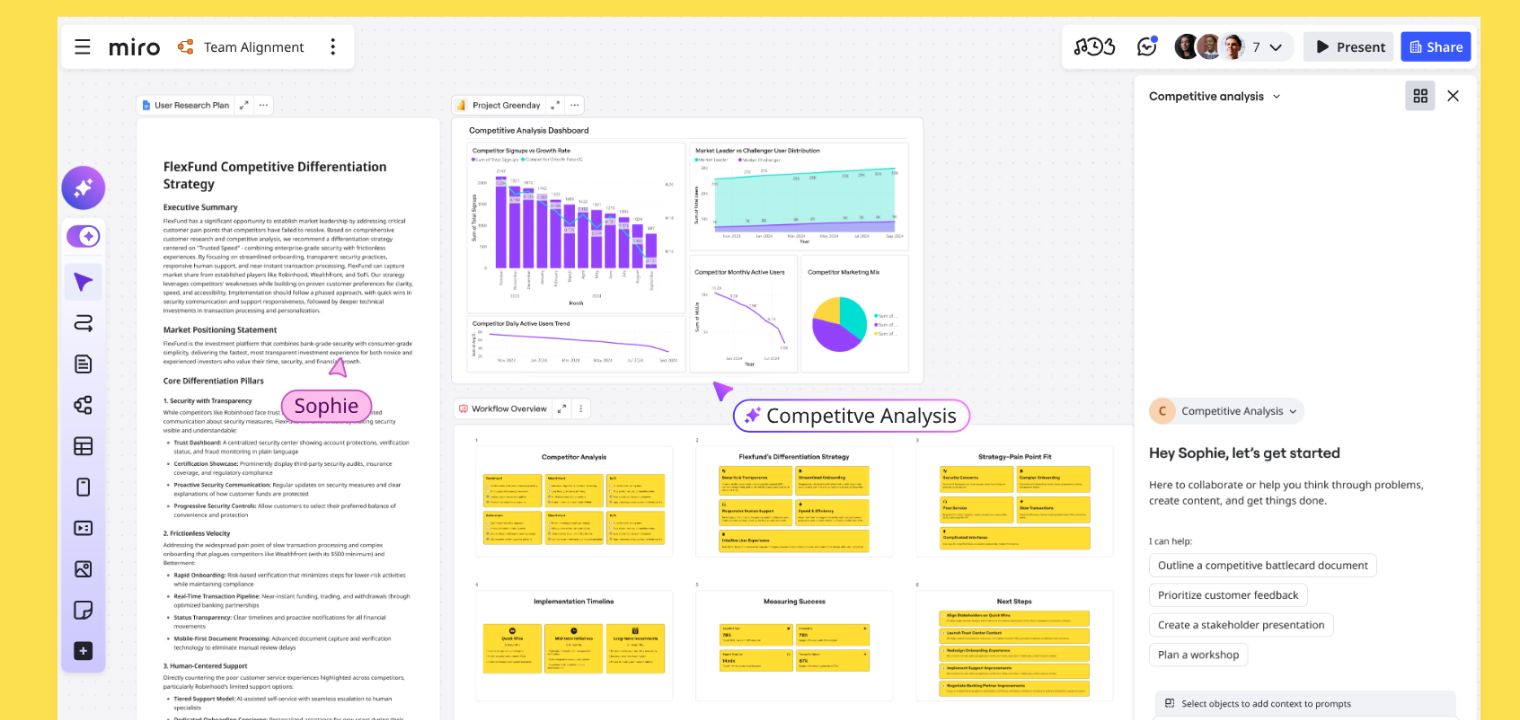 Screenshot of Miro's platform interface showing AI features.
2. LucidSpark
LucidSpark is a visual collaboration canvas for brainstorming, agile ceremonies, visual thinking, and planning on a virtual whiteboard platform.
AI features: Groups ideas, builds diagrams, and turns sticky notes into structured flows using Lucid AI.
Best for: Facilitated workshops, agile teams, and structured whiteboarding sessions.
Pros:
-
AI mind-mapping and idea generation help teams get past the blank canvas and spark more creativity.
-
Automated grouping and summaries reduce prep and cleanup time for facilitators running recurring ceremonies.
-
Strong handoff into Lucidchart enables AI-accelerated movement from ideas to structured process diagrams.
Cons:
-
AI features are most powerful inside Lucid’s ecosystem, so value drops if your team is not using Lucidchart or other Lucid tools.
-
Summaries can be generic if prompts are not tailored to your context, requiring facilitator tuning.
-
Some advanced AI capabilities may require specific plans or add-ons, adding cost for smaller teams.
3. Notion
Notion is a collaborative workspace for docs, wikis, and lightweight projects.
AI features: Drafts, takes notes, rewrites, summarizes, and transforms shared pages and docs with Notion AI.
Best for: Centralizing team knowledge, notes, and light project work with AI assistance.
Pros:
-
Natively embedded AI in pages and databases reduces context switching to separate writing or summary tools.
-
AI properties and templates can systematically enforce better documentation and consistent summaries.
-
Works across many use cases—from content drafting to knowledge management and project updates—in one workspace.
Cons:
-
Heavy AI usage on large workspaces can introduce noise if teams over‑summarize instead of improving source content.
-
Some advanced AI features may require specific paid tiers, adding incremental subscription cost.
-
AI is most effective when your workspace structure is already solid; messy setups can lead to messy AI outputs.

4. Airtable
Airtable is a flexible database-style AI collaboration tool for building collaborative apps and views.
AI features: AI fields generate, classify, and transform records inside shared bases.
Best for: Teams needing structured, database-backed collaboration with AI-powered fields.
Pros:
-
AI operates at the cell and field level, enriching records without exporting data elsewhere.
-
Templates for categorization, sentiment, and content make it easy to get started without custom prompts.
-
Integration with Airtable Automations allows AI decisions to trigger notifications, updates, and cross‑tool workflows.
Cons:
-
Misconfigured AI fields can propagate incorrect categorizations or summaries across many records at once.
-
Costs and performance depend on model choices and usage volume, which may require tuning for large bases.
-
Advanced AI features are still tied to Airtable’s ecosystem, limiting access to external data without integrations.
5. ClickUp
ClickUp is a cloud-based, all‑in‑one project and productivity hub with docs, tasks, whiteboards, and dashboards.
AI features: Summarizes tasks, docs, and meetings and answers questions in context via ClickUp Brain.
Best for: Centralizing projects, documentation, and whiteboards in one AI‑aware workspace.
Pros:
-
Deep understanding of your ClickUp workspace enables highly contextual answers and project plans.
-
AI-generated plans, standups, and summaries reduce time spent on coordination and reporting.
-
Centralizes many AI use cases (docs, tasks, knowledge) in one platform, limiting tool sprawl.
Cons:
-
Effectiveness depends heavily on how well your workspace is modeled; cluttered spaces can confuse ClickUp Brain (AI assistant).
-
Advanced AI automations may be overkill for small teams who do not manage complex projects.
-
Organizations with strict data policies may need to carefully evaluate AI data handling and access.
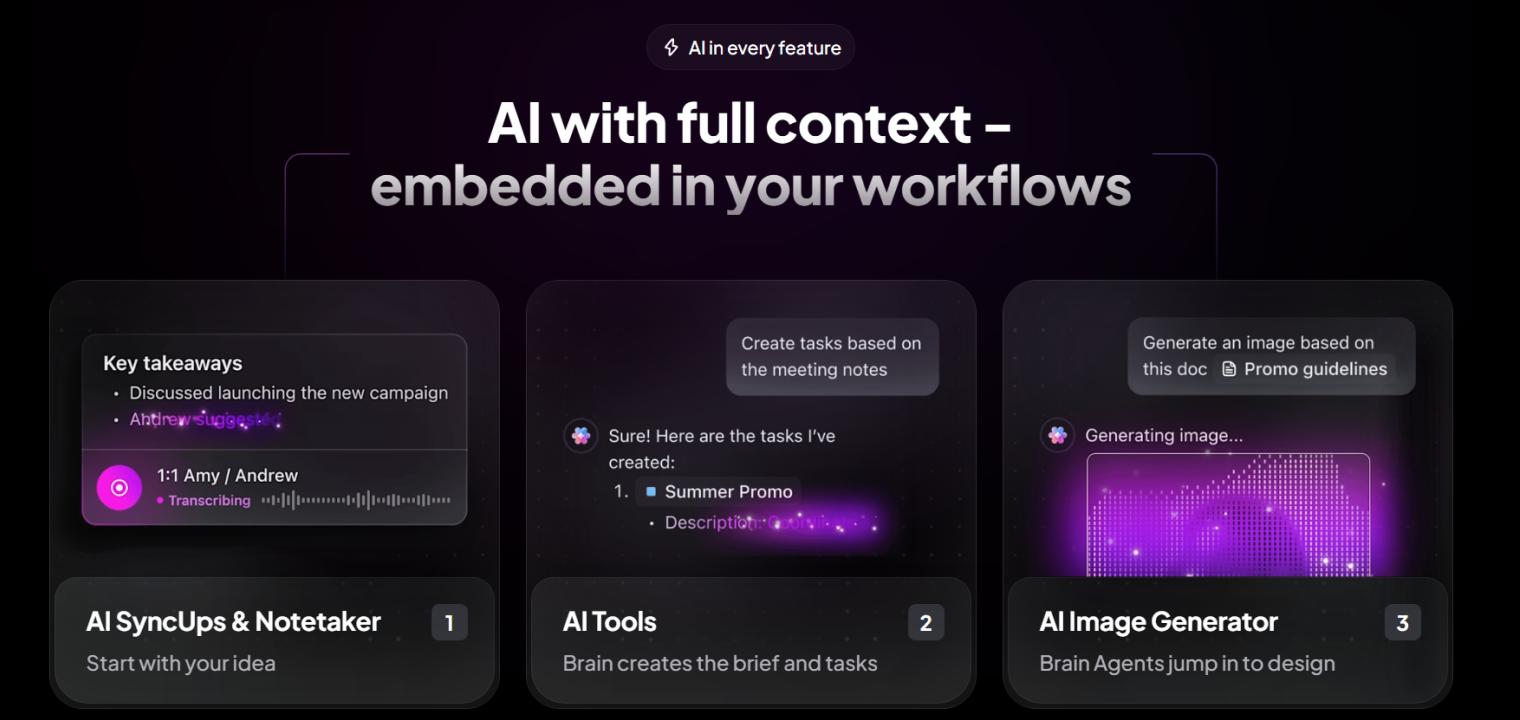 Screenshot of ClickUp's platform interface showing AI features.
6. Asana
Asana is a cloud-based work management platform for projects, portfolios, and cross‑team coordination.
AI features: Asana Intelligence predicts risks, suggests fields and rules, and surfaces next steps.
Best for: Managing complex projects with AI‑assisted planning and status visibility.
Pros:
-
Risk and next-step suggestions help prevent projects from slipping without adding more meetings.
-
AI-assisted setup (fields, rules) makes it easier to configure scalable workflows across teams.
-
Summaries help stakeholders understand complex projects quickly without reading every task.
Cons:
-
AI is most valuable at scale; small, simple projects may see limited benefit from intelligence features.
-
Some capabilities are restricted to higher-tier plans, increasing cost for full access.
-
Predictions and suggestions still require human judgment, especially for high‑stakes projects.
7. Monday.com
Monday.com is a flexible "work OS" for building custom boards, automations, and workflows.
AI features: Generates boards from prompts, summarizes updates, and recommends automations.
Best for: Teams needing customizable, AI‑assisted workflows and status dashboards.
Pros:
-
Prompt-based board creation reduces the time needed to design new workflows from scratch.
-
Automation recommendations help non-technical teams add rules without deep admin expertise.
-
AI-written summaries and updates can keep stakeholders informed even on busy boards.
Cons:
-
Over‑automation can make boards feel opaque if teams do not document what AI-driven rules are doing.
-
AI-generated structures may not perfectly match nuanced processes, requiring iteration.
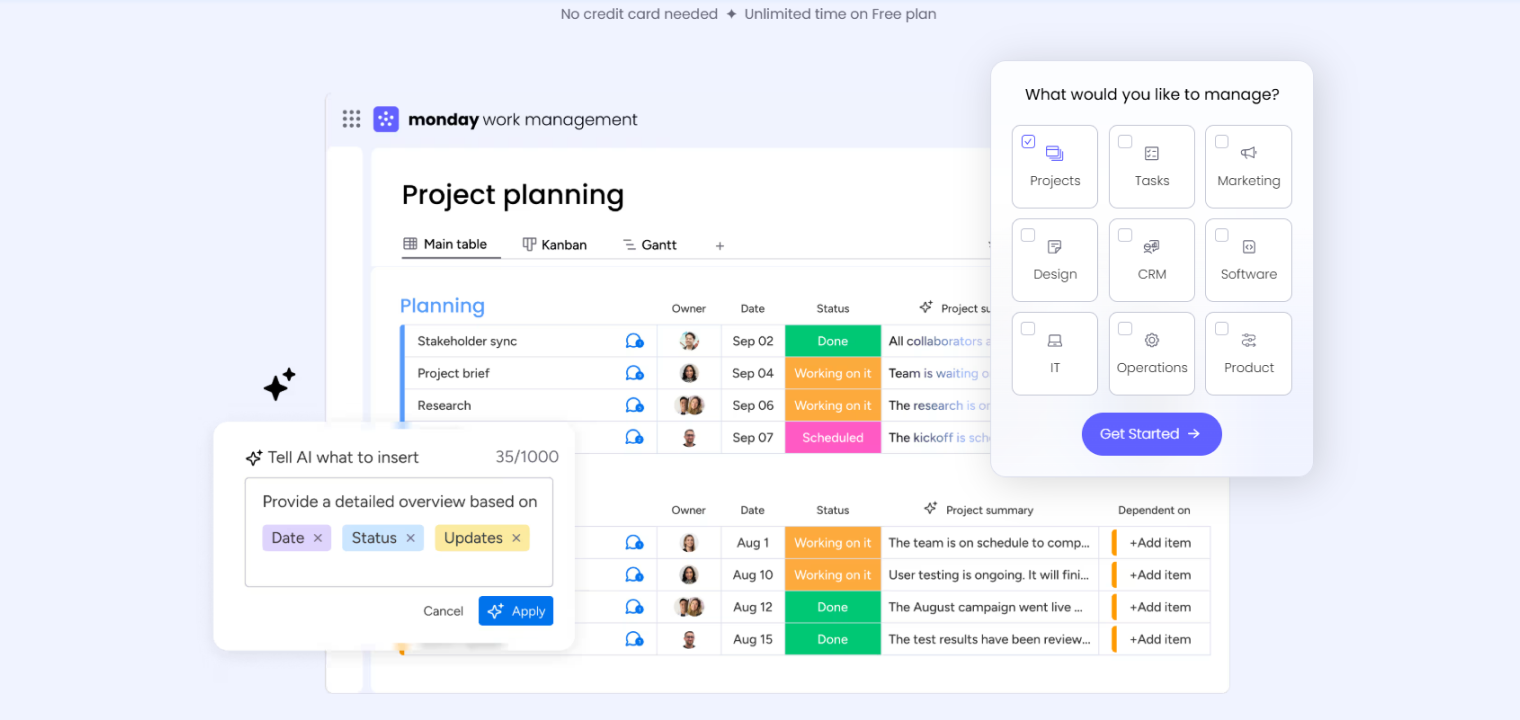 Screenshot of Monday's platform interface showing AI features.
8. Smartsheet
Smartsheet is a cloud-based work/project management platform that uses a familiar spreadsheet format along with collaborative features and dashboards.
AI features: Assists with formula creation, content generation, and summary insights.
Best for: Spreadsheet‑driven teams tracking projects and resources with AI support.
Pros:
-
Formula assistance lowers the barrier for non-technical users to build sophisticated sheets.
-
AI-generated summaries turn rows of data into executive-ready narratives quickly.
-
Fits naturally into existing Smartsheet usage without major process changes.
Cons:
-
Benefits skew toward power users managing large, formula-heavy sheets.
-
AI is primarily internal to Smartsheet, so cross‑tool knowledge remains limited without integrations.
-
Requires careful validation to avoid relying on incorrect formulas or summaries in critical reporting.
9. Slack
Slack is a popular team messaging hub connecting channels, apps, and workflows in one workspace.
AI features: Summarizes channels, threads, and huddles, and improves search relevance with Slack AI.
Best for: High‑volume communication environments that need faster catch‑up and context.
Pros:
-
Channel and thread summaries significantly reduce catch‑up time across busy workspaces.
-
AI-powered search surfaces answers and context from across channels, not just keyword matches.
-
Recaps and profile insights help distributed teams stay aligned across time zones and roles.
Cons:
-
AI does not automatically understand external systems unless integrated, so answers may miss context from non‑Slack tools.
-
Summaries can omit nuance, making them risky if used as the only source for sensitive topics.
-
Some AI features may require enterprise plans or add-ons, limiting access for smaller teams.
10. Zoom Workplace
Zoom Workplace is a collaboration suite combining meetings, chat, whiteboards, remote collaboration tools, and phone and virtual meeting functionality.
AI features: AI Companion generates meeting summaries, action items, and whiteboard context.
Best for: Hybrid meetings, virtual workshops, and room systems paired with smart boards.
Pros:
-
Automatic meeting summaries and action items save note‑taking time and reduce missed commitments.
-
Whiteboard generation from discussions helps turn conversations into visual plans quickly.
-
Expanding support for external platforms lets AI capture value even beyond native Zoom meetings.
Cons:
-
Quality of summaries and action items depends on audio clarity and meeting structure.
-
Heavy reliance on AI notes can discourage active human note‑taking and engagement.
-
Some advanced AI Companion features arrive gradually and may depend on specific licensing.
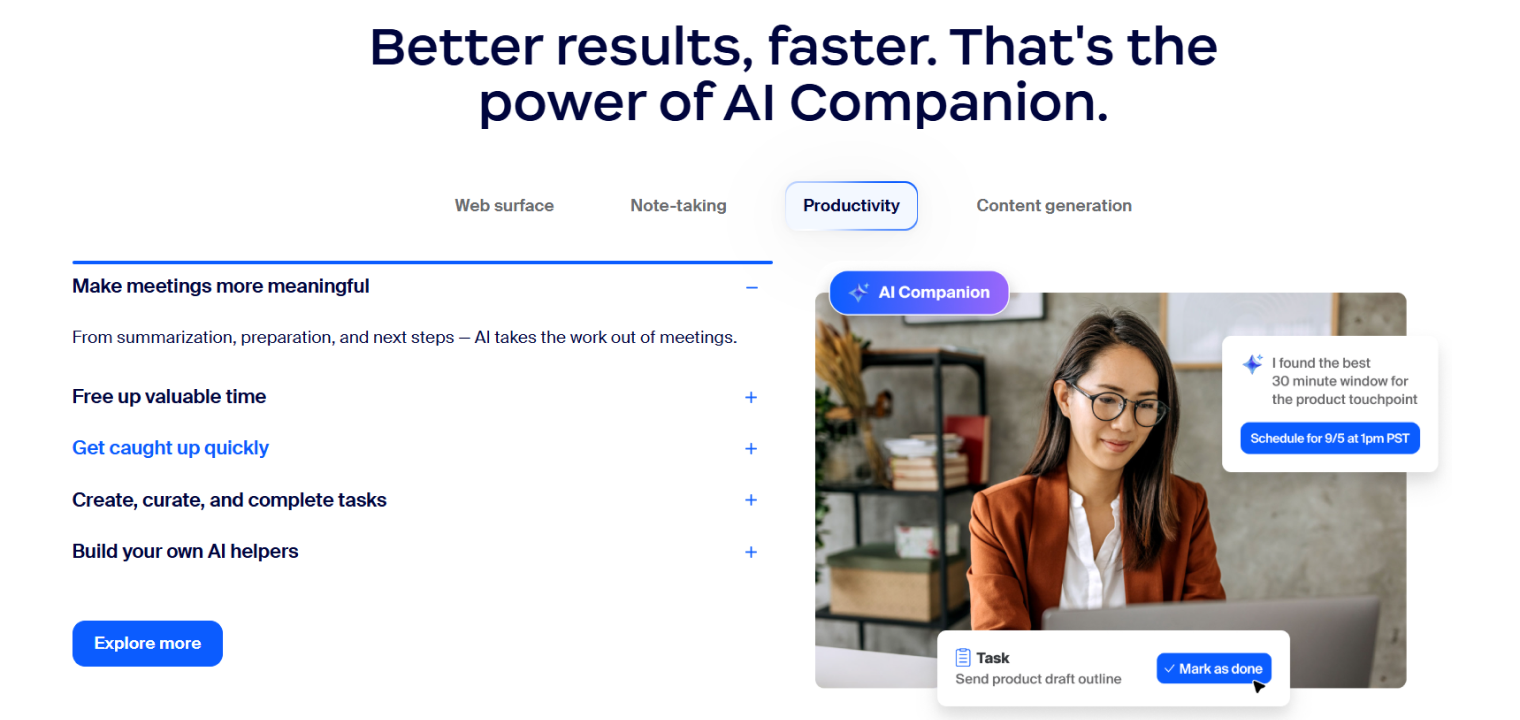 Screenshot of Zoom Workplace's platform interface showing AI features.
11. Confluence
Confluence is a team-focused wiki and documentation space for organizing shared knowledge.
AI features: Atlassian AI summarizes pages, drafts content, and surfaces related docs.
Best for: Documenting projects, decisions, and processes with AI‑assisted knowledge management.
Pros:
-
Summaries and Q&A make large knowledge bases more approachable for new or busy team members.
-
Direct Jira task creation from Confluence pages tightens the loop between planning and execution.
-
AI support across Atlassian tools (Jira, Trello, etc.) provides a consistent intelligent layer.
Cons:
-
AI is largely limited to data within Atlassian products, creating knowledge silos if you rely heavily on other tools.
-
Full AI feature sets are typically restricted to Premium or Enterprise plans.
-
Over‑reliance on auto-summaries can mask outdated or weak underlying documentation.
12. Otter
Otter is an AI meeting notes and collaboration tool for conversations and calls.
AI features: Records, transcribes, summarizes, and highlights key moments and action items.
Best for: Teams that rely on meetings and want searchable, shareable AI-generated notes and summaries.
Pros:
-
High-accuracy real-time transcription plus concise summaries reduce the need for manual note‑taking.
-
Automated action item detection and AI chat make transcripts immediately actionable.
-
Works across multiple meeting platforms, not just a single conferencing tool.
Cons:
-
Quality of action item detection can vary, so teams still need to confirm responsibilities.
-
Recording and AI analysis may raise privacy or compliance considerations in sensitive contexts.
-
Heavy usage can create a large volume of transcripts that require governance and retention policies.
Stop Meeting "Reset": Meet Vibe Bot, Your In-Room AI Teammate
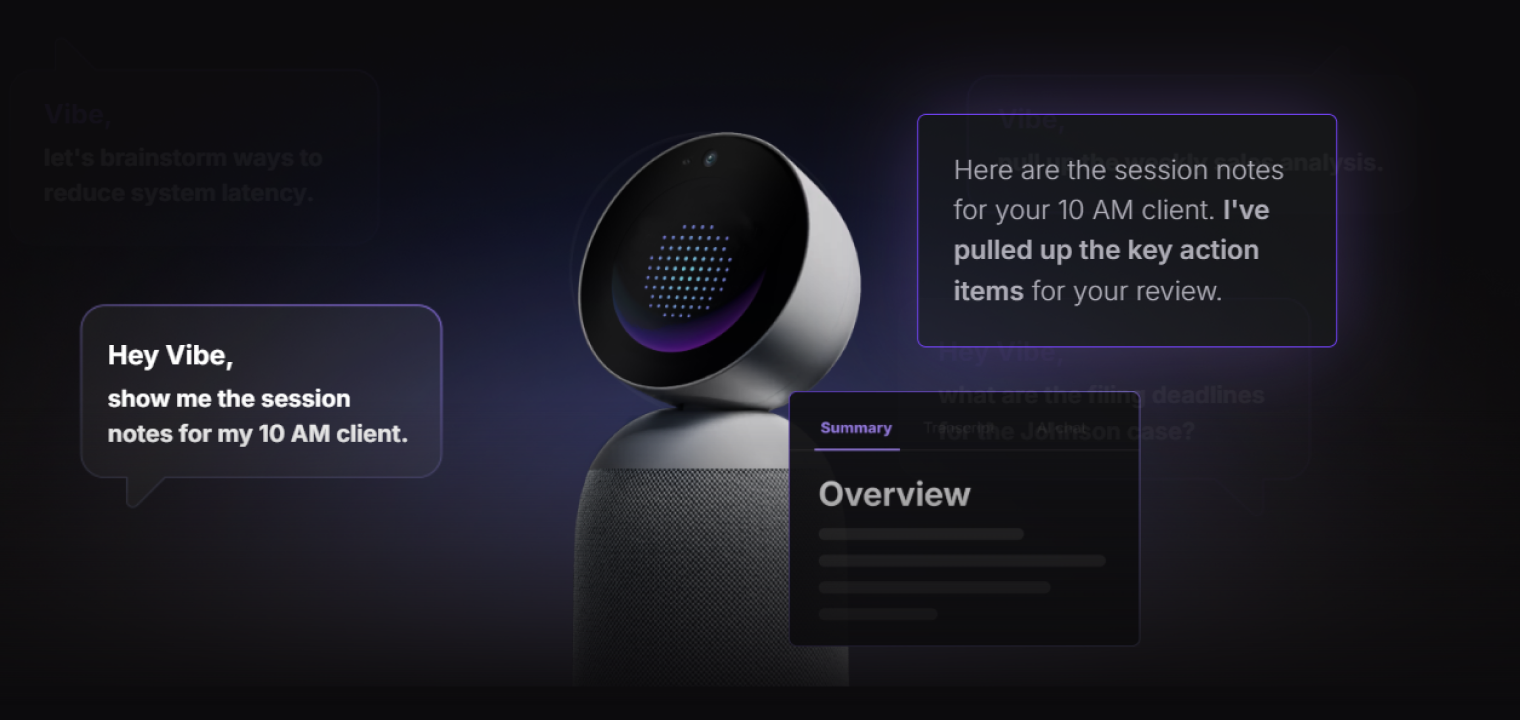
Tools like Otter work well for scheduled video calls, but they miss the messy, high-value moments where real decisions happen—hybrid meetings with shared microphones, whiteboards remote teams can’t see, or quick in-room huddles. When context is lost, teams rehash decisions, guess ownership, and fall into costly "meeting reset" cycles.
Vibe Bot breaks that cycle. It’s not another app, but an always-on AI teammate designed for the physical meeting room—bridging live conversation and execution.
-
Capture the full meeting automatically: No laptops, no manual setup. A 360° 4K camera, six-mic beamforming array, and on-device AI (BotOS) capture speech, speaker identity, shared content, and whiteboard sketches—even in complex hybrid meetings.
-
Turn talk into action immediately: Get real-time transcripts and clear summaries with assigned owners. Coming soon: auto-created tasks in Jira, Asana, or email—so decisions become next steps without delay.
-
Remember what matters across meetings: Vibe Bot links today’s discussion to past decisions, cutting repetition, preserving knowledge, and keeping your team aligned over time.
-
Keep everything private: All processing happens locally. Audio and video never leave the room. SOC 2 compliant and HIPAA-ready—no reliance on external cloud storage.
Vibe Bot doesn’t just listen; it understands, remembers, and acts.
AI Collaboration Tools FAQs
How can AI be used for collaboration?
AI collaboration tools can help teams brainstorm, organize or record meeting notes/KPIs, automate repetitive tasks, and facilitate complex project management, even in hybrid work environments. AI-powered searches can quickly find and summarize key documents and info relating to projects and workflows, and generative AI tools can help boost creativity and problem-solving.
What are the best AI document collaboration tools?
The best AI document collaboration tools combine real-time editing, visual context, and shared access across teams. Vibe supports this kind of collaboration by pairing an interactive canvas with cloud-based saving and cross-device access, so teams can review, annotate, and build on documents together during live meetings or asynchronous work. AI-assisted features help streamline presentations and keep shared content organized, reducing the back-and-forth that often slows collaboration.
What is the 30% rule for AI collaboration?
The 30% rule for AI is a widespread approach that suggests that AI should ideally handle around 70% of today’s workload, primarily mundane, repetitive, time-consuming tasks to free up humans to focus on the remaining 30% of work. This work should involve more complex decision-making, critical thinking, originality, creativity, and judgment. However, researchers suggest that while AI might eventually perform 70% of mundane tasks, technological limitations currently limit it to approximately 30% in the majority of scenarios, with the remaining work requiring human context, expertise, and management.