Most people evaluating AI note taking for ADHD are solving the wrong problem. They compare microphone arrays, transcription accuracy, and battery life, and then, three months later, they have four hundred perfectly transcribed recordings and the same missed follow-ups they had before. Transcription accuracy on the serious devices converged several years ago, so the capture problem was largely solved somewhere around 2024. The problem that remains is everything that happens after the recording stops.
This guide breaks that gap into four stages, positions the major tools honestly against each one, and gives you a way to evaluate any AI note taker against the failure point that actually costs you.
A note on framing first: this is a workflow analysis, not clinical or medical guidance. Nothing here describes treatment, and no tool discussed is a therapeutic device. For clinical information about ADHD, CHADD and your clinician are the right sources.
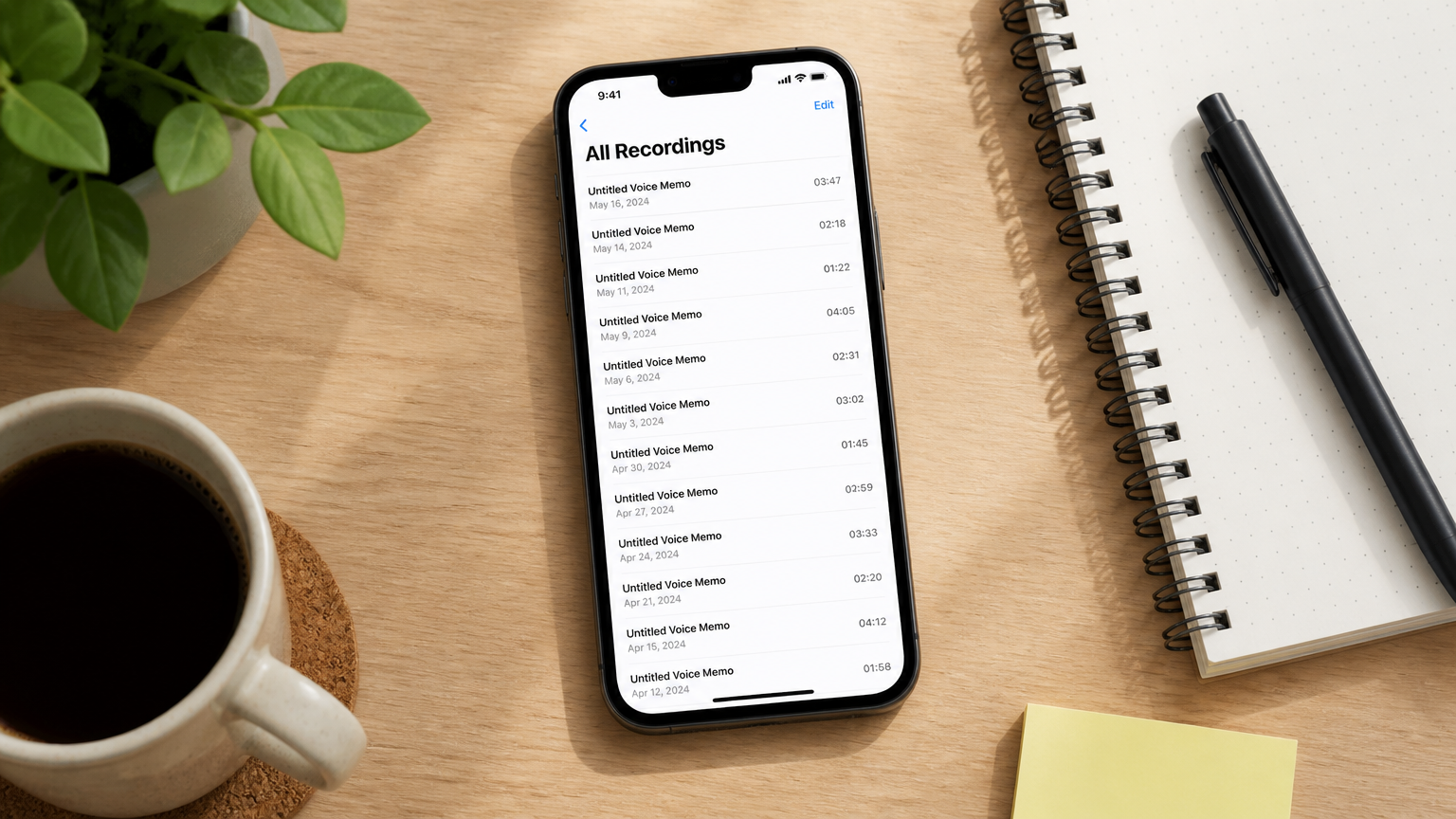 A desk with a smartphone showing a long list of untitled voice memos dated over several weeks, the recording graveyard that capture-first tools leave behind.
What AI Note Taking for ADHD Actually Has to Do
AI note taking for ADHD is the use of automated recording, transcription, and summarization to hold information that working memory drops, but the useful definition goes further than capture. A system only works for an ADHD user if a spoken thought survives all four stages: getting recorded, being findable later, being converted into a decision, and reaching the tool where work actually happens. Most products on the market complete stage one and hand you the other three.
That distinction matters because the research points to where the breakage happens. A landmark 2013 study in PLOS One comparing 45 unmedicated adults with ADHD against 45 matched controls on a complex prospective memory task found large-scale impairment concentrated in task planning, the formation of multiple intentions and the construction of an elaborate plan. Effects on plan recall, self-initiation, and execution were negligible to small. A decade later, a 2024 review in Nature Reviews Psychology corroborates the same construct, naming planning and organization among the core executive-function deficits in adult ADHD, alongside working memory and inhibition.
Read that again in product terms. The bottleneck is not remembering that a recording exists. It is not lacking the will to act. It is the step where raw input has to become a structured intention. That is precisely the step every AI note taker hands back to the user.
Adult ADHD is not a niche audience for this problem, either. CDC estimates published in the Morbidity and Mortality Weekly Report show that 6.0% of U.S. adults, roughly 15.5 million people, have a current ADHD diagnosis, collected through the National Center for Health Statistics Rapid Surveys System, with 84.5% of them under 50 and squarely in the working population.
The Four Stages: Capture → Retrieve → Decide → Do
Every tool in this category can be placed on a four-stage path. Knowing where a given tool stops tells you exactly how much work you are still going to be doing yourself.
|
Stage |
What has to happen |
What it looks like when it fails |
|---|---|---|
|
1. Capture |
The conversation or thought gets recorded, without you having to remember to start it |
The meeting happened, nothing recorded it |
|
2. Retrieve |
Weeks later, you can find the specific thing that was said without replaying audio |
400 recordings, no idea which one holds the answer |
|
3. Decide |
Raw content becomes a structured intention: owner, deadline, next action |
A tidy summary that changes nothing |
|
4. Do |
That intention lands in the system where work actually happens |
A perfect action item that lives only inside the recorder’s app |
The industry has spent three years competing on stage one. Microphone counts, wearing styles, battery hours, language support, all stage one. It is the most visible stage, the easiest to demo, and the one that stopped being a differentiator a while ago.
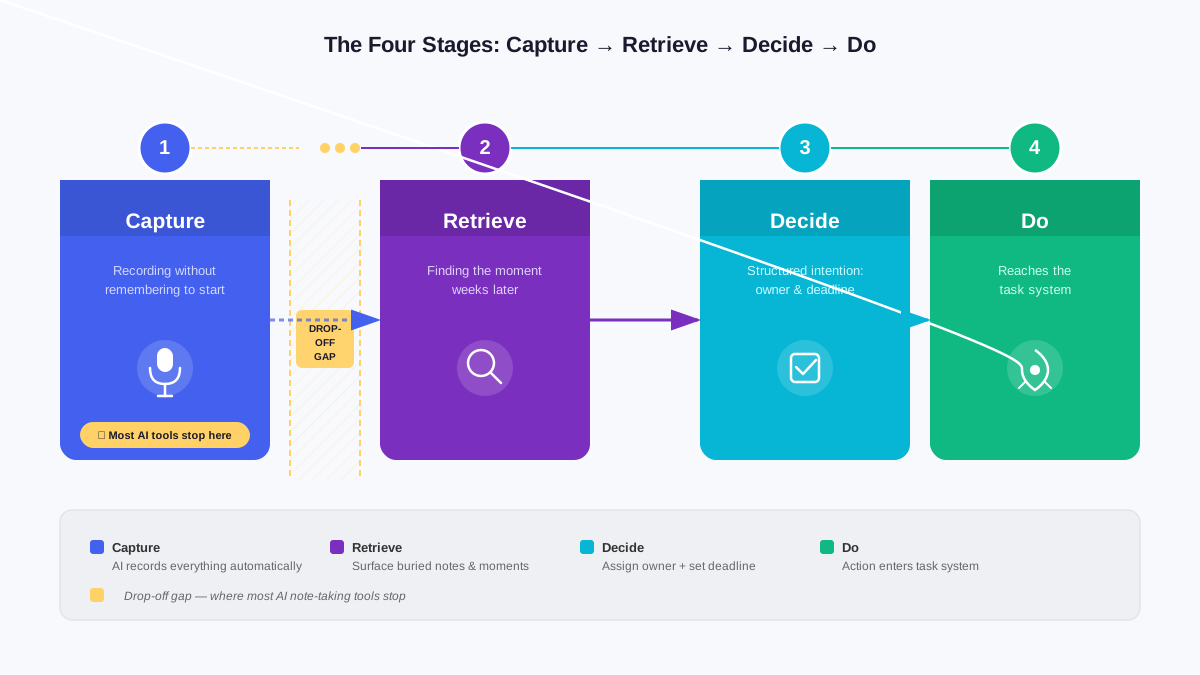 A horizontal four-stage process diagram reading Capture, Retrieve, Decide, Do, with a visible drop-off between Capture and Retrieve where the tool logos stop.
Stage 1: Capture Is Solved, With One Exception
Transcription quality across the serious devices is close enough that it rarely decides anything. What still varies, and what matters disproportionately for ADHD users, is whether capture requires you to remember to start it.
This is not a small distinction. A device that needs an intentional press before every conversation puts a working-memory dependency at the very front of the chain. The moment you get pulled into a hallway conversation that turns into a decision, the system has already failed, and you will not know it failed until you go looking for the recording.
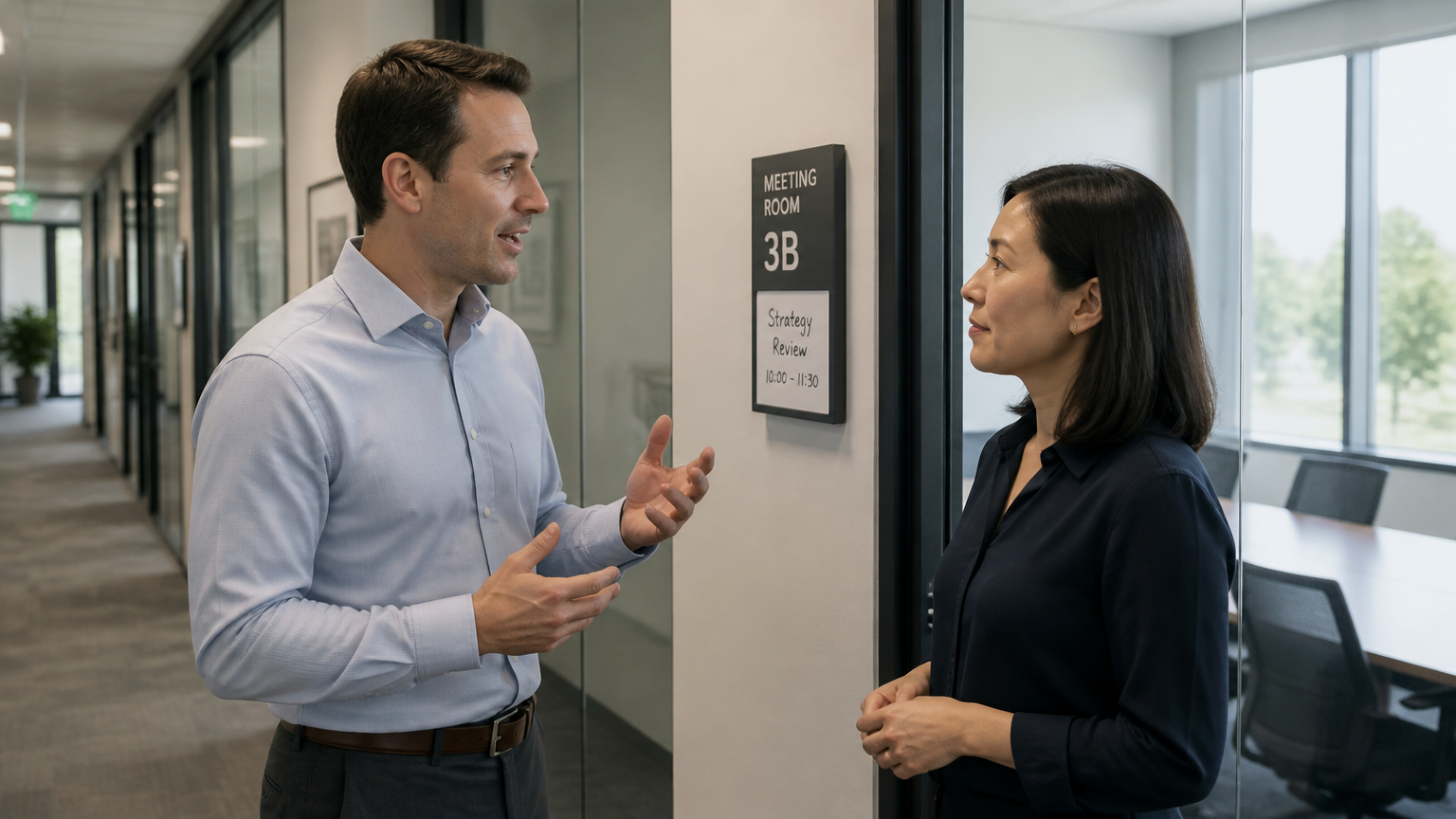 Two people in a hallway conversation outside a meeting room, one mid-sentence, the kind of unplanned exchange that press-to-record devices miss.
Most of the wearable recorder category is built around exactly that intentional press. Plaud, for example, positions the tactile button on the NotePin S as a feature specifically because you can confirm by feel that you triggered it, and the comparison on Plaud’s own site frames the physical click against the older pressure-sensitive button as a reliability improvement. That is a real improvement to a press-based model. It is still a press-based model.
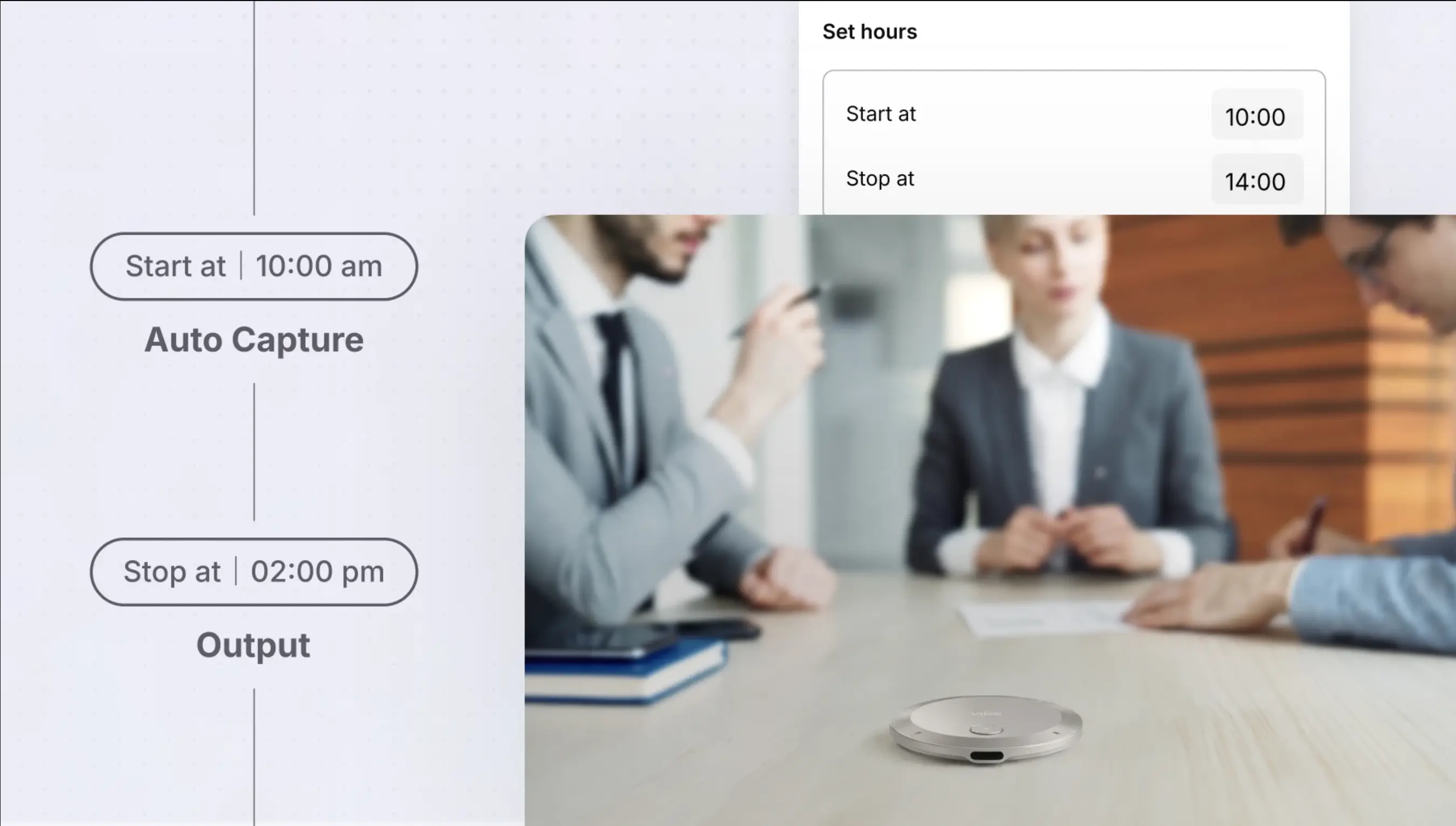
The alternative is standby capture: the device listens for a trigger condition or follows your calendar, and records without a deliberate action from you. Vibe Dot’s Auto Capture handles this in two modes, Standby, which arms the device without requiring a per-conversation action, and Schedule, which ties capture to the meetings already on your calendar. Tap to Record remains available for the cases where you want explicit control. For a closer look at how Auto Capture compares to press-to-record devices in practice, the wearable recorder comparison covers both approaches side by side.
One more capture-stage constraint worth checking before you buy: some wearables record in-person conversations only. Plaud states plainly that neither the NotePin nor the NotePin S records phone calls, and directs buyers who need both to a different device in the line. If a meaningful share of your commitments get made on the phone, a wearable that cannot hear the other side of a call leaves a hole in the record that no amount of AI fixes downstream.
Stage 2: Retrieve Is Where the Recording Graveyard Forms
Here is the failure mode almost nobody markets against, because most products cannot fix it.
You record diligently for two months. You now have a large archive of individually well-transcribed sessions. A colleague asks what the client said about the deployment timeline. You know it was discussed. You do not know in which of eleven calls, and the search returns fragments from nine of them with no sense of which one was the decision and which were the walk-backs.
The structural cause is that most AI note takers treat each recording as an island. Each session gets its own transcript, its own summary, its own action list, and no relationship to any other session. Search operates on strings, not on continuity. The tool has no concept that the timeline discussion in April was superseded in June. A few products gesture at cross-session linking. Notion AI searches across a connected workspace, and Mem resurfaces related notes. But both link documents you already wrote; neither reconstructs the continuity of a spoken commitment that a later conversation quietly reversed.
For a user whose working memory is not going to supply that continuity, an archive without cross-session memory is not an external memory system. It is a filing cabinet with no index.
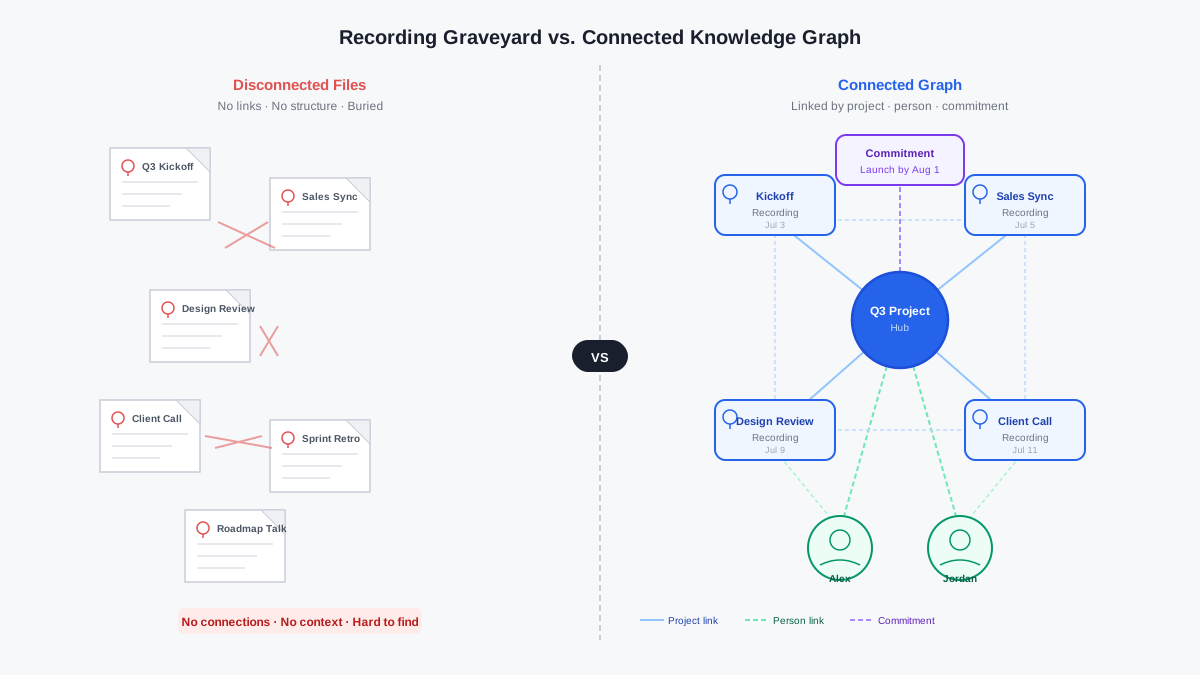 A side-by-side comparison: on the left a stack of disconnected recording files, on the right the same content connected into a graph linked by project, person, and commitment.
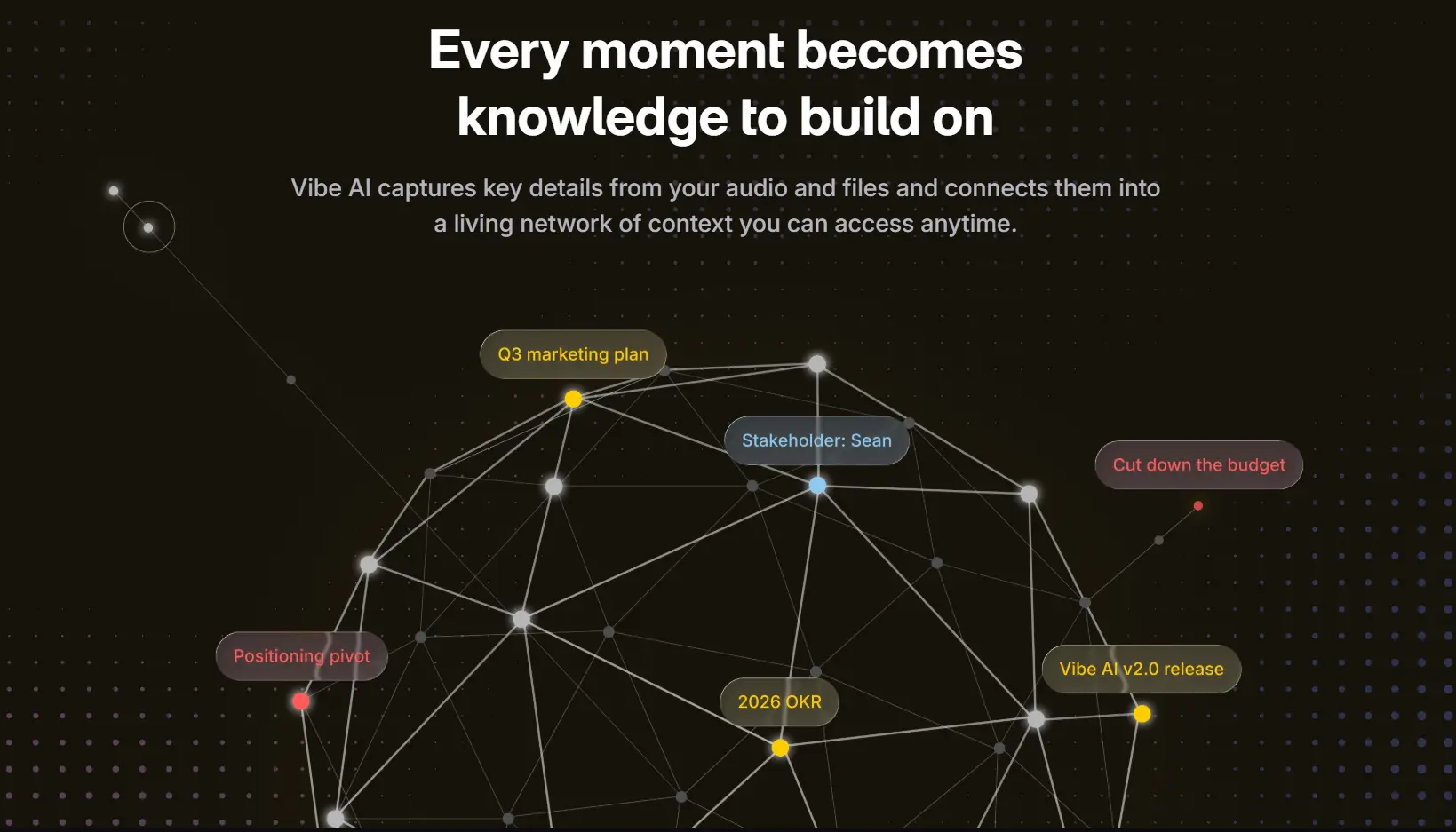
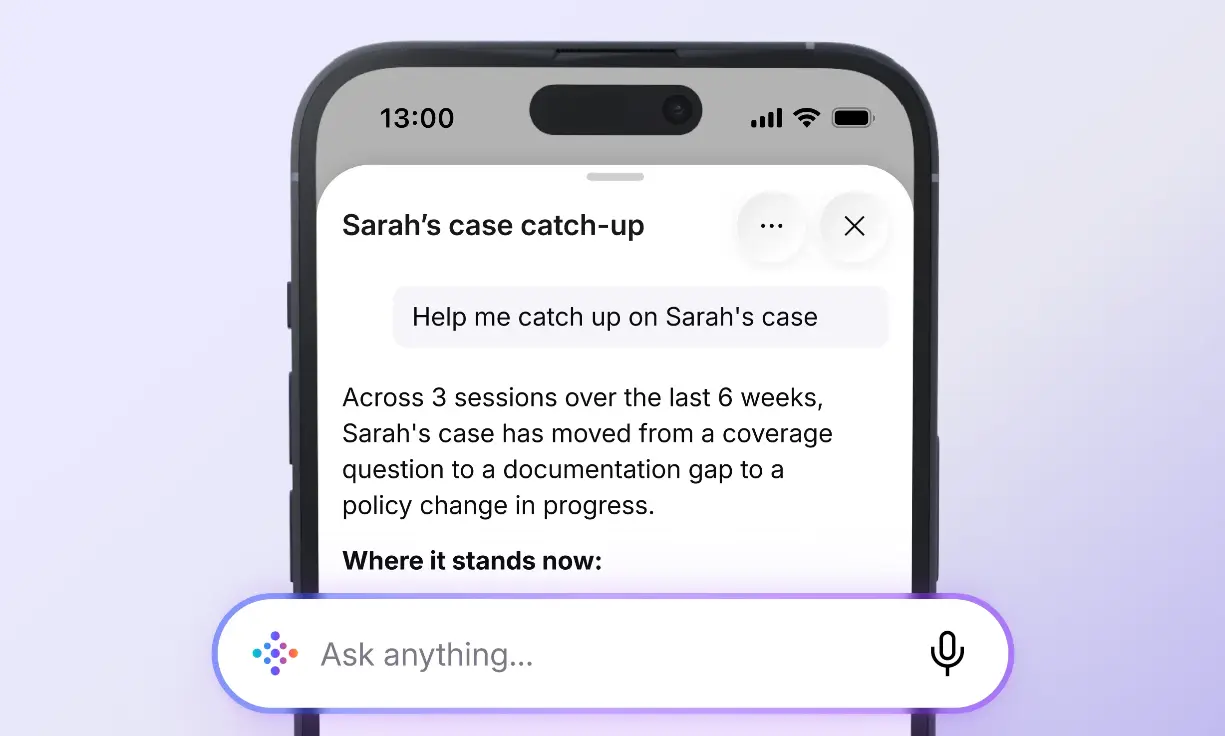
This is where Vibe’s Memory Graph does something structurally different. Rather than storing sessions as separate documents, it maintains relationships across them, the same project, the same person, the same commitment tracked as it changes over time. Asking what the client said about the timeline returns the current state and the path it took to get there, not eleven undifferentiated fragments.
Stage 3: Decide Is Where the Research Says It’s Hardest
This is the stage the PLOS One finding points directly at, and the stage where the honest vendors in this category admit they stop.
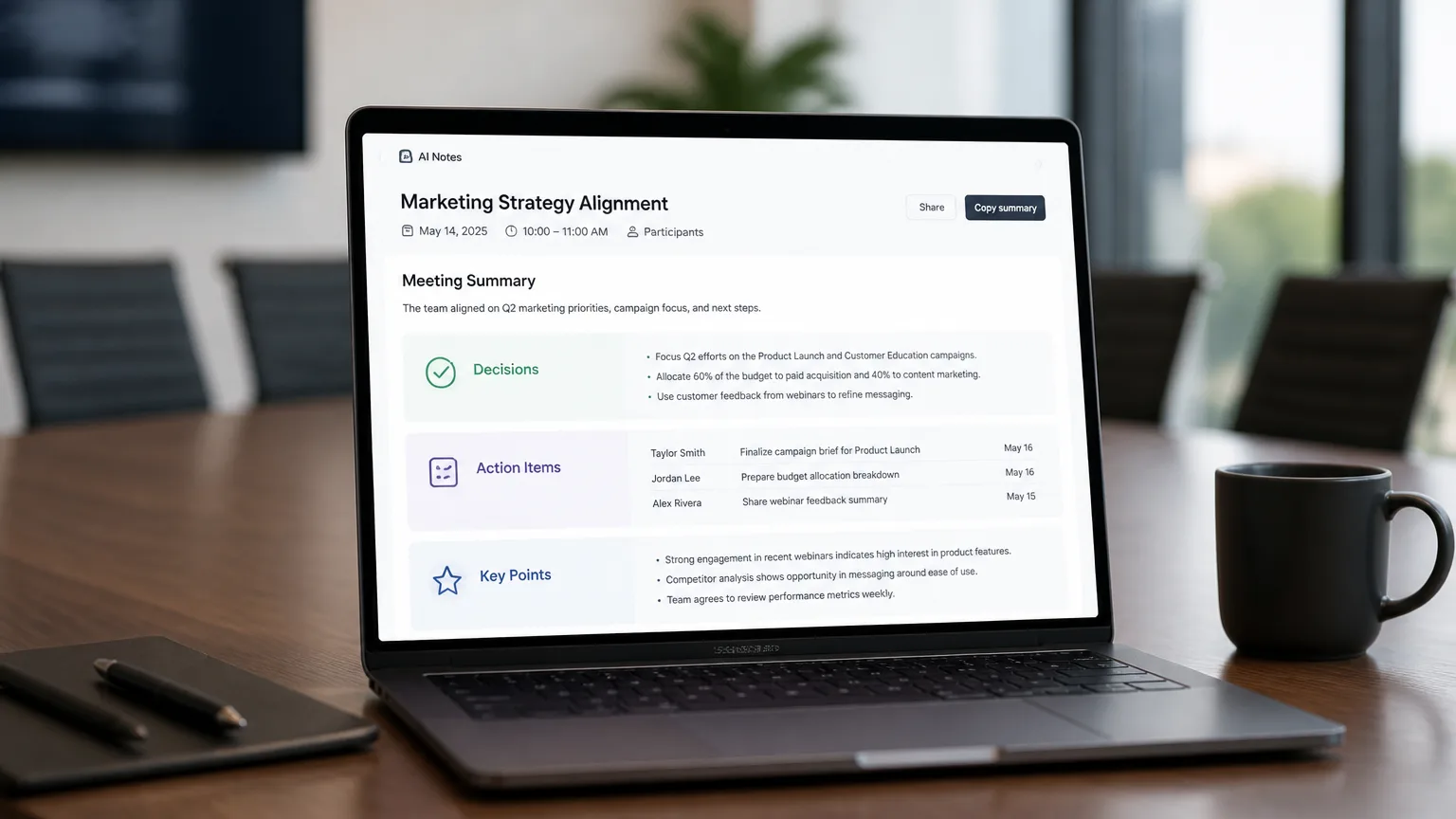
A summary is not a decision. A list of extracted action items is not a decision either. It is a draft that still requires someone to determine which items are real commitments, who owns them, what the deadline actually is, and which of them were quietly reversed later in the same conversation.
Read the category’s own marketing closely and you will find this admitted repeatedly. Plaud’s ADHD comparison article states that its device can produce a summary and an action-item draft plus the source record, but does not determine which thought represents a final decision or which wording belongs in the knowledge base. It describes the remaining burden as remembering to stop, waiting for sync, and exporting the checked result. That is a fair and accurate description of what these products do. It is also, for a user whose measured impairment sits in task planning, a description of handing the hard part back.
What closes stage three is not a better summary. It is structure imposed on the output. Every captured session should resolve to the same five fields, or you have not left stage three:
|
Field |
The question it answers |
|---|---|
|
Context |
What project, client, or thread is this attached to? |
|
Decision |
What was actually settled, as distinct from discussed? |
|
Owner |
Who is on the hook, you, or someone else? |
|
Deadline |
By when, stated explicitly rather than implied? |
|
Open question |
What still needs confirming before this can move? |
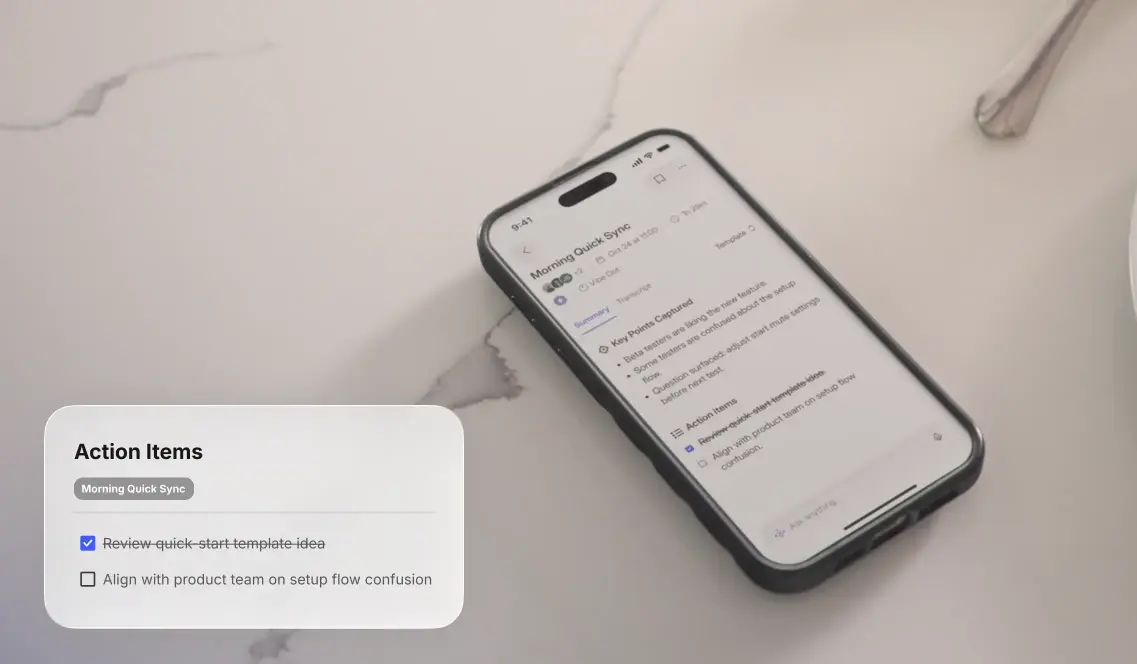
Here is the same meeting run through both outputs. A raw summary from a typical tool reads, Discussed the Acme launch timeline. Sarah will look into the API question. The team thinks Q3 is probably realistic. Follow up on pricing. The five-field structure resolves the same conversation into clear commitments: context, the Acme launch timeline thread; decision, launch moves to Q3 pending API feasibility; owner, Sarah for the API check and the account lead for pricing; deadline, the API answer by Friday and pricing by month-end; open question, whether enterprise-tier pricing changes the deal size. The first leaves four judgments for you to make later. The second has already made them. That is the difference between a summary and a decision.
When you evaluate a tool, run one real meeting through it and check whether the output fills those five fields or whether you do. That single test separates the category more sharply than any spec sheet.
Stage 4: Do Is the Handoff Nobody Finishes
A decision that lives inside the recorder’s own app has not reached the place where your work happens. It is the shortest stage to describe and the one most tools drop.
Almost every product in this space ends here with the same sentence, in some form: export it to your task manager. Which means the final step, the one requiring initiation at the exact moment attention has moved on, remains manual. The action item exists. It just exists somewhere you will not look. Three weeks later, a teammate asks why the pricing question was never answered, and the answer is sitting inside the recorder’s app, under a summary from the fourteenth.
Vibe Dot’s approach here is a physical input layer: the device functions as an input to the tools you already use rather than as a destination that requires you to come collect your output. The distinction is between a recorder that produces a to-do list and a recorder that can put the item where the work lives. In practice, a commitment captured on the device flows through Vibe AI into the places a team already works, Slack, Jira, Linear, or a cloud drive, rather than sitting in a separate recorder app.
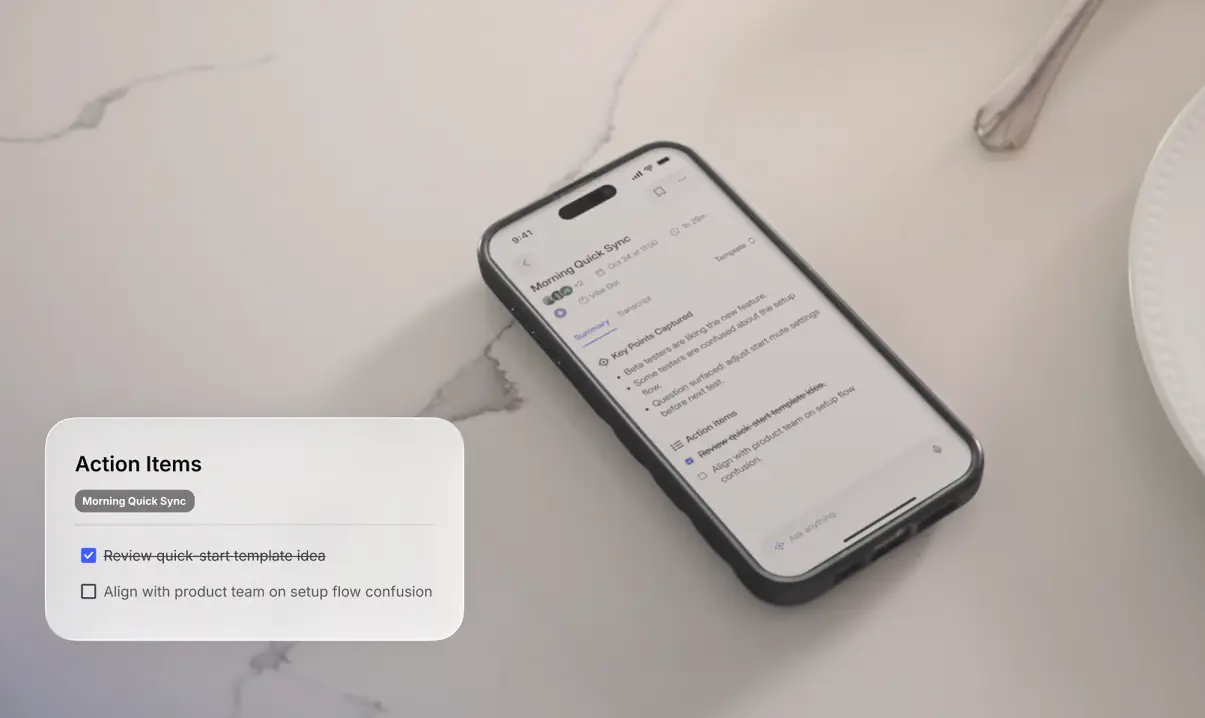
It is worth being straight about the limits of this. Automated handoff reduces the number of initiation moments; it does not eliminate review. You still confirm that an extracted commitment was a real commitment before it goes out to a team. Any vendor claiming otherwise is describing a product that does not exist.
How to Evaluate an AI Note Taker Against All Four Stages
Use this as a buying checklist. It is deliberately indifferent to specs.
Stage 1, Capture
-
Does capture start without a deliberate action from you, or does every session depend on remembering?
-
Does it cover phone calls, or in-person conversations only?
-
What happens when you forget to stop it?
Stage 2, Retrieve
-
Can you ask a question that spans multiple sessions and get one answer?
-
Does the system know when a later conversation superseded an earlier one?
-
After three months of use, can you find a specific decision in under a minute?
Stage 3, Decide
-
Does the output resolve to context, decision, owner, deadline, and open question, or does it stop at a summary?
-
Can you tell from the output which items are settled and which are still open?
Stage 4, Do
-
Does an action item reach your task system without a manual export?
-
How many initiation moments are left between "conversation ended" and "task exists where I will see it"?
Cutting across all four
-
Does the device work if you stop paying? Personal access to Plaud’s ADHD workflow, for instance, requires an active membership and a device bound to the same account, which is worth knowing before you build a memory system on top of it.
-
What are the compliance certifications, and do they match where you work?
Where the Tools Actually Stop
|
Tool |
Capture |
Retrieve |
Decide |
Do |
|---|---|---|---|---|
|
Vibe Dot + Vibe AI |
Auto Capture (Standby / Schedule) or Tap to Record |
Memory Graph maintains cross-session continuity |
Structured output with source attached |
Input layer into existing tools |
|
Wearable recorders (press-based) |
Intentional press per session |
Per-session transcript and search |
Summary and action-item draft |
Manual export |
|
Native meeting assistants (Zoom, Teams, Meet) |
Automatic within that platform, if the host enables it |
Within-platform recap and transcript |
Recap plus next-step draft |
Stays inside the platform’s own workspace |
|
Phone voice memos |
Manual |
Searchable transcript, per file |
None |
Fully manual |
Native meeting assistants deserve a fair note here, because for some readers they are genuinely the right answer. Teams weighing a standalone transcription assistant such as Otter can compare the field in the Otter.ai alternatives roundup. If essentially all of your decision-making happens inside one platform, and your organization reliably enables recording and retains transcripts, a native assistant removes an entire class of export work.
The dependency is that you do not control whether the record gets created; that sits with the host and the administrator. When it works, it works well. When the host forgets, there is nothing to recover.
Where Vibe Dot Fits, and Where It Doesn’t
Vibe Dot is built for the reader whose commitments are made across contexts that no single platform covers: a scheduled call, then a hallway conversation, then a site visit, then a phone call from the car. The design assumption is that capture cannot depend on you remembering, and that a session in isolation is not useful three weeks later.
Three features matter most for this workflow. Auto Capture removes the working-memory dependency at the front of the chain: Standby and Schedule modes mean the recording exists whether or not you thought about starting it, though standby readiness still depends on the device being present and powered. Memory Graph makes the archive queryable as one thing, the difference between an external memory system and a pile of files, but it is a capability most per-session tools do not offer, and it only compounds if the same system keeps receiving your sessions. The Dot + Bot + Vibe AI combination puts room-based and personal capture in the same memory layer, so what was said in the conference room and what you dictated walking to the car resolve into one context; Vibe Bot handles the room, and its onboard AI is limited to framing, tracking, and audio, with summaries, action items, and Memory Graph coming through the Vibe AI platform layer.
FERPA and NDAA certifications matter if you work in education or government-adjacent environments where procurement has requirements a consumer device cannot meet.
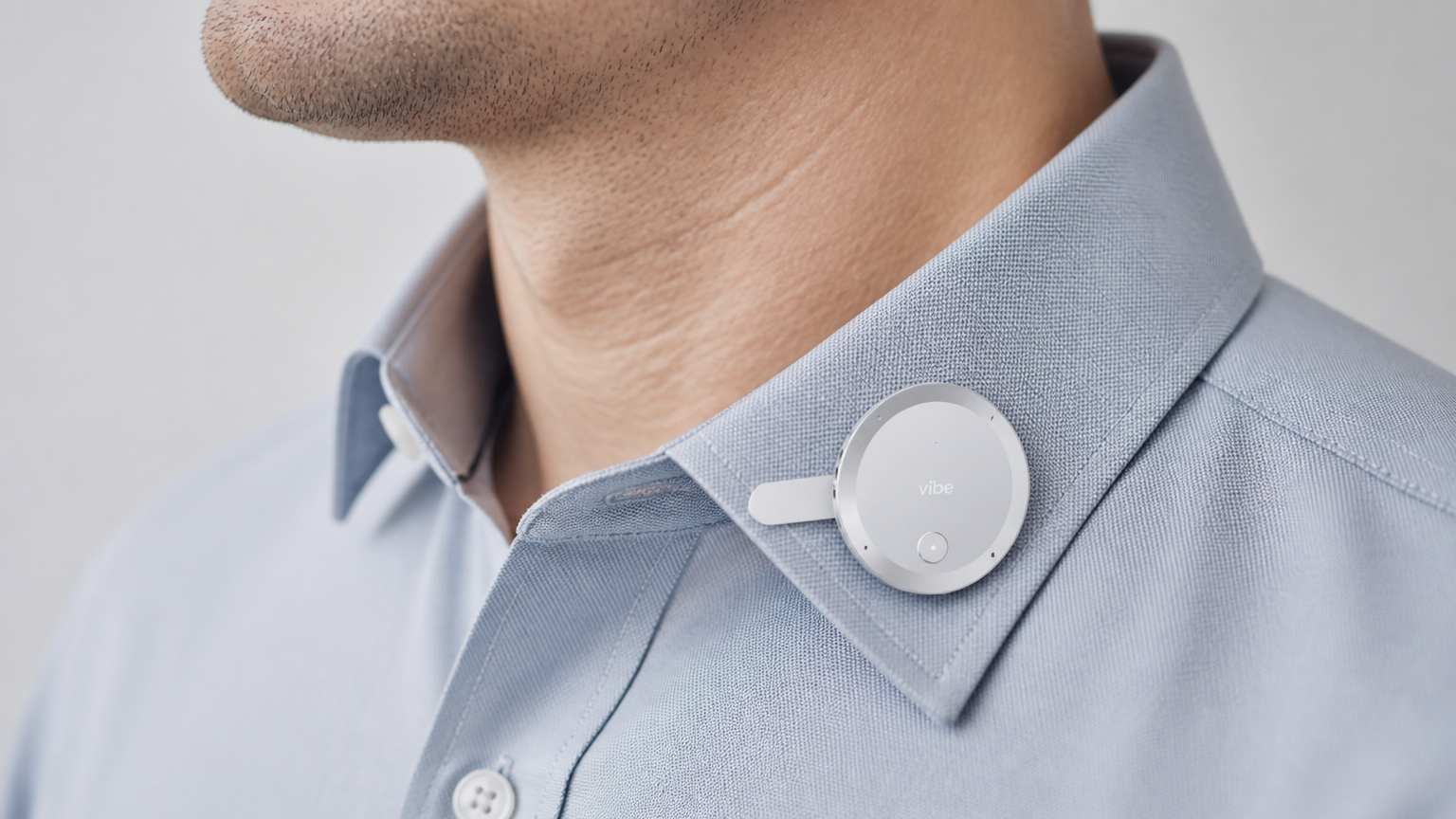 Vibe Dot wearable AI recorder clipped to a shirt collar, showing its compact clip-on form factor.
Where it is not the right answer: if every meeting you care about happens on one video platform your company controls, a native assistant costs you nothing extra and removes export work. If you record occasionally and mostly need proof of an exact phrase, a phone voice memo is sufficient. Buying a capture ecosystem to solve an occasional-capture problem is overbuying.
Consent, Privacy, and the Part a Tool Cannot Do
Recording law varies by jurisdiction, and several U.S. states require all-party consent. Employer policy, client agreements, and platform terms add their own requirements on top. An always-on wearable raises a slightly different question than a meeting bot that is visible to everyone in the room: the device can be capturing before anyone remembers to mention it, so the default should be to announce it up front. Tell people when you are recording, and check what applies to your situation before you rely on any of this in a professional context. This article is not legal advice.
There is also a limit worth naming directly. No system in this category determines whether a commitment was genuinely made. AI can surface the phrase, structure the output, and put a draft in front of you. Whether "we’ll probably move that to Q3" was a decision or a musing is a judgment call, and it stays yours. The value of a good system is that it puts that judgment call in front of you at a moment when you can make it, instead of six weeks later, when someone asks what was agreed.
The Short Version
Capture is a solved problem, and the market is still competing there because it is the easiest thing to demonstrate. The stages that decide whether an AI note taking system actually works for an ADHD user are the three nobody puts on the box: whether you can find things later, whether raw content becomes a structured decision, and whether that decision reaches the place you work.
Evaluate on that basis and the field narrows quickly. Ask any tool you are considering one question: after three months of daily use, what does this archive let you do that a folder of audio files would not? The answer will tell you which stage it stops at.
Frequently Asked Questions
What is the best AI note taker for ADHD?
The best AI note taker for ADHD is the one that fails least at the stage where you personally break down. If you forget to start recordings, prioritize automatic capture over transcription specs. If your recordings pile up unreviewed, prioritize cross-session memory and search. If you review notes but never act, prioritize a tool that writes into your task system directly. Comparing devices on microphone count and battery life optimizes a stage that is no longer the constraint for most users.
Why do I record everything and never listen back?
Because most tools store each recording as an isolated file with no connection to your projects or commitments. Reviewing then requires three separate initiation moments, deciding which file matters, opening it, and extracting what is relevant, at a point when attention has already moved on. Cross-session memory collapses that into a single question you can ask.
Is a wearable recorder better than a phone app for ADHD?
Usually, for one specific reason: opening a phone app means encountering notifications, messages, and every other thing your phone contains before you reach the record button. A dedicated device removes that. The stronger advantage is capture that starts without a deliberate action at all, which is a property of the recording mode, not the form factor.
Can AI note takers replace a to-do system?
Treating an AI note taker as a to-do system is a common failure. AI note takers reliably produce action-item drafts; they do not reliably distinguish a settled commitment from a passing suggestion, and they do not track whether something got done. The right relationship is that the note taker feeds your existing task system, automatically where possible, and you stay responsible for confirming what was actually agreed before it becomes someone’s work.
Do I need to tell people I am recording?
As a default, yes. Requirements vary by jurisdiction, and several U.S. states require consent from all parties, particularly for phone calls. Employer policy, client contracts, and platform terms may impose additional obligations. Announce recording at the start of a conversation and check the rules that apply to your location and role. If you are pursuing recording as a formal workplace or academic accommodation, that runs through a separate process with HR or disability services.
Does using an AI recorder count as an ADHD accommodation?
It can, and in many workplaces and universities recording is a recognized accommodation, but it is a formal process, not something you self-authorize by buying a device. Employers and disability services offices have their own request procedures, documentation requirements, and rules about what may be recorded and retained. Approach it as an accommodation request rather than a purchasing decision.