Choosing the best AI recorder for ADHD on transcription accuracy is like choosing a car on cup holders. Every serious device in this category transcribes well enough. What separates them is whether the recording starts without you remembering to start it, whether you can find anything in it three months later, and whether a commitment made out loud ever reaches the place you actually check.
This roundup evaluates five options — three hardware, two software — against those three things.
A framing note: this is a workflow comparison, not clinical guidance. No device here is a medical product, and nothing below describes treatment. For clinical information, CHADD and your clinician are the appropriate sources.
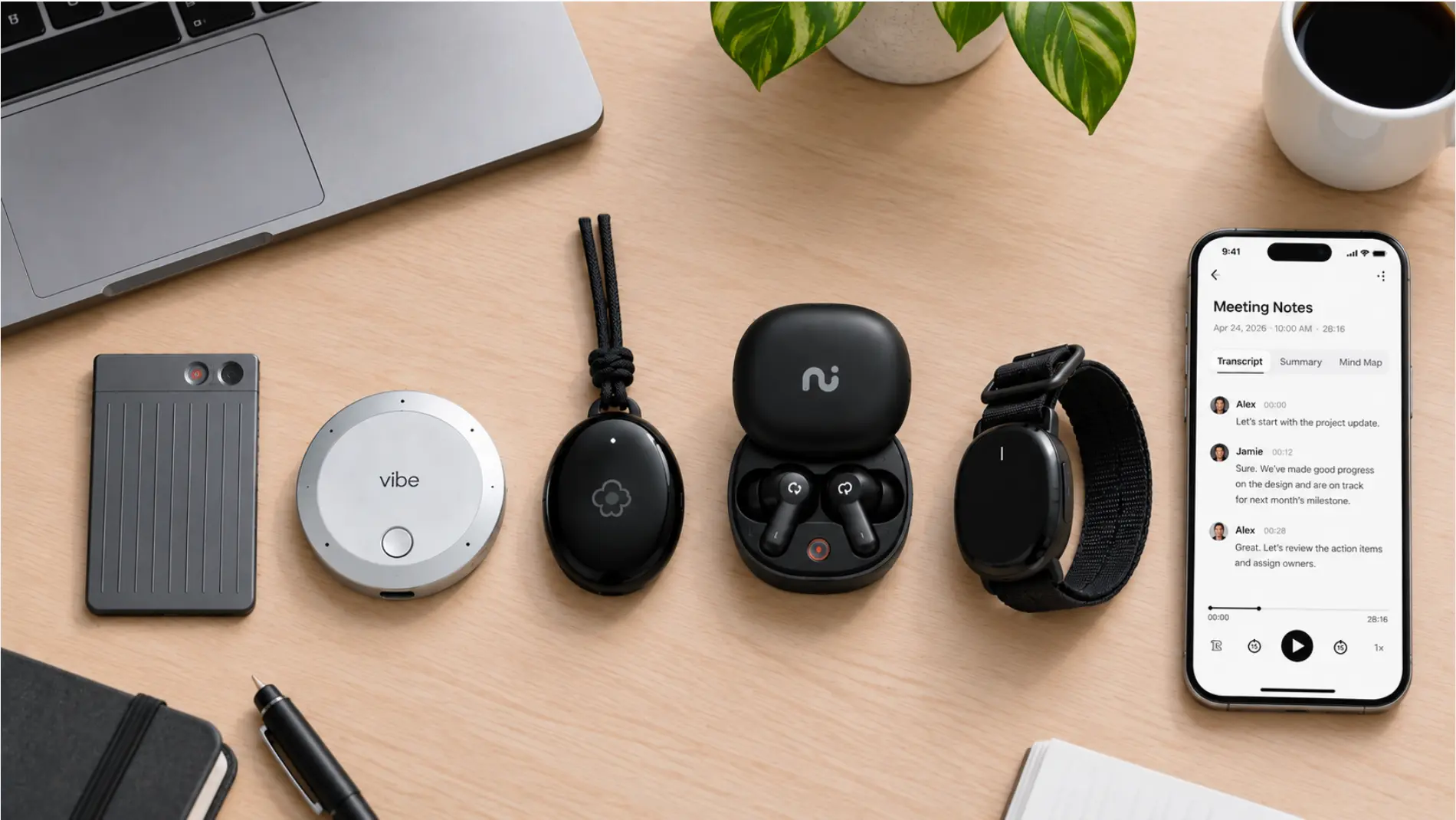 Overhead flat lay of the compared devices and a phone showing a note-taking app, on a plain desk
How we evaluated these
We tested against three stages where capture tools actually break for ADHD users, rather than against spec sheets.
Does capture start without you? A device requiring a deliberate press before every conversation puts a memory dependency at the front of the chain. The hallway conversation that turned into a decision is the one you will not have recorded.
Can you retrieve across sessions? Most tools store each recording as an isolated file. After two months of use, "what did the client say about the timeline" returns eleven fragments with no indication which one was the decision.
Does a commitment reach your tools? An action item that lives only inside the recorder’s own app has not arrived anywhere. The final export step is the one that requires initiation at the exact moment attention has moved on.
The research supports weighting these over capture quality. A PLOS One study comparing 45 unmedicated adults with ADHD against matched controls on complex prospective memory found large-scale impairment concentrated in task planning — building a structured intention — with only negligible-to-small effects on plan recall and execution. The hard part is not remembering the recording exists. It is turning what is in it into a plan.
Quick comparison
|
Tool |
Capture starts without you? |
Cross-session recall |
Action items reach your tools |
Best for |
|---|---|---|---|---|
|
Vibe Dot + Vibe AI |
Yes — Auto Capture (Beta) |
Yes — Memory Graph |
Yes — via MCP input layer |
Commitments made across many contexts |
|
Plaud Note Pro |
No — press to start; mode switches itself |
Per-session |
Manual export |
Deliberate capture, in-person and calls |
|
HiDock P1 |
No — one-touch start |
Per-session |
Manual export |
Calls taken through Bluetooth earbuds |
|
Otter.ai |
Within connected calendars |
Per-meeting search |
Integrations, varies by plan |
Software-only, low starting cost |
|
Granola |
No — you open it |
Per-note |
Manual |
People who type during meetings |
1. Vibe Dot — best overall for ADHD workflows
Price: $199 device | Vibe AI: Starter free (300 min/month) · Pro ~$9/seat/month (1,200 min/month) · Max ~$29/seat/month (extended memory, advanced actions)
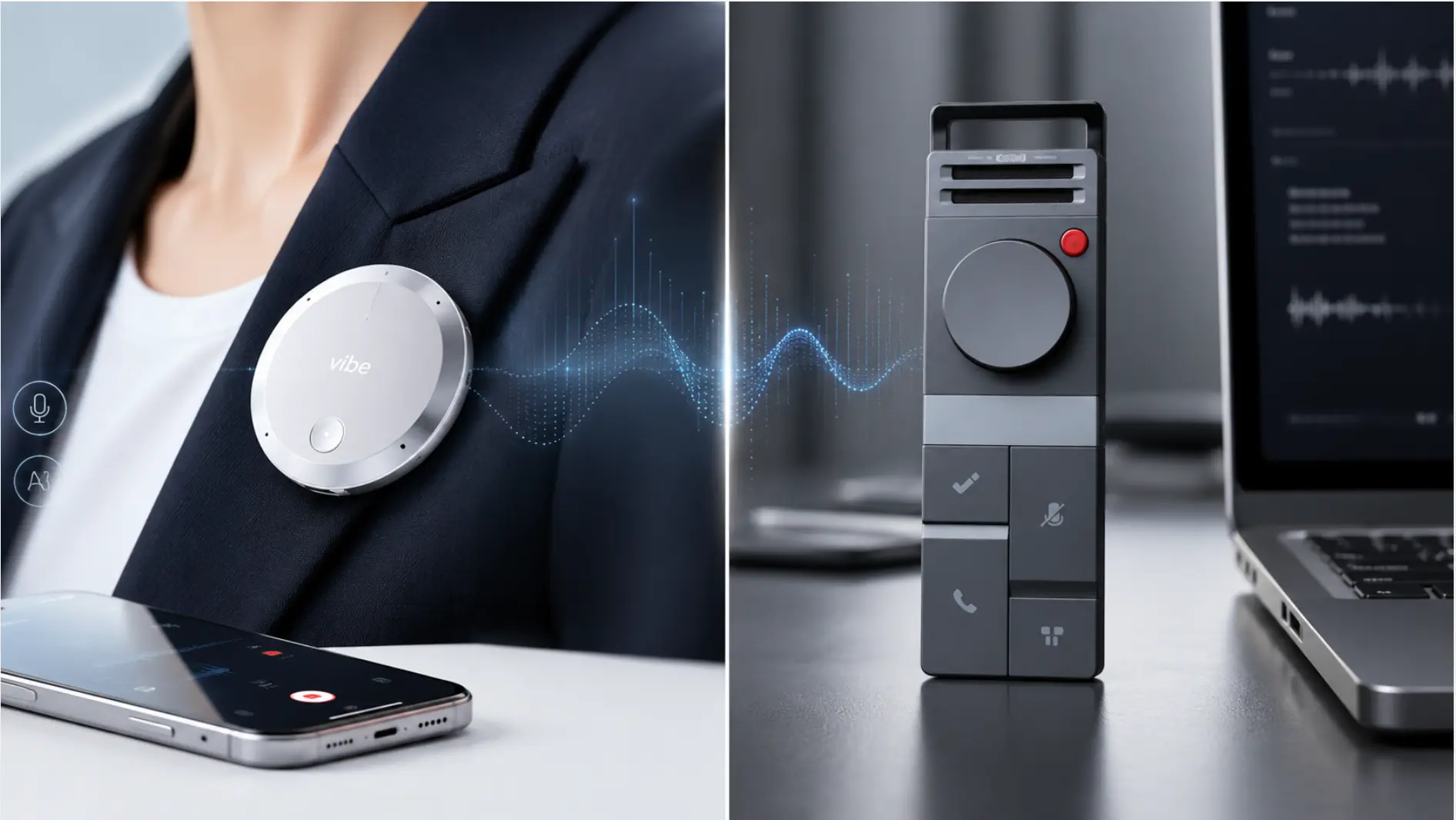
At a glance: Wearable — clip, MagSafe, or desk · Auto Capture (Standby + Schedule, Beta) plus Tap to Record · Memory Graph cross-session memory · MCP input layer writes into your existing tools · 5-mic array (4 air + 1 bone conduction), 16 ft range · 64GB onboard · SOC 2, HIPAA, FERPA, NDAA, TPM 2.0
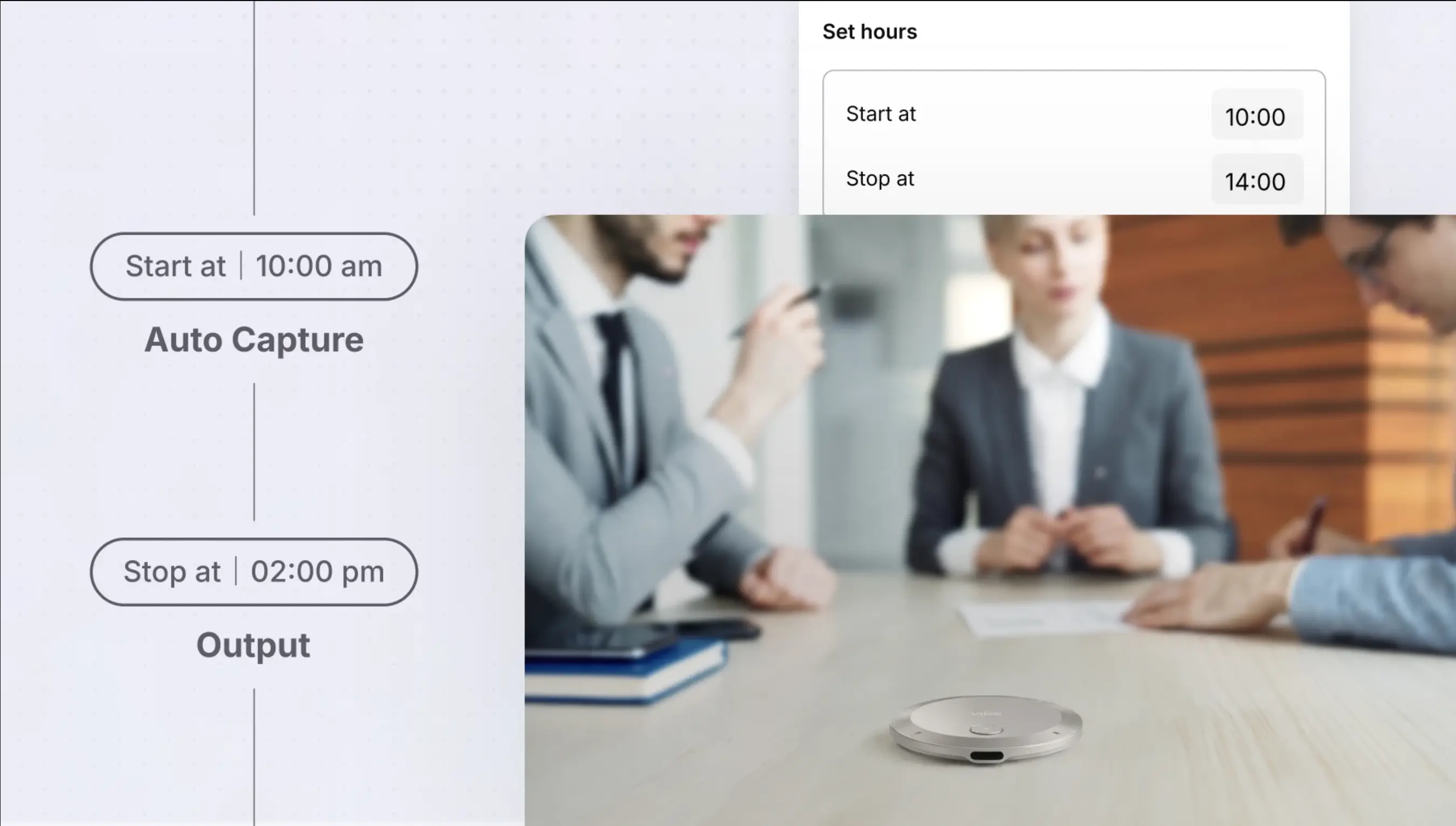 Vibe Dot on meeting table with auto-capture schedule set from 10:00 am to 2:00 pm, capturing business discussion
Vibe Dot is the only option here with a play at all three failure stages rather than one.
Capture without remembering. Auto Capture, currently in Beta, runs in two modes: Auto Mode, which arms the device without a per-conversation action, and Schedule, which ties capture to meetings already on your calendar. Tap to Record remains available for cases where you want explicit control. This is the single most consequential difference in the category for a reader whose recordings fail because they were never started.
Cross-session recall. Memory Graph maintains relationships across sessions — the same project, the same person, the same commitment tracked as it changes — rather than storing each recording as a standalone document. In practice this is the difference between an external memory system and a folder of audio files. It is also the capability no other device in this roundup has.
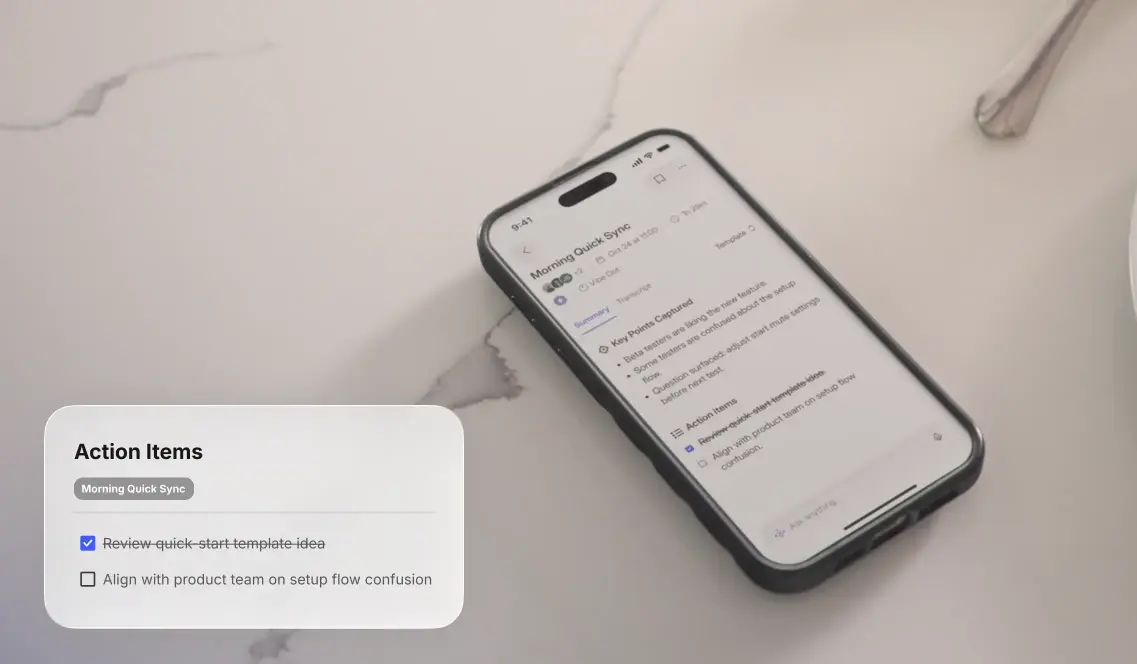
Action items that leave the app. Vibe AI extracts action items with the source record attached, and Vibe Dot’s MCP-based input layer lets those items land in the tools you already use rather than waiting in the recorder’s own inbox for you to come collect them.
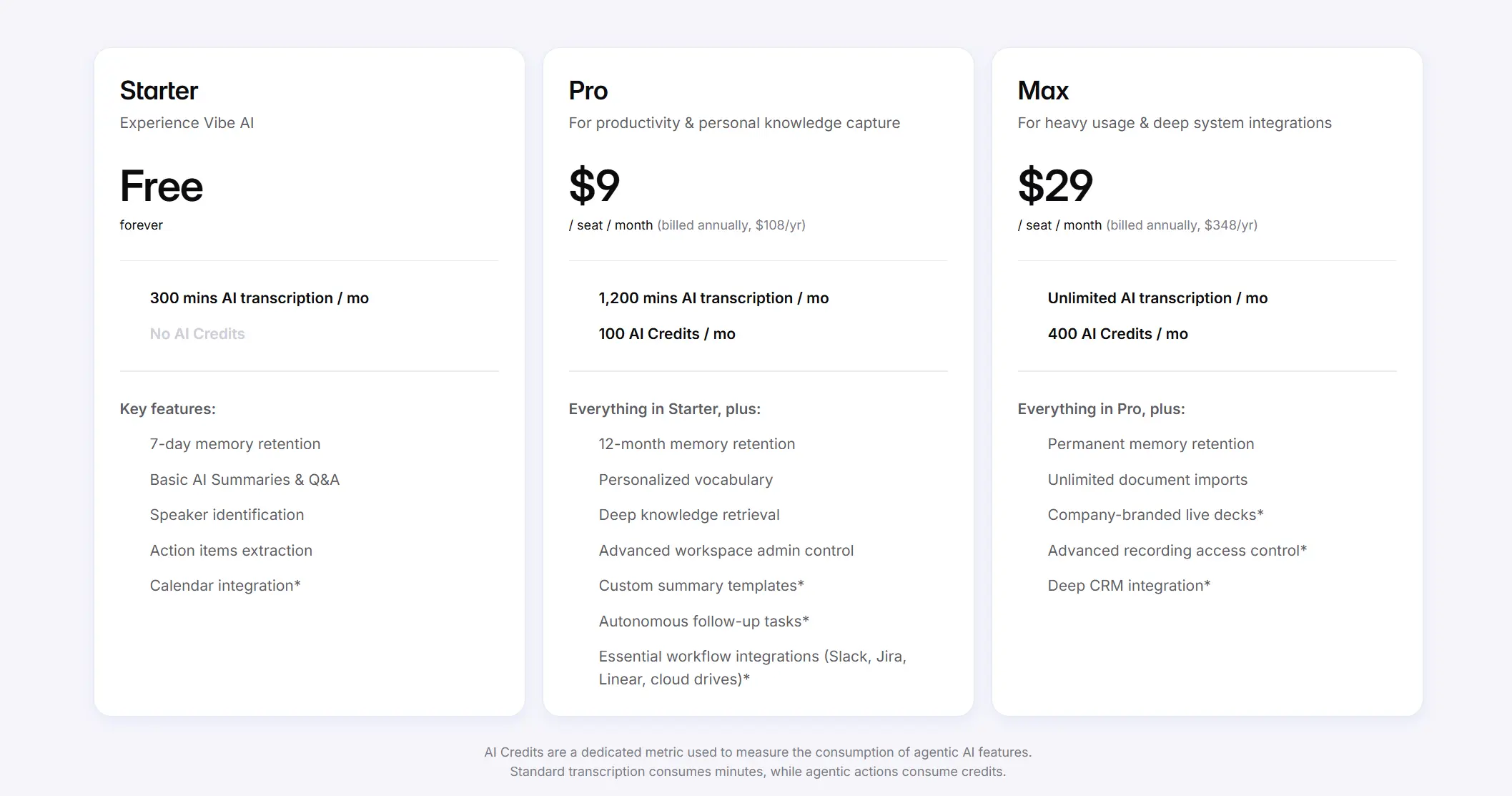 Vibe AI pricing table comparing Starter free, Pro $9/month, and Max $29/month plans with feature breakdown
The ecosystem point. If your decisions get made partly in a conference room and partly on the move, Vibe Bot handles the room and resolves into the same memory layer as Dot.
Compliance. FERPA and NDAA certifications matter if you work in education or government-adjacent environments where procurement has requirements a consumer device cannot satisfy.
Tradeoffs, honestly. Auto Capture is in Beta, and you should treat it as such for anything high-stakes. The ecosystem argument only pays off if you actually have multi-context capture needs — if every meeting you care about happens on one video platform, you are buying capability you will not use. And review does not disappear: extracted commitments still need confirming before they go out to a team.
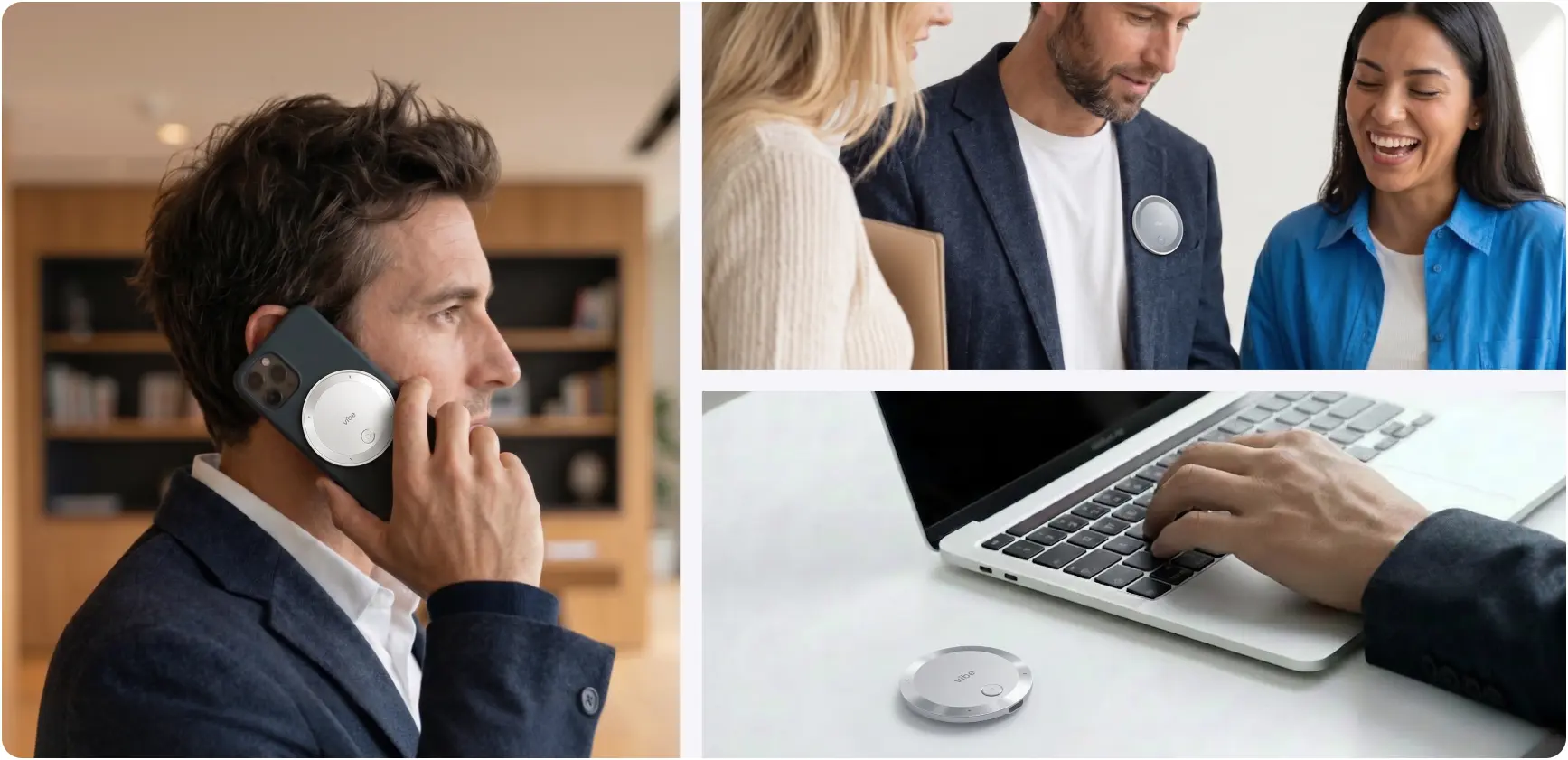
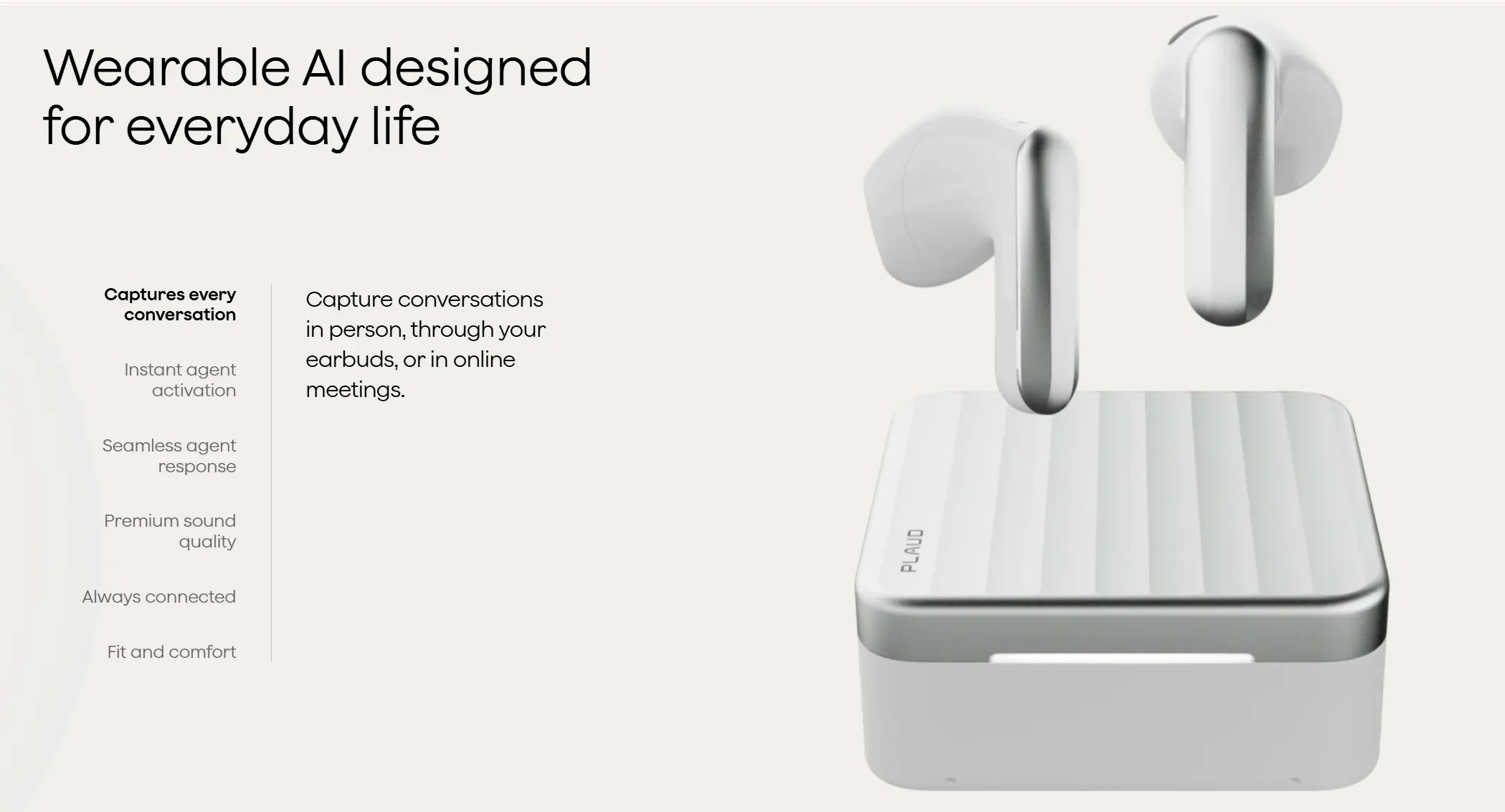
2. Plaud Note Pro — best if you prefer a deliberate press
Price: $189 device | Starter free (300 min/month) · Pro $99.99/year (1,200 min/month) · Unlimited $239.99/year
At a glance: Credit-card format, 2.99mm / 30g · press to start, auto-switches between call and in-person modes · 4 MEMS + 1 VPU mics, 16.4 ft range · 64GB onboard · 112 languages · per-session summaries and action-item drafts · ISO 27001, SOC 2, HIPAA, GDPR
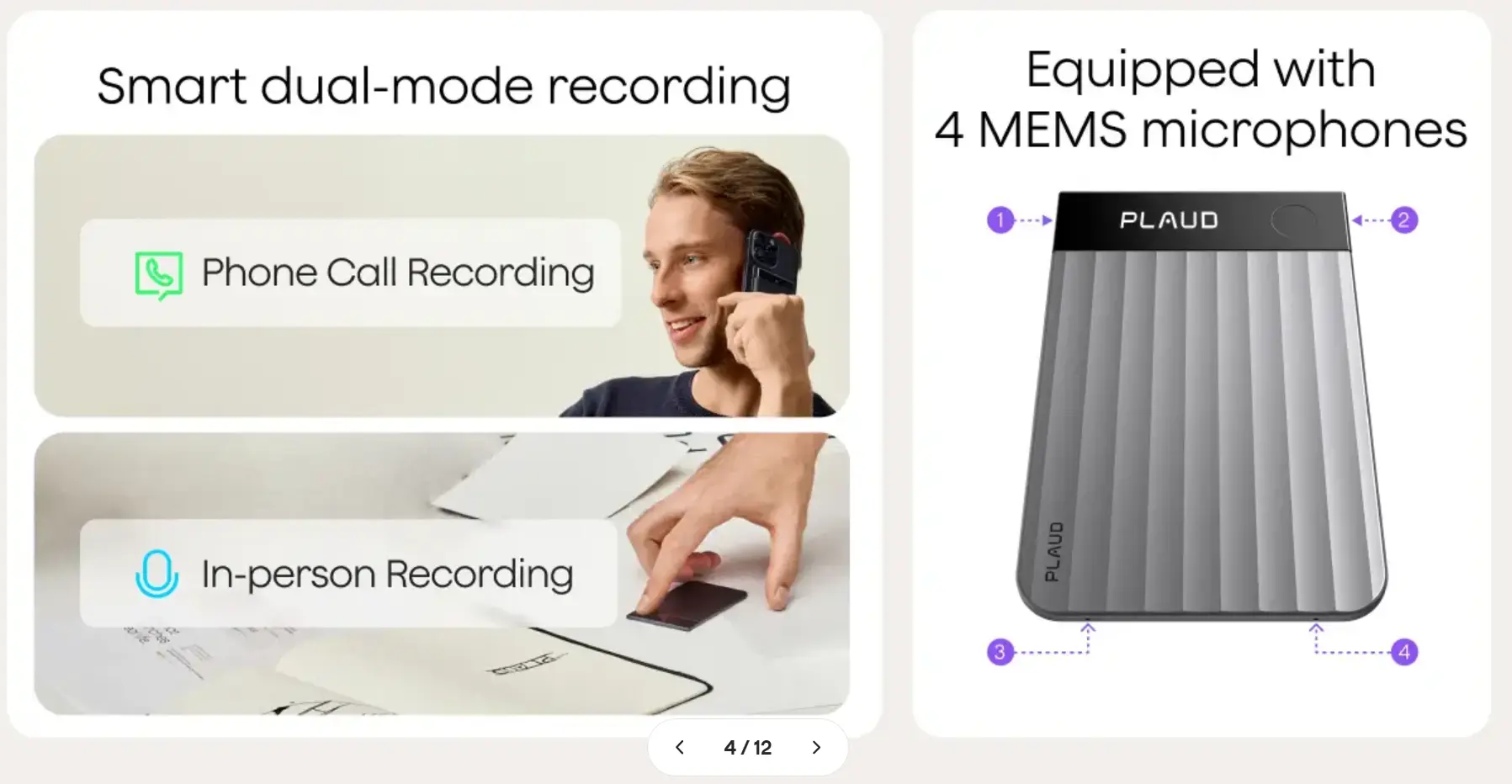 PLAUD recorder marketing slide on dual-mode recording and microphones
Note Pro is a well-built recorder with a strong transcription record and the most mature app in the independent hardware category. Plaud has also invested specifically in ADHD-oriented workflows, including a dedicated template and a highlight function for marking moments during a recording.
One distinction worth getting right: Note Pro’s smart dual-mode recording switches automatically between phone-call and in-person modes, so you never pick the wrong one. What is not automatic is starting the recording — that remains a press. The intelligence is in how it captures, not in whether it captures.
For some readers that is a feature rather than a limitation. If you want a clear, intentional boundary around what gets recorded — for privacy reasons, for consent reasons, or because always-armed capture makes you uneasy — press-based is the right model and Plaud is the best execution of it.
On the running cost. Three hundred free minutes is roughly five hours of talking — enough for two or three short meetings a week, not enough for daily client calls. If capture is going to be a habit rather than an occasion, budget for the subscription from the start rather than discovering the ceiling mid-month. PCWorld makes the same point in its review.
What to know before buying. Personal access to the workflow requires an active membership and a device bound to the same account, which is worth factoring in before building a memory system on top of it. If you are looking at the cheaper NotePin line instead, note that neither the NotePin nor the NotePin S records phone calls — Plaud states this directly and points buyers who need call capture toward Note Pro.
Plaud is also candid about where its product stops, which is more than most vendors manage. Their own ADHD article describes the device as producing a summary and an action-item draft with the source attached, while noting it does not determine which thought was a final decision, and names the remaining burden as remembering to stop, waiting for sync, and exporting the checked result. That is an accurate description — and it maps exactly onto the two stages this roundup weighs most heavily.
Best for: readers who reliably remember to start recordings, and who want a firm boundary around capture.
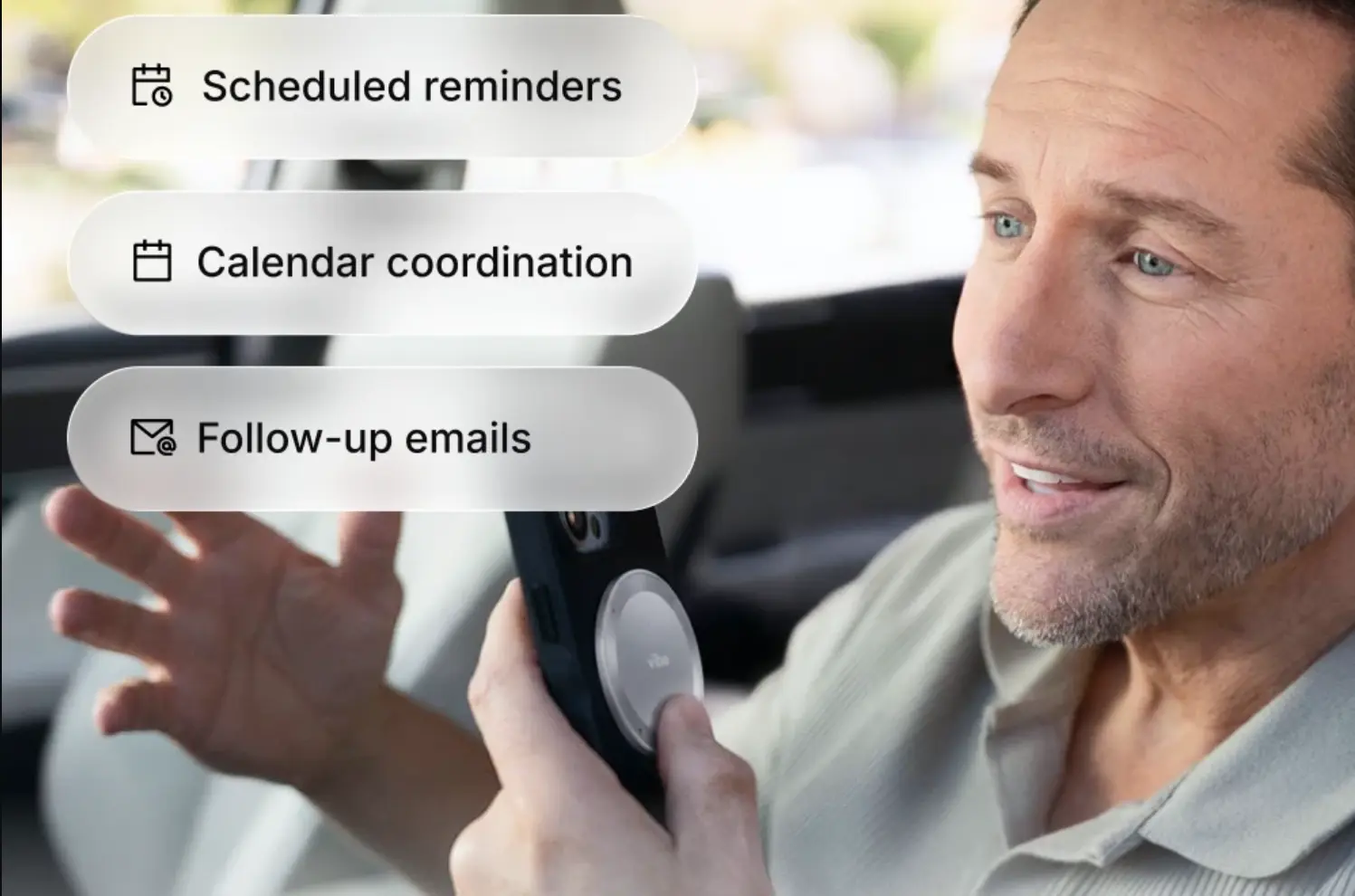
3. HiDock P1 — best for calls taken through earbuds
Price: $169 device | unlimited AI transcription included free (75+ languages) · Pro Membership adds speaker identification, 39+ summary templates, and live transcription (pay-as-you-go or annual; HiDock does not publish the rate on its product page)
At a glance: Compact with magnetic base · three modes — Call (through your Bluetooth earbuds via BlueCatch), Room (dual ECM mics), Whisper (quick notes) · 64GB local storage, no automatic upload · 8h continuous, 4h cap per recording · USB-C to iPhone 15+ or USB-C Android with OTG · Azure-hosted, SOC 2 / ISO 27001, GDPR
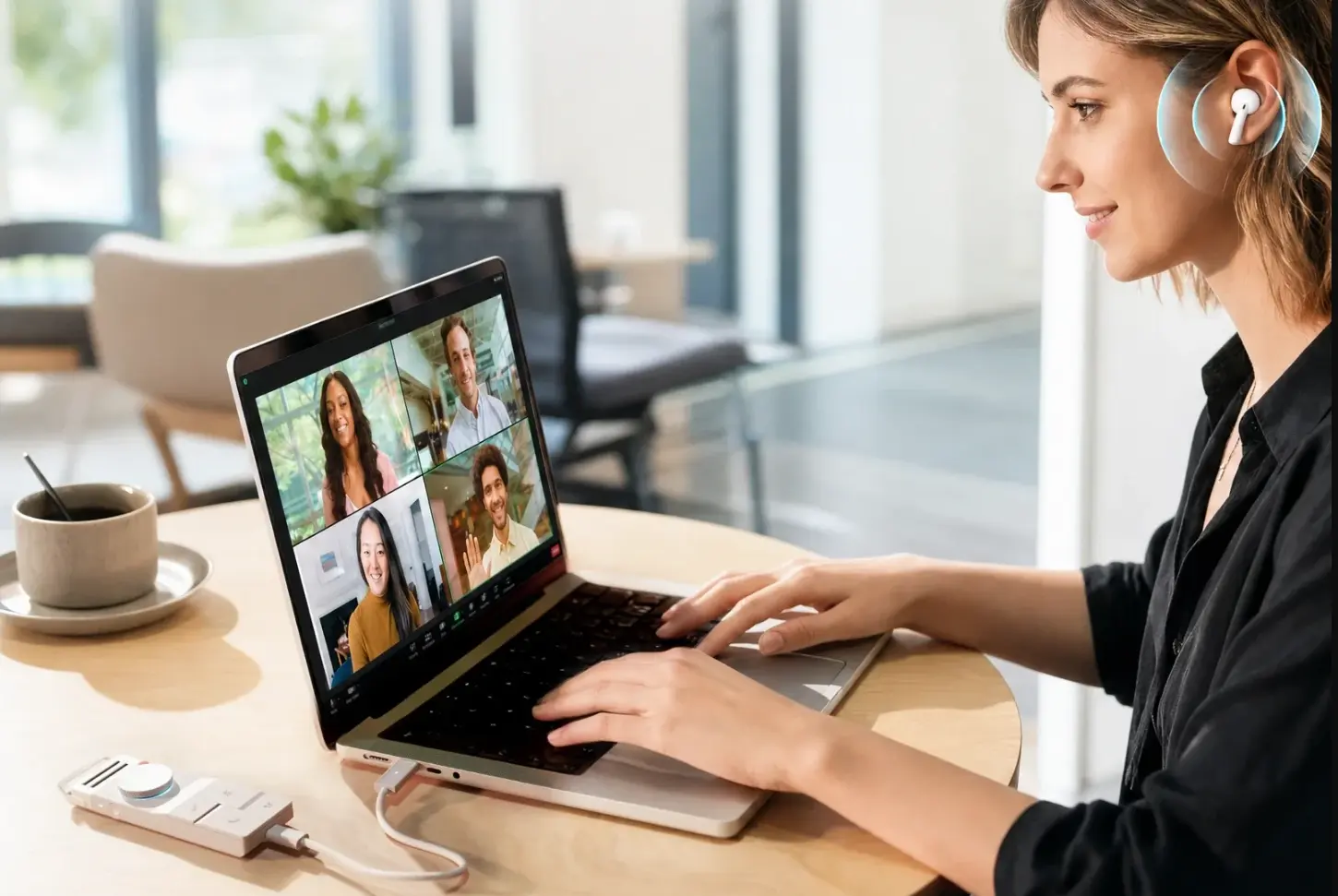 HiDock device connected to laptop during video call
HiDock P1 does one thing nothing else here does: it records both sides of a call through the Bluetooth earbuds you already wear, using HiDock’s BlueCatch passthrough, with no bot joining the meeting. If a meaningful share of your commitments get made on calls you take with AirPods in, that is a direct hit on a real gap.
It covers three modes on one device — Call Mode through the earbuds, Room Mode using dual ECM microphones for in-person meetings, and Whisper Mode for quick spoken notes. Recordings stay on 64GB of local storage rather than uploading automatically, and transcription in 75+ languages is included free rather than metered, which is unusual in this category and a genuine advantage if your volume is high. Notebookcheck’s hands-on review puts it at $169 and found speaker separation reliable in in-person meetings.
The constraint is the setup chain. Call Mode requires the P1 connected to your phone or laptop over USB-C with your earbuds paired through the device rather than directly to the phone. That is a physical arrangement you assemble, not something that is simply on — which is the opposite of what you want if your failure mode is forgetting to prepare. Room Mode and Whisper Mode do work standalone. Compatibility is limited to iPhone 15 and later plus USB-C Android devices with OTG support. Notebookcheck also flags that the HiNotes software constrains file management, including no bulk export of Whisper captures as MP3s — worth knowing before you make it the home for two years of notes.
Best for: readers whose commitments get made on earbud calls, and who want unmetered transcription.
4. Otter.ai — best software-only starting point
Price: Basic free (300 min/month, 30-min cap per conversation, 3 lifetime file imports) · Pro $16.99/month or $8.33/month billed annually (1,200 min/month, 90-min cap) · Business $30/user/month or $19.99 annually (unlimited minutes, 4h cap, 5-seat minimum) · Enterprise custom
At a glance: Software only, no hardware · bot joins Zoom, Microsoft Teams, and Google Meet from your calendar · live transcription, speaker identification, AI chat, meeting summaries · no in-person or offline capture · .edu discount ~20% on Pro
 Otter.ai marketing page promoting use cases across Sales, Education, Media, and Recruiting Agent categories
Otter is the most familiar name in meeting transcription for good reason: it joins calendared meetings automatically on Zoom, Microsoft Teams, and Google Meet, and transcribes live. For ADHD workflows its strength is that calendar-connected capture removes the remembering step for scheduled meetings specifically.
Two limits matter. The first is scope: it covers meetings on connected platforms, not the hallway conversation, the site visit, or the thought you had walking to the car. If your commitments are made almost entirely in scheduled video calls, that scope is sufficient and you can skip hardware entirely.
The second is the free tier, which is more restrictive than it first appears. That 30-minute conversation ceiling — confirmed across current breakdowns of Otter’s pricing — is the one that bites: a standard hour-long meeting gets cut off halfway, which makes the free plan a poor test of whether automated capture actually changes your follow-through. If you want to evaluate the workflow honestly, plan on a paid month rather than a free one.
Best for: people whose meetings all happen on one of three connected platforms, and who would rather not buy hardware.
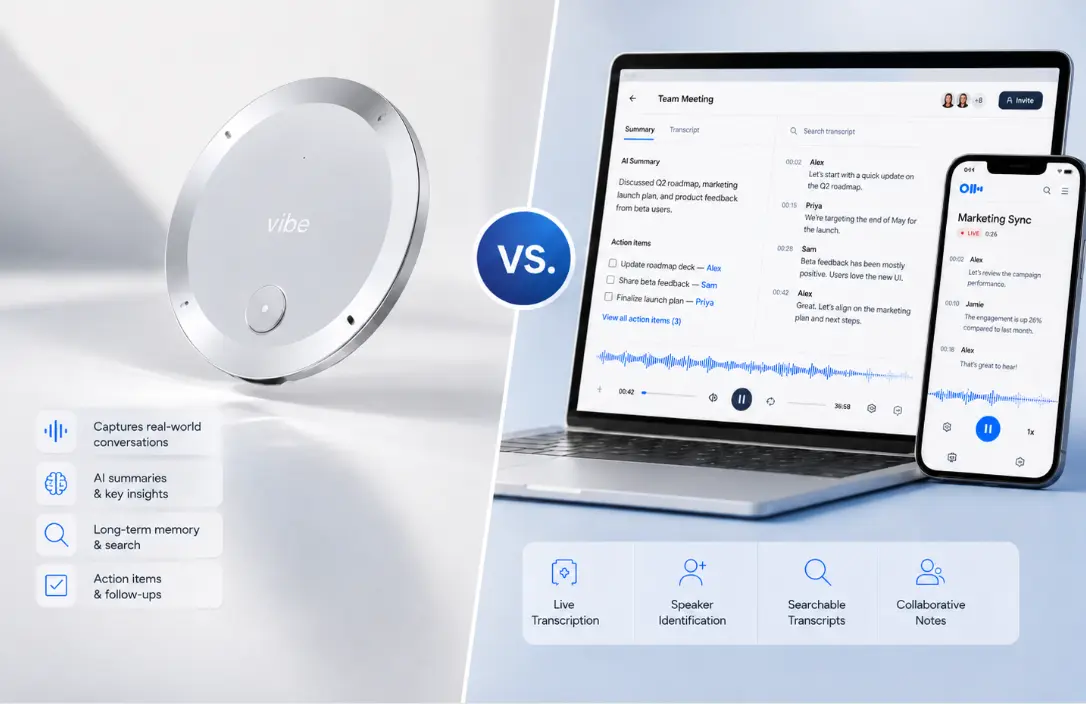
5. Granola — best if you already type during meetings
Price: Basic free (meeting history capped — reported at roughly 25 notes or a rolling 30-day window; Granola does not publish the figure on its pricing page) · Business $14/user/month · Enterprise $35/user/month · no annual discount on any tier
At a glance: Desktop app, Mac-first with Windows in beta · bot-free, records locally so nothing visibly joins the call · enhances the notes you type rather than replacing them · Business adds unlimited history plus Notion, Slack, HubSpot, and Zapier integrations · text transcripts only, no audio or video playback
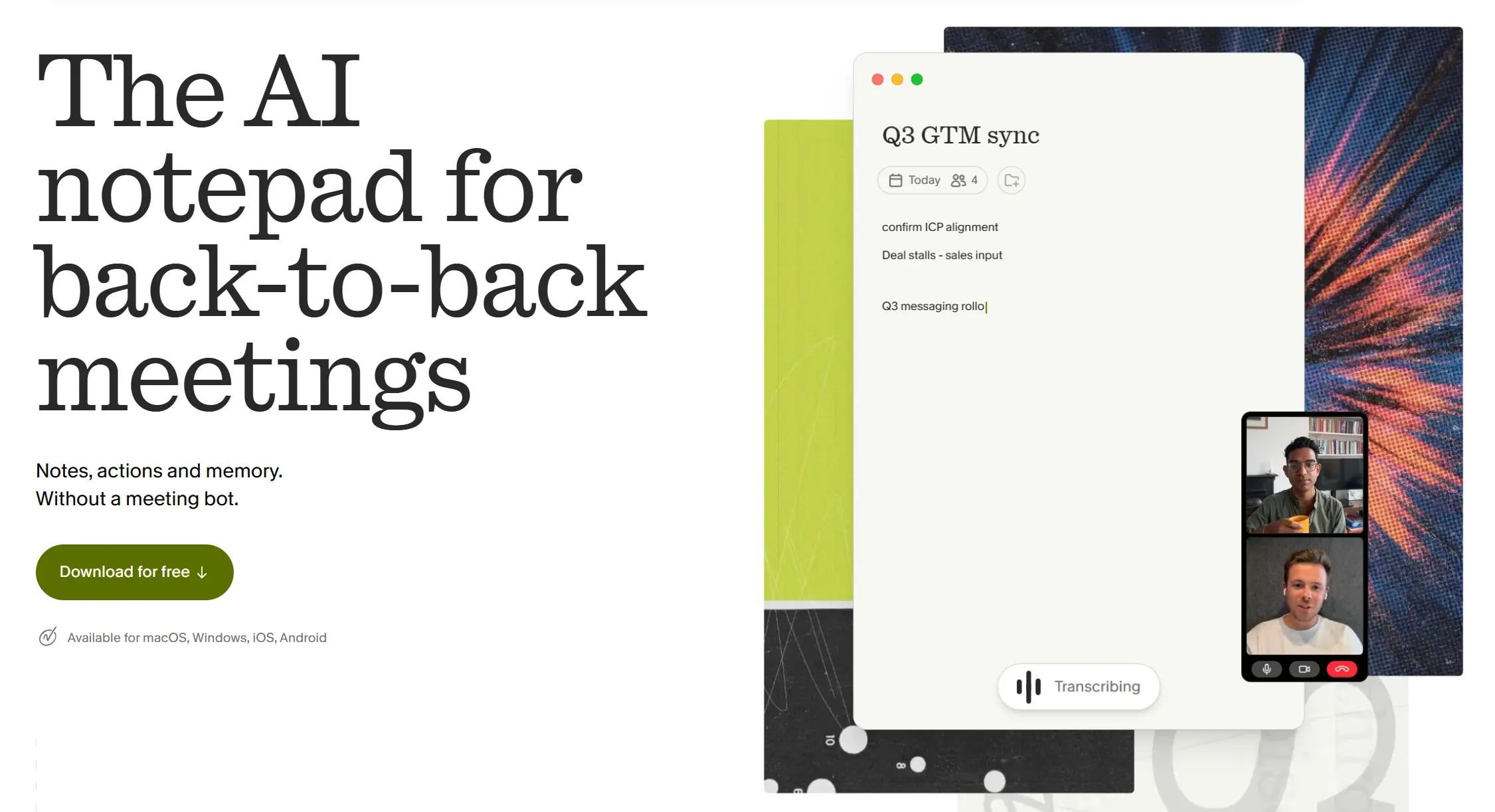 Granola homepage screenshot
Granola takes a different approach: it assumes you will take some notes yourself and uses the recording to fill in everything around them. The output reads like notes a person wrote rather than a machine transcript, which some readers find substantially more usable at review time. The bot-free capture is also the least socially awkward option here — nothing announces itself in the participant list.
The relevant caveat for this audience is that it depends on you opening it and engaging during the meeting. If your failure mode is forgetting to start things, that dependency is the problem you were trying to solve. If your failure mode is that machine summaries feel too generic to act on, Granola addresses something real.
Best for: readers who do take notes, and whose problem is that AI summaries are too bland to trigger action.
Two devices we are not recommending
Worth knowing if these turn up in older roundups.
Limitless Pendant. Meta acquired Limitless in December 2025, and the company stopped selling the Pendant to new customers and committed to supporting existing users for about a year, while winding down its Rewind software. Existing owners should plan an export and a successor.
Bee Pioneer. Absorbed by Amazon, with no independent product roadmap to evaluate.
The broader lesson matters more than either device: this category consolidates fast, and a memory system is only as durable as the company behind it. If you are going to accumulate two years of your own working memory inside a product, the vendor’s staying power is a legitimate selection criterion — not a paranoid one.
Which one to choose
If your recordings never get started — Vibe Dot, for Auto Capture. This is the failure mode with the highest cost, because you do not discover it until you go looking for something that was never recorded.
If your recordings pile up unreviewed — Vibe Dot, for Memory Graph. No other device here maintains continuity across sessions, and without it an archive is a filing cabinet with no index.
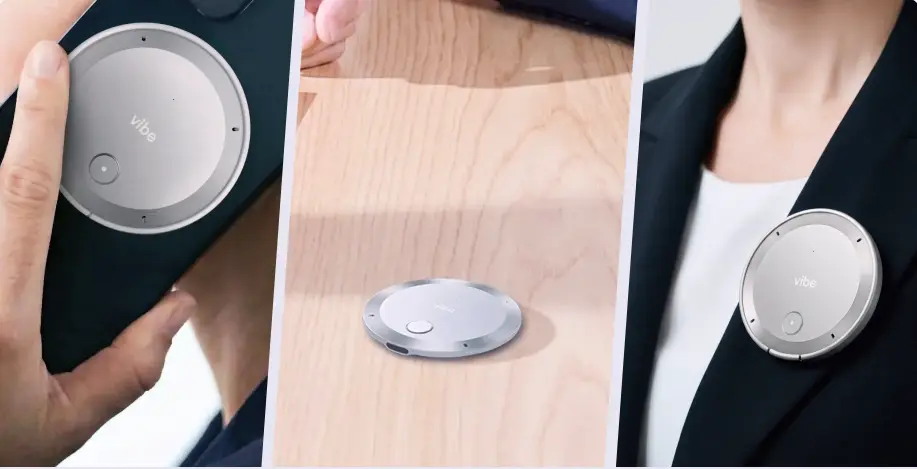 Vibe Dot AI recorder shown three ways: handheld, placed on desk, and clipped to a blazer lapel
If you review notes but nothing gets done — a tool that writes into your task system without a manual export. Among these five, that is Vibe Dot via its input layer.
If you want a firm boundary around what gets recorded — Plaud Note Pro. Press-based capture is the right model for that preference, well executed, and it covers calls as well as in-person conversations.
If your commitments get made on earbud calls — HiDock P1, which captures both sides through the earbuds you already wear and does not meter transcription.
If everything happens on Zoom, Teams, or Meet — Otter, on a paid month. The free tier’s 30-minute conversation cap will cut your meetings in half and tell you nothing useful about whether the workflow helps.
Consent and the limits of any tool
Recording law varies by jurisdiction and several U.S. states require all-party consent, with additional rules for phone calls. Employer policy, client agreements, and platform terms layer on top. Announce recording at the start of a conversation and check what applies to your role and location. This is not legal advice.
And a limit no product on this list overcomes: none of them determines whether a commitment was actually made. AI can surface the phrase, structure the output, and put a draft in front of you. Whether "we’ll probably move that to Q3" was a decision or a musing is a judgment call that stays yours. What a good system does is put that call in front of you while you can still make it, rather than six weeks later when someone asks what was agreed.
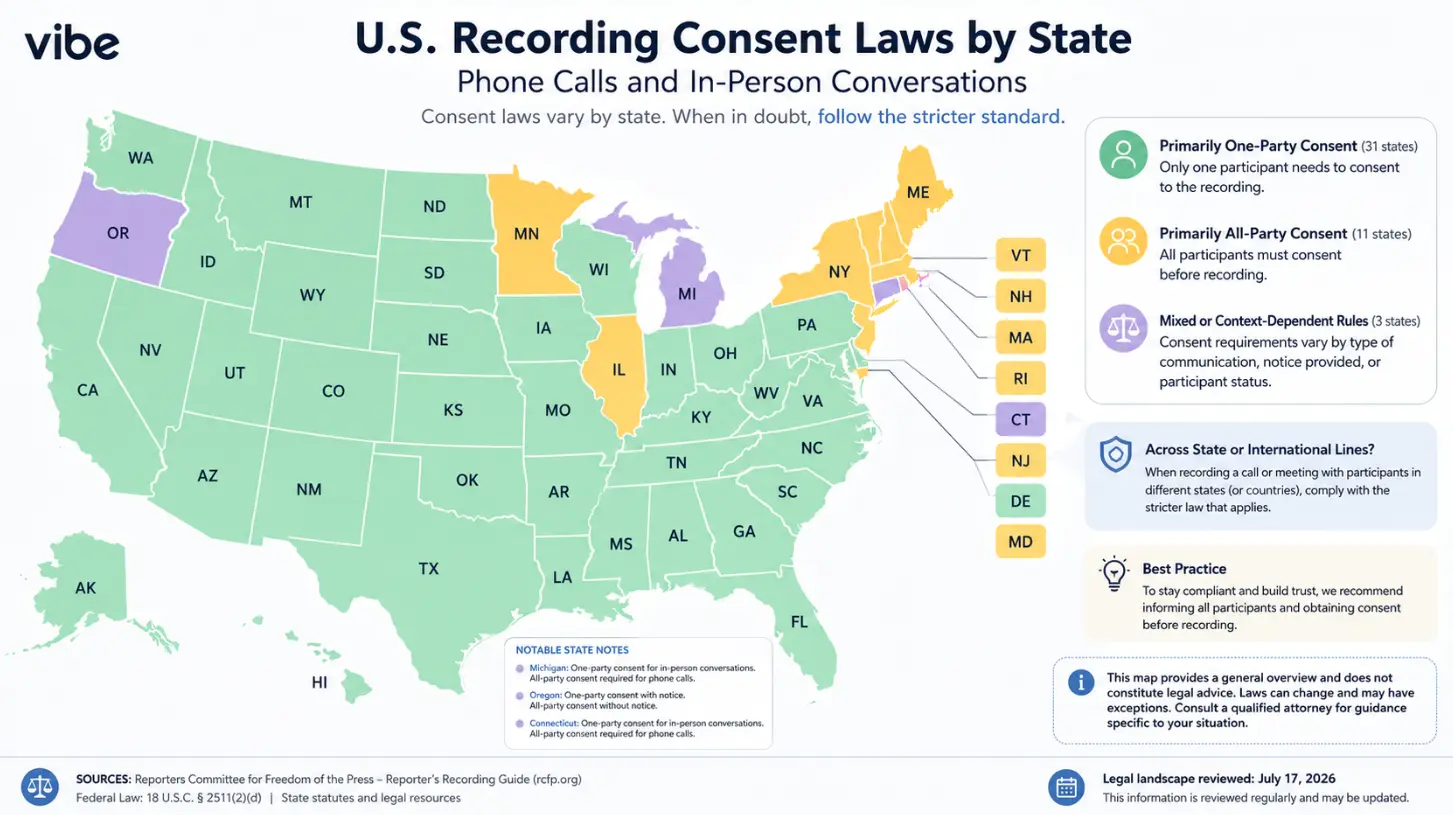 U.S. map of recording consent laws by state
The short version
Capture quality stopped being the differentiator in this category a while ago. What still varies, and what actually decides whether a recorder changes anything for an ADHD user, is whether it starts without you, whether the archive is queryable months later, and whether a commitment reaches the tool you check.
One question sorts the field faster than any spec comparison: after three months of daily use, what will this archive let me do that a folder of audio files would not?
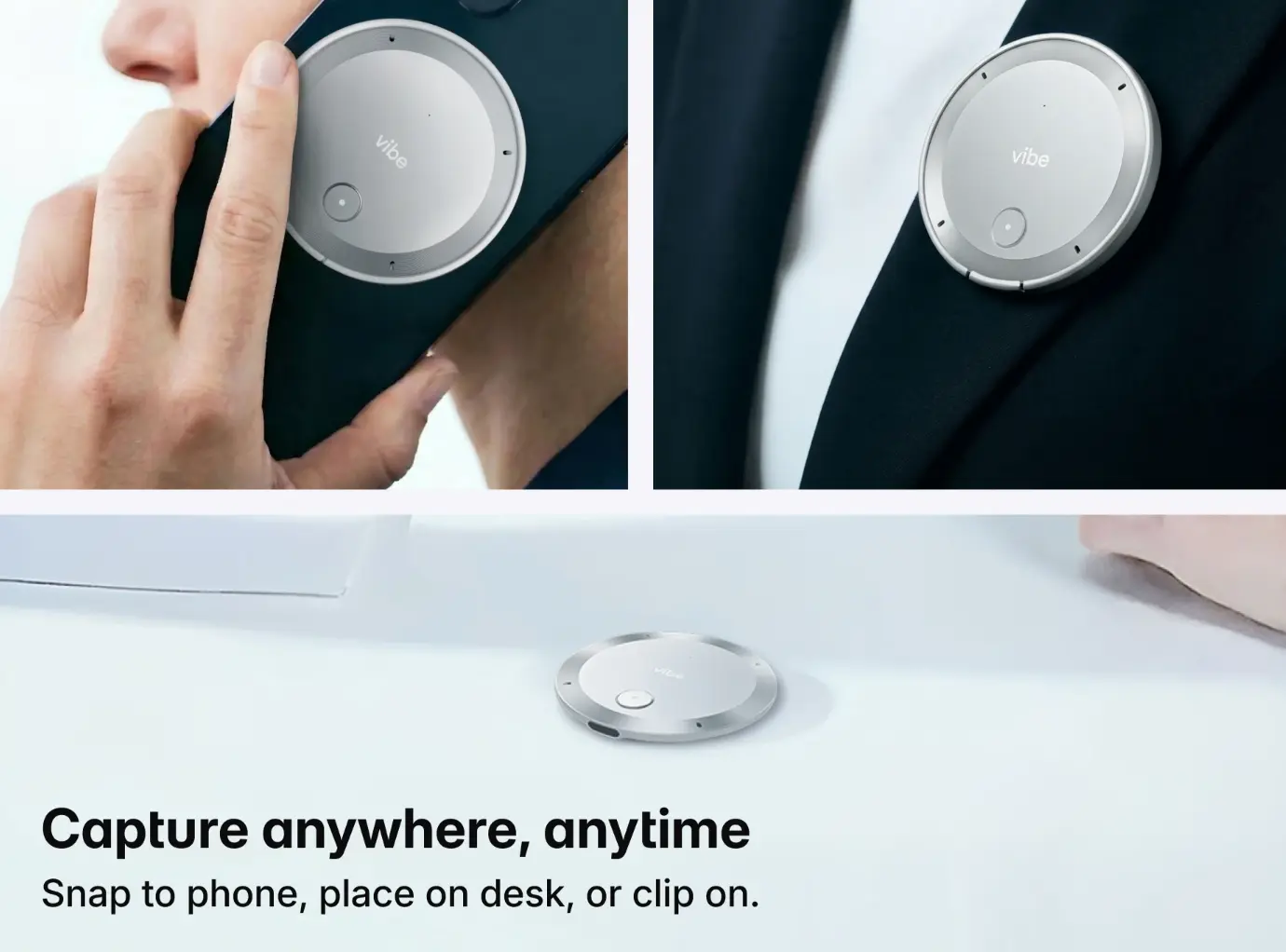
Frequently Asked Questions
What is the best AI recorder for ADHD?
For most ADHD workflows, Vibe Dot with Vibe AI, because it addresses all three stages where these tools typically fail: Auto Capture removes the need to remember starting a recording, Memory Graph makes the archive queryable across sessions, and its input layer sends action items into the tools you already use. If you prefer a deliberate press and want both in-person and call capture, the Plaud Note Pro is the strongest press-based alternative.
Should I get hardware or stick with software?
It depends on where your commitments get made. If nearly all of them happen in scheduled video calls, software like Otter covers you without hardware — though budget for a paid tier, since its free plan caps single conversations at 30 minutes. Hardware earns its price when commitments get made outside any platform: hallway conversations, site visits, phone calls, the thought you had walking to the car. That is a scope question, not a quality question, and it is worth answering honestly before spending money.
Why do my recordings pile up without ever being reviewed?
Because most tools store each recording as an isolated file with no link to your projects or commitments. Reviewing then requires three separate initiation steps: deciding which file matters, opening it, and pulling out what is relevant — all at a point when attention has moved on. Tools with cross-session memory collapse that into one question you can ask, a much lower barrier than choosing among hundreds of files.
Can an AI recorder replace my task manager?
No. These tools reliably produce action-item drafts, but they do not reliably separate a settled commitment from a passing suggestion, and they do not track completion. The productive setup is that the recorder feeds your existing task system — automatically where the tool supports it — while you stay responsible for confirming what was actually agreed.
Does using a recorder count as an ADHD accommodation?
It can. Recording is a recognized accommodation in many workplaces and universities, but it runs through a formal request process rather than a purchase. Employers and disability services offices have their own procedures, documentation requirements, and rules about what may be recorded and retained. Treat it as an accommodation request, not a buying decision.
Is always-on recording a privacy problem?
It can be, and it is a fair reason to choose press-based capture instead. Automatic capture means more conversations get recorded, including ones you would not have chosen to record — which raises real questions about consent from the people around you and about what ends up retained. If that tradeoff sits badly with you, the deliberate-press model is the honest answer, and this roundup includes two devices built that way for exactly that reason.