Project management creates a specific kind of ADHD failure — not one big breakdown but four smaller ones chained together. A decision gets made on a walkthrough but not recorded. It gets recorded but doesn’t make it into the meeting notes. It makes it into the notes but the Request for Information (RFI) never goes out. The RFI goes out but nobody on-site hears that the scope changed.
Each stage has its own tool problem. A single AI recorder can’t solve all four, and recommending one thing that does everything is how PM workflows end up with one great app and three persistent gaps.
This guide covers four AI tools mapped to the four stages where things actually go wrong for a project manager with ADHD — field capture, meeting documentation, project follow-through, and getting information to the people on-site who need it. The tools are different products, not a ranked list of competitors.
A framing note: this is a workflow analysis, not clinical guidance. For clinical information about ADHD, CHADD and your clinician are the right sources.
The four stages where decisions disappear
The research on ADHD and prospective memory pinpoints the failure precisely. A PLOS One study comparing adults with ADHD against matched controls found large-scale impairment concentrated in task planning — turning an event into a structured, actionable intention — rather than in remembering that something happened. In PM terms: you know the scope changed, but by the time you’re back at your desk, you’ve lost the specifics of who said what, what it affects, and what the first step is.
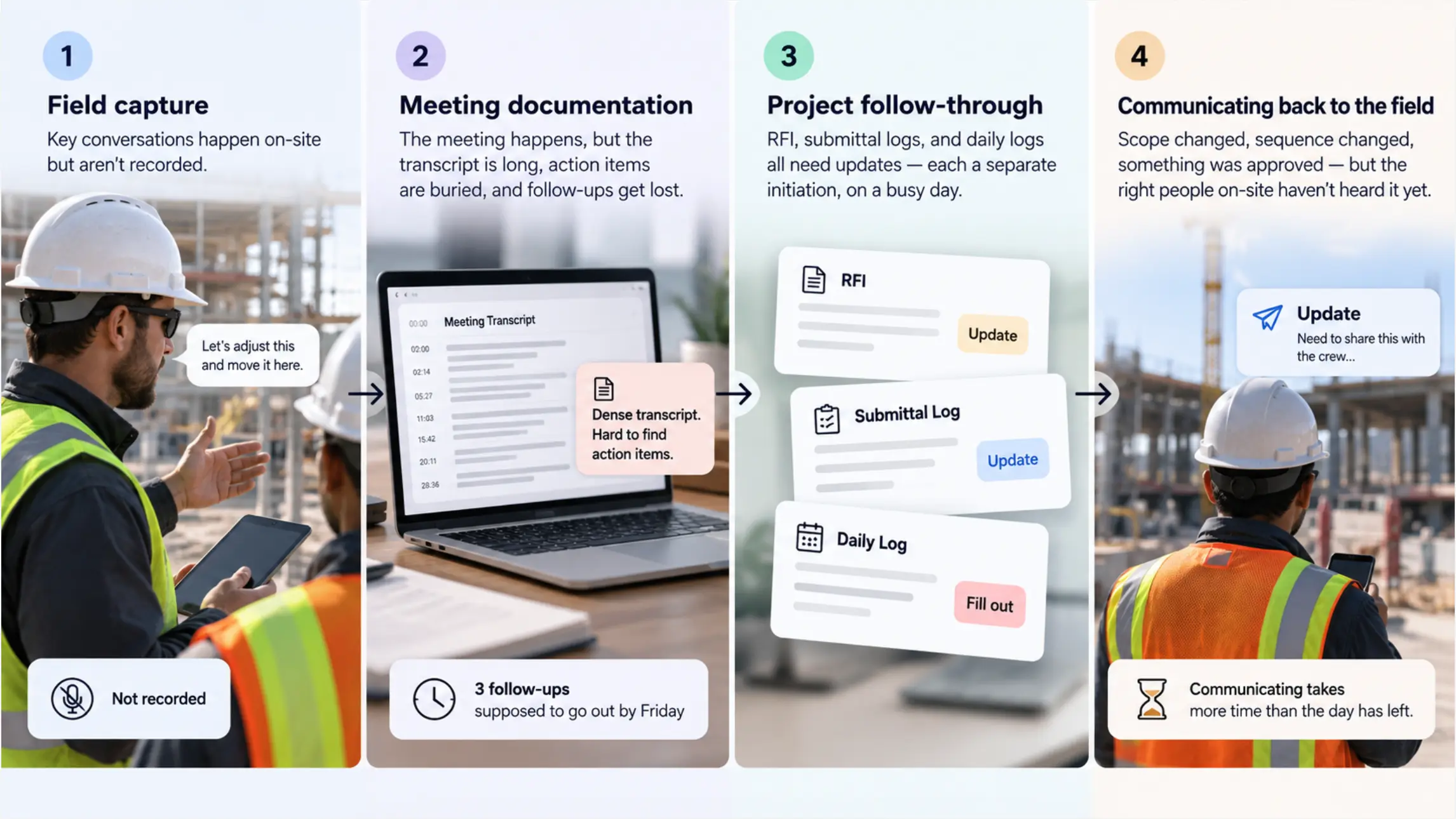
That gap shows up at every handoff point in the PM workflow:
Stage 1 — Field capture: The conversation that generated the decision happened on-site, on a walkthrough, or on a call from the truck. Nothing recorded it.
Stage 2 — Meeting documentation: The OAC meeting happened. The transcript is a dense wall of text nobody reads, the action items are buried inside it, and three follow-ups were supposed to go out by Friday.
Stage 3 — Project follow-through: The RFI needs to go out, the submittal log needs updating, the daily log needs filing. Each one is a separate initiation moment, stacked on a day already full of them.
Stage 4 — Communicating back to the field: Scope changed, sequence changed, something was approved. The people on-site who need to know haven’t heard it yet, because communicating it requires more energy than the day had left.
 Four stages where decisions disappear
Stage 1 — Field capture: Vibe Dot
The field conversation is the failure mode with the highest cost and the fewest tools that actually address it. Most AI note-taking products are built for scheduled video calls. They do not follow you onto a walkthrough, don’t record the call you took from the truck, and don’t capture the conversation that happened in the hallway before the meeting room filled up.
Price: $199 device | Vibe AI: Starter free (300 min/month) · Pro ~$9/seat/month (1,200 min/month) · Max ~$29/seat/month (extended memory, advanced features)
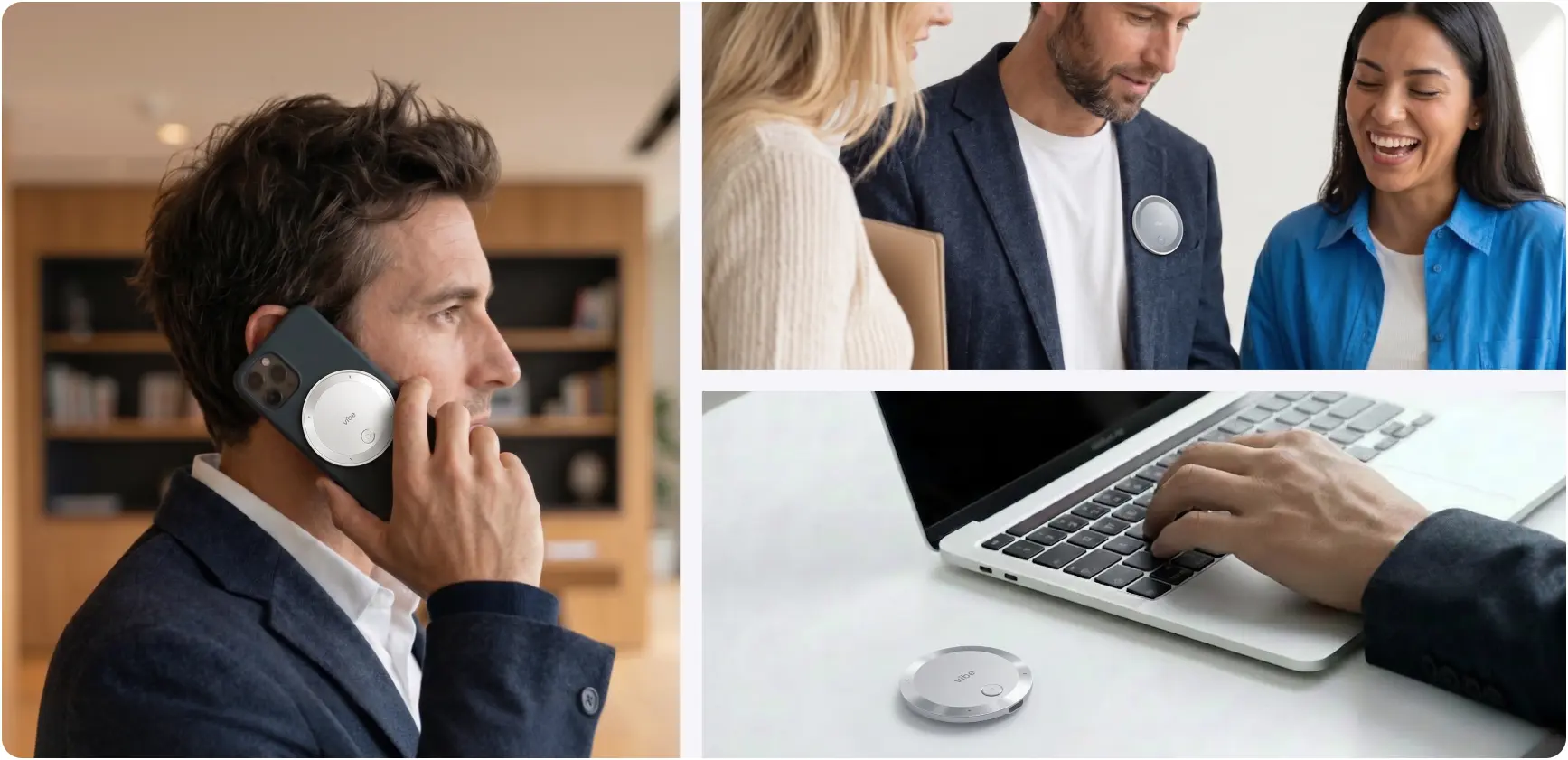 Vibe Dot magnetic recorder used on a phone call, clipped to a blazer in conversation, and beside a laptop on a desk
At a glance: Wearable — clip, MagSafe, or desk · Auto Capture: Standby (voice-triggered) + Scheduled recording, both in Beta · Tap to Record for deliberate capture · Powered by Vibe AI: Memory Graph cross-session memory + Ask AI across full recorded history · 5-mic array (4 air + 1 bone conduction), 16 ft range · 64GB onboard · SOC 2, HIPAA, FERPA, NDAA, TPM 2.0
Vibe Dot is the tool for this stage because it’s the only one in this guide that captures conversations that weren’t scheduled, didn’t happen on a video platform, and didn’t require you to remember to press anything.
Auto Capture runs in two modes: Standby, which starts recording when it detects a few seconds of your voice and stops after silence, and Scheduled recording, which handles the recurring OAC meeting and weekly calls automatically. A walkthrough conversation you didn’t plan for and a Tuesday coordination call you always have are both covered without separate decisions.
Finding the decision weeks later — powered by Vibe AI. Vibe AI’s Memory Graph connects context across sessions rather than storing each recording as an isolated file; Ask AI lets you query that full history in plain language — "what did we agree about the penetration through grid line 4" returns the answer from whichever site visit actually has it. Cross-session search draws on paid-tier usage; confirm your plan before relying on it.
Worn, not held. On a walkthrough where your hands carry a tablet, a set of drawings, and occasionally a tape measure, a clip-on wearable is a meaningfully different fit from a device that requires a free hand and a deliberate press.
The honest limits. Auto Capture is in Beta — treat it as good but not guaranteed for anything with money attached until you’ve run a few weeks of test recordings on your actual sites. A recording doesn’t replace the RFI or change-order process; it establishes what was said if a dispute comes up, not a substitute for the paper trail your contracts require.
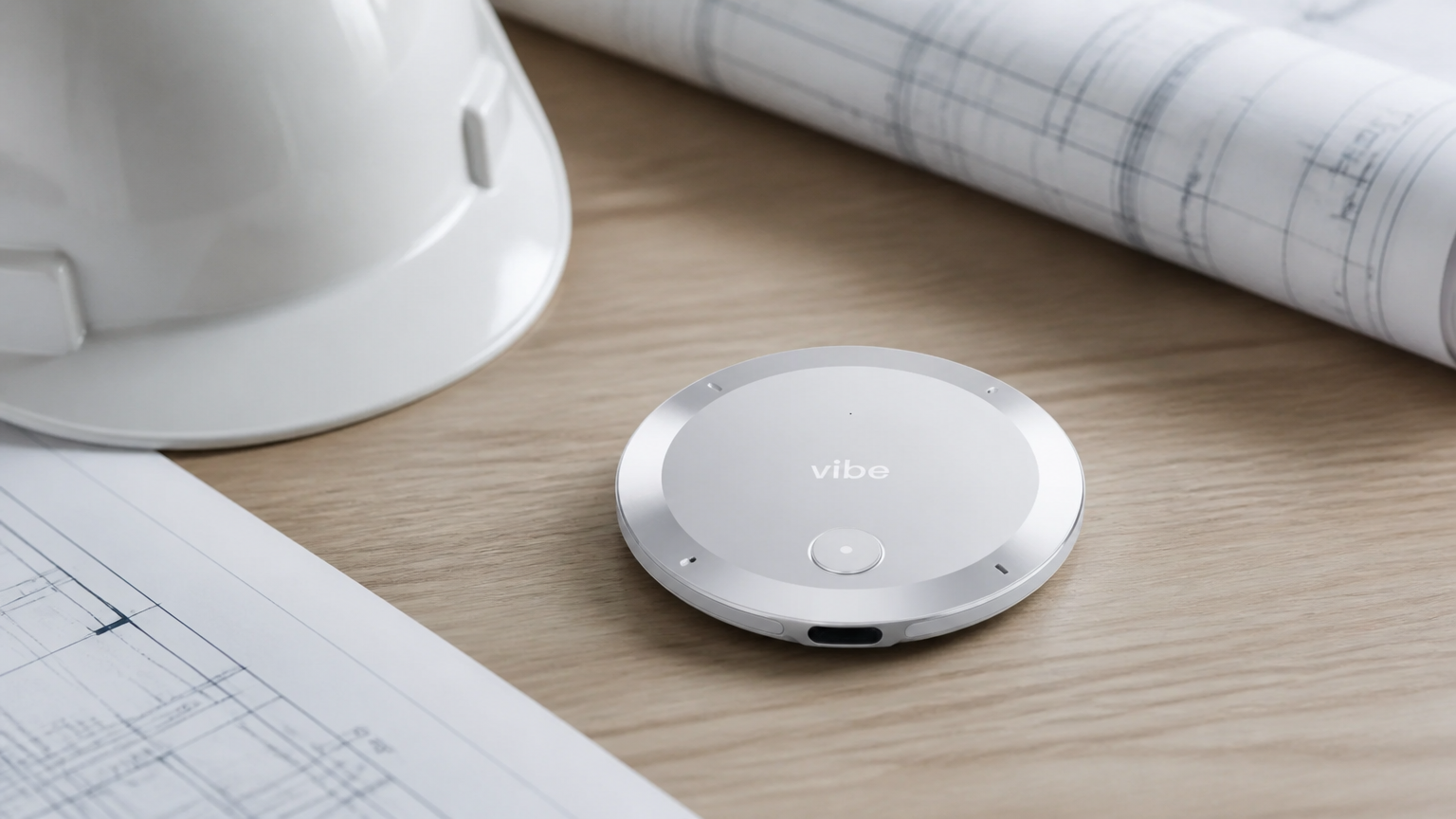
Stage 2 — Meeting documentation: Tactiq (for online-only OAC)
For most PMs, Vibe Dot covers the documentation stage too — Tap to Record handles the in-person OAC, and Scheduled recording handles the recurring calls. Tactiq fills one specific gap Vibe Dot structurally can’t: a video call where a bot appearing in the participant list would create friction with the other side.
Vibe Dot records your side of a call well, but picking up the remote participant cleanly through a speaker — especially in a noisy environment — is unreliable. For a sensitive owner meeting or a city permit call where you’d rather not have any recorder visibly announced, Tactiq works as a Chrome extension that captures the transcript inside the browser without joining as a bot.
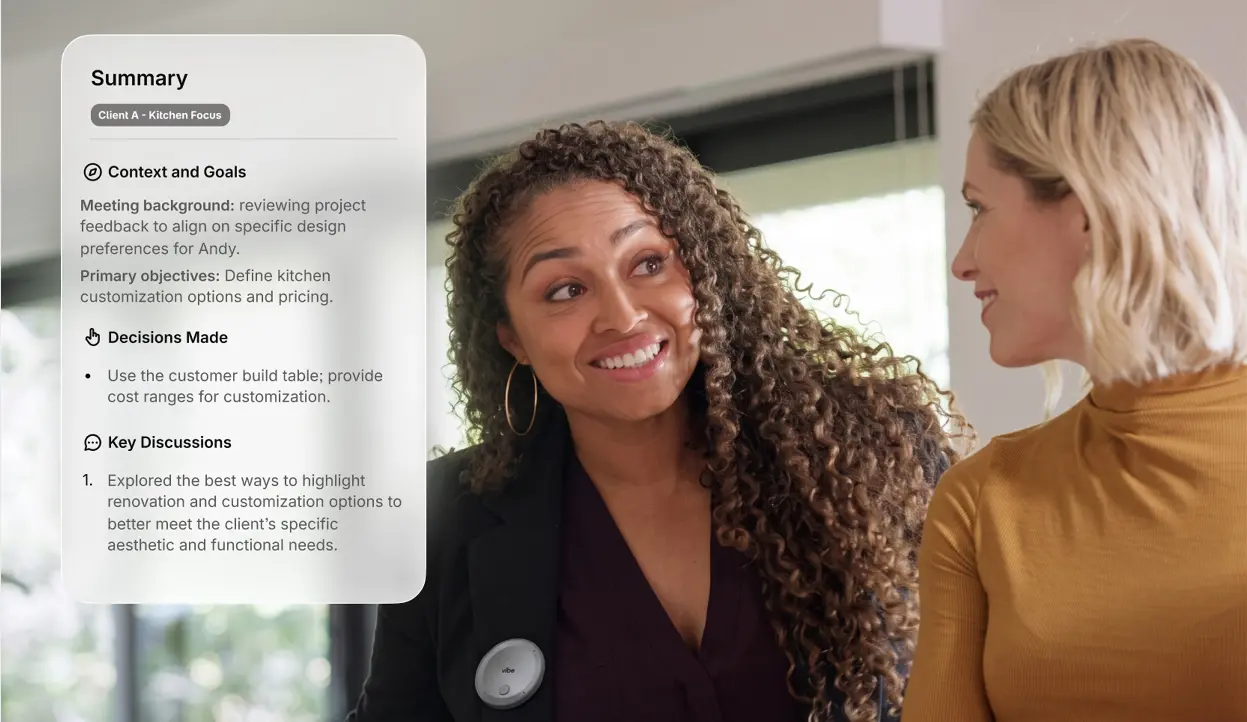 Vibe Dot worn in a meeting with AI summary card overlay
Price: Free (10 transcripts/month, 5 AI credits/month) · Pro $12/user/month or $8/user/month annually
At a glance: Chrome/Edge extension only — no standalone app, no mobile · bot-free, nothing appears in the participant list · live transcription on Google Meet, Zoom, Microsoft Teams · AI summaries and action items on demand · SOC 2, ISO 27001, HIPAA · exports to Slack, Notion, HubSpot
Real limits worth knowing. Tactiq can’t search across meetings — each transcript is opened individually. The Pro plan’s 10 AI credits per month is a real ceiling for heavy users. And it only works inside Chrome on a video call — the moment the meeting goes in-person, it has no answer.
For most of your week, Vibe Dot is the documentation layer. Tactiq is a narrow backup for the specific online meeting where bot presence matters.
One gap Tactiq can’t close: it’s a browser extension — it only works inside Chrome on a video call. If your OAC or design review is in-person at the owner’s office or on-site, Tactiq has no answer. That’s where Vibe Dot picks up: Tap to Record gives you a deliberate, clean capture of a face-to-face meeting, and the transcript feeds into the same Vibe AI layer as your field recordings. For PMs who run some OAC meetings on video and some in person, the two tools aren’t alternatives — Vibe Dot is the default, Tactiq is the backup for the narrow case where bot visibility is the Prconstraint.
Stage 3 — Project follow-through: Procore AI, with Vibe AI filling its blind spot
Price: Custom — based on annual construction volume. Contact sales for a quote. AI capabilities included via Procore’s Digital Coworker package.
At a glance: Procore Copilot: conversational AI across your RFIs, submittals, drawings, and photos · AI Agents (early access, mid-2026): draft RFI responses, track submittals, file daily logs — human review required before anything executes · Procore Insights: predictive analytics for cost and schedule risk · all AI works on data already inside Procore
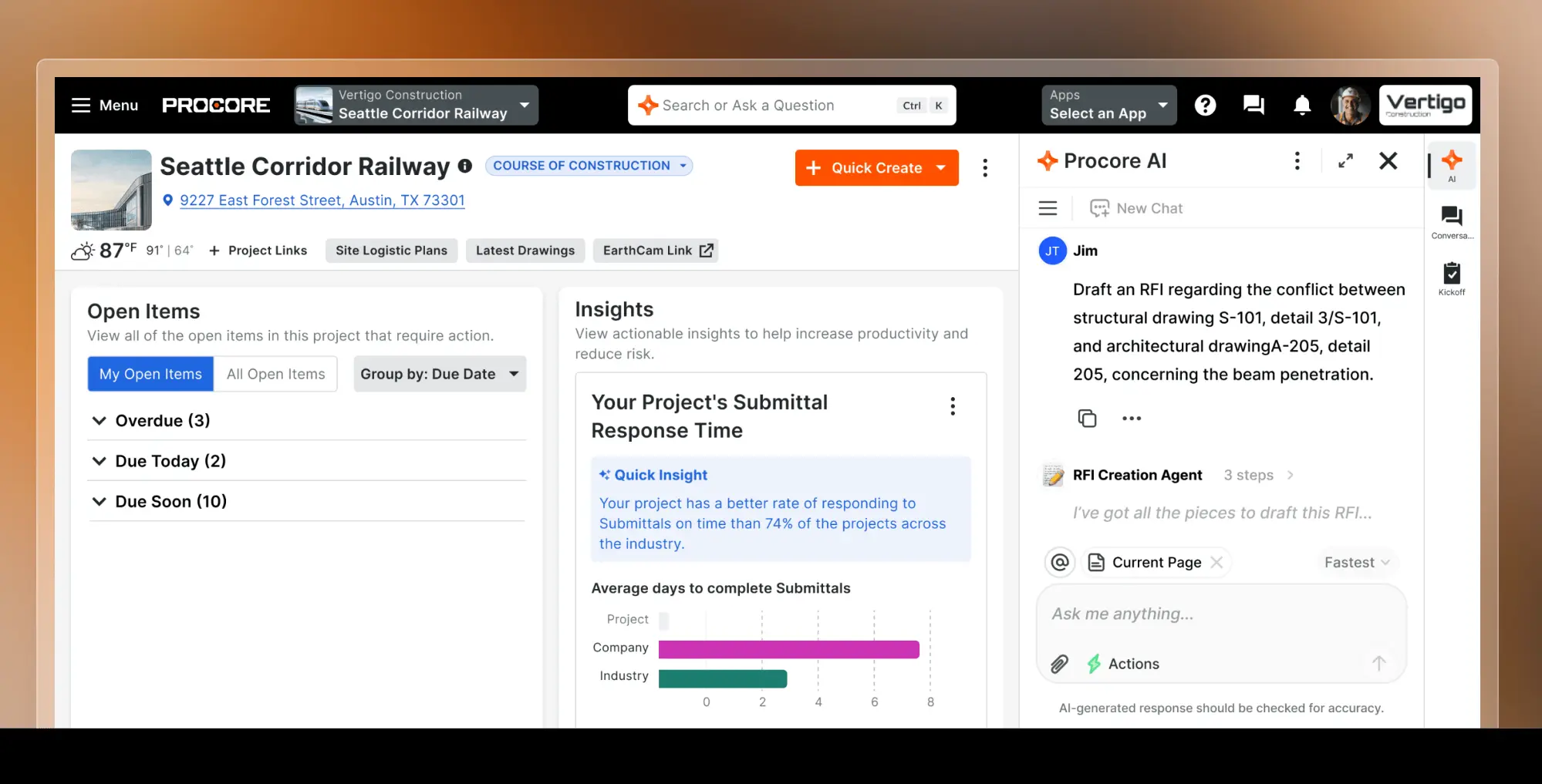 Procore dashboard with AI assistant drafting an RFI
Procore AI is the right tool for the administrative back-end of a PM’s day — the RFI that needs drafting, the submittal log that needs updating, the daily report that needs filing. Because all of that data already lives in Procore, its AI can cross-reference across the full project record in ways no general-purpose tool can match.
The blind spot: Procore AI only works on what’s already in Procore. The conversation that happened on the walkthrough, the verbal approval from the OAC, the scope clarification from a subcontractor call — none of that is in Procore yet. Before Procore AI can process it, someone has to put it there.
That’s where Vibe AI bridges in. The proactive task agent (Pro and Max tiers, via AI Credits) extracts action items from your Vibe Dot recordings and can push them into the tools where follow-up actually happens — including Slack channels where your Procore team coordinates, or as structured inputs a PM can use to manually file an RFI. For the technically inclined, Vibe’s read-only MCP connection lets an AI agent like Claude or Cursor pull a specific field conversation and draft a Procore RFI from it on request.
The two work in sequence: Vibe AI pulls structure out of what was said. Procore AI processes that structure through the project record. The gap they close together is the one that causes the most disputes — the verbal field decision that was never written down before it became someone’s problem.
Procore pricing note. Procore’s pricing is designed for mid-to-large commercial GCs. If that doesn’t fit your scale, Vibe AI’s task agent still covers the action-item layer on its own — it just won’t have Procore’s document management depth behind it.
Stage 4 — Communicating back to the field: Loom + AI
Scope changed. The owner approved a substitution. The sequence for next week shifted. The people on-site who need to know haven’t heard it yet, and sending a long email or scheduling a call feels like more energy than the day has left. Loom addresses the last gap in the chain: getting decisions out of the PM’s head and to the people who need to act on them, without requiring a meeting.
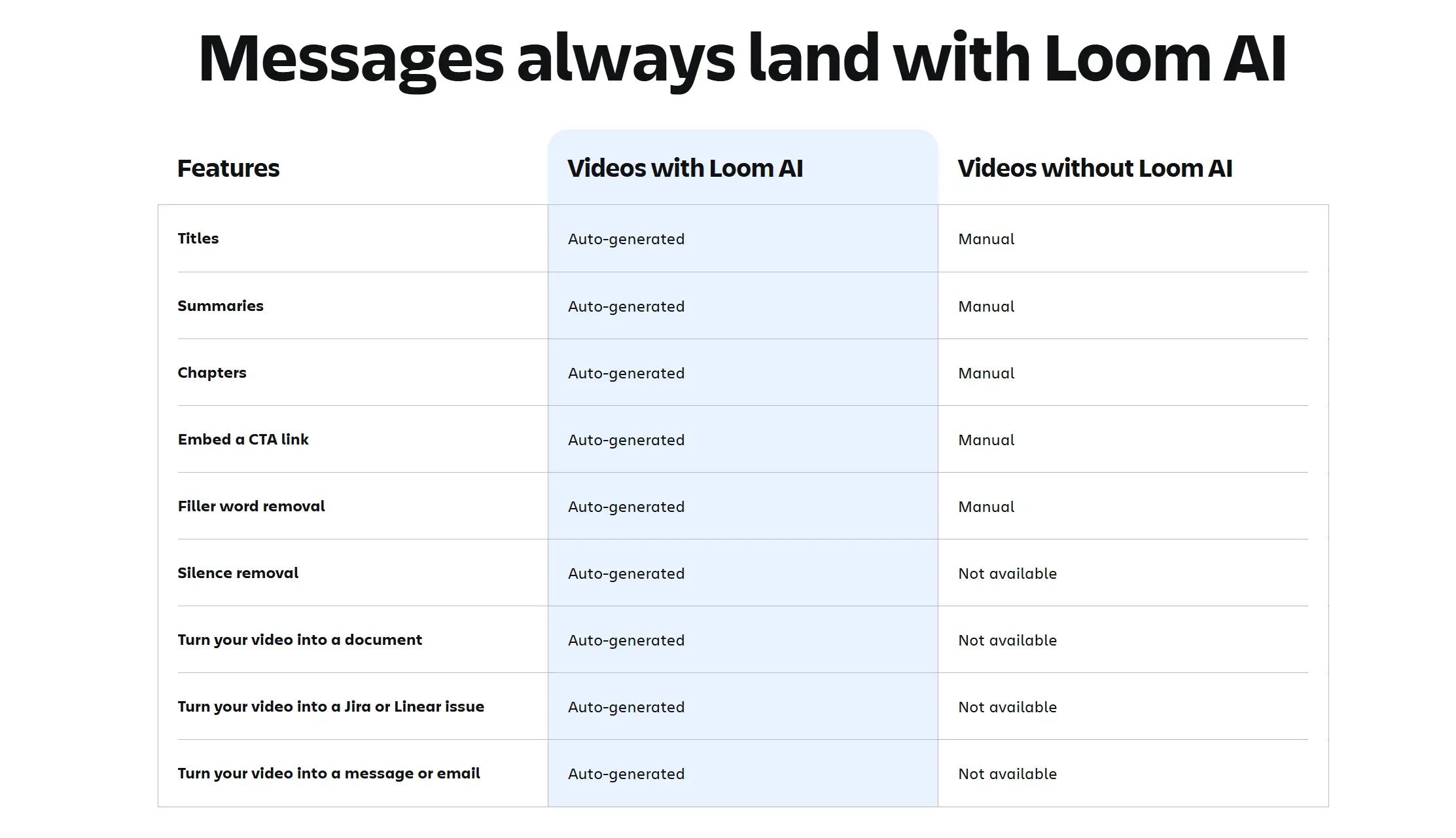 Loom AI feature comparison table for video messages
Price: Starter free (25 videos total, 5-min cap per video) · Business $18/user/month · Business + AI $24/user/month (auto summaries, action items, smart chapters, filler-word removal, AI workflows) · Enterprise custom
At a glance: Async video platform, Atlassian-owned · record screen + camera, share a link in under 60 seconds · AI auto-titles, summaries, chapters, and action items (Business + AI) · deep Jira and Confluence integration · SOC 2 Type II · 50+ language transcription · viewer engagement analytics (who watched, how far)
A 90-second Loom replaces the meeting that was going to be called to explain something that could have been a video. For a PM with ADHD, the value is that it reduces a communication that might get deferred — because it requires scheduling time, finding availability, and getting everyone to show up — to something that takes less than two minutes and can be done immediately, from a phone or laptop, while the context is still fresh.
Loom AI (Business + AI tier) adds the layer that matters for PM workflows: auto-generated summaries and action items from the video, so the person watching doesn’t have to take notes, and smart chapters that let them jump to the relevant section if the video runs more than a minute or two.
The Atlassian angle. If your team runs Jira and Confluence, Loom’s native integration lets you record directly from a Jira ticket and have AI Workflows auto-populate the ticket fields from the recording — which is a tight loop between "I just explained what changed" and "the ticket reflects it" that doesn’t exist anywhere else at this price point.
What it doesn’t do. Loom doesn’t capture the field decision — it’s for communicating decisions that have already been made and documented. The free Starter plan’s 5-minute cap per video is also a real constraint; most site updates run longer than five minutes once you’re explaining context. Budget for Business or Business + AI if this is going to be a regular workflow.
Best for: Communicating scope changes, approval decisions, and sequence updates to supers, subs, and field teams asynchronously — replacing the call that everyone has to stop what they’re doing for.
Why Vibe Dot is the entry point the other three depend on
Look at the four stages and you’ll notice something: Tactiq, Procore AI, and Loom all process information that has already entered a digital system. Tactiq processes what was said inside a Chrome browser window. Procore AI works with data that’s already in Procore — RFIs, submittals, photos, daily logs. Loom records what you deliberately sit down to explain.
None of them can see the walkthrough.
That forty-second conversation where someone said "let’s move the header up six inches" — it doesn’t exist inside any of those apps. It happened in a room without drywall, while you were moving between structural bays, with your hands full of drawings. The PM who captures that conversation and the one who doesn’t are working from different versions of the project record, and nobody can tell the difference until it becomes a dispute.
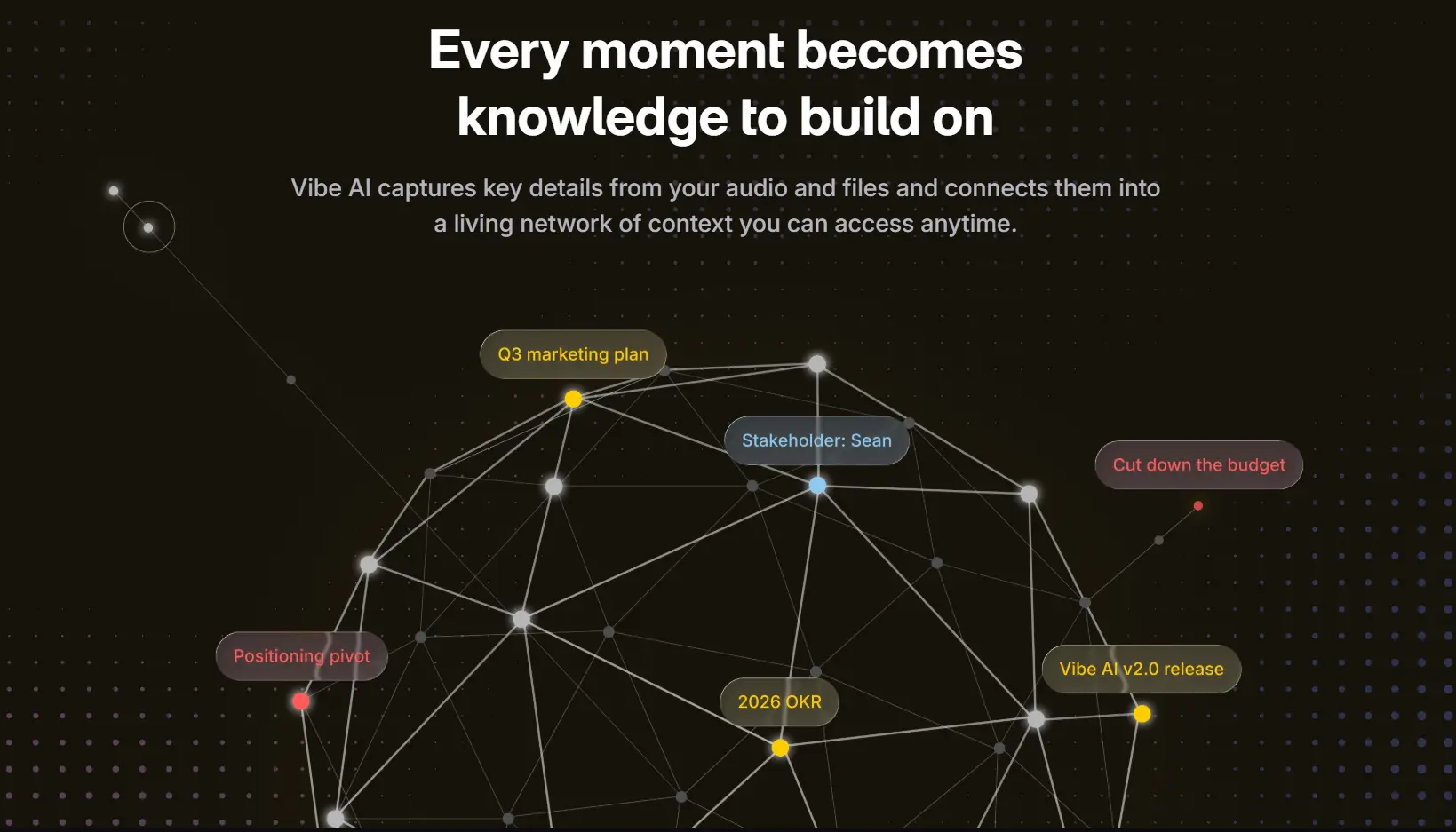
Vibe AI’s Memory Graph connects meeting recordings, Slack messages, and documents into memory threads automatically — and cross-session Ask AI lets you query the full history in natural language rather than hunting through files. But that memory layer is only as good as what feeds into it. Vibe Dot is the physical entry point — the device that captures what happened in the room and brings it into the same system that Tactiq, Procore, and Loom are all downstream of.
Without it, the other three tools process what’s already been digitized. With it, the full decision chain — from the moment a sub says something on a walkthrough to the RFI that goes out the next day — exists in one connected record.
That’s the argument for Vibe Dot as the foundation of this stack, not just stage one of it.
These aren’t alternatives to each other — they address different problems in sequence:
-
Vibe Dot captures field decisions as they happen — and covers in-person OAC meetings too via Tap to Record.
-
Tactiq covers the narrow case of an online OAC or client video call where you can’t have a bot appear in the participant list.
-
Procore AI processes the administrative output — RFI drafts, submittal tracking, daily logs — through the project management system the team already uses.
-
Loom + AI gets decisions back out to the people on-site who need to act on them, without scheduling another meeting.
Each one handles a stage the others don’t cover. Running all four closes the full chain; running two or three is still better than a single tool trying to do everything and failing at the stages outside its design.
What none of these fix
A recording isn’t a contract document. Capturing what was said on a walkthrough is useful if a dispute arises — but it doesn’t replace the RFI, change order, or sign-off process your contracts require. Treat it as backup for the paper trail, not a substitute.
Consent still applies. Recording law varies by state, and several U.S. states require all-party consent, with additional rules for phone calls. Tell people you’re recording, and check what applies to your jurisdiction and project type. This is not legal advice.
Tool adoption takes energy too. Four tools is a bigger system than one tool. Be realistic about which stages actually break for you before buying all four — a one-month trial of the stage-one capture problem before adding the rest of the stack is a more ADHD-friendly way to build this than setting everything up at once and abandoning it in three weeks.
The short version
A single AI tool can’t fix all four stages where PM decisions go wrong — field capture, meeting documentation, project follow-through, and communicating back to the field each have different tool requirements. Vibe Dot, Tactiq, Procore AI, and Loom + AI cover each stage in sequence. Running all four closes the chain; running the stages that break for you most often is still better than one tool trying to do everything.
Frequently Asked Questions
What’s the best AI tool for project managers with ADHD?
There isn’t one — there are four stages where things go wrong, and the best tool for each stage is different. Vibe Dot is the foundation: Auto Capture covers field conversations you couldn’t predict, and Tap to Record covers in-person OAC meetings. Tactiq is a narrow complement for the specific online OAC where a bot appearing in the participant list would create friction. Procore AI handles the administrative processing through your project management system. Loom + AI gets decisions back to the people on-site who need to act on them.
How do I stop losing decisions made on a site walkthrough?
The structural fix is capture that doesn’t require you to predict which conversation matters — voice-triggered automatic recording (Vibe Dot’s Standby Mode) rather than a device you have to remember to press. Pair it with cross-session search, so the decision from six weeks ago is findable in under a minute rather than buried in a folder of audio files sorted by date.
Can an AI tool replace formal change-order documentation?
No. AI capture establishes a record of what was said and by whom, which is useful if a dispute arises — but it doesn’t replace the RFI, change order, or sign-off process your contracts require. Use it as backup for the paper trail, not a substitute.
What’s the difference between Tactiq and a tool like Otter.ai?
Both transcribe video meetings, but Tactiq works as a browser extension with no bot joining the call — the participant list stays clean, which matters for owner, city official, or client-facing meetings where a visible AI recorder creates friction. The tradeoff is that Tactiq can’t record in-person meetings, has no mobile app, and can’t search across past sessions.
Is Procore AI available to small contractors?
Procore’s pricing model is based on annual construction volume and is designed for mid-to-large commercial contractors. Small residential contractors are largely priced out by design. If you’re not already on Procore, it’s not the entry point for an AI workflow stack — start with the capture and documentation tools and consider Procore when project complexity justifies the investment.