Most roundups about AI note takers are written for people who spend their day on Zoom. Journalists don’t. A reporter’s most important conversation might happen in a courthouse hallway, outside a city council session, at a protest, or across a diner table from a nervous source who agreed to talk — but hasn’t agreed to stare at a phone sitting between the salt and pepper shakers.
The best AI note takers for journalists aren’t just about transcription accuracy. They’re about not changing the room when you walk into it. They’re about never having to choose between listening and documenting. And they’re about protecting the people who trust you with their words.
This guide cuts through the software-first, Zoom-first noise and focuses on what actually matters for reporters who do real fieldwork.
What Makes a Great AI Note Taker for Journalists
Before ranking anything, it helps to be honest about what the job actually requires. Based on how journalists work — across press conferences, street interviews, phone calls, and video calls — five criteria separate a useful tool from a frustrating one.
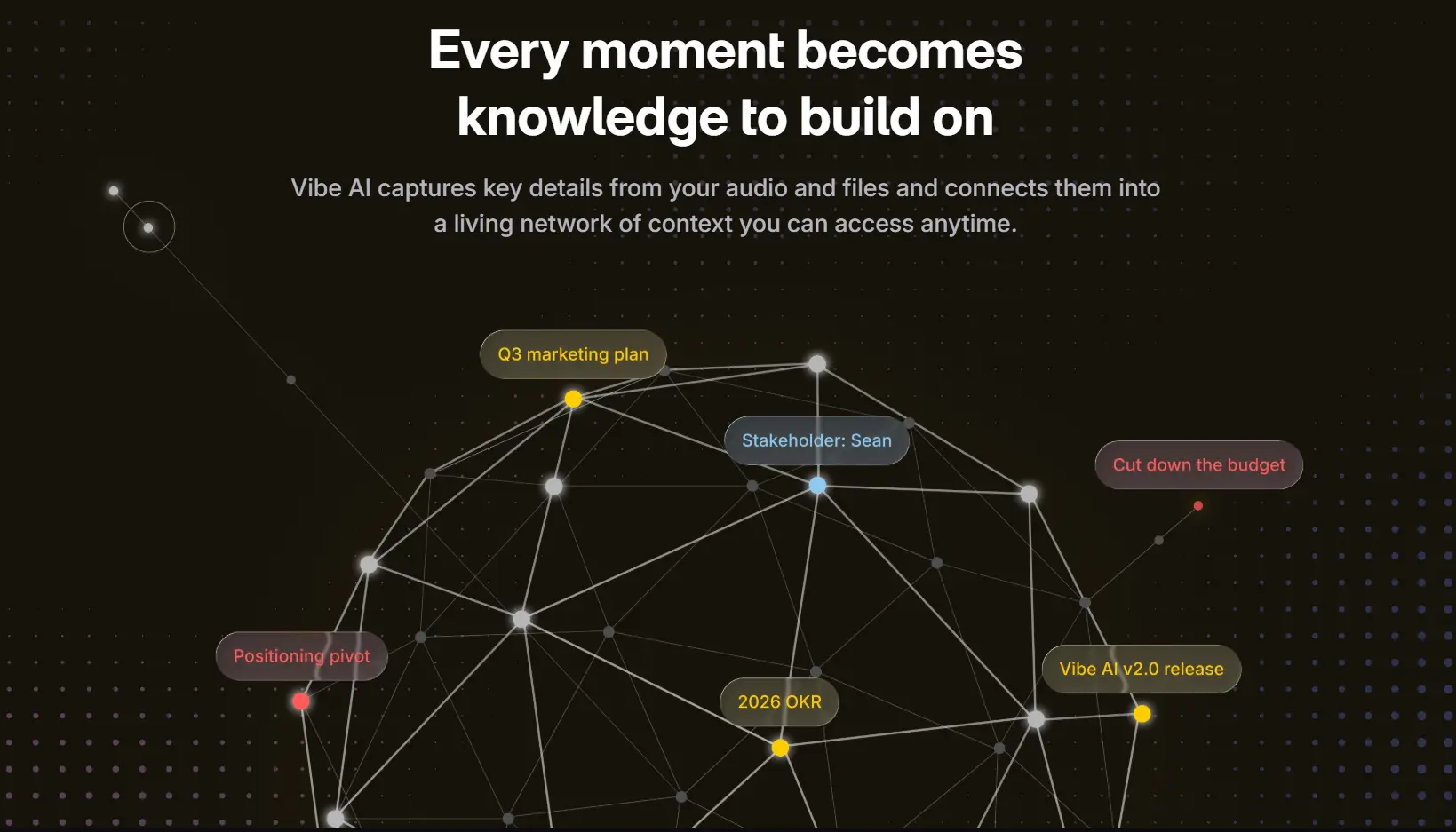 Vibe AI knowledge graph connecting meeting topics, stakeholders, and action items into a network of context
1. Does it start recording without you having to remember? The single most expensive moment in journalism is the one where something important gets said before you pressed record. A tool that waits for a button press is a tool that will eventually fail you.
2. Does it cover every interview format — in-person, phone, and online? Most AI note takers solve one scenario. Journalists work across three. A source might agree to meet in person today, call you on the phone tomorrow, and do a follow-up over Zoom next week. Switching tools between formats is a workflow tax that compounds fast.
3. Does it keep your sources’ data private? Transcripts that sync to generic cloud servers, bots that log meeting participants, audio that trains AI models — each of these is a liability when your sources include whistleblowers, crime victims, or anyone with a reason to stay off the record. Certifications like SOC 2, HIPAA, and NDAA aren’t bureaucratic checkboxes for journalists; they’re the difference between a trustworthy tool and one you can’t use for anything sensitive.
4. Does it remember context across interviews? A beat reporter covering the same city hall for three years has interviewed the same people dozens of times. A tool that treats each recording as isolated context is a tool that never gets smarter. Cross-session memory — the ability to ask "what did she say about the zoning dispute last month?" — turns a recorder into a knowledge base.
5. Does it give you usable output, not just raw text? A 90-minute transcript is a 90-minute problem. The best tools surface the quotes you flagged, summarize the key points, and let you interrogate the recording with natural language — without making you replay audio you’ve already lived through once.
The 6 Best AI Note Takers for Journalists in 2026
1. Vibe Dot
Best for: Journalists who work across all three interview formats and can’t afford to miss a quote
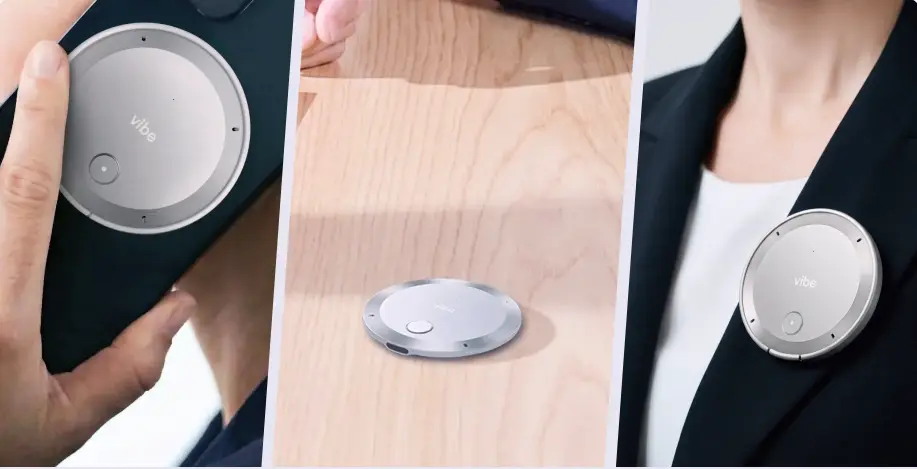 Vibe Dot AI recorder shown three ways: clipped to bag, resting on wood desk, and worn on blazer lapel
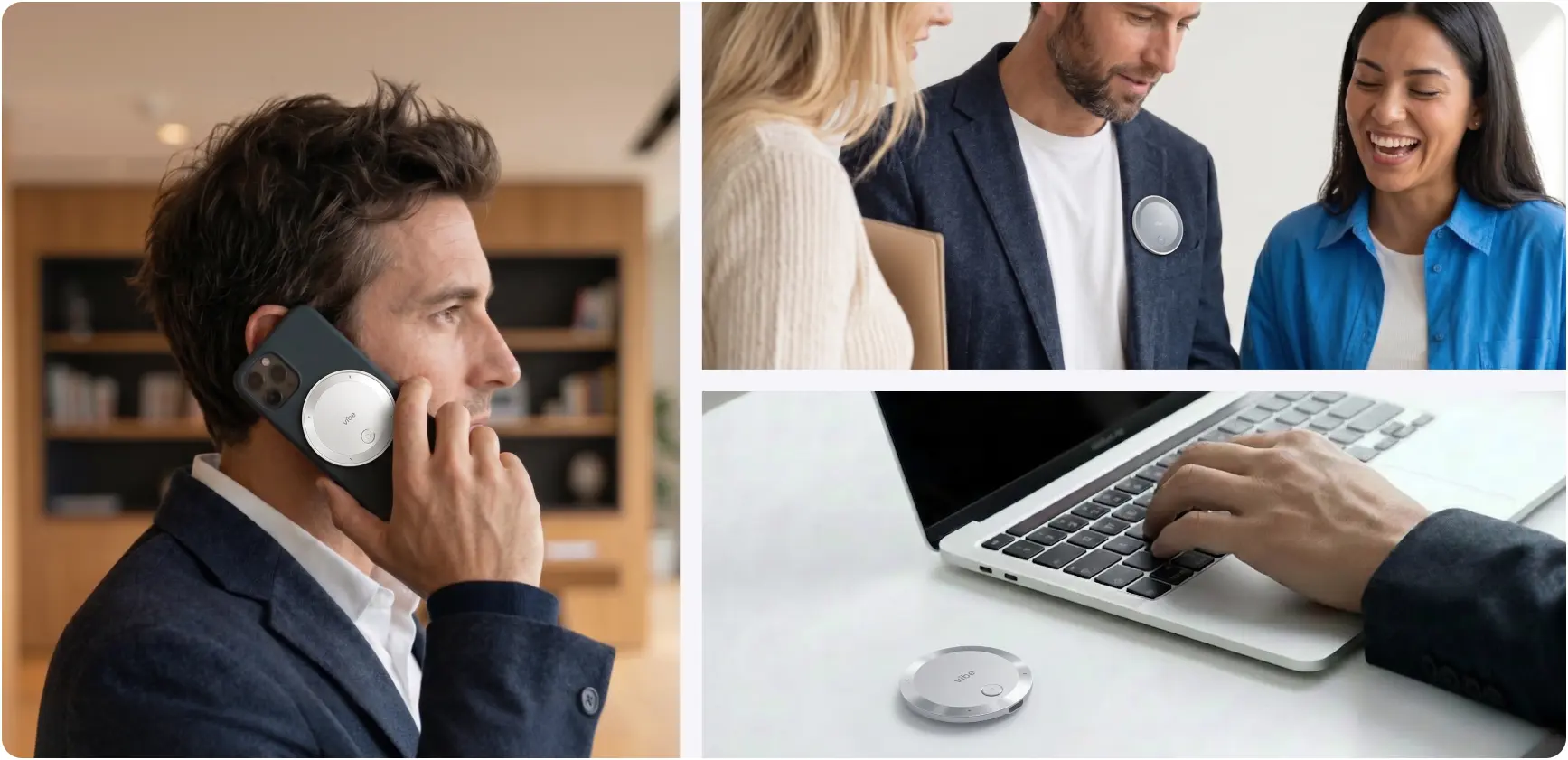
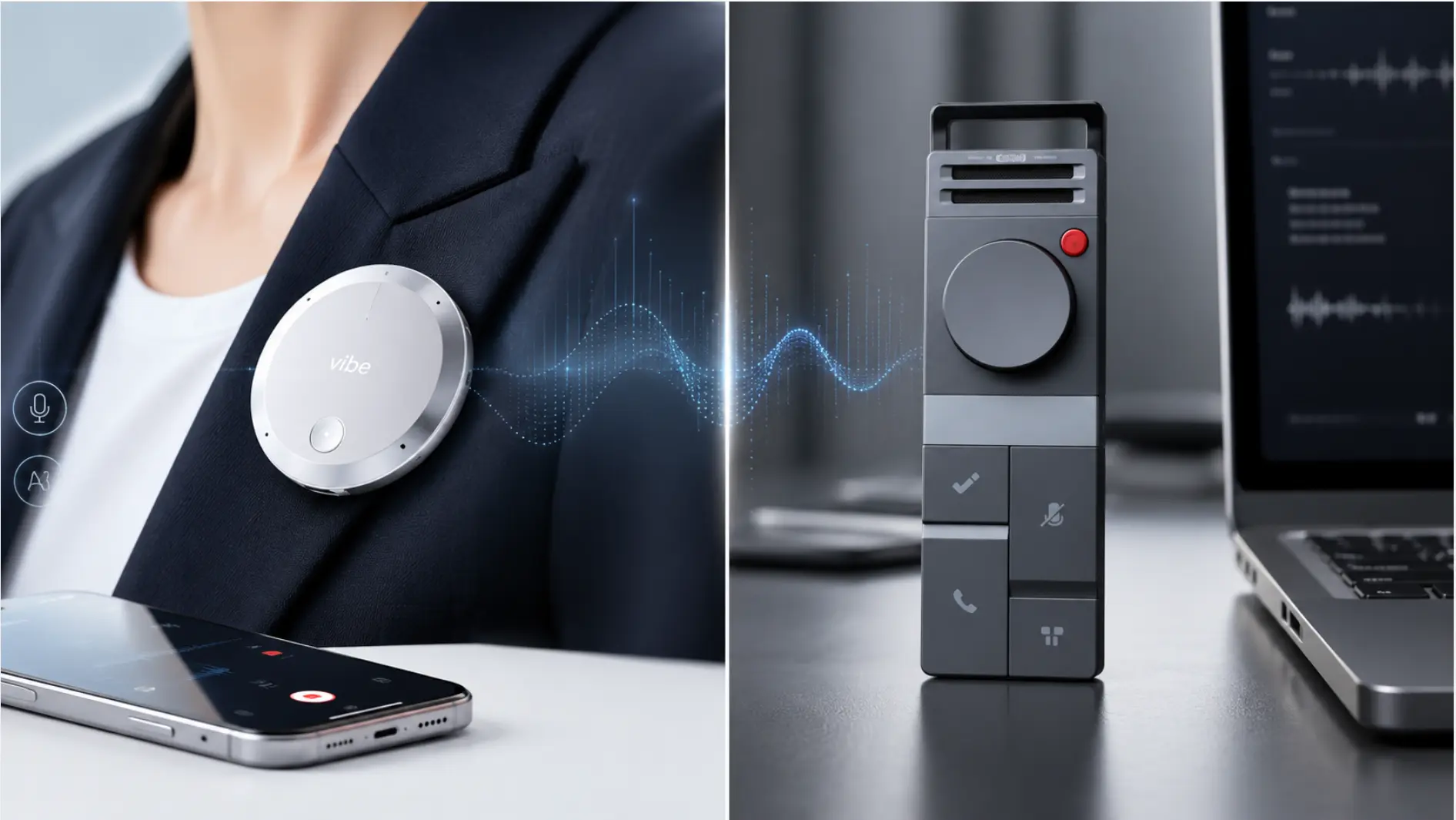
Vibe Dot is the only device on this list built around the premise that journalists shouldn’t have to think about recording. It’s a wearable AI recorder — small enough to clip to a collar, lapel, or lanyard — that covers in-person interviews, phone calls, and online meetings from a single device. More importantly, it’s the only option here with Auto Capture: a mode that starts recording the moment you start talking, without any button press required.
Auto Capture: The First Recorder That Doesn’t Wait for You
Vibe Dot’s Auto Capture (currently in Beta) runs in two modes. Standby keeps the device ready in the background and triggers recording automatically when it detects that you — specifically you, not ambient noise — are taking part in a conversation. Schedule lets you pre-set recording windows based on your calendar: if you know you have a 2 PM source meeting, the device is already capturing before you sit down.
For journalists, the Standby mode changes the workflow in a fundamental way. The most valuable quotes often come in the moments before an interview "officially" starts — when a source is still relaxed, before they’ve switched to their public voice. With Standby active, those moments aren’t lost. The device is already working.
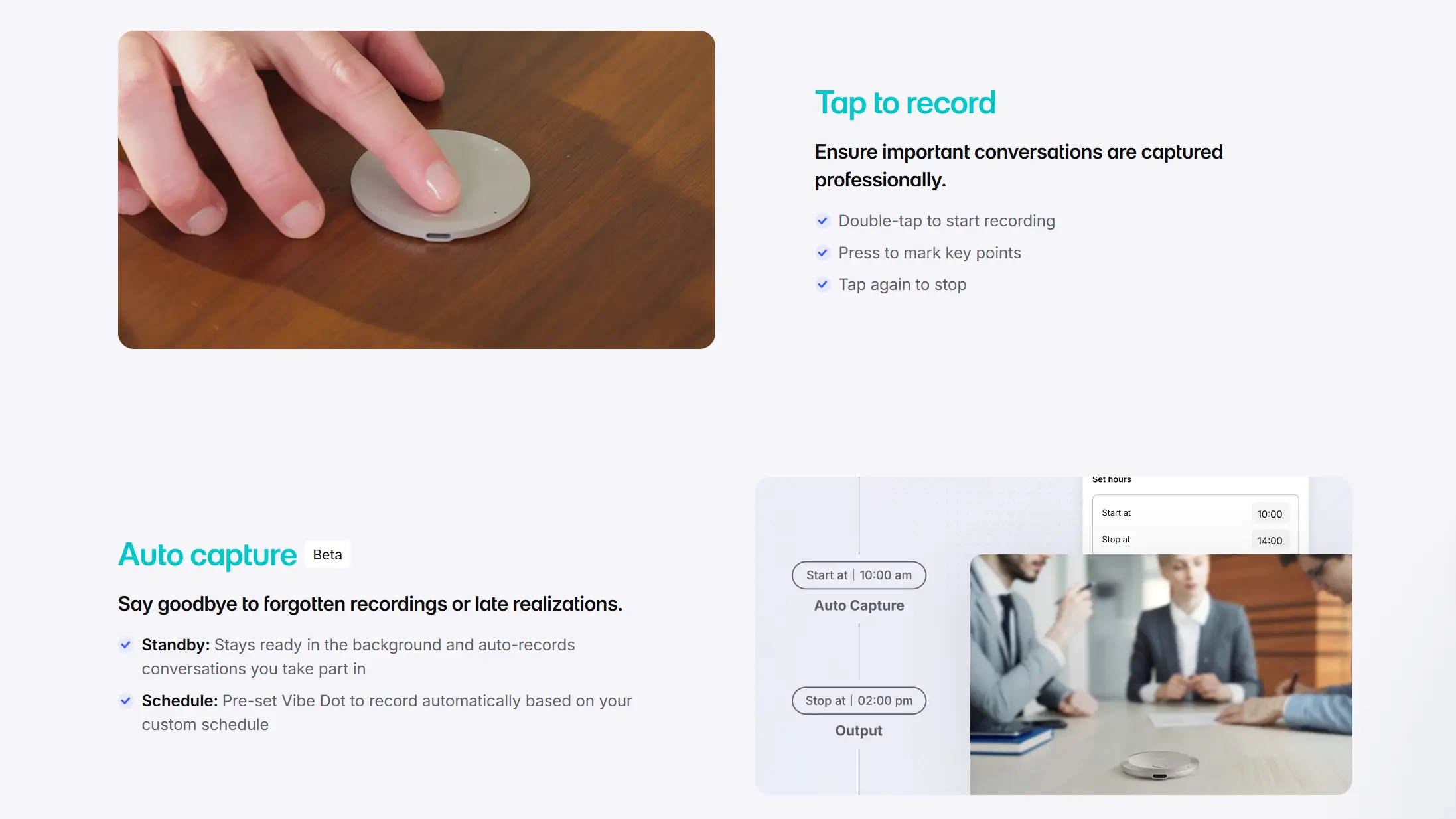 Vibe Dot auto capture schedule interface overlaid on meeting room photo, showing set recording start and stop times
This is also meaningfully different from competitors that require you to press a physical button before recording starts. Even a well-designed button is one more thing to remember, and one more thing that can fail.
Universal Coverage: In-Person, Phone Calls, and Online Meetings
Vibe Dot’s 5-mic array with bone-conduction technology handles in-person interviews clearly, even in ambient noise. For phone calls, the device magnetically attaches to the back of your smartphone and captures both sides of the call directly — no speakerphone, no separate app, no workaround. For online meetings on Zoom, Teams, or Google Meet, Vibe Dot connects seamlessly and records the full session.
Most wearable recorders handle in-person well but struggle with phone calls. Most software tools handle Zoom well but are useless in the field. Vibe Dot is the rare device that doesn’t force you to choose.
Built for Sensitive Sources: Compliance That Actually Matters
Vibe Dot carries SOC 2, HIPAA, NDAA, and FERPA certifications, along with TPM 2.0 hardware encryption and 64GB of onboard local storage. That last point is particularly relevant for investigative reporters: recordings can stay entirely on-device, never touching a cloud server, until you decide otherwise.
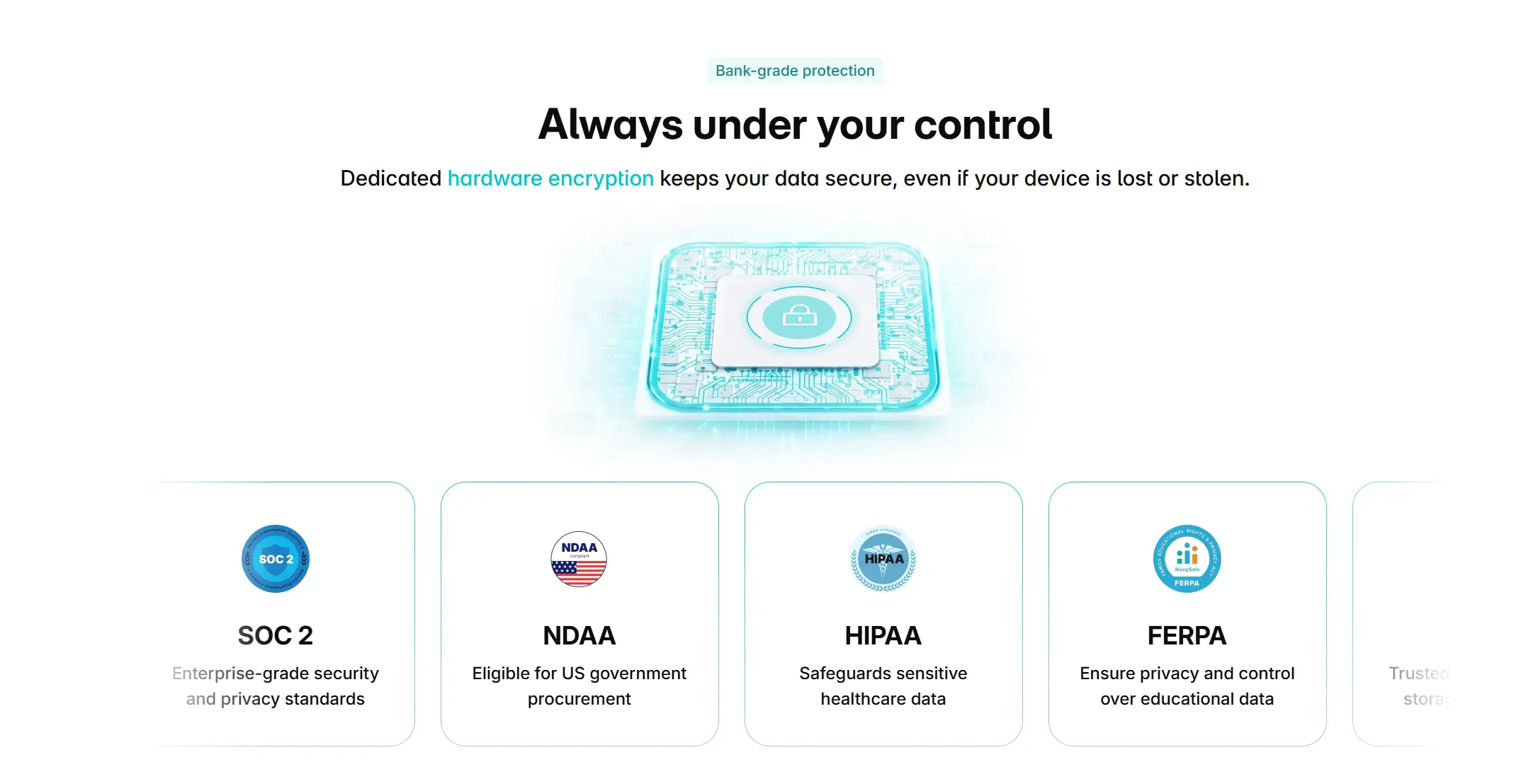
For journalists working with confidential sources, this isn’t a nice-to-have. It’s the threshold requirement for using any AI tool on a sensitive story.
Memory Graph: Your Interviews Become a Knowledge Base
Vibe Dot connects to Vibe AI’s Memory Graph, which retains context across recording sessions. In practice, this means a reporter who has covered the same beat for months can ask Vibe AI to summarize everything a particular source has said about a specific topic — across every previous interview — and get an organized answer in seconds. Before a follow-up conversation, you can pull cross-session insights without reopening old transcripts one by one.
For beat reporters, this is the feature that turns a recording tool into something closer to a research assistant.
Battery life: 30+ hours Storage: 64GB onboard (offline-capable) Certifications: SOC 2, HIPAA, NDAA, FERPA
Pros
-
Auto Capture (Standby mode) starts recording without any button press
-
Covers in-person, phone, and online interviews from one device
-
Local 64GB storage keeps sensitive recordings off cloud servers
-
SOC 2, HIPAA, NDAA, FERPA certified
-
Memory Graph builds cross-session context across your entire interview history
-
30+ hour battery handles multi-day field assignments
Cons
-
Auto Capture is currently in Beta
-
Wearable form factor requires the device to be on your person (not ideal for desk-only journalists)
Pricing
Hardware: $199 one-time purchase (reg. $249). Core features are free with no subscription required.
|
Plan |
Price |
Transcription |
Key Features |
|---|---|---|---|
|
Starter |
Free |
300 mins/mo |
Basic summaries, action items, 7-day memory retention |
|
Pro |
$9/mo (billed annually) |
1,200 mins/mo |
100 AI Credits, 12-mo memory, custom templates |
|
Max |
$29/mo (billed annually) |
Unlimited |
400 AI Credits, permanent memory, deep CRM integration |
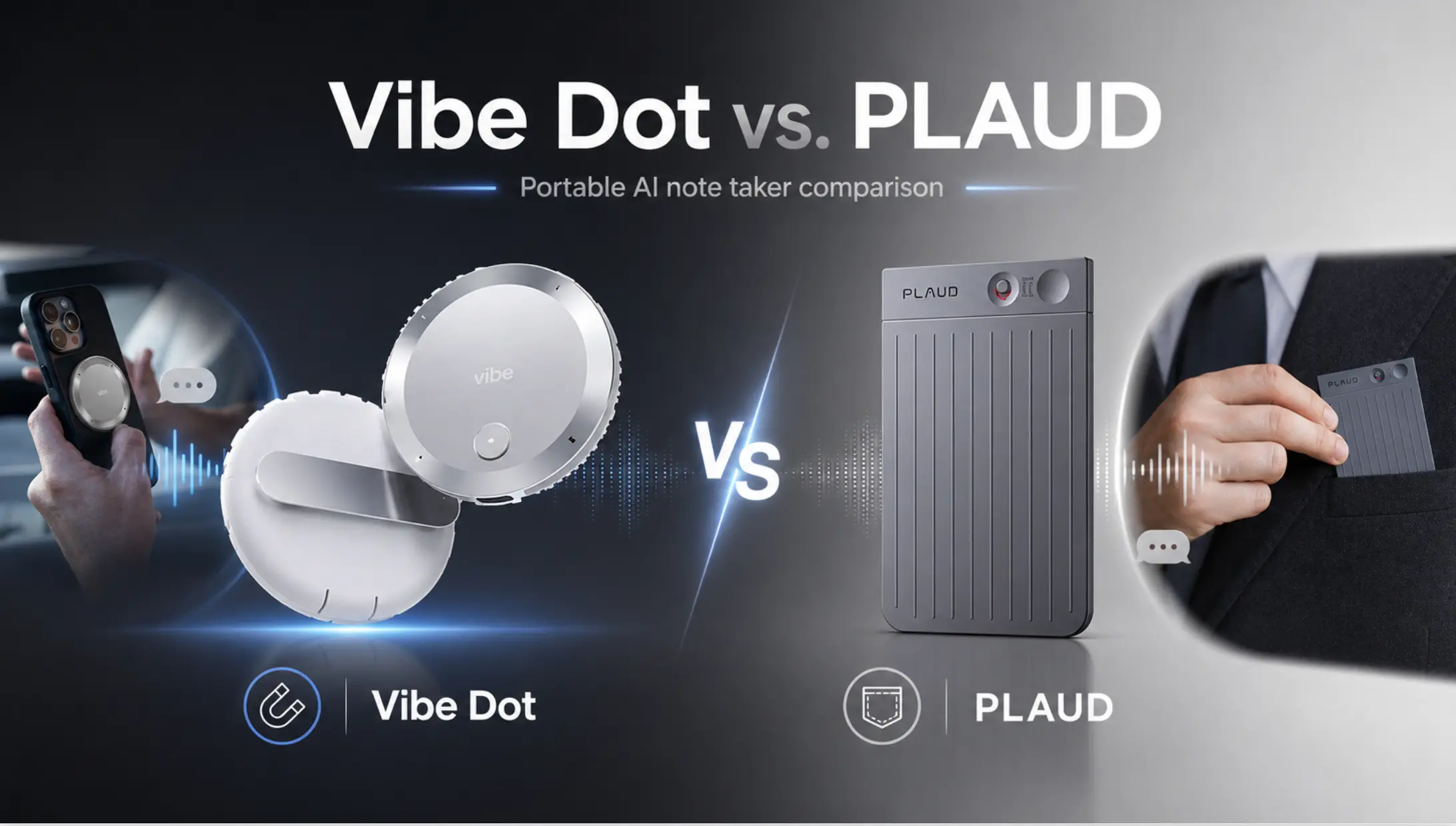
2. Plaud NotePin S
Best for: Journalists who do primarily sit-down interviews and want a proven hardware option
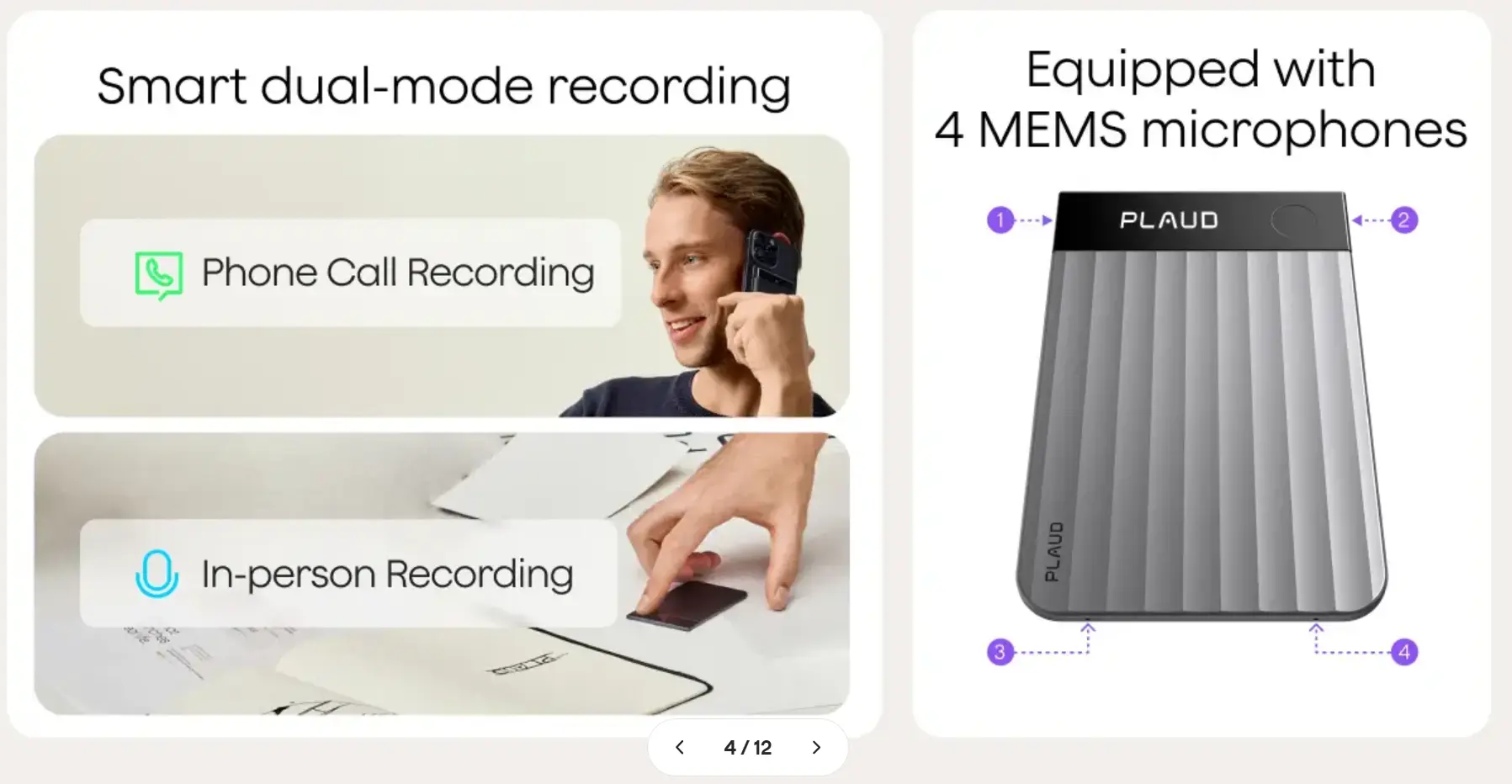 PLAUD recorder marketing slide promoted as supporting phone call and in-person recording with 4 MEMS microphones
The NotePin S is a well-regarded wearable recorder with one standout feature: a physical highlight button that lets you flag a quote in real time. During a long interview, a quick tap marks that moment in the transcript so it surfaces first when you’re reviewing later — a meaningful time-saver on deadline.
Transcription quality is solid, battery life runs about 20 hours, and the device handles multiple languages well for international reporting. It’s a reliable piece of hardware that has earned its reputation.
Where it falls short for journalists is in the areas that matter most for modern reporting. Recording starts only when you press a button — there’s no equivalent to Auto Capture, so the moments before you remember to start are gone. The free transcription plan caps at 300 minutes per month, which one heavy interview day can exhaust. And each recording session is isolated: there’s no cross-session memory, no way to query across your interview archive with AI.
For a reporter doing structured, scheduled sit-down interviews, the NotePin S is a capable tool. For anyone whose best quotes come from unscheduled conversations, it has a structural gap.
Pros
-
Physical highlight button surfaces key quotes instantly
-
Strong battery life (~20 hours)
-
Good multilingual transcription
Cons
-
Manual button press required to start recording — no Auto Capture
-
Free plan limited to 300 transcription minutes/month
-
No cross-session memory or cross-interview AI querying
-
Phone call recording is less seamless than in-person capture
Pricing
Hardware: $179 one-time purchase. Free Starter plan included with device.
|
Plan |
Price |
Transcription |
Key Features |
|---|---|---|---|
|
Starter |
Free |
300 mins/mo |
Basic summaries, speaker ID |
|
Pro |
$8.33/mo (billed annually) |
1,200 mins/mo |
Templates, Ask Plaud, custom glossary |
|
Unlimited |
$20/mo (billed annually) |
Up to 24 hrs/day |
No cap, priority processing |
Unused minutes don’t roll over. A journalist doing 3–4 interviews per week will exceed the free plan quickly.
3. HiDock P1
Best for: Journalists who do primarily phone-based reporting and want a compact option
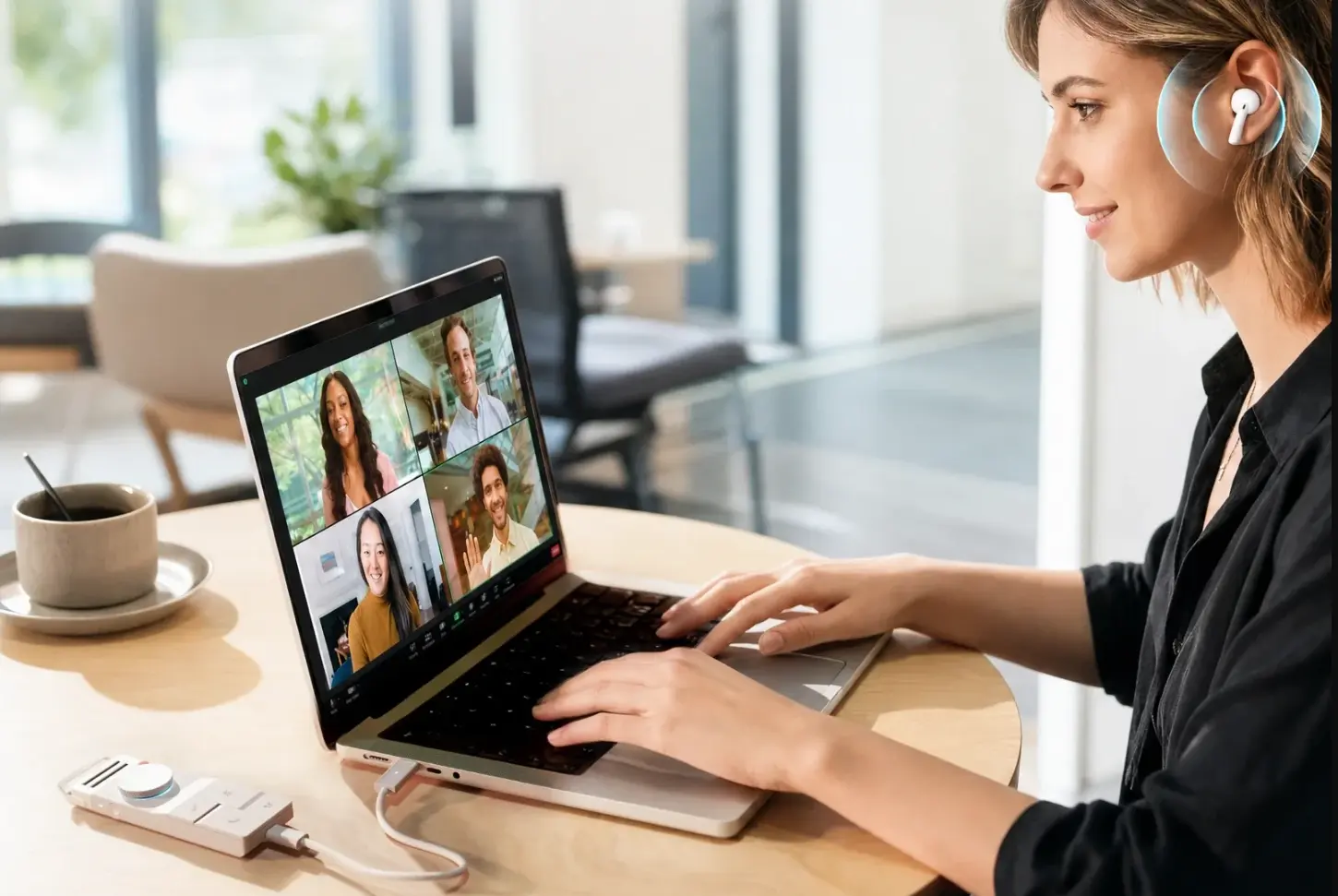 Woman on video call wearing earbuds, typing on laptop with four-person meeting grid, HiDock device connected on desk
The HiDock P1 is a compact AI recorder designed primarily to snap onto the back of a phone via magnetic attachment. Its clearest use case is phone interview recording — the contact mic captures both sides of a call without putting the conversation on speaker, which is genuinely useful for reporters who do a lot of source calls.
For journalists, the limitations come quickly once you step outside that specific scenario. The HiDock P1 isn’t designed to be worn independently, so in-person field interviews require a different setup. There’s no Auto Capture. Cross-session memory isn’t a feature. Battery life is adequate for a day’s calls but not a multi-day field assignment.
It’s a reasonable phone-first tool for a reporter whose beat is mostly desk-based and call-heavy. It’s not a field recorder.
Pros
-
Clean phone call recording via magnetic attachment
-
Compact and inexpensive
-
Simple setup
Cons
-
Designed around phone calls, limited for in-person field work
-
No Auto Capture
-
No cross-session memory or AI querying across interviews
-
Less versatile than a full wearable
Pricing
Hardware: $169 one-time purchase. Standard transcription is free for life with no subscription required.
|
Plan |
Price |
Transcription |
Key Features |
|---|---|---|---|
|
Standard |
Free |
Unlimited |
Basic summaries, 75+ languages |
|
Pro |
~$12.99/mo |
Unlimited |
Speaker identification, 39+ templates, live transcription |
Basic transcription has no monthly cap — a genuine cost advantage. However, speaker identification for multi-source interviews requires the paid tier.
4. Jamie
Best for: Journalists whose interviews happen primarily on video calls and who prioritize source privacy
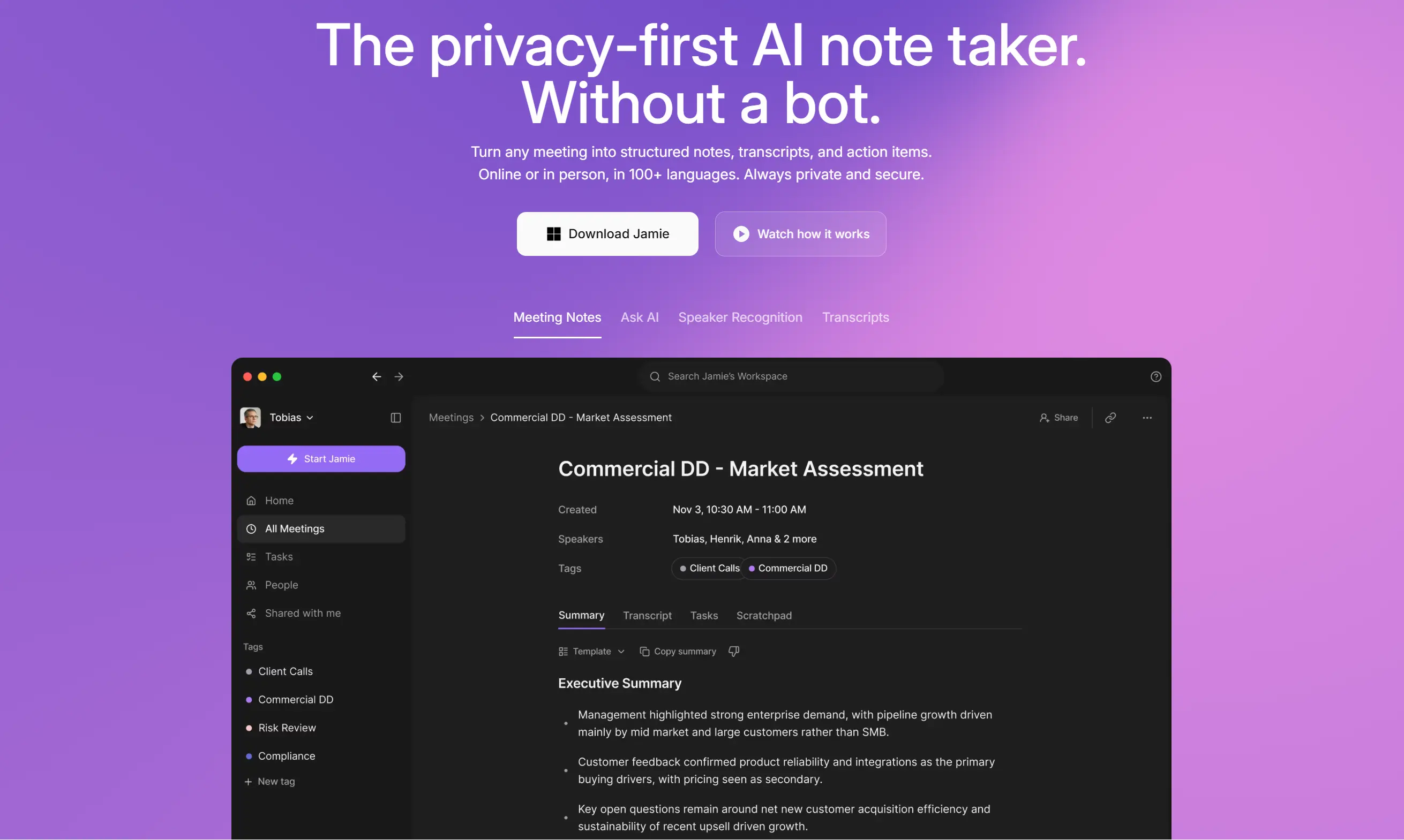 Jamie AI note taker homepage promoted as a privacy-first meeting assistant, showing dashboard with transcript and summary
Jamie is a software-based AI note taker that records directly from your computer’s audio — no bot joins the call, no "Recording in Progress" banner appears for other participants. For journalists doing sensitive source interviews over Zoom or Teams, that discretion matters. The app also works offline, stores data locally, and is GDPR compliant.
The structural limitation is that Jamie is a desktop application. It captures what happens on your screen and through your microphone. It cannot follow you into the field, record a phone call, or clip to your collar. A journalist whose interviews are split between Zoom calls and in-person meetings needs two different systems if Jamie is in the toolkit.
Within its lane — video call transcription without bots — Jamie does its job well. Outside that lane, it doesn’t exist.
Pros
-
Bot-free recording doesn’t alert or unsettle video call sources
-
Works offline and stores data locally
-
Clean, human-readable summaries
Cons
-
Desktop only — no field or phone interview capability
-
No real-time transcription (notes appear after the meeting ends)
-
No cross-session memory
Pricing
Software only. No hardware purchase required.
|
Plan |
Price |
Meetings |
Key Features |
|---|---|---|---|
|
Free |
€0/mo |
10/mo (30-min limit) |
AI summaries, transcripts, action items |
|
Plus |
€25/mo |
20/mo (2-hr limit) |
Extended meeting length |
|
Pro |
€47/mo |
Unlimited (3-hr limit) |
Full access, longer sessions |
|
Team |
€39/seat/mo |
Unlimited (3-hr limit) |
Shared workspace, centralized billing |
Priced in euros. For a journalist doing daily interviews, the Free plan runs out within two weeks.
5. Otter.ai
Best for: Teams that share meeting notes and need real-time collaboration features
 Otter.ai homepage promoted as supporting Sales, Education, Media, and Recruiting use cases with gradient orb design
Otter.ai is one of the most widely used AI transcription tools, and for team-based editorial environments — staff meetings, editorial planning calls, press conferences you’re watching remotely — it offers real-time transcription with solid speaker identification. OtterPilot joins your scheduled calls automatically and produces summaries with action items.
For individual journalists, particularly those covering sensitive topics, the friction points are significant. OtterPilot joins calls as a visible participant, which changes the dynamic for source interviews. The tool requires an internet connection, so field work is out. According to G2 user reviews, speaker identification struggles in noisy environments or with overlapping voices — exactly the conditions journalists work in most often. And transcripts sync to Otter’s cloud servers by default, which is a data handling consideration for anyone working with confidential sources.
Otter is a capable team productivity tool that happens to transcribe. It’s not built for the field.
Pros
-
Real-time transcription during live calls
-
Good team collaboration and note-sharing features
-
Wide platform compatibility
Cons
-
Bot joins meetings visibly, which can affect source behavior
-
No offline mode — requires internet connection
-
Cloud storage by default raises source confidentiality concerns
-
No field or phone call recording capability
Pricing
Software only. No hardware purchase required.
|
Plan |
Price |
Transcription |
Key Features |
|---|---|---|---|
|
Basic |
Free |
300 mins/mo (30-min cap/meeting) |
Real-time transcription, 3 lifetime imports |
|
Pro |
$8.33/mo (billed annually) |
1,200 mins/mo (90-min cap) |
AI summaries, action items |
|
Business |
$19.99/seat/mo (annual, 5-seat min) |
Unlimited (4-hr cap) |
Team admin, usage analytics |
Otter quietly cut Pro from 6,000 to 1,200 mins/month without a price reduction — verify current limits before subscribing.
6. Fireflies.ai
Best for: Journalists managing large archives of remote interviews who need powerful search
 Fireflies.ai homepage promoted as the #1 AI meeting assistant, with 4.8-star rating and GDPR, SOC2 compliance badges
Fireflies.ai shines at one specific task: searching across a large library of past recordings. If you cover a beat with recurring sources and want to pull up everything someone said about a specific topic across six months of calls, Fireflies’ smart search handles that reasonably well.
The concerns for journalists are real, though. Fireflies sends a bot to join meetings, which some sources find intrusive. More seriously, according to multiple G2 reviewers, the bot has re-joined meetings even after users deleted their accounts — a behavior that’s hard to defend to a source who asks whether the conversation was recorded (G2 reviews for Fireflies.ai). Auto-sharing settings have also caught users off guard, distributing notes more broadly than intended. For sensitive reporting, these are not acceptable edge cases.
Pros
-
Powerful keyword and topic search across large meeting archives
-
Strong integrations with Slack, CRMs, and calendar tools
-
Chrome extension for Google Meet avoids bot in some scenarios
Cons
-
Bot has reportedly rejoined meetings post-account deletion (G2 reviews)
-
Auto-sharing settings can distribute notes unintentionally
-
No field, phone, or offline recording capability
-
Privacy concerns for confidential source interviews
Pricing
Software only. No hardware purchase required.
|
Plan |
Price |
Storage |
Key Features |
|---|---|---|---|
|
Free |
$0/mo |
400 mins |
Unlimited transcription, basic search |
|
Pro |
$10/seat/mo (annual) |
8,000 mins |
AI summaries, CRM push |
|
Business |
$19/seat/mo (annual) |
Unlimited |
Analytics, conversation intelligence |
|
Enterprise |
$39/seat/mo (annual only) |
Unlimited |
HIPAA compliance, advanced retention |
The free plan’s 400-minute storage cap means recordings disappear quickly for anyone doing regular interviews. HIPAA compliance only available at Enterprise tier ($39/seat/mo).
Quick Comparison: Best AI Note Takers for Journalists
|
Tool |
Auto Capture |
Phone Calls |
In-Person |
Offline/Local Storage |
Privacy Certs |
Cross-Session Memory |
|---|---|---|---|---|---|---|
|
Vibe Dot |
✅ Standby + Schedule |
✅ Magnetic attach |
✅ 5-mic array |
✅ 64GB onboard |
SOC 2, HIPAA, NDAA, FERPA |
✅ Memory Graph |
|
Plaud NotePin S |
❌ Manual only |
⚠️ Limited |
✅ Strong |
⚠️ Cloud-primary |
— |
❌ |
|
HiDock P1 |
❌ |
✅ Phone-optimized |
⚠️ Limited |
⚠️ |
— |
❌ |
|
Jamie |
❌ |
❌ |
❌ |
✅ Local |
GDPR |
❌ |
|
Otter.ai |
❌ |
❌ |
❌ |
❌ Cloud only |
— |
❌ |
|
Fireflies.ai |
❌ |
❌ |
❌ |
❌ Cloud only |
— |
❌ |
Which AI Note Taker Is Right for Your Reporting Style?
Field reporter / investigative journalist: Vibe Dot. Auto Capture, local storage, full compliance certifications, and the ability to cover every interview format make it the only complete solution for journalists who can’t predict when a conversation will matter.
Mostly video call interviews, privacy-first: Jamie. Bot-free, local storage, and GDPR-compliant within its desktop-only lane. Pair it with Vibe Dot for everything that happens off-screen.
Phone-heavy beat reporter on a budget: HiDock P1 covers the core use case cleanly. Understand its limitations before relying on it for in-person or field work.
Staff journalist in a collaborative newsroom: Otter.ai’s team features and real-time transcription suit editorial meeting environments where source privacy isn’t the primary concern.
Large archive search across remote interviews: Fireflies.ai’s search capabilities are strong if you’re comfortable managing its privacy settings carefully and your sources are aware of the recording setup.
The Bottom Line
The best AI note takers for journalists in 2026 aren’t the ones with the most features. They’re the ones that disappear — that let you be fully present in an interview without managing equipment, worrying about cloud privacy, or reconstructing what happened from incomplete notes.
Most tools on this list solve part of the problem. Vibe Dot is the only one built to solve all of it: Auto Capture so you never miss the start of something important, universal format coverage for every interview type, compliance certifications for sensitive sources, and Memory Graph so your reporting history compounds into something useful rather than sitting in a folder you’ll never reopen.
Whatever tool you choose, match it to how you actually work — not to how you work on your best, most-prepared day.

Frequently Asked Questions
Can AI note takers record phone interviews?
Most AI note takers — including Otter.ai, Fireflies.ai, and Jamie — cannot record phone calls at all. They’re built for internet-based video meetings. The exception among wearable devices is Vibe Dot, which magnetically attaches to the back of a smartphone and captures both sides of a phone call directly, without requiring speakerphone or a third-party app.
Is it legal to record interviews with an AI note taker?
Recording laws vary by jurisdiction. In the United States, most states require only one-party consent for recording — meaning the journalist’s own consent is sufficient. Twelve states, including California, require all parties to consent. Before recording any interview, confirm the consent law in your state and obtain explicit permission from your source. Always disclose that you are recording, regardless of local requirements — it’s both ethical practice and a protection against future disputes over quotes.
What’s the best AI recorder for field journalists specifically?
For journalists who work outside of a desk environment — in the field, at press conferences, in courthouses, or on the street — a software-based tool isn’t viable. The best option for field work is a wearable hardware recorder. Vibe Dot’s Auto Capture mode and universal format coverage (in-person, phone, online) make it the strongest choice for journalists who can’t predict what format the next important conversation will take.
How do I protect source confidentiality when using AI transcription?
Choose a tool with local storage so recordings don’t automatically sync to cloud servers. Look for devices with meaningful compliance certifications — SOC 2, HIPAA, and NDAA are the most relevant for journalist use cases. Avoid tools where a visible bot joins your meetings (Otter.ai, Fireflies.ai, tl;dv), as bot presence has been documented to change how sources communicate. Finally, review the tool’s data retention policy: understand where your transcripts are stored, who can access them, and whether your audio is used to train AI models.
Does Vibe Dot work without an internet connection?
Yes. Vibe Dot has 64GB of onboard local storage and can record, store, and encrypt recordings entirely offline. Transcription and AI features require a connection, but raw recordings are never at risk due to connectivity. For journalists working in courthouses, remote locations, or environments where Wi-Fi isn’t available, this is a meaningful reliability advantage over cloud-dependent software tools.
What is Vibe Dot’s Auto Capture and how does it work for journalists?
Auto Capture is a Vibe Dot feature (currently in Beta) that starts recording automatically, without requiring a button press. In Standby mode, the device detects when you — specifically you — are participating in a conversation and begins capturing. In Schedule mode, you pre-set recording windows aligned to your calendar. For journalists, Standby mode is particularly valuable because the moments before a formal interview begins — when a source is most relaxed and least guarded — are often where the most honest quotes emerge. Auto Capture means those moments are never lost to a forgotten button press.