A brain dump works. Getting everything out of your head and onto something external reduces the cognitive load of trying to hold 47 open loops in working memory simultaneously — part of why the four-stage model for ADHD capture starts with getting things out of working memory before anything else can happen.
The problem is what happens after the dump.
Most brain dump advice ends at "now you have a list." The list is in a notebook, or a notes app, or — for the voice-first version — a recording that got auto-transcribed into something roughly organized. And then it sits there. The mental clutter moved from your head to the page or the app, and stayed there. Not gone. Relocated.
For ADHD specifically, the dump that doesn’t connect to anywhere useful is a dump that produces a document you’ll never open again.
This guide covers the voice-first approach — why speaking beats typing for getting everything out quickly — and the part nobody talks about: what has to happen after the dump for it to actually matter.
A note on scope: this is a productivity and workflow guide, not clinical advice. For clinical information about ADHD, CHADD and your clinician are the right sources.
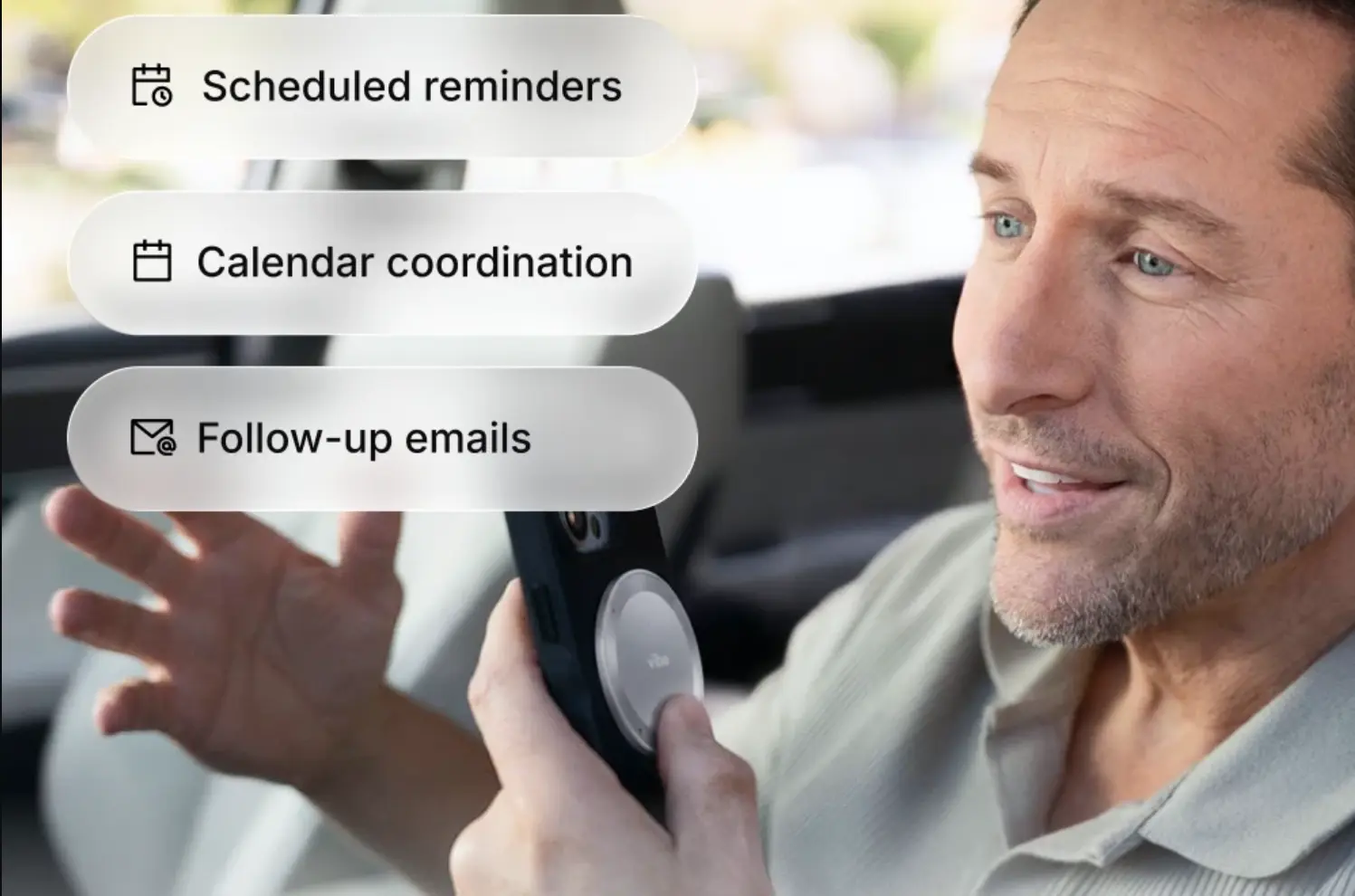 Man using Vibe Dot AI voice recorder on phone in car for scheduled reminders, calendar coordination, and follow-up emails hands-free
Why voice beats typing for ADHD brain dumps
The case for voice is simple: your brain outputs faster than your hands type, and for ADHD brains specifically, the typing step introduces a gap where items disappear.
By the time you’ve typed the first thing, the second thing has been partially overwritten by the act of typing. By the time you’ve typed the second thing, you’re no longer sure you’ve captured the first one completely. The result is a brain dump that’s faster and more complete in your head than on the page — which defeats the purpose.
Voice removes that bottleneck. You say what’s in your head at the speed it’s leaving your head. There’s no filter between the thought and the capture. A two-minute voice dump captures what a ten-minute typing session misses.
There’s also a timing advantage. The best brain dump isn’t always at a desk. It’s in the shower, on the commute, mid-walk, right before sleep — the times when the loops are most active and your hands are least available. A voice note takes the dump when it needs to happen, not when it’s convenient to type.
The standard voice brain dump — and where it stops
The basic voice brain dump looks like this: you record yourself talking through everything on your mind, the recording gets transcribed, and an AI tool sorts the transcript into categories — tasks, ideas, reminders, things to follow up on. You end up with a structured list instead of a rambling recording.
This is meaningfully better than a pile of text notes. It’s still not enough.
The output is an island. The sorted list exists in the recording app or the AI summary. It doesn’t know about the meeting you had last Tuesday where three of these items were already discussed. It doesn’t know about the project file where two of these ideas belong. It doesn’t know that the "follow up with Maria" item has a history going back four conversations. Every voice brain dump, however well-organized, produces a document that starts from zero context.
The categories are generic, not yours. "Tasks / Ideas / Reminders" is the template. Your brain doesn’t dump in those categories — it dumps in a mix of project-specific concerns, people-specific follow-ups, half-formed thoughts that only make sense in a specific context, and some things that aren’t tasks at all but need to exist somewhere. Generic categorization is better than nothing and worse than connection to your actual context.
Sorting doesn’t equal acting. A sorted list still requires you to open it, review it, and move each item somewhere actionable. That’s the same problem the dump was supposed to solve — too many open loops requiring active management. The output of a good brain dump should reduce the number of decisions you have to make, not add a new round of them. And once a sorted item leaves the dump and enters the invisible zone of a closed app, task object permanence kicks in: out of sight, functionally gone.
For more on why voice notes pile up unreviewed even after a brain dump, see fixing the recording graveyard.
The voice-first version that actually gets sorted
A voice brain dump that closes the loop has three layers, not one.
Layer 1: Capture without friction
The dump has to happen when the mental load is highest, which is usually not when you’re sitting at a desk with a recording app open. It needs to work mid-walk, mid-commute, in the kitchen — anywhere the loops are active.
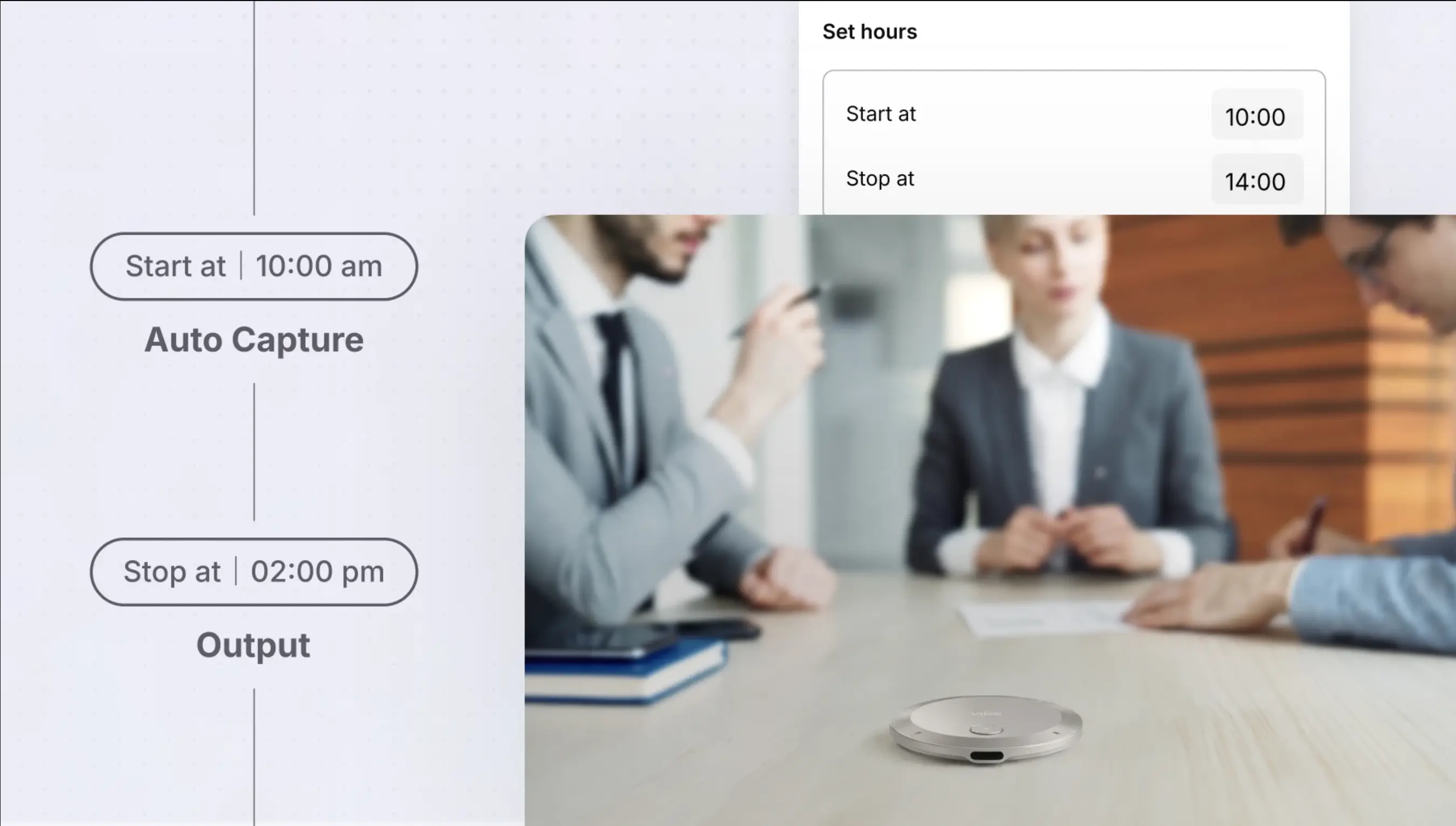
 Vibe Dot AI meeting recorder with scheduled auto capture, set hours feature for automatic meeting transcription and output
Vibe Dot handles this in two ways. Long-pressing the device starts a voice memo immediately — one gesture, no screen, no app to open. For the ongoing mental chatter that doesn’t have a clear start and stop, Standby Mode (Beta) keeps the device listening and captures whenever you speak, without requiring you to decide to start a recording.
The difference matters for ADHD specifically: deciding to do a brain dump is itself a task that requires initiation. A device that captures what you’re saying without requiring that decision removes one more barrier between the thought and the record.
Layer 2: Sorting that connects to context
The part after the dump is where most voice brain dump systems fail — and where Vibe AI does something different from a generic transcription tool.
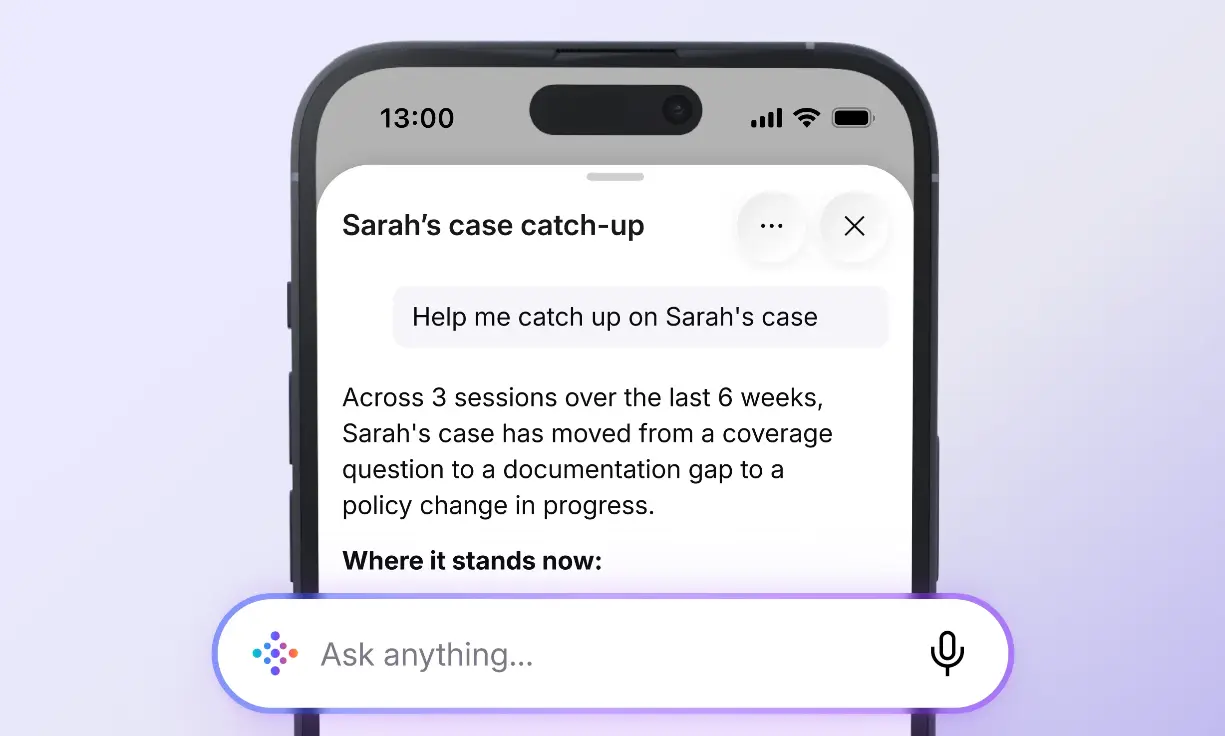
When your voice memo uploads, Vibe AI produces a structured summary — tasks, open questions, ideas, follow-ups — the same kind of output any AI note tool produces. What’s different is that this output gets indexed into the Memory Graph alongside your other recordings: your recent meetings, previous memos, and captured conversations.
That indexing means the "follow up with Maria" item from your brain dump connects to the last three recordings that mention Maria. The "sort out the Q4 plan" item connects to the meeting last week where Q4 came up. The context isn’t provided by you — it’s maintained by the system. The dump doesn’t produce an island; it produces a document that already knows where it belongs.
Layer 3: Items that go somewhere actionable
A sorted list that still requires manual review and routing is not a solved brain dump. The last layer is the items that leave the dump and arrive somewhere you’ll actually act on them.
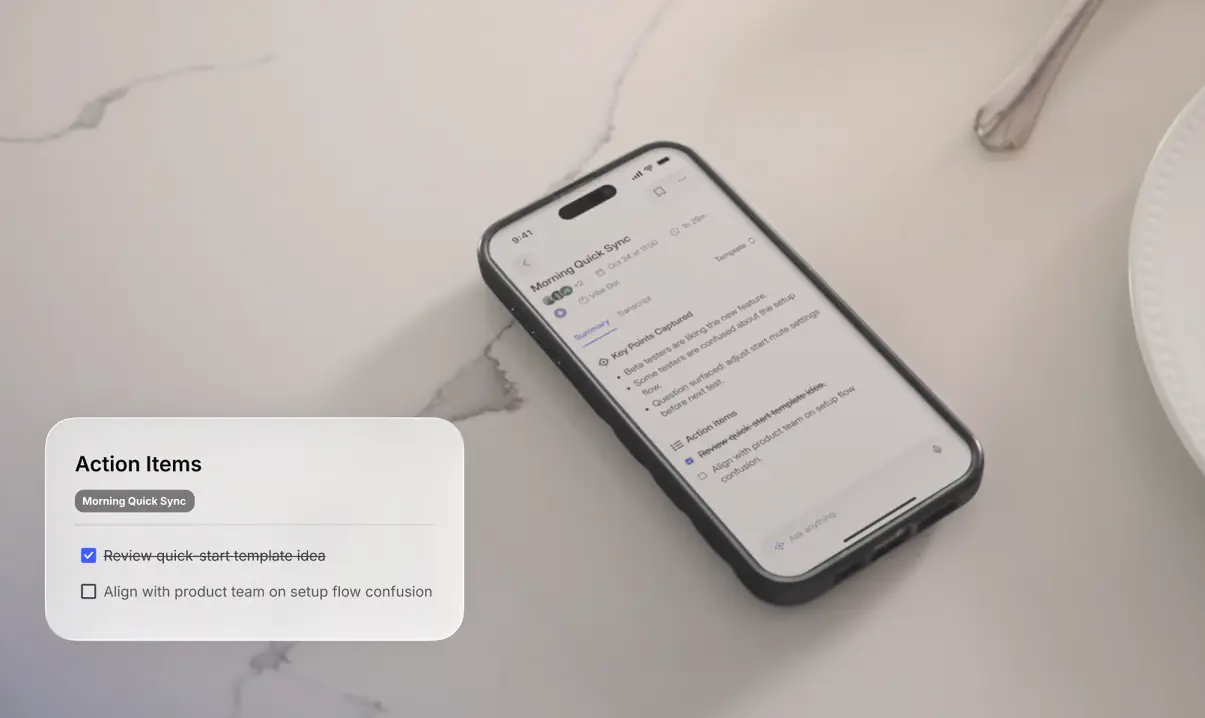
Vibe AI’s proactive task agent (Pro and Max tiers, via AI Credits) surfaces action items from your brain dump and can push them into the tools you’re already using — Notion, Linear, Asana, Slack. The "email the contract to the accountant" item doesn’t wait for you to open a task manager; it appears there, confirmed by you before it goes, and tracked alongside everything else.
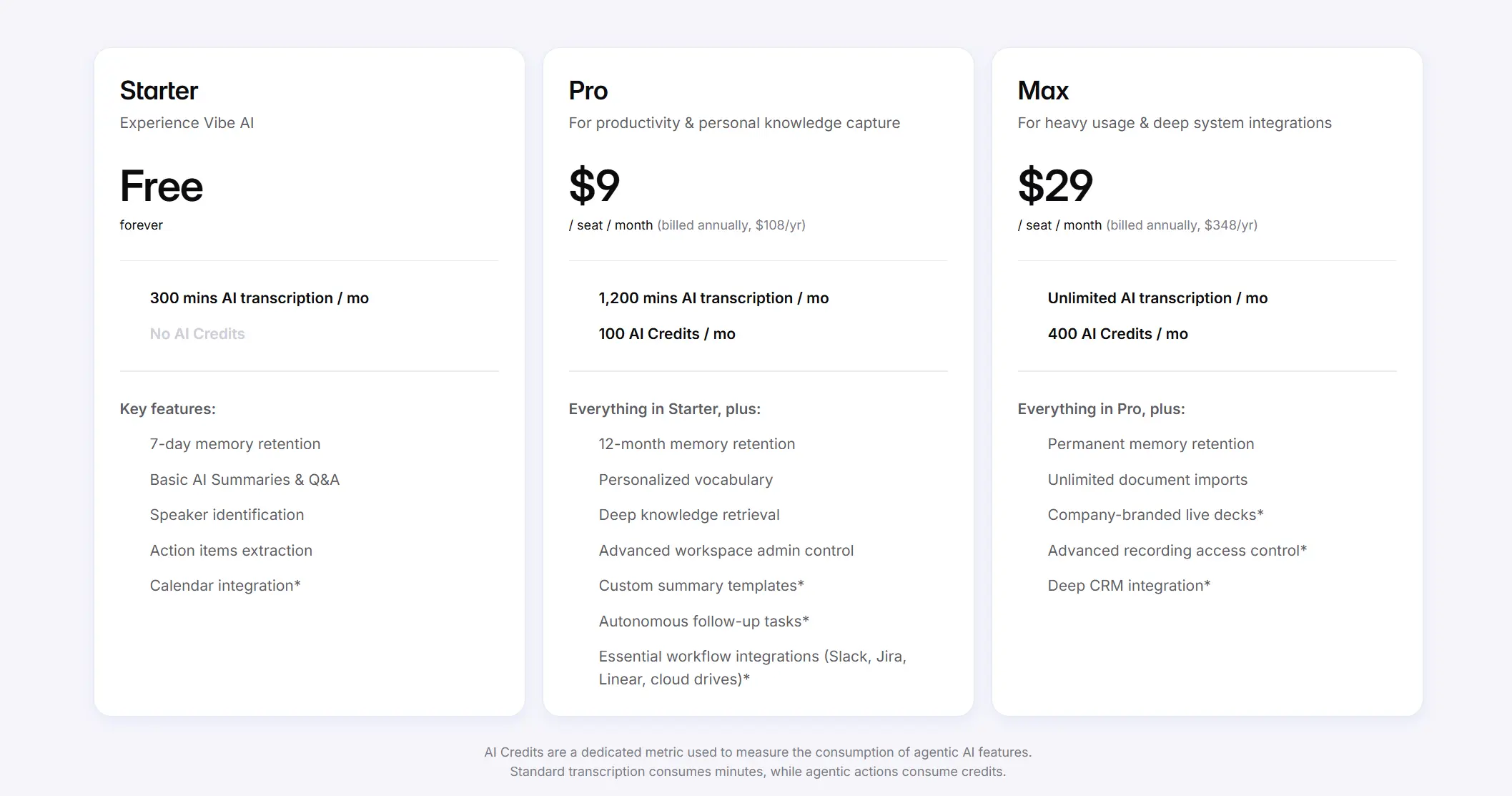 Vibe AI features of each pricing tier
What’s left in the brain dump after that handoff is the material that needed to exist somewhere but wasn’t a task: the half-formed idea, the thing you needed to name before you forgot it, the worry you needed to externalize. That material stays in the memory layer, searchable when it becomes relevant, rather than in a separate note you’ll never find.
How to do a voice brain dump with Vibe Dot
The mechanics are simple enough to make habitual:
Starting the dump. Long-press Vibe Dot to start a voice memo. You don’t need to organize what you say — speak in whatever order the items come. The point is speed and completeness, not structure. Two minutes of continuous speech is usually enough to clear the active loops; longer if you’ve been accumulating things for days.
What to say. Anything that’s taking up space: tasks you haven’t done yet, things you need to follow up on, ideas you don’t want to lose, worries you’ve been carrying, things you promised people, questions you don’t have answers to yet. Don’t filter. If it’s in your head, say it.
After the memo uploads. Vibe AI produces a structured summary automatically. Review it once — not to reorganize it, but to confirm what got captured accurately and to confirm which items should become tasks before the agent pushes them anywhere. This review should take two to three minutes, not twenty.
For the recurring dump. A brain dump works best as a regular practice, not a crisis response. Pairing it with Scheduled recording for a consistent time slot — Sunday evenings, Friday afternoons, whatever creates a reliable cadence — builds the habit without requiring you to remember to do it. For the full configuration walkthrough, see the AI recorder setup guide for ADHD.
What a voice brain dump still doesn’t solve
Items that were never said. A voice brain dump captures what you say out loud. The thing you didn’t think to say — the loop that’s so familiar you forgot it was a loop — doesn’t make it in. The occasional written or typed dump, specifically to catch what voice misses, still has a place. If you’re still deciding whether a wearable device is the right tool for this, the five AI recorders for ADHD compared covers the options.
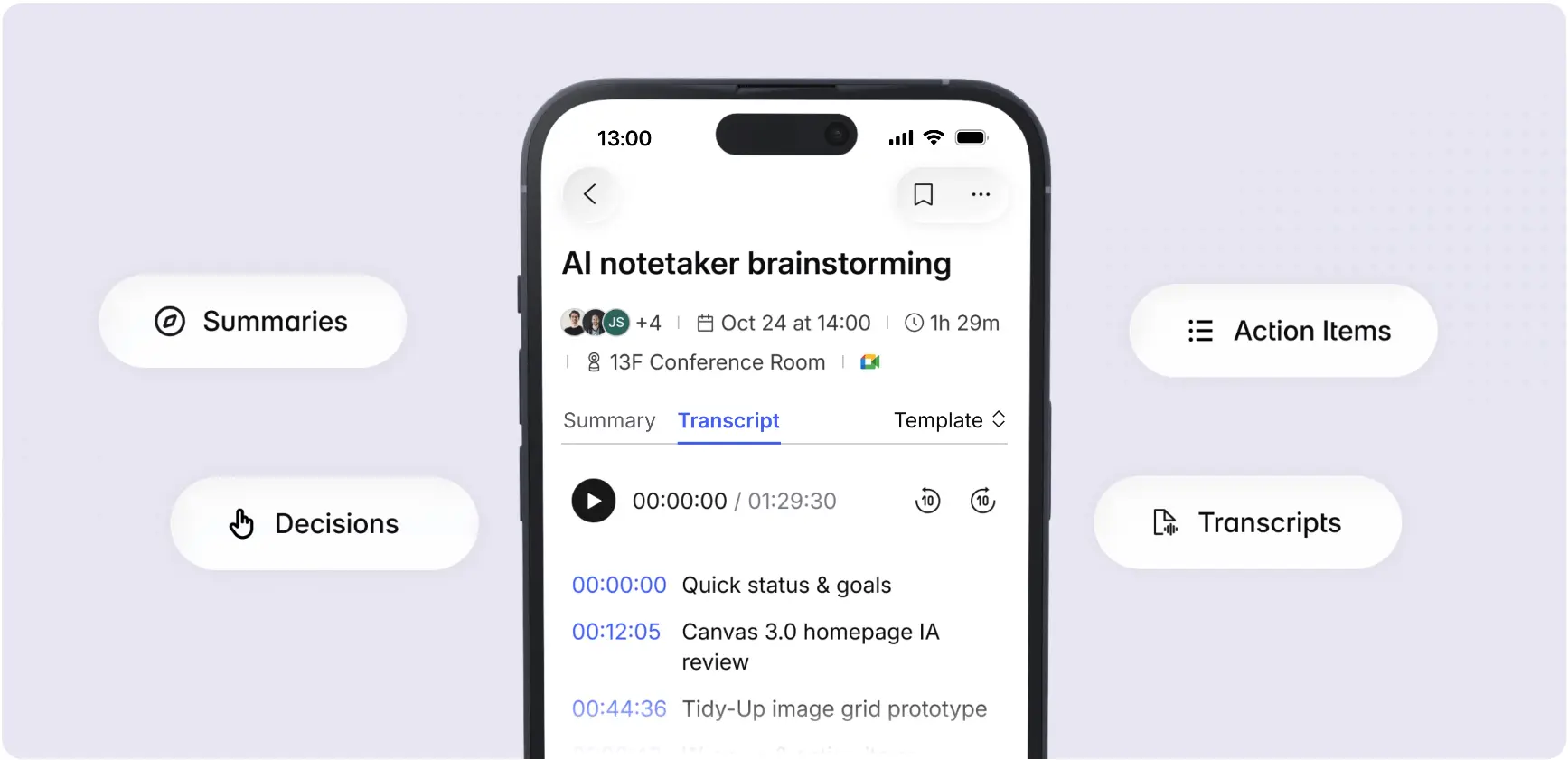 Vibe AI mobile app showing timestamped meeting transcript with AI outputs including summaries, decisions, action items, and transcripts
The dump isn’t a decision. Everything in a brain dump is a candidate for action; most of it shouldn’t be. Part of the review step is letting most of what you dumped die on the page rather than turning it into a task. A brain dump that generates 40 new tasks is not a solved brain dump — it’s a different pile.
Context helps but doesn’t replace judgment. Memory Graph connects your dump to related recordings; it doesn’t tell you whether the idea is good or the task is worth doing. That evaluation is still yours.
Frequently Asked Questions
Why is a voice brain dump better than writing for ADHD?
Voice is faster than typing and requires no filter between thought and capture. For ADHD specifically, the typing step introduces a gap where items slip away while you’re capturing the previous one. Voice also works at the times when the mental load is highest — commuting, walking, lying awake — when sitting at a keyboard isn’t an option.
What’s the difference between a voice brain dump and just leaving voice notes?
A standalone voice note captures one thing. A voice brain dump is a deliberate practice of capturing everything currently open in working memory in one session, with the goal of reducing cognitive load rather than just recording a specific item. The structured summary and sorting afterward is what makes it a system rather than a pile of recordings.
How often should I do a voice brain dump?
Often enough to prevent the pile-up, which varies by person and workload. For most people, once or twice a week is a useful baseline — enough to catch the accumulation without making the practice itself a burden. The signal that you need one is the feeling of cycling through the same open loops repeatedly without acting on any of them.
Do I need to organize my brain dump as I’m speaking it?
No — and trying to organize while speaking slows the capture and defeats the purpose. Speak in whatever order the items come. The structure comes after, from the AI summary, not during. The only thing that matters while speaking is speed and completeness.
What happens to brain dump items that aren’t tasks?
They should stay in the memory layer — searchable when they become relevant, not turned into tasks just to give them somewhere to live. Ideas, half-formed thoughts, things you needed to name — these belong in a searchable record, not in a task manager where they’ll create noise.
How is this different from what Plaud offers?
Plaud’s brain dump tools are built around a deliberate press-to-record model — you decide to do a brain dump and press the button. The sorting afterward is done by Plaud Intelligence into generic categories (tasks, ideas, reminders). The output is a standalone document. Vibe Dot’s Standby Mode captures without requiring a deliberate decision to start; the output gets indexed into Memory Graph alongside your other recordings so context is maintained across sessions; and the task agent can push confirmed items into the tools you’re already using rather than leaving them in the app to route manually. The core difference is whether the dump output connects to your existing context or starts from zero every time.