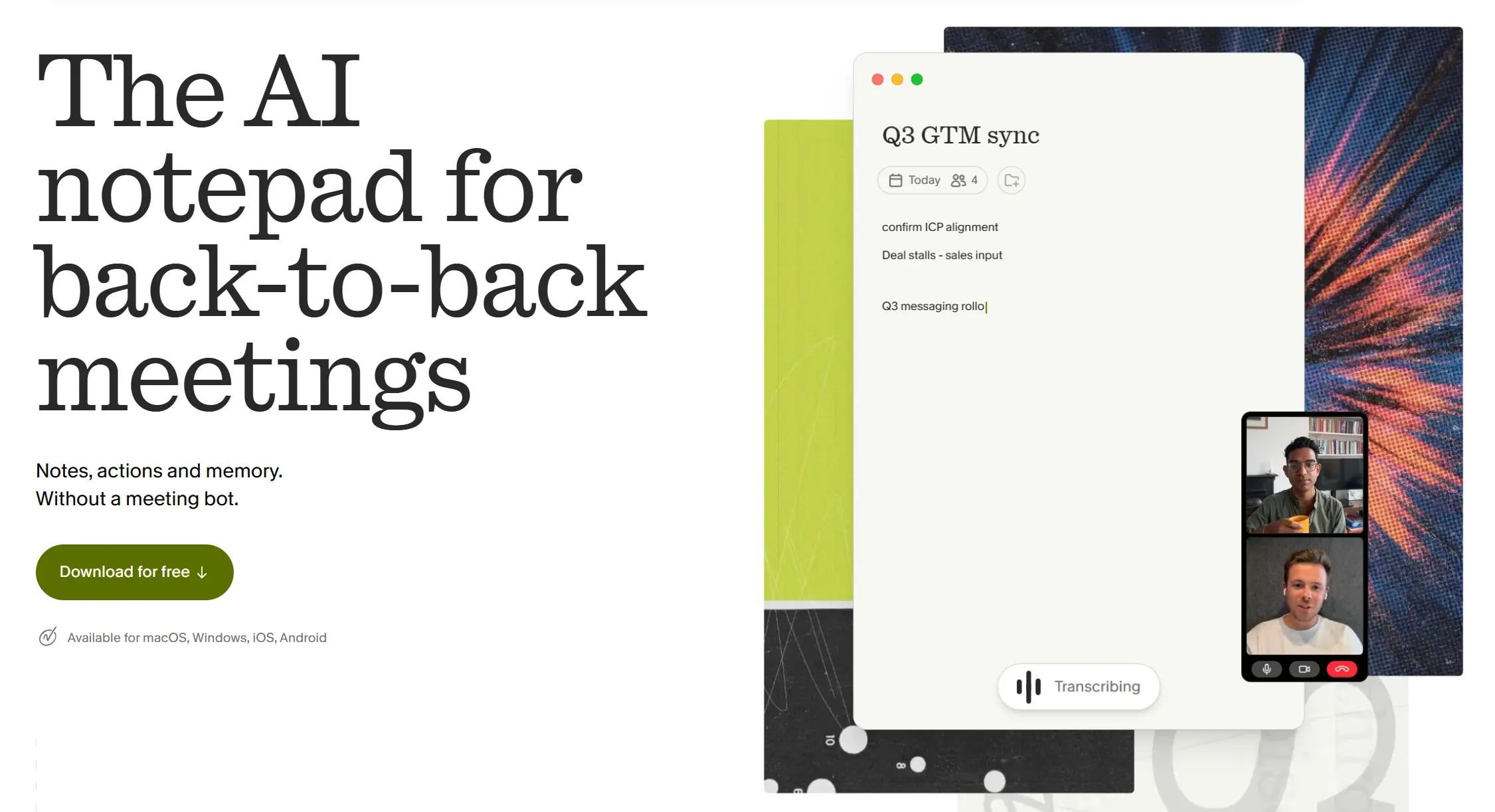
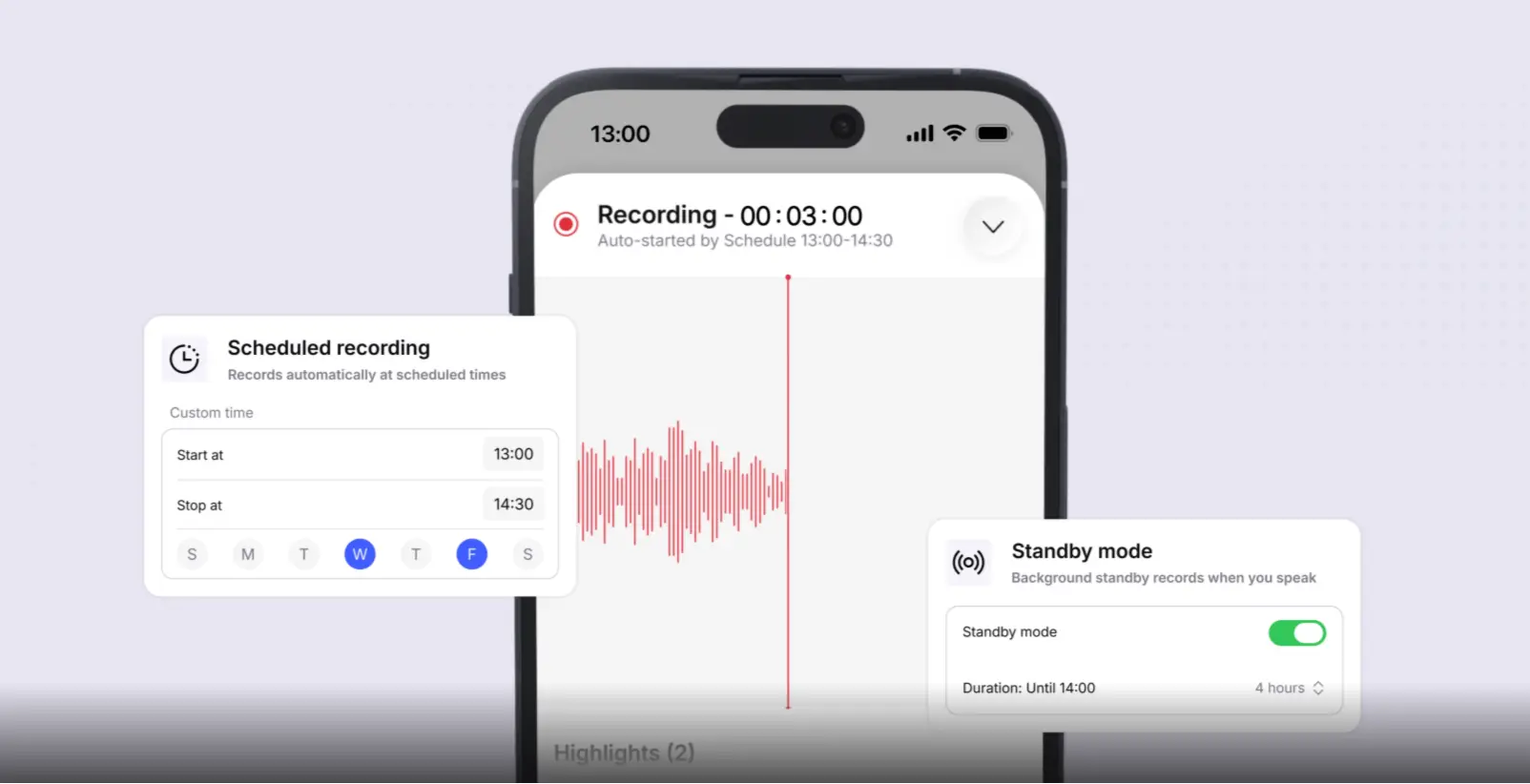
Granola is a genuinely well-designed AI meeting notepad. If you spend your day on back-to-back video calls on a Mac, it is hard to beat. But as teams’ needs grow — Windows users who feel left out, field reps whose best conversations never happen on Zoom, compliance leads spooked by a July 2026 federal wiretap lawsuit — the search for a Granola alternative becomes inevitable.
This guide ranks the 6 best alternatives, organized by the specific pain point that makes Granola the wrong fit. Every tool is fairly reviewed; no paid placement.
Why People Switch from Granola in 2026
Before picking an alternative, it helps to know which limitation is actually driving the decision. These are the four most common triggers:
1. Platform lock-in. Granola was Mac-only for its first two years and only added Windows support in mid-2025. Android users and anyone joining calls from a phone or Chromebook are still excluded. This is the single most common reason for the switch.
2. No audio or video playback. Granola processes audio locally and discards it after transcription — there is no recording to replay. If someone disputes what was said, or the transcript missed a nuance, there is no way to verify.
3. The 40% of meetings that never happen online. Granola works by capturing system audio from a running computer. In-person client meetings, hallway conversations, factory floor walkthroughs, and off-site workshops are structurally invisible to it — no laptop running the app, no capture.
4. Privacy and consent risk. Granola’s "no bot" design means other meeting participants have no visible signal that recording is happening. A class action filed July 30, 2026 alleges the software captured conversations without participant knowledge and used that content to train AI models by default. Organizations with legal or compliance exposure are reassessing the risk profile of invisible recording tools.
The 6 Best Granola Alternatives
1. Vibe Dot — Best for Professionals Whose Conversations Don’t Stay on Zoom
Vibe Dot is a compact wearable AI device — 0.83 oz, 0.17 inches thin — with a 5-microphone array including bone conduction. It captures, transcribes, and summarizes spoken conversations wherever they happen: a conference room, a client’s office, a sales dinner, or a factory floor walkthrough, without requiring a laptop, video call, or app running in the background.
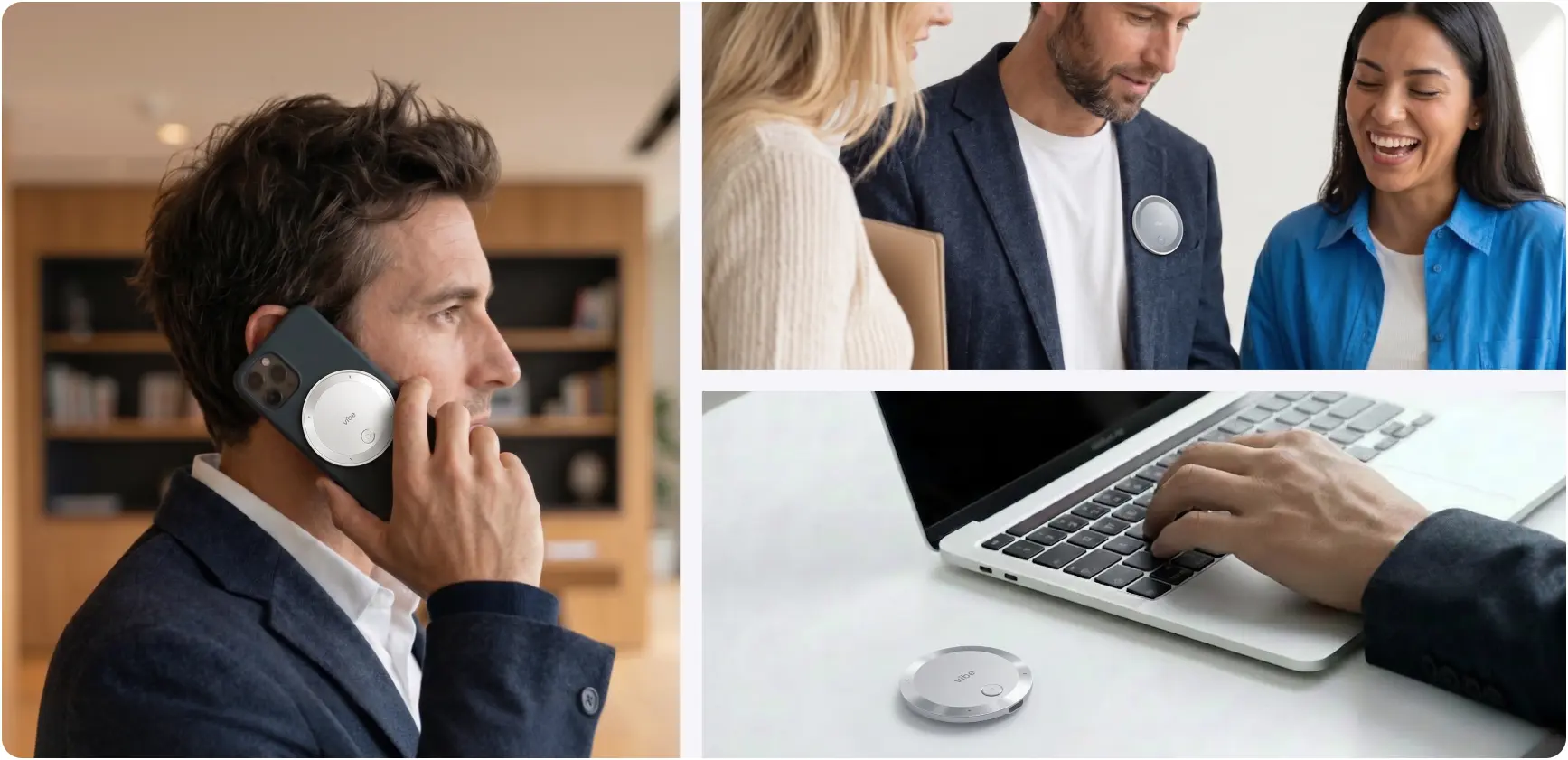 Vibe Dot shown in three use cases: attached to phone during a call, worn on a lapel in a group meeting, and placed on a desk by a laptop
Everything syncs to the Vibe AI platform, which builds a persistent, cross-session memory of your organization’s conversations. Ask it what a specific client said about budget three weeks ago across five different meetings and it surfaces the answer with citations. That is a fundamentally different value proposition from per-meeting summaries.
Vibe Dot’s AI stack is layered for different jobs: Claude handles reasoning and context; Codex structures spoken dialogue into clean, organized data; and Vibe’s proprietary OpenClaw agentic layer automatically pushes action items to Slack, Jira, Linear, Notion, Salesforce, and HubSpot. Follow-through is not a manual step — it happens automatically after every captured conversation.
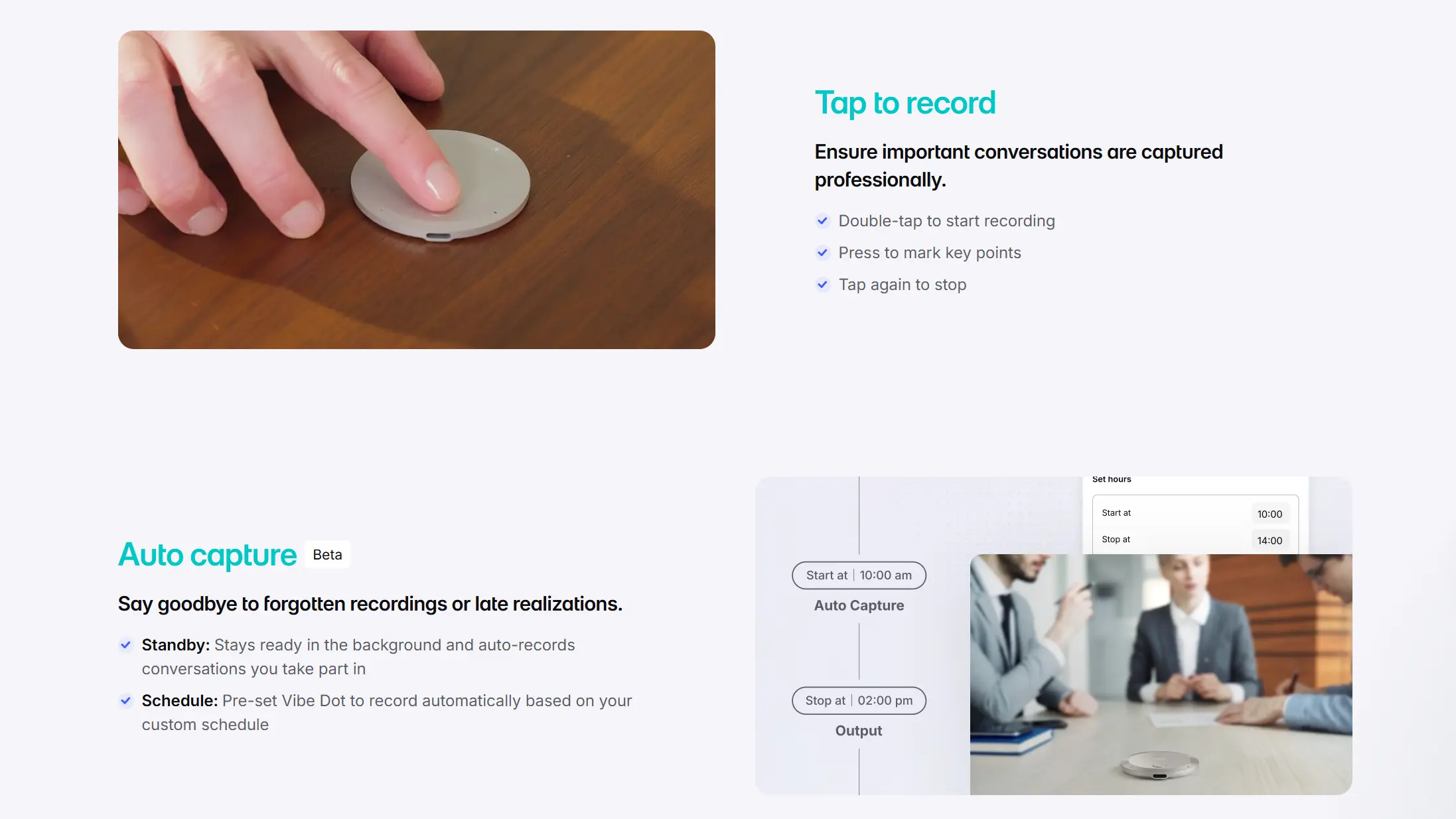
On the consent question, Vibe Dot’s physical presence is itself a signal. A device sitting on the table communicates that capture is happening — the same implicit transparency as setting a phone face-up in a meeting. For enterprises navigating post-Granola compliance questions, this consent architecture is meaningfully easier to defend than software running silently in the background.
Best for: Sales teams with field activity, enterprise teams operating across virtual and physical environments, organizations with legal or compliance requirements around recording consent.
Pricing: From $199 for the device + free Starter plan (300 min/month transcription, 7-day memory retention). Pro and Max plans for extended AI processing, longer memory, and full agentic workflows — see Vibe AI pricing.
G2 / Capterra: Not yet listed — product launched May 2026.
Key differentiators vs. Granola:
-
Captures offline and in-person meetings natively — no laptop or video call required
-
Persistent cross-session memory across all conversations, not just scheduled online meetings
-
Automatic agentic follow-up to CRM, project management tools, and Slack
-
Hardware encryption chip; recordings are unreadable if the device is stolen or plugged into an unauthorized computer
-
Physical form factor makes recording visible and consent unambiguous
2. Fathom — Best Free Alternative for Online Meetings
Fathom is the highest-rated AI meeting assistant on G2, holding a 5.0 out of 5 across nearly 7,000 reviews — a rating almost unheard of at that review volume. It joins video calls as a bot, records full audio and video, and generates AI summaries, extracted action items, and shareable highlight clips immediately after the meeting ends.
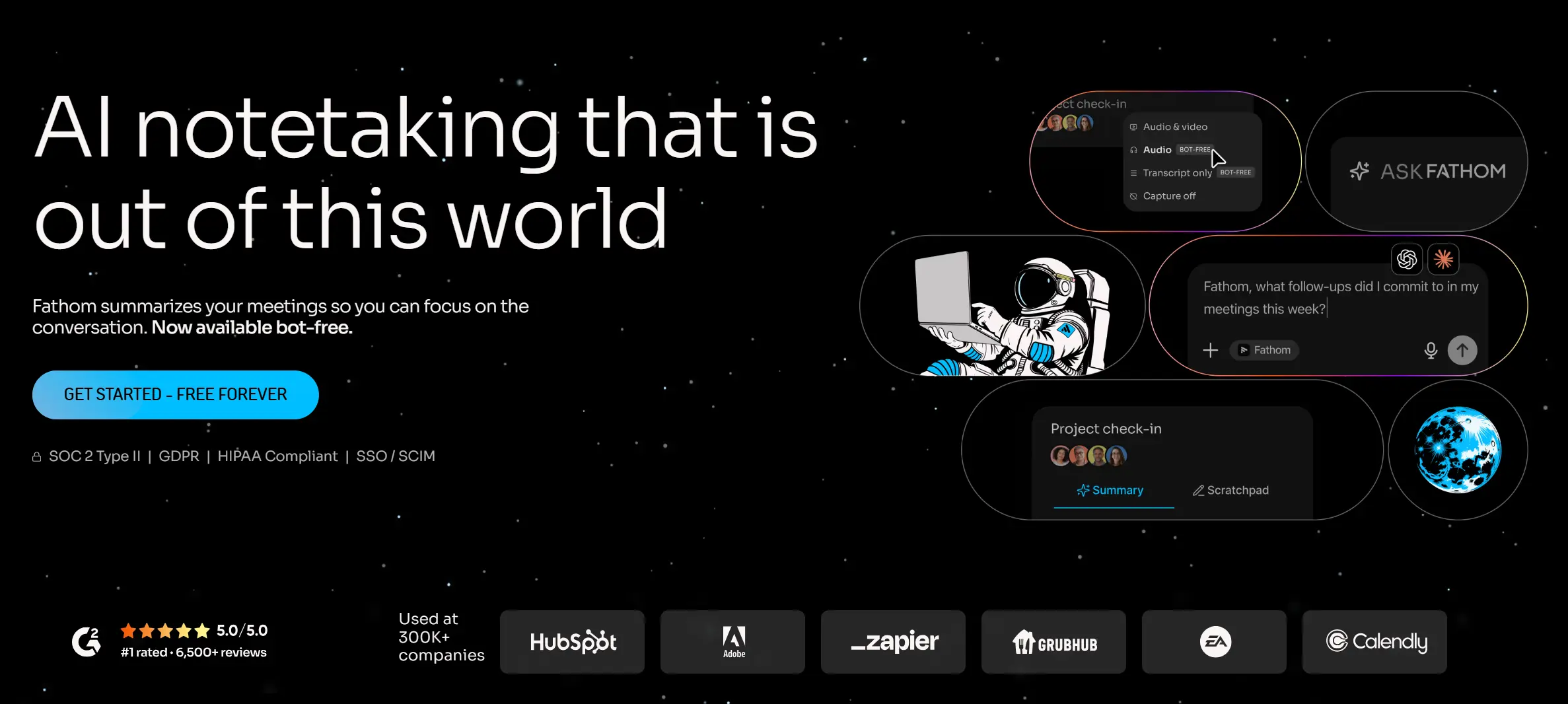 Fathom — Best Free Alternative for Online Meetings
The thing that sets Fathom apart from every other tool in this category is its free tier. Most "free" AI meeting tools put a monthly minute cap on transcription, then charge for everything else. Fathom’s free plan records and transcribes an unlimited number of meetings with no minute counter and no trial clock — the paid layer is the intelligence tier (polished summaries, action item extraction, CRM sync), not the recording itself. For individual contributors and small teams who want a zero-cost, fully functional online meeting recorder, nothing else on this list comes close.
The paid tiers add meaningful depth. Fathom Premium (~$16/user/month billed annually) unlocks unlimited AI summaries, follow-up email drafting, custom summary templates, and the "Ask Fathom" assistant for querying across your meeting history. The Team Edition adds a shared meeting library, keyword alerts, team-wide search, and commenting. The Business tier adds deeper CRM integration and compliance controls.
Fathom connects natively with Salesforce, HubSpot, and most major CRMs, automatically syncing call summaries and action items into contact and deal records. The HubSpot integration was recognized as HubSpot’s Most Used App of the Year in 2025, and the tool placed on G2’s 2026 Best Software Awards Top 100.
One limitation worth knowing: the CRM sync on both free and paid tiers is capped at three users per email domain before it escalates to a team plan — a quiet ceiling that turns a personal tool into a team purchase once a fourth colleague joins. And new accounts get a 30-day Premium preview, so month one feels noticeably richer than month two.
Best for: Individual contributors and small-to-mid teams who want the strongest free online meeting recorder with audio and video playback; sales and CS teams who need clean CRM sync without heavy workflow overhead.
Pricing: Free (unlimited recording and transcription, 5 AI summaries/month); Premium ~$16/user/month (annual); Team Edition ~$15/user/month (annual, 2-seat minimum); Business ~$25/user/month (annual).
G2 rating: 5.0 / 5 (6,942 reviews as of July 2026).
Key differentiators vs. Granola: Full audio and video recording with playback; genuinely unlimited free tier; bot joins visibly (transparent to all participants); strong CRM sync at every paid tier; works on Zoom, Google Meet, and Microsoft Teams across Mac, Windows, and browser.
Limitations vs. Vibe Dot: Software-only — no offline or in-person capture; no persistent cross-session organizational memory; relies on video call infrastructure; CRM sync domain cap quietly limits free team use.
3. Fireflies.ai — Best for Teams Needing Broad Integration Coverage
Fireflies.ai is one of the most widely deployed AI meeting assistants in the market, with particular strength in integration breadth. It connects to over 40 tools natively — spanning CRM platforms (Salesforce, HubSpot, Pipedrive), project management (Asana, Linear, Notion, Jira), communication tools (Slack, Teams), and ATS systems — and pushes meeting data into those systems automatically after each call.
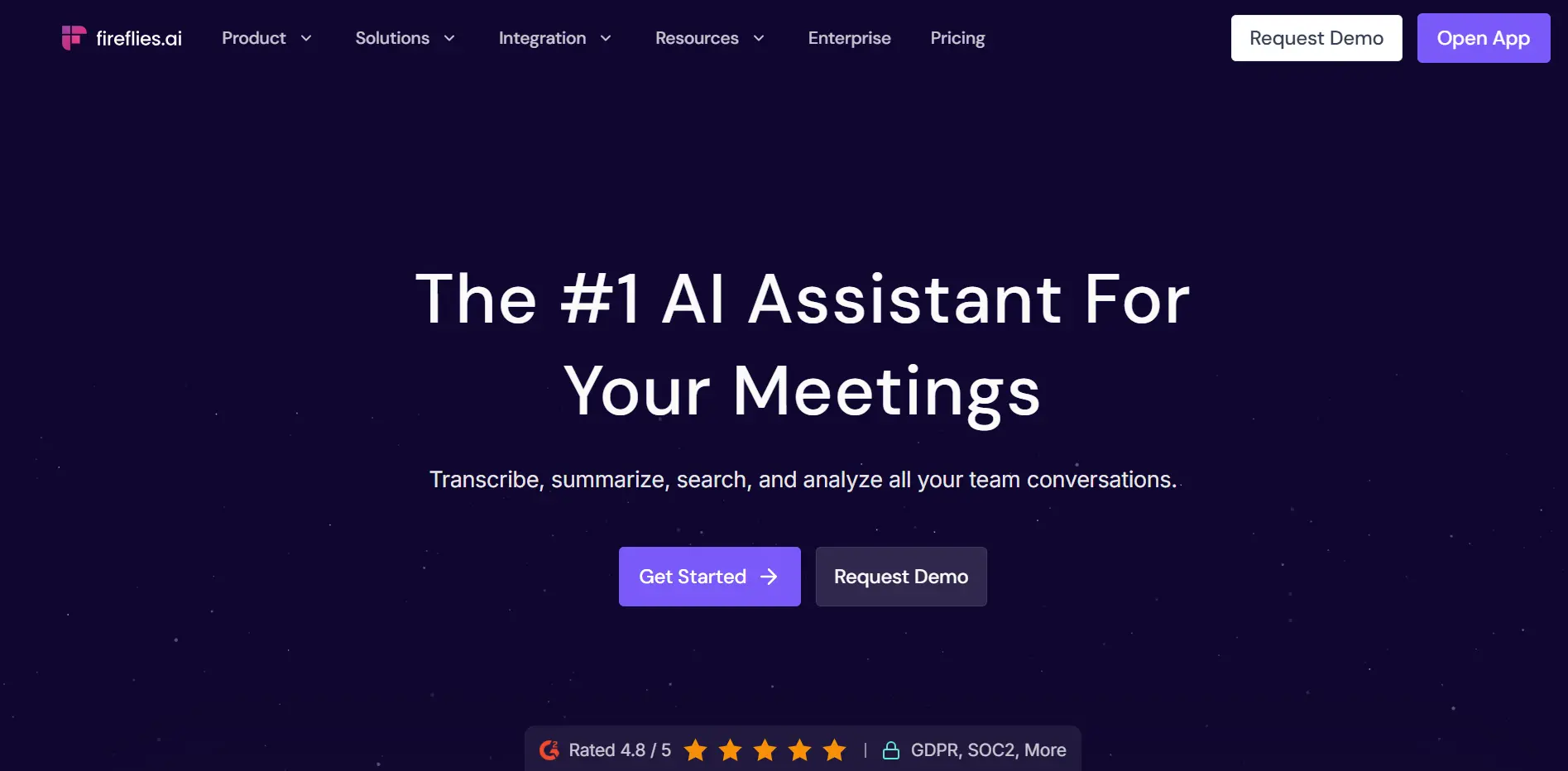 Fireflies.ai — Best for Teams Needing Broad Integration Coverage
The core product works as a meeting bot that joins Zoom, Google Meet, Teams, Webex, and most other video platforms. It records full audio and video, generates transcripts in 100+ languages, and produces structured summaries with action items, key topics, and sentiment analysis within minutes of the meeting ending.
Fireflies’ "AskFred" conversational AI lets you query across your entire meeting history in natural language: "What did the sales team commit to last quarter?" or "Which customers mentioned pricing as a concern in the last 30 days?" gets you a cited answer drawn from every recorded call. This cross-meeting intelligence layer is conceptually similar to Vibe AI’s Memory Engine, though structurally limited to online meetings and dependent on the Fireflies bot having been present.
The free plan includes unlimited transcription but caps storage at 800 minutes per seat and limits AI summaries to 20 credits per month — enough to evaluate the tool but not enough for daily team use. Most teams find themselves on the Pro plan ($10/user/month billed annually) within a few weeks of adoption.
One limitation that comes up in user reviews: Fireflies’ AI-generated summaries tend toward bullet-point extraction and can lose the original tone and nuance of conversations, particularly in technical or context-heavy discussions. Teams who need summaries that read naturally — rather than as structured data outputs — sometimes find Granola’s human-guided model produces more usable notes, even with the offline limitations.
Best for: Operations and revenue teams who need AI meeting notes wired into a broad stack of CRM, project management, and communication tools; teams with multilingual meeting requirements.
Pricing: Free (800 min storage, 20 AI credits/month); Pro $10/user/month (annual); Business $19/user/month (annual); Enterprise custom.
G2 rating: 4.8 / 5 (approx. 700+ reviews).
Key differentiators vs. Granola: 40+ native integrations with automatic post-meeting sync; full audio/video recording with playback; 100+ language support; cross-meeting AI search with AskFred; works on all platforms including Windows and Android.
Limitations vs. Vibe Dot: Software-only — online meetings only; no offline or in-person capture; summaries can feel generic for nuanced discussions; free tier storage cap pushes most users to paid quickly.
4. Otter.ai — Best for Real-Time Live Transcription
Otter.ai is one of the earliest and most recognized AI transcription services, and it has a feature that no other tool on this list matches: a live transcript that streams to the screen as people speak, in real time, during the meeting itself.
 Otter.ai — Best for Real-Time Live Transcription
Every other tool here — including Granola — generates notes after the meeting ends. Otter shows you the words as they are spoken, which is a meaningfully different workflow. Accessibility use cases benefit directly: users with hearing difficulties can follow conversation in real time; non-native speakers can read along while listening; anyone who wants to catch a specific phrase mid-meeting can scan the live stream rather than waiting for a post-meeting summary.
Beyond live transcription, Otter’s OtterPilot feature automates the post-meeting layer: AI summaries, extracted action items, and integration pushes to Salesforce and HubSpot. The "AI Chat" function lets teams ask questions about any past meeting and get answers drawn from the transcript. Otter supports Zoom, Google Meet, and Microsoft Teams via bot, and also offers a mobile app for capturing in-person conversations — though this requires manually opening the app and starting a recording, unlike Vibe Dot’s automatic capture.
The free plan offers 300 transcription minutes per month — less generous than Fathom’s unlimited baseline, but sufficient for occasional use. Paid tiers add recording storage, advanced AI features, and expanded team controls.
A consistent criticism in user reviews is that Otter struggles with speaker separation in multi-participant meetings, particularly when audio quality is mixed or participants speak over each other. Reddit discussions in product management communities specifically flag this: it can be "absolutely horrible at capturing multi-speaker transcripts" in noisy or complex call environments. For single-speaker dictation or clean two-person calls, accuracy is strong.
It is also worth noting that Otter.ai is currently facing wiretap litigation in the same California federal district as Granola, with similar allegations around undisclosed recording. Organizations with compliance exposure should factor this into their evaluation.
Best for: Teams and individuals who need live, real-time transcription during meetings; accessibility use cases; non-native speakers who benefit from reading along; anyone who wants to catch a specific moment in the conversation as it happens.
Pricing: Free (300 min/month); Pro $16.99/user/month; Business $30/user/month; Enterprise custom.
G2 rating: 4.2 / 5 (approx. 1,600+ reviews).
Key differentiators vs. Granola: Real-time live transcript during the meeting; audio recording kept for playback; works on Windows and all major platforms; mobile app for basic in-person recording.
Limitations vs. Vibe Dot: Bot joins meetings visibly; speaker separation struggles in multi-person or noisy environments; mobile in-person recording requires manual activation; no persistent cross-session organizational memory; active privacy litigation.
5. Avoma — Best for Revenue Teams Who Need Conversation Intelligence
Avoma sits in a different product tier than the other software tools on this list. Where Fathom and Fireflies are primarily meeting recorders with AI notes on top, Avoma is a full meeting intelligence platform designed around the revenue team workflow: pre-meeting agenda preparation, live transcription, post-meeting CRM automation, and longitudinal conversation analytics.
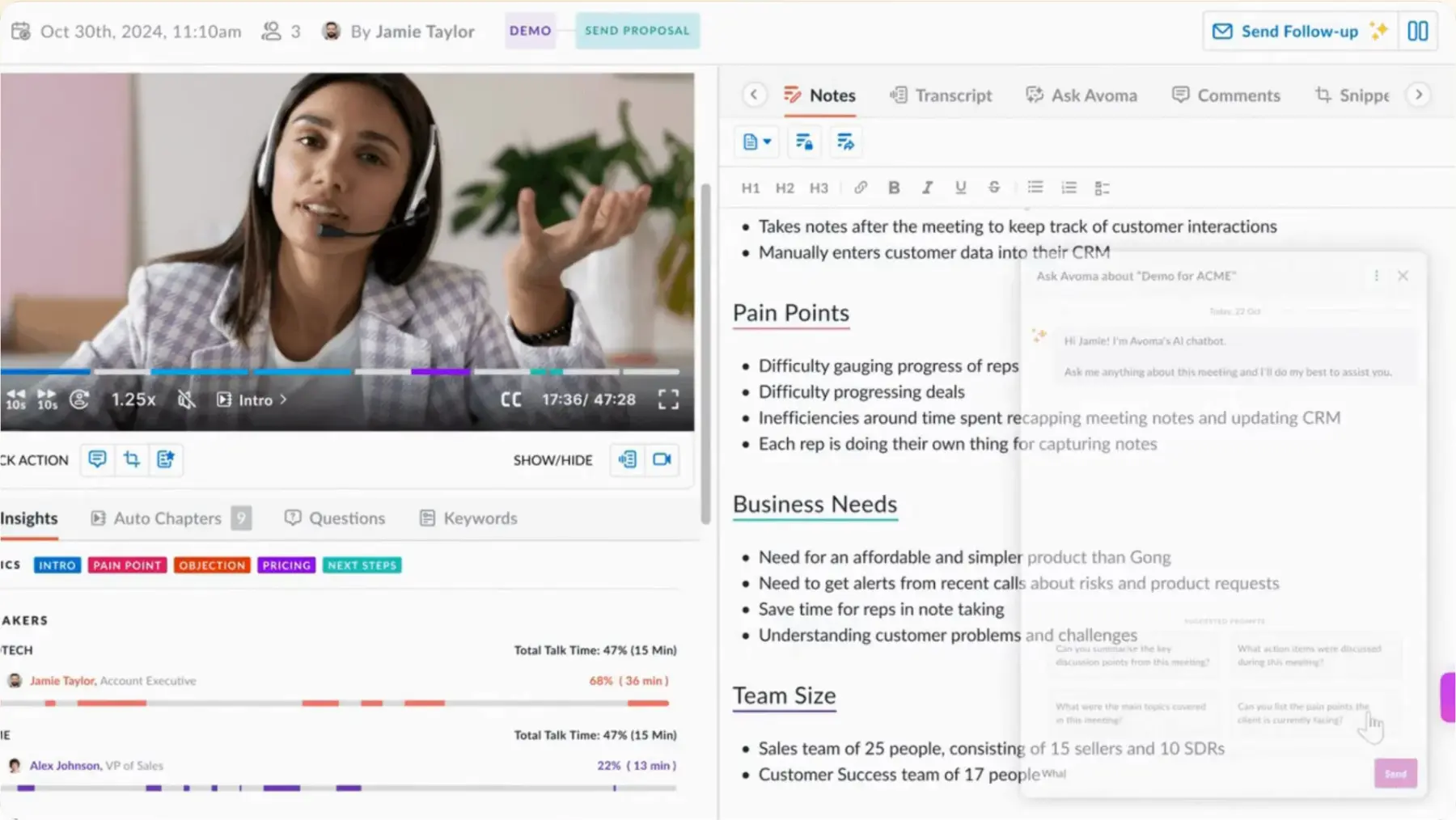 Avoma — Best for Revenue Teams Who Need Conversation Intelligence
The analytics layer is what distinguishes it. Avoma tracks talk time ratios, filler word usage, topic frequency, and question patterns across hundreds of calls and surfaces coaching insights for sales managers. A manager can see that a rep is talking 75% of the time on discovery calls, or that competitor names come up in 40% of late-stage deals, or that objection-handling conversations correlate with longer sales cycles — all drawn from the meeting record rather than manually logged. These are insights that transcript-only tools simply cannot generate.
Avoma integrates deeply with Salesforce, HubSpot, and Pipedrive, automatically writing call summaries, next steps, and deal stage updates back to the CRM record after each meeting. Combined with meeting scheduling and agenda templates (with custom structures for discovery calls, QBRs, or customer check-ins), Avoma effectively becomes the operating layer for customer-facing meetings rather than just a recording tool that sits beside them.
User reviews on G2 and HubSpot are strongly positive, particularly from sales and customer success teams. The most common critique is that the platform is genuinely complex — it can feel like overkill for individuals or teams with simple transcription needs, and the full feature set has a real learning curve. The pricing reflects the additional depth: full sales intelligence features push the realistic per-seat cost to $74–$109/user/month with add-ons, which is a significant step up from Fathom or Fireflies.
Best for: Sales managers who need conversation intelligence and rep coaching data; revenue operations teams who want CRM records automatically updated from call content; organizations running structured QBR and discovery call programs.
Pricing: Free (limited); Starter $19/user/month; Plus $49/user/month; sales intelligence add-ons priced separately. Full feature cost realistically $74–$109/user/month.
G2 rating: 4.8 / 5 (approx. 1,300+ reviews).
Key differentiators vs. Granola: Full conversation intelligence with talk-time analytics and coaching insights; deep CRM auto-write with Salesforce, HubSpot, Pipedrive; agenda templates for structured meeting programs; pre-meeting preparation workflows; 20+ language support.
Limitations vs. Vibe Dot: Online-meeting-only — no offline or in-person capture; significant complexity and learning curve; highest price point on this list at full capability; no persistent organizational memory across non-meeting conversations.
6. Plaud Note — Best Simple Hardware Recorder for In-Person Use
Plaud Note is a card-sized physical voice recorder — roughly credit card dimensions — that attaches to the back of an iPhone via MagSafe and transcribes audio using ChatGPT. It is the only other hardware product on this list besides Vibe Dot, and it solves the same fundamental problem that all software-based tools cannot: capturing conversations that happen in the physical world without a laptop on the table.
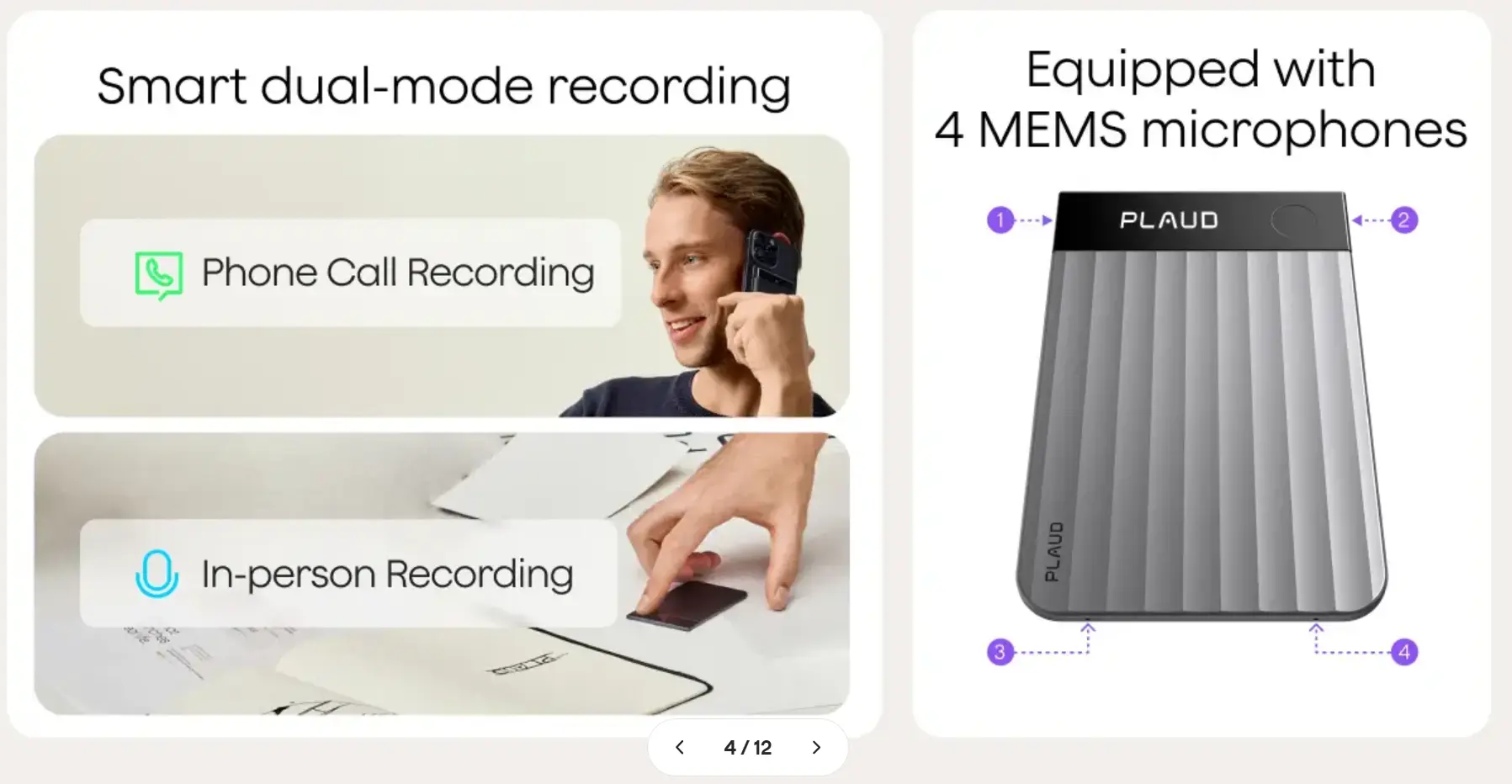 Plaud Note — Best Simple Hardware Recorder for In-Person Use
Plaud Note handles transcription and AI summarization across 59 languages, generates structured meeting summaries, and stores audio recordings for playback — a meaningful step up from Granola, which discards audio entirely. Setup is straightforward: record a conversation, sync to the Plaud app, and receive a transcript and summary within minutes.
Where Plaud Note and Vibe Dot diverge is in enterprise depth. Plaud Note is a personal recording device designed for individual use. It does not have a persistent cross-session memory engine — each recording is a standalone document rather than a node in an accumulating knowledge base. It lacks the agentic workflow layer that pushes action items automatically to Slack, Jira, or a CRM. Speaker identification is more limited without a directional multi-mic array. And there is no enterprise-grade hardware encryption chip of the kind Vibe Dot uses to protect recordings if the device is lost.
For an individual professional who wants a simple, affordable physical recorder for client meetings, one-on-ones, and voice memos — without the complexity or enterprise pricing of Vibe Dot — Plaud Note is a reasonable option. For a team that needs its in-person conversations to feed into a shared knowledge base and trigger downstream workflows, it will hit its ceiling quickly.
Best for: Individual professionals who want a simple physical recorder for in-person meetings and voice memos; consultants or advisors who meet clients face-to-face and need basic transcription without cloud infrastructure.
Pricing: Device ~$159; subscription required for transcription minutes beyond the free tier.
Key differentiators vs. Granola: Physical device — works offline and in-person without a computer or video call; audio recording kept for playback; no meeting bot; 59-language support.
Limitations vs. Vibe Dot: No persistent cross-session memory engine; no agentic follow-up to CRM or project management tools; limited multi-speaker identification; consumer-oriented rather than enterprise-grade; no hardware encryption chip; fewer integrations.
Quick Comparison Table
|
Tool |
Form factor |
Offline / in-person |
Audio playback |
Windows support |
Agentic follow-up |
G2 rating |
Price (entry) |
|---|---|---|---|---|---|---|---|
|
Vibe Dot |
Hardware wearable |
✅ |
✅ |
✅ |
✅ Auto |
— (new) |
$199 device + free plan |
|
Fathom |
Software (bot) |
❌ |
✅ |
✅ |
⚠️ Manual |
5.0 (6,942) |
Free |
|
Fireflies.ai |
Software (bot) |
❌ |
✅ |
✅ |
⚠️ Manual |
4.8 (700+) |
Free / $10/mo |
|
Otter.ai |
Software (bot) |
❌ |
✅ |
✅ |
⚠️ Manual |
4.2 (1,600+) |
Free / $17/mo |
|
Avoma |
Software (bot) |
❌ |
✅ |
✅ |
✅ CRM auto |
4.8 (1,300+) |
$19/mo |
|
Plaud Note |
Hardware device |
✅ |
✅ |
✅ |
❌ |
— |
~$159 device |
|
Granola (reference) |
Software (no bot) |
❌ |
❌ |
✅ (2025) |
⚠️ Recipes |
4.9 (limited) |
Free / $14/mo |
Which Granola Alternative Should You Choose?
If your team’s critical conversations happen outside video calls — at client sites, in conference rooms without screens, in hallways and off-sites — choose Vibe Dot. It is the only option on this list built for the physical world, with enterprise-grade memory and automatic follow-up.
If you want the best free online meeting recorder with audio playback and no meeting caps, choose Fathom. Nothing else on this list matches its free tier depth.
If your team runs across a broad tool stack and needs meeting data to flow automatically into 40+ apps, choose Fireflies.ai. Its integration breadth is the widest available at this price point.
If real-time live transcription is the priority — for accessibility, non-native speakers, or anyone who needs to follow along during the meeting — choose Otter.ai.
If you lead a revenue team and need conversation intelligence, rep coaching data, and automatic CRM updates, choose Avoma. It is the most powerful tool on this list for structured sales workflows.
If you want a simple physical recorder for in-person use without enterprise complexity, consider Plaud Note — keeping in mind you will give up cross-session memory, agentic workflows, and multi-speaker accuracy.
Conclusion
Granola earned its reputation as the cleanest AI notepad for online meetings. But "online meeting" is not a complete picture of how business actually happens — and every tool on this list solves a different piece of what Granola leaves out.
For teams whose most important conversations happen across both the virtual and physical world, Vibe Dot closes the gap that every software-based alternative on this list leaves open. For teams who simply need a better online meeting recorder with audio playback and a free tier that holds up at scale, Fathom is the fastest path there.
Frequently Asked Questions
What is the best Granola alternative for Windows users?
All four software-based tools on this list — Fathom, Fireflies.ai, Otter.ai, and Avoma — fully support Windows. Granola added Windows support in mid-2025 but was Mac-only for its first two years. Fathom and Fireflies.ai offer the most complete feature sets on Windows. Vibe Dot, as a hardware device that syncs to a web platform, works regardless of operating system.
Is there a Granola alternative that works for in-person meetings?
Yes — Vibe Dot and Plaud Note both capture in-person conversations without requiring a computer or active video call. Vibe Dot is the more capable option: its 5-mic array delivers accurate speaker separation, its OpenClaw agentic layer pushes follow-up actions to CRM and project management tools automatically, and its Vibe AI Memory Engine builds persistent cross-session knowledge from every captured conversation. Plaud Note handles basic transcription and audio storage for individuals who want a simpler, more consumer-oriented device. All four software-based tools on this list require an active video call to function.
Does any Granola alternative offer audio recording and playback?
Yes — every alternative on this list keeps audio recordings and offers playback, which Granola does not. Granola processes audio locally and discards it after transcription. Fathom, Fireflies.ai, Otter.ai, and Avoma all store audio and video recordings in the cloud. Vibe Dot and Plaud Note retain audio on-device, with Vibe Dot adding a hardware encryption chip that makes recordings unreadable if the device is stolen.
What is the safest Granola alternative from a privacy and consent standpoint?
A July 2026 federal class action alleged that Granola’s invisible recording model — where the app runs silently with no visible bot — left meeting participants no way to know they were being captured. Tools that join meetings as a visible bot (Fathom, Fireflies, Otter, Avoma) make recording transparent by their presence in the participant list. Hardware devices like Vibe Dot and Plaud Note communicate recording through physical visibility. Otter.ai is currently facing similar wiretap litigation in the same California district, so organizations in regulated industries should review the consent architecture of any tool they deploy carefully.
Can I replace Granola with a free alternative?
Yes. Fathom offers unlimited meeting recording and transcription on its free plan with no minute cap — the strongest free tier in this category by a significant margin. Fireflies.ai and Otter.ai both offer free plans with monthly transcription limits. Vibe Dot requires a hardware purchase ($199) but includes a free Starter software plan, which can represent better long-term value for teams whose most important meetings happen in person.
What is the difference between Vibe Dot and Vibe Bot?
Vibe Dot is a personal wearable device for individual professionals who move between in-person and online meetings throughout the day. Vibe Bot is a portable conference room device — with a 4K swiveling camera and beamforming microphones — designed to sit on a table and handle full video conferencing for a shared meeting room, including AI live notes displayed on screen. Both sync to the same Vibe AI platform and Memory Engine. Teams often run both: Vibe Bot for the conference room, Vibe Dot for personal capture on the go.