You’re sitting in a 9 AM lecture. The professor is talking fast, the slide just changed, and you’re still writing down the last point. By the time you look up, you’ve already missed two definitions that will probably appear on the midterm.
Every college student has been there. The problem isn’t focus — it’s that human brains can’t transcribe and comprehend at the same time. AI lecture recorders solve that tradeoff by capturing everything so you can fully listen in class and review a clean, searchable transcript afterward.
But not all AI recorders are built for students. Many are repurposed business meeting tools with transcription limits calibrated for four Zoom calls a week — not six hours of lectures a day. This guide focuses specifically on college use cases: large lecture halls, seminar discussions, group study sessions, and the long hours between classes when you actually need to review. (For a broader look at the category, see our full roundup of the best wearable AI recorders of 2026.)
What to Look for in an AI Lecture Recorder
Before the rankings, here are the four criteria that actually matter for students — not professionals:
Offline recording. Lecture halls frequently have spotty or no Wi-Fi. Any recorder that requires an active internet connection to capture audio is a liability.
Battery and storage for a full course load. A single student can accumulate 4–6 hours of lecture audio per day. Monthly transcription caps designed for business users (typically 20–30 hours/month) run out fast.
Transcription quality in noisy environments. Classroom acoustics are unpredictable — HVAC noise, side conversations, a professor who paces. Microphone quality matters more here than in a quiet office.
Study output, not just transcripts. A raw transcript is only step one. The best tools turn lecture audio into summaries, searchable notes, and — ideally — context that carries across your entire semester.
The Best AI Lecture Recorders for College Students in 2026
1. Vibe Dot — Best Overall
Price: $199 device | Vibe AI: Starter free (300 min/month) · Pro ~$9/seat/month (1,200 min/month) · Max ~$29/seat/month (extended memory, advanced actions)
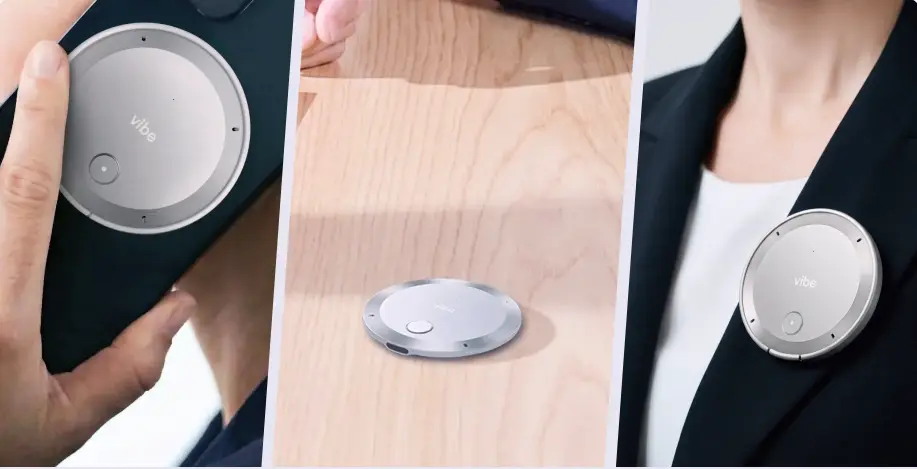
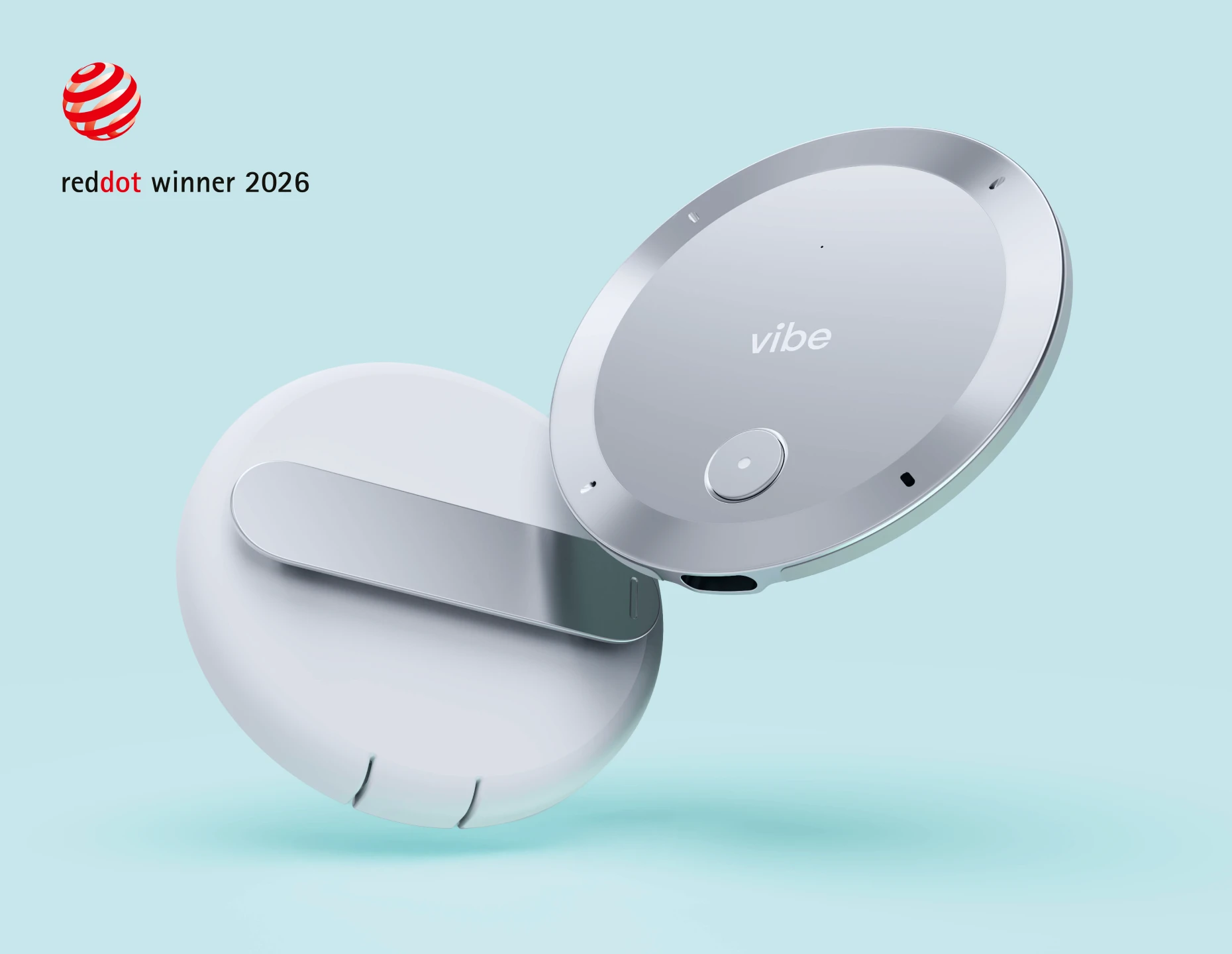
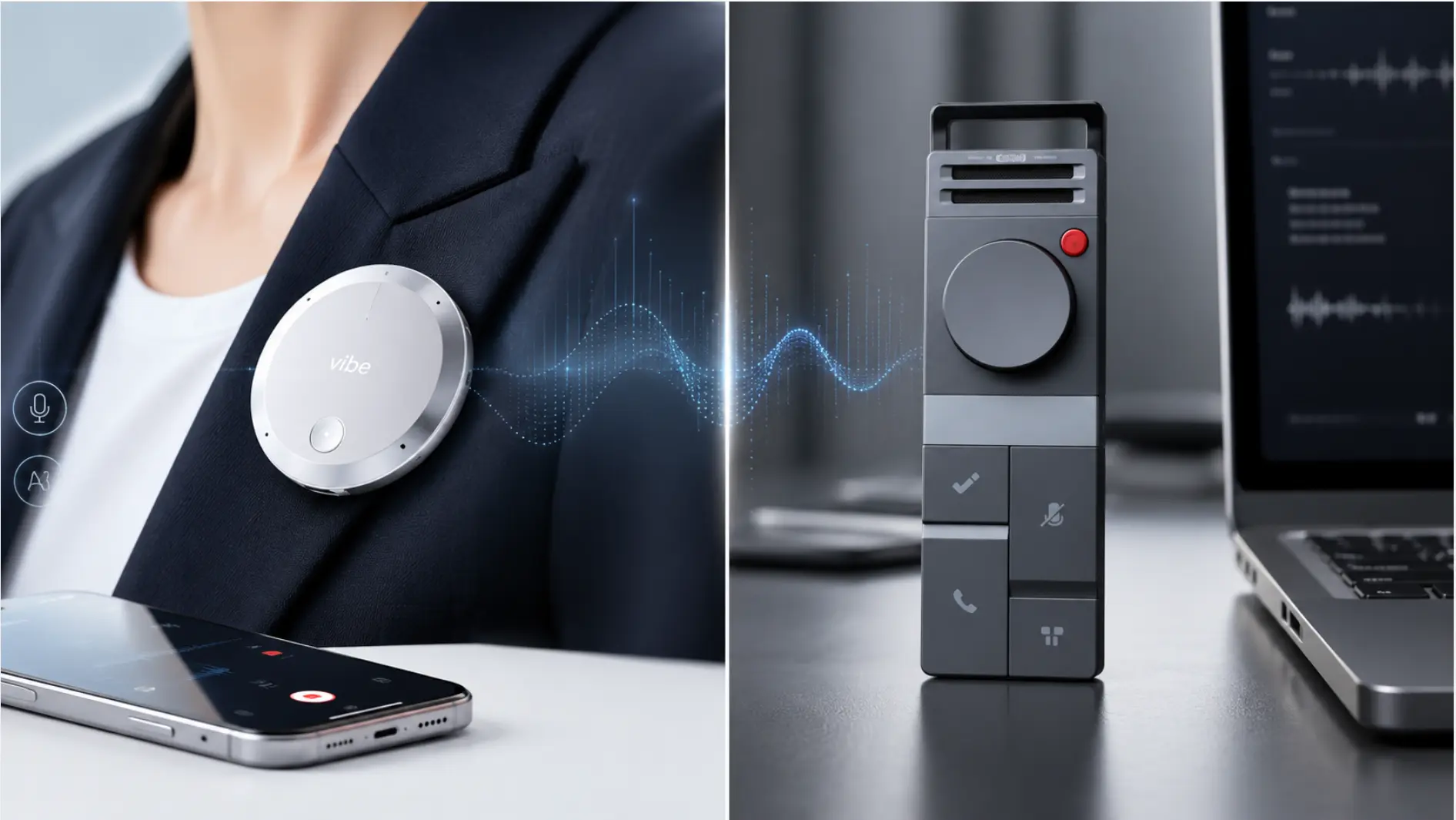
Vibe Dot is the strongest all-around AI lecture recorder for college students in 2026. It’s a wearable hardware device — clips to clothing, snaps to a phone via MagSafe, or sits on a desk — and it works fully offline, which immediately separates it from most software-only alternatives.
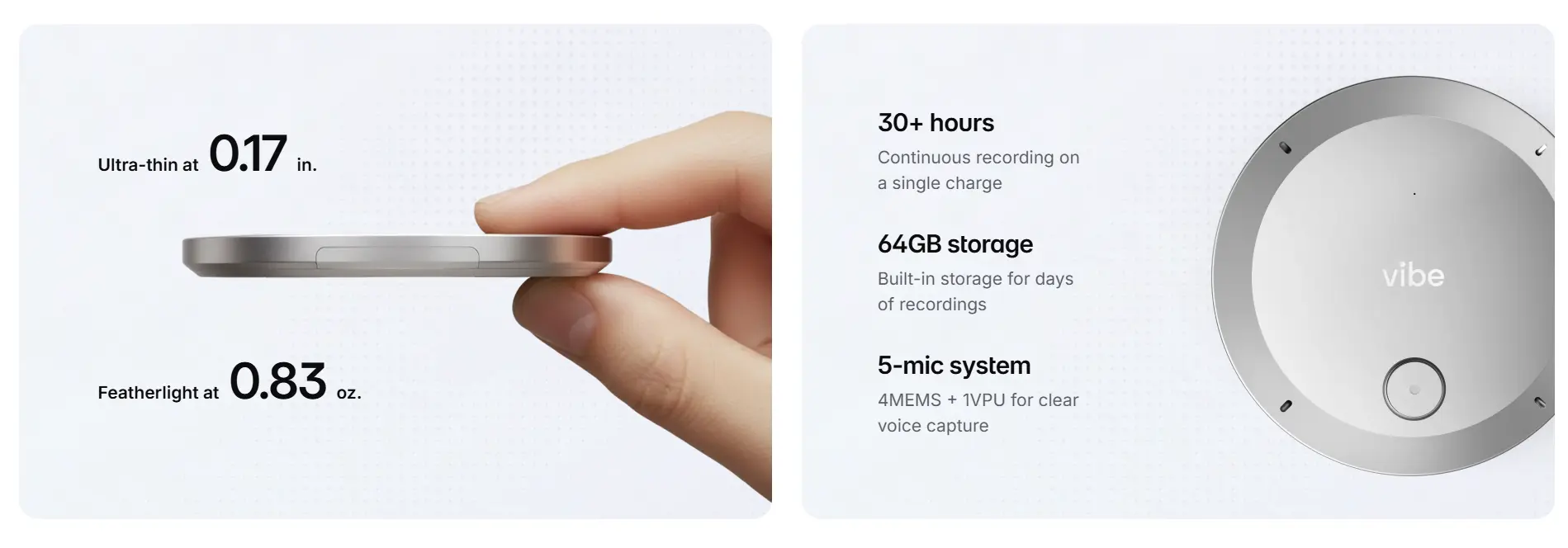
The hardware specs are built for the realities of a college day: a 5-microphone array (4 MEMS + 1 voice processing unit) that handles room noise and multiple speakers, 30+ hours of continuous battery life so you’re covered from Monday to Thursday without charging, and 64GB of onboard storage protected by a dedicated hardware encryption chip (TPM 2.0). You can record a full week of lectures, labs, and office hours without touching a charger or Wi-Fi network.
What separates Vibe Dot from every other recorder in this list is Vibe AI’s Memory Graph — a cross-session memory engine that connects your notes across every recording you make. Lecture recordings from week one aren’t siloed from week eight. If a professor references a concept introduced earlier in the semester, you can ask Vibe AI "What did my professor say about regression to the mean across all my stats lectures?" and get an answer drawn from your full recording history. For exam prep, this is a genuinely different kind of review tool.
Vibe Dot also carries FERPA certification — the federal student privacy standard that governs how educational institutions handle student data. This matters if your university has data handling requirements for AI tools used in academic settings.
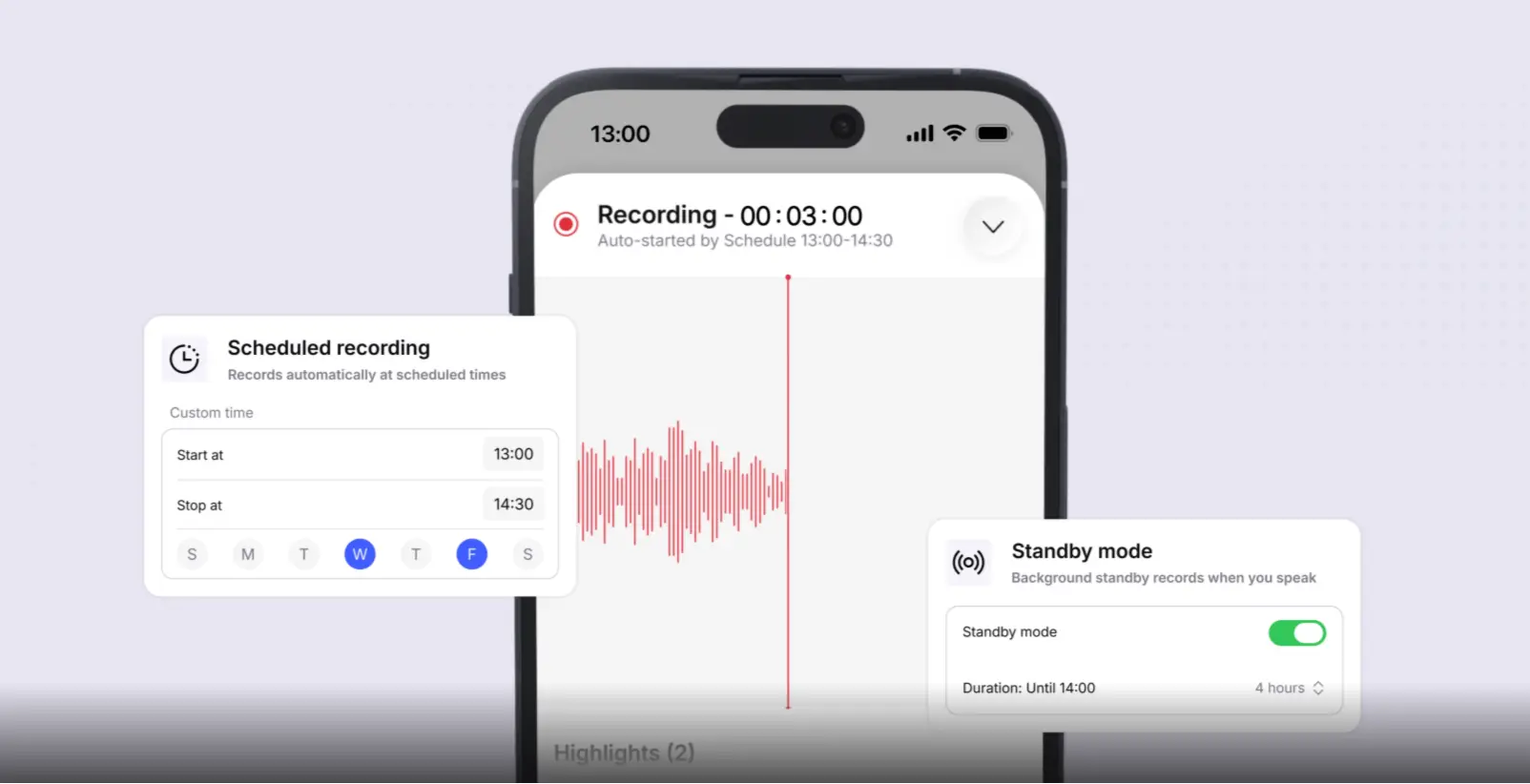
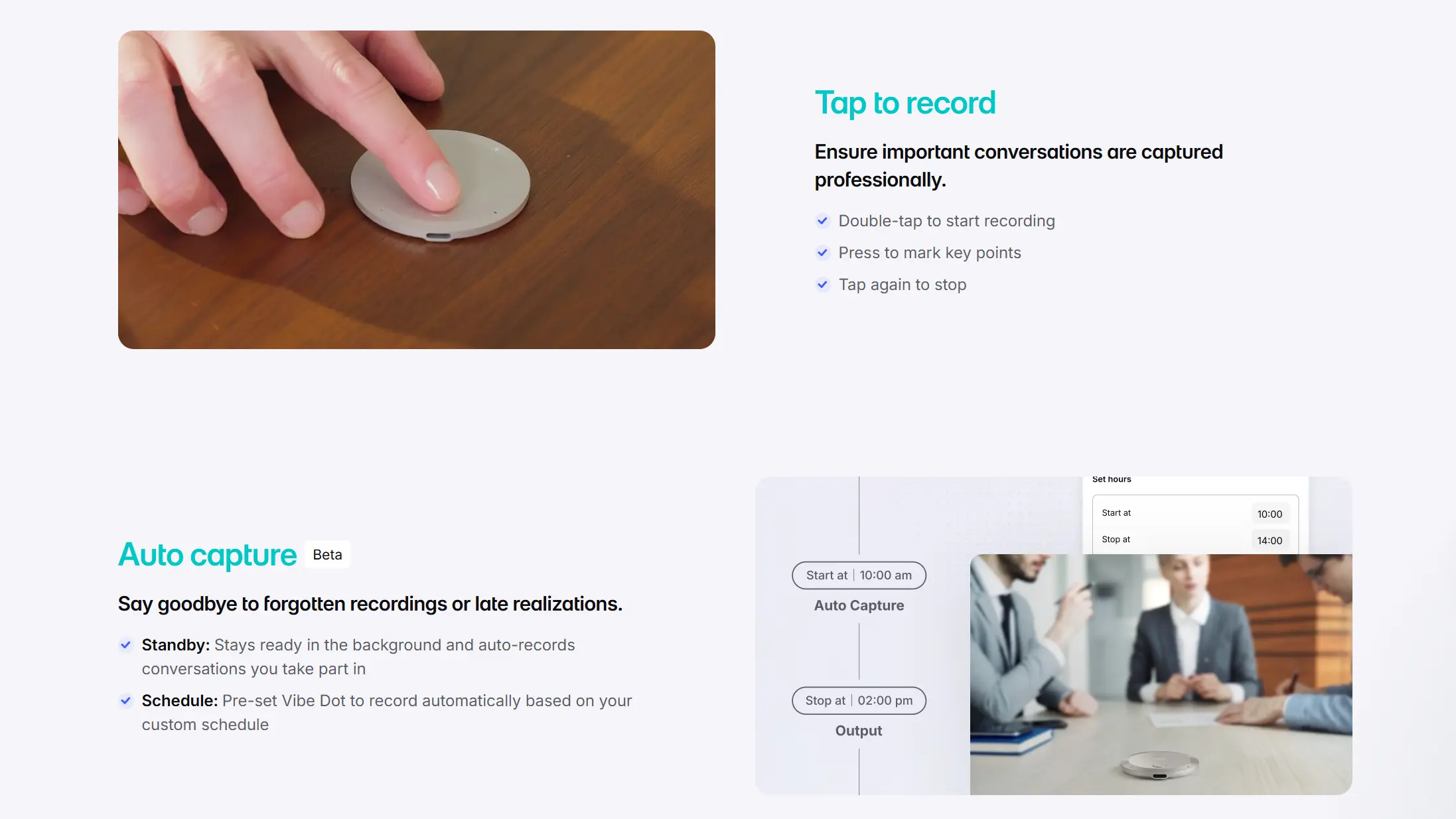
Auto Capture (Beta) is worth noting for students specifically: Standby mode keeps the device ready and begins recording automatically when a conversation starts, so you don’t lose the first five minutes of a lecture while fumbling with an app. Schedule mode goes a step further — pre-set Vibe Dot to record automatically based on your class schedule, so back-to-back lectures get captured without you needing to remember to press record between classes.
Strengths:
-
5-mic array handles large lecture halls and seminar discussions
-
30+ hour battery covers multiple days between charges
-
Fully offline — works without Wi-Fi during capture
-
Memory Graph connects notes across your entire course history
-
FERPA compliant — appropriate for university data environments
-
Wearable or desk-mount — unobtrusive in class
-
Schedule mode auto-records around your class timetable — no manual start needed
Limitations:
-
$199 upfront is a meaningful purchase for students
-
Free tier (300 min/month transcription) is enough for light use but heavy users will want a paid Vibe AI plan
-
Auto Capture is still in beta
Best for: Students who want the most complete lecture recording system — especially those taking multiple courses where cross-lecture context matters for studying and exams.
The $199 price tag is the main objection worth working through before you decide — here’s the full breakdown of what’s included at each tier.
2. Otter.ai — Best for Online and Hybrid Classes
Price: Free (300 min/month transcription) | Pro subscription: ~$16.99/month
Otter.ai remains the gold standard for real-time transcription in 2026, particularly for students attending Zoom, Teams, or Google Meet lectures. It joins calls automatically, transcribes speaker-by-speaker in real time, and produces a clean summary with highlighted key points after class.
The workflow is genuinely frictionless for online courses: connect Otter to your calendar, and it joins every scheduled lecture before you even think about it. The transcript is searchable immediately after class ends, and you can add screenshots from slides directly to the transcript at timestamp.
The limitation is physical environments. Otter is a software tool — it relies on your laptop or phone’s microphone to capture in-person lectures, which degrades significantly in larger rooms. It also has no cross-session memory: each lecture is a separate file, and there’s no native way to ask questions across your entire course history.
Best for: Students whose courses are primarily online or hybrid, or who want a reliable free option for smaller in-person seminar classes.
3. Plaud Note Pro — Best for Phone Call Recording
Price: $189 device | Starter free (300 min/month) | Pro: $99.99/year (1,200 min/month) | Unlimited: $29.99/month or $239.99/year
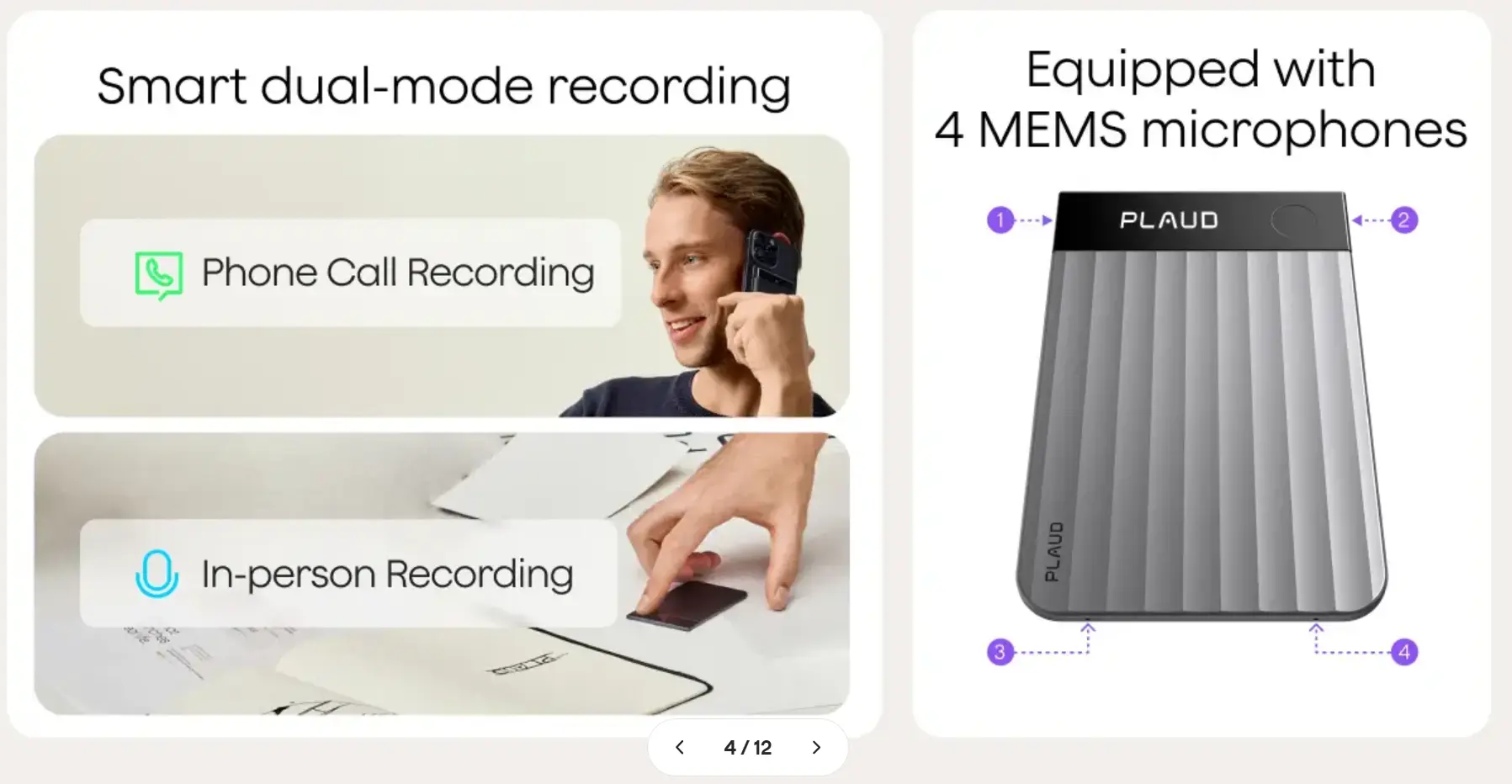
Plaud Note Pro is the most direct hardware competitor to Vibe Dot, and it’s a capable device — particularly for students who take a lot of calls (study groups, professor office hours by phone, research interviews). It physically attaches to an iPhone via MagSafe and switches automatically between in-person recording and phone call capture.
For students specifically, however, there are a few friction points worth naming. The microphone array (4 MEMS) performs well in smaller spaces but, as reviewers have noted, struggles in larger or noisier rooms — the typical large lecture hall being the harder case. Plaud’s AI intelligence is session-based: each recording produces a transcript and summary, but there’s no cross-session memory layer that connects notes across your full semester.
Plaud also lacks FERPA certification — a relevant gap if your university’s IT or data governance policies require tools handling academic recordings to meet federal student privacy standards (Vibe’s compliance comparison). If you’re weighing wearable options more broadly, our guide to choosing between wearable, software, and conference-room devices breaks down how to match the device type to your use case.
Best for: Students who record a mix of in-person small-group sessions and phone calls, and who are primarily iPhone users.
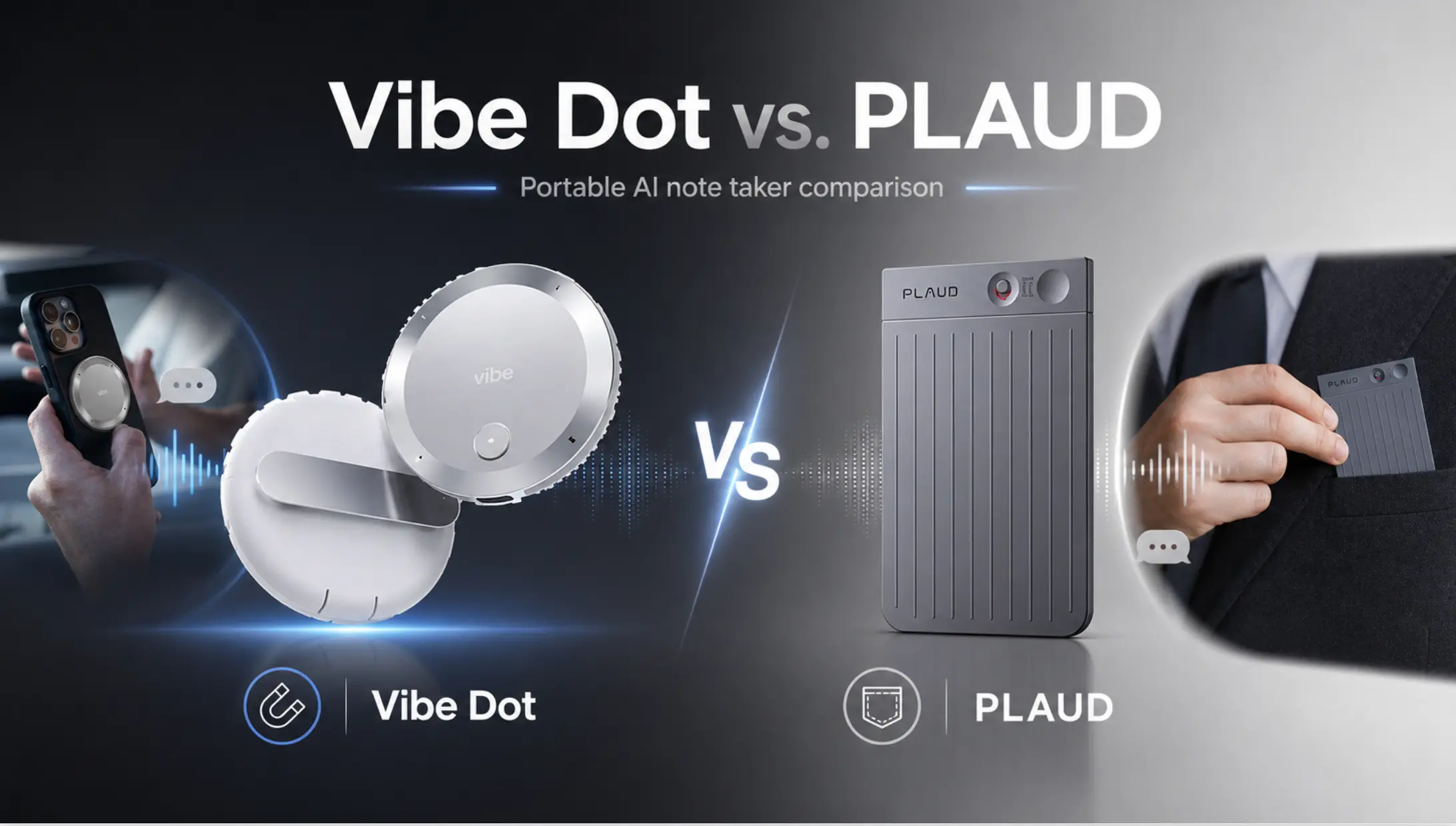
The gaps above — lecture-hall mic performance, session-based memory, and compliance — are exactly where the two devices diverge most. Here’s the full side-by-side.
4. Pocket AI — Best Discreet Phone-Attached Recorder
Price: ~$129 device | Core features (unlimited transcription, summaries) included free | Pocket Pro: $19.99/month (speaker ID, unlimited Ask Pocket, advanced templates)
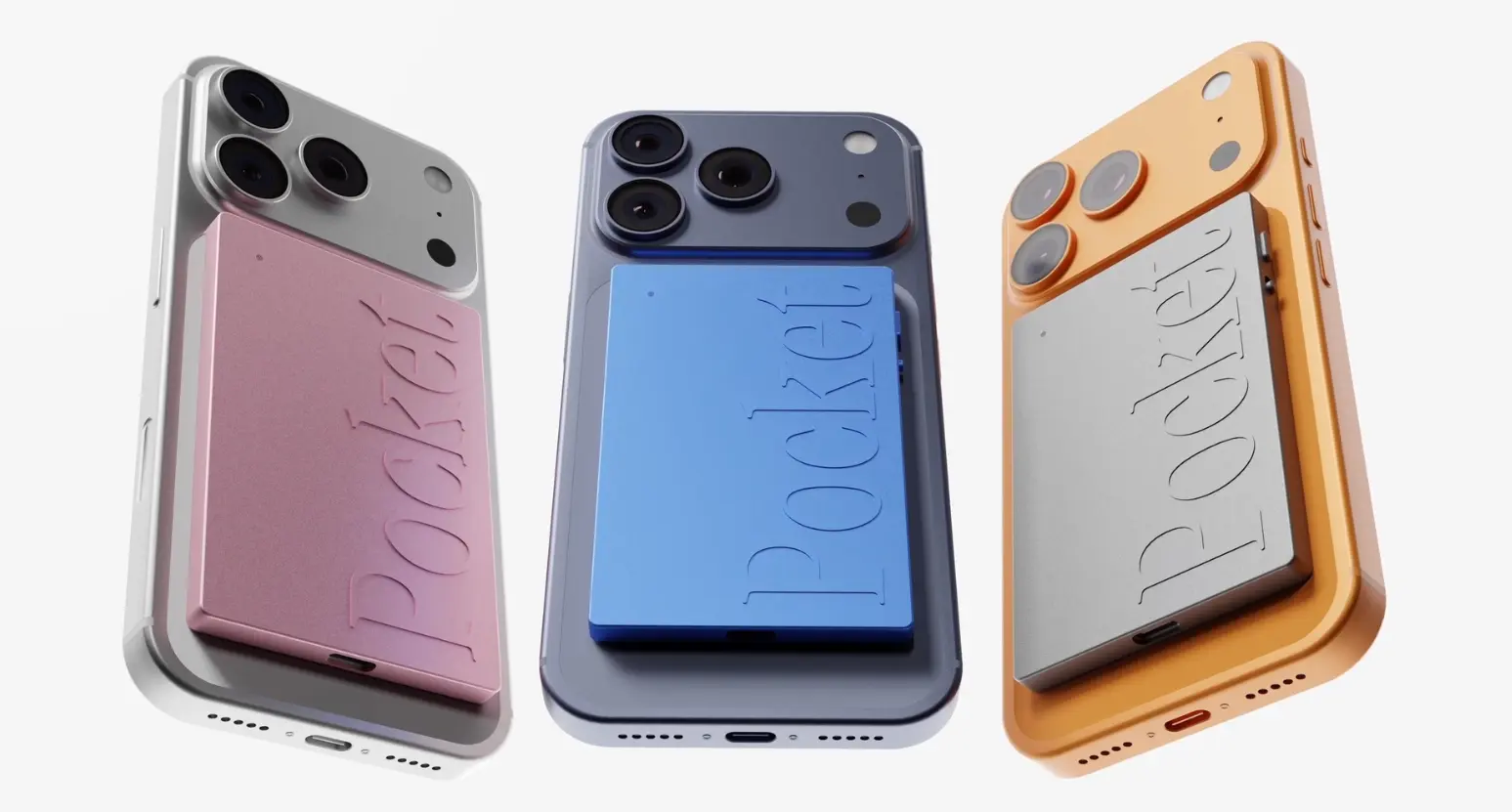
Pocket AI is a small MagSafe-mounted recorder that clips to the back of an iPhone, aimed at capturing in-person conversations and phone calls without carrying a separate gadget. For students, it’s a genuinely discreet option — it looks like part of the phone rather than a standalone recording device, and it runs about four days on a single charge.
The tradeoff shows up in classroom settings specifically. Pocket AI is built around one-on-one and small-group capture; transcription quality degrades in noisy, multi-speaker environments — exactly the profile of a large lecture hall. It also requires a smartphone nearby to sync, so it isn’t a fully standalone device the way Vibe Dot or Plaud are, and it has no published onboard storage for offline capture during class.
Best for: Students who mostly record smaller seminars, office hours, or study group calls on an iPhone and want the most minimal, pocket-sized form factor.
5. HiDock P1 — Best for Bluetooth Earphone Recording
Price: ~$99–129 device | Basic transcription free, no subscription required | Pro Membership: $12.99/month (1,200 min) for speaker ID, summary templates, and Live Translation
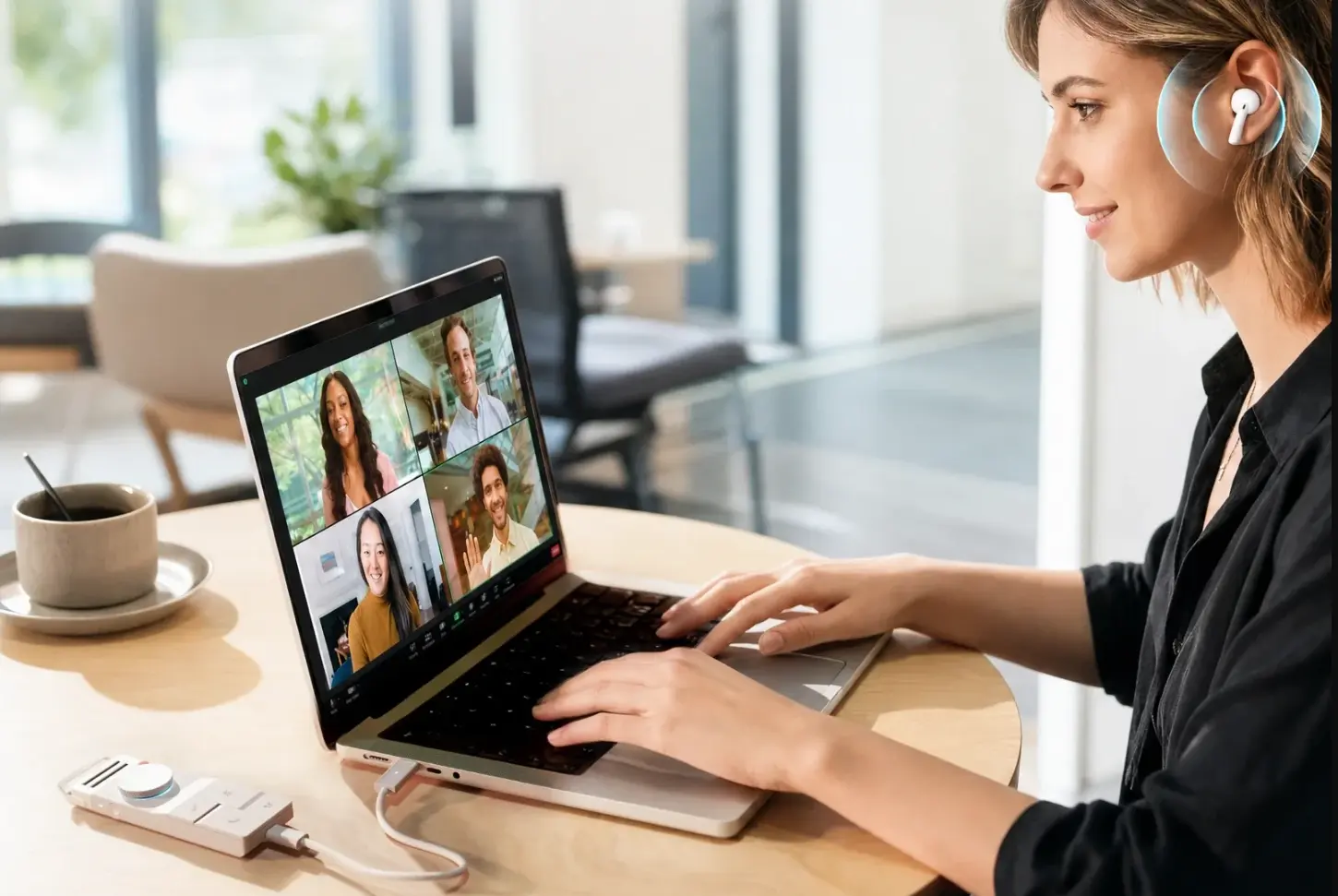
HiDock P1 takes a different approach: its BlueCatch feature records audio flowing through your Bluetooth earphones, which makes it a strong fit for online lectures or study calls where you’re already wearing earbuds. It also connects via USB-C for fast file transfer to a laptop, and its 64GB of onboard storage holds a large volume of recordings.
For in-person lecture halls, though, HiDock P1 is a harder recommendation. Independent testing found its battery supports up to 8 hours of continuous recording — enough for a single day of back-to-back classes but not the multi-day stretch Vibe Dot or Plaud cover, and its BlueCatch mode depends on a laptop or phone connection rather than standalone offline capture.
Best for: Students who primarily attend online lectures or study calls through Bluetooth earbuds and want a device that doubles as a desktop recorder between classes.
That 8-hour ceiling versus Vibe Dot’s multi-day battery is the crux of the decision for anyone recording full class days — see how the two stack up on battery, offline capture, and everything else.
Quick Comparison
|
Tool |
Type |
Battery |
Offline |
Cross-Session Memory |
FERPA |
Device Price |
AI Subscription |
|---|---|---|---|---|---|---|---|
|
Vibe Dot |
Hardware |
30+ hrs |
✅ |
✅ Memory Graph |
✅ |
$199 |
Free–$29/mo |
|
Otter.ai |
Software |
N/A |
❌ |
❌ |
❌ |
— |
Free–$16.99/mo |
|
Plaud Note Pro |
Hardware |
30 hrs |
✅ |
❌ |
❌ |
$189 |
Free–$29.99/mo |
|
Pocket AI |
Hardware |
~4 days |
❌ |
❌ |
❌ |
~$99 |
Free–$19.99/mo |
|
HiDock P1 |
Hardware |
8 hrs |
❌ |
❌ |
❌ |
~$99–129 |
Free–$12.99/mo |
Hardware vs. Software: Which Is Right for You?
The honest answer depends on where most of your learning happens — and how many different class formats you’re juggling in a single week.
Choose hardware (Vibe Dot, Plaud, Pocket AI, or HiDock P1) if:
-
You attend in-person lectures in large rooms where phone microphones underperform
-
Your campus has unreliable Wi-Fi in lecture halls
-
You need offline recording as a baseline, not a bonus
-
You want a device that works without your phone being present
Choose software (Otter) if:
-
Most of your courses are online or hybrid
-
Budget is the primary constraint — free tiers on software tools go further upfront
-
You primarily need a study layer on top of audio you already have
If you’re choosing between hardware options specifically, the decision usually comes down to one of three things:
-
Recording environment. If most of your classes are large lecture halls or you regularly sit in seminars with multiple speakers, prioritize microphone quality and battery life over form factor — this is where Vibe Dot’s 5-mic array and 30+ hour battery hold up better than Pocket AI’s phone-mic dependency or HiDock P1’s 8-hour ceiling.
-
How many courses build on each other. If you’re taking a sequence — intro-to-advanced in the same subject, or courses that reference earlier material — a device with cross-session memory pays off by exam season. This is the one category where Vibe Dot’s Memory Graph is a structural advantage, not just a feature: Plaud, Pocket AI, and HiDock P1 all treat each recording as a standalone file.
-
Institutional data requirements. If your university has any policy around third-party tools handling student records (common at public universities and anywhere federal funding is involved), FERPA compliance narrows the field. Vibe Dot is currently the only device in this list that carries it.
For students who move between large lectures, seminar discussions, study groups, and online classes, a hardware device with a strong software layer — like Vibe Dot — is the more durable system. You’re not switching tools based on the room you walk into, and you’re not starting from zero each time you open a new recording.
How to Use an AI Lecture Recorder Without Falling Behind
Owning a recorder doesn’t automatically improve your grades — the workflow matters. Here’s what works:
-
Don’t stop taking any notes. The recorder is your safety net, not your primary system. Jot down key terms and questions during class; the AI handles verbatim capture.
-
Review the summary within 24 hours. The transcript compounds in value when reviewed while the lecture is still fresh. Waiting until exam week defeats the purpose.
-
Ask questions across recordings. If your device supports cross-session memory (Vibe Dot’s Memory Graph), use it. Ask "What examples has my professor used for this concept across the semester?" before writing a paper or prepping for an exam.
-
Export for flashcards. Paste key sections into Anki, Quizlet, or whatever spaced-repetition system you use. The transcript is raw material — the study system is still yours to build.
The Bottom Line
For most college students in 2026, the best AI lecture recorder is one that works offline, runs all day, and does something useful with the audio beyond storing it. Vibe Dot is the strongest option across all three criteria — particularly if you’re taking courses that build on each other and want a recorder that can connect what you’ve learned across an entire semester, not just one class at a time.
If budget is the constraint right now, Otter.ai’s free tier is the most capable software starting point for online courses. And for students who mainly attend lectures through Bluetooth earbuds or want the most pocket-sized form factor, HiDock P1 and Pocket AI are worth a look — just budget for shorter battery life or noisier-room tradeoffs, respectively.
Ready to see if it fits your semester?
Frequently Asked Questions
Is it legal to record lectures at college?
In most cases, yes for personal academic use — but policies vary. Most universities allow students to record lectures for their own study purposes, and many professors permit it by default. Always check your course syllabus and university policy before recording, and inform your professor if required. Some states (California, for example) are two-party consent states for audio recordings made in private settings. Lecture halls are generally considered public academic spaces, but confirming is always the right move.
What’s the difference between an AI lecture recorder and a regular voice recorder?
A traditional voice recorder stores audio. An AI lecture recorder transcribes, summarizes, and organizes the audio automatically — producing a searchable text file, key point summaries, and (in more advanced systems) cross-session memory that connects notes across multiple recordings. The recording is the input; the AI layer is what turns it into study material.
Can I use an AI recorder for online lectures?
Yes, but the right tool depends on how the class is delivered. Software tools like Otter.ai join Zoom or Teams calls directly and capture system audio without needing a microphone. Hardware recorders like Vibe Dot can also be used near a laptop speaker, though software integration is cleaner for fully remote classes.
How much transcription time do I actually need per month?
A student taking five three-credit courses can easily accumulate 15–20 hours of lecture audio per week. At that volume, free tiers (typically 300 minutes/month) cover roughly two weeks. Heavy users should budget for a paid plan or choose a device with onboard storage that transcribes on-demand rather than counting against a monthly cap.
Does Vibe Dot work for group study sessions and discussions?
Yes. The 5-mic array with speaker identification handles multi-person conversations in typical room sizes. The device can sit on a table and capture a group discussion with speaker labels in the transcript — useful for group projects where you want to attribute who suggested what.
What is FERPA compliance, and why does it matter for AI recorders?
FERPA (Family Educational Rights and Privacy Act) is a US federal law that governs how student education records are handled. If you’re recording academic content — lectures, discussions, professor feedback — at a federally funded institution, tools that process that data should ideally meet FERPA standards. Vibe Dot is FERPA certified; most consumer AI tools are not.