The viaim RecDot has earned its reputation. It’s a capable pair of true wireless earbuds that record your meetings, transcribe them in real time, and surface summaries when you’re done. For a lot of professionals, that’s exactly what they need.
But "AI note-taking earbuds" is a specific bet on how AI recording should work — and it’s a bet that comes with tradeoffs. This review looks at what RecDot does well, where it runs into limits, and how it compares to Vibe Dot for buyers deciding between them.
What the viaim RecDot Is
RecDot is viaim’s flagship AI recorder, packaged as a pair of TWS (true wireless) earbuds. The charging case features a red dot button — the "RecDot" — that starts recording to onboard storage without opening the app. As earbuds, they also handle music, calls, and noise cancellation.
Core specs:
-
Bluetooth 5.2, Hi-Res audio, 48dB hybrid ANC
-
9 hours per charge, 36 hours with the case
-
~60–70 minutes of onboard recording storage
-
Real-time transcription and translation across 78 languages (145 with dialects)
-
AES-256 encryption, TLS transfer, ISO 27001/27701
Pricing: $199.99 device. Basic tier: 600 free transcription minutes/month. Pro: $9.99/month (1,800 min). Ultra: $19.99/month (unlimited).
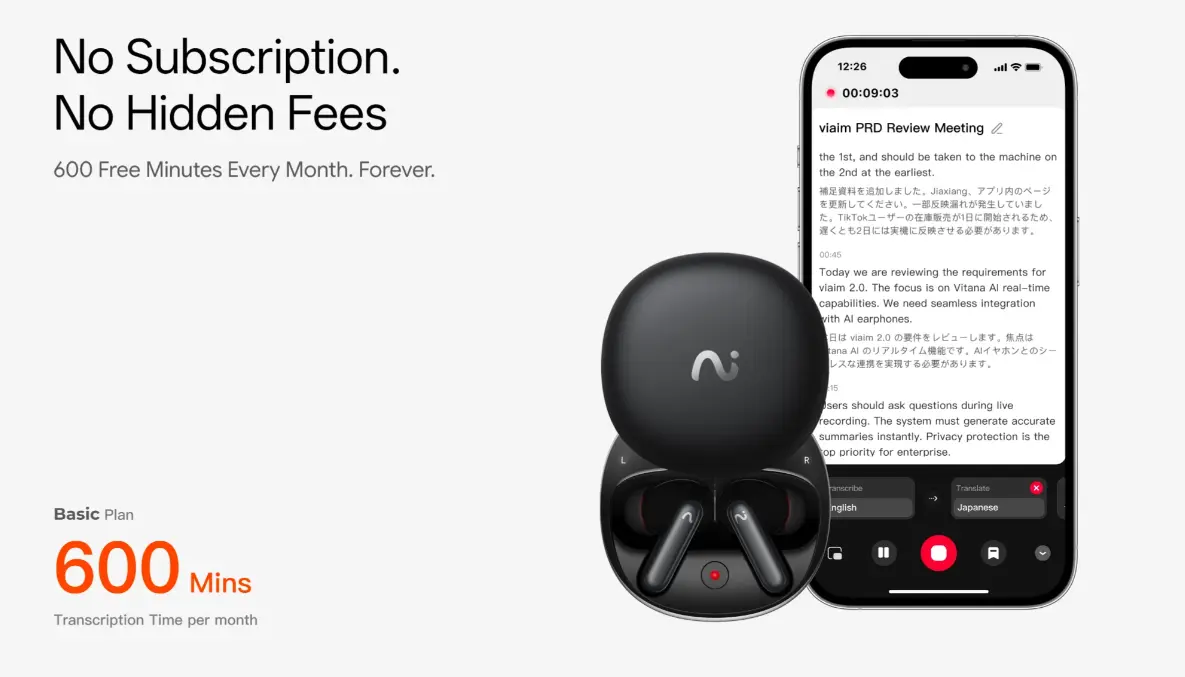 viaim earbuds with real-time transcription app on phone
Where RecDot Genuinely Excels
One device, two jobs
RecDot’s clearest advantage is consolidation. If you’re already carrying wireless earbuds every day, swapping them for a pair that also records means one fewer device to manage. For solo knowledge workers capturing calls and 1:1s, that reduction in friction is real.
The audio hardware holds up too. Bluetooth 5.2, Hi-Res certification, and 48dB hybrid ANC make it a capable everyday audio device — not a recorder bolted onto mediocre earbuds.
Generous free tier
RecDot includes 600 transcription minutes per month on the free Basic tier — enough to cover roughly 10 hours of meeting audio without a subscription. For lighter users, that headroom may be sufficient indefinitely.
Broad language coverage
Transcription and translation across 78 languages with 145 dialect variants is strong coverage for international teams and multilingual conversations. Mixed-language transcription (switching languages mid-conversation) is gated to Pro and Ultra tiers.
Where RecDot Runs Into Limits
The earbud constraint in in-person meetings
RecDot’s form factor is its biggest tradeoff. In remote calls, wearing earbuds is natural. In in-person meetings — client dinners, panels, site visits, multi-person conference rooms — wearing earbuds throughout can read as inattentive. You can’t always record the room while staying fully present in it.
More practically: RecDot captures audio from your position in the room, through microphones on the earbuds themselves. In larger group settings, this creates coverage gaps that a dedicated clip-on or tabletop recorder avoids by design.
No memory across sessions
RecDot’s AI pipeline ends when the meeting does: audio → transcript → summary → action items. Each recording is a discrete document. There is no mechanism to connect what was decided last week to what’s being discussed today, or to surface a commitment from two months ago when it becomes relevant again.
This is the limit that defines the RecDot category. It’s a capable note-taker. It is not a system that learns your work over time.
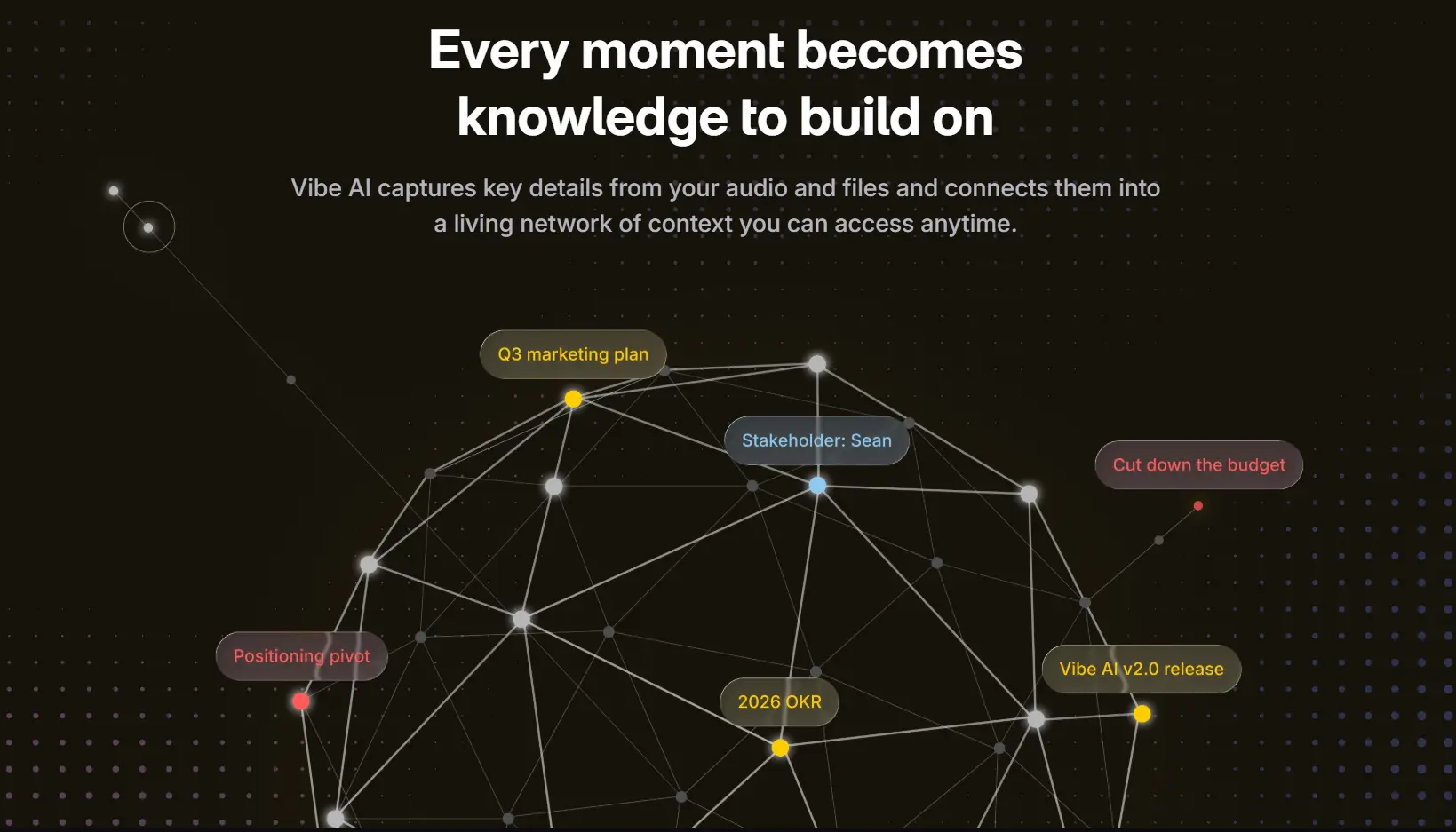 Vibe AI knowledge graph connecting meeting topics and tasks
Recording requires intention
To record with RecDot, you either press the red dot on the case or pinch and hold the earbud stem during a call. Missing the moment — stepping into an unexpected conversation, or realizing mid-meeting you forgot to start — means a gap in your record. There’s no automatic detection that something worth capturing is happening.
Compliance ceiling
RecDot’s ISO 27001 and ISO 27701 certifications are solid general information-security credentials. They don’t satisfy FERPA (US student data privacy) or NDAA (government procurement compliance) requirements. For education and government-adjacent buyers, this is a hard blocker (viaim Amazon listing).
How Vibe Dot Compares
[IMAGE: Vibe Dot clipped to a lapel during an in-person meeting, alongside a screenshot of the Vibe AI memory view]
Form factor built for in-person capture
Vibe Dot is a wearable clip — not earbuds. You clip it to your collar, badge lanyard, or pocket and forget it’s there. No audio in your ears, no earbud social friction in meetings. Its 5-microphone array (4 air mics + 1 bone-conduction mic) is purpose-built to isolate your voice from background noise and capture multi-speaker conversations across a room.
|
Spec |
Vibe Dot |
viaim RecDot |
|---|---|---|
|
Form factor |
Wearable clip / pin |
TWS earbuds |
|
Microphones |
5-mic array (4 air + 1 bone-conduction) |
Earbud-mounted |
|
Storage |
64GB onboard |
~60–70 min onboard |
|
Battery |
30+ hours |
9 hr (36 hr with case) |
|
Device price |
$199 |
$199.99 |
|
Free tier transcription |
300 min/month |
600 min/month |
|
Cross-session AI memory |
✅ Memory Engine powered by Vibe AI |
❌ |
|
Auto Capture |
✅ (voice-activated + scheduled) |
❌ |
|
FERPA certified |
✅ |
❌ |
|
NDAA compliant |
✅ |
❌ |
|
HIPAA compliant |
✅ |
❌ |
|
FIPS 140-3 hardware encryption |
✅ |
❌ |
|
Doubles as audio earbuds |
❌ |
✅ |
Auto Capture: the recording that starts itself
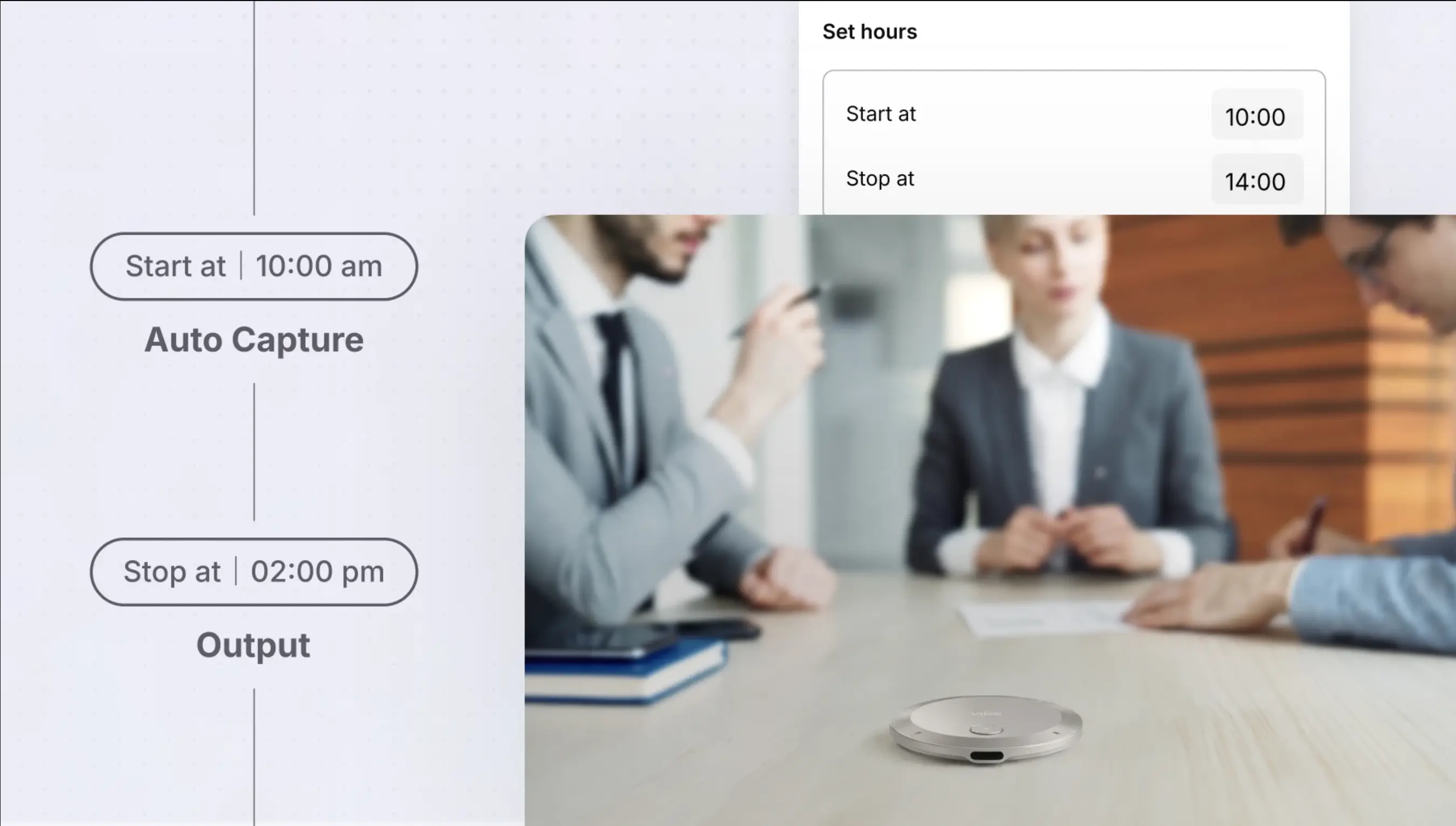
One of Vibe Dot‘s most practical differentiators has nothing to do with AI — it’s the recording trigger. Vibe Dot’s Auto Capture feature runs in two modes:
-
Standby mode: Dot recognizes your voice and starts recording automatically when you begin speaking. You don’t press anything; it detects that a conversation is happening and captures it.
-
Scheduled mode: Set a start and end time, and Dot records the full window — no manual trigger needed, even if the meeting runs long or starts early.
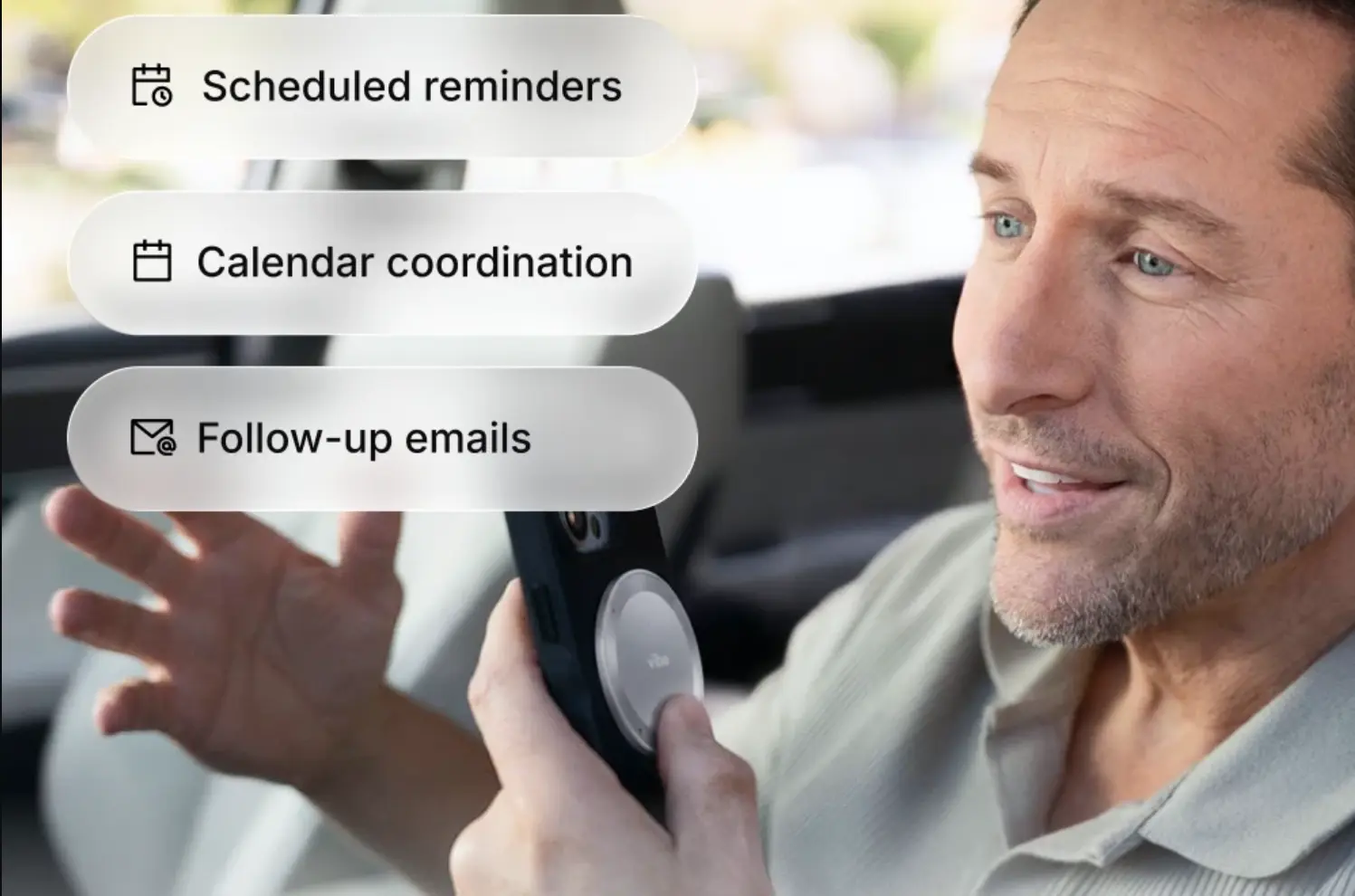
For professionals who move between unplanned conversations and back-to-back meetings, this closes the gap that every manual recorder leaves open. RecDot requires a deliberate button press every time.
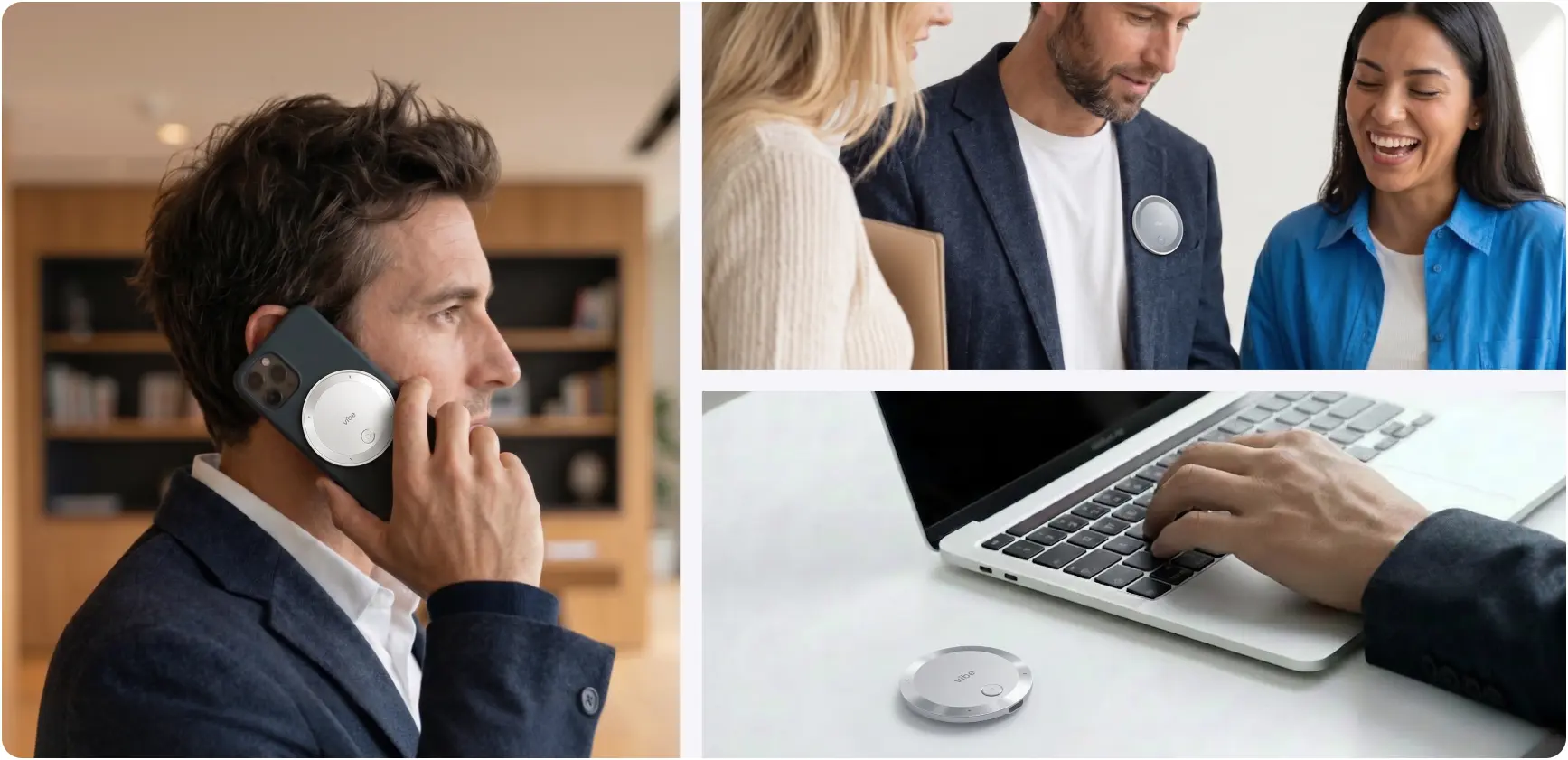 Vibe Dot magnetic recorder used on a phone call, clipped to a blazer in conversation, and beside a laptop on a desk
Vibe AI: a workspace that remembers, not just a note-taker
This is the structural difference between the two products.
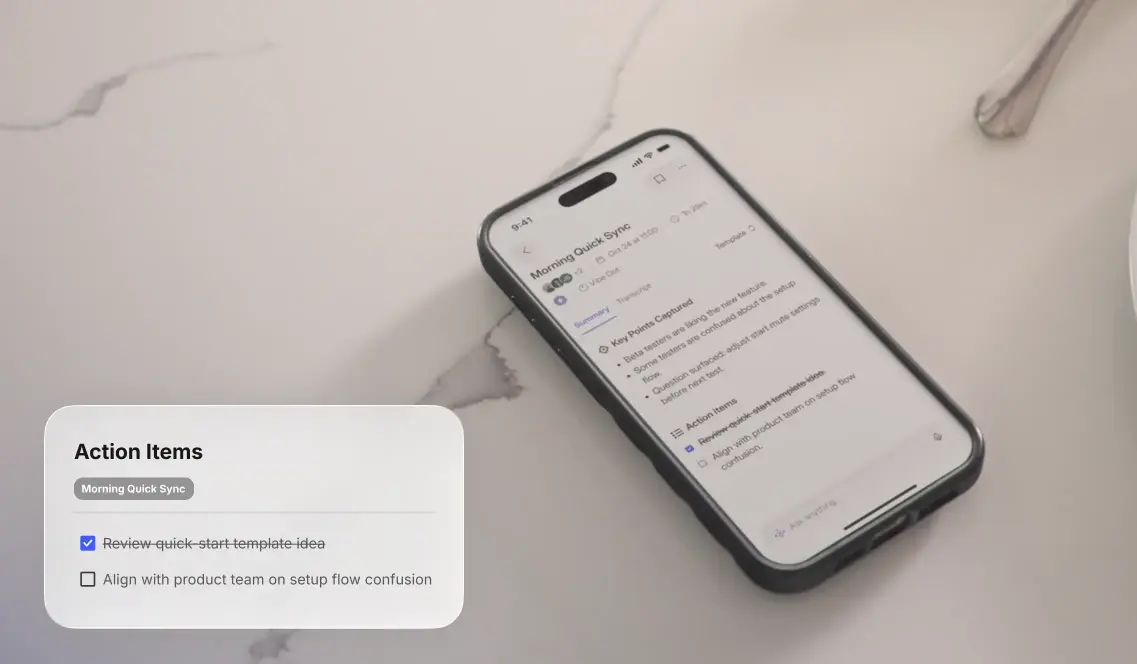
RecDot generates a note after each meeting. Vibe Dot feeds into the Vibe Memory Engine — a contextual workspace that links every conversation into a continuously growing knowledge graph. The practical difference looks like this:
-
RecDot: "Here’s a summary of today’s meeting with Acme."
-
Vibe AI: "You asked about the Acme pricing commitment. Here’s what was said across the three meetings where it came up, what changed between them, and the current status."
Vibe AI tracks not just what was said, but the reasoning behind decisions, who was silent, and how context evolved over time. The Pro plan extends memory retrieval across 12 months of meetings; the Max plan covers your entire history. You can ask questions across that memory in plain language — "What were the three main concerns the client raised about the timeline?" — and get answers pulled from the right moment, not just keyword matches.
Beyond recall, Vibe AI’s agentic layer (powered by OpenClaw, Vibe’s proprietary execution layer) can push outcomes directly to your tools: draft a follow-up in Gmail, update an opportunity in HubSpot, assign flagged issues in Asana, schedule the next call in Google Calendar. You say what should happen; Vibe does it. RecDot’s AI stops at the summary.
Compliance stack built for institutional buyers
Vibe Dot’s compliance certifications go well beyond ISO 27001:
-
SOC 2 Type 2 (Prescient Assurance)
-
HIPAA (Prescient Assurance)
-
FERPA (US student data privacy)
-
NDAA (US government procurement)
-
FIPS 140-3 hardware encryption chip — not software-only, meaning data is unreadable even if the device is physically stolen
-
Common Criteria EAL 6+ on the hardware security module
For any buyer in education, healthcare, or government-adjacent procurement, this is the comparison that ends the evaluation.
Language Coverage: Both Are Sufficient
Both RecDot and Vibe Dot support transcription across a wide range of languages — RecDot publicly cites 78 languages and 145 dialects; Vibe Dot’s coverage is comparable in scope, though Vibe positions transcription accuracy over breadth and doesn’t lead with language count in its marketing. For most international professional use cases, neither device is the limiting factor here.
Subscription Comparison
Neither device is subscription-free at heavy usage.
|
Plan |
Vibe Dot |
viaim RecDot |
|---|---|---|
|
Free |
300 min/mo, 7-day memory |
600 min/mo, Basic AI |
|
Mid-tier |
$9/mo — 1,200 min, 12-month memory, agentic actions |
$9.99/mo — 1,800 min |
|
Top tier |
$29/mo — unlimited transcription, full memory history |
$19.99/mo — unlimited transcription |
At the mid-tier, RecDot gives you more transcription minutes for slightly less money. Vibe Dot gives you cross-session memory retrieval and agentic workflow actions — a qualitatively different tier of capability at a comparable price.
Who Should Buy Each
Choose viaim RecDot if:
-
You want one device for both daily audio (music, calls) and meeting capture
-
Your recording is primarily remote calls and 1:1 interviews, not in-person group meetings
-
600 free minutes/month is enough, and you don’t need AI that works across sessions
-
You don’t need institutional compliance certifications
Choose Vibe Dot if:
-
You attend in-person meetings where wearing earbuds throughout isn’t ideal
-
You’ve ever missed the start of a recording — Auto Capture fixes that permanently
-
You need your AI to connect context across days, weeks, and months — not just summarize each meeting in isolation
-
You’re in education, healthcare, government, or government-adjacent procurement (FERPA / HIPAA / NDAA)
-
You want your recorder to actually act on what was captured — tasks assigned, emails drafted, CRMs updated — without manual follow-up
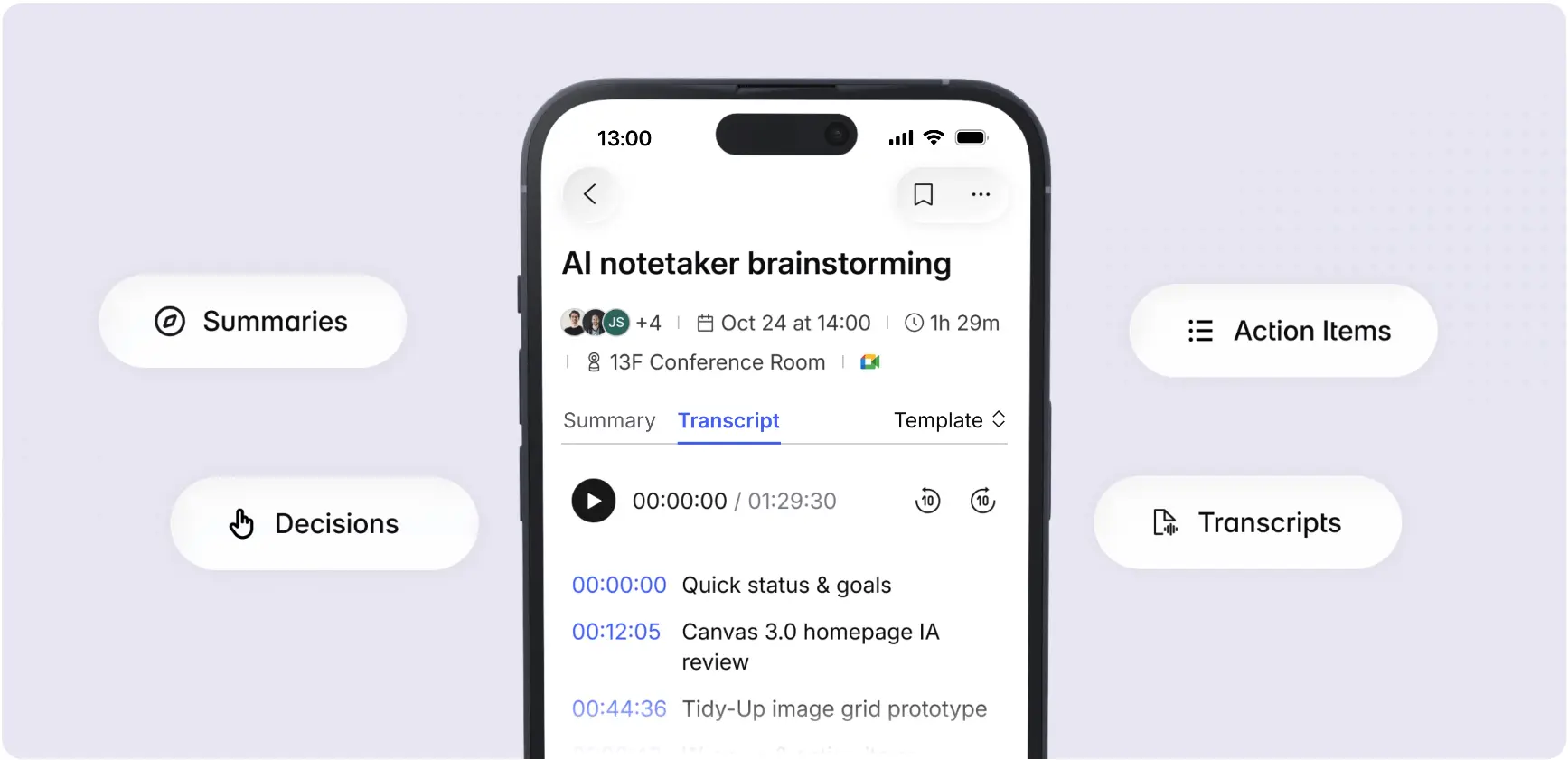 Vibe AI mobile app showing meeting transcript with timestamps, plus Summaries, Decisions, and Action Items features
Bottom Line
The viaim RecDot is a good AI note-taker in a earbud shell. If the earbud form factor fits your workflow — primarily remote calls, a single device for everything — it delivers on its promise.
The question is what you need after the note is taken.
If you need your AI to remember across sessions, capture meetings without a manual trigger, execute follow-up autonomously, and meet institutional compliance requirements, RecDot’s architecture doesn’t reach there. That’s Vibe Dot’s territory.
Frequently Asked Questions
Is viaim RecDot worth buying in 2026?
For professionals who want a single device that handles both everyday audio and meeting transcription — primarily for remote calls — RecDot is a well-executed product. It’s less suited for in-person group capture, doesn’t offer cross-session AI memory, and lacks the compliance certifications required for education, healthcare, or government use.
Does viaim RecDot have cross-session AI memory?
No. RecDot generates transcripts, summaries, and action items per session. Each recording is independent. There is no AI layer that connects decisions or context across multiple meetings over time. Vibe Dot’s Memory Engine links every captured conversation into a continuously updated knowledge graph.
Does viaim RecDot start recording automatically?
No. Recording requires a deliberate trigger: pressing the red dot on the charging case, or pinching and holding the earbud stem during a call. Vibe Dot’s Auto Capture feature detects your voice via Standby mode and begins recording automatically, or records a scheduled window continuously without any manual input.
Is viaim RecDot FERPA or NDAA compliant?
viaim RecDot holds ISO 27001 and ISO 27701 certifications. It does not list FERPA or NDAA compliance. Vibe Dot is certified for FERPA, NDAA, HIPAA, SOC 2 Type 2, and FIPS 140-3 hardware-level encryption.
Which has better audio quality for meeting capture?
RecDot uses earbud-mounted microphones, which capture from your position in the room. Vibe Dot uses a 5-microphone array (4 air mics + 1 bone-conduction mic) purpose-built to isolate voices and capture multi-speaker conversations across a room. For large in-person group meetings, Vibe Dot’s array is more suited to the task.
Can viaim RecDot push action items to Slack, HubSpot, or other tools automatically?
No. viaim’s AI pipeline ends at summary and action item generation — you still need to manually route follow-ups to your tools. Vibe Dot’s agentic layer (via Vibe AI Pro and Max plans) can automatically draft emails in Gmail, update HubSpot opportunities, assign tasks in Jira or Asana, and schedule follow-up calls in your calendar.