
Most AI note takers are good at the first half of the job: they record the meeting and write a summary. The second half is where the time goes. Someone still has to update the CRM, create the tickets, and send the follow-up. This guide compares four tools on that second half, using what each vendor says on its own pages: Vibe Dot with Vibe AI, Fireflies, Read AI, and Granola.
Quick answer: For in-person meetings and phone calls plus follow-through in your tools, Vibe Dot is built for that job. For the longest list of task-tool integrations, Fireflies. For editing action items before they reach Linear or Asana, plus CRM sync, Read AI. For bot-free notes with a review step before anything syncs, Granola. Which one fits depends mostly on where your conversations happen and which tools you use.
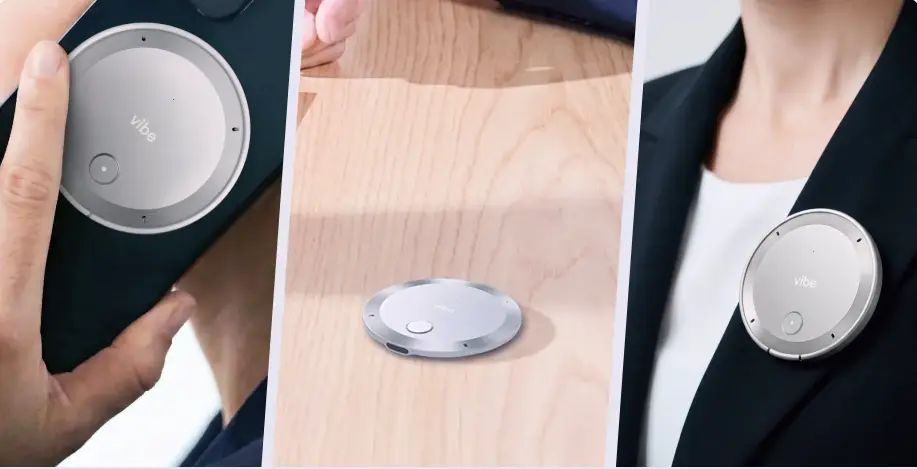
 Vibe Dot used three ways: magnetically attached to a phone during a call, clipped to a blazer in conversation, and on a desk beside a laptop
How We Compared Them
We judged each tool on six things, all about what happens after the meeting.
-
Capture coverage. Which conversations can it actually hear?
-
CRM updates. Which CRMs does it connect to, and what does it write?
-
Task creation. Which task tools, and is it native or through a connector like Zapier?
-
Review before sync. Can you check and edit what goes into your systems?
-
Plan requirements. Which plan unlocks the integration?
-
Security and permissions. What is stated publicly?
For a deeper look at why capture and review matter, see What Is an AI Meeting Agent?.
At a Glance
|
Vibe Dot with Vibe AI |
Fireflies |
Read AI |
Granola | |
|---|---|---|---|---|
|
CRM |
HubSpot |
HubSpot, Salesforce, Close |
HubSpot, Salesforce |
HubSpot, Affinity, Attio (native); others through Zapier |
|
Task tools |
Jira, Linear, Asana |
Jira, Linear, Asana, Trello, monday, ClickUp |
Asana, Jira, Linear; HubSpot and Salesforce tasks |
Jira, Linear, Asana, Trello, monday, ClickUp, GitHub (through Zapier) |
|
Other actions |
Follow-ups (Gmail, Outlook, Slack), scheduling, exports |
See its integrations directory |
Confluence, Notion, Google Drive, OneDrive (see its integrations page) |
Slack, Notion, Gmail |
|
Review before sync |
Drafts for review in Vibe's example; Action history |
Check the vendor |
Review and edit before creating Linear issues |
Review action items before they sync |
|
Plan requirement |
Pro or Max |
Check the vendor |
Pro and above for Linear and HubSpot |
Business plan or higher for integrations |
|
Capture |
In person, phone, offline (Vibe Dot) |
Check the vendor |
Joins scheduled meetings |
Bot-free, on meeting platforms |
Cells that say "check the vendor" mean we did not find the detail on the vendor's own pages, and we would rather say so than guess.
1. Vibe Dot With Vibe AI: Best for In-Person and Phone Conversations
Vibe Dot is a wearable AI recorder that captures the conversations software-only tools miss, and Vibe AI follows through in your tools. It clips on, attaches to your phone for calls, and records to onboard storage, so a meeting in a dead zone is still captured. Our guide to The Meetings Your AI Note-Taker Can't Capture explains why that matters.
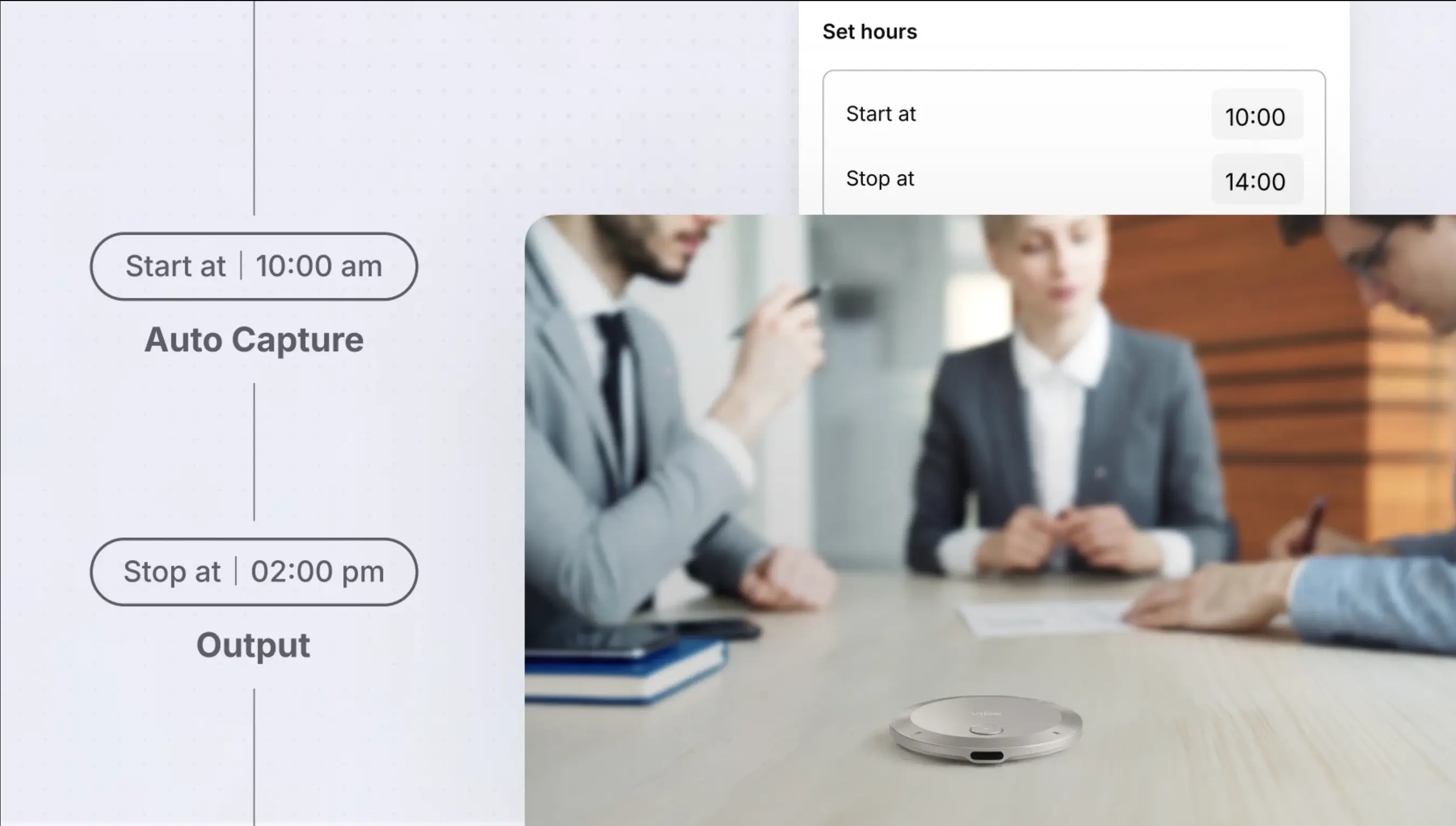 Vibe Dot
What it does after the meeting. According to the Vibe AI pricing page, on Pro and Max, Vibe AI drafts and sends follow-ups (Gmail, Outlook, Slack), creates tasks (Jira, Linear, Asana), updates CRM records (HubSpot), schedules follow-up meetings (Google Calendar, Outlook Calendar), and exports meeting content (Google Drive, OneDrive, Google Docs, Notion). You can start an action by voice: press and hold Vibe Dot and say what you want.
Best for. Account executives, project managers, and field and client-facing roles whose important conversations are in person or on the phone. See our guides to updating HubSpot after a sales call and turning meeting notes into Jira, Linear, or Asana tasks.
What to check.
-
One CRM. HubSpot is the CRM Vibe AI lists. If you use Salesforce, check whether that fits.
-
Paid plan. Actions need Pro ($9 per seat per month, billed annually) or Max ($29 per seat per month, billed annually), and run on a monthly credit allowance. The free Starter plan generates notes, summaries, and action items.
-
Consent. Tell participants you are recording.

2. Fireflies: Best for the Longest Task-Tool List
Fireflies lists the broadest set of task-management integrations of the four. Its project management integrations page says it can automatically create tasks in Asana, Trello, monday.com, and ClickUp from AI-assisted action items or by voice commands, and in Jira and Linear from AI-assisted action items.
 Fireflies AI
On the CRM side, its integrations directory lists HubSpot, where a call activity is logged under the right contact with a link to the transcript, recording, and brief notes. It also lists Salesforce, where meetings, notes, and transcripts sync, and Close.
Best for. Teams that run work in a less common tracker, or that need CRM sync across more than one system.
What to check. Plan requirements, how capture works for your meetings, and whether review happens before sync are not stated on the pages above, so confirm them on Fireflies' own site.
3. Read AI: Best for Editing Action Items Before They Sync
Read AI gives you a review step before action items reach your task tool. On its Linear integration page, Read describes opening a meeting report, reviewing the AI-detected action items, and selectively pushing them to Linear, where a dialog lets you edit the title, description, team, project, and status first. The issue links back to the original meeting report.
 Read AI homepage screenshot
More integrations. Read's integrations page lists HubSpot and Salesforce for syncing contact and meeting note data, Asana for pushing action items with assignee, due date, and meeting context, and Jira and Linear for manually pushing action items. Its help center also covers creating HubSpot and Salesforce tasks from action items.
Best for. Teams that want a human check between the meeting and the backlog, and sales teams that want CRM sync.
What to check. Linear and HubSpot access are on Read's Pro, Enterprise, and Enterprise+ plans, and Linear needs permission to create issues. Read says it joins your meetings to record, so check whether that fits conversations that are not on a calendar.
4. Granola: Best for Bot-Free Notes With a Review Step
Granola works without a bot joining the call, and it asks you to review action items before they sync. According to its own guide to sending action items to a task manager, you jot rough notes during the call, Granola enhances them, and you review the action items before anything syncs to Jira, Linear, or Asana. Its integrations page lists Jira, Linear, Asana, Trello, monday.com, and ClickUp through Zapier.
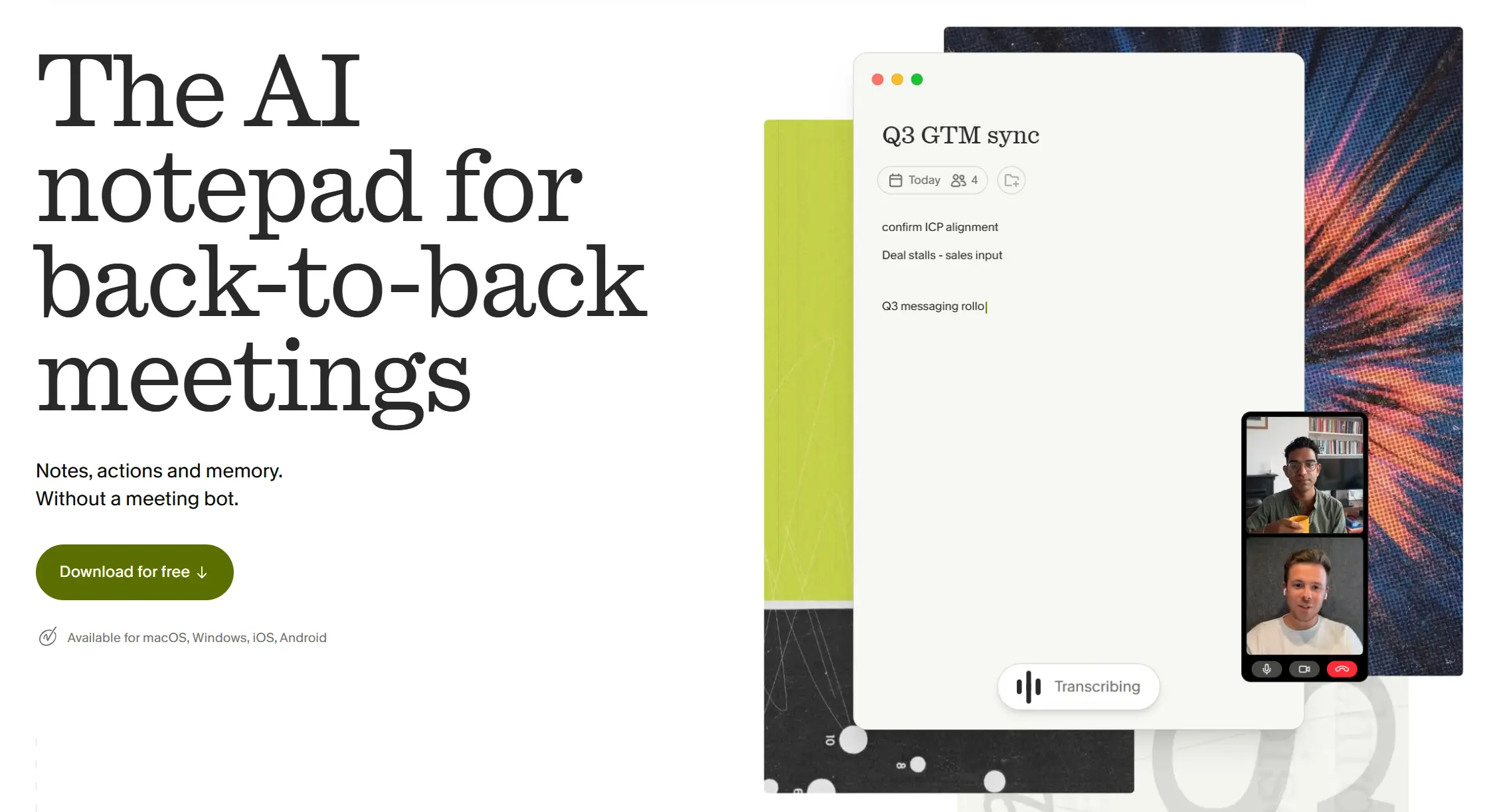 Granola
Native integrations. Granola's integrations guide lists native connections to Slack, Notion, HubSpot, Affinity, and Attio, and says it works across Zoom, Google Meet, Teams, WebEx, and Slack Huddles without needing admin permissions on the meeting platform.
Best for. People who prefer to keep control of what goes into their systems, and teams already using Zapier.
What to check. The same guide says the native integrations and Zapier connection require a Business plan or higher, and that tools such as Jira, Linear, Asana, and Salesforce go through Zapier rather than a native connection.
Which One Should You Choose?
Choose by where your conversations happen and which tools you use.
|
If you… |
Consider |
|---|---|
|
Spend your day in person or on the phone, and want follow-up handled |
Vibe Dot with Vibe AI |
|
Use a task tracker beyond Jira, Linear, and Asana |
Fireflies or Granola |
|
Want to edit action items before they reach Linear or Asana |
Read AI |
|
Want notes without a bot in the call and prefer to review first |
Granola |
|
Use Salesforce |
Fireflies or Read AI |
|
Use HubSpot |
Any of the four |
Questions to Ask Before You Buy
-
What can it hear? Only scheduled video calls, or in-person meetings and phone calls too?
-
Native or through a connector? Zapier-based integrations can work well, but they add a step and a possible extra subscription.
-
Where is the review step? Before sync, after, or not at all?
-
Which plan unlocks it? Check the pricing page for your exact integration.
-
What is the security posture? Look for independent audits, such as a SOC 2 Type 2 report, and a clear data-use policy. Our guide to whether it is safe to let AI send emails and update your CRM covers a checklist.
Limits of This Comparison
We should be clear about the limits. Vendor pages change, plan names and limits shift often, and we have not tested every integration end to end. We compared four tools, not the whole market, and others such as Otter and Fathom are worth checking against the same criteria. Vibe AI's actions require a paid plan and a monthly credit allowance, and Auto Capture on Vibe Dot is in Beta. For Vibe's own pricing, see our guide to Vibe Dot AI pricing.
Conclusion
The best AI note taker is the one that closes the loop in the tools you already use, for the conversations you actually have. Fireflies, Read AI, and Granola each have clear strengths on integrations and review. Vibe Dot is built for the conversations that happen away from a calendar, with Vibe AI carrying them into follow-ups, tasks, and your CRM. Pick two or three candidates, test them against your own workflow for a week, and keep the one that gives you the least to fix afterward.
To see how Vibe approaches it, start with Vibe Dot and Vibe AI.
Frequently Asked Questions
What is the best AI note taker with CRM integration?
It depends on your CRM and your meetings. Fireflies lists HubSpot, Salesforce, and Close. Read AI lists HubSpot and Salesforce. Granola has native HubSpot, Affinity, and Attio connections. Vibe AI updates HubSpot records and is built for in-person and phone conversations. Compare each against your CRM and capture needs.
Which AI note takers create tasks in Jira, Linear, and Asana?
Fireflies, Read AI, Granola, and Vibe AI all list Jira, Linear, and Asana. Granola connects through Zapier, Read AI pushes action items from its meeting report, Fireflies creates tasks from action items, and Vibe AI creates tasks on its Pro and Max plans.
Do I need a paid plan to send action items to my CRM or task tool?
Usually, yes. Read AI's Linear and HubSpot integrations are on Pro and above, Granola's integrations are on its Business plan or higher, and Vibe AI's actions are on Pro and Max. Check each vendor's pricing page for the plan that includes your integration.
Can an AI note taker record in-person meetings and phone calls?
Some can. Vibe Dot is a wearable AI recorder that clips on, attaches to your phone for calls, and records offline. Tools that join video calls through a calendar are built around scheduled meetings, so check how each one handles conversations that are not on your calendar.
Is it safe to let an AI note taker update my CRM?
It can be, with the right controls. Limit its access, review anything that reaches your CRM or goes to customers, ask for independent security audits, and get clear written data-use terms. Review matters most at the start, while you learn how accurate the output is.
Why doesn't this comparison include prices?
Plan names, limits, and prices change often, and we would rather not quote numbers that may be out of date. Each tool links to its own pricing page, and Vibe's plans are covered in our guide to Vibe Dot AI pricing.